Why Google Slides PPTX Export Fails
The built-in "File > Download > PPTX" option in Google Slides asks two different rendering systems to translate slides between them. They don't speak the same language — and the result shows up before your first client meeting. See how we compare to Google Slides for a full breakdown.
Font Substitution Breaks Headlines
Google's web fonts don't exist in Microsoft 365. Text overflows, headings break, and slides that looked clean in Chrome look wrong in PowerPoint.
The Chart Gridline Bug
Charts that rendered perfectly in the browser appear with black gridlines or corrupted data labels after export.
Layout Drift on Every Slide
Text boxes and buttons physically shift position, requiring manual repairs on every slide before the deck is presentable.
Presentations.AI takes a different approach entirely.
Why Our Google Slides to PPT Converter Works
Instead of asking Google and PowerPoint to talk directly, we import a PDF snapshot of your Google Slides — freezing the visual state exactly as it appears — then use AI to reconstruct it as a clean, native PowerPoint file from the ground up. That rebuild runs on the same Presentations.ai engine behind every deck on the platform.
Fonts Map Cleanly to Microsoft 365
The AI maps Google's web fonts to their closest standard equivalents, ensuring headlines render correctly on any machine running Microsoft 365 — no overflow, no substitution artifacts.
Charts Reconstructed, Not Transferred
Rather than transferring chart data between platforms, our engine reconstructs the visual layer directly — clean gridlines, correct labels, professional output every time.
Fully Editable Native PowerPoint Output
Reconstructs the full slide structure so every text box and shape is natively editable in PowerPoint. Make last-minute changes without starting over. Use our AI presentation maker to build new decks from scratch.
Brand Sync Applied During Conversion
Moving between platforms is the ideal moment to enforce brand standards. Enter your URL and Brand Sync applies your corporate colors and fonts during conversion — the final deck arrives on-brand automatically. Explore our professional templates to pair with your converted deck.
How to Convert Google Slides to PowerPoint
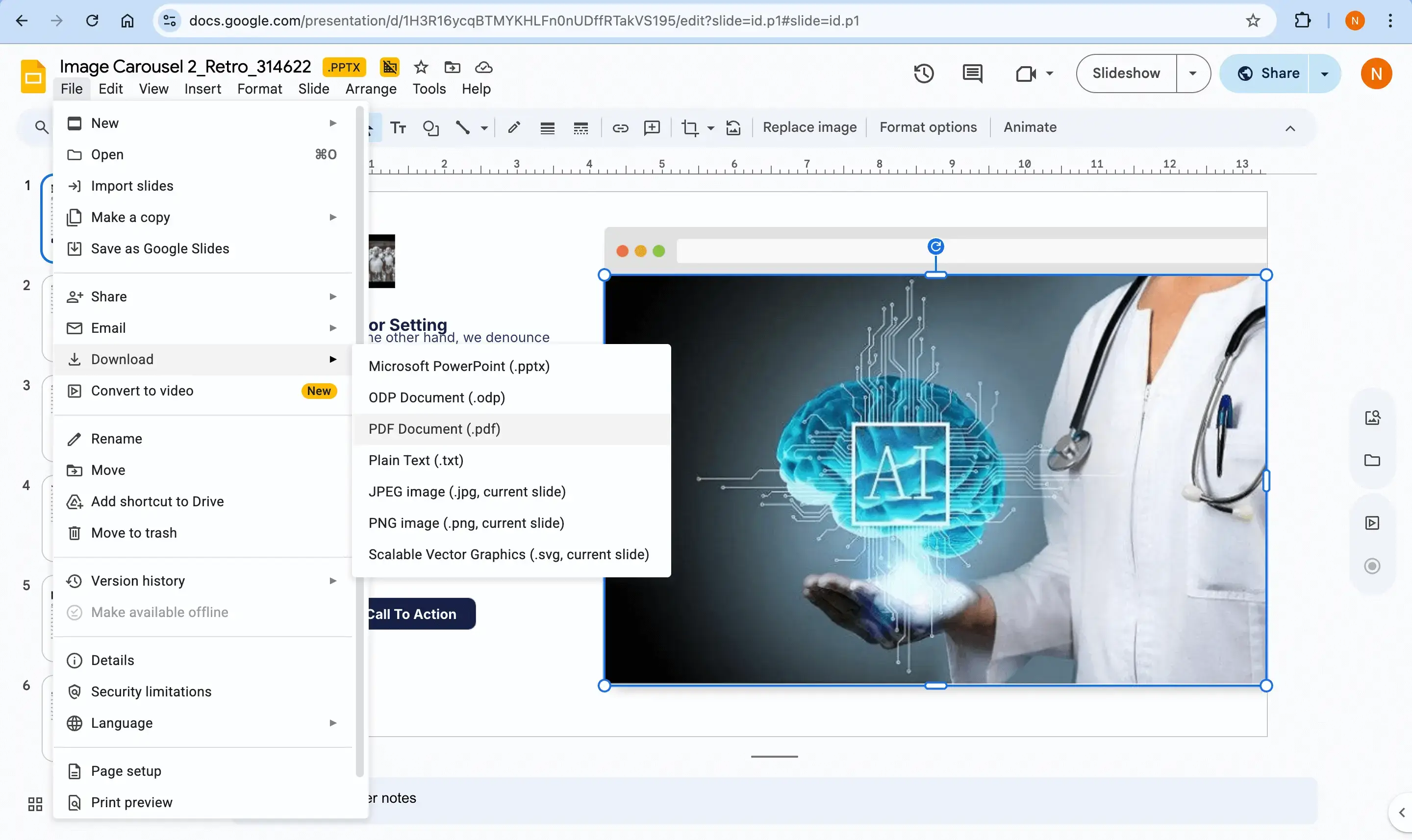
Step 1 — Export your Google Slides as PDF
Navigate to File > Download > PDF Document in Google Slides. This freezes the visual state and preserves your exact design — it's the cleanest way to carry your slides over, since the built-in PPTX export has the known bugs described above.
Already have a PDF? Skip straight to Step 2 using our PDF to PPT converter.
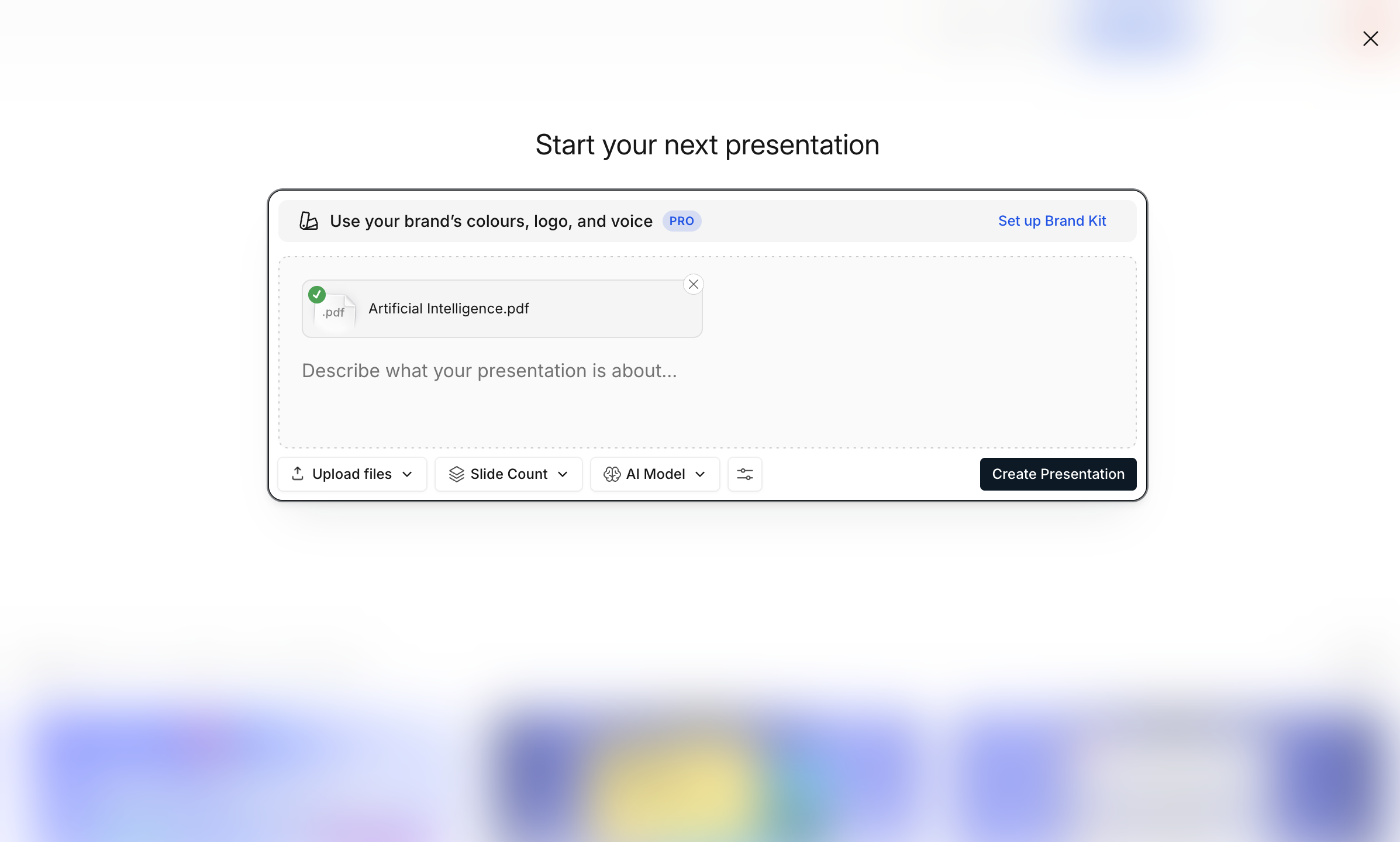
Step 2 — Upload the PDF to Presentations.AI
Upload the PDF to your dashboard. The AI uses OCR and deep learning to identify structural elements including headers, bulleted lists, and images.
Step 3 — AI reconstructs your deck
Brand Sync applies your corporate colors and fonts automatically. Layout optimization converts dense text blocks into visual grids, timelines, or structured layouts where appropriate.

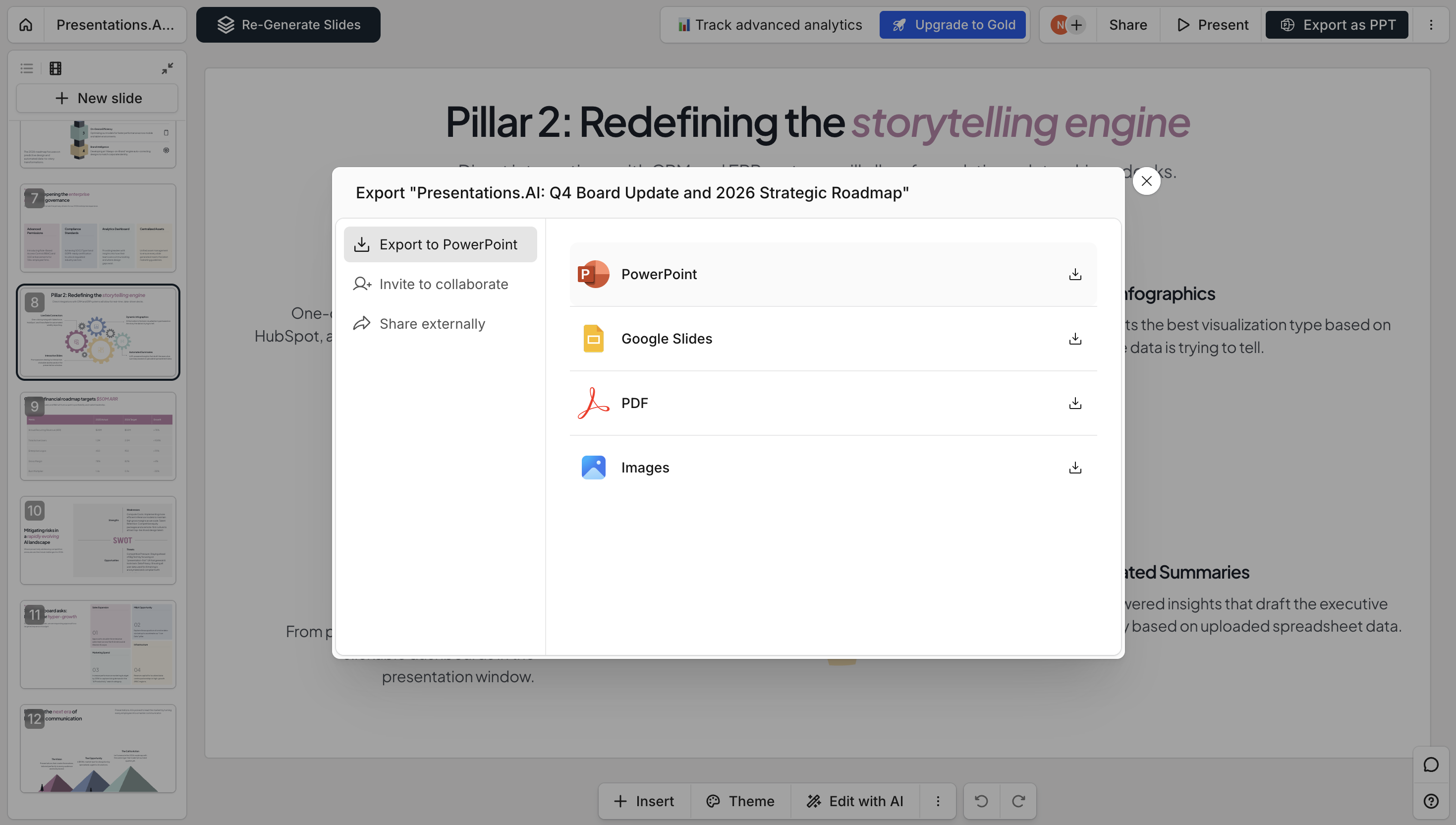
Step 4 — Download as native PowerPoint
Export a clean .pptx file with editable text, native PowerPoint objects, and stable design. Check our pricing page to see what's included free.
Google Slides Native Export vs Presentations.ai
Five seconds is all it takes to see the difference: