





The Best AI Presentation Maker!

Stop Building Presentations Manually, Use the Best Presentations API

Automate presentation generation in your product. REST API generates professional decks in 30 seconds. White-label ready. Free tier included.

Try for Free

No credit card required

Presentations AI API

Trusted by over 10 million professional teams

TRUSTED BY

Google Logo
Adobe Logo
Microsoft Logo
Amazon Logo
Notion Logo
Facebook Logo
Google Logo
Adobe Logo
Microsoft Logo
Amazon Logo
Notion Logo
Facebook Logo
Google Logo
Adobe Logo
Microsoft Logo
Amazon Logo
Notion Logo
Facebook Logo

Never start from a blank slide again

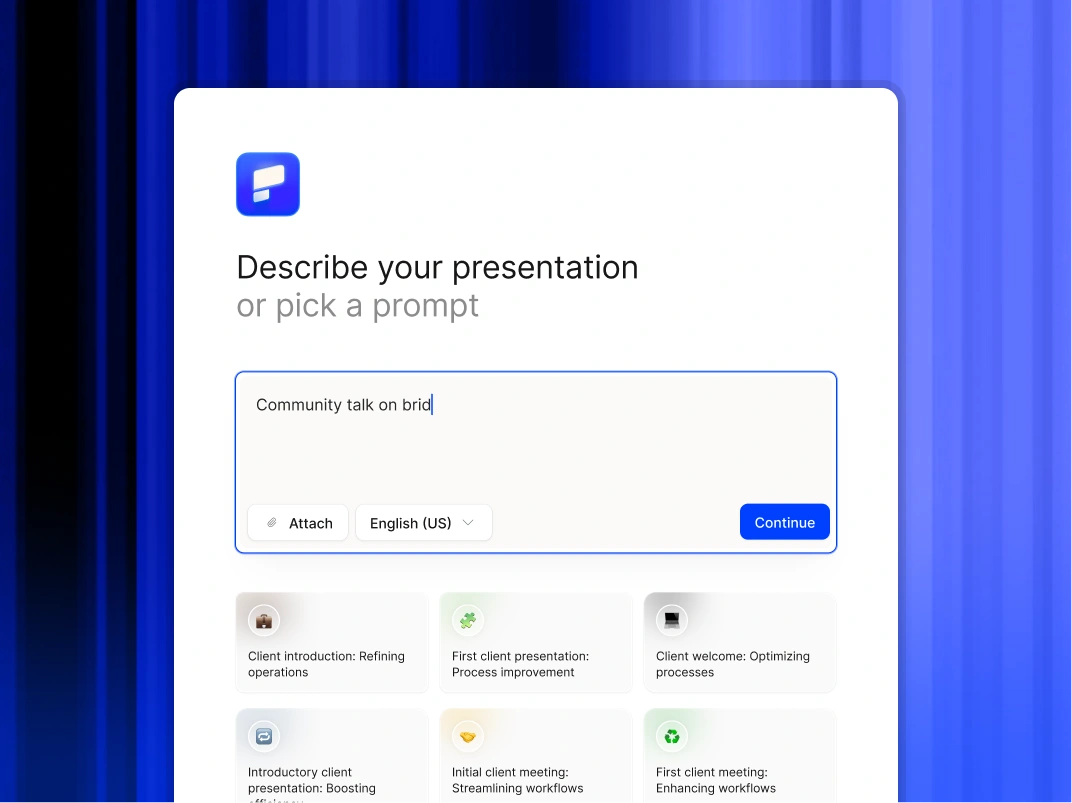
Type a topic, paste your notes, or upload a document. In minutes, you get a polished, structured presentation - edit or export directly to PowerPoint or Google Slides.

Try For Free

Key Benefits

3-hour task → 5 minutes Presentations generated from your data in minutes

Works with existing tools No platform migration required. Connect to your existing stack

Always on-brand Every output matches your visual identity automatically

Scale without headcount Generate hundreds of presentations without adding staff

Structured output Presentations formatted consistently for your use case


The Problem: Manual Presentations Waste Time

Your team is spending hours every week on presentations that should take minutes.

The math is ugly:

  • Sales rep: 3-4 hours per custom pitch deck, 5 pitches per week = 15-20 hours
  • Finance analyst: 6-8 hours per quarterly board deck
  • Marketing manager: 4-5 hours per campaign performance report
  • CS manager: 2-3 hours per QBR deck, 20 accounts = 40-60 hours/quarter

That's not a people problem. It's a process problem. And an API solves it.


How the API Works: 3 Simple Steps

Step 1: Send your data

  • POST your data to the Presentations AI API endpoint
  • Data can be JSON, CSV, text, or structured parameters
  • Include optional context: audience, tone, template preference

Step 2: AI generates the presentation

  • AI selects appropriate slide types for your data
  • Applies your brand (colors, fonts, logo, layouts)
  • Writes headlines, bullets, and speaker notes
  • Creates charts and visualizations from your numbers
  • Structures narrative flow based on use case

Step 3: Receive the output

  • Get back a presentation URL or file download link
  • Available formats: PPTX, PDF, shareable web link
  • Webhook notification when generation is complete
  • Store or serve to your end users directly


API Capabilities: What You Can Do

Generate presentations from data

  • Pass raw data + context → receive complete presentation
  • AI determines structure, layout, and narrative flow
  • Supports any industry or use case

Use templates

  • Apply existing Presentations AI templates via API
  • Lock branding elements to enforce consistency
  • Mix AI flexibility with structured template constraints

Populate slides with live data

  • Connect to your database or data warehouse
  • Auto-populate slide content from live data sources
  • Schedule automatic refreshes

Manage presentation library

  • Create, update, delete presentations via API
  • Organize by folder, tag, team, or project
  • Search and retrieve presentations programmatically

Control branding

  • Set and enforce brand guidelines across all generated presentations
  • Support for custom fonts, color palettes, and logo placement
  • Multi-brand support for agencies and enterprises

Authentication and security

  • API key management
  • OAuth 2.0 support
  • Role-based access controls
  • Audit logs for enterprise compliance


Pricing: What You'll Actually Pay

Tier Monthly Volume Price Per Presentation Best For
Starter Up to 100 $X.XX Early integration, testing
Growth 101–1,000 $X.XX Scaling SaaS, regular pipeline
Scale 1,001–10,000 $X.XX High-volume automation
Enterprise 10,000+ Custom Dedicated infra + SLA

Volume discounts apply automatically. No setup fees. No monthly minimums on Growth and Scale.


Real-World Use Cases: How Teams Use the API

Sales automation

  • Trigger: Prospect books a demo
  • API call: Generate custom pitch deck using CRM data
  • Output: Personalized deck ready before the call starts

Reporting pipelines

  • Trigger: Weekly cron job
  • API call: Pull KPIs from data warehouse, generate exec summary
  • Output: Board-ready report delivered to Slack every Monday at 8am

Customer success at scale

  • Trigger: QBR date approaches (from CRM)
  • API call: Generate QBR deck using account health data
  • Output: CS manager reviews, personalizes 10%, sends

Product-embedded presentations

  • Trigger: User clicks "Export Report" in your product
  • API call: Generate presentation from user's in-app data
  • Output: Polished deck downloaded directly from your product

Training and enablement content

  • Trigger: New hire added to HRIS
  • API call: Generate onboarding presentation for their role
  • Output: Personalized training deck ready for day one


Integrations: Pre-Built Connectors

Presentations AI integrates with the tools you already use:

CRM & Sales

  • Salesforce
  • HubSpot
  • Pipedrive
  • Outreach
  • Salesloft

Data & Analytics

  • Snowflake
  • BigQuery
  • Looker
  • Tableau
  • Mixpanel

Project Management

  • Jira
  • Asana
  • Monday.com
  • ClickUp
  • Linear

Communication

  • Slack
  • Microsoft Teams
  • Email (via webhook)

Infrastructure

  • AWS
  • Google Cloud
  • Azure
  • Zapier (no-code)
  • Make (formerly Integromat)


Competitive Comparison: Why Choose Presentations AI API

Capability Presentations AI API Gamma API Beautiful.AI API Custom GPT + PPTX
Full presentation generation Yes Limited No Manual assembly required
Brand enforcement Yes Limited Yes No
Data-driven generation Yes No No Manual
Template library Yes Yes Yes No
PPTX export Yes Yes Yes Yes
Enterprise security Yes Limited Yes DIY
Volume pricing Yes Unknown No public API N/A


Real Case Studies

Series B SaaS company — Sales automation

  • Problem: AEs spending 4+ hours per custom pitch deck
  • Solution: API integration with Salesforce triggers auto-generation on demo booking
  • Result: Deck ready in 4 minutes. AE review time: 15 minutes. Close rate up 18%

Financial services firm — Reporting automation

  • Problem: Finance team spending 2 days per month on board report
  • Solution: API pulls from data warehouse, generates board deck on schedule
  • Result: Report delivered in 8 minutes. Finance team reclaimed 16 hours/month

Customer success platform — QBR generation

  • Problem: CS managers spending 3+ hours per QBR deck, 20 accounts each
  • Solution: API integrated into CS platform, generates QBR on trigger
  • Result: 87% time reduction. CS managers now handle 35% more accounts


Developer Resources

  • Full API documentation at api.presentations.ai/docs
  • Postman collection for testing
  • SDK libraries: Python, Node.js, Ruby, Java
  • Webhook setup guides
  • Template creation tutorials
  • Sample integration code for common use cases


Ready to Automate Presentations?

Join the developers and product teams already using Presentations AI API to eliminate manual presentation work.

  • Free tier: 10 presentations/month, no credit card required
  • Paid tiers start at Growth level
  • Enterprise contracts available with dedicated support and SLA

Start building today. Your team will thank you.

Divider Lines

API INFRASTRUCTURE

Production-Ready API With Enterprise Security and SLAs

A collaborative AI partner at your command.

Chat with the app and ask it to do what you want - every user is a power user!

Bring your ideas to life instantly

Turn any idea into a presentation instantly. Simply type and get a beautiful deck.

You bring the story. We bring design.

Focus on your content. Beautiful output with no design work.

Divider Lines

API FAQ

What is an AI presentation API and how does it benefit developers?

Down IconUp Icon

An AI presentation API is a developer tool that enables software applications to programmatically create, customize, and manipulate slide decks using artificial intelligence. For developers, it means integrating powerful AI-driven design and content generation features directly into their own products, automating presentation workflows, and allowing users to generate professional presentations without ever leaving their application.

Which export formats does the Presentations.AI API support for generated slides?

Down IconUp Icon

The Presentations.AI API supports a variety of popular export formats to ensure maximum compatibility and flexibility. These include PPTX (Microsoft PowerPoint) for easy editing, PDF for universal sharing, and various image formats (e.g., PNG, JPEG) for individual slides. This ensures that the decks generated within your application are fully compatible with the tools and platforms your users already utilize.

How is pricing calculated? What does "5 credits per slide" mean?

Down IconUp Icon

Each slide costs 5 credits. A 15-slide presentation = 75 credits. A 20-slide deck = 100 credits. Your tier gives you a monthly credit allowance. You can estimate cost before generating.

How many presentations can I generate per month at each tier?

Down IconUp Icon

Assuming 15-slide averages (75 credits each): Free: 2-3 presentations (200 credits one-time). Starter: 26-27 presentations/month (2,000 credits). Growth: 80 presentations/month (6,000 credits). Scale: 400 presentations/month (30,000 credits).

What export formats does the API support?

Down IconUp Icon

PPTX (Microsoft PowerPoint, fully editable), PDF (immutable, shareable), HTML (embed in web apps), JSON (integrate into database for custom rendering).

How fast are presentations generated?

Down IconUp Icon

P50 latency: 20-50 seconds. P95 latency: 30-75 seconds. P99 latency: 90 seconds. Average: 45-90 seconds for typical decks. Faster than a human could open PowerPoint and select a template.

What happens if a presentation fails to generate?

Down IconUp Icon

Automatic retry with exponential backoff (3 retries over 120 seconds). You get webhook notification on failure with error details. Manual retry available via API. No credit charge if failed after 3 retries. Typical failure rate: <0.5%.

What are the rate limits for API calls?

Down IconUp Icon

Soft limit: 1,000 requests/minute. Hard limit: 5,000 requests/minute. We notify you before enforcement. Burst capacity available with automatic backoff. Higher limits available with Scale or Custom tier.

Can I white-label presentations generated by your API?

Down IconUp Icon

Yes, completely. Growth tier and above: Remove all Presentations.AI branding, apply your logo and colors automatically, customize fonts and styling. Presentations look indistinguishable from your product.

Can I embed the API in my SaaS product for customer-facing features?

Down IconUp Icon

Yes, absolutely. That's exactly what we designed this for. Embed presentation generation directly into your product. White-label support (Growth tier+) ensures your customers see your branding, not ours.

Is my data used to train AI models?

Down IconUp Icon

No. Your data is processed securely, never logged or stored long-term (deleted after generation), never shared with third parties, and never used for model training. Compliant with GDPR, CCPA, HIPAA. We process and discard immediately.

What security certifications do you have?

Down IconUp Icon

SOC 2 Type II certified (annual third-party audit), GDPR and CCPA compliant with Data Processing Agreement (DPA).

Can I customize the presentation output (colors, fonts, layout)?

Down IconUp Icon

Yes, multiple ways: Send brand guidelines JSON and they are auto-applied to all decks. Specify style preferences and they are incorporated into generation. Request specific slide count and it is honored. Choose from pre-built templates. Post-generation webhooks let you modify output before delivery. You have full control.

Do you have pre-built integrations with popular platforms?

Down IconUp Icon

Yes. Production: Salesforce, HubSpot, Google Sheets, Zapier, Make.com. Beta: Slack, Notion. Roadmap: Dynamics 365, Tableau, Snowflake. See the Integrations section for status and links.

How do I estimate which tier is right for my use case?

Down IconUp Icon

Start with the free plan and validate quality. Then sign up for the Starter Plan — you can scale with usage. For custom guidance, email api-sales@presentations.ai.