


Google Slides vs PowerPoint is head-to-head with two of the biggest ecosystems. Google Slides lives inside Google Workspace. PowerPoint lives inside Microsoft 365. Both build decks, and both handle everyday presentations well. The question is which fits the tools your team already relies on, and whether either one handles the creation side as well as you need it to.
Google Slides wins in ease of collaboration and accessibility. The real-time co-editing experience is one of the smoothest available in any presentation tool, and the price is hard to argue with: Free with any Google account. Where it falls short is in design depth, AI capability, and PowerPoint export quality. Teams that need detailed chart formatting, advanced animations, or editable .pptx files for stakeholders often run into a ceiling.
PowerPoint remains the business default in most large organizations for good reasons: deep control, native .pptx files, and tight Microsoft 365 integration. The cost is effort. Building polished slides from scratch takes time and real design skill, and AI through Copilot depends on your plan and admin configuration.
Presentations.AI offers a third path. The tool provides AI-native deck creation, with branding, structure, and formatting handled automatically so you can stay focused on the message.
TL;DR
- Google Slides works best for Google Workspace teams that need free, browser-based decks with strong real-time collaboration. The co-editing experience is genuinely excellent. Design depth, AI features, and .pptx export quality are where it falls short.
- PowerPoint is the standard for Microsoft 365 environments where .pptx compatibility, Excel-linked charts, offline editing, and complex animation control are non-negotiable. Building polished output from scratch takes real time and skill.
- Presentations.AI generates complete branded decks from source material, including documents, URLs, and prompts, and exports a clean .pptx that opens correctly in both PowerPoint and Google Slides. It skips the blank slide problem entirely.
- A key detail most comparisons miss: both Google Slides and PowerPoint require paid plan upgrades for their AI generation features. Gemini in Slides and Copilot in PowerPoint are both add-ons. Presentations.AI includes AI deck creation on its free plan.
Quick Comparison: 3 Tools at a Glance
What is Google Slides?
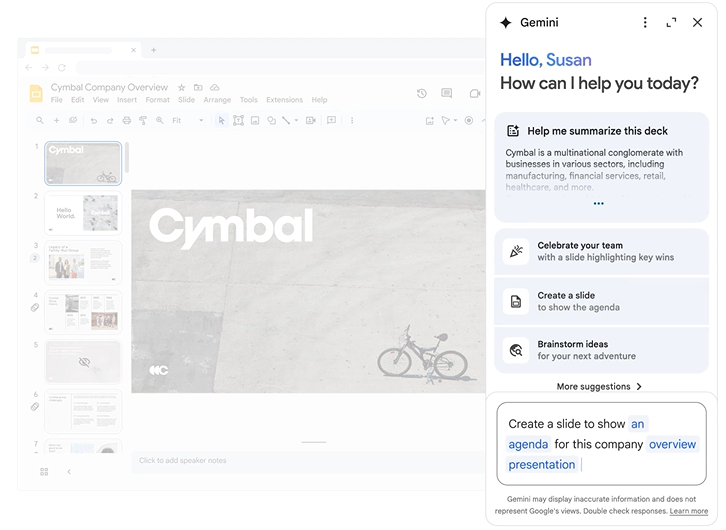
Google Slides is Google's browser-based presentation tool, included free with any Google account and available with additional workspace features through Google Workspace plans. It sits alongside Google Docs and Sheets as part of the same productivity suite. For teams already using Gmail, Drive, and Docs, Slides fits naturally into the same workflow without requiring any additional software installation.
The platform's most significant strength is real-time collaboration. Multiple contributors can edit the same deck simultaneously, with changes appearing live. Comments, suggestions mode, and version history help distributed teams review and approve decks without emailing files. That collaboration experience is the most common reason teams standardize on Google Slides, and it holds up at any team size.
Google Slides is more limited in design depth, AI capabilities, and export quality. The built-in template library is smaller than PowerPoint's, and formatting controls are less precise. Gemini in Slides adds AI-assisted image generation and content suggestions when a compatible Workspace plan includes it. Still, it functions as an add-on rather than a core creation engine.
What is PowerPoint?
The depth of PowerPoint's toolset is substantial. Slide Master configurations enforce design consistency across large template libraries. Excel-linked charts update when the underlying data changes. Object-level animation and Presenter view are the most capable among the tools in this comparison.
The integration with Teams for live presentations, SharePoint for version management, and OneDrive for cloud access all make PowerPoint a natural fit for organizations where Microsoft products form the backbone of day-to-day work.
That depth comes with a qualification. PowerPoint produces what the person building it is capable of producing. Two presenters with the same PowerPoint file and the same brief can turn out decks that look entirely different, which is why organizations that care about consistency invest significant time in master templates and training.
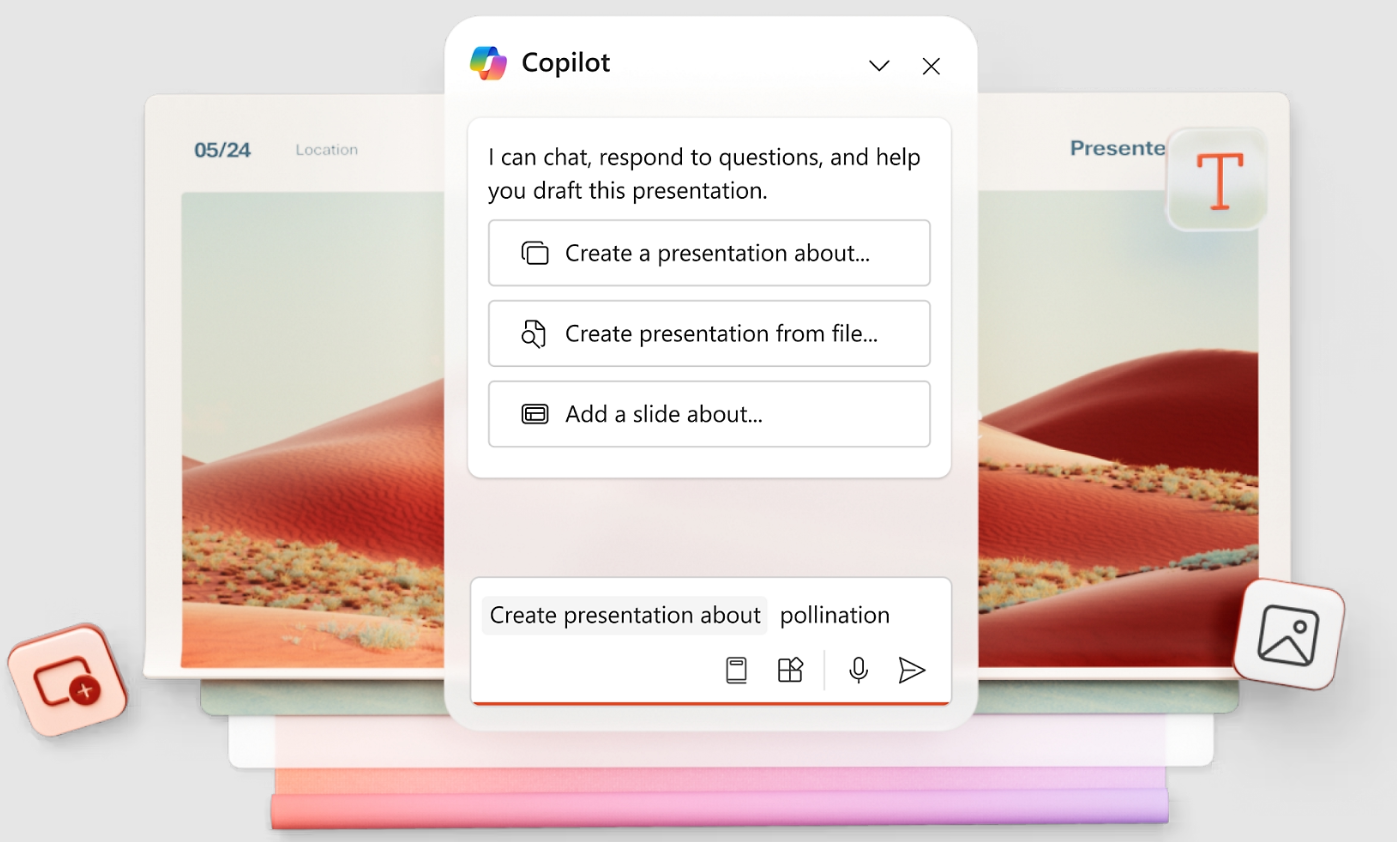
On the AI side, Copilot for Microsoft 365 can generate deck structures and conversationally revise content. Still, it requires a specific plan tier and tenant configuration, and access varies considerably across organizations that have nominally the same Microsoft 365 subscription.
What is Presentations.AI?
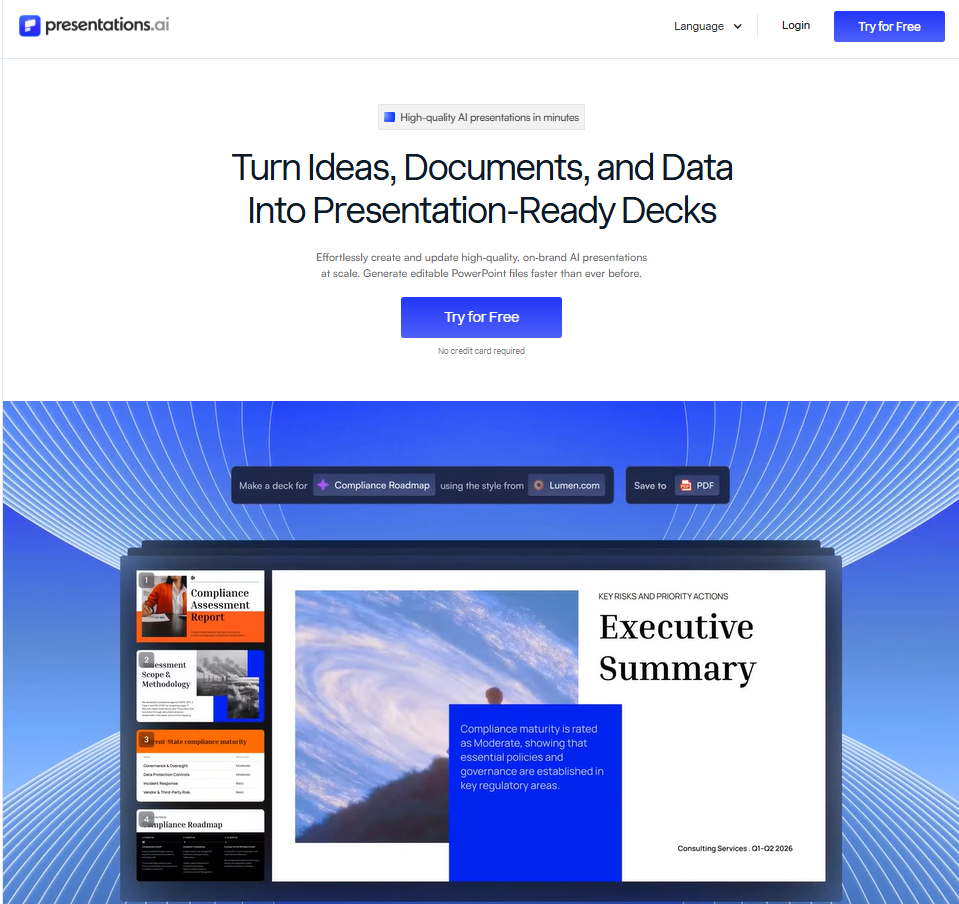
Presentations.AI is an AI-native presentation maker for building business presentations from existing source material within an organization. Rather than opening a blank slide and starting from scratch, teams submit a PDF from last quarter's strategy review, a product landing page URL, a Word document with rough notes, or a simple text prompt.
Clip-E, the platform's AI assistant, reads that input, structures the narrative, writes the copy, and applies a visual design in a single pass. The time from input to a review-ready deck is typically under a minute.
What separates Presentations.AI from tools that generate a slide framework and hand the formatting work back to you is that the output is actually finished. Brand Sync extracts your logo, colors, and fonts directly from your company's website URL and automatically applies them to every slide. The platform's adaptive templates hold their layout as content changes, so adding a new proof point or rearranging sections does not break the design. The deck coming out of Presentations.AI is the deck you present, not a draft you spend an hour refining.
Feature-by-Feature Comparison: Google Slides vs PowerPoint vs Presentations.AI
Here is how the three tools compare across the areas that determine whether a presentation workflow actually holds up in practice.
1. AI-Powered Slide Generation
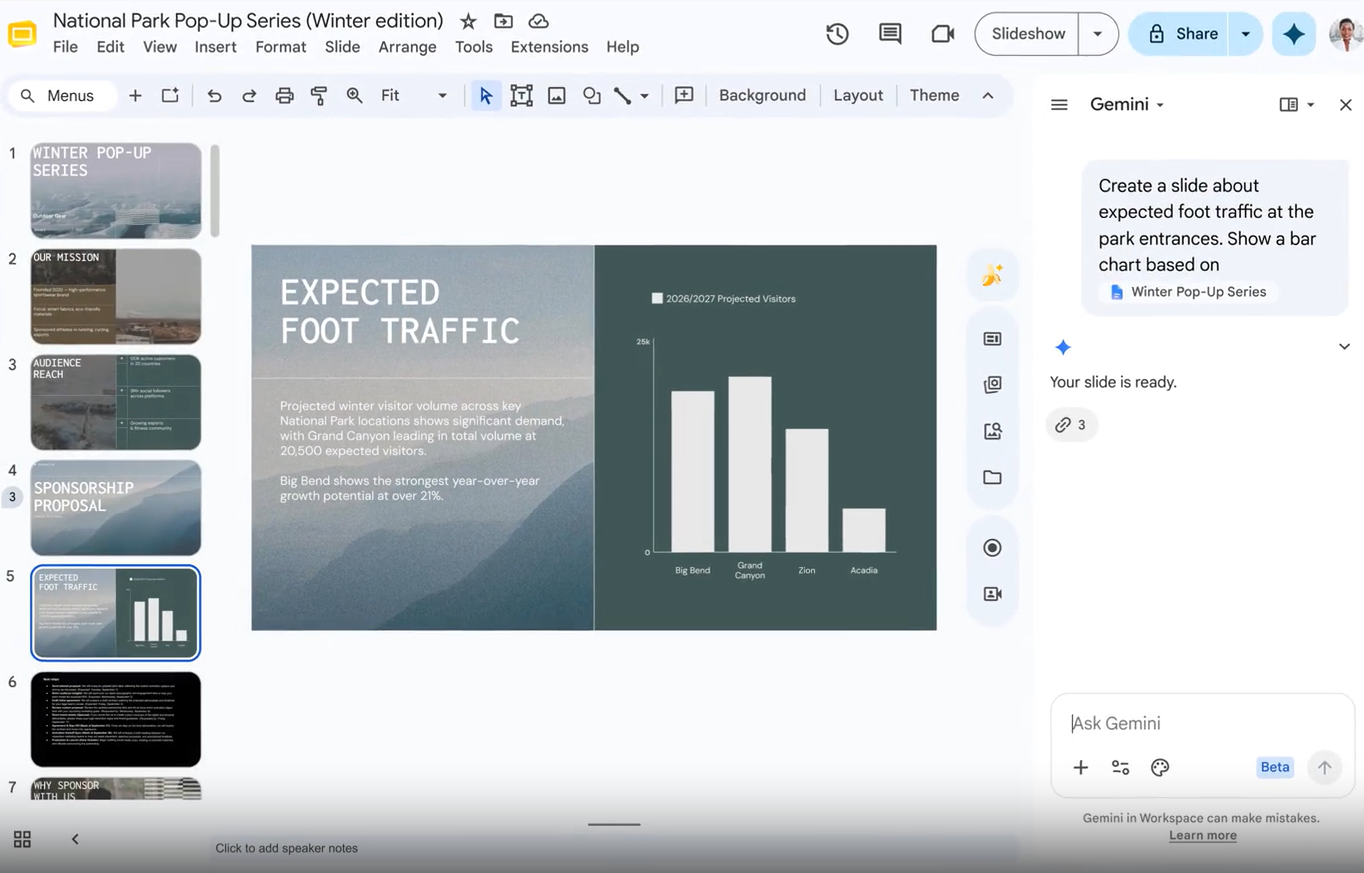
- Google Slides: Gemini in Slides is available on Google Workspace Business Standard plans and above, or through the standalone Gemini for Workspace add-on.
Within the editor, it can generate slides and images from text prompts, suggest content rewrites, and help create visual layouts. It does not generate a complete deck from a document or prompt.
Teams on the free plan get no AI generation capability at all. The experience is useful as an in-context assistant, but it is not a replacement for a dedicated AI creation workflow.
- PowerPoint: PowerPoint Designer suggests layout improvements as you add content and is available on most Microsoft 365 plans. Copilot for Microsoft 365 goes further, generating or restructuring full decks from prompts and documents, but it requires a paid Microsoft 365 Copilot license in addition to the base plan.
It also depends on your organization's IT admin enabling it. The AI experience of two colleagues in the same organization can differ substantially depending on which licenses their department has received.
- Presentations.AI: The entire product is built around AI deck creation. Clip-E accepts a prompt, a PDF, a Word document, a URL, or raw notes and produces a structured, designed, branded presentation in under a minute.
After that first draft, teams can continue working with Clip-E in a conversational way to restructure sections, sharpen specific slides, or shift the narrative focus. No separate add-on, no admin configuration, and AI generation is included on the free plan.
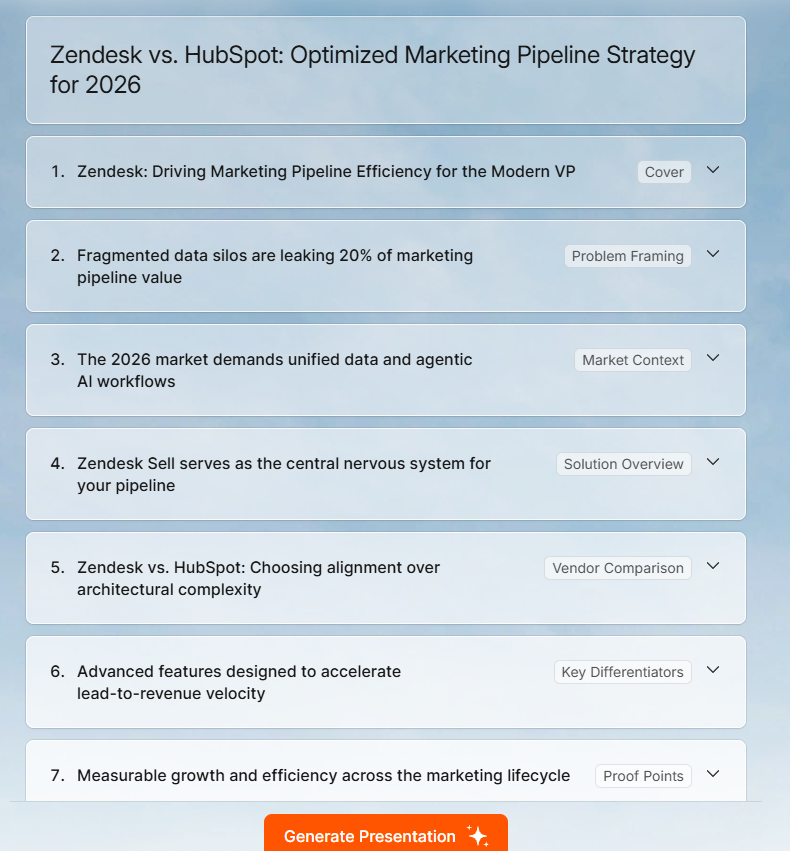
Verdict: Presentations.AI has the only AI creation workflow that works without a paid add-on or admin dependency. Both Google Slides and PowerPoint require specific plan configurations for meaningful AI generation, and neither generates a complete deck from a document out of the box.
2. Design Quality and Customization
- Google Slides: The interface is clean and approachable, but the design ceiling is lower than both PowerPoint and purpose-built presentation tools. The theme library is small, custom font uploads are limited by plan, and there is no way to enforce brand consistency across contributors without manually applying styles to every deck.
For internal update slides and team reviews, the output is perfectly adequate. For presentations going to clients, investors, or senior leadership, the lack of design control becomes apparent.
- PowerPoint: Design control in PowerPoint is deep enough that professional designers use it for client-facing work. Slide Masters enforce consistent layouts across a full deck, object-level alignment tools are precise, and custom animations give experienced users granular control over how information is revealed.
The catch is that all of this requires skill to use well. A presentation from a non-designer with full access to PowerPoint's feature set often looks worse than a Google Slides deck put together quickly from a clean template.
- Presentations.AI: Design decisions are made by the AI rather than delegated to whoever is building the deck. Adaptive templates maintain structural integrity as content changes, and Brand Sync ensures that every deck produced by any team member automatically reflects the company's visual identity.

The output is consistent and business-ready without requiring design knowledge or template discipline from individual contributors.
Verdict: PowerPoint offers the most design control for users with the skill to use it. Presentations.AI delivers the most consistent business-ready output without requiring that skill. Google Slides sits between the two in terms of design, but closer to Presentations.AI in terms of what most non-designers actually achieve with it.
3. Collaboration and Team Features
- Google Slides: This is where Google Slides is genuinely ahead of any other tool in this comparison. Real-time co-editing is built into the free plan. Multiple contributors work simultaneously, changes appear instantly, and the history of every edit is preserved indefinitely. Sharing is a single link with configurable permissions.
External contributors, clients, and reviewers can leave comments without needing a Google account on comment-only access. For teams that need fast, friction-free collaborative editing, nothing in this comparison matches it.
- PowerPoint: Its collaboration depends on the Microsoft 365 infrastructure. Co-authoring through OneDrive or SharePoint works well for internal teams. Version history is available and reliable.
The problem arises when collaboration happens via email, attaching and reattaching PowerPoint files create version conflicts, overwrite comments, and make it hard to track who changed what.
Teams that have disciplined SharePoint workflows get good collaboration. Teams that share files by email get friction.
- Presentations.AI: Collaboration inside Presentations.AI is built around the AI creation workflow rather than traditional co-editing. Teams can build, revise, and hand off branded decks in a shared workspace.
Once a deck is shared with an audience, built-in analytics show who opened it, which slides they spent time on, and whether they forwarded it, providing the presenting team with useful context for follow-up conversations.
Verdict: Google Slides wins the collaboration comparison outright, particularly for external sharing and real-time co-editing on a free plan. PowerPoint is strong for internal Microsoft 365 teams with good SharePoint habits. Presentations.AI adds engagement analytics to the sharing workflow that neither Google Slides nor PowerPoint provides natively.
4. Export and Integration Options
- Google Slides: Google Slides exports to .pptx, PDF, and image formats. The .pptx export is the most commonly cited limitation. Font substitutions are frequent, layouts shift when Google's web fonts have no direct Microsoft equivalent, and animations either drop entirely or convert to static states.
For teams that regularly hand off to stakeholders in PowerPoint, this means the conversion step is also a repair step. Presentations.AI's Google Slides to PowerPoint converter takes a different approach, rebuilding the deck natively rather than converting the Google Slides file directly, which avoids most of these issues.
- PowerPoint: PowerPoint is the native .pptx environment, so there is no conversion question for organizations that use it as their standard format.
It integrates with Excel for linked data, Teams for live presentation, SharePoint for version management, and OneDrive for cloud access. Importing from Google Slides or other tools introduces the same font and layout compatibility problems from the other direction.
- Presentations.AI: The platform exports clean, high-fidelity .pptx files that open without repair in both PowerPoint and Google Slides. It also accepts source material in formats that match where business content actually lives, including Word documents for PowerPoint conversion, PDFs, and live URLs.
Verdict: PowerPoint is the native standard for .pptx compatibility. Presentations.AI produces the most reliable AI-to-PowerPoint export. Google Slides exports work for simple decks, but complex presentations almost always require repair before they are usable in desktop PowerPoint.
5. Ease of Use and Learning Curve
- Google Slides: The interface is immediately familiar to anyone who uses Google Docs or Sheets. Most teams can build a basic deck within minutes of opening the tool for the first time. The simplicity that makes it easy to start is also the ceiling. Users who want more sophisticated output will find the available controls insufficient, rather than discovering new features they had not noticed before.
- PowerPoint: Most business users know their way around PowerPoint at a functional level, but functional is not the same as skilled. Executive-quality presentations require Slide Master knowledge, theme management, chart formatting fluency, and animation control, none of which are immediately intuitive.
Organizations that want consistent, polished output from non-designers typically need to invest in templates that have most decisions made in advance, along with training to ensure contributors use them correctly.
- Presentations.AI: The input is whatever you already have. A rough prompt, a document, a URL. Clip-E handles the rest. Teams do not need design knowledge to produce a polished deck, nor do they need to learn a new tool in any meaningful sense. The learning curve lies in describing what you want in plain language, which most people can do immediately.
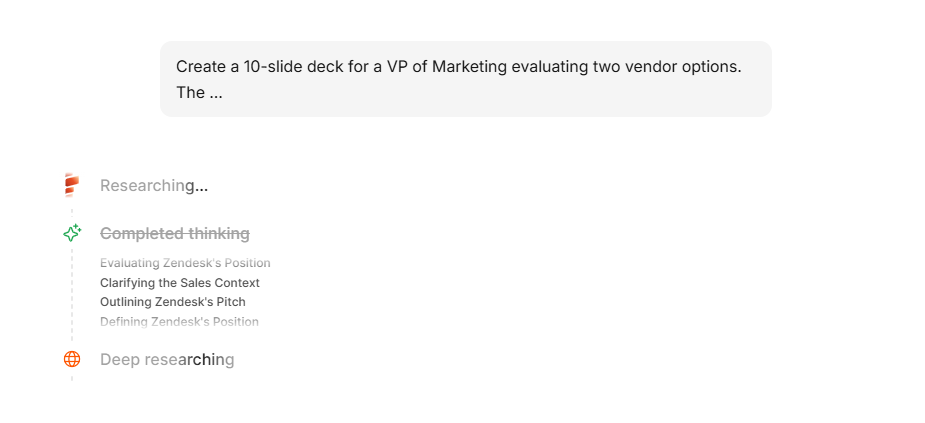
Verdict: Google Slides has the lowest barrier to entry. PowerPoint requires the most skill to get strong output from. Presentations.AI has the shortest distance from raw content to a polished, presentation-ready deck, regardless of the contributor's design background.
Full Feature Comparison Table: Google Slides vs PowerPoint vs Presentations.AI
The table below covers 21 capability areas across creation workflow, branding, collaboration, export, security, and pricing.
Pricing Comparison: Google Slides vs PowerPoint vs Presentations.AI
Google Slides offers the lowest-cost entry point for teams that already use Google Workspace, making it a practical choice for collaboration. However, AI features require an additional upgrade, and PowerPoint exports often need formatting fixes.
PowerPoint provides the best value for organizations already invested in Microsoft 365, but advanced AI capabilities through Copilot come with extra licensing costs. It remains the strongest option for traditional business workflows and native .pptx compatibility.
Presentations.AI delivers the most AI-focused value by including AI deck generation in its free plan and advanced AI, branding, analytics, and high-fidelity PowerPoint exports in its Pro plan. For teams that create presentations regularly, it can reduce both production time and formatting effort.
Which Tool is Best for Your Use Case?
The right tool depends on what your team builds, how often, and where the output needs to end up.
1. Startups and Pitch Decks
Early-stage teams on Google Workspace often default to Google Slides because it is already there and free. For internal decks and team reviews, that works. When the deck goes to investors, the question shifts: most VC partners work in Microsoft environments and expect a .pptx file that holds up in PowerPoint. Google Slides exports often require cleanup before the deck is ready to send.
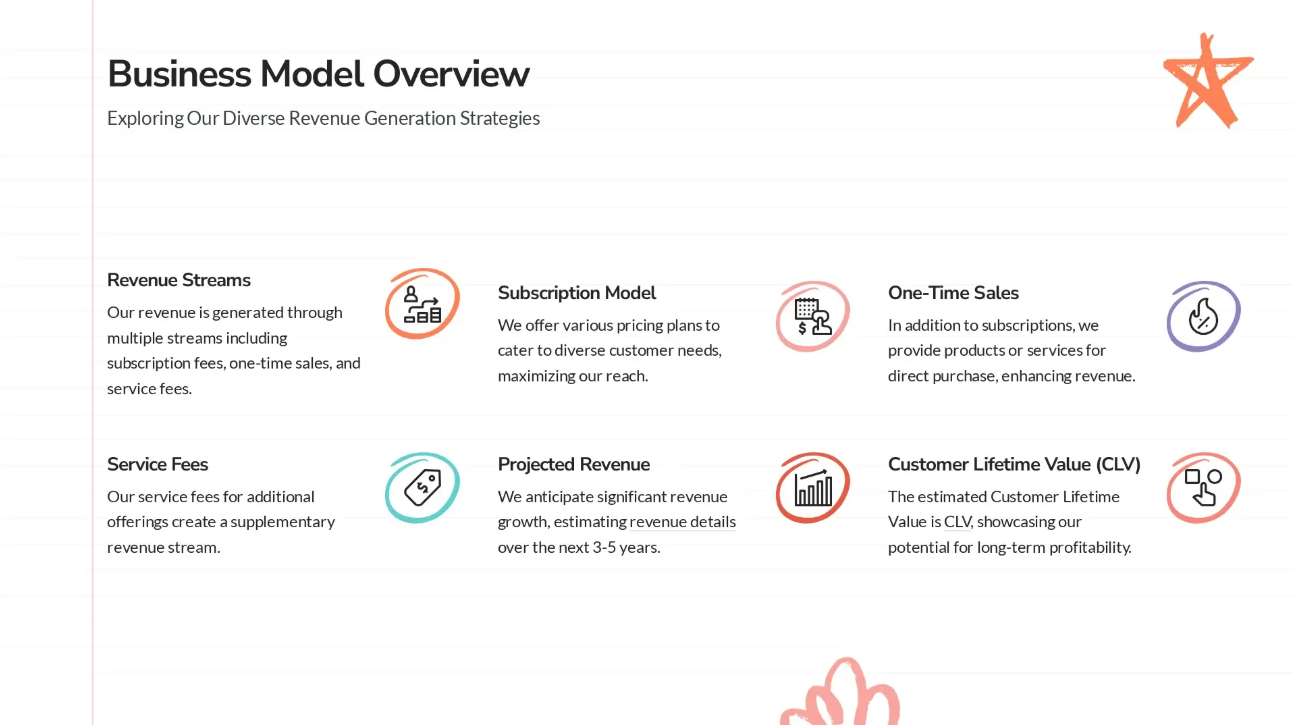
Presentations.AI fits founders who need to move from raw content to investor-ready output without design overhead. Starting from a pitch document or a product URL, the AI builds a structured narrative deck that exports cleanly. The best AI presentation makers in 2026 roundup covers how purpose-built tools compare to Google Slides add-ons for this specific use case.
2. Sales Teams
Sales teams that live in Gmail and Drive often standardize on Google Slides for prospecting decks because the sharing workflow is simple. The problems show up when prospects need a .pptx file or when reps need to personalize decks quickly at scale. Neither Google Slides nor PowerPoint makes that easy without significant manual effort per account.
Presentations.AI handles the volume problem. Reps describe the account context or paste a prospect's product page, and the AI builds a tailored deck from that input. The export is .pptx without cleanup, which means stakeholders on any platform can open and edit it with ease.
3. Marketing Teams
Marketing teams frequently sit at the intersection of both ecosystems: they use Google Workspace internally but produce assets that need to work in PowerPoint for agency partners, media contacts, and senior leadership. That cross-ecosystem handoff is where Google Slides creates the most work, and where Presentations.AI simplifies the workflow considerably.
For campaign decks and launch readouts built entirely inside Google Workspace for an internal audience, Google Slides is a practical choice. For anything that crosses the organizational boundary into a PowerPoint environment, the export quality becomes a real consideration.
4. Enterprise and Large Teams
Most enterprises run one ecosystem consistently, not both. Organizations standardized on Google Workspace use Google Slides as the default presentation tool. Microsoft 365 organizations use PowerPoint. The cross-ecosystem deck problem is most acute in organizations that acquired companies or teams running the other system.
Presentations.AI works for both environments. Teams generate decks with AI, automatically brand them, and export them in whichever format their organization requires. Teams currently evaluating AI-native tools can review the Gamma vs Presentations.AI comparison for context on how AI-first platforms handle export quality, security certification, and brand governance at scale.
5. Individuals and Freelancers
Freelancers working within a client's Google Workspace environment often use Google Slides simply because that is where the client's Drive lives. The limitation is that clients in Microsoft 365 environments need PowerPoint files, and Google Slides exports often need repair before they are client-ready.
Presentations.AI removes that friction for independent consultants and strategists who regularly build client presentations. The AI handles structure and design from source notes or a brief, and the .pptx export opens cleanly on any client platform.
Why Presentations.AI is the Best Choice Over Google Slides and PowerPoint
Presentations.AI handles the creation, structure, and branding automatically, so the output is good regardless of who produces it.
- Both Google Slides and PowerPoint require paid add-ons to use AI effectively: Gemini in Slides and Copilot for Microsoft 365 are both plan-dependent features that most teams do not have access to on standard subscriptions. Presentations.AI includes AI deck generation on its free plan with no add-ons, no admin configuration, and no approval process.
- Brand Sync eliminates the brand consistency problem that both tools create: Google Slides has no brand memory. PowerPoint relies on contributors to use the right template and resist the urge to override it. Presentations.AI pulls your logo, colors, and fonts from your website URL once, and every deck the platform builds is on-brand by default.
- Clip-E stays active from brief to final draft: Most AI features in presentation tools generate a starting structure and leave the refinement to you. Clip-E works conversationally throughout the creation cycle. You can ask it to restructure the argument, tighten a specific section, or shift the tone for a different audience without manually rebuilding slides.
- The .pptx export works: Google Slides' export to PowerPoint is one of the most common sources of last-minute presentation trouble. Presentations.AI generates a clean, high-fidelity .pptx from the start. What comes out of the platform is what opens in PowerPoint or Google Slides, without font fixes, layout repairs, or missing animations.
- The free plan includes what competitors charge for: Google Slides is free, but it's AI requires a paid Workspace upgrade. PowerPoint requires a Microsoft 365 plan for any serious use. Presentations.AI's Free Starter plan includes AI deck generation with no credit card, no seat limit, and no procurement step to get your team trying it.
What Real Users Say About Google Slides and PowerPoint
Both tools have substantial review histories on G2 and Capterra. The patterns below reflect what verified users report consistently across thousands of submissions.
1. Google Slides: What Users Love and What They Don't
Google Slides has a 4.6 out of 5 on G2, rated as part of the Google Workspace suite. Across verified reviews on GetApp and Capterra, the praise clusters around three things. It is free, always accessible on any device, and the collaboration experience is genuinely excellent.
Verified Capterra reviewers describe real-time sharing and cloud-based access as the primary reasons they use Google Slides over alternatives.
“It's free and lives right in the browser, so I can throw together a deck and share it with the team in minutes,” notes Wren W., who is part of Office Operations in the IT industry.
The criticism pattern is equally consistent. Verified reviewers note that Google Slides is not as feature-rich as PowerPoint for complex work, that customization options are more limited than they expect, and that PowerPoint export compatibility is unreliable.
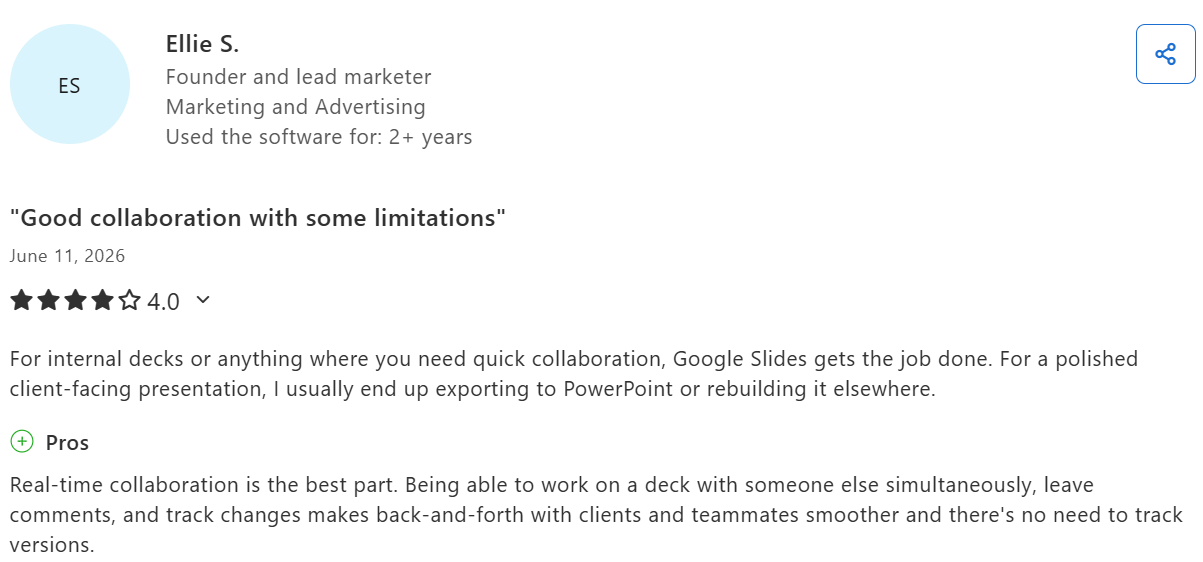
A Capterra user notes that they would use Google Slides for internal decks and PowerPoint for external presentations
2. PowerPoint: What Users Love and What They Don't
PowerPoint holds a 4.6 out of 5 on G2 based on more than 4,300+ verified reviews. The most consistent praise is for reliability and depth: users who build complex data presentations, client-facing decks, and executive briefings find that PowerPoint handles the work in ways other tools cannot match.
One verified Capterra reviewer in management consulting wrote that PowerPoint "has made me look like a dependable professional" when building complex presentations for clients. That reliability is what keeps it in their workflow.
That durability is a recurring theme, particularly among users in finance, consulting, and legal fields, where presentation quality carries professional weight.
The criticisms center on effort and AI variability. Multiple G2 reviewers mention slow performance on large files with embedded objects and version conflicts when teams share .pptx files via email rather than through SharePoint.
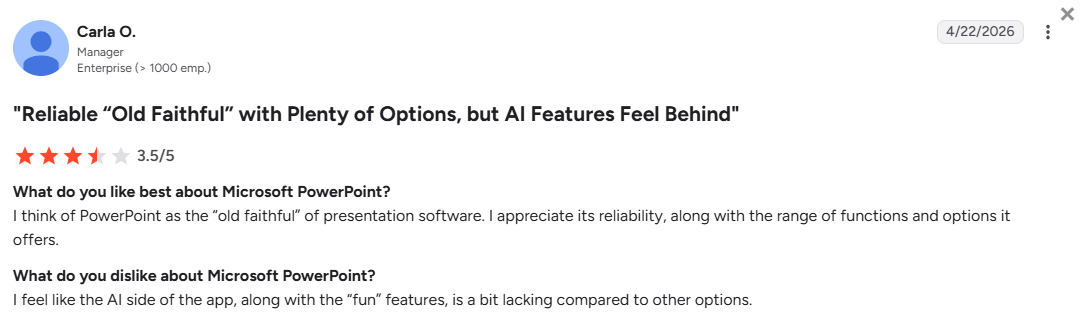
A G2 user points out that PowerPoint’s AI features need some catching up
Users also note that templates feel dated when not customized. Several reviewers also note that Copilot availability in their organizations differs from what Microsoft advertises, leading to unmet expectations regarding AI features.
The Verdict: Which AI Presentation Maker Should You Choose?
Each tool is built for a different workflow. Here is a direct breakdown based on what your team actually needs.
Choose Google Slides if You
- Already work in Google Workspace and want a free tool that integrates natively with Docs, Sheets, Drive, and Meet.
- Build decks collaboratively with multiple contributors and need real-time co-editing without any additional cost or configuration.
- Primarily share presentations as links or PDFs rather than as .pptx files that stakeholders need to edit in PowerPoint.
- Work in education, early-stage startups, or organizations where the Google ecosystem is the clear standard.
- Do not regularly need complex animations, Excel-linked charts, or design precision beyond what basic themes provide.
Choose PowerPoint if You
- Work in a Microsoft 365 organization where .pptx is the expected format and every stakeholder opens files in desktop PowerPoint.
- Build data-heavy presentations with Excel-linked charts, complex tables, or detailed financial models that require precise formatting.
- Need offline editing capability and reliable presentation delivery in environments without consistent internet access.
- Have experienced PowerPoint users who know Slide Master, animation controls, and theme management, and need tools that match their skill level.
- Require deep integration with Excel, Teams, OneDrive, SharePoint, and enterprise IT and compliance controls.
Choose Presentations.AI if You
- Spend real time building business presentations from scratch, and want AI to handle the structure, design, and branding automatically.
- Need brand consistency across every deck your team produces without relying on contributors to apply the right template correctly.
- Work across both Google and Microsoft environments and need a .pptx export that opens cleanly in either without repair.
- Want AI that handles structure, revisions, and refinements throughout the full deck rather than generating a first draft and handing the work back to you.
- Want to test an AI presentation workflow with your whole team without a paid plan, procurement approval, or IT admin involvement.
The Google Slides vs PowerPoint debate is mostly settled by which ecosystem your organization already runs on. Presentations.AI is the more interesting question for teams that regularly build business presentations. It changes the economics of how long a polished deck takes to produce, and the quality floor it sets is consistent regardless of who builds it.






