





The Presentation Creation Bottleneck
You have an idea. Now what?
Someone needs to create a presentation. Not a simple one-pager. A real presentation. Structured narrative, professional design, multiple slides.
Here's what actually happens:
Option 1: The Designer Route
- Email your designer
- Wait 2-3 days for capacity
- Brief them on your idea
- They build it from scratch
- You review and request changes
- They iterate
- Total time: 5-7 days, $500-2000 cost
Option 2: The DIY Route
- Open PowerPoint
- Stare at blank screen
- Copy a template (badly)
- Start typing bullet points
- Realize it looks amateur
- Spend 4-6 hours fixing formatting, finding images, wrestling with layouts
- Still doesn't look professional
- Total time: 6-8 hours, looks mediocre
Option 3: The Copy-Paste Route
- Find a similar presentation
- Copy slides
- Change the numbers
- Update the logo
- Hope no one notices it's a Frankenstein deck
- Total time: 2-3 hours, feels generic
There's a better way.
The Problem with Current Approaches
Traditional Presentation Tools (PowerPoint, Google Slides)
Starting with a blank slide is paralyzing.
- No structure guidance
- No design system
- You're responsible for everything
- Takes 4-8 hours for a professional deck
- Most people give up and create something mediocre
Design Agencies & Freelancers
Fast feedback loops are impossible.
- Lead time: 2-5 days
- Cost: $500-2000 per deck
- Communication overhead
- Not scalable for 10+ presentations/month
Basic AI Presentation Tools
Output is templated and generic.
- Every presentation looks the same
- No brand customization
- No context understanding
- No team collaboration
- Can't maintain your voice
DIY + Template Approach
Still too much manual work.
- Template forces your content into wrong structure
- Design breaks when you add/remove content
- Brand consistency is a manual checklist
- Collaborating on the same deck creates version chaos
What the Presentation Creation Agent Does Differently
The Presentation Creation Agent is built for one purpose: Turn your ideas into professional presentations in minutes, not days.
It understands context. It maintains your brand automatically. It keeps teams synchronized. It learns your preferences over time.
How It Actually Works
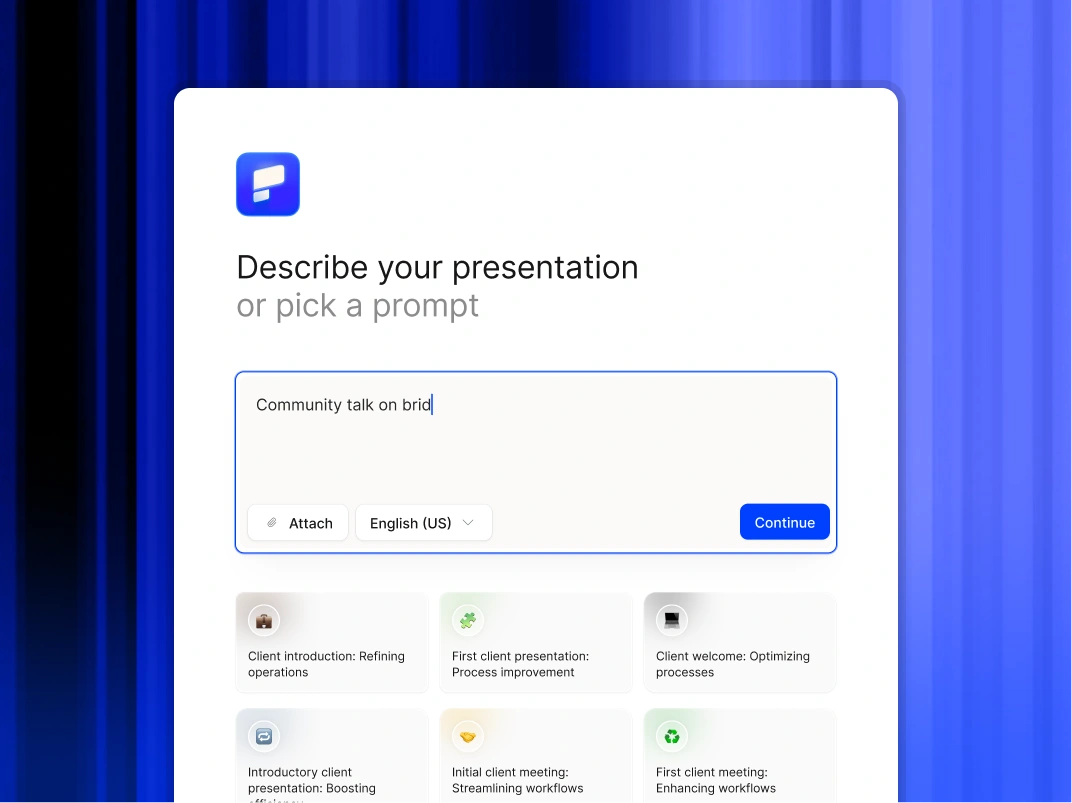
Input Method 1: Conversational Generation
Type what you want. AI builds the presentation.
Input Method 2: Document Conversion
Upload documents. AI structures them into presentations.
Upload options:
- PDF documents (whitepapers, reports, research)
- Word documents (proposals, analyses, plans)
- Text files or Google Docs (notes, outlines, content)
- Email threads (meeting summaries, decisions)
- Spreadsheets (data with context)
AI does:
- Reads and understands document
- Extracts key sections and narratives
- Structures into logical slide sequence
- Creates titles and subheadings
- Identifies data for visualisation
- Suggests speaker notes from detailed content
Input Method 3: Remix Feature
Transform existing slides into new layouts in seconds.
- Make this sales deck into a customer-facing version
- Turn this board presentation into an all-hands version
- Create a mobile-friendly version of this deck
- Condense this 50-slide deck into 15 to 20 must-know slides
Core Capabilities in Detail
1. The AI That Actually Understands
Our AI understands context, narrative, data, voice, and preferences. It gets smarter the more you use it.
2. Anti-Fragile Design System
Content flows into design automatically. Layout adapts to what you add or remove. Nothing breaks, nothing looks forced. Result: Professional layout every time, no manual tweaking.
3. Automatic Brand Consistency
Your brand, everywhere, automatically. No manual enforcement. Every presentation automatically uses your brand. Brand updates cascade to all presentations.
4. Team Collaboration Without Chaos
All presentations in one place. Always see the latest version. Comments directly on slides, version history, and approval workflows.
5. Analytics That Actually Answer Questions
Every shared presentation becomes a data source. See who viewed it, when, how long, which slides they lingered on, and where they dropped off.
Real Workflows
Workflow 1: From Notes to Board Presentation
CEO records a 5-minute voice memo. AI transcribes and structures into a presentation. Brand applies automatically. CEO reviews in 10 minutes. Time saved: 3 hours.
Workflow 2: From Sales Collateral to Customer Pitch
Sales rep uploads marketing PDF. AI converts to presentation automatically with brand applied and narrative optimized for sales. Time saved per rep: 3-4 hours per pitch deck.
Workflow 3: Document to Presentation in Minutes
Analyst uploads 25-page PDF. AI reads, understands, and structures into a 15 to 20 slide presentation in 2 minutes. Ready to present in 20 minutes total. Time saved: 6-7 hours.
Export and Compatibility
Full PowerPoint Export (Native PPTX)
- Fully editable (.pptx format)
- All animations preserved
- Fonts and styling intact
- Can edit in PowerPoint or Google Slides
- Share or present immediately
PDF Export
- Layouts look perfect
- Fonts render correctly
- Images display at high quality
- Links preserved (clickable)
- Smaller file size than PPTX
Security and Compliance
SOC 2 Type II Certified
Independent security audit confirming rigorous security controls, regular assessments, secure infrastructure, and professional standards.
Full Audit Trails
Complete visibility for compliance: who created, edited, shared, and viewed presentations, and what changed in each version.
Granular Access Controls
Control exactly who can create presentations, edit specific presentations, view analytics, manage team members, access brand assets, and approve before sharing.
Enterprise Security
- Single Sign-On (SSO): Okta, Azure AD, Google Workspace
- Data encryption: In transit and at rest
- Private instances: For highest security needs
- Compliance: GDPR, HIPAA, SOX ready
- No model training: Your presentations never train AI models
Team Plan and Organization Scaling
Personal Plan - For individuals: Create unlimited presentations, brand consistency, basic analytics, PowerPoint and PDF export.
Team Plan - For teams (5-50 people): Everything in Personal plus team workspace, multiple brand profiles, advanced analytics, collaboration features, approval workflows, and access controls.
Enterprise Plan - For organizations (50+ people): Everything in Team plus unlimited workspaces, advanced security (SSO, private instances), dedicated account manager, custom integrations, white-label options, and SLA support.