
Building a presentation from scratch still eats up hours. You wrestle with layouts, hunt for icons, and fight inconsistent fonts before the content reads well. AI slide creators promise to fix that, but the market is now crowded with options that all sound similar.
This guide compares 11 of the best AI slide creators available in 2026, from full presentation generators to AI features built into tools you may already use. Each tool is reviewed with a clear best-for line, honest pros and cons, and current pricing so you can shortlist the right option without testing a dozen tools yourself.
If speed and design quality matter most, Presentations.AI leads the group for most teams. The full lineup below also covers fundraising decks, sales presentations, data-heavy reports, and everyday team decks, so you can match the tool to how you actually work.
Key Takeaways
- The best AI slide creators turn a rough idea into a polished deck in minutes, cutting manual design work down to a single prompt.
- Each tool favors something different. Overall speed and polish, design guardrails, storytelling, data visualization, or AI built directly into Microsoft or Google.
- Pricing, ease of use, and output quality vary widely across the 11 tools compared here, so match the tool to your team size and budget.
- Test the free tier before committing. Real-world output quality often differs from marketing claims.
- Presentations.AI stands out for generating a full, on-brand deck from a single prompt in minutes, without the setup work other tools still require.
How We Selected The Tools on This List
Before comparing individual tools, it helps to know what actually separates a strong AI slide creator from a gimmick. Most tools can generate slides. Few generate slides you would present without heavy editing. We used the following criteria to compile the list of tools in this article.
1. Speed From Prompt to Deck
The whole point of an AI slide creator is to save time. The best tools take a short prompt or outline and return a complete, structured deck in minutes. Slower tools still ask you to build slide by slide, which defeats the purpose. Look for genuine one-prompt generation rather than AI-assisted formatting alone.
2. Design Quality and Consistency
A fast deck that looks messy still needs a rewrite. Strong tools automatically apply cohesive layouts, spacing, and typography across every slide. Brand consistency matters too, especially for teams. The best AI slide creators keep fonts, logos, and colors aligned without manual cleanup on each page.
3. Ease of Use
A design background or a tutorial marathon should not be necessary. The best tools feel intuitive from the first prompt, and editing should be simple whether you are swapping text or restructuring sections. A steep learning curve costs you the time the tool was supposed to save.
4. Editing Flexibility
AI gets you most of the way, but you still want control. Good tools let you refine content, rearrange slides, and adjust visuals without breaking the design. The balance between automation and manual control varies widely, so weigh how much hands-on control you actually need.
5. Pricing and Value
Free tiers are useful for testing, but export limits and watermarks often push you toward a paid plan. Compare what each plan includes: slide limits, export formats, and collaboration seats. The cheapest option is not always the best value if it slows your workflow.
Pro Tip: Score each tool on speed, design quality, ease of use, editing flexibility, and price. The best AI slide creator for you is the one that wins where your workload demands it most.
11 Best AI Slide Creators in 2026, Quick Comparison
The table below summarizes all 11 tools across the criteria that matter most. Use it to narrow your shortlist before reading the detailed reviews.
| Tool | Best For | One-Line Verdict |
|---|---|---|
| Presentations.AI | Best overall | Full on-brand decks from a single prompt, in minutes |
| Gamma | Fast, flexible drafts | Prompt-to-deck speed with a flexible, doc-style format |
| Beautiful.ai | Auto-layout design | Polished slides with automatic layout guardrails |
| Canva | Design flexibility | Deep design library with AI assist plus full manual control |
| Tome AI | Sales-focused AI decks | Personalized pitch content for sales and go-to-market teams |
| Slidebean | Startup fundraising | Investor-ready structure with financial slide support |
| Pitch | Team collaboration | Real-time co-editing built for teams and agencies |
| Visme | Data-heavy decks | Strong chart and infographic tools for complex information |
| Decktopus | Guided building | Step-by-step creation for first-time deck builders |
| PowerPoint | Microsoft ecosystem teams | AI slide generation inside the PowerPoint your team already uses |
| Google Slides | Google Workspace teams | Gemini AI help inside the Google Slides your team already uses |
11 Best AI Slide Creators in 2026
Each tool below includes a clear best-for line, an honest look at what it does well, and current pricing. The right choice depends on your deck needs and how your team actually works.
1. Presentations.AI
Best for: Teams that need a complete, on-brand deck fast, without hours of manual design work.
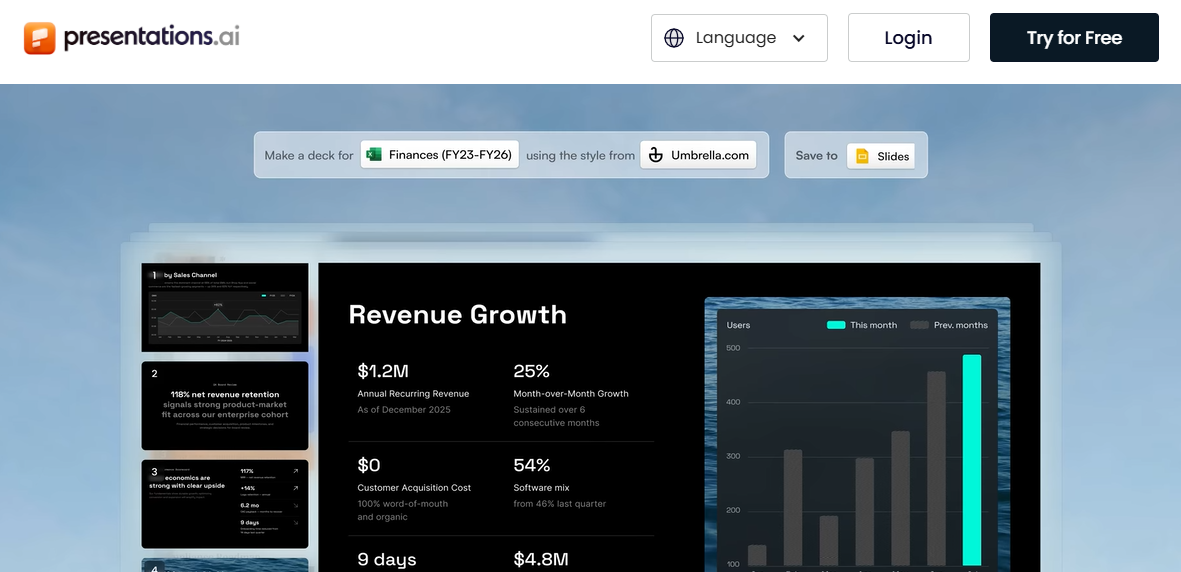
Presentations.AI turns a single prompt into a structured, fully designed presentation in minutes. It applies cohesive layouts, spacing, and typography automatically, and its anti-fragile templates adapt as content changes without breaking the design. Brand Sync keeps fonts, colors, and logos consistent across every deck, and built-in analytics show which slides hold attention after a deck is sent.
G2 rating: Too few reviews
Presentations.AI Features:
- One-prompt deck generation from a topic, outline, PDF, Word document, or URL
- Anti-fragile templates that adjust automatically as content is added or cut
- Brand Sync for automatic font, color, and logo consistency across every deck
- Slide-level engagement analytics that show what happens after a deck is shared
- Real-time team collaboration with high-fidelity PowerPoint export
Presentations.AI Pros:
- One-prompt generation produces a complete deck rather than individual slides
- Automatic brand consistency across fonts, colors, and logos on every slide
- Templates adapt intelligently as content is added or cut, without breaking the layout
- Slide-level engagement analytics show what happens after a deck is shared
Presentations.AI Cons:
- The feature set is more than some users need for a single, one-off deck
- Advanced brand and analytics features are reserved for paid plans
Presentations.AI Pricing:
- Starter: $0
- Pro: $20 per month, billed annually
- Gold: $100 per month, billed annually
2. Gamma
Best for: Teams that want the fastest prompt-to-deck turnaround in a flexible, doc-style format.
Gamma prioritizes speed above everything else. Enter a prompt and get an editable deck in under a minute, in either a traditional slide format or a scrollable card format that reads well online. It works well for internal presentations, quick brainstorms, and content shared as a link more than as a projected pitch.
G2 rating: 4.6/5
Gamma Features:
- Prompt-to-deck generation in under a minute
- Choice of a traditional slide format or a scrollable, doc-style card format
- Clean, modern default themes that need little manual editing
- Shareable links alongside standard PowerPoint export
- AI credit system spanning free and paid tiers
Gamma Pros:
- Among the fastest prompt-to-deck generation of any AI slide creator
- Clean, modern default designs need little manual editing
- The free plan is genuinely usable for individuals and early-stage founders
Gamma Cons:
- Brand customization is limited until the Pro plan
- Exports can lose some formatting fidelity, especially in PowerPoint
- AI credit limits on lower plans can constrain heavy users
Gamma Pricing:
- Free: $0
- Plus: $12/mo, or $9/mo billed annually
- Pro: $25/mo, or $18/mo billed annually
- Ultra: $100/mo (annual pricing not yet available)
- Team: $20/seat/mo, 2-seat minimum
- Business: $40/seat/mo, 10-seat minimum
Suggested Read: Gamma vs Presentations.AI: 2026 Comparison
3. Beautiful.ai
Best for: Teams that want polished, professional slides with minimal manual layout work.
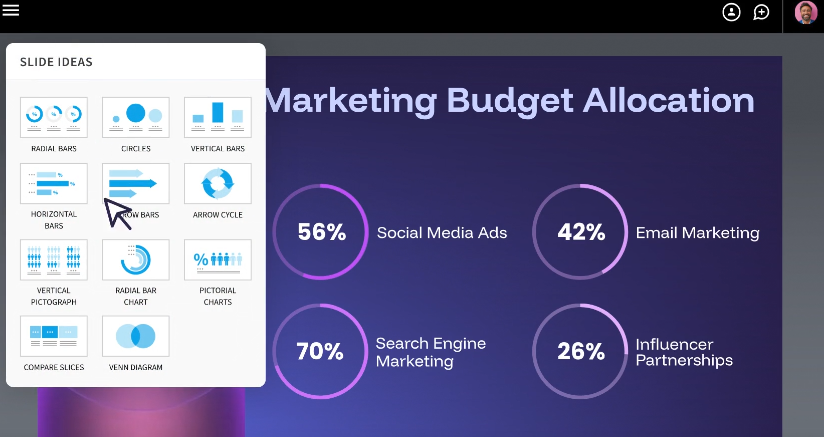
Beautiful.ai uses Smart Slide templates that automatically adjust spacing, alignment, and layout as content is added. It removes most of the guesswork from slide design, so teams that want professional-looking decks without touching a design tool tend to do well with it. Building slides is more deliberate than a one-prompt tool, so expect a short ramp-up before it feels effortless.
G2 rating: 4.6/5
Beautiful.ai Features:
- Smart Slide templates that automatically adjust spacing, alignment, and layout
- Real-time collaboration and shared brand themes on the Team plan
- Built-in engagement analytics for tracking deck performance
- Consistent visual quality maintained across long, varied decks
Suggested Read: For a full feature-by-feature breakdown, see the Beautiful.ai comparison page.
Beautiful.ai Pros:
- Slides look polished immediately, with very little manual design effort
- Consistent visual quality across long decks with many slide types
- Real-time collaboration and engagement analytics are solid on the Team plan
Beautiful.ai Cons:
- No permanent free plan, only a free trial
- AI generation leans more on layout than on narrative structure
Beautiful.ai Pricing:
- Pro: $12 per user per month, billed annually
- Team: $40 per user per month, billed annually, for 2 to 20 seats
- Enterprise: Contact sales
4. Canva
Best for: Teams that want the largest design asset library alongside AI assistance.
Canva pairs a large library of templates, photos, and graphics with Magic Design's AI generation tools. It suits teams that want manual creative control alongside an AI-generated starting point, and it works especially well for visual-heavy presentations. However, it typically needs more hands-on editing than a dedicated AI-first deck generator.
For a closer look at how the two tools stack up, see the full Canva comparison.

G2 rating: 4.7/5
Canva Features:
- Large library of templates, photos, and graphics
- Magic Design AI generation tools alongside full manual editing
- A capable free plan covering basic deck creation
- Broad export and sharing options across formats
- A familiar interface for teams already using Canva for other content
Canva Pros:
- One of the largest design asset libraries among the tools compared here
- A capable free plan covers basic deck creation with strong templates
- A familiar interface for teams that already use Canva for other content
Canva Cons:
- Manual editing is usually needed to reach a polished, presentation-ready result
- Advanced branding and export features are limited to paid plans
Canva:
- Free: $0
- Pro: around $18 per month, or $144 per year billed annually
- Business and Enterprise: $25 per month, $250 per year billed annually
5. Tome AI
Best for: Sales and go-to-market teams that need personalized, data-informed pitch content at scale.
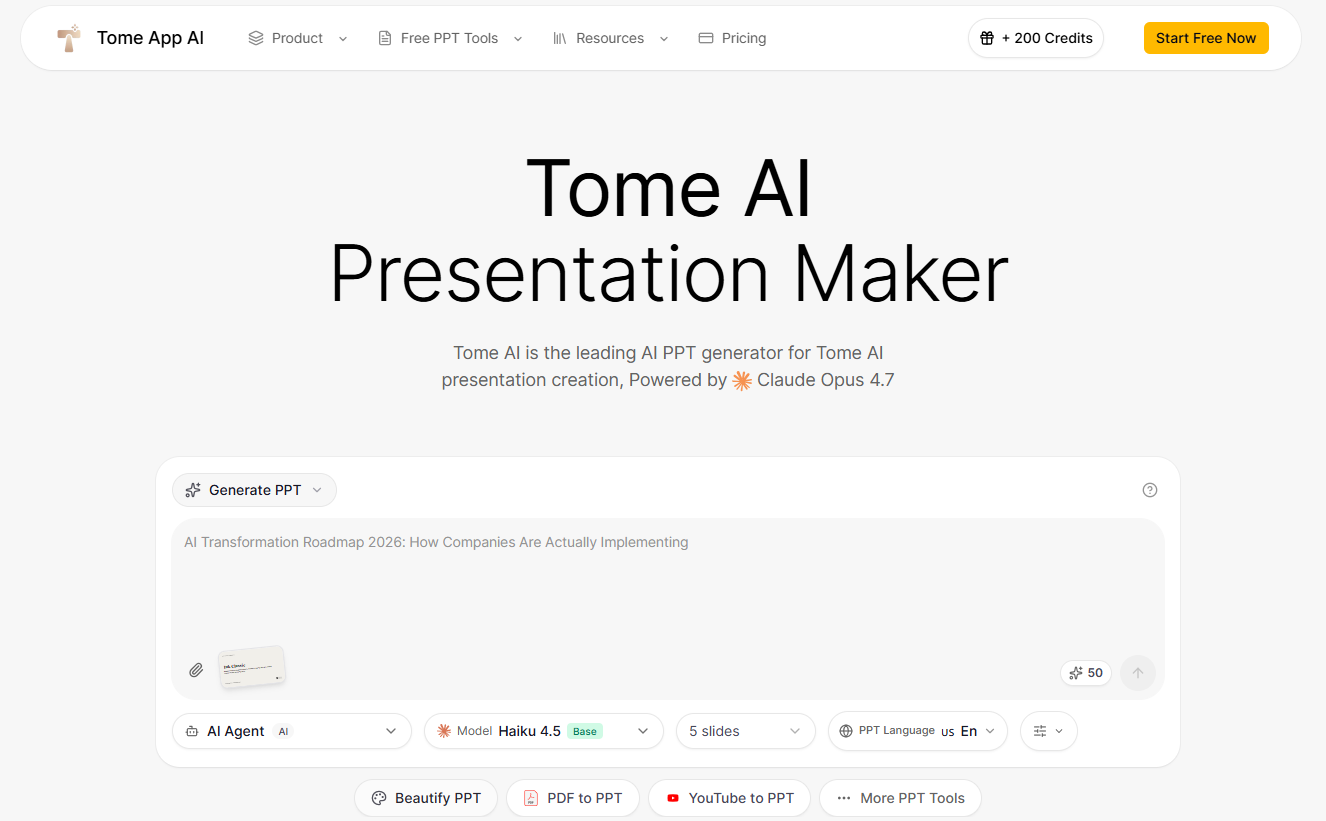
Tome has shifted from a general storytelling tool into an AI platform built specifically for sales enablement. It now focuses on account research, personalized deck generation, and prospect engagement tracking rather than general-purpose presentations. The free plan covers manual editing and template browsing, while AI generation requires a paid plan.
G2 rating: Too few reviews
Tome AI Features:
- Account research paired with personalized, sales-focused deck generation
- Prospect engagement tracking that shows how a deck performs after it is sent
- Real-time collaboration and a shared brand kit on the paid plan
- Template browsing and manual editing available on the free plan
Tome Pros:
- Strong AI-driven personalization for sales and account-based content
- Built-in prospect engagement tracking shows how a deck performs after it is sent
- Real-time collaboration and a brand kit are included in the paid plan
Tome Cons:
- No longer a fit for general-purpose or storytelling-first presentations, given the shift toward sales enablement
- The free plan does not include AI generation
- Enterprise-tier pricing varies by source, so confirm current rates directly with Tome before committing
Tome Pricing:
- Free: Manual editing and template browsing, no AI generation
- Professional: $16 per user per month, billed annually
- Enterprise: Contact sales
Suggested Read: Tome vs Presentations.AI Comparison
6. Slidebean
Best for: Founders raising capital who need an investor-ready deck structure fast.

Slidebean is purpose-built for founders raising capital. Its templates follow proven investor deck frameworks, and its financial slide support helps early-stage startups present traction data clearly.
G2 rating: 4.4/5
Slidebean Features:
- Templates built around proven investor deck frameworks
- Financial slide support for presenting traction and metrics clearly
- Human expert support included on the Accelerate plan
- Structured, sequential slide building suited to fundraising narratives
Slidebean Pros:
- The strongest startup fundraising focus among the tools compared here
- Templates follow real investor expectations for deck structure and slide sequencing
- The Accelerate plan adds meaningful human expert support alongside the AI tools
Slidebean Cons:
- Limited flexibility outside the fundraising use case
- Design customization is more constrained than general-purpose tools
- Collaboration features are basic compared to team-oriented platforms
Slidebean Pricing:
- Starter: $84 per year
- Accelerate: $99 per month
7. Pitch
Best for: Teams and agencies that need multiple people editing the same deck at once.
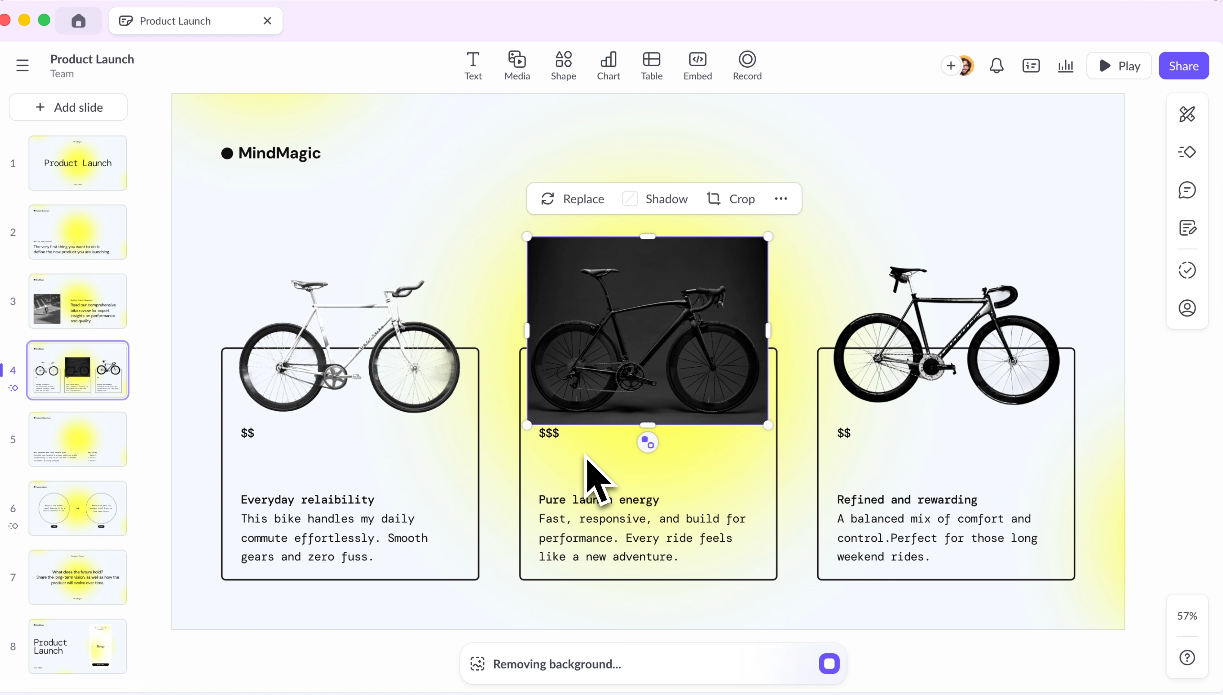
Pitch is designed around real-time team collaboration. Its workspace model supports multiple contributors editing simultaneously, with teamspaces, shared roles, and advanced sharing links for tracking engagement, making it a strong pick for agencies and larger teams producing decks together.
G2 rating: 4.⅗
Pitch Features:
- Real-time multi-user editing within a shared workspace
- Teamspaces with shared roles and permissions
- Custom brand themes applied consistently across a workspace
- Advanced sharing links with engagement tracking
Pitch Pros:
- Strong real-time collaboration among the AI slide creators compared here
- Clean workspace management for teams handling multiple deck projects at once
- Custom brand themes apply consistently across a shared workspace
Pitch Cons:
- AI generation quality is more basic than AI-first tools like Gamma
- Advanced analytics and engagement tracking require the Team plan or higher
- The template library is smaller than Canva or Beautiful.ai
Pitch Pricing:
- Free: $0, for up to 5 members
- Plus: $15 per month, or $13 per month billed annually, for 1 member
- Team: $23 per seat per month, or $19 per seat per month billed annually, for up to 25 members
- Business: $30 per seat per month, or $25 per seat per month billed annually, for up to 200 members
- Enterprise: Contact sales
8. Visme
Best for: Teams that need charts, infographics, and data visualization inside their decks.

Visme shines when decks need charts, infographics, and data visualization. It offers robust tools for teams presenting complex information visually, with brand kit controls and enterprise features for larger organizations.
G2 rating: 4.5/5
Visme Features:
- Chart and infographic tools built for data-heavy decks
- Brand kit controls for consistent visuals across a team
- Wide template variety geared toward data-focused presentations
- Enterprise features suited to larger organizations
Visme Pros:
- Among the best data visualization tools for slide creators compared here
- Brand kit features are comprehensive and reliable on the Pro plan
- Strong template variety for data-focused presentations
Visme Cons:
- AI deck generation is less advanced than AI-first competitors
- The interface has a steeper learning curve for new users
- PowerPoint export and the brand kit are gated behind the Pro plan, which roughly doubles the cost from Starter
Visme Pricing:
- Basic: Free
- Starter: $29 per month or $147 per year
- Pro (required for PPTX export): $59 per month or $297 per year
- Enterprise: Contact sales
9. Decktopus
Best for: First-time deck builders who want guided, step-by-step creation.
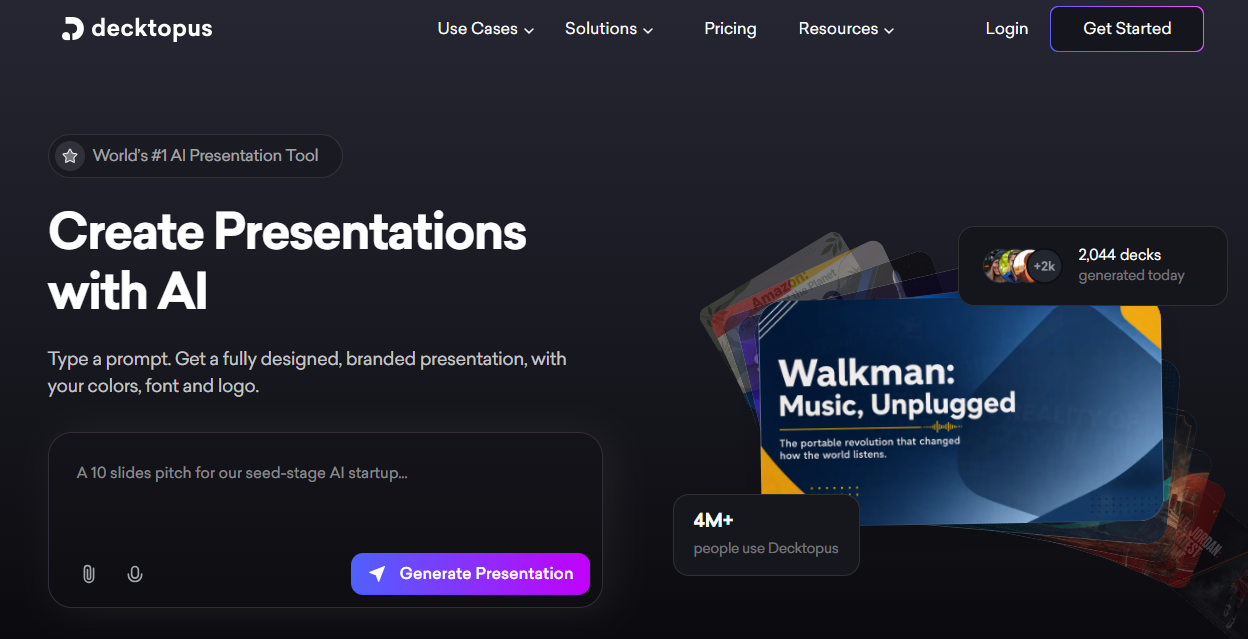
Decktopus walks users through deck creation step by step. Its guided prompts and content suggestions suit first-time deck builders who want structure without starting from a blank page.
G2 rating: 4.3/5
Decktopus Features:
- Step-by-step guided deck creation for first-time builders
- Content suggestions offered throughout the building process
- Annual credit refresh that keeps the platform usable without constant top-ups
- Slide analytics available on the Business plan
Decktopus Pros:
- One of the easiest onboarding experiences for users new to deck building
- The guided flow reduces decision fatigue during creation
- Annual credit refresh keeps the platform usable without constant top-ups
Decktopus Cons:
- Design customization is limited compared to professional-grade tools
- Branding control is basic, and slide analytics require the Business plan
- Best suited to individual and small team use; advanced collaboration needs the Business plan
Decktopus Pricing:
- Pro: $179.99 per year
- Business: $419.99 per year
- Enterprise: Contact sales
10. PowerPoint
Best for: Teams already standardized on Microsoft 365 who want AI help without adopting a new tool.
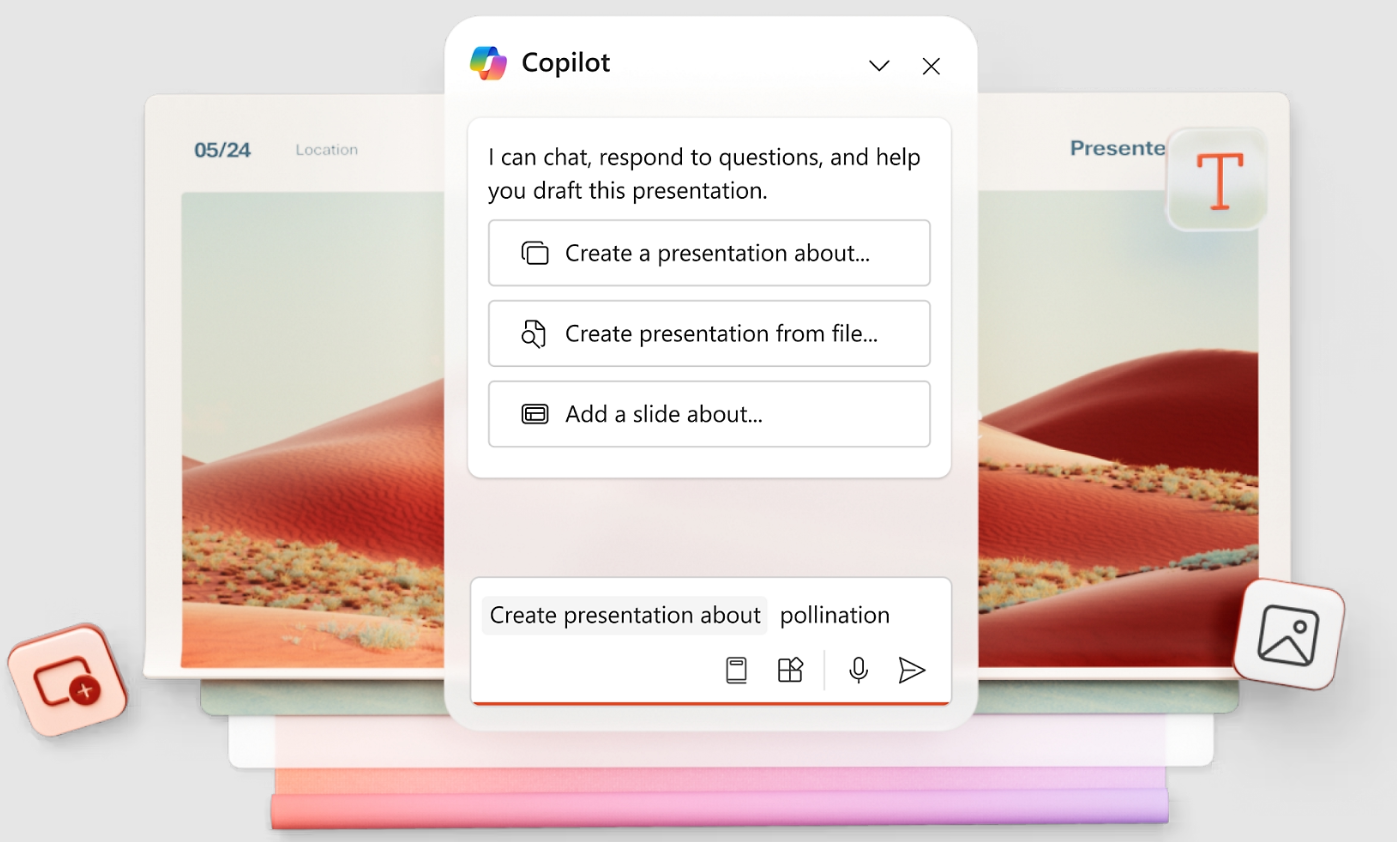
Microsoft Copilot builds and refines slides directly in PowerPoint, drawing on an organization's existing Word documents and other Microsoft 365 content via Microsoft Graph, when permitted. It can draft a deck from a prompt or a document, then redesign, summarize, or adjust existing slides without leaving the app.
G2 rating: 4.6/5
PowerPoint Pros:
- Works inside the PowerPoint interface teams already know
- Can draw on existing Word documents and other Microsoft 365 content to build a first draft
- No separate platform or login required for teams already on Microsoft 365
PowerPoint Cons:
- Requires a qualifying Microsoft 365 subscription, so it cannot be used on its own
- Design output is less distinctive than dedicated AI-first slide generators
PowerPoint Pricing:
- Copilot is an add-on to an existing Microsoft 365 plan, priced at $30 per user per month on an annual commitment for most organizations
- A lower promotional rate applies to small business plans with up to 300 users
- Exact pricing depends on the base Microsoft 365 plan, so confirm current rates with Microsoft directly
PowerPoint Features:
- Copilot drafts and refines slides directly inside PowerPoint
- Draws on existing Word documents and Microsoft 365 content via Microsoft Graph
- Redesigns, summarizes, or adjusts existing slides without leaving the app
- Works within the PowerPoint interface teams already know
11. Google Slides
Best for: Teams already working in Google Workspace who want built-in AI features at no extra cost.
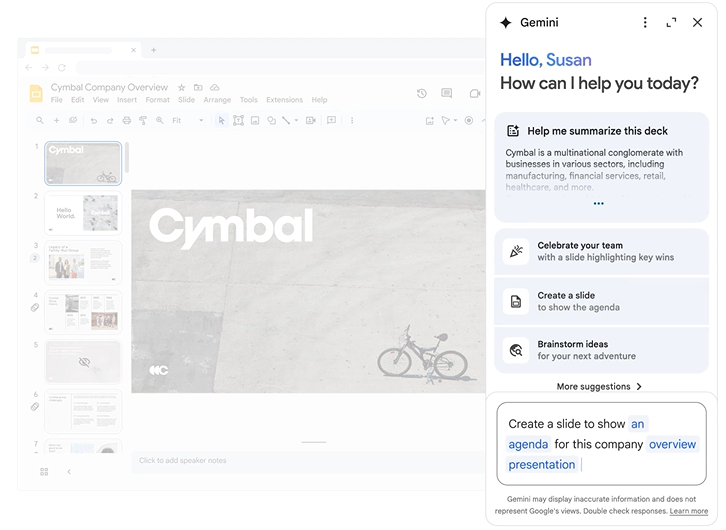
Gemini is now built into Google Workspace Business and Enterprise plans rather than sold as a separate add-on. It brings AI assistance to Slides alongside Docs, Sheets, Gmail, and Meet, so teams get drafting and design help without adopting a new platform. For more detail on how the two compare, read the full Google Slides comparison.
G2 rating: 4.6/5 (For Google Workspace)
Google Slides Features:
- Gemini built directly into Slides, Docs, Sheets, Gmail, and Meet
- AI assistance for drafting and design help inside Slides
- No separate AI subscription required on qualifying Workspace plans
- Straightforward integration for teams already working in Google Workspace
Google Slides Pros:
- Included in Workspace Business Standard and above, with no separate AI subscription required
- Works alongside Gmail, Docs, and Sheets for teams already in Google Workspace
- Straightforward for teams that do not want to manage another tool or login
Google Slides Cons:
- Fewer dedicated slide-design features than purpose-built AI slide generators
- Requires at least the Business Standard plan to unlock Gemini in Slides
Google Slides Pricing (For Workspace):
- Business Starter: around $7 per user per month, with limited Gemini access
- Business Standard: around $14 per user per month, billed annually, with full Gemini access in Slides
- Business Plus and Enterprise: Higher tiers with expanded usage limits; contact Google or a reseller for current rates
Why Presentations.AI Leads This List for Most Teams
Many AI slide creators generate slides quickly. Fewer produce decks that are ready for the meeting, boardroom, or investor call without heavy rework. That difference is what sets Presentations.AI apart.
- Brand consistency: Presentations.AI lets teams lock brand themes, fonts, colors, and logo placement across every deck. New slides inherit brand settings automatically, so there is no slide-by-slide cleanup and no off-brand color choices slipping through.
- Speed without the setup: A single prompt returns a complete, structured deck. Other tools on this list generate slides quickly, too, but few pair that speed with brand control and analytics on a single platform.
- Built for outcomes: Slide-level engagement tracking shows which slides hold attention and where a deck loses a viewer, giving sales and fundraising teams data they can act on.
Making the Right Choice for Your Team
The right AI slide creator depends on what your team builds, how often, and what the deck needs to accomplish. The table below breaks down the strongest pick and a runner-up for a few common use cases.
| Use Case | Top Pick | Runner-Up | Why |
|---|---|---|---|
| Overall speed and polish | Presentations.AI | Gamma | On-brand decks from one prompt versus fast, flexible drafts |
| Startup fundraising | Slidebean | Presentations.AI | Investor-specific structure versus broader brand and analytics support |
| Team collaboration | Pitch | Beautiful.ai | Real-time co-editing versus guided design consistency |
| Data-heavy decks | Visme | Presentations.AI | Built-in charts and infographics versus fast, on-brand assembly |
| Already on Microsoft or Google | Microsoft Copilot | Google Gemini in Slides | AI built into the tool your team already uses daily |
Pick your top two tools from this list and run the same prompt through both, using your actual brand assets. Comparing the structure and design quality side by side will make the decision clearer than any comparison article can.
Ready to build a deck like this in minutes?