Trying to figure out what Chronicle actually costs? You're not alone. The pricing page looks simple at first glance: four plans with clear monthly numbers. But once you start mapping those numbers against what your team actually needs, costs add up fast.
This guide breaks down all four of Chronicle's plans, what each one unlocks, and how the token system works in practice. It also lines Chronicle up against Presentations.AI, so you can compare pricing models side by side and pick a plan based on how your team actually creates decks.
** The review is based on Chronicle pricing as of June 2026
TL;DR
- Chronicle splits its pricing into four tiers: Free, Pro, Plus, and Max, with monthly costs ranging from $0 to $59 per user.
- AI features run on tokens rather than a flat usage cap, and unused tokens expire at the end of each month with no rollover.
- PowerPoint export is available only on the Plus plan, which trips up many buyers who assume Pro covers it.
- Custom fonts, themes, and saved templates also wait until Plus, so brand consistency is tied to the same upgrade as export.
- Presentations.AI runs on an annual subscription model rather than tokens and unlocks PowerPoint export earlier in its lineup, on the Pro tier.
- Picking between the two comes down to how often your team creates decks, whether PowerPoint is a hard requirement, and how many people need access.
Chronicle Overview
Chronicle organizes presentations around chapters rather than individual slides, and its AI works on each section through a token-based system. That gives writers and strategists a more natural way to build a storyline compared to tools that generate one flat deck from a single prompt.
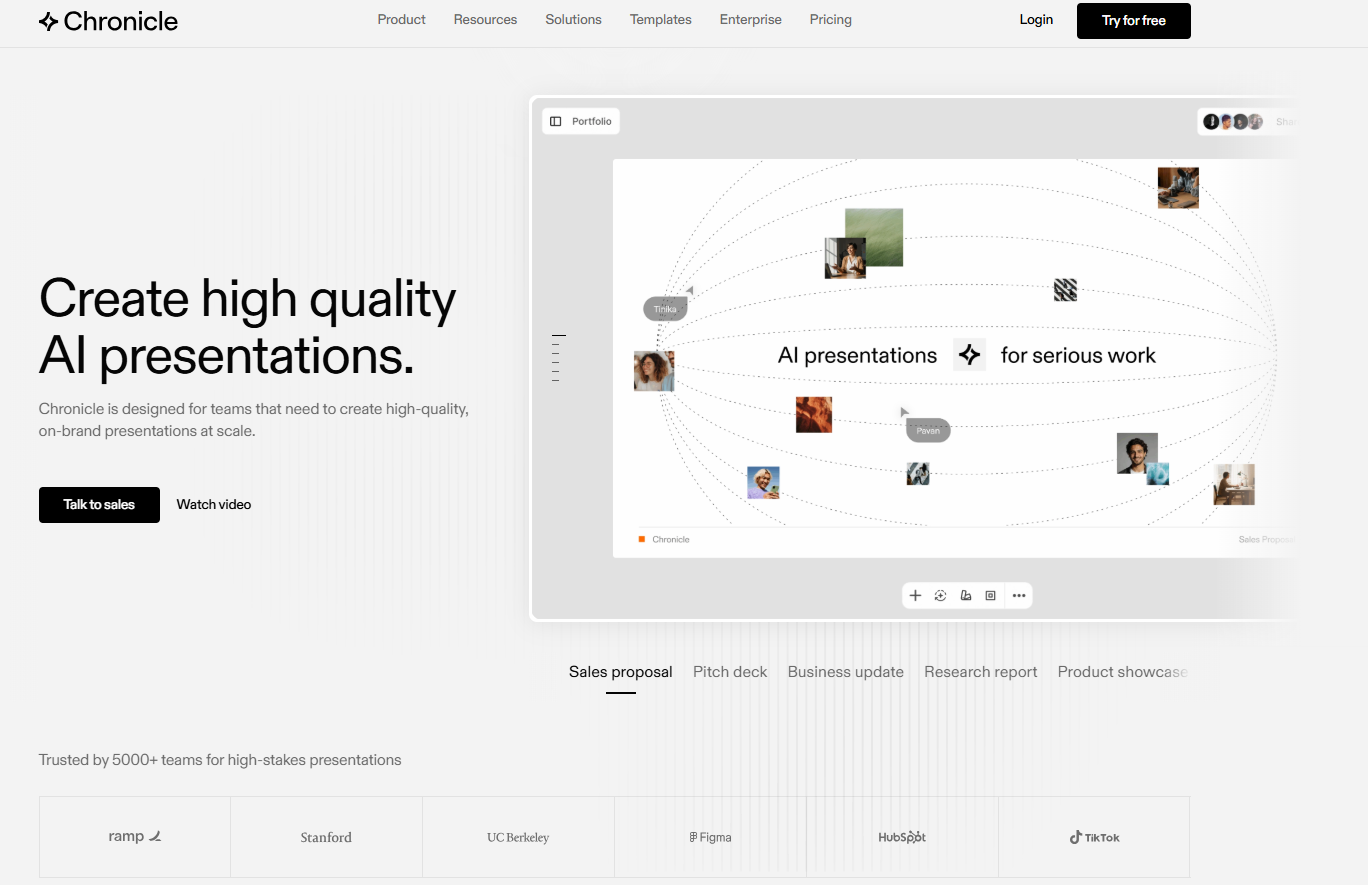
Teams that need brand-consistent, presentation-ready decks at scale tend to get the most value. Think agencies, consulting shops, and sales teams pitching regularly.
Chronicle works from a flexible canvas of widgets, cards, and charts rather than fixed slide layouts, giving it more creative range than tools built around static templates, and pairs that with an AI usage model measured in tokens rather than a flat monthly cap.
Chronicle Pricing Plans & What You Get
Chronicle splits its pricing into four public tiers. The gap between them comes down to three things:
- Number of tokens you get each month
- How much brand control you have
- Is PowerPoint export available
Annual billing saves 20% on Pro and Plus plans, while Max stays the same price either way. Here's what changes as you move up the stack.
| Plan | Monthly Price | Annual Price | AI Tokens | PPT Export |
|---|---|---|---|---|
| Free | $0 | $0 | 300/month | No |
| Pro | $15/mo | $12/mo | 750/user/month | No |
| Plus | $30/mo | $25/mo | 1,500/user/month | Yes |
| Max | $59/mo | $59/mo | 5,000/user/month | Yes |
1. Free Plan ($0/Month): What's Included
Chronicle's Free plan costs $0 and includes unlimited documents and widgets, 300 AI tokens per month, content rewrites, basic preset themes, web publishing, PDF export, and one guest editor.
Best for: Testing Chronicle or building an occasional deck, but there's no PowerPoint export, brand customization is limited to preset themes, and one guest editor isn't enough once more than two people need to weigh in.
2. Pro Plan ($15/Mo, $12/Mo Annual): What Changes
Pro costs $15 per month or $12 annually and increases your token allowance to 750 per user each month. It adds a shared workspace, consolidated billing, admin controls, removes the Chronicle watermark, and bumps guest access up to 10 editors.
What it doesn't change is export: PowerPoint still isn't available here, and neither are custom fonts or themes, both wait until Plus.
Best for: Small teams collaborating occasionally to build a deck that can be presented online.
3. Plus Plan ($30/Mo, $25/Mo Annual): The PPT Export Unlock
Plus is where Chronicle starts looking like a real business tool. It costs $30 a month, or $25 annually, and raises tokens to 1,500 per user. This is the first tier with PowerPoint export, custom fonts and themes, saved templates, and unlimited guest editors.
Best for: Most professional teams, this is the plan that actually matters, since it's the first one that lets you build a branded deck and hand it off as a finished PowerPoint file.
4. Max Plan ($59/Mo): For Power Users and Enterprise Teams
Max sits at $59 a month whether you pay monthly or annually, the one tier where the billing cycle doesn't change price. It includes everything in Plus, raises tokens to 5,000 per user, and adds advanced custom branding, page setup controls, and priority support.
Best for: Agencies producing decks constantly, enterprise teams with stricter brand systems, and anyone who keeps hitting their token ceiling on Plus.
How Chronicle's Token Model Works in Practice
Every AI action in Chronicle pulls from a monthly token pool instead of a flat number of decks. Generating a full presentation costs roughly 10 tokens plus 1 per chapter, so a 10-chapter deck runs about 20 tokens before you touch a single slide, while rewriting or remixing costs about 1 token each.
Tokens are tied to each person rather than shared across the workspace, and they reset every month with no rollover, so it's worth gauging how many drafts your team realistically runs through before picking a plan.
1. Enterprise and Custom Pricing
Chronicle doesn't publish enterprise pricing. Larger teams are routed to a sales conversation via a contact form or by emailing Chronicle directly, rather than to a self-serve checkout.
Based on how most enterprise presentation tools structure custom plans, you can reasonably expect single sign-on, more centralized admin controls, and token allocations sized to your team.
2. The Fine Print in Chronicle Pricing
The first thing to understand is that tokens expire at the end of every month with no rollover. A Pro user with 600 unused tokens on the 30th loses them all by the 1st. Teams that go through intense production periods followed by quieter months end up subsidizing the quiet months for no benefit.
The second is how quickly tokens deplete under iteration. The advertised cost of generating a presentation is roughly 10 tokens plus 1 per chapter, but most professional decks go through multiple rounds of edits. Each rewrite draws another token. A team that iterates four or five times on a 10-chapter deck before a client review can burn through the Pro plan's 750-token allowance in a single week.
The third is a billing detail that catches team admins off guard: additional seats are charged when a member accepts their invitation, not when the invite is sent. In practice, that means your billing can change on a day you are not expecting it, depending on when a colleague clicks an email link.
What Chronicle Actually Costs: Real Numbers by Team Size
The per-user pricing and token model can look manageable on paper until you run the numbers for your actual team. Here's what Chronicle costs at different team sizes, and what you get for that spend.
| Team Size | Plan | Monthly Cost (Annual Billing) | Tokens/Month | PPT Export | Guest Editors |
|---|---|---|---|---|---|
| 1 user | Free | $0 | 300 | ✗ | 1 |
| 1 user | Pro | $12 | 750 | ✗ | 10 |
| 1 user | Plus | $25 | 1,500 | ✓ | Unlimited |
| 1 user | Max | $59 | 5,000 | ✓ | Unlimited |
| 5 users | Pro | $60/mo | 3,750 total | ✗ | 10 |
| 5 users | Plus | $125/mo | 7,500 total | ✓ | Unlimited |
| 5 users | Max | $295/mo | 25,000 total | ✓ | Unlimited |
| 10 users | Pro | $120/mo | 7,500 total | ✗ | 10 |
| 10 users | Plus | $250/mo | 15,000 total | ✓ | Unlimited |
| 10 users | Max | $590/mo | 50,000 total | ✓ | Unlimited |
To put tokens in context: a single 10-chapter deck costs roughly 20 tokens to generate. Each rewrite or remix costs about 1 token on top of that. On Plus, a single user gets 1,500 tokens per month, enough for around 60 to 70 full deck generations with no rewrites, or far fewer if your team iterates heavily. On Pro, that number drops to roughly 30 decks, with no PowerPoint export to show for it.
The jump that catches most teams off guard is Pro to Plus. It is a tier change that brings PowerPoint export, custom fonts, saved templates, and unlimited guest editors all at once. For teams that need even one of those features, Pro is worth skipping entirely.
Presentations.AI Overview
Presentations.AI works from structured slide templates built to hold up as your content changes, rather than the freeform canvas Chronicle uses. You can start a deck from a prompt, a PDF, a Word document, a URL, or pasted text, and the AI presentation maker turns that input into a structured deck instead of a blank canvas you fill in yourself.
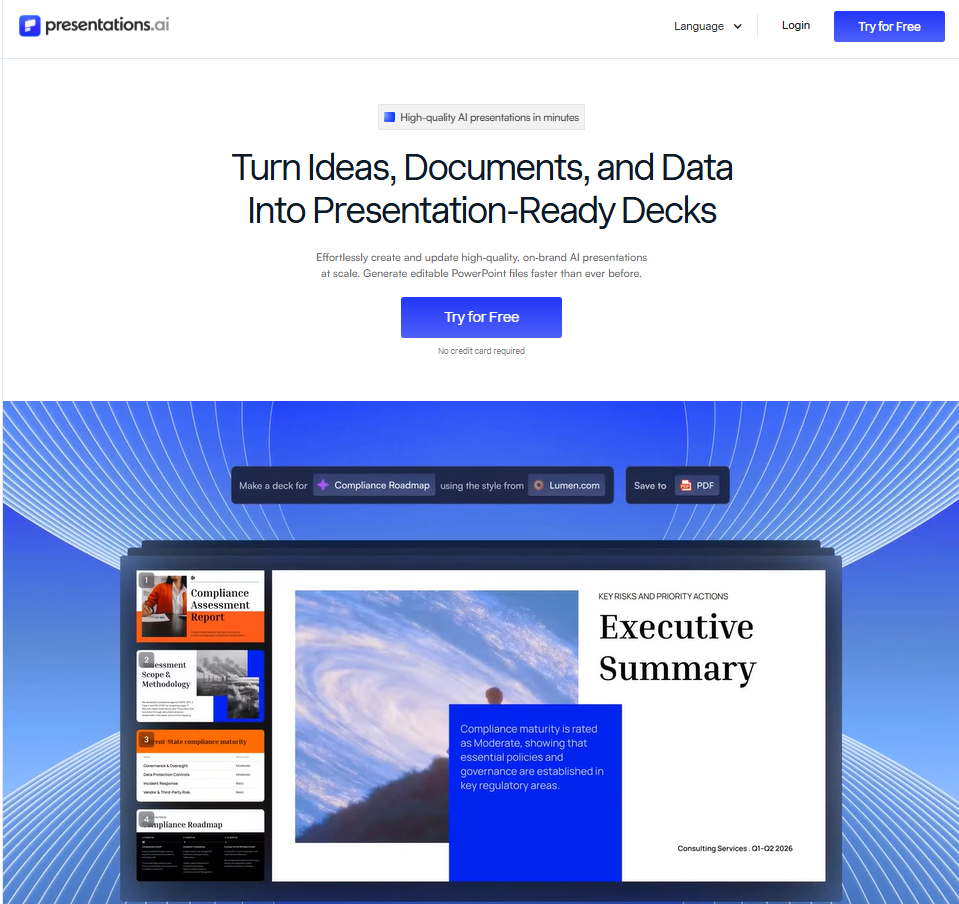
The part that tends to win teams over is Brand Sync, which pulls your logo, colors, and fonts directly from your company URL instead of requiring you to build a brand kit by hand. Combined with Clip-E, the assistant that handles edits through natural conversation rather than menus, Presentations.AI tends to attract teams that want predictable AI usage and faster brand setup.
Presentations.AI Pricing (For Comparison)
Presentations.AI structures its pricing around three plans instead of four, and AI usage runs on credits that refresh each billing cycle rather than tokens. The plans break down by how much AI generation you need, how much brand control you want, and how many people need access to a shared deck.
| Plan | Price | Annual Credits | PPT Export |
|---|---|---|---|
| Starter | $0 | 200 credits | No |
| Pro | $20/mo (billed annually) | 5,000 credits/year | Yes |
| Gold | $100/mo (billed annually) | 50,000 credits/year | Yes |
1. Plan Breakdown and What Each Tier Covers
The Starter plan is free, with 200 credits, access to the standard AI model and agent, and decks up to 20 slides. It works for testing the platform or building an occasional deck, but you can't export to PDF or PowerPoint here, only share or present online.
Pro runs $20 a month billed annually, built for individuals who present regularly, with 5,000 credits a year, advanced AI features, high-quality PowerPoint export, presentation tracking and analytics, and brand customization.
Gold steps up to $100 a month, also billed annually, with 50,000 credits a year, frontier AI models, a shared knowledge base, and unlimited guest collaborators. Teams needing more than Gold covers can reach out for custom enterprise pricing.
2. AI Generation, Brand Themes, and Collaboration
Moving up a tier mostly buys three things: more AI generation room, deeper brand control, and more room to collaborate. Credits jump from 200 on Starter to 5,000 a year on Pro and 50,000 a year on Gold, and the AI model gets more capable at each step, ending with frontier models and AI agents on Gold.
Brand customization for colors and fonts starts on Starter, but saved brand kits, custom templates, and larger asset storage are reserved for Pro and Gold. Collaboration follows a similar pattern: guest access goes from 5 on Starter to 10 on Pro to unlimited on Gold. PowerPoint export is the clearest line, since it only shows up on Pro or above.
What Presentations.AI Actually Costs: Real Numbers by Team Size
Presentations.AI runs on annual credits rather than monthly tokens, which changes how you think about usage. Instead of watching a counter reset every 30 days, your full year's allocation is available upfront.
| Team Size | Plan | Monthly Cost (Annual Billing) | Credits/Year | PPT Export | Guest Collaborators |
|---|---|---|---|---|---|
| 1 user | Starter | $0 | 200 | ✗ | 5 |
| 1 user | Pro | $20 | 5,000 | ✓ | 10 |
| 1 user | Gold | $100 | 50,000 | ✓ | Unlimited |
| 5 users | Pro | $100/mo | 25,000 total | ✓ | 10 |
| 5 users | Gold | $500/mo | 250,000 total | ✓ | Unlimited |
| 10 users | Pro | $200/mo | 100,000 total | ✓ | 10 |
| 10 users | Gold | $1,000/mo | 500,000 total | ✓ | Unlimited |
To put credits in context: a single deck generation on Pro typically uses a fraction of the 5,000 annual credit pool, leaving substantial room for revisions, remixes, and new decks throughout the year without watching a monthly ceiling. Unlike Chronicle's tokens, credits don't reset to zero at the end of each month, so a lighter month effectively banks capacity for a heavier one.
The key difference from Chronicle's model is where features unlock. PowerPoint export, brand customization, and presentation analytics all come in on Pro at $20 a month — one tier in, rather than two. For a single user or a small team that needs export and branding from day one, that's a meaningful cost difference before headcount even enters the picture.
Side-by-Side Comparison (Chronicle vs Presentations.AI)
Putting the two pricing models side by side makes the real differences easier to spot than scrolling between two pricing pages.
Chronicle isn't the only AI presentation tool worth comparing against Presentations.AI either, and if Gamma is also on your shortlist, the Gamma vs Presentations.AI comparison covers similar ground. Here's how the two compare across the factors that affect your monthly bill and your workflow.
| Category | Chronicle | Presentations.AI |
|---|---|---|
| Starting price | Free, then $15 to $59/mo per user | Free, then $20 to $100/mo billed annually |
| AI usage model | Monthly tokens, no rollover | Annual credits refresh each cycle |
| PowerPoint export | Unlocks on Plus, $25/mo annual | Unlocks on Pro, $20/mo annual |
| Brand customization | Limited until Plus, full control on Plus and Max | Available from Starter, deeper kits on Pro and Gold |
| Team collaboration | Up to 10 guests on Pro, unlimited on Plus | Up to 10 guests on Pro, unlimited on Gold |
| Canvas flexibility | Freeform canvas of widgets, cards, and charts | Structured templates built from prompts or files |
| Best fit | Agencies and consulting teams needing flexible layouts | Teams wanting fast brand setup and earlier PPT export |
Chronicle vs Presentations.AI: Which Has Better Pricing?
Neither tool is the better deal in every scenario. The right answer depends on how your team actually creates decks, so here's how the two stack up across the factors that matter most.
1. Best for Teams That Need PPT Export Without Upgrading
If PowerPoint export is non-negotiable, Presentations.AI gets you there earlier and cheaper. Pro unlocks it at $20 a month, the second of three tiers, while Chronicle holds export back until Plus, the third of four tiers, at $25 a month annually. For teams handing decks to clients or executives regularly, that's the difference between paying for export on day one or upgrading twice to get there.
2. Best for Brand Control and Consistent Design at Scale
Presentations.AI applies brand colors and fonts from Starter onward, and Brand Sync pulls your logo, colors, and fonts directly from your company URL instead of requiring you to build a kit by hand. Chronicle holds custom fonts and themes back until Plus, so a team chasing brand consistency early gets there faster with Presentations.AI, though Chronicle's Max tier offers finer-grained layout control than Gold does.
3. Best for Teams and Collaborative Deck Workflows
Both tools scale guest access with price, just on different curves. Chronicle's Pro plan, at $12 per month, includes up to 10 guest editors plus a shared workspace and admin controls, while Presentations.AI requires its $20 Pro plan to match that count, making Chronicle cheaper for guest access alone. The picture flips at the top end, where Chronicle's unlimited guests start on Plus at $25, while Presentations.AI offers unlimited collaborators only on Gold at $100.
4. Hidden Costs and Gotchas to Watch
A few line items in Chronicle's pricing are easy to miss until you've already committed. PowerPoint export is gated to Plus at $25 a month annually, so teams assuming Pro covers basic deliverables get a surprise.
Tokens expire at the end of each month with no rollover, punishing teams with uneven workloads. Per-user pricing adds up too: a five-person team on Plus runs $125 a month annually before add-ons, and the jump from Pro's 10 guests to Plus's unlimited access can force an upgrade sooner than expected.
How to Choose the Right Chronicle Plan
The right plan comes down to the three simple questions we discussed earlier about your usage.
1. If You're Testing or Using Chronicle Occasionally
If you're just kicking the tires or building the occasional deck, Free is enough to get a real feel for Chronicle. The 300 monthly tokens cover roughly 13 to 15 simple decks at around 20 tokens each, fewer if you rewrite or remix along the way. Check whether that ceiling matches how often you actually create decks before committing to a paid plan.
2. If You Create Decks Regularly and Need PPT Export
Plus, at $25 per month (Annually), it is effectively the minimum useful paid tier once PowerPoint export matters. Pro looks tempting at a lower price, but it skips export along with custom fonts, themes, and saved templates, the features most professional teams need. If you're regularly handing decks to clients or leadership, Plus is the plan built for that handoff.
3. If You Need a Team Workflow With High AI Volume
Max makes sense once your team creates presentations constantly and burns through Plus's token allowance faster than the month allows. At $59 a month, it raises tokens to 5,000 per user. It adds advanced custom branding, page setup controls, and priority support, useful when an agency or enterprise team needs a fast answer rather than a ticket queue.
Chronicle Pricing: The Bottom Line
Chronicle's pricing works well for professionals who need polished, high-quality output and don't mind operating inside a token budget. The model rewards teams that plan their AI use rather than burning through rewrites and remixes without thinking, and the four-tier structure provides a reasonably clear upgrade path as needs grow.
Where it gets less attractive is for teams that need PowerPoint export without paying for Plus, or teams generating a high volume of decks without watching a token counter. That's where Presentations.AI tends to make more sense, since export unlocks one tier earlier and credits don't reset to zero every month the way Chronicle's tokens do.
The decision comes down to your deck volume, the importance of the PowerPoint export, and how many people need access. Run the math on your specific team size before picking a plan, since the gap between Pro and Plus, or between Presentations.AI's Pro and Gold, can shift your monthly bill more than the headline price suggests.
Compare your options and build your first deck free with Presentations.AI.