



TL;DR
- Building high-stakes business decks from rough notes or reports? Put AI generation and brand control first. Clean .pptx export matters more than template volume.
- Presentations.AI is the strongest all-around alternative for business workflows. It builds full decks from a prompt and exports clean .pptx files. Brand Sync applies your identity automatically.
- Pitch is the best pick for teams building the same decks repeatedly. It combines shared workspaces with real-time co-editing, and approval workflows come built in.
- Canva scores highest overall for template breadth and brand-kit consistency. It suits teams producing content well beyond slide decks.
- Google Slides with Gemini is the lowest-friction option for teams already on Google Workspace. It rewards those who value real-time collaboration over polished design.
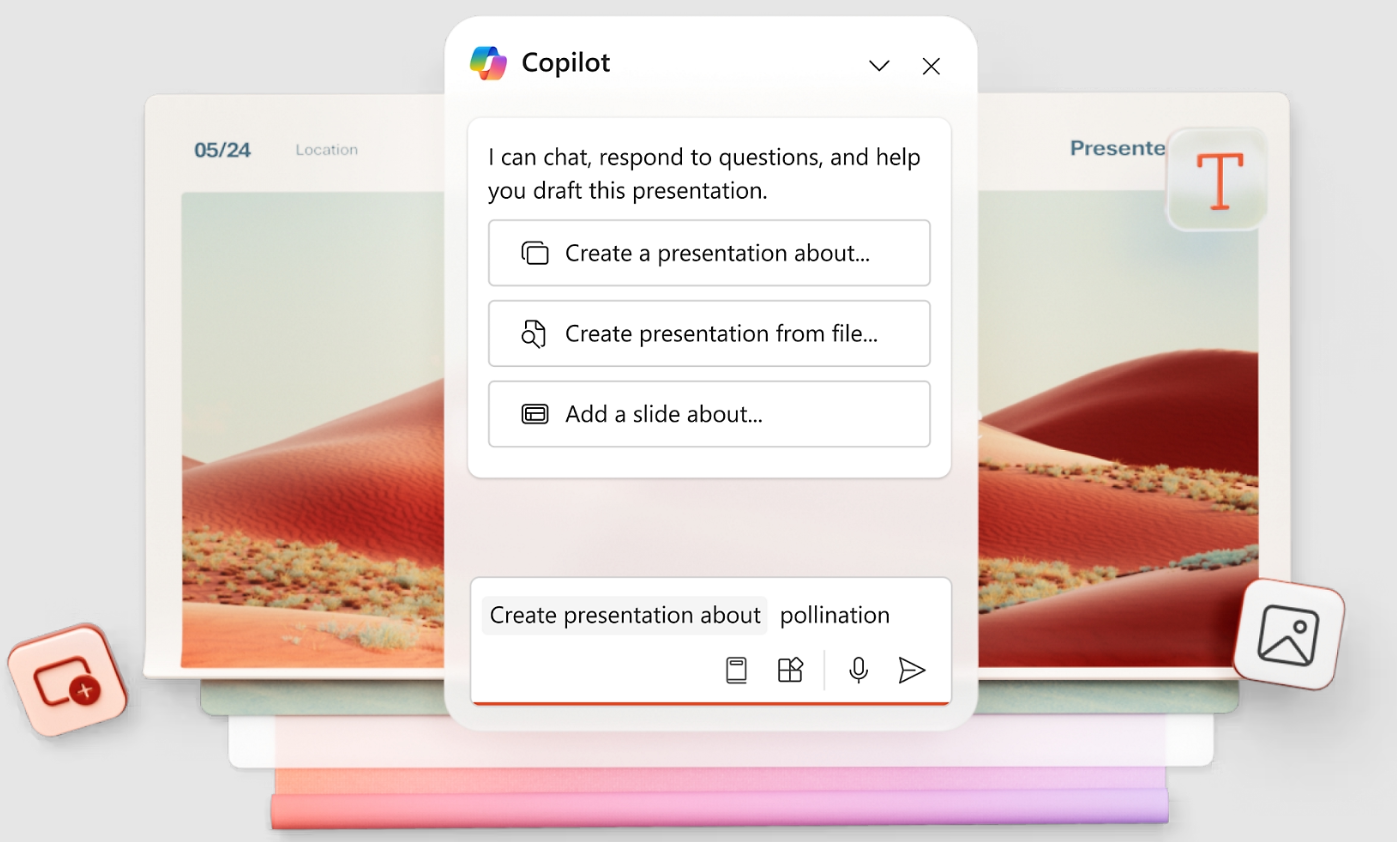
- PowerPoint with Copilot still makes sense for enterprises fully committed to Microsoft 365, where AI inside native .pptx files is required.
Why Teams Are Switching From PowerPoint in 2026
You usually start looking for a PowerPoint alternative after the third late-night deck rebuild. The content is there. You are still nudging text boxes into alignment and fixing brand colors. Then you chase access permissions and hope the file opens cleanly for the client by morning.
Three frustrations push teams to switch: wasted time and AI cost, with collaboration friction close behind.
The first is time, the hours spent formatting when a clean deck is due by morning.
The second is AI pricing. AI-powered PowerPoint means buying a Copilot subscription on top of the Microsoft 365 license already in place.
The third is external collaboration. The OneDrive permission-link process becomes its own part-time job for agencies working with outside clients.
This list covers the 10 strongest alternatives for real professional work. Think pitch decks and client proposals that need to look polished fast. Presentation software has split into distinct camps. AI-native tools build decks from a prompt. Design-first tools center on templates. Ecosystem players tie into Google or Apple, and storytelling tools break the slide-by-slide format.
The strongest option in each camp gets a place on this list.
The old workflow was simple but painful. You wrote the content, built the slides, and fixed the formatting. Then you chased the brand template and exported the file. When the numbers changed, you repeated the same work. AI-native presentation tools replace that manual loop with a faster one. You describe the deck and generate the structure. Then you apply the brand, edit with instructions, and share.
Best PowerPoint Alternative by Use Case
Here is the practical filter. If the deck needs to influence a buyer or investor, do not choose on templates alone. Choose based on how quickly the tool moves you from rough input to clear, branded output.
PowerPoint Alternatives Quick Comparison
Here's how all 10 alternatives stack up against PowerPoint across the factors that matter most.
For general visual content, Canva scores highest overall. For business teams replacing PowerPoint specifically, Presentations.AI is the strongest fit. That is where prompt-to-deck generation and brand automation matter most, alongside clean .pptx export.
Best Free PowerPoint Alternatives
The title promises free and paid options, so here is the honest breakdown for cost-conscious teams. Free tools fall into four buckets. Browser tools and desktop software make up two. Template libraries and limited free trials round out the rest. The table below compares what each free plan actually delivers.
Free browser tools like Google Slides work well for professional decks when design is secondary to collaboration. Free template libraries like Slidesgo upgrade PowerPoint's look without switching tools. Free trials, such as Presentations.AI Starter, let you test real AI generation before paying. Clean .pptx export and Brand Sync sit behind the Pro plan.
How We Evaluated the Best PowerPoint Alternatives
Each tool on this list was tested against real business use cases. Examples include pitch decks and investor updates. The goal was to measure how tools perform in actual workflows instead of on feature lists. Findings were cross-checked against user feedback on G2 and other platforms to confirm patterns held up beyond a single test environment.
The testing protocol stayed consistent across tools. The same one-paragraph brief generated a first draft in each one. An existing PDF and Word doc were imported where supported. Each deck was exported to .pptx and reopened in desktop PowerPoint to check font and layout fidelity. A final collaboration test confirmed how external reviewers were handled. Pricing and G2 review counts were rechecked at the last update, along with AI feature availability. Rankings are revisited on a quarterly cadence as pricing and feature sets change.
Seven criteria shaped every score:
- AI output quality: Whether a tool generates a full, structured deck from a prompt or just assists with layout and formatting.
- Brand control: Support for custom fonts, colors, and logos, plus enforced themes that reduce manual setup.
- Export flexibility: The quality and editability of .pptx export, and whether it is included on the entry-level paid plan.
- Team collaboration: Shared workspaces and real-time co-editing, with permission controls for external reviewers.
- Pricing transparency: The true cost of the plan that unlocks the features most teams actually need, including any AI add-ons.
- Speed to first deck: How fast someone with no design background goes from a blank page or a brief to a shareable deck.
- G2 reviews: Star rating and review volume on G2 as an independent signal of user satisfaction. Where review counts are low, that is flagged directly.
Our Ranking Methodology
All seven criteria carry equal weight in the final score. AI output quality and export flexibility are the strongest differentiators for teams evaluating PowerPoint alternatives. Brand control and collaboration serve as tie-breakers, with the G2 score close behind. No tool paid for placement on this list, and the rankings get revisited periodically as pricing and feature sets change.
The table below shows the individual score for each of the seven criteria. All criteria carry equal weight, and the Final score is the straight average across all seven.
Why Teams Look for PowerPoint Alternatives
PowerPoint earned its place. The animation engine runs deep, and .pptx remains the universal corporate standard. These specific gaps are what prompt teams to search for alternatives.
1. "Free PowerPoint" Is a Myth, and the AI Costs Extra
Microsoft bundles PowerPoint into Microsoft 365 instead of selling it as a standalone product. Personal plans run $6.99 to $9.99 per month.
Business Basic costs $6 per user per month for web and mobile access only. Business Standard runs $12.50 per user per month, and Business Premium reaches $22 per user per month.
The generative AI features people want, such as building a draft deck from a prompt, require Copilot. That separate add-on runs around $18 to $30 per user per month, depending on plan and region. On Business Standard, that effectively doubles the per-seat cost, and Copilot stays unavailable on the cheapest tiers.
2. The Workflow Stays Slide-by-Slide, by Design
PowerPoint keeps users building one slide at a time. The native Designer feature suggests layouts and color treatments for a single slide, and each suggestion needs manual acceptance. On complex slides or custom layouts, it frequently goes blank or returns irrelevant options.
Even with Copilot enabled, the output leans on content already stored in OneDrive or SharePoint and leaves brand rules unapplied out of the box. AI-native tools generate and restructure an entire deck from a single prompt, solving a problem PowerPoint never targeted.
3. Brand Consistency Becomes a Manual Governance Task
PowerPoint handles branding through slide masters and .potx templates. That approach works only when everyone starts from the right template and keeps every font intact. PowerPoint lacks a tenant-wide brand lock, so any user can change fonts or override the master layout.
Designer auto-suggestions can override a corporate template, forcing re-application of branding by hand. Brand and marketing teams then rely on manual governance and ongoing SharePoint training to enforce guidelines.
4. Collaboration Works Until You Leave the Microsoft Stack
Real-time co-authoring works well when everyone uses the same Microsoft 365 client and files are stored in OneDrive or SharePoint. Friction shows up at the edges. Co-editing feels less smooth than Google Slides for most distributed teams. Version conflicts return the moment someone emails a .pptx attachment instead of using a cloud link.
External collaborators routinely hit request-access walls. Distributed teams working with outside clients face IT-governed sharing controls that help security but hurt speed.
5. Crashes, Corruption, and Cross-Platform Surprises
G2 reviews surface consistent complaints about crashes and file corruption, particularly on large, media-heavy decks. Features and animations behave differently on Mac versus Windows, requiring a re-test before high-stakes presentations.
Fonts get silently substituted when a typeface is missing on the viewer's machine. Layouts shift when opening files made in other tools. These issues make PowerPoint a capable but heavy tool for teams working outside a fully Microsoft-managed environment.
10 Best PowerPoint Alternatives Compared
Each tool below includes a G2 rating and a weighted score across seven criteria. A short summary and a pros-cons-pricing breakdown follow.
1. Presentations.AI
Presentations.AI is best for: Sales and founder teams who need professional, on-brand decks fast, without paying for the full Microsoft stack just to get AI generation.
Presentations.AI G2 rating: 3.0/5 (3 reviews, limited sample)
Our rating: 7.8/10
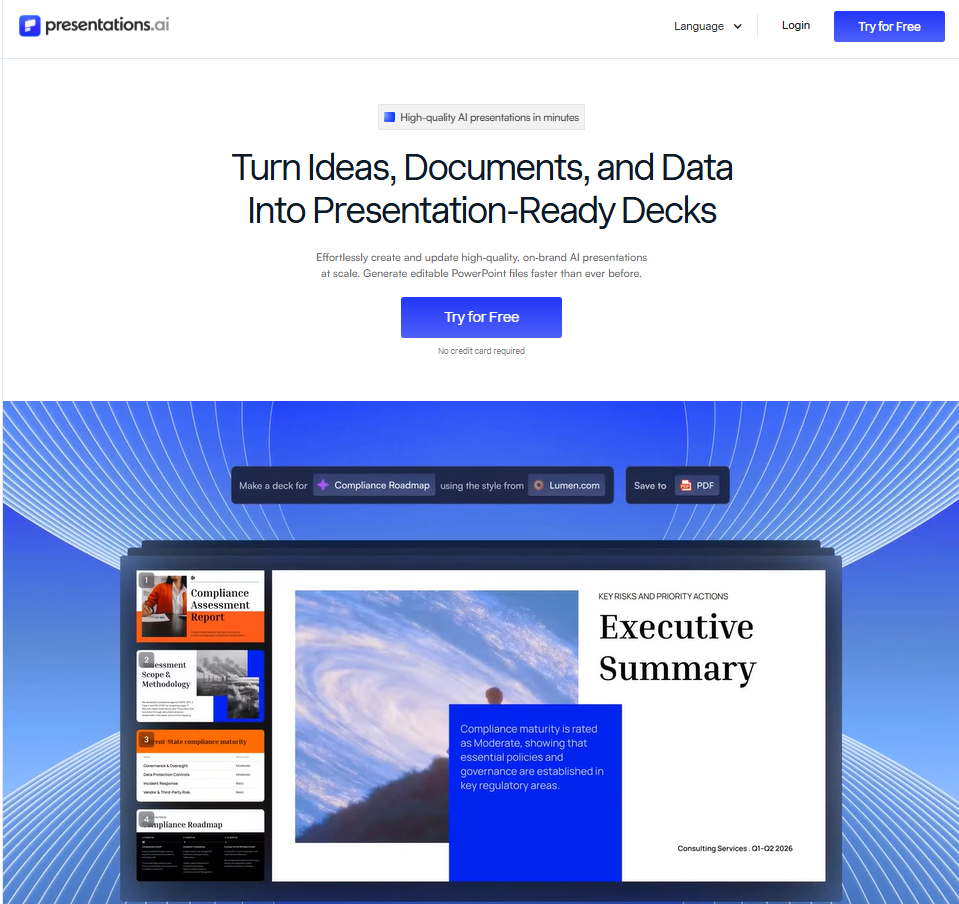
Presentations.AI is the closest thing to a "describe it, and it's built" experience on this list. Give it a sales brief, a URL, or an uploaded PDF, and it turns that input into a structured deck. You can edit and export the result, keeping it on brand throughout. Conversational AI assistant Clip-E handles iteration the way a teammate would: "make this punchier" or "add a slide on pricing."
The real difference: Presentations.AI behaves less like a blank slide editor and more like a presentation assistant. It structures the storyline and turns rough inputs into slides. It applies brand rules and refines individual sections through natural-language requests. It also keeps teams from repeating the same formatting work every time a deck changes. That payoff lands hardest on recurring decks like QBRs and campaign reports.
Operator take: Presentations.AI is the strongest pick when your decks start from messy business inputs. They need to look on-brand and export cleanly to .pptx. If you need a full offline desktop editor, keep PowerPoint or Keynote in the mix.
Pros
- Full prompt-to-deck generation from a single input, starting from messy business material instead of a blank slide.
- Brand Sync pulls brand identity from a company URL and applies it across the entire deck. Fewer off-brand decks reach clients, and marketing spends less time on governance.
- Clip-E conversational editing handles restructuring and refining through natural-language requests, avoiding slide-by-slide manual edits.
- Clean .pptx export is included on the $20/month Pro plan, and fonts and layouts hold up when opened in PowerPoint for a Microsoft-stack stakeholder.
- Slide-level analytics show who opened the deck and where they stopped reading, so sales and client-facing teams can follow up based on buyer engagement instead of guessing.
Cons
- Only 3 G2 reviews as of 2026, so independent third-party validation stays limited compared to more established tools on this list.
- The free Starter plan caps at 20 slides and 100 credits, and .pptx export and Brand Sync require upgrading to Pro.
- Cloud-native only: authoring happens in the browser, so teams that need a full offline desktop experience should stay with PowerPoint or Keynote.
Pricing
Free Starter plan includes 100 credits and up to 20 slides. Pro is $20/month, billed annually. It unlocks 5,000 credits and PowerPoint export, along with Brand Sync and analytics. Gold is $50/month, billed annually. It includes 50,000 credits and top-tier AI models, plus a shared knowledge base.
Ready to test prompt-to-deck generation? Turn a brief, PDF, URL, or doc into a polished presentation. Try for Free
2. Gamma
Gamma is best for: Teams creating narrative-first, document-style presentations for internal sharing or content-heavy use cases where browser-based delivery works as well as a .pptx file.
Gamma G2 rating: 4.1/5 (20+ reviews)
Our rating: 7.4/10
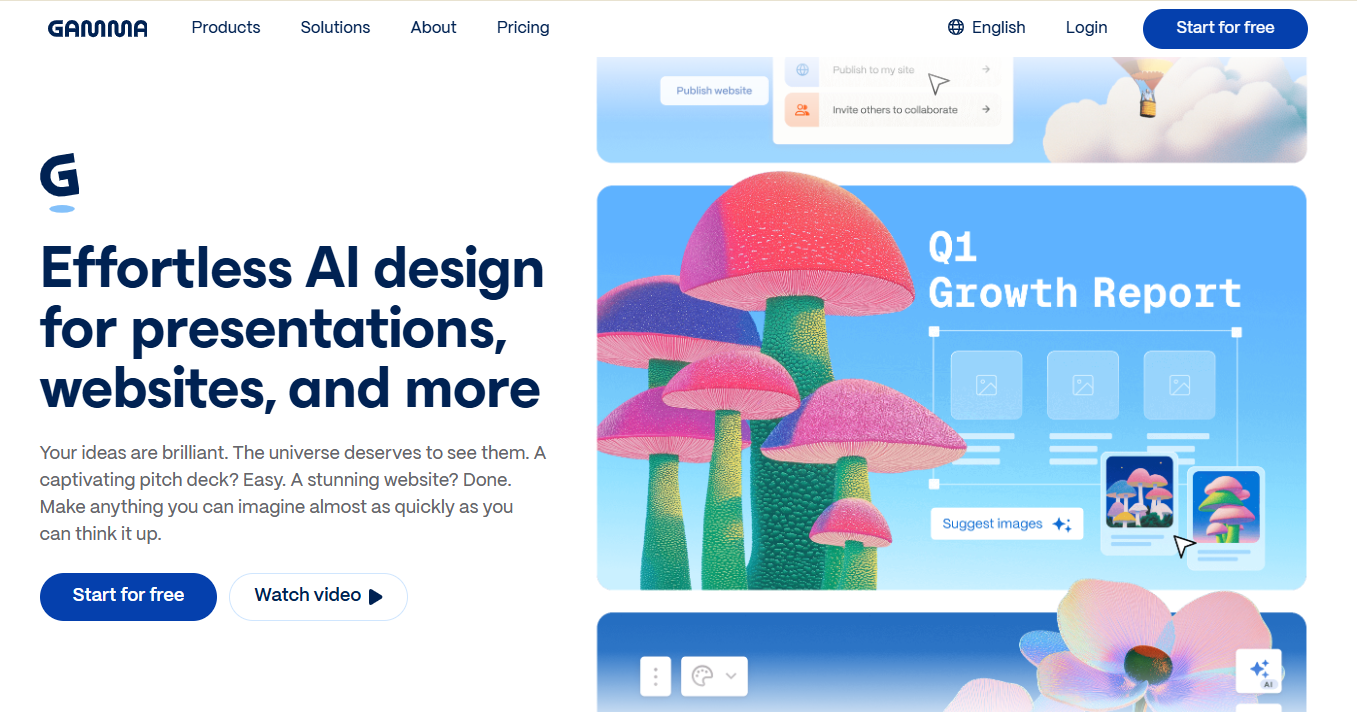
Gamma is built around a flexible card format instead of fixed slide dimensions. A prompt or outline generates a deck that can also be published as a scrolling web page or document, providing greater flexibility in how content is delivered. It's fast and genuinely good at turning a rough idea into something presentable in minutes. Full breakdown available on the Gamma vs Presentations.AI page.
Operator take: Gamma is strong when the final output can live as a web link. If your buyer or board expects an editable .pptx, test the export before you commit.
Pros
- Generates a complete, well-structured deck in under 60 seconds from a text prompt. It handles text and images automatically, along with layout.
- The flexible card format can serve as a shareable browser link or a scrollable document, depending on how the content needs to be delivered.
- The free plan includes 400 credits and is genuinely useful for trying the tool on real work before committing to a paid plan.
Cons
- .pptx exports show formatting issues across multiple independent sources. Fonts and layouts frequently need repair after conversion, and images shift too.
- Brand control is theme-based instead of automated. Each project needs manual setup, and a central brand profile stays out of reach.
- The G2 rating of 4.1/5 on the Gamma AI product page is lower than most tools on this list, and the 20+ review sample is still relatively thin.
Pricing
Free plan includes 400 credits. The Plus plan starts at approximately $8/month, billed annually. The Pro plan is approximately $15/month, billed annually. Confirm current pricing at Gamma.app before publishing.
3. Canva
Canva is best for: Marketers and educators who want fast, attractive decks from a deep template library, with consistent brand control across multiple content formats.
Canva G2 rating: 4.7/5 (6,700+ reviews)
Our rating: 8.3/10

Canva leads in template breadth. Its library covers almost every use case, and the drag-and-drop editor is accessible for users with zero design training. Magic Design AI generates a starting deck from a prompt and handles image creation alongside slide content. It exports to .pptx and PDF and handles real-time collaboration well. See the Canva vs Presentations.AI comparison for a side-by-side breakdown.
Operator take: Canva is excellent when you produce many types of visual content and want one tool for all of them. For business teams that mainly need decks generated from rough inputs, a presentation-specific tool will move faster.
Pros
- Brand kit carries your colors and logos from one setup. It applies across presentations and social graphics, cutting per-project configuration.
- Magic Design generates a complete deck from a prompt or uploaded content brief in seconds, with a fast learning curve for non-designers.
- 4.7/5 G2 rating from over 6,700 reviews makes it the most independently validated tool on this list by a significant margin.
- Generous free plan and a wide template library lower the barrier to entry for individuals and small teams.
Cons
- General-purpose design tool first, so AI slide generation trails tools built specifically for presentations on speed and refinement.
- Canva excels at visual production, though it centers on design more than turning messy business inputs into decision-ready narratives.
- .pptx export quality degrades with complex layouts, and advanced slides often require adjustments after conversion.
- Brand Kit and some advanced AI features require a paid plan, so the free tier is more limited in terms of brand-consistent work.
Pricing
Free plan available. Canva Pro is $15/month billed annually. Canva Teams starts at $10 per person per month, billed annually (minimum 3 users). Enterprise pricing available on request.
4. Pitch
Pitch is best for: Startup and sales teams who collaborate on the same decks continuously and want a shared workspace instead of a file-based workflow.
Pitch G2 rating: 4.4/5 (60+ reviews)
Our rating: 7.3/10
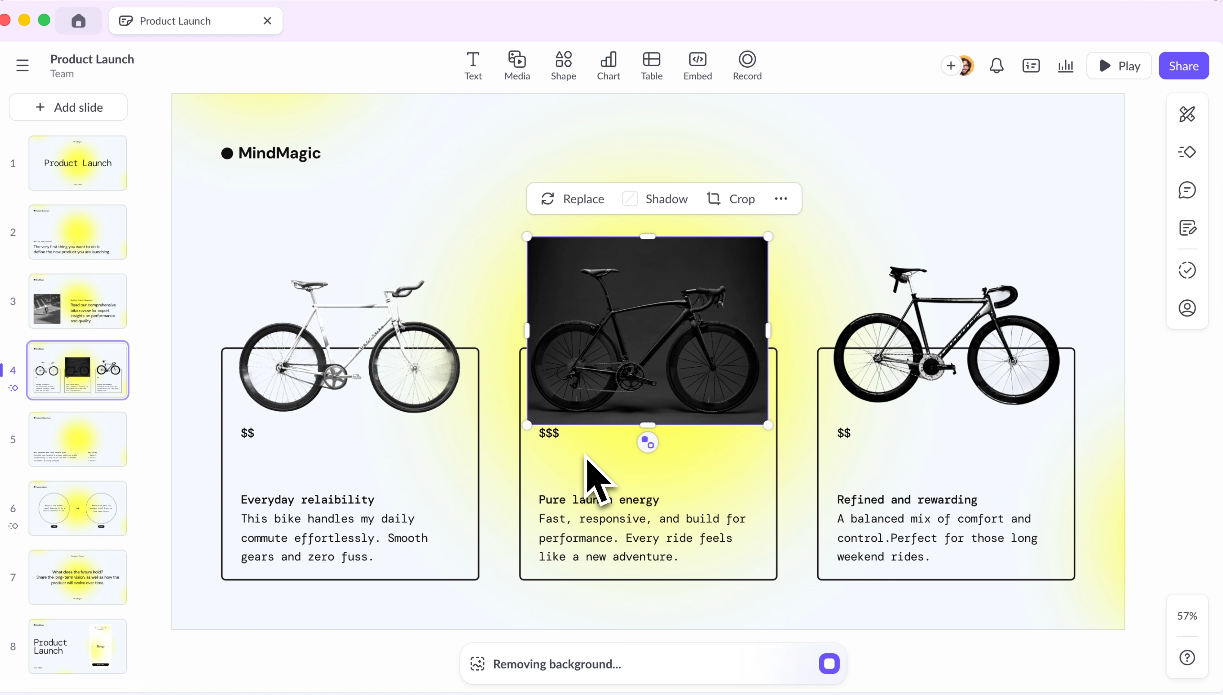
Pitch is built around collaborative deck work. Real-time co-editing runs smoothly, and templates look sharp out of the box. The interface sits closer to Figma than PowerPoint. Slide assignment and status tracking make it a natural fit for startup and sales teams iterating on the same pitch weekly. AI features help refine and edit slides instead of generating a full deck from a single prompt.
Operator take: Pitch shines when the whole team adopts it and works on the same decks continuously. For solo, one-off decks or teams that need full AI generation, look elsewhere.
Pros
- Built around team collaboration, with shared workspaces and approval workflows in one place. Commenting and version history live there too.
- Template library is designed for client-facing work, with layouts that look polished with minimal individual design effort.
- Free plan is genuinely usable for smaller teams that skip advanced AI generation and high-volume output.
Cons
- AI stays assistive instead of generative. It refines and edits slides, while AI-native tools build a complete deck from a single prompt.
- .pptx export quality needs to be tested for each use case before committing to it as a standard delivery format for client or stakeholder decks.
- The tool is strongest when the whole team adopts it; it is less useful for solo, one-off decks or teams that need strong offline access.
Pricing
Free plan available. The Pro plan is $20/month, billed annually. Team plan pricing available on request. Enterprise pricing available.
5. Prezi
Prezi is best for: Educators and keynote speakers who want a non-linear, animated format instead of a conventional slide deck for live presentations.
Prezi G2 rating: 4.2/5 (5,200+ reviews)
Our rating: 6.7/10
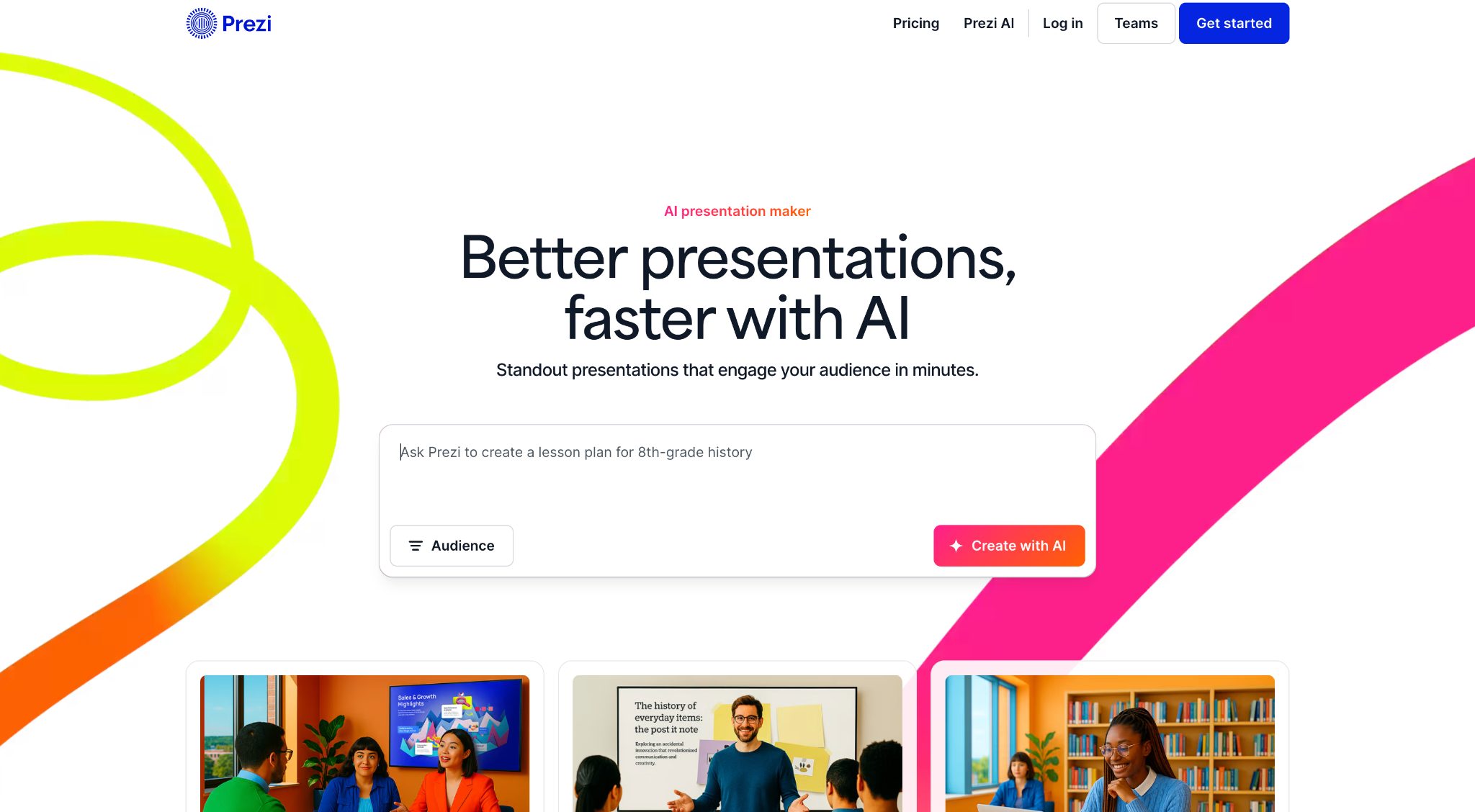
Prezi breaks the slide-by-slide format for non-linear storytelling. Instead of advancing through a stack, presenters zoom and pan across an open workspace. That motion lands well in conference keynotes and teaching sessions where standard slides fail to show how concepts connect. The Prezi Video feature lets presenters appear alongside content on screen, which is well-suited to webinars and async updates. The format's strength is also its constraint: it fits poorly in formal board decks or data-heavy proposals.
Pros
- Genuinely distinctive zoom-and-pan storytelling format that stands out in live presentations and works well for showing how concepts relate spatially.
- AI text editing tools added in 2026 let you shorten or restructure content directly on the workspace without starting over.
- Standard plan is one of the more affordable on this list at $7/month, with a clear tier structure.
Cons
- Non-linear formats are unsuitable for formal contexts such as board packs and investor updates, where approval chains expect standard, linear slide sequences.
- .pptx export has documented compatibility issues. The zooming workspace resists a clean translation to static slides, and it usually needs significant cleanup.
- AI generation stays weak for first drafts, so content creation demands more manual input than AI-native alternatives.
Pricing
Standard plan is $7/month billed annually. Plus plan is $19/month billed annually. Premium plan is $29/month, billed annually. Teams pricing available.
6. Visme
Visme is best for: Marketing and data teams producing visually rich, on-brand content across multiple formats beyond slides.
Visme G2 rating: 4.5/5 (474 reviews)
Our rating: 7.6/10

Visme is a full visual-content studio. It handles presentations alongside infographics and data-heavy charts from one editor. That suits marketing and data teams producing more than slide decks. A built-in brand kit keeps colors and fonts consistent across asset types. Its charting and interactive data elements outclass most slide tools. The trade-off is a steeper learning curve than with a focused deck tool, and AI generation remains secondary to the broader feature set.
Pros
- Combines presentations and data-rich infographics in one platform, cutting the need for multiple design tools across the team.
- Brand kit support is comprehensive, with locked colors and logos carrying across content types from a single setup.
- 4.5/5 G2 rating from 474 reviews reflects broad user satisfaction across diverse use cases, including strong marks for customer support.
Cons
- AI presentation generation trails tools built around AI-first deck creation on speed and polish, so first drafts need more cleanup.
- Broader feature set adds complexity for users who only need slide decks, and the learning curve is steeper than simpler tools.
- Starter plan limits the number of projects and certain collaboration features, which can be frustrating for teams in active production.
Pricing
Free plan available. Starter plan is $12.25/month billed annually. Pro plan is $24.75/month billed annually. Teams and enterprise pricing available on request.
7. Slidesgo
Slidesgo is best for: Students, educators, and budget-conscious teams who want better starter templates in PowerPoint or Google Slides without switching to a new tool.
Slidesgo G2 rating: 4.7/5 (15+ reviews)
Our rating: 5.5/10
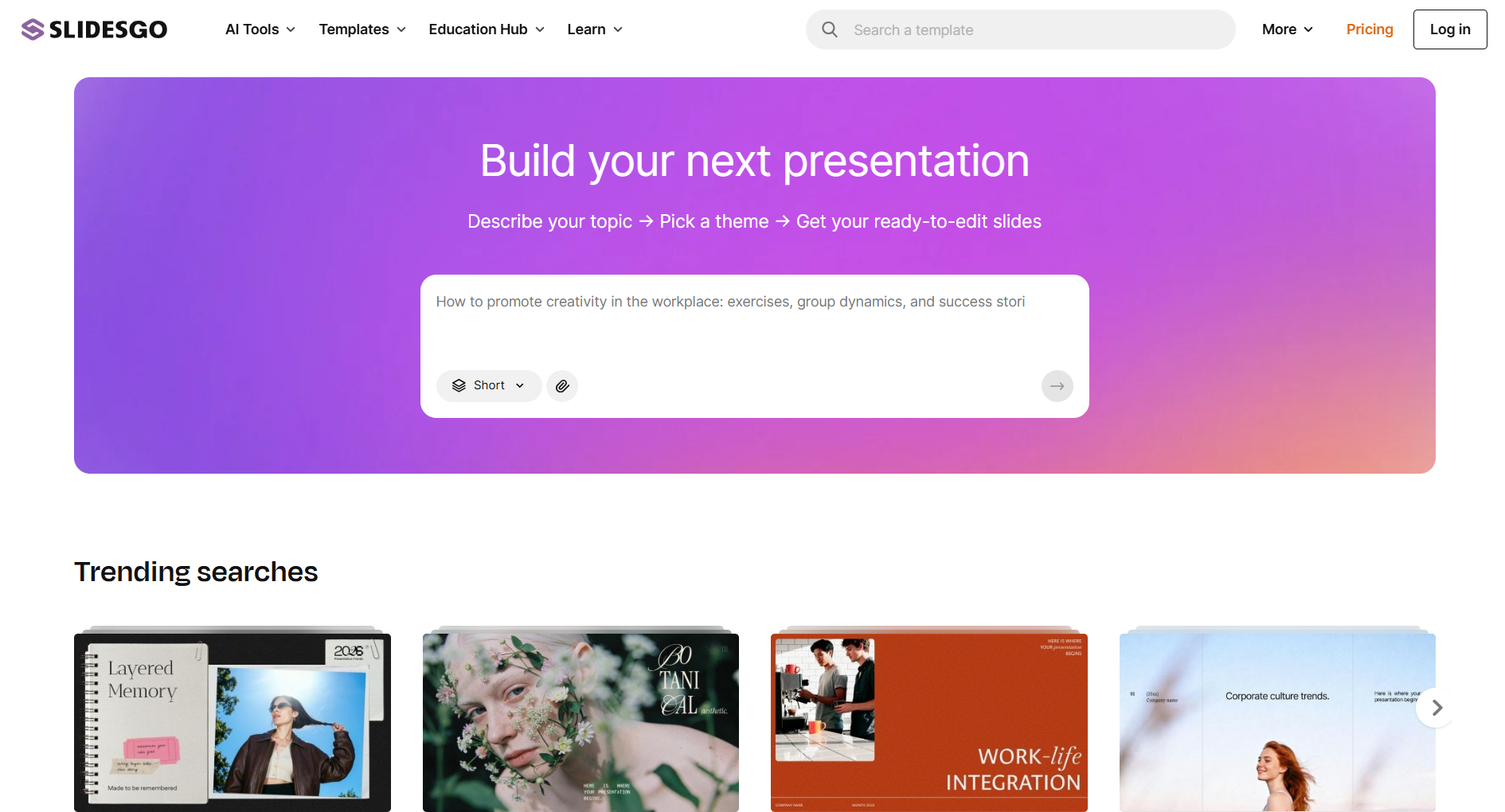
Slidesgo works as a template library for Google Slides and PowerPoint instead of a presentation builder. When the built-in templates that ship with PowerPoint feel dated, and you need a better starting point fast, Slidesgo delivers thousands of professionally designed, themed templates. These download and open directly inside the editing tool already in use. Budget teams and educators on zero spend get a design upgrade without switching platforms or learning a new tool.
Pros
- Thousands of professionally designed templates cover a wide range of industries and visual styles. The selection runs much broader than PowerPoint or Google Slides provide natively.
- Templates work natively inside PowerPoint and Google Slides, skipping format conversion and compatibility checks.
- The free library covers most everyday needs. Browsing and downloading most templates works even for anonymous visitors.
Cons
- AI generation is absent. Slidesgo stays a template resource, and you still build every slide manually in PowerPoint or Google Slides after download.
- Collaboration features live outside Slidesgo; team workflows happen entirely in the downstream editing tool.
- Premium templates and attribution-free use require a paid plan, and that stays easy to miss before you select and download a template.
Pricing
Free tier available with a broad template library. Slidesgo Premium provides access to premium designs and attribution-free downloads. Check current pricing at slidesgo.com.
8. Beautiful.ai
Beautiful.ai is best for: Sales and operations teams that need consistently clean, professional-looking decks without spending time on manual design adjustments.
Beautiful.ai G2 rating: 4.7/5 (183 reviews)
Our rating: 7.4/10
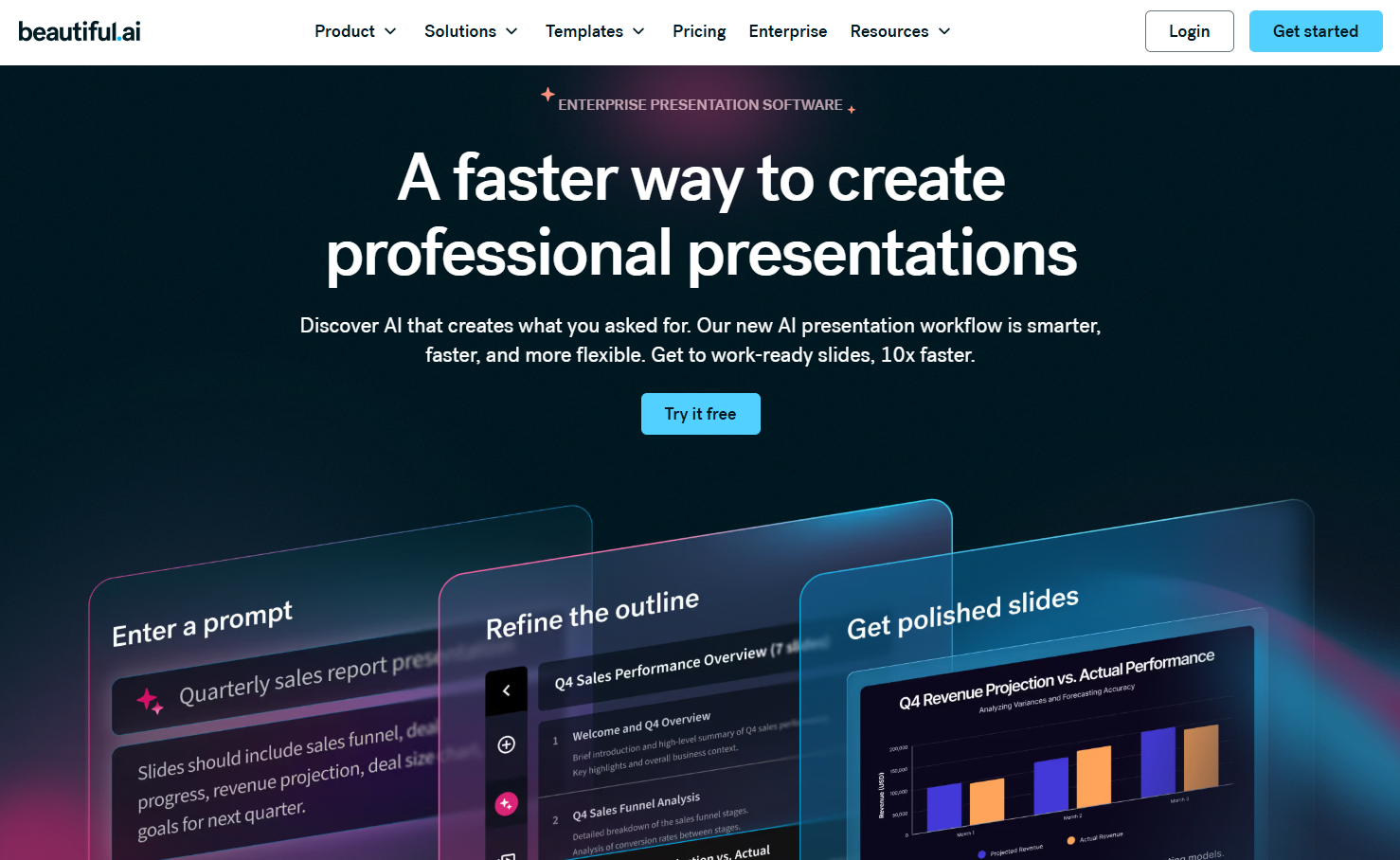
Beautiful.ai's Smart Slide engine automatically adjusts spacing and alignment as content changes, keeping decks tidy without manual adjustments. That auto-layout approach makes it a strong alternative for sales and ops teams that need polished output fast without investing time in slide design. A 2026 update added a Context-Aware Workflow that drafts a structured outline before generating slides, producing more coherent first drafts than tools that generate all at once. See how it compares with Presentations.AI.
Pros
- Smart Slide auto-layout adjusts spacing and alignment as content changes, keeping decks consistently tidy while you skip manual tweaking.
- The 2026 Context-Aware Workflow drafts a structured outline before building slides, reducing the choppy or disconnected feel that some AI generation produces.
- 4.7/5 G2 rating from 183 reviews reflects consistently strong user satisfaction, particularly for design quality and ease of use.
Cons
- Team plan runs $40 per seat per month, billed annually, which is among the more expensive options on this list at scale.
- Locked template styles limit creative flexibility for teams seeking greater control over individual slide design beyond the default Smart Slide layouts.
- Customer support responsiveness has been flagged in recent G2 reviews, including from a long-term customer in early 2026.
Pricing
Individual plan starts at $12/month, billed annually. Team plan is $40 per seat per month, billed annually. A free trial is available.
9. Google Slides + AI Add-ons
Google Slides is best for: Teams standardized on Google Workspace who prioritize real-time collaboration and link sharing, with AI assistance as a secondary benefit.
Slides G2 rating: ~4.5/5 (via Google Workspace; specific Google Slides G2 data limited)
Our rating: 7.5/10
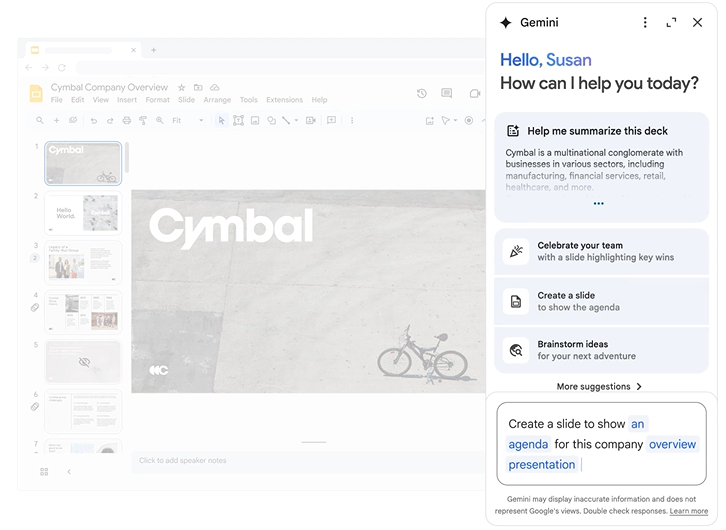
Google Slides anchors Google Workspace teams with frictionless collaboration. Real-time co-editing and link-based sharing skip the permission-wall friction that comes with external PowerPoint sharing. It runs free in any browser and syncs across devices. It also slots neatly into a Google Workspace stack alongside Docs and Sheets. Gemini on eligible Workspace plans adds draft generation and content assist on that foundation.
Pros
- Best-in-class real-time collaboration: multiple people can edit the same deck simultaneously with instant syncing and a familiar interface, even with external users.
- Gemini comes included in Workspace Business Standard and above, so you get AI assistance inside the tool you already use.
- Free for personal Google accounts and included in most Workspace plans, making it the lowest-cost entry point on this list.
Cons
- AI output quality varies significantly depending on which Gemini add-on or version is in use, making first-draft consistency unpredictable.
- Default design and animation depth trail dedicated design tools, and polishing a deck to a premium standard takes real effort or third-party add-ons.
- .pptx export can shift formatting on complex slides when opened in PowerPoint, requiring a cleanup pass before sending to a Microsoft-stack stakeholder.
Pricing
Google Slides is free for personal use. Google Workspace Business Starter starts at $6 per user per month. Business Standard (includes Gemini) starts at $12/user/month.
10. Keynote
Keynote is best for: Apple users and design-minded presenters who work primarily on Mac and iPad and prioritize animation quality and visual polish over AI generation speed.
Keynote G2 rating: 4.4/5 (500+ reviews)
Our rating: 6.5/10
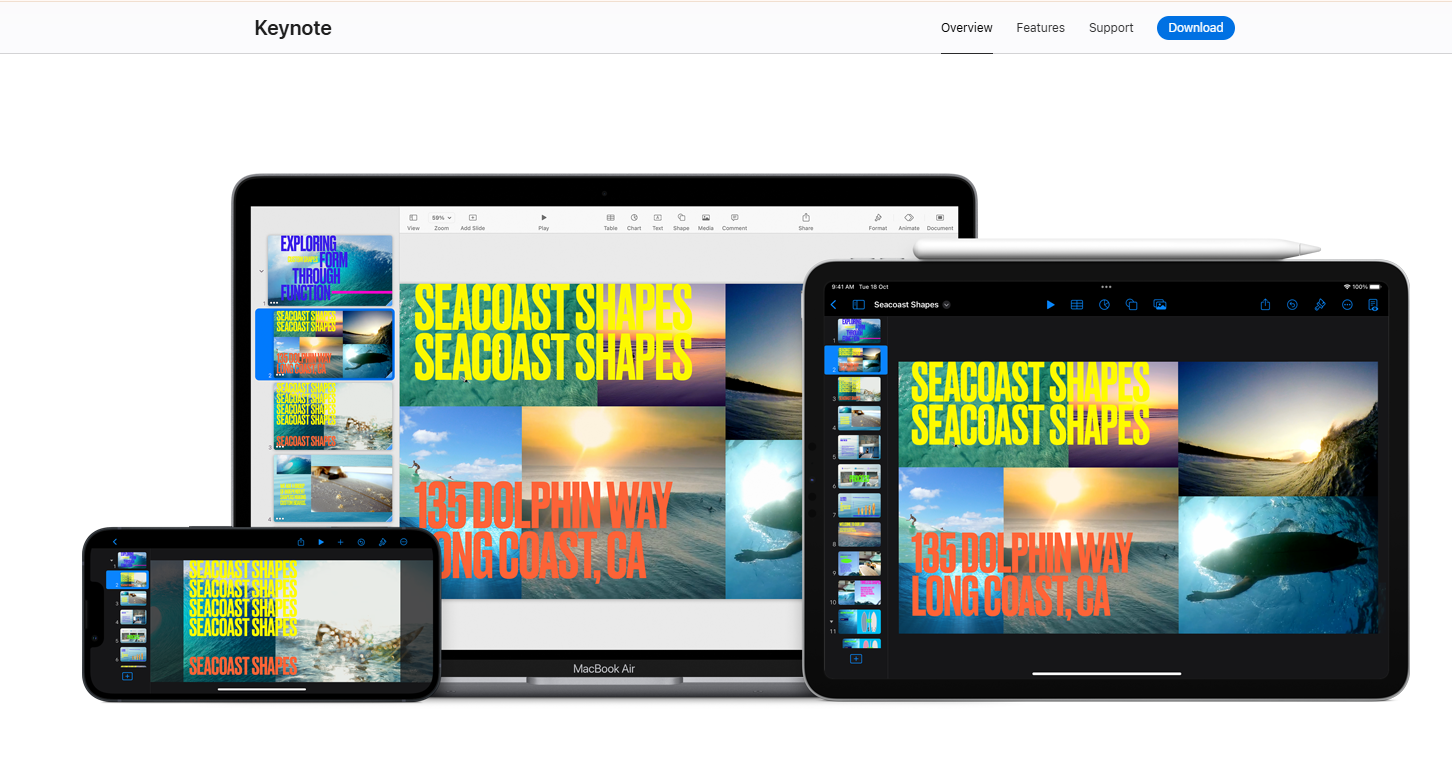
Keynote rewards Apple users who prioritize design quality over AI generation speed. Default themes look elegant, and typography stays clean. The Magic Move transition produces cinematic effects with minimal effort. It runs free on every Mac and iPad, syncing through iCloud. A designer presenting from a MacBook to an in-room audience gets a polished result fast. The limits follow the Apple ecosystem: once a Windows-based colleague needs to edit the file, cross-platform compatibility becomes the problem.
Pros
- Free with any Apple device, making it the most cost-effective tool on this list for teams already working in the Apple ecosystem.
- Animation and transition quality, particularly Magic Move, are among the best in the category, producing polished presenter experiences with minimal extra effort.
- Low learning curve for existing Apple users, with consistent performance across Mac and iPad.
Cons
- AI generation from prompts stays absent. Deck creation is manual, so a first draft takes longer than with every other tool on this list.
- Cross-platform sharing is problematic. Converting to PowerPoint for Windows colleagues frequently shifts fonts and layouts, and it needs a cleanup pass.
- Collaboration stays limited and Apple-centric, leaving Windows users few options for real-time editing.
Pricing
Free with any Apple device (Mac, iPad, iPhone). iCloud access is available on PC via browser at no additional cost.
What to Look for in a PowerPoint Alternative
The practical filter is simple. When a deck needs to influence a buyer or executive, templates alone will let you down. Choose based on how quickly the tool moves you from rough input to clear, branded output.
Features on a pricing page only tell part of the story. Five honest questions narrow the shortlist faster than any feature matrix.
1. Where Does Your Deck Need to End Up?
A Microsoft-stack stakeholder who needs to edit the final file makes .pptx fidelity the first filter. That requirement favors tools with a clean PowerPoint export, such as Presentations.AI or PowerPoint itself, over tools that produce lossy output. Check a real export before committing, especially for decks with complex layouts or data charts.
2. Do You Need a Deck Generated, or Just Designed Faster?
Starting from a blank page with a deadline, true prompt-to-deck generation saves the most time. When content already exists and just needs polishing, a template-led tool like Canva or a template resource like Slidesgo works well. These are genuinely different jobs, and the right tool depends on which one happens most often.
3. How Often Do You Make Decks, and With Whom?
A team building the same pitch weekly needs a shared workspace and clean collaboration. A solo founder shipping one investor deck needs speed and zero setup. Match the tool to the actual cadence and group size instead of the feature list. Collaboration tools like Pitch perform best when the whole team adopts them, not just one person.
4. What Ecosystem Are You Already In?
All-in on Microsoft 365 with IT-managed identity? PowerPoint plus Copilot removes friction. Working inside Google Workspace already? Google Slides offers the path of least resistance. Outside both ecosystems? The field opens up, and AI-native tools like Presentations.AI pull ahead on speed and brand consistency, free of ecosystem lock-in.
5. How Much Does Brand Consistency Cost Today?
If real time goes into re-applying fonts or correcting off-brand decks, a tool that enforces brand standards automatically pays for itself quickly. Brand Sync in Presentations.AI pulls brand identity from a URL and applies it across every slide by default. When branding is less of a day-to-day problem, prioritize speed or design freedom instead.
Not sure yet? The fastest way to decide is to run a real brief through the tool. Try for Free
How to Switch From PowerPoint to a PowerPoint Alternative
Moving off PowerPoint can leave your existing decks and workflows intact. The goal is to prove the new tool on one real project before making it the default. Work through this migration checklist:
- Inventory your existing decks and brand assets so critical files survive the move.
- Decide whether .pptx fidelity actually matters for your audience, or whether a shareable link is enough.
- Export or import a few real files and test how cleanly they convert, checking fonts and data charts.
- Rebuild your brand templates, or run Brand Sync to pull colors and logos from your company URL automatically.
- Validate fonts and charts after import, checking on both Mac and Windows if your team is mixed.
- Set sharing permissions and access controls for internal and external reviewers before you invite the team in.
- Train the people who build decks most often so the new workflow sticks.
- Run one pilot project against a real deadline before replacing PowerPoint as your default tool.
The Best AI-Native PowerPoint Alternative for Business Teams: Presentations.AI
Canva scores highest overall for broad visual production. For business teams replacing PowerPoint specifically, Presentations.AI is the strongest fit. Prompt-to-deck generation and Brand Sync matter more here than template breadth, and editable .pptx export seals it.
Where Presentations.AI Fits Best
- Sales teams: Turn CRM notes and call summaries into proposal decks and follow-ups, skipping the slide rebuild, using tools for sales teams.
- Marketing teams: Convert campaign reports and performance data into polished, on-brand stakeholder updates.
- Customer success teams: Turn QBR notes and usage metrics into clear, executive-ready narratives.
- Founders: Build investor updates and pitch decks in-house, skipping outside design help, using resources built specifically for founders.
- Business leaders: Move from strategy docs and raw analysis to decision-ready decks faster.
Agencies that turn client briefs into fast-turnaround decks see the greatest time savings, and internal ops teams benefit once Brand Sync removes manual setup from recurring reports.
For recurring decks like QBRs and campaign reports, the advantage compounds. Instead of rebuilding the same deck every cycle, teams update the inputs and refresh the structure. The presentation stays aligned with current data and brand rules.
When to Choose PowerPoint and When to Switch
PowerPoint remains the right call in two specific situations. The first is an organization running entirely within Microsoft 365, where .pptx compatibility is non-negotiable. The second is teams building complex animated keynotes for in-room presentations, where animation depth and offline reliability matter most.
Outside those two scenarios, most professional teams hit the same ceiling. Time to first draft runs slow, AI features cost extra, and brand consistency rests on individual discipline. Use the decision matrix below to place your team.
Conclusion
For fast, AI-native generation with automatic brand control, Presentations.AI and Gamma are the strongest options to test first. In collaboration-first workflows, Pitch and Google Slides with Gemini outperform PowerPoint on external sharing friction. When design breadth and brand-kit consistency across formats matter, Canva covers more ground. The fastest way to find the right fit is testing one or two tools against a real deck brief instead of a generic demo prompt.






