



TL;DR
- Canva is built for general design: social media, marketing materials, posters, and presentations. Its AI generates layouts, not content. You still think the tool handles visual arrangement.
- Gamma targets creators making Instagram carousels, personal sites, and multi-format content. Presentations are one of ten things the platform does.
- Presentations.ai stands out with Brand Sync, anti-fragile templates that adapt without breaking design, Clip-E for conversational AI collaboration, and multi-source input that turns PDFs, Word docs, and URLs into decks instantly.
- For teams that need brand-consistent, business-critical presentations with genuine AI collaboration, Presentations.ai is the strongest all-around choice in 2026.
Most teams searching for an AI presentation tool end up using Canva for design or Gamma for speed, yet spend hours editing a deck before it’s ready to share. Both tools are capable within their lanes: Canva covers social media graphics, marketing materials, and posters, as well as presentations, while Gamma targets creators who need multi-format content quickly.
When it comes to professional business decks, however, a third option is worth serious consideration. Presentations.ai is an AI-native platform built exclusively for slide creation, with brand automation, persuasion-structured output, and enterprise-grade security that neither Canva nor Gamma was designed to deliver.
If you have been running a Canva vs Gamma search to find the right tool for your presentation workflow, this AI presentation tool comparison for 2026 is built for exactly that. It covers real use cases, actual pricing trade-offs, and the friction points that only show up after the free trial ends.
If you landed here looking for a Canva alternative or a Gamma alternative, Presentations.ai is the most complete answer to both. Stronger on AI depth, brand enforcement, and enterprise readiness than either tool.
What is Canva?
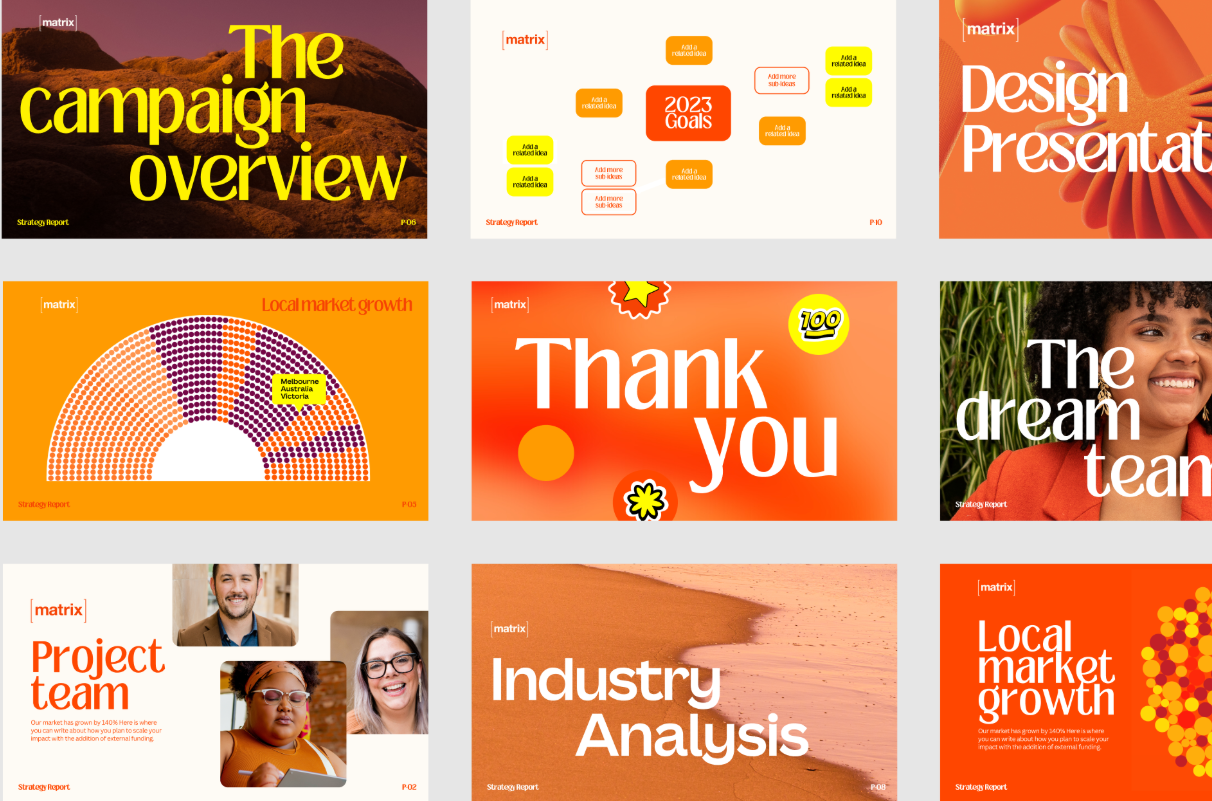
For presentations, Canva lets you choose from thousands of slide templates, customize layouts freely, and collaborate with teammates in real time. Its AI tools, Magic Design and Magic Write, can generate a slide layout from a prompt or draft body copy, though the output is design-first rather than content-first. Canva's AI provides basic text suggestions but lacks a structured slide flow.
Canva is best understood as a general-purpose creative tool that includes presentation functionality. The breadth is its greatest strength and its most significant limitation for buyers who need a dedicated, AI-driven presentation workflow.
If you’d like to compare Canva with a more business presentations-focused alternative, read our comparison with Presentations.ai on this page.
What is Gamma?

Presentations are one of ten things the platform does, which means its AI output is generalist by design. Gamma uses ChatGPT integration to generate content, but the output is the same regardless of business context. It still requires hours of editing before it is usable for high-stakes presentations.
Gamma's card-based output does not always translate cleanly to traditional 16:9 PowerPoint slides. For teams that need to deliver polished .pptx files to clients or executives, that is friction worth knowing about upfront.
If you’d like to compare Gamma with an alternative that delivers polished business decks in .pptx format, head over to our comparison page.
What is Presentations.ai?
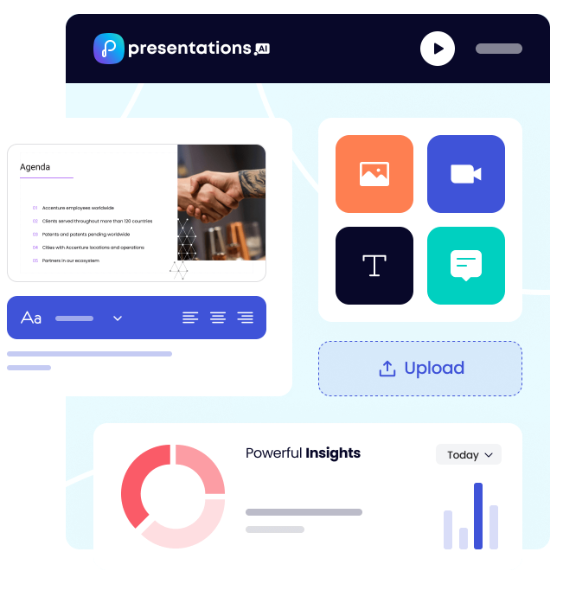
Presentations.ai is the first and only AI-native platform focused exclusively on presentations, with a single-minded focus on business presentations since 2019. It is built specifically for high-stakes slide creation: investor pitches, sales decks, board presentations, and anything where the output needs to move a decision.
The platform's AI, Clip-E, is trained on business decision-making psychology and persuasion architecture, not just content generation. Output is structured for persuasion from the start and is business-ready with minimal editing. Generate a full deck from a prompt, a URL, a PDF, or a Word document, then continue refining through natural conversation. The proprietary Brand Sync feature automatically pulls your company's colors, fonts, and logos from your URL and applies them consistently across every deck.
Presentations.ai is SOC 2 Type II certified and GDPR-ready, with complete audit trails and granular access controls designed for enterprise security from the ground up. For professionals who need speed, polish, and brand consistency without sacrificing control, it stands alone.
Canva vs Gamma vs Presentations.ai: Feature-by-Feature Comparison
AI-Powered Slide Generation
Canva's Magic Design generates a deck layout from a prompt or uploaded document, populating slides with structured placeholder content. It handles visual scaffolding well, but the substance of every slide remains your responsibility.
Gamma goes further, generating a full deck from a prompt and allowing iteration through its AI Agent. Output quality is consistent but typically needs two to four hours of editing before it's boardroom-ready.
Presentations.ai's Clip-E handles end-to-end creation from a prompt, PDF, URL, or Word doc, producing a structured, brand-consistent deck that requires minimal editing, with further refinement available through natural conversation.
Winner: Presentations.ai — the only tool that generates, iterates, and refines through conversation.
Design Quality and Customization
Canva offers unmatched design flexibility: free element placement, custom animations, layered objects, and millions of templates. It gives you every tool and makes no decisions for you, which is exactly what teams with strong design instincts want.
Gamma's output is visually modern for browser-based sharing but loses polish in exported PowerPoint format.
Presentations.ai's anti-fragile templates and Brand Sync deliver consistent on-brand output, but within a more structured design system that trades creative freedom for speed.
Winner: Canva — no other tool gives you this level of creative control over every element on the slide.
Collaboration and Team Features
Canva offers mature real-time collaboration across all plans, with shared brand kits and admin controls on Teams. Applying brand assets to presentations still requires manual selection.
Gamma's team features cost $20/seat/month and requires manual brand setup for every presentation.
Presentations.ai includes team collaboration and Brand Sync from the Starter plan, so any team member can produce on-brand output independently without additional configuration.
Winner: Presentations.ai — brand consistency is automatic, not a manual step every team member has to remember.
Export and Integration Options
Canva supports the widest range of export formats: PowerPoint, PDF, MP4, GIF, PNG, SVG, and more, with native integrations for Google Drive, Dropbox, HubSpot, and more.
Gamma exports to PowerPoint and PDF, but the card-based format often converts poorly to 16:9 slides and needs cleanup before external delivery.
Presentations.ai's PowerPoint export is built for .pptx fidelity, but the overall range of formats and integrations is narrower than Canva's.
Winner: Canva — the broadest export range and the most mature integration ecosystem of the three.
Ease of Use and Learning Curve
Canva is easy to get started with for anyone familiar with drag-and-drop tools, but building a coherent narrative still requires significant manual effort. Gamma's onboarding is smooth, with a generous free tier, though the card-based format may take some adjustment if you're used to traditional slides. Presentations.ai's conversational interface means users with no design experience can describe what they need in plain language and get polished, structured output with minimal setup.
Winner: Presentations.ai — describe what you need, and Clip-E handles the rest.
Canva vs Gamma vs Presentations.ai — Detailed Feature Comparison
Pricing Comparison: Canva vs Gamma vs Presentations.ai
Pricing in this category is rarely just about the headline number. What matters is what you hit once you need collaboration, brand controls, or clean exports. All three tools handle that differently.
Canva Pricing
Canva has four tiers: Free, Pro, Teams, and Enterprise. The free plan is genuinely broad and covers basic presentation needs for many individuals.
- Free: Hundreds of thousands of templates, basic AI tools, real-time collaboration, and export to PDF and PowerPoint. Premium elements, stock images, and fonts are locked behind a paywall.
- Pro: $120/year per person (equivalent to $10/month). Unlocks the full template library, Brand Kit, background remover, premium stock assets, advanced AI tools, and additional export formats.
- Teams: $10/person/month, billed annually; minimum of 3 people. Adds team Brand Kit management, template locking, shared folders, admin controls, and centralized billing.
- Enterprise: Custom pricing. SSO, SCIM, advanced admin controls, dedicated account management, and priority support.
What to watch out for: Many of Canva's most visually appealing templates and stock elements are not included on the free plan. The Teams plan requires a minimum of three seats, so two-person teams pay for three regardless.
Gamma Pricing
Gamma has four individual plans and two team plans. Monthly billing is available on most tiers, making it the most flexible of the three for buyers who are not ready to commit to an annual plan.
- Free: 400 one-time AI credits (do not refresh), up to 10 cards per prompt, Gamma branding on all output.
- Plus: $12/month (or approximately $9/month annual). Removes branding, 1,000 refreshing monthly credits, up to 20 cards per prompt.
- Pro: $25/month (or approximately $18/month annually). Premium AI models, API access, custom fonts, up to 10 custom domains, detailed analytics, 4,000 monthly credits, up to 50 cards per prompt.
- Ultra: $100/month (monthly only). 20,000 monthly credits, up to 75 cards per prompt, Studio Mode, and the most advanced AI image models.
- Team: $20/seat/month, minimum two seats. Custom company theme, shared folders, admin controls, centralized billing, 6,000 credits per seat.
- Business: $40/seat/month, minimum 10 seats. SSO, SOC 2 documentation, advanced data controls, 10,000 credits per seat.
What to watch out for: Free plan credits are one-time, not monthly. Gamma's data ownership clause grants the platform perpetual, worldwide rights to your content, which is a hard stop for most enterprise legal and compliance teams.
Presentations.ai Pricing
Presentations.ai keeps its structure simple with three tiers. There is no monthly billing option; plans are available only on an annual or quarterly basis.
- Starter: Free. Unlimited users, limited AI credits, brand themes, team collaboration, and basic functionality. Up to 5 presentations, no credit card required.
- Pro: $240/year (one user). Equivalent to $20/month. Additional AI credits, Pro templates, custom fonts and colors, analytics, PDF export, and advanced features.
- Gold: $600/year (one user). Equivalent to $50/month. Adds frontier AI models, advanced brand controls, shared project knowledge, and priority generation on top of everything in Pro. Built for high-stakes, high-volume work.
The Starter plan is genuinely multi-user, making it a practical way for an entire team to evaluate the platform before committing. The Pro plan at $240/year undercuts Gamma's equivalent Pro tier ($25/month) by roughly a third on an annualized basis.
Which Tool is Best for Your Use Case?
Best for Startups and Pitch Decks
When you are creating an investor deck, the quality of the argument matters as much as the visual polish. Presentations.ai wins here on both counts.
Clip-E generates a structured, persuasion-ready pitch deck from a prompt or an uploaded document, built on AI trained specifically on how business decisions get made. You can iterate in natural language without toggling between slides manually.
The Pro plan at $240/year is accessible for early-stage founders. Canva is a reasonable option for founders with a strong design sensibility who want full control over layout. Gamma is less suited to high-stakes pitch workflows given its generic output and limitations in PowerPoint exports.
Best for Sales Teams
Sales teams need decks that are fast to produce, consistently on-brand, and trackable once shared. Presentations.ai delivers on all three: AI-driven creation, Brand Sync for consistent output across reps, and viewer analytics on paid plans.
Many sales teams use Canva for proposals and one-pagers, but building a complete sales deck in Canva requires more manual effort than most reps want to invest. Gamma is less purpose-built for sales deck workflows.
Best for Marketing Teams
This is where Canva competes most directly. Marketing teams that produce social content, campaign visuals, and presentations within a single workflow will find Canva hard to beat for overall creative breadth. For teams where presentations are one of many design deliverables, Canva makes practical sense.
But for marketing teams whose presentations need to reflect brand guidelines precisely and be produced at scale without design overhead, Presentations.ai's Brand Sync creates a genuine operational advantage. Every deck auto-aligns with the brand without anyone selecting a theme or manually checking a kit.
Best for Enterprise and Large Teams
Presentations.ai at the Enterprise tier offers unlimited AI credits, company-wide templates, admin controls, complete audit trails, and full enterprise security. SOC 2 Type II certification and GDPR readiness are meaningful differentiators in procurement and security review processes, and the data ownership terms are clear: users retain all rights to their content.
Canva's Enterprise plan covers SSO, SCIM, and dedicated account management with ISO 27001 certification. But the lack of SOC 2 Type II at standard tiers creates friction in stricter enterprise environments.
Gamma Business at $40/seat adds SSO and SOC 2 documentation, but the platform's perpetual content rights clause is a hard stop for most legal and compliance teams.
Best for Individuals and Freelancers
All three tools offer a free plan with no credit card required. Canva's free tier is the most broadly useful for general design work.
Gamma's free tier is the strongest for AI-generated multi-format content.
Presentations.ai's free Starter plan is the best option for individuals who need to produce professional business presentations and want to evaluate the full platform with teammates before upgrading.
For solo professionals who create decks regularly, Presentations.ai Pro at $20/month equivalent offers the best value for the feature set it delivers.
Why Presentations.ai is the Smarter Choice Over Canva and Gamma
Canva and Gamma each win in specific scenarios. Canva is the stronger tool when design flexibility and multi-format creative output are the priority. Gamma is better suited to AI-generated content across formats, with month-to-month pricing flexibility. Both are solid tools within their defined lanes.
But Presentations.ai is the only tool built from the ground up for one job: producing professional business presentations that are persuasive, on-brand, and ready to share with minimal editing.
- Brand Sync goes further than any Brand Kit. It reads your company URL and automatically applies your visual identity across every deck. Every presentation is on-brand from slide one, with zero manual setup. Canva's Brand Kit requires deliberate selection. Gamma's theming requires manual configuration for every new presentation.
- Clip-E is trained on business persuasion, not just content generation. The AI structures decks in a way that business decisions get made: logical, persuasive, and audience-aware. Canva's AI generates layouts. Gamma's AI Agent produces generic output that typically needs two to four hours of editing before it is ready for a boardroom.
- Multi-source input is a real workflow advantage. Turn a PDF, a Word doc, a URL, or a plain prompt into a polished deck. Neither Canva nor Gamma supports conversion from all four input types.
- The data ownership terms are clean. Presentations.ai users retain full rights to their content. Gamma's terms grant the platform perpetual, worldwide rights. For any team handling confidential material, that distinction is not a minor footnote.
- The free Starter plan is genuinely multi-user. Your whole team can explore the platform before anyone commits to a budget. No credit card required, and up to 5 full presentations included.
Verdict: Which AI Presentation Maker Should You Choose in 2026?
Choose Canva if you:
- Produce presentations alongside a wider range of design work: social, marketing, and video
- Need maximum layout freedom and a massive, multi-format template library
- Have a design-comfortable team that is happy making visual decisions manually
- Want a free plan with broad design capabilities and no credit card required
Choose Gamma if you:
- Create content across multiple formats: presentations, docs, web pages, social content
- Want month-to-month flexibility before committing to an annual plan
- We are a small team that needs collaborative features at a reasonable per-seat price
- Do not need high-fidelity PowerPoint export or enterprise security compliance
Choose Presentations.ai if you:
- Want AI that structures decks for persuasion, not just fills in slides
- Need brand consistency to be automatic, not dependent on manual theme selection
- Regularly convert PDFs, Word docs, or URLs into presentation format
- Are building business-critical decks: pitches, sales presentations, board updates
- Need a clean PowerPoint export and enterprise-grade data ownership terms






