



Resumen
- Canva está diseñado para el diseño general: redes sociales, materiales de marketing, pósteres y presentaciones. Su IA genera diseños, no contenido. Sigues pensando que la herramienta se encarga de la disposición visual.
- Gamma se dirige a creadores que hacen carruseles de Instagram, sitios personales y contenido multiformato. Las presentaciones son solo una de las diez funciones que ofrece la plataforma.
- Presentations.ai destaca por su Brand Sync, plantillas antifrágiles que se adaptan sin romper el diseño, Clip-E para la colaboración con IA conversacional y una entrada de fuentes múltiples que convierte archivos PDF, documentos de Word y URL en presentaciones al instante.
- Para los equipos que necesitan presentaciones coherentes con su marca, críticas para el negocio y con una verdadera colaboración mediante IA, Presentations.ai es la opción más completa en 2026.
La mayoría de los equipos que buscan una herramienta de IA para presentaciones terminan usando Canva para el diseño o Gamma para la rapidez, pero pasan horas editando una presentación antes de que esté lista para compartir. Ambas herramientas son capaces en sus respectivos ámbitos: Canva cubre gráficos para redes sociales, materiales de marketing y pósteres, además de presentaciones, mientras que Gamma se dirige a creadores que necesitan contenido multiformato rápidamente.
Sin embargo, cuando se trata de presentaciones profesionales de negocios, vale la pena considerar seriamente una tercera opción. Presentations.ai es una plataforma nativa de IA creada exclusivamente para la creación de diapositivas, con automatización de marca, resultados estructurados para la persuasión y seguridad de nivel empresarial que ni Canva ni Gamma fueron diseñadas para ofrecer.
Si has estado buscando "Canva vs Gamma" para encontrar la herramienta adecuada para tu flujo de trabajo de presentaciones, esta comparativa de herramientas de IA para presentaciones de 2026 está hecha exactamente para eso. Cubre casos de uso reales, compensaciones de precios reales y los puntos de fricción que solo aparecen después de que termina la prueba gratuita.
Si has llegado aquí buscando una alternativa a Canva o a Gamma, Presentations.ai es la respuesta más completa para ambas. Es más sólida en cuanto a profundidad de IA, cumplimiento de marca y preparación empresarial que cualquiera de las otras dos herramientas.
¿Qué es Canva?
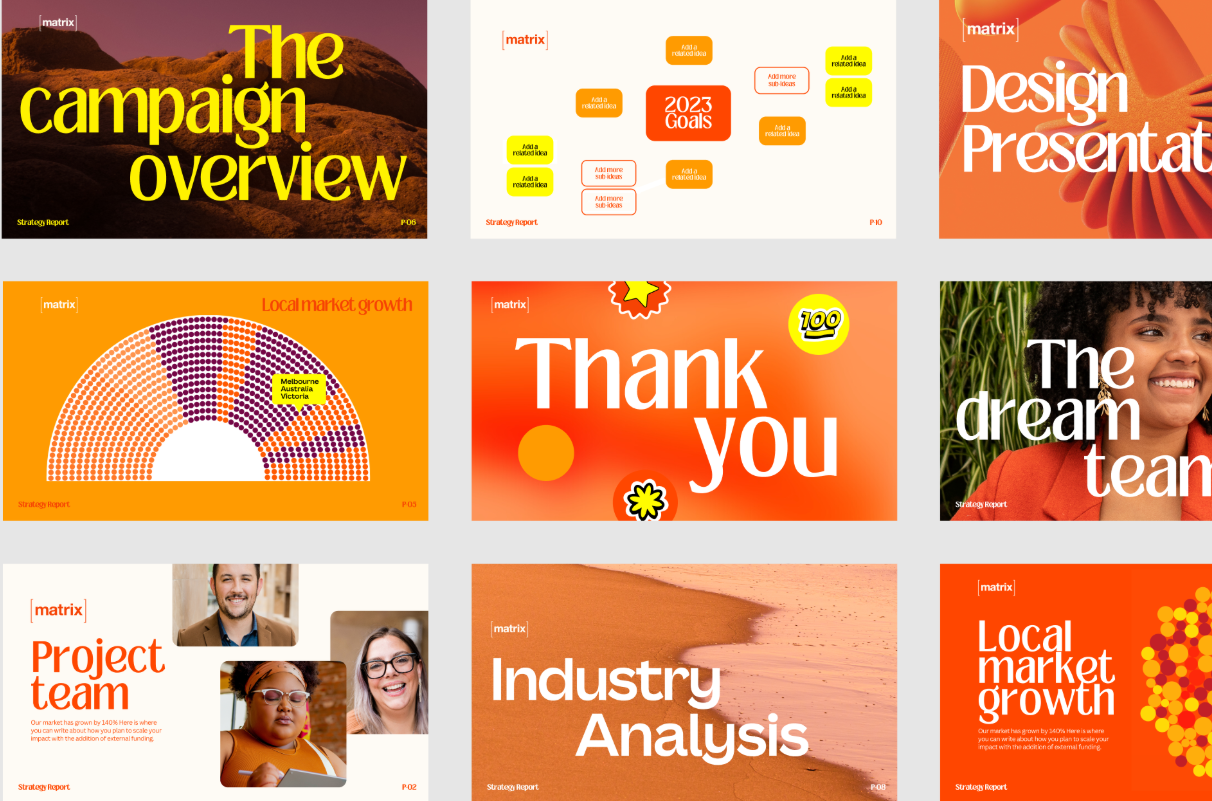
Para las presentaciones, Canva te permite elegir entre miles de plantillas de diapositivas, personalizar diseños libremente y colaborar con compañeros de equipo en tiempo real. Sus herramientas de IA, Magic Design y Magic Write, pueden generar un diseño de diapositiva a partir de una instrucción o redactar el cuerpo del texto, aunque el resultado prioriza el diseño sobre el contenido. La IA de Canva ofrece sugerencias de texto básicas, pero carece de un flujo de diapositivas estructurado.
Canva se entiende mejor como una herramienta creativa de propósito general que incluye funcionalidad para presentaciones. Su amplitud es su mayor fortaleza y su limitación más significativa para los compradores que necesitan un flujo de trabajo de presentaciones dedicado e impulsado por IA.
Si deseas comparar Canva con una alternativa más enfocada en presentaciones de negocios, lee nuestra comparativa con Presentations.ai en esta página.
¿Qué es Gamma?

Las presentaciones son solo una de las diez funciones que realiza la plataforma, lo que significa que su resultado de IA es generalista por diseño. Gamma utiliza la integración con ChatGPT para generar contenido, pero el resultado es el mismo independientemente del contexto empresarial. Sigue requiriendo horas de edición antes de que sea utilizable para presentaciones de alto nivel.
El formato basado en tarjetas de Gamma no siempre se traduce limpiamente a las diapositivas tradicionales de PowerPoint en 16:9. Para los equipos que necesitan entregar archivos .pptx pulidos a clientes o ejecutivos, esa es una fricción que vale la pena conocer de antemano.
Si deseas comparar Gamma con una alternativa que entregue presentaciones de negocios pulidas en formato .pptx, dirígete a nuestra página de comparativas.
¿Qué es Presentations.ai?
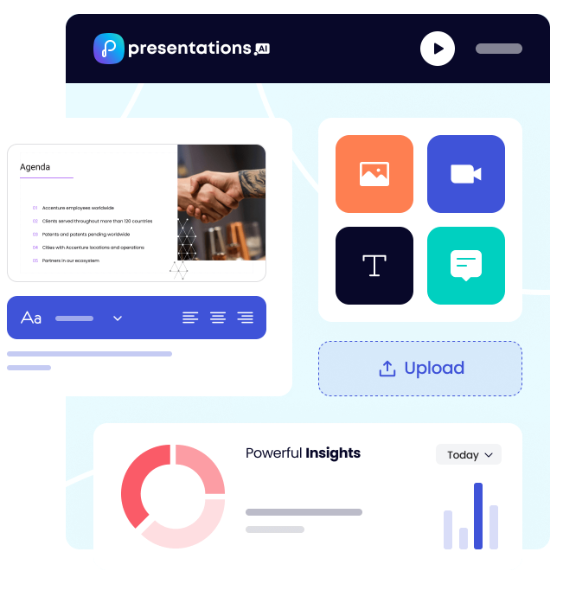
Presentations.ai es la primera y única plataforma nativa de IA enfocada exclusivamente en presentaciones, con un objetivo único en presentaciones de negocios desde 2019. Está diseñada específicamente para la creación de diapositivas de alto impacto: presentaciones para inversores, presentaciones de ventas, presentaciones para juntas directivas y cualquier caso donde el resultado deba impulsar una decisión.
La IA de la plataforma, Clip-E, está entrenada en psicología de toma de decisiones empresariales y arquitectura de persuasión, no solo en la generación de contenido. El resultado está estructurado para persuadir desde el inicio y está listo para el entorno empresarial con una edición mínima. Genere una presentación completa a partir de una instrucción, una URL, un PDF o un documento de Word, y luego continúe refinándola mediante una conversación natural. La función exclusiva Brand Sync extrae automáticamente los colores, fuentes y logotipos de su empresa desde su URL y los aplica de manera consistente en cada presentación.
Presentations.ai cuenta con la certificación SOC 2 Tipo II y cumple con el RGPD, ofreciendo registros de auditoría completos y controles de acceso granulares diseñados desde cero para la seguridad empresarial. Para los profesionales que necesitan velocidad, pulido y consistencia de marca sin sacrificar el control, es una solución única.
Canva vs. Gamma vs. Presentations.ai: Comparativa detallada de funciones
Generación de diapositivas mediante IA
Magic Design de Canva genera un diseño de presentación a partir de una instrucción o un documento cargado, completando las diapositivas con contenido estructurado de marcador de posición. Maneja bien la estructura visual, pero la esencia de cada diapositiva sigue siendo su responsabilidad.
Gamma va más allá, generando una presentación completa a partir de una instrucción y permitiendo iterar a través de su agente de IA. La calidad del resultado es consistente, pero generalmente requiere de dos a cuatro horas de edición antes de estar lista para una sala de juntas.
Clip-E de Presentations.ai gestiona la creación integral a partir de una instrucción, PDF, URL o documento de Word, produciendo una presentación estructurada y coherente con la marca que requiere una edición mínima, con la posibilidad de realizar ajustes adicionales mediante una conversación natural.
Ganador: Presentations.ai: la única herramienta que genera, itera y refina a través de una conversación.
Calidad de diseño y personalización
Canva ofrece una flexibilidad de diseño inigualable: colocación libre de elementos, animaciones personalizadas, objetos en capas y millones de plantillas. Le proporciona todas las herramientas y no toma decisiones por usted, que es exactamente lo que buscan los equipos con un fuerte instinto de diseño.
El resultado de Gamma es visualmente moderno para compartirlo en el navegador, pero pierde calidad al exportarse en formato PowerPoint.
Las plantillas antifrágiles y la función Brand Sync de Presentations.ai ofrecen resultados consistentes y alineados con la marca, pero dentro de un sistema de diseño más estructurado que sacrifica la libertad creativa en favor de la velocidad.
Ganador: Canva: ninguna otra herramienta le brinda este nivel de control creativo sobre cada elemento de la diapositiva.
Colaboración y funciones de equipo
Canva ofrece una colaboración en tiempo real madura en todos sus planes, con kits de marca compartidos y controles de administrador en los planes de equipo. La aplicación de activos de marca a las presentaciones aún requiere una selección manual.
Las funciones de equipo de Gamma cuestan $20/usuario/mes y requieren una configuración manual de la marca para cada presentación.
Presentations.ai incluye colaboración en equipo y Brand Sync desde el plan Starter, por lo que cualquier miembro del equipo puede producir resultados alineados con la marca de forma independiente y sin configuraciones adicionales.
Ganador: Presentations.ai: la coherencia de marca es automática, no un paso manual que cada miembro del equipo deba recordar.
Opciones de exportación e integración
Canva admite la gama más amplia de formatos de exportación: PowerPoint, PDF, MP4, GIF, PNG, SVG y más, con integraciones nativas para Google Drive, Dropbox, HubSpot y otros.
Gamma permite exportar a PowerPoint y PDF, pero el formato basado en tarjetas a menudo se convierte mal a diapositivas 16:9 y requiere ajustes antes de enviarlo a terceros.
La exportación a PowerPoint de Presentations.ai está diseñada para mantener la fidelidad del archivo .pptx, pero su variedad general de formatos e integraciones es más limitada que la de Canva.
Ganador: Canva: cuenta con la gama de exportación más amplia y el ecosistema de integraciones más maduro de los tres.
Facilidad de uso y curva de aprendizaje
Canva es fácil de usar para cualquiera que esté familiarizado con las herramientas de arrastrar y soltar, pero crear una narrativa coherente sigue requiriendo un esfuerzo manual considerable. La incorporación en Gamma es fluida, con un plan gratuito generoso, aunque el formato basado en tarjetas puede requerir un periodo de adaptación si estás acostumbrado a las diapositivas tradicionales. La interfaz conversacional de Presentations.ai permite que los usuarios sin experiencia en diseño describan lo que necesitan en lenguaje sencillo y obtengan resultados estructurados y pulidos con una configuración mínima.
Ganador: Presentations.ai: describe lo que necesitas y Clip-E se encarga del resto.
Canva vs. Gamma vs. Presentations.ai: comparativa detallada de funciones
Comparativa de precios: Canva vs. Gamma vs. Presentations.ai
En esta categoría, el precio rara vez se limita a la cifra principal. Lo que importa es lo que encuentras cuando necesitas funciones de colaboración, control de marca o exportaciones limpias. Las tres herramientas gestionan esto de forma diferente.
Precios de Canva
Canva tiene cuatro niveles: Free, Pro, Teams y Enterprise. El plan gratuito es realmente amplio y cubre las necesidades básicas de presentación de muchos usuarios particulares.
- Free: Cientos de miles de plantillas, herramientas de IA básicas, colaboración en tiempo real y exportación a PDF y PowerPoint. Los elementos premium, las imágenes de archivo y las fuentes están bloqueados tras un muro de pago.
- Pro: 120 $/año por persona (equivalente a 10 $/mes). Desbloquea la biblioteca completa de plantillas, el kit de marca, el eliminador de fondos, recursos premium, herramientas de IA avanzadas y formatos de exportación adicionales.
- Teams: 10 $/persona/mes, facturado anualmente; mínimo de 3 personas. Añade gestión del kit de marca del equipo, bloqueo de plantillas, carpetas compartidas, controles de administrador y facturación centralizada.
- Empresarial: Precios personalizados. SSO, SCIM, controles administrativos avanzados, gestión de cuenta dedicada y soporte prioritario.
Aspectos a tener en cuenta: Muchas de las plantillas y elementos de archivo más atractivos visualmente de Canva no están incluidos en el plan gratuito. El plan Teams requiere un mínimo de tres licencias, por lo que los equipos de dos personas pagan por tres independientemente.
Precios de Gamma
Gamma cuenta con cuatro planes individuales y dos planes para equipos. La facturación mensual está disponible en la mayoría de los niveles, lo que lo convierte en el más flexible de los tres para quienes no están listos para comprometerse con un plan anual.
- Gratuito: 400 créditos de IA de uso único (no se renuevan), hasta 10 tarjetas por solicitud, marca de Gamma en todo el contenido generado.
- Plus: 12 $/mes (o aproximadamente 9 $/mes con pago anual). Elimina la marca, 1000 créditos mensuales renovables, hasta 20 tarjetas por solicitud.
- Pro: 25 $/mes (o aproximadamente 18 $/mes con pago anual). Modelos de IA premium, acceso a API, fuentes personalizadas, hasta 10 dominios personalizados, análisis detallados, 4000 créditos mensuales, hasta 50 tarjetas por solicitud.
- Ultra: 100 $/mes (solo mensual). 20 000 créditos mensuales, hasta 75 tarjetas por solicitud, modo estudio y los modelos de imagen por IA más avanzados.
- Equipo: 20 $/licencia/mes, mínimo dos licencias. Tema corporativo personalizado, carpetas compartidas, controles administrativos, facturación centralizada, 6000 créditos por licencia.
- Negocios: 40 $/licencia/mes, mínimo 10 licencias. SSO, documentación SOC 2, controles de datos avanzados, 10 000 créditos por licencia.
Aspectos a tener en cuenta: Los créditos del plan gratuito son de uso único, no mensuales. La cláusula de propiedad de datos de Gamma otorga a la plataforma derechos perpetuos y universales sobre su contenido, lo cual es un obstáculo insalvable para la mayoría de los equipos legales y de cumplimiento de las empresas.
Precios de Presentations.ai
Presentations.ai mantiene una estructura sencilla con tres niveles. No existe una opción de facturación mensual; los planes solo están disponibles de forma anual o trimestral.
- Starter: Gratis. Usuarios ilimitados, créditos de IA limitados, temas de marca, colaboración en equipo y funciones básicas. Hasta 5 presentaciones, sin necesidad de tarjeta de crédito.
- Pro: 240 $/año (un usuario). Equivalente a 16,50 $/mes. Créditos de IA adicionales, plantillas Pro, fuentes y colores personalizados, análisis, exportación a PDF y funciones avanzadas.
- Enterprise: Precios personalizados. Créditos de IA ilimitados, plantillas para toda la empresa, funciones de administración, soporte dedicado, seguridad empresarial y cumplimiento normativo.
El plan Starter es verdaderamente multiusuario, lo que lo convierte en una forma práctica para que todo un equipo evalúe la plataforma antes de comprometerse. El plan Pro, a 240 $/año, es aproximadamente un tercio más económico que el nivel Pro equivalente de Gamma (25 $/mes) sobre una base anualizada.
¿Qué herramienta es mejor para su caso de uso?
Ideal para startups y presentaciones de inversión
Cuando se crea una presentación para inversores, la calidad del argumento es tan importante como el acabado visual. Presentations.ai gana en ambos aspectos.
Clip-E genera una presentación estructurada y persuasiva a partir de una instrucción o un documento cargado, basándose en una IA entrenada específicamente en cómo se toman las decisiones empresariales. Puede realizar iteraciones mediante lenguaje natural sin tener que cambiar de diapositiva manualmente.
El plan Pro, a 240 $/año, es accesible para fundadores en etapas iniciales. Canva es una opción razonable para fundadores con un gran sentido del diseño que desean un control total sobre el diseño. Gamma es menos adecuado para flujos de trabajo de presentaciones de alto nivel debido a sus resultados genéricos y limitaciones en las exportaciones a PowerPoint.
Ideal para equipos de ventas
Los equipos de ventas necesitan presentaciones rápidas de producir, coherentes con la marca y rastreables una vez compartidas. Presentations.ai cumple con los tres requisitos: creación impulsada por IA, sincronización de marca para resultados uniformes entre representantes y análisis de visualización en los planes de pago.
Muchos equipos de ventas utilizan Canva para propuestas y documentos de una página, pero crear una presentación de ventas completa en Canva requiere más esfuerzo manual del que la mayoría de los representantes están dispuestos a invertir. Gamma no está tan diseñado específicamente para flujos de trabajo de presentaciones de ventas.
Ideal para equipos de marketing
Aquí es donde Canva compite de forma más directa. Los equipos de marketing que crean contenido para redes sociales, imágenes para campañas y presentaciones dentro de un mismo flujo de trabajo encontrarán difícil superar a Canva en cuanto a amplitud creativa general. Para los equipos en los que las presentaciones son solo uno de los muchos entregables de diseño, Canva tiene mucho sentido desde un punto de vista práctico.
Sin embargo, para los equipos de marketing cuyas presentaciones deben reflejar las directrices de marca con precisión y producirse a gran escala sin carga de diseño, la función Brand Sync de Presentations.ai crea una ventaja operativa real. Cada presentación se ajusta automáticamente a la marca sin que nadie tenga que seleccionar un tema o revisar manualmente un kit.
Ideal para empresas y grandes equipos
El nivel Enterprise de Presentations.ai ofrece créditos de IA ilimitados, plantillas para toda la empresa, controles de administración, registros de auditoría completos y seguridad empresarial integral. La certificación SOC 2 Tipo II y el cumplimiento del RGPD son factores diferenciadores clave en los procesos de adquisición y revisión de seguridad, y los términos de propiedad de los datos son claros: los usuarios conservan todos los derechos sobre su contenido.
El plan Enterprise de Canva incluye SSO, SCIM y gestión de cuentas dedicada con certificación ISO 27001. No obstante, la falta de certificación SOC 2 Tipo II en los niveles estándar genera fricciones en entornos empresariales más estrictos.
Gamma Business, por 40 dólares al usuario, añade SSO y documentación SOC 2, pero la cláusula de derechos de contenido perpetuos de la plataforma es un obstáculo insalvable para la mayoría de los equipos legales y de cumplimiento.
Ideal para particulares y autónomos
Las tres herramientas ofrecen un plan gratuito sin necesidad de tarjeta de crédito. El nivel gratuito de Canva es el más útil en términos generales para trabajos de diseño.
El nivel gratuito de Gamma es el más potente para generar contenido en múltiples formatos mediante IA.
El plan gratuito Starter de Presentations.ai es la mejor opción para quienes necesitan producir presentaciones de negocios profesionales y desean evaluar la plataforma completa con sus compañeros antes de actualizarse.
Para los profesionales independientes que crean presentaciones con regularidad, Presentations.ai Pro, con un coste equivalente a 16,50 dólares al mes, ofrece la mejor relación calidad-precio por el conjunto de funciones que incluye.
Por qué Presentations.ai es la opción más inteligente frente a Canva y Gamma
Canva y Gamma destacan en escenarios específicos. Canva es la herramienta más potente cuando la prioridad es la flexibilidad de diseño y la creación de contenido en múltiples formatos. Gamma es más adecuada para generar contenido mediante IA en diversos formatos, con la flexibilidad de una facturación mensual. Ambas son herramientas sólidas dentro de sus respectivos ámbitos.
Pero Presentations.ai es la única herramienta diseñada desde cero para un único propósito: producir presentaciones de negocios profesionales que sean persuasivas, coherentes con la marca y listas para compartir con una edición mínima.
- Brand Sync va más allá de cualquier kit de marca. Analiza la URL de su empresa y aplica automáticamente su identidad visual en cada presentación. Todas las diapositivas mantienen la coherencia de marca desde la primera, sin necesidad de configuración manual. El kit de marca de Canva requiere una selección deliberada. Los temas de Gamma requieren una configuración manual para cada nueva presentación.
- Clip-E está entrenado en persuasión empresarial, no solo en generación de contenido. La IA estructura las presentaciones de forma que facilitan la toma de decisiones: con lógica, capacidad de persuasión y enfoque en la audiencia. La IA de Canva genera diseños. El agente de IA de Gamma produce resultados genéricos que, por lo general, requieren de dos a cuatro horas de edición antes de estar listos para una sala de juntas.
- La entrada desde múltiples fuentes supone una verdadera ventaja en el flujo de trabajo. Convierta un PDF, un documento de Word, una URL o una instrucción sencilla en una presentación impecable. Ni Canva ni Gamma admiten la conversión desde los cuatro tipos de entrada.
- El derecho de propiedad de los datos es claro. Los usuarios de Presentations.ai conservan todos los derechos sobre su contenido. Los términos de Gamma otorgan a la plataforma derechos perpetuos y universales. Para cualquier equipo que maneje material confidencial, esa distinción no es un detalle menor.
- El plan gratuito Starter es realmente multiusuario. Todo su equipo puede explorar la plataforma antes de comprometer un presupuesto. No se requiere tarjeta de crédito e incluye hasta 5 presentaciones completas.
Veredicto: ¿Qué herramienta de presentaciones con IA elegir en 2026?
Elija Canva si usted:
- Crea presentaciones junto con una gama más amplia de trabajos de diseño: redes sociales, marketing y video
- Necesita la máxima libertad de diseño y una biblioteca masiva de plantillas en múltiples formatos
- Tiene un equipo con habilidades de diseño que prefiere tomar decisiones visuales de forma manual
- Desea un plan gratuito con amplias capacidades de diseño y sin necesidad de tarjeta de crédito
Elija Gamma si usted:
- Crea contenido en múltiples formatos: presentaciones, documentos, páginas web y contenido para redes sociales
- Desea flexibilidad mensual antes de comprometerse con un plan anual
- Es un equipo pequeño que necesita funciones de colaboración a un precio razonable por usuario
- No necesita exportación a PowerPoint de alta fidelidad ni cumplimiento de seguridad empresarial
Elija Presentations.ai si usted:
- Buscas una IA que estructure tus presentaciones para persuadir, no solo para rellenar diapositivas
- Necesitas que la coherencia de marca sea automática, sin depender de la selección manual de temas
- Conviertes habitualmente archivos PDF, documentos de Word o enlaces web a formato de presentación
- Estás creando presentaciones críticas para tu negocio: propuestas, presentaciones de ventas, informes para la junta directiva
- Necesitas una exportación limpia a PowerPoint y condiciones de propiedad de datos de nivel empresarial









