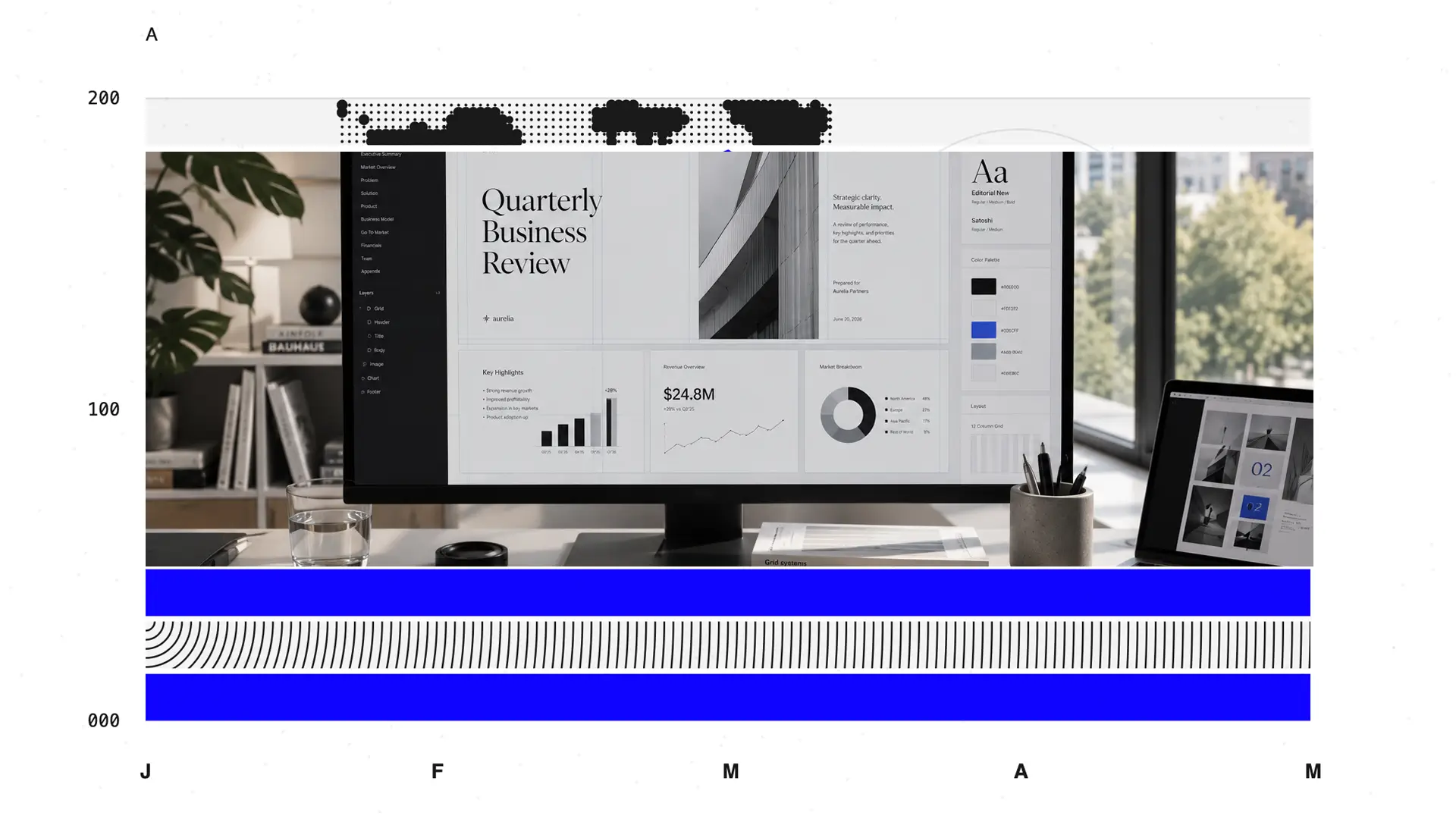
The deck-building task seems simple enough. Open a Canva template and get started in seconds. But somewhere between hunting through 50 near-identical templates and watching brand-specific colors fail to apply, you wanted to check if there was a better option.
Canva is a genuinely good product for what it was designed to do. Drag-and-drop design for non-designers, at speed. The problem is that designing at speed and building a polished, on-brand business presentation that exports cleanly to PowerPoint are two very different jobs. Canva is optimized for the first. A lot of people use it for the second and fight it the whole way.

In this guide, we're going to show you 10 alternatives mapped to specific jobs. Presentations, infographics, print, video, team workflows, and more. If you mostly build decks, you'll find your answer fast.
TL;DR
- Canva is great for fast, general-purpose design such as social graphics, quick marketing assets, and casual decks. It struggles once you need presentation-perfect output, deep brand governance, or predictable AI usage without hitting caps.
- We ranked 10 Canva alternatives by use case, because it depends entirely on what you're actually trying to ship.
- For building and presenting decks, Presentations.AI, Beautiful.ai, Gamma, and Pitch do a better job. Presentations.AI leads on AI depth and brand control.
- If you want better design, infographics, and visual content: Canva, Visme, and Slidesgo.
- If your team is already inside a platform ecosystem, PowerPoint with Copilot, Google Slides with Gemini, or Keynote if you're entirely on Apple devices.
- For niche or specialized use cases, Prezi is ideal if you deliver live and want a non-linear, motion-driven format that stands apart from conventional slides.
- Presentations.AI is our top pick across the tools on this list. It's the only one that can generate decks, automatically enforce brand standards, iterate in a conversational way with AI, and export a clean .pptx.
How We Evaluated These Canva Alternatives
We didn't rank these tools by brand recognition or how many templates they advertise. We scored each one against the things that actually break workflows once you move past casual use.
- Output fidelity: Does what you build on-screen survive export? This matters most for PowerPoint (.pptx) handoffs, where layouts, fonts, and spacing tend to drift in general design tools.
- AI depth: Most tools now claim AI. We looked at whether the AI helps throughout the workflow (drafting, refining, iterating) or only generates a first draft and then leaves you to do the real work manually.
- Brand control and governance: How easily you can lock in colors, fonts, and logos, and whether consistency holds as you build rather than requiring manual re-application.
- Pricing transparency and value: Real per-seat costs, minimum-seat requirements, free-plan limits, and where the painful upsells hide.
- Use-case fit: A tool that's perfect for Instagram carousels is often the wrong choice for a board-ready financial deck, and vice versa.
- Collaboration and team workflows: Permissions, sharing, and whether useful features are gated behind the most expensive tier.
Each tool below is mapped to the job it does best, so you can skip straight to your use case. First, though, it's worth being precise about where Canva actually constrains you, because that's what every alternative on this list is competing to fix.
How The Canva Alternatives Stack Up
| Tool | AI Drafting | Brand Control | PPT Export | Design Flexibility | Collaboration | Best For |
|---|---|---|---|---|---|---|
| Canva (baseline) | First-draft, template-style | Brand Kits on Pro+; manual reapply | Inconsistent; font and layout issues | Very high (freeform) | Easy; seat-based cost | Social graphics and simple visuals |
| Presentations.AI | End-to-end and conversational | Brand Sync auto-extracts from URL | Clean, full-fidelity, editable | High, presentation-focused | Unlimited users on free plan | Presentation-heavy teams |
| Gamma | Strong prompt-to-deck | Light, manual per deck | Can flatten web-native layouts | Web-first, flexible cards | Good link sharing | Web-first content and link sharing |
| Beautiful.ai | Rule-based, automated | Team brand controls | Test on complex slides first | Constrained by Smart Slide rules | Team libraries | Design-consistent corporate decks |
| Pitch | Light; supports refinement | Team brand kits | Verify for client handoff | Moderate | Excellent, real-time | Sales teams and startup collaboration |
| Prezi | Minimal | Limited | Not viable; non-linear format | High (motion canvas) | Moderate | Motion-based live storytelling |
| Visme | Additive | Brand Kit and assets | Multiple export options | High, data-rich | Team features available | Infographics and data visualization |
| Slidesgo | Template source only | None | Native PPTX templates | Manual, you build it | Via Slides or PPT | Free ready-made templates |
| PowerPoint + Copilot | Copilot drafting (paid add-on) | Enterprise governance | Native; it is the format | High | Via Microsoft 365 | Microsoft 365 ecosystem users |
| Google Slides + Gemini | Powered by Gemini | Minimal | Good PPTX export | Moderate | Best-in-class, free | Real-time cloud collaboration |
| Keynote | Minimal | Limited | Can shift on Windows | High (Apple-grade) | iCloud-based | Mac and Apple ecosystem users |
Where Canva Falls Short
Canva is easy to use, and its weaknesses aren't dramatic failures. They're the slow, recurring frictions that add up across hundreds of projects. Here's where they concentrate.
Presentations Take a Back Seat to General Design
Canva is a design platform that also does presentations. Because the tool is built around general visual design, presentation-specific needs (consistent slide structure, content that flows logically, layouts that hold together as a deck grows) take a back seat to flexibility.
Layouts don't intelligently adapt as your content expands; add three more bullet points, and you're manually nudging elements to stop them from colliding. For people who live in presentations, such as founders, consultants, sales teams, and marketers, this is the single biggest reason to look elsewhere.
AI That Runs on an Allowance Meter
Canva's AI stack is broad. 25+ AI tools on Pro, background removal, resizing, translation, and even video generation powered by Google's Veo 3. But usage allowances govern it, and Canva makes this explicit, noting that usage limits and AI-powered design tools vary by plan.
The Per-seat Math Gets Expensive Fast
On paper, Canva looks affordable. Free for one person; Pro at $144/year. But the moment you collaborate, the economics shift. Teams start at $250 per person per year. For a growing team, that scales linearly and quickly. Combine that with AI allowances and brand features distributed across tiers, and you end up evaluating not what Canva costs but which combination of plans you need to unlock the specific things you actually use.
Export Fidelity You Can't Fully Trust
When your deck has to leave Canva and live in PowerPoint for a client, an exec, or a colleague who'll edit it, export quality becomes everything. Canva supports presentation export, but it's a general design tool exporting to a format it doesn't natively support, which is where structural fidelity issues tend to surface. Spacing, fonts, and layout elements that look perfect on Canva's canvas shift in the handoff. If your final deliverable is almost always a .pptx file, you want a tool that treats clean PowerPoint export as a first-class priority.
The five gaps above are the throughline for everything that follows. Each alternative below earns its place by solving at least one of them better than Canva does. Our top pick solves nearly all of them for the presentation use case that Canva handles the worst.
The 10 Best Canva Alternatives
The tools below are ranked by how well they address specific workflow needs, rather than by their features. Find the job that matches what you actually ship most often, and start there.
1. Presentations.AI: Best Overall for Business Presentations
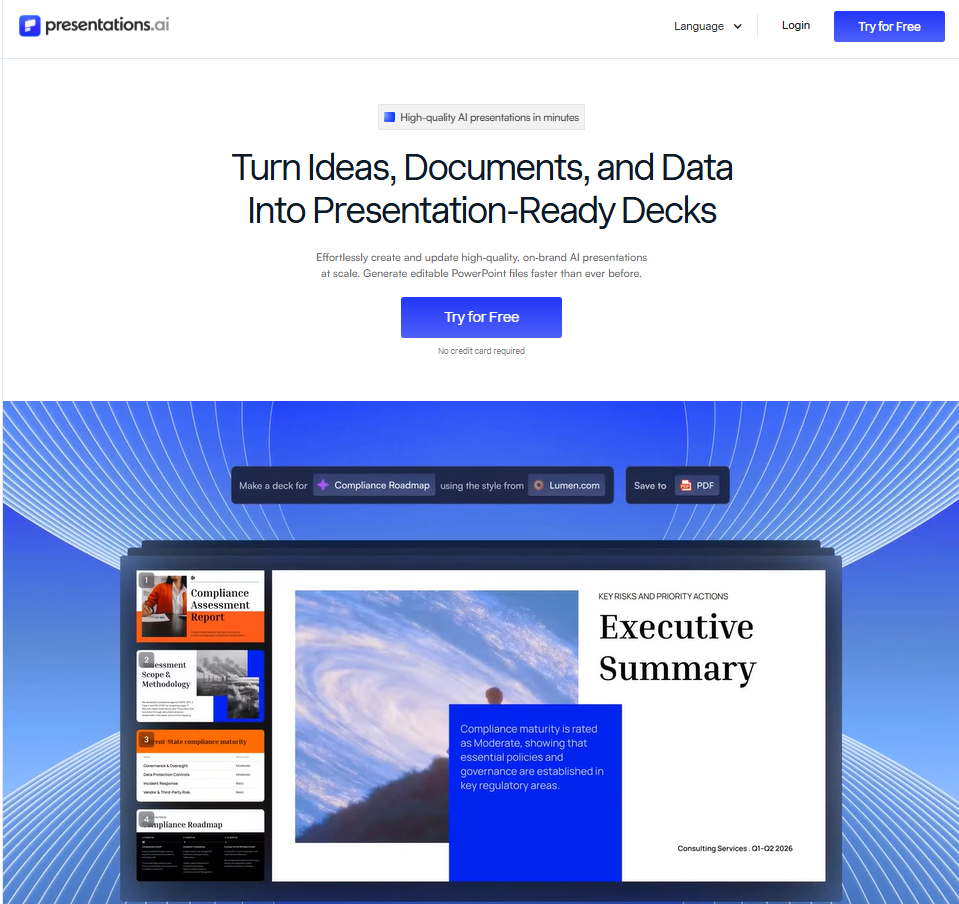
Presentations.AI is an AI presentation maker built for teams that need decks designed around outcomes. It combines AI-generated structure with deep brand control, slide-level analytics, and team collaboration workflows. The result is a Canva alternative that produces far better decks.
Presentations.AI is built around Clip-E, a conversational AI agent that handles the full creation loop, from the first draft to the finished deck. You describe what you need, and Clip-E generates a structured presentation, populates the content, and applies the design.
Then you keep talking to it. Move the revenue slide up. Add a competitive table. Make this more visual. The AI iterates in context, which means you're not manually reworking elements after it hands you a rough draft.
Brand Sync is the other standout capability. Point it at your company URL, and it automatically pulls your brand colors, fonts, and logo, then applies them across every slide. For teams producing client-facing decks without a designer in the loop, this recovers meaningful time on every single project.
The platform accepts multiple input formats: a prompt, a PDF, a Word document, a URL, or pasted text. Your existing content becomes a starting point rather than something you have to rebuild from scratch.
That input flexibility, combined with clean PowerPoint export and real-time collaboration, makes it the strongest all-around option on this list for teams whose primary deliverable is the deck itself. The free Starter plan includes unlimited users, which makes team evaluation cost-free from day one.
Presentations.AI G2 rating: Newer platform with limited reviews at this time.
Presentations.AI pros
- Conversational AI (Clip-E) that builds and refines the full deck
- Brand Sync automatically applies your visual identity to every deck from a single URL input
- Anti-fragile templates that hold design integrity when content changes
- Clean PowerPoint export that preserves fonts, layouts, and editability
- Accepts multiple input formats: prompt, PDF, Word document, and URL
- Real-time sharing with access controls and built-in viewer analytics
- SOC 2 Type II compliance on Pro and above for enterprise security requirements
Presentations.AI cons
- The template library is still growing compared to more established tools
- Newer platforms mean fewer third-party integrations than legacy tools
Presentations.AI pricing: Free Starter plan. Pro at $20 billed monthly. Gold at $50 monthly.
Presentations.AI is best for: Business teams, consultants, founders, and sales teams who need brand-consistent, export-ready .pptx decks produced at speed.
2. Gamma: Best for Web-Native Sharing and Quick Internal Decks
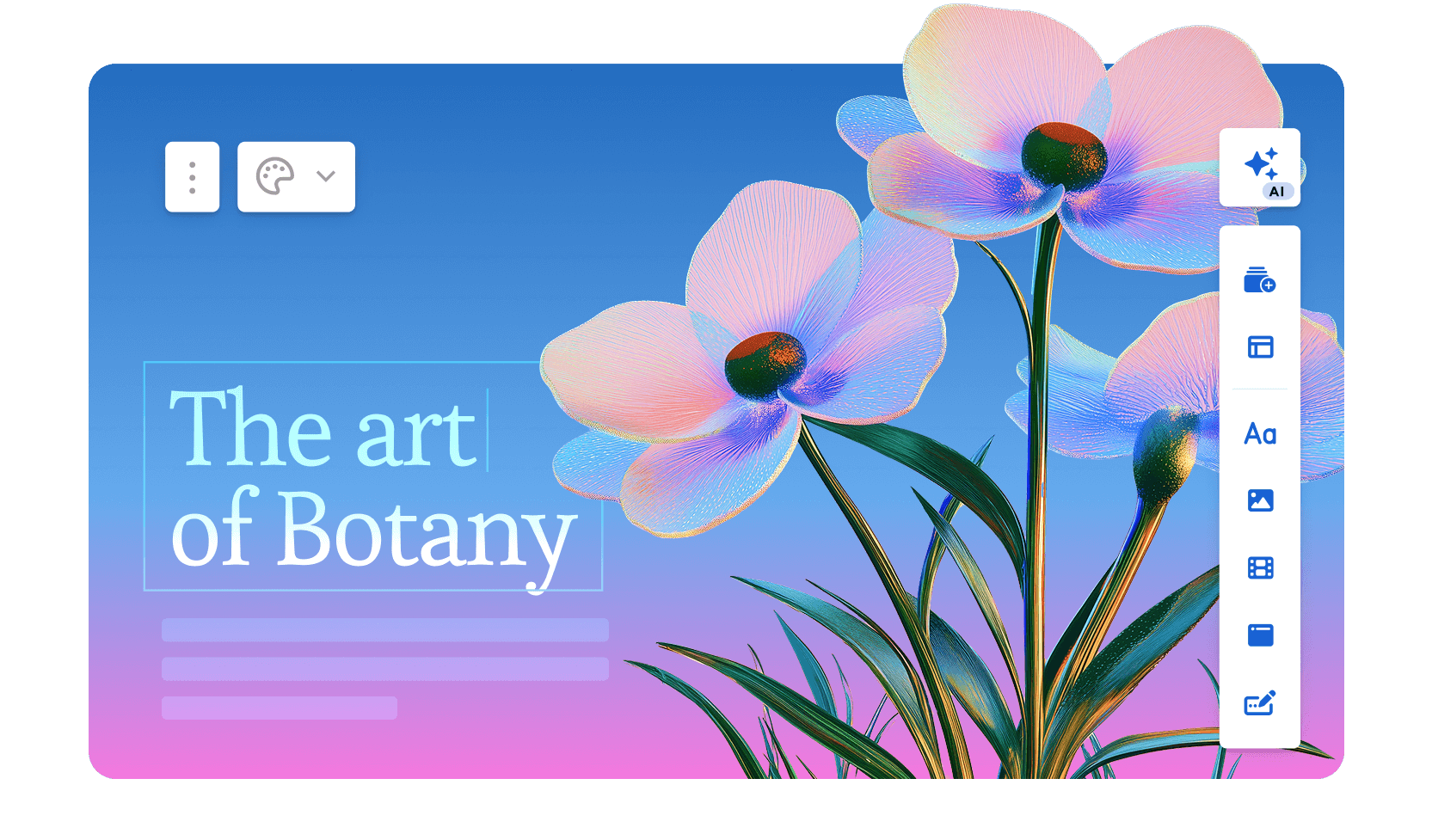
Gamma generates scrollable, web-native card decks rather than traditional slides. First-draft quality is strong, the AI handles image selection automatically, and you can go from prompt to shareable link in under a minute.
The free tier requires no credit card and is useful for occasional use. Gamma achieved SOC 2 Type II certification in October 2025 and offers GDPR and CCPA compliance on Team and Business plans, with content excluded from AI training on those tiers.
The format works well for internal decks and web-shared content. The hard limit shows up when a client or stakeholder needs to open the file in PowerPoint. Gamma's card-based web architecture doesn't map to fixed 16:9 slide dimensions, so exports frequently break, with layouts flattening and text losing editability. If anyone in your workflow needs an editable .pptx, plan for a cleanup pass after every export.
Gamma G2 rating: 4.1/5
Gamma pros
- Fast prompt-to-deck generation; most standard decks are ready in under a minute
- Genuine free plan with no credit card required and 400 starting credits
- Gamma Agent (3.0) researches topics, restyles decks, and incorporates dropped links or screenshots
- SOC 2 Type II certified (October 2025); GDPR and CCPA compliant on Team and Business plans
- Viewer analytics included on paid plans
Gamma cons
- PowerPoint exports frequently break formatting, with overlapping elements and missing fonts
- Credit limits create friction for regular users; Plus plan users hit the ceiling quickly with heavy use
- No automatic brand enforcement at the workspace level; theme selection is manual per deck
- Deeper AI iteration requires the Gamma Agent, available on paid plans only
Gamma pricing: Free tier (400 credits). Plus at $9/month. Pro at $18/month. Ultra at $90/month.
Gamma is best for: Internal teams sharing strategies, outcomes, and briefs as links, so no one ever needs to open the PowerPoint file.
3. Beautiful.ai: Best for Design-Consistent Corporate Decks
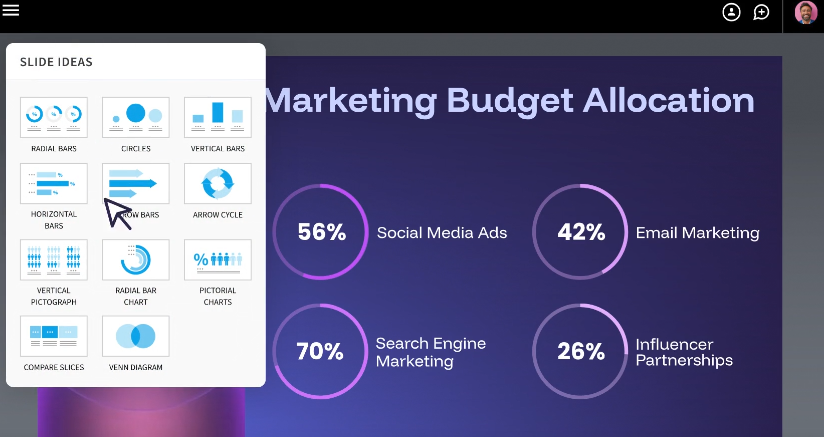
Beautiful.ai's Smart Slides system automatically adjusts layouts, spacing, and alignment as you add or remove content, eliminating the formatting decisions that eat up time in PowerPoint.
The result is that output consistently looks professional regardless of who built it. Over 50,000 teams currently use the platform, and G2 reviewers rate it 4.7 out of 5 across nearly 200 reviews, with ease of use and design quality cited most frequently.
The AI is a layout and drafting assistant rather than a content engine. DesignerBot can generate a deck from a prompt and help rewrite or polish copy. Still, it doesn't research topics, pull in external data, or iterate in a conversational way once the first draft is produced. Viewer analytics are included on the Pro plan, which is a meaningful differentiator for sales teams tracking how recipients engage with decks after delivery.
The trade-off is rigidity. The same guardrails that keep slides looking good also limit customization. Custom fonts require the Pro plan; brand controls are locked behind the Team and Enterprise tiers; and the Smart Slide layout logic can't be overridden when it makes a choice you disagree with.
Beautiful.ai G2 rating: 4.7/5
Beautiful.ai pros
- Smart Slide layouts automatically rebalance as you add or remove content
- Consistently high-quality design output regardless of the user's design skill level
- Viewer analytics are included on the Pro plan for tracking deck engagement
- Relatively easy learning curve; most users are productive within the first session
- Competitive Pro pricing at $12/month (Annual) for what's included
Beautiful.ai cons
- Brand customization is locked behind Team and Enterprise plans
- AI functions as a design assistant rather than a content generator; limited post-draft iteration
- PowerPoint exports don't always retain the Smart Slide layout behavior cleanly
- No free plan; the 14-day trial requires a commitment before full evaluation
Beautiful.ai pricing: No free plan (14-day trial). Pro at $12/month. Team at $40/user/month.
Beautiful.ai is best for: Teams that want design consistency enforced automatically and don't need to deviate from the template grid.
4. Pitch: Best for Sales Teams and Startup Collaboration
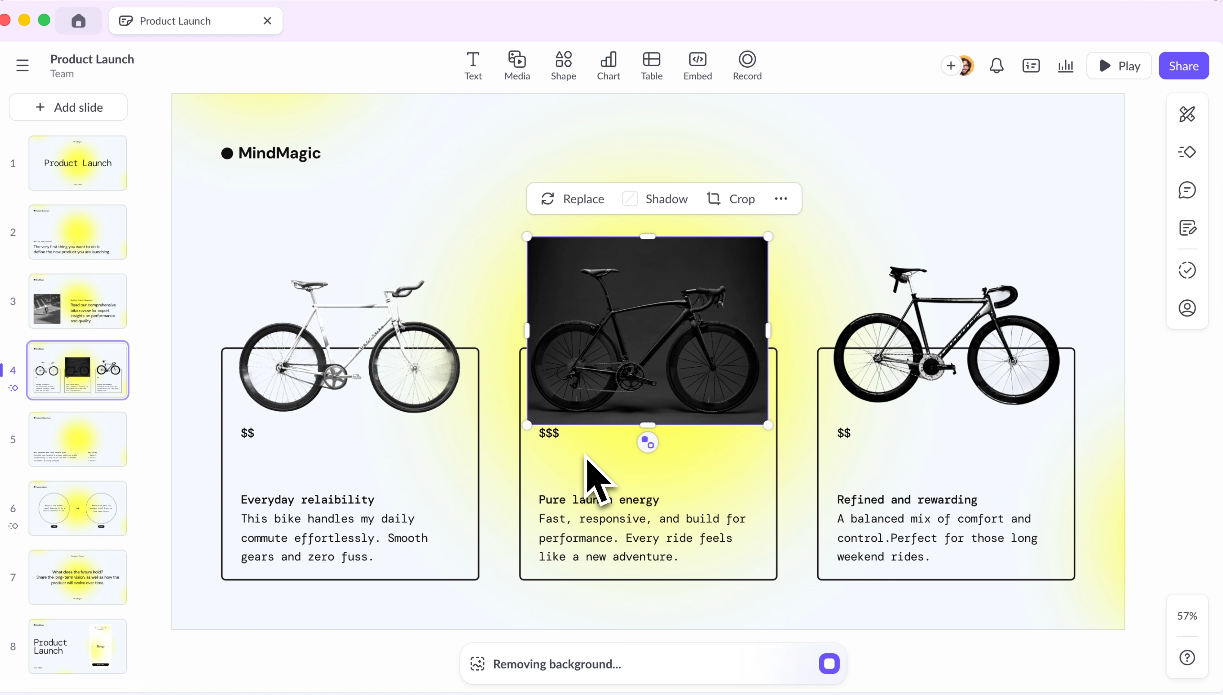
Pitch treats presentations as living documents: Collaborative by default, structured around shared workspaces and template libraries, and designed to support the full review and approval cycle that production-grade decks typically require. Real-time co-editing, threaded comments, presentation statuses, and role-based access are first-class features.
It's purpose-built for presentations rather than adapted from a general design platform. Templates are organized around common business needs, including pitch decks, project updates, and OKR reviews.
Pitch supports draft generation, tone adjustment, copy refinement, and speaker note creation. The platform also integrates with Slack, Google Analytics, and CRM tools.
Pitch G2 rating: 4.4/5
Pitch pros
- Purpose-built for team workflows with shared workspaces, template libraries, and role-based permissions
- Strong commenting, review, and approval features that support multi-contributor deck production
- Built-in analytics track how recipients engage with shared decks after delivery
- Modern, responsive editor that feels faster and less cluttered than legacy slide tools
- Integrates with Slack, Google Analytics, and CRM platforms for broader workflow coverage
Pitch cons
- AI generation is less developed than dedicated AI-first tools; better suited to refinement than full deck creation from scratch
- Design ceiling is lower than the dedicated visual suites for highly custom graphics
- Pricing scales steeply for larger teams; worth mapping per-seat cost at projected headcount before committing
- Test .pptx export quality before committing if clients require native PowerPoint files
Pitch pricing: Free Starter plan. Plus at $10/month per user. Team plan starts at $15 a month. Business starts at $20 per month.
Pitch is best for: Sales teams and startups that collaborate on the same decks repeatedly, need engagement analytics, and want structured review workflows built into the platform.
5. Prezi: Best for Non-Linear, Motion-Based Storytelling
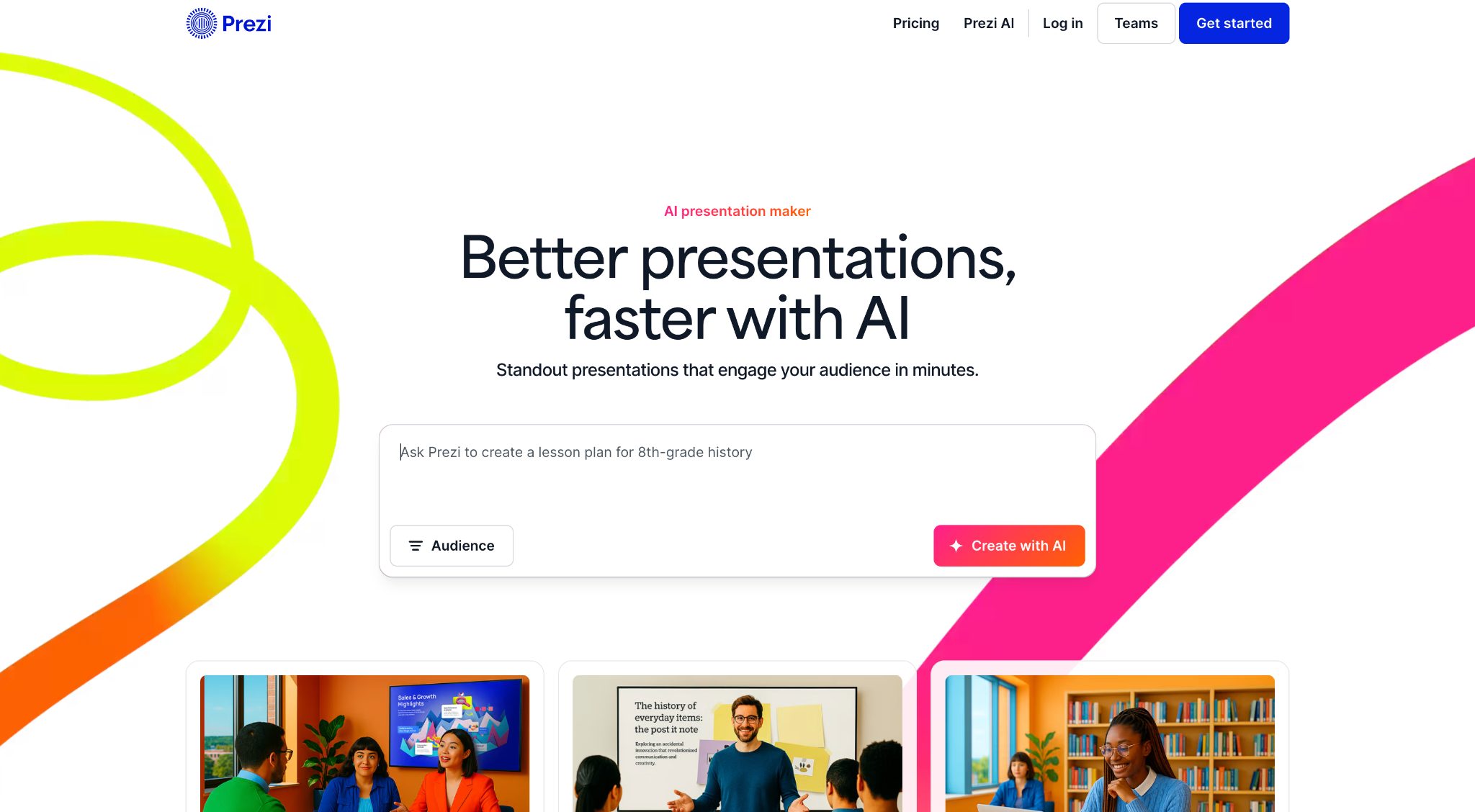
Instead of advancing through sequential slides, Prezi uses a zooming user interface built on an infinite canvas where all content exists spatially. You pan between topics, zoom into details, and pull back to reveal the broader picture.
Prezi recently added AI features, including prompt-based deck generation, AI text tools, and outline editing.
The platform also includes Prezi Video, which overlays the presenter on the content for remote delivery.
Prezi integrates with Zoom, Google Meet, and Salesforce, and the Prezi Business tier adds sales-specific features, including live leaderboards and comment-based coaching feedback. The core constraint remains consistent across all tiers: Prezi decks are web-native and don't export to .pptx in any usable form, which makes this tool suited to a specific delivery context and ill-suited to anything outside it.
Prezi G2 rating: 4.2/5
Prezi pros
- Signature zoom-and-pan canvas creates memorable, non-linear narratives that stand apart from conventional slide decks
- Strong for live, in-person presenting where motion holds audience attention throughout
- Prezi Video overlays the presenter on content for webinars and async remote delivery
- 2026 AI updates add prompt-based generation and text tools while preserving the unique format
- Integrates with Zoom, Google Meet, Slack, and Salesforce
Prezi cons
- The motion format can overwhelm dense, data-heavy content and disorient audiences if overused or poorly structured
- Steeper learning curve than slide-based tools; the spatial model takes meaningful time to master
- PowerPoint export is not a viable option, given the fundamentally non-linear format
- AI capabilities are considerably less developed than those of dedicated AI presentation makers
Prezi pricing: Free plan available. Standard at $7 per month (Annual); Plus at $19/month; Premium at $29 per month; Teams at $39/month per user.
Prezi is best for: Keynote speakers, educators, and presenters who deliver live and want a dynamic, motion-driven format without requiring a PowerPoint export.
6. Visme: Best for Infographics and Data Visualization

Visme’s data visualization capabilities are the clearest differentiator. Customizable charts, interactive graphs, infographic-specific templates, and widgets that connect to live data make it easier to present complex information clearly without advanced design skills.
The platform also includes Brand Kit features, real-time collaboration, and engagement analytics for published content.
Visme is a general visual content platform, and the editor is more complex than most users need for a straightforward slide deck. Some Capterra reviewers flag occasional performance issues, including slow loading and rendering glitches during design tasks. The AI generation capabilities are not a core strength; the platform assists with layout suggestions but doesn't draft content conversationally or iterate on a narrative the way a purpose-built AI presentation tool would.
Visme G2 rating: 4.5/5
Visme pros
- Robust data visualization with charts, graphs, maps, and live data widgets
- Strong infographic and report templates for content that mixes narrative and quantitative data
- Brand Kit and asset management for consistent branded output across teams
- Multiple export and embed options, including interactive HTML content
- Real-time collaboration and engagement analytics for published content
Visme cons
- The breadth of features creates a heavier learning curve than lightweight presentation tools
- The interface can feel dense for users who only need a quick, simple slide deck
- AI assistance is additive rather than a full end-to-end conversational deck builder
- Some Capterra reviewers flag performance issues, including slow loading and rendering glitches
Visme pricing: Free plan available. Starter at $12.25/month. Business at $24.75/month per user.
Visme is best for: Analysts, marketers, and report-builders who need serious data visualization and infographic capability alongside standard presentation creation.
7. Slidesgo: Best for Free, Ready-Made Templates
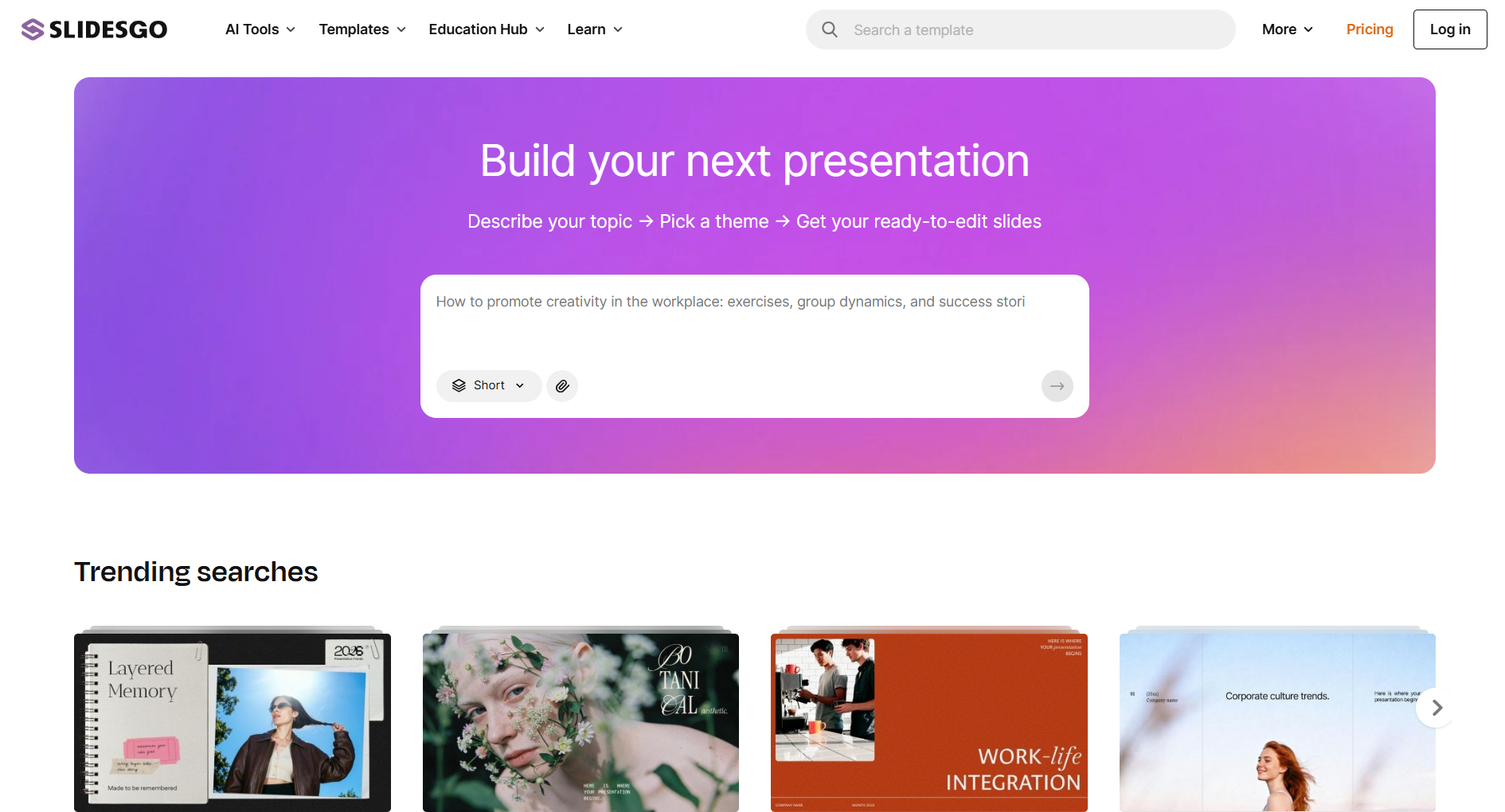
The platform offers thousands of free, professionally designed presentation templates built for Google Slides and PowerPoint, covering a wide range of topics, industries, and visual styles. It consistently ranks among the first results for free presentation template searches because the library is large, and the designs are polished across most categories.
AI features were added in recent years, allowing users to generate basic deck structures from a text prompt. In practice, the more common workflow is to browse the library, select a design that fits the use case, and customize it directly in Google Slides or PowerPoint.
There is no brand automation, collaboration workspace, viewer analytics, or meaningful AI iteration beyond the initial generation. All customization is done manually inside the tools you already use. For anyone who needs AI to handle content generation, brand enforcement, or iterative refinement, Slidesgo won't cover those needs.
Slidesgo G2 rating: Not prominently rated on G2.
Slidesgo pros
- Thousands of free, professionally designed templates across a wide range of topics and industries
- Native compatibility with Google Slides and PowerPoint; no new tool to learn
- Genuinely useful free tier for individuals and educators working on a tight budget
- Fast starting point when the main bottleneck is a blank slide rather than missing content
Slidesgo cons
- A template source rather than a full creation platform; all building and editing is done manually
- No conversational AI, brand automation, or adaptive layouts of any kind
- Quality and style consistency vary across the catalog
- No collaboration features, analytics, or workflow tools
Slidesgo pricing: Free (with attribution). Premium at $35.99 billed annually.
Slidesgo is best for: Students, educators, and budget-conscious users who want professional templates to edit in PowerPoint or Google Slides without paying for new software.
8. Microsoft PowerPoint + Copilot: Best for Microsoft 365 Ecosystem Users
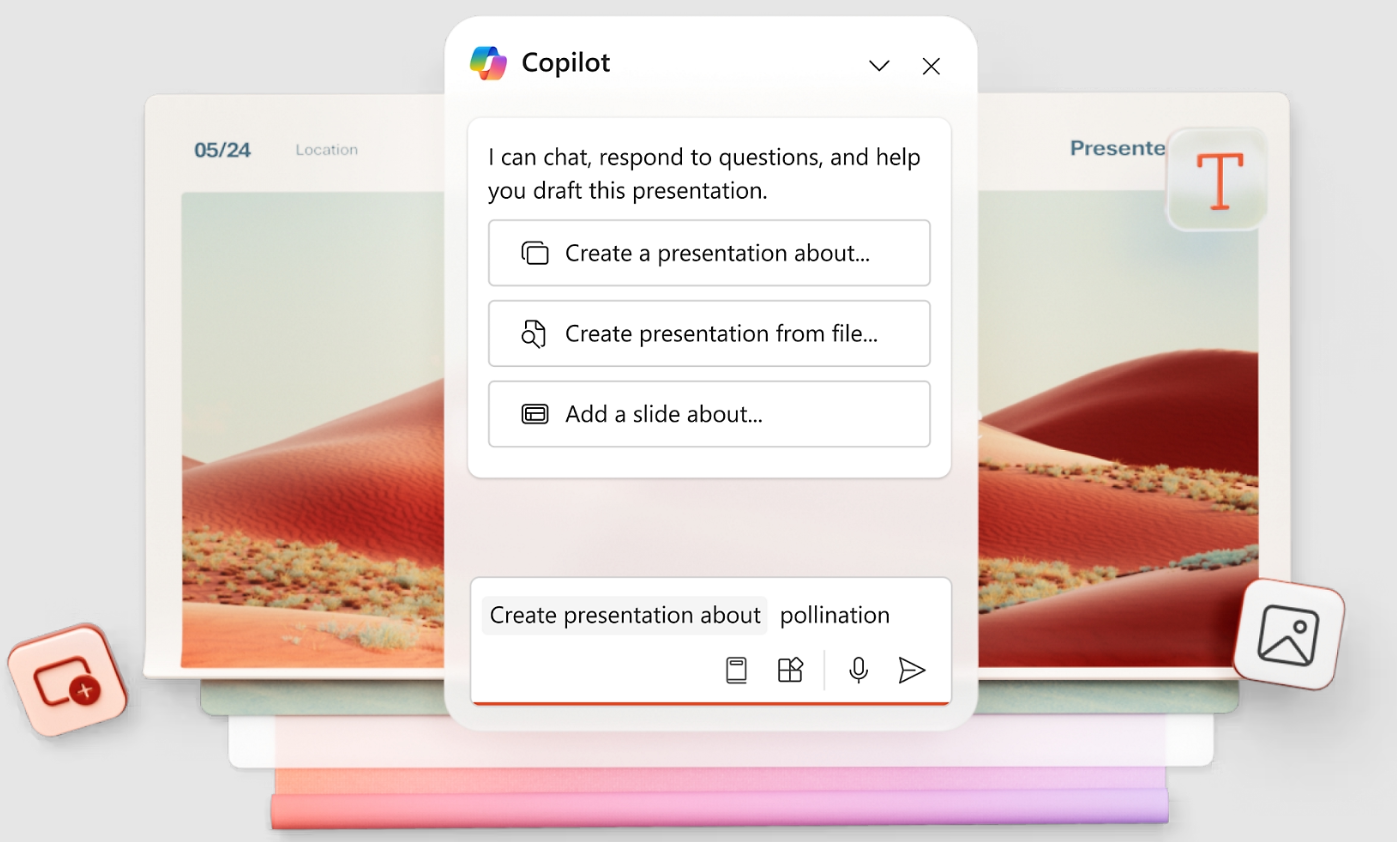
PowerPoint remains the dominant presentation standard globally with decades of enterprise adoption across every industry. Copilot adds a modern AI layer on top of that installed base rather than asking teams to abandon familiar infrastructure. For organizations where IT governance, compliance requirements, and Microsoft 365 integration are non-negotiable, this is the path of least resistance.
However, Copilot's design output is among the weakest on this list; slides look auto-formatted rather than designed, and significant manual cleanup is typically required before a deck is client-ready.
Brand automation is also shallow compared to purpose-built tools, limited to whatever PowerPoint template is already in use, rather than automatically extracting and applying brand assets.
PowerPoint G2 rating: 4.6/5
PowerPoint pros
- Native .pptx authoring with zero export-translation risk; PowerPoint is the destination format
- Copilot drafts decks from prompts and pulls from existing Word, SharePoint, and document content
- Deep integration with Teams, Word, Excel, and the broader Microsoft 365 stack
- Mature offline editing, accessibility tools, and enterprise governance built in
PowerPoint cons
- Copilot requires a paid add-on of approximately $30/user/month, raising the real per-seat cost considerably
- AI design output is weaker than purpose-built presentation tools and typically requires manual cleanup
- Brand automation is limited to your existing PowerPoint template, with no URL-based extraction
- The interface is feature-rich but dated compared to modern web-native editors
PowerPoint pricing: Included with Microsoft 365 (from $6.99/month personal). Copilot AI add-on costs approximately $30/user/month.
PowerPoint is best for: Enterprises and teams already standardized on Microsoft 365 that want AI assistance inside the tools they already own, with workflows built entirely around .pptx files.
9. Google Slides + Gemini: Best for Real-Time Cloud Collaboration
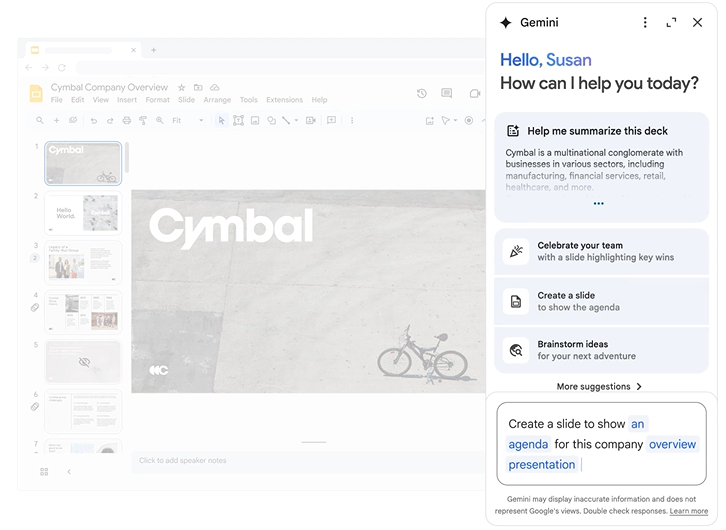
Slides’ collaboration infrastructure is best-in-class: Multiple people can edit the same deck simultaneously; comments are threaded and resolved inline; version history is automatic and unlimited; and sharing requires only a link with the appropriate access level.
Gemini operates as an end-to-end presentation assistant that instantly generates complete slide decks, custom imagery, and tailored speaker notes from a single prompt or uploaded document.
It can scan your Google Drive to pull text and data directly into your slides, allowing you to convert dense reports into summarized, bulleted layouts. Beyond creating structure, Gemini optimizes your existing content by shortening text, adjusting the overall tone, and generating clean backgrounds or concept illustrations to match your theme.
However, native design capabilities remain basic, and none of the add-ons match the depth of generation, brand control, or export reliability of standalone platforms. For teams where cost and familiarity outweigh design quality and AI depth, this remains a practical option.
Google Slides G2 rating: 4.6/5 (rated as part of Google Workspace)
Google Slides pros
- Best-in-class real-time collaboration and commenting, free with a Google account
- Cloud-native with automatic saving and access from any device or browser
- Extensible through AI add-ons for content generation and basic design assistance
- Seamless integration with Google Workspace, including Docs, Sheets, Drive, and Meet
Google Slides cons
- Native design and template quality lag behind dedicated presentation tools
- AI capability depends entirely on third-party add-ons of uneven quality, with no unified built-in engine
- Brand control and governance features are minimal out of the box
- No native analytics for tracking how shared decks perform with recipients
Google Slides pricing: Free with a Google account. Google Workspace from $6/user/month.
Google Slides is best for: Teams that prioritize fast, free, cloud-based collaboration over visual polish and are comfortable managing AI capabilities through third-party add-ons.
10. Apple Keynote: Best for Mac and Apple Users
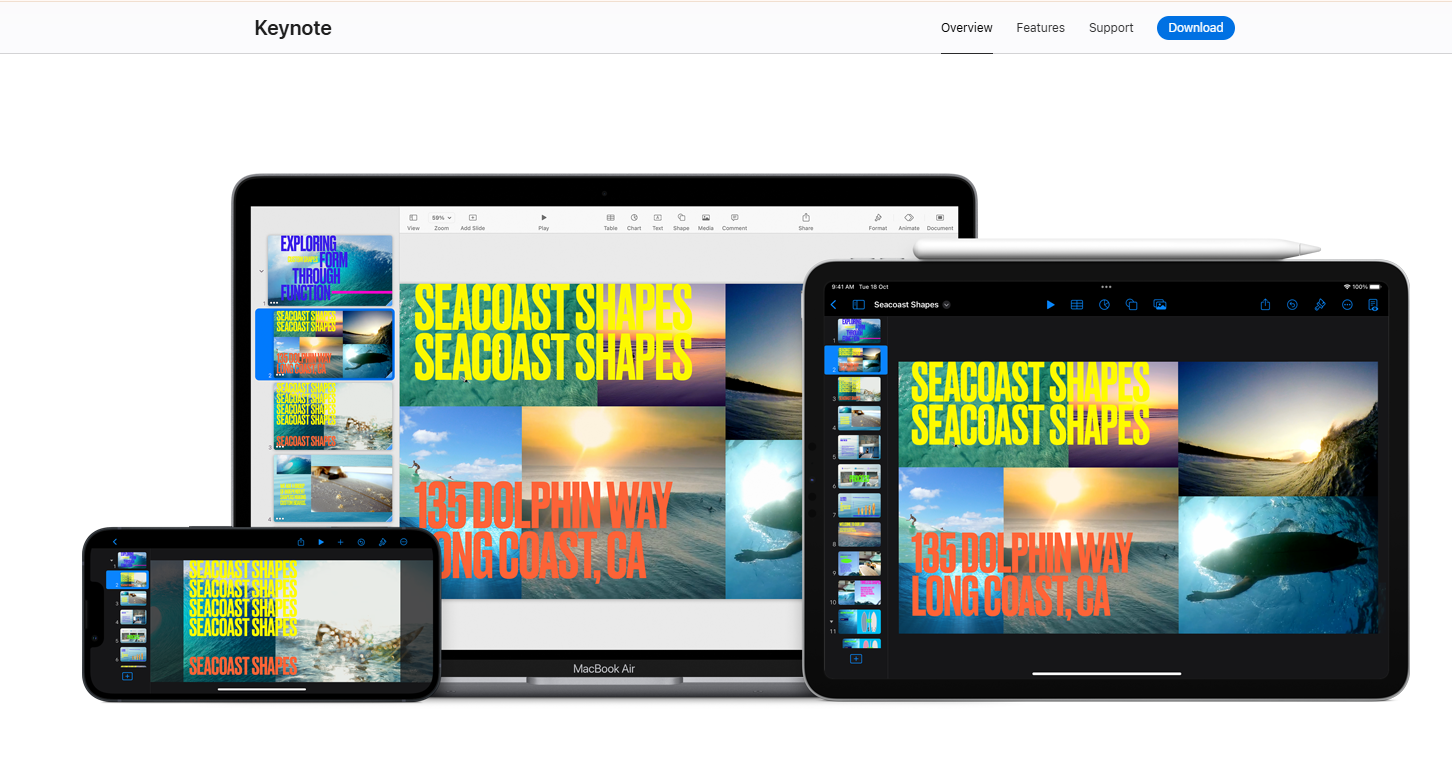
Keynote is Apple's native presentation application, available free to all Apple device users and widely regarded as having the best animation engine of any tool on this list. Magic Move transitions, cinematic motion effects, and object-level animation capabilities outclass all competitors in visual polish for a live presentation environment.
For solo presenters or all-Apple teams delivering on stage or in client meetings, the output quality is difficult to match at any price point, let alone at no cost.
The AI story, however, is nearly nonexistent. As of 2026, Keynote has no meaningful built-in AI generation capabilities, making it a labor-intensive tool in a market that has moved decisively toward automation. Every slide is built by hand, which means the time investment per deck is significantly higher than any AI-assisted alternative on this list. For teams producing presentations at volume or under tight deadlines, that manual overhead carries a real cost.
The other hard constraint is ecosystem lock-in. Keynote works beautifully within Apple's ecosystem and creates friction the moment it meets a Windows environment.
Keynote G2 rating: 4.3/5
Keynote pros
- Cinematic default templates and smooth animations that look polished with minimal effort
- Free across all Apple devices with seamless iCloud sync
- Excellent typography and animation control for a native app
- Exports to PowerPoint and PDF for sharing outside the Apple ecosystem
Keynote cons
- Apple-only; no native Windows or Android experience limits cross-platform teams significantly
- AI-assisted drafting is minimal compared with purpose-built AI presentation tools
- PowerPoint export can shift animations and some formatting when opened on Windows devices
- Collaboration is more limited than Google Slides or Pitch for teams who edit simultaneously
Keynote pricing: Free for all Apple users.
Keynote is best for: Mac, iPad, and iPhone users who want polished, design-forward presentations for live delivery and stay entirely within the Apple ecosystem.
How to Choose the Right Canva Alternative
Skip the feature checklist. The right Canva alternative comes down to a few honest questions about how you actually work.
1. What is your single most important output?
If you ship social posts and flyers, an all-in-one suite makes sense. If the deck is the deliverable you send to clients and investors, a presentation-first tool will serve you better every week. Pick the tool for your most frequent job.
2. Where does the file end up?
If your clients open files in native PowerPoint, export fidelity is non-negotiable. Test a complex slide, export it, and open it in PowerPoint before you commit to any tool. If you only ever share a link, web-first tools like Gamma become viable options.
3. How much do you want the AI to do?
Be honest about whether you want a first draft you'll clean up by hand, or a collaborator who drafts and refines the deck conversationally. The gap between the two is between Canva's Magic Design and a tool built to iterate with you from prompt to final slide.
4. How fast will your team grow?
Seat-based billing feels manageable at three people and expensive at thirty. Map the cost at your projected headcount rather than today's, and confirm whether brand governance is locked behind the highest tier.
5. How much brand setup are you willing to do manually?
If staying on-brand currently means reapplying your brand colors and fonts to every design, consider tools that automatically extract and apply them. That recovered time compounds across every deck your team produces.
The Best Canva Alternative for Most Teams: Presentations.AI
Canva earns its place for what it was built to do: fast, flexible design across a wide range of content types. It stops working when a client opens that .pptx file, a founder is pitching investors, or a sales team sends decks every day that need to look right every time.
For those teams, Presentations.AI addresses the issues Canva reviewers consistently flag.
- Brand Sync: Paste your company URL, and it pulls your brand colors and fonts and automatically applies your logo across the deck.
- Clip-E: The conversational AI engine that builds and refines the entire deck. Ask it to tighten the narrative, rebuild a slide, or shorten a section, and it responds like a collaborator that stays in the loop.
- Adaptable templates: Add three bullets or thirty words, and the layout adapts rather than overflowing or collapsing.
- Multi-source input: Start from a prompt, pasted text, a PDF, a Word doc, or a URL. Turn an existing document into a deck while preserving its content.
- Clean .pptx export with full fidelity: Fonts hold. Layouts stay intact. Elements remain editable in native PowerPoint. For client-facing teams, this is the deciding factor.
- Analytics and SOC 2 Type II: Track engagement after you share, with SOC 2 Type II compliance available on Pro and above to meet enterprise security requirements.
With a free Starter plan, unlimited users, and no credit card required, you can pressure-test it on your own deck before committing.
(No Credit Card Required)