You know the feeling. You've rehearsed your talk a dozen times, but the moment you step in front of an audience, your mind goes blank. Or worse, you remember every line, but you sound like a robot reading a teleprompter.
Memorizing a presentation is one of those skills nobody really teaches you. Most people either memorize perfectly but sound stiff, or under-prepare and stumble through. Both feel awful.
There is a middle path. Chunking your content, using memory anchors, and practicing out loud can help you deliver a talk that feels both prepared and natural.
A deck that helps you remember, rather than one that overwhelms you, makes the difference. This guide walks you through the methods speakers actually use, plus what to do if you blank mid-sentence.
For the full picture on what confident delivery looks like beyond memory, our guide on presentation skills covers pacing, body language, and reading the room.
Key Takeaways
- Memorizing a presentation works best when you learn ideas in chunks.
- Techniques like the memory palace, spaced repetition, and cue cards help you remember structure while keeping your delivery natural.
- Practicing out loud trains your voice, pacing, and recall in ways that silent reading or screen-staring never can.
- If you forget a line, pause, paraphrase, or move to the next point. Recovery beats panic every time.
- A clean, well-structured deck built with an AI tool like Presentations.AI makes content easier to memorize and recall under pressure.
Why Memorizing a Presentation Word-for-Word Usually Backfires
Word-for-word memorization produces a delivery that feels rehearsed in the worst way: flat tone, fixed eye line, and a voice that lifts only when the next sentence is recalled correctly. Audiences sense it immediately.
Most people approach memorizing a presentation the same way they crammed for exams: read the script, repeat it, and hope it sticks. Word-for-word memorization works against you for three reasons.
- It removes flexibility: When you memorize exact phrasing, one missed word can derail the entire sequence. You stop delivering ideas and start retrieving a string of words. Lose one, and the whole chain breaks.
- It flattens your delivery: Reciting from memory pulls attention inward. You stop reading the room, stop reacting to faces, and stop adjusting your pace. The talk becomes about remembering.
- It increases anxiety: The fear of forgetting a single line creates pressure that builds with every slide. Speakers who memorize verbatim report higher onstage anxiety than those who learn their content as concepts.
Key insight: The goal is to memorize the shape of your talk: The key ideas, the order they flow in, and the transitions between them. The exact words can change. The structure should not.
The shift in mindset is simple but powerful. Instead of asking, 'What's the next line?' you ask, 'What's the next idea?' Ideas are easier to remember than sentences, and they let you speak in your own voice every time.
That's why the techniques in the following sections focus on remembering structure, anchors, and meaning. When you internalize the architecture of your presentation, the words take care of themselves.
6 Techniques to Memorize a Presentation Without Sounding Scripted
These methods work because they store your content the way your brain retrieves information: through structure, association, and physical practice. Pick two that suit your style. Using all six together adds unnecessary complexity without adding much recall.
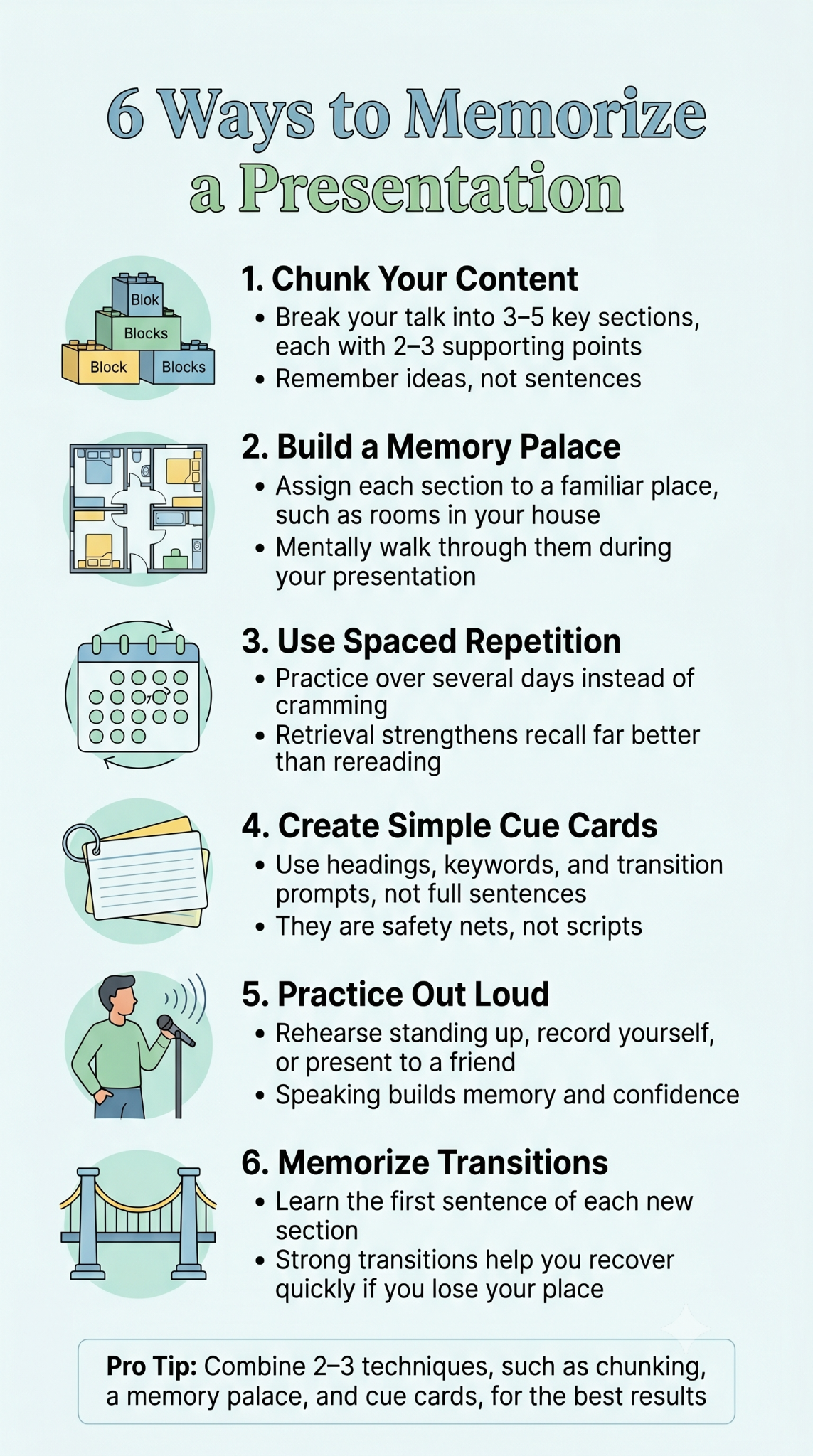
1. Chunk Your Content Into Blocks
Break your presentation into three to five major chunks, each built around one core idea. Inside each chunk, list two supporting points. Your brain remembers chunks far better than long linear scripts. Think of it like a phone number: easier to recall as 555-123-4567 than as a single ten-digit string.
When you rehearse, learn the chunks in order first, then the points inside each chunk. If you forget a detail, you still know which chunk you're in and can bridge back.
2. Build a Memory Palace
The memory palace is one of the oldest mnemonic techniques, used by competitive memory champions for a reason. Mentally place each section of your talk in a familiar location, like rooms in your house.
Here's how it works:
- Walk through your house in your mind, room by room
- Assign each major idea or section to a specific room
- Add a vivid visual cue in each room that represents the idea
- During your talk, mentally walk through the rooms in order
The opening lives in your kitchen. The case study sits on your living room couch. The closing waits at the front door. Spatial memory is strong, and this technique makes recall feel almost automatic.
3. Use Spaced Repetition
Cramming your script the night before is the worst way to retain it. Spaced repetition spreads practice across days, which forces your brain to retrieve information rather than re-read it.
A simple schedule:
- Day 1: Read through your full deck twice.
- Days 2 & 3: Rehearse out loud once, slides visible.
- Days 4 & 5: Rehearse without looking at slides.
- Day 6: Full run-through, timed.
- Day of: One light walkthrough, then rest.
Each session strengthens recall and surfaces the weak spots you'd miss with a single marathon prep night.
4. Make Cue Cards (But Use Them Sparingly)
Cue cards are anchors. Each card holds the heading of a chunk, three or four keywords, and a transition phrase. No full sentences.
Writing cue cards by hand also helps you memorize. Writing forces you to summarize, and summarizing forces you to understand what actually matters in each section. If you use them onstage, glance, then lift your eyes back to the audience within a second.
5. Practice Out Loud
Reading your slides silently feels productive, but it builds almost no muscle memory. Your mouth, breath, and pacing only learn by doing.
Practice out loud:
- In front of a mirror to check posture and expression
- Recorded on your phone to hear filler words and pace
- In front of one trusted person to simulate the pressure of an audience
You'll notice things silent rehearsal never reveals: where your voice drops, where you rush, where a transition feels clunky. Fix those before showtime.
6. Anchor Transitions
Blanks happen between slides more than inside them. The moment you click forward, you lose your train of thought because the visual changes faster than your memory adjusts.
Memorize the first sentence of every new section. Just the opener. Once you start speaking, the rest of the chunk usually flows naturally. Strong transitions act like bridges between memorized islands.
Pro Tip: Combine techniques. Chunk your content, then build a memory palace for those chunks. Keep cue cards as a backup. Layered methods protect you when one fails under pressure.
What to Do If You Forget a Line Mid-Presentation
Every speaker forgets a line eventually. The difference between a smooth talk and a visibly shaky one comes down to recovery. Audiences are far more forgiving than you think, as long as you stay calm.
Five moves that work every time:
Pause Instead of Filling Silence
The instinct is to cover the gap with "um," "so," or "where was I." A two-second pause feels like an eternity to you, but the audience reads it as a thoughtful beat. Use that pause to breathe and locate the next idea.
Paraphrase the Last Point
If you can't remember what comes next, restate what you just said in different words. This buys you a few seconds and often jogs the memory loose. It also sounds intentional, like you're reinforcing the point.
Skip Ahead Instead of Digging Back
If a specific line is gone, jump to the next chunk. Most of the time, the audience never knows you skipped anything. They didn't see your outline.
Use Your Slide as a Prompt
A single clear headline on a slide can pull you back into the flow. If your slide is cluttered with paragraphs, you'll lose more time searching for the cue than recovering the line. This is why a clean deck matters.
Have a Recovery Phrase Ready
Memorize one or two go-to lines you can use to bridge any gap:
- "Let me come back to that in a moment."
- "The bigger point here is..."
- "What this really comes down to is..."
These phrases reset your mental footing without breaking the rhythm of the talk.
Key insight: The audience experiences your talk in real time. They don't have your script. If you don't tell them you forgot something, they'll never know.
How a Well-Structured Deck Makes Memorizing Easier
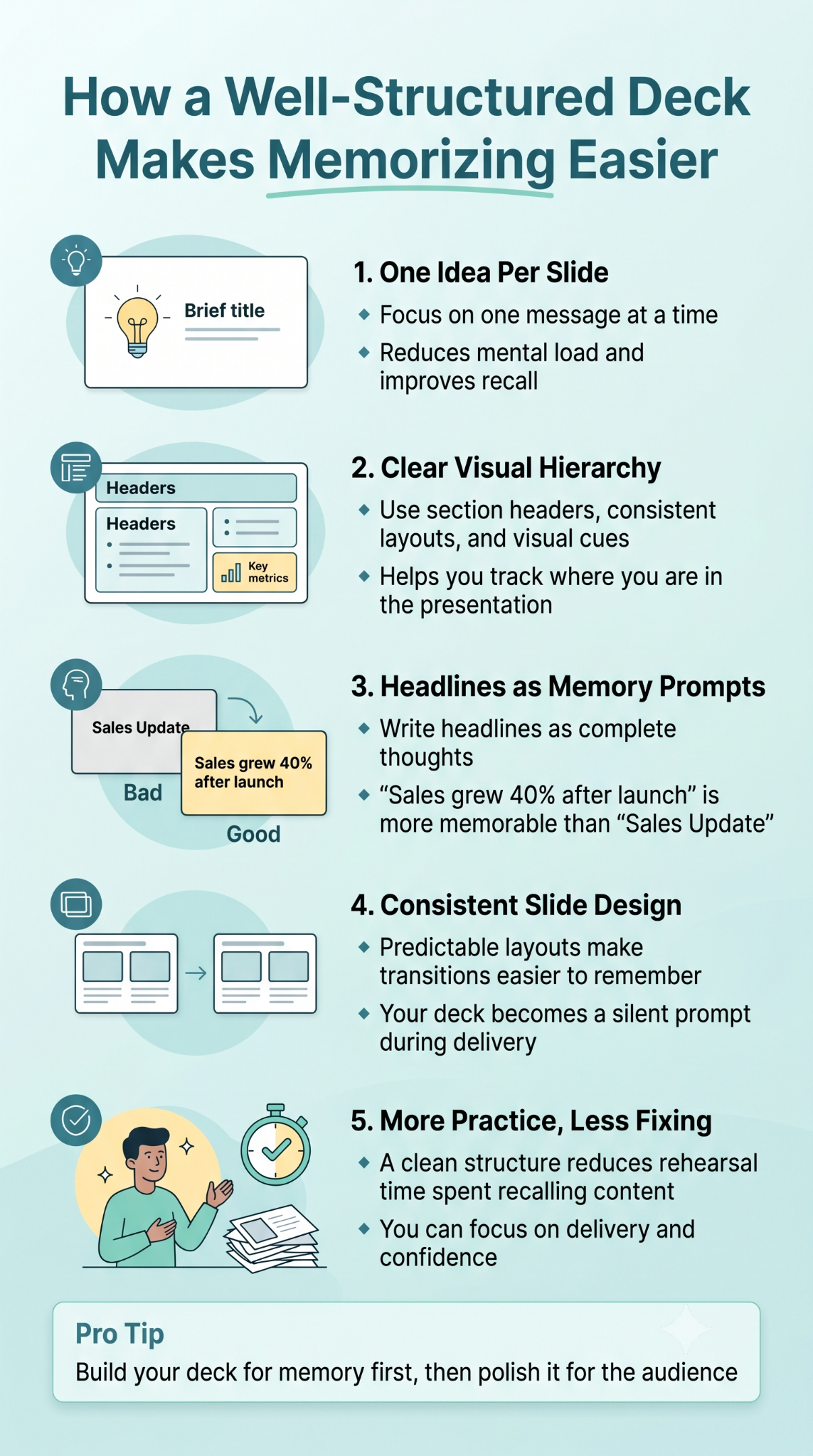
A cluttered, text-heavy deck works against memorization because your brain has to process the slide and recall the line simultaneously. Your slides serve as memory aids. A clean deck does half the work.
One Idea per Slide
When every slide carries one clear message, your memory holds one thought at a time. Multi-point slides force you to remember the order of points on top of remembering the content. That's two memory tasks instead of one.
Visual Hierarchy That Mirrors Your Structure
Section headers, consistent layouts, and visual cues for transitions tell your brain where you are in the talk. When the layout shifts, you know you're entering a new chunk. Presentations.AI's presentation templates are built with this kind of clear, consistent hierarchy from the start, so your slides function as a silent prompter rather than a source of confusion.
Headlines That Double as Cue Cards
Write slide headlines as full thoughts. "Sales grew 40% after launch" is a better headline than "Sales Update" because it reminds you what to say next.
Where Presentations.AI Fits In
Building a memorizable deck from scratch takes time most people don't have. An AI presentation maker like Presentations.AI generates clean, well-structured slides automatically, with one idea per slide, clear hierarchy, and consistent layouts. Instead of fighting your deck while you rehearse, you start with a structure that's already easy to follow and easy to remember.
Less time fixing slides means more time practicing delivery. For preparation habits that complement this system, our presentation tips guide covers the five-step framework confident speakers use in the days before a talk.
Pro tip: A messy deck makes memorization harder. A clean, structured deck makes it almost effortless. Build the deck for your memory first, then polish it for the audience.
The System Powering the Best Speakers
Memorizing a presentation means knowing your material well enough that the delivery feels like a conversation. Confident speakers walk through a structure they've internalized, picking the right words in the moment. They work from internalized architecture.
Pick two techniques from this guide and commit to them. Chunk your content and practice out loud. Or build a memory palace and anchor your transitions. Start with the deck. Rehearse in the days leading up to the presentation. When something slips, pause, paraphrase, or move on. The audience came to hear ideas and takeaways.
Record your final rehearsal and watch it once. You'll catch the small things that matter most: pacing, posture, and the spots where your energy dips.
The best presentations feel inevitable. Like the speaker couldn't have said it any other way. That feeling comes from preparation.