


TL;DR
- Pitch decks, sales decks, executive or board decks, keynotes, project updates, and training decks are the six presentation types most business professionals build.
- Each type carries a distinct goal and ideal length. Mismatching structure to purpose is the fastest way to lose an audience.
- Ideal lengths range from 5 to 7 slides for project updates to 15 to 20 for training decks, while keynotes should stay under 18 minutes.
- Choose your presentation type first. That decision drives slide count, text density, and your call to action.
- With Presentations.AI, you describe the deck you need and add your source material. The AI then generates the right structure, layout, and first draft.
What Is the Purpose of a Presentation?
The purpose of a business presentation should drive every choice you make before building it. You rarely start with perfect inputs. You start with scattered notes, CRM data, or a half-finished outline. The deadline is closer than you want. Opening a blank slide deck and figuring it out as you go feels natural. It usually produces a deck that half-works, because you built it around no clear decision or outcome.
The best thing you can do before touching a slide is decide what kind of presentation you are building. That one decision tells you how many slides to aim for and how much text each slide should carry. It also tells you whether to lead with data or story, and what the audience should do next.
Every presentation exists to do one of six jobs: inform, persuade, teach, inspire, support a decision, or update stakeholders. That purpose should determine structure, length, and call to action, instead of the template you happen to open first. A deck built to inspire looks nothing like a deck built to support a decision. Treating them the same is where most presentations fall apart.
The old way is to pick a blank template and force your content into it by hand. The faster way is to start with the job the deck needs to do, then let AI generate the first structure for that job. That shift is what this guide is built around.
Here is the truth: most weak decks fail because the structure mismatches the job, not because the slides look ugly. A sales deck and a board deck should be built differently, and a training deck differently again. The faster you identify the type, the faster you can build the right story.
The six main types of professional presentations are pitch decks, sales decks, executive or board decks, keynote speeches, project updates, and training decks. Each serves a different purpose, from raising investment to converting prospects to teaching a process. Ideal lengths range from about 5 to 7 slides for project updates to 15 to 20 slides for training decks, while keynotes should stay under 18 minutes.
Types of Presentations at a Glance: Purpose, Length, and Best Use
If you already know the type of deck you need, skip the blank slide. Presentations.AI can generate a first draft around the right structure, slide count, tone, and layout for that specific type.
1. Pitch Decks and Investor Presentations
A pitch deck is what you build to raise money from investors, accelerator programs, or bank lenders.
When is a pitch deck used?
- Seed and early-stage fundraising with angel investors or venture capital firms
- Accelerator and incubator applications
- Competition pitches, such as startup events or business plan contests
- Partnership conversations where you need to demonstrate your vision and traction
What makes a pitch deck different?
Pitch decks follow a story arc that runs from the problem to the solution to the market size, then through the product, business model, traction, team, and the ask. Every slide in that sequence answers an investor question before the investor asks it aloud. That work is a founder's job as much as a design job. It applies to a startup round, an internal idea, or a funding proposal.
Ideal slide count
12 slides. Data from Visible VC, which analysed thousands of pitch decks shared with investors, found that decks with a 100% completion rate averaged 12.2 slides.
Quick tips for getting a pitch deck right
- Lead with the problem before your product.
- Keep it to 12 slides for first meetings. A tight deck forces you to lead with the essentials: problem, solution, market, traction, and the ask.
- Put your ask early, on slide two or three. State how much you are raising and what you plan to do with it.
- Use Presentations.AI's slide creator to generate a first-draft pitch deck from a short prompt.
- Presentations.AI has a dedicated workflow for founders and early-stage teams that automatically builds pitch decks around the standard investor narrative.
If you are starting from a founder memo, investor notes, or a rough outline, this is a good place to use AI. The goal is to get the investor story into the right order faster, instead of making the deck longer.
2. Sales Decks and Sales Presentations
A sales deck is what revenue teams use to turn discovery notes, CRM context, and product proof into a clear case for action. Focus on moving a prospect from curious to convinced, and then to committed, instead of explaining everything your product does.
When is a sales deck used?
- Initial discovery or demo calls with new prospects
- Formal proposals for buying committees or procurement teams
- Product walkthroughs for prospects who need to see the solution in detail
- Competitive displacement presentations, where you are making a case for switching from a competitor
- Renewal and upsell conversations with existing customers
What makes a sales deck different?
A sales deck speaks to buyers evaluating your product as the answer to a problem they have right now. The decks that work reflect the prospect's own situation, language, and pain points back to them. For revenue teams building repeatable buyer-facing decks, Presentations.AI's sales solution turns discovery context and product proof into a clearer story.
Ideal slide count
Up to 20 slides. Research from Cirrus Insight puts the sweet spot at 15 to 20 slides. Data from Vibe is more specific: decks of 10 to 11 slides average 22% more engagement and better retention than longer formats. Decks longer than 18 slides see a sharp drop in engagement and completion.
Quick tips for getting a sales deck right
- Use real customer outcomes over feature lists. A specific result your customers achieved lands harder than a bullet list of capabilities.
- Include a slide that addresses the two or three objections you hear most.
- End with a specific, low-friction next step.
- Check out how to build presentation slides that convert for more on slide structure and visual hierarchy in sales contexts.
3. Decision-Making Presentations for Executives and Boards
Executives and board members are time-constrained and highly informed. They want the right information in the right structure to make a call, and they will skip details they can read themselves.
When is an executive or board deck used?
- Quarterly board meetings and investor briefings
- Strategic planning sessions and annual reviews
- Budget approval requests across departments
- Go or no-go decision reviews for major projects or market moves
- Mergers, acquisitions, and major investment evaluations
What makes an executive deck different?
Executive decks are built for people who scan, skip around, and arrive with opinions already formed. A slide that takes three minutes to parse will get a glance and a question instead.
Data density in board presentations is expected and welcome, which sets it apart from keynotes and training sessions. Comparison tables, scorecards, and side-by-side option layouts are standard. Keep the data selective: include only the metrics that matter for the decision at hand.
Ideal slide count
Up to 20 slides, with 12 cited as the practical maximum for the main deck by multiple sources, including Winning Presentations and A1 Slides. Beyond 15 slides, board members disengage or start skipping ahead.
Quick tips for getting an executive deck right
- Put the recommendation on slide two. Every later slide then becomes evidence for a decision the audience already knows you are proposing.
- State your recommendation clearly and explain why.
- Send a pre-read 48 to 72 hours before the meeting.
- Use AI to turn raw metrics and strategic options into a decision-first structure before you format slides.
- For leadership teams, use Presentations.AI's business leaders solution to turn strategic updates and decision options into executive-ready decks.
4. Keynote, Motivational, and Inspirational Presentations
A keynote shifts how people see a problem or an opportunity. It changes minds and reframes the audience's role in what happens next.

When is a keynote used?
- Opening or closing sessions at conferences and industry events
- Company all-hands and annual kickoff meetings
- Product launches and marketing presentations aimed at creating excitement and momentum
- Awards ceremonies and milestone celebrations
- Thought leadership talks
What makes a keynote different?
Keynotes are story-first presentations, and the slides support the spoken words. This overlap extends to motivational and inspirational talks. Story, emotion, and visual minimalism do the heavy lifting instead of dense information.
Sparse slides are the design choice here. A single image or a bold statement on a full-bleed background lands harder than a slide packed with data. The audience's attention belongs on the speaker. An analysis of top TED speakers found the most-watched talks used as few as 8 to 25 slides total, and two of the top seven used no slides at all.
Ideal length
18 minutes is the ceiling, backed by the TED framework established by Chris Anderson.
Research on cognitive load reaches the same conclusion. Sustained listening at an emotional level taxes an audience more than passive reading, and most people disengage beyond the 20-minute mark.
Quick tips for getting a keynote right
- Find one specific story that anchors the whole talk.
- Strip your slides back. If you can say it aloud, you probably can leave it off the slide.
- Rehearse more than for any other type, because delivery carries most of the impact in a keynote.
- Respect the 18-minute ceiling even when you have a 30 or 45-minute slot.
5. Project Status and Progress Update Presentations
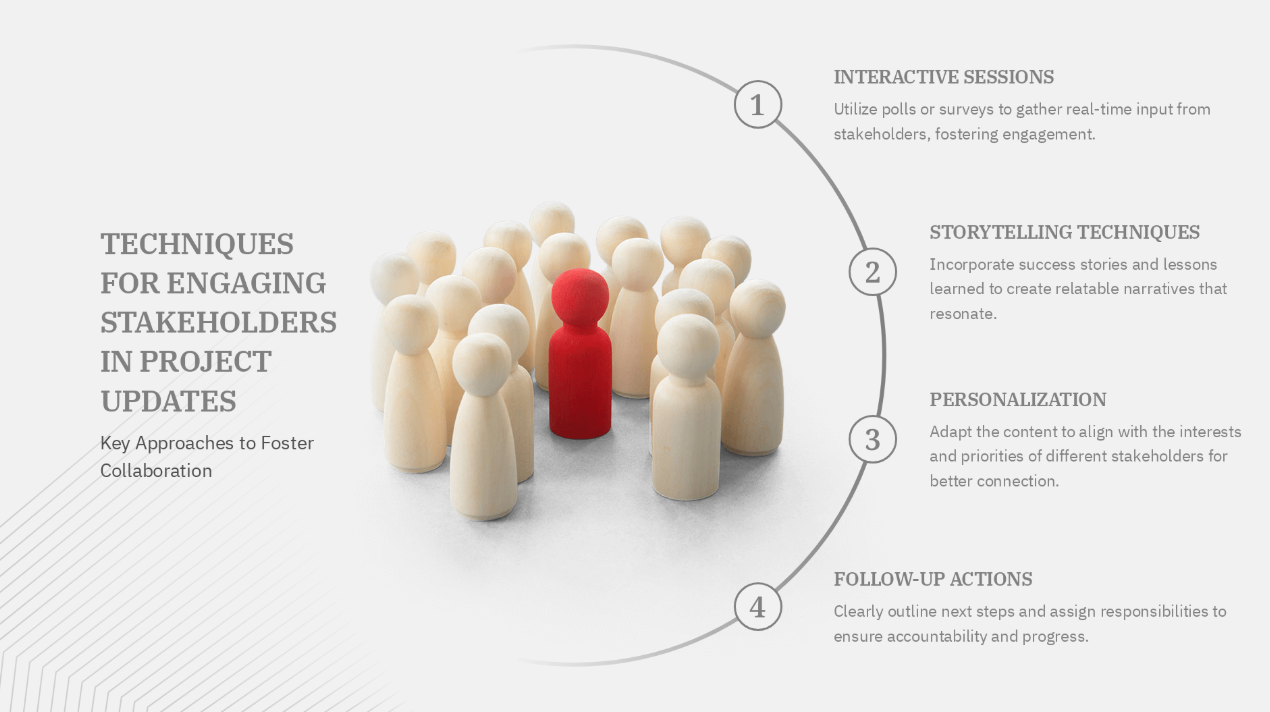
A project update tells stakeholders where things stand and flags anything that needs attention.
When is a project update used?
- Weekly or biweekly project status meetings for non-technical stakeholders
- Client check-ins and quarterly business reviews for customer success teams
- Board and investor updates on company performance
- Sprint reviews and retrospectives for agile teams
- Cross-functional syncs where one team reports progress to another
What makes a project update different?
The audience needs three things: what changed since the last update, what is at risk, and whether anything requires their decision.
Rebuilding project updates from scratch every week is the most common mistake here. That habit wastes more collective hours than any other in this category. Build one strong template, then refresh the data each cycle.
AI should remove this kind of work: rebuilding the same layout, reformatting the same metrics, and re-adjusting slides that already worked last week.
Ideal slide count
5 to 7 slides, and under 10 including any appendix. The McKinsey standard for status reporting uses focused decks under 10 slides, with a separate appendix for supporting detail. Many project managers have adopted the same structure in corporate settings. A tight status deck covers summary, progress against plan, key metrics, risks, decisions needed, and next steps.
Quick tips for getting a project update right
- Lead with risks before highlights. Surfacing problems early builds more trust than burying them at the end.
- Build one strong template and reuse it every cycle. Rebuilding from scratch each week is the single biggest time-waster in this format.
- Use traffic-light indicators in red, yellow, and green so the audience can assess status at a glance.
- Set up a branded update template in Presentations.AI using Brand Sync. Every update then carries your brand's colors and fonts without manual reformatting.
6. Training and Instructional Presentations
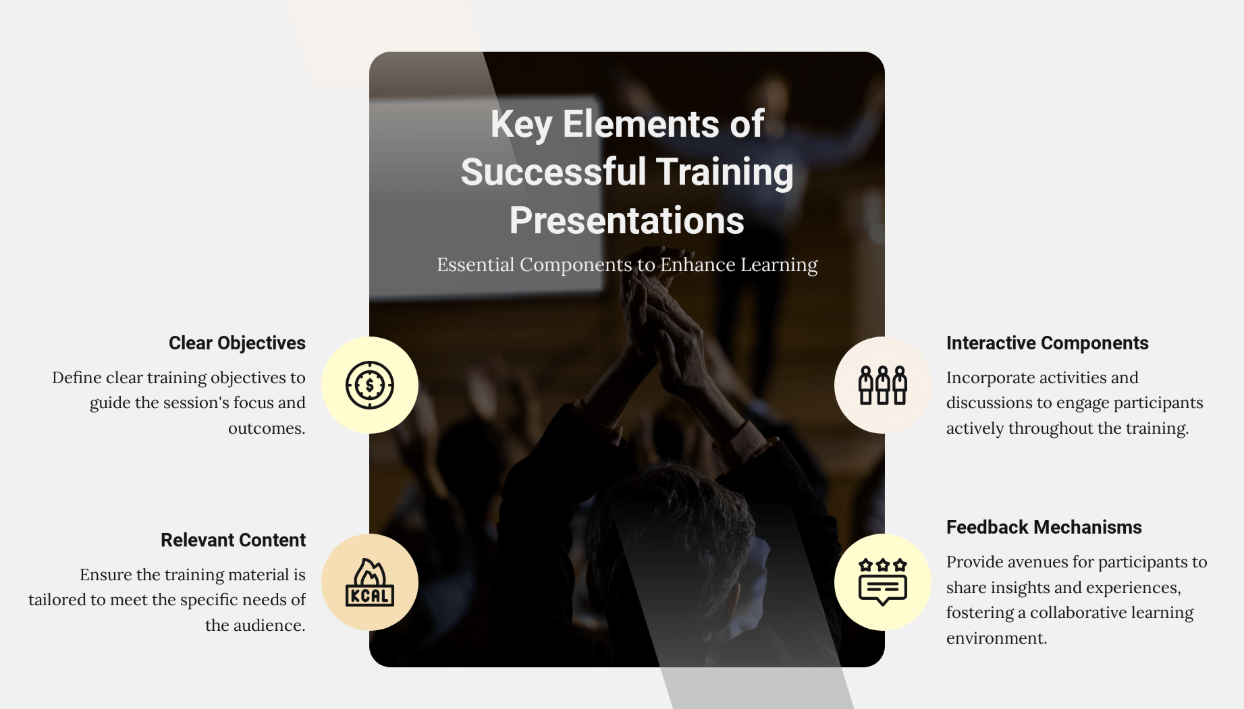
Training decks build capability so learners can do something new by the end.
When is a training deck used?
- New employee onboarding: tool walkthroughs, process introductions, policy overviews
- Customer training for new accounts or users after a product is purchased
- Internal process rollouts and software tutorials
- Product training and skills-based learning sessions
- Compliance training that employees must complete
What makes a training deck different?
Sequencing sets a training deck apart from other types. The content moves through steps and a process, which is why it overlaps with instructional and demonstrative presentations. Every slide answers two questions for the learner: what do I do at this stage, and how does it connect to what came before and what comes next?
Ideal slide count
Up to 20 slides for most topics. The number varies by subject, but the practical rule is one slide per step or concept, with an overview slide at the start and a summary at the end.
Training decks often start as process docs, SOPs, or support articles. Instead of copying that material slide by slide, use AI to turn it into a sequenced learning path with clear steps, examples, and recap slides.
Quick tips for getting a training deck right
- Show the process overview first, then drill into each step. Give learners the map before you walk them through the territory.
- Use annotated screenshots and numbered steps over bullet points wherever you can. People learn procedural tasks faster from visuals than from text descriptions of the same steps.
Other Common Types of Presentations Worth Knowing
The six formats above cover most of what business professionals build, and the wider category of presentation types includes several more worth recognizing. Most map back to the same six purposes: inform, persuade, teach, inspire, support a decision, or update.
Examples of Each Presentation Type
One concrete scenario for each type helps you recognize which category your own presentation belongs to. Use these mini-outlines as starting structures.
- Pitch deck (seed fundraising): Audience is angel investors. Desired outcome is a follow-up meeting or term sheet. Opening slide states the problem. Structure runs problem, solution, market, product, traction, business model, team, ask. CTA: "We're raising $1.5M to reach these milestones."
- Sales deck (enterprise proposal): Audience is a buying committee. Desired outcome is a signed contract. Opening slide reflects the buyer's current pain. Structure runs pain, cost of inaction, solution, proof, pricing, next step. CTA: "Book a pilot kickoff for next week."
- Executive deck (quarterly board review): Audience is the board. Desired outcome is an approved decision. Opening slide states the recommendation. Structure runs recommendation, evidence, options, risks, ask. CTA: "Approve the proposed budget reallocation."
- Keynote (annual kickoff): Audience is the whole company. Desired outcome is renewed energy and shared vision. Opening slide is a single bold statement. Structure runs story, tension, turning point, vision, call to action. CTA: "Here is the one thing we commit to this year."
- Project update (weekly status): Audience is stakeholders and managers. Desired outcome is alignment and decisions on blockers. Opening slide is a status summary. Structure runs status, progress, key metrics, risks, decisions needed, next steps. CTA: "We need a decision on the vendor by Friday."
- Training deck (employee onboarding): Audience is new hires. Desired outcome is a learner who can perform a task. Opening slide is a process overview. Structure runs overview, step-by-step walkthrough, examples, recap. CTA: "Complete the practice exercise before your next session."
How to Choose the Right Presentation Type for Your Audience
Choosing the right presentation type starts with one question, asked before you open any tool:
What should the audience do, think, or feel when this presentation is over?
Use the table as a starting point, then pressure-test your choice against these seven criteria.
Define the outcome
Name the single action, decision, or belief you want on the other side of the presentation. If you can state it in one sentence, you are ready to build.
Know your audience
Gauge how much your audience already knows and how much authority they hold. Investors, buyers, and boards each need different framing even when the topic stays the same.
Assess content complexity
Data-heavy material suits executive and technical formats. Emotional or vision-led material suits keynotes. Match visual density to the content, instead of to habit.
Consider time constraints
A five-minute slot and a forty-five-minute slot are different presentations. Slide count and depth should flex with the time you actually have.
Choose the right level of interaction
Decide whether the audience listens, participates, or decides. Interactive and workshop formats need built-in prompts, while keynotes and updates usually run without them.
Match the setting
Virtual, in-person, and hybrid delivery each change slide density and pacing. Design for the room you will actually present in, and plan how you will handle Q&A there.
Plan the next step
Every type ends with a call to action. Make it specific: approve, book, decide, or invest.
Run through this checklist before you build: objective, audience, decision required, content complexity, emotional tone, time available, interaction level, delivery environment, and next step.
If your answer spans more than one category, you may be looking at a hybrid. The usual fix is to split your presentation into two clearly labeled sections, each following the structural rules of its type. Signpost the transition instead of blending them into one narrative. Unlabeled hybrids are where confusion lives.
How Presentations.AI Handles All Types of Presentations
Presentations.AI builds a different structure for each presentation type. A board deck should feel different from a keynote. A sales deck should read differently from a training manual. And a project update should carry over from cycle to cycle instead of being rebuilt each week.
With Presentations.AI, the process runs the other way around. You tell the AI what kind of presentation you are building and add your source material. It turns that input into a structured first draft with the right narrative, layout, and tone for that type. You start with a deck that already understands its job.
The advantage goes beyond speed. You start from a narrative that fits the audience instead of a blank set of slides you have to organize by hand.
Here is what that looks like in practice:
- Pitch deck: The AI builds the investor narrative from problem to solution to market size, then through traction, team, and the ask. It keeps the slide count near the 12-slide mark that data shows investors finish.
- Sales deck: Describe your product and the problem it solves. You get slides built around the prospect journey, with layouts designed for buyer-centric storytelling over feature lists.
- Executive or board deck: The AI structures the recommendation first, then places supporting evidence and options in the slides that follow. That matches the decision-first format senior audiences respond to.
- Keynote: Generate a story-first slide structure with minimal text and full-bleed layouts for live presentation. The result stays sparse by default.
- Project update: Apply Brand Sync to a recurring template so every update carries consistent formatting. Set it up once and refresh the data each cycle, instead of rebuilding the same deck every week.
- Training deck: Drop in your process documentation and let the AI structure it into a sequenced module with layouts suited to step-by-step instruction.
For recurring decks like project updates, QBRs, and board reports, the value compounds. You refresh the story, data, and formatting from a structure that already works instead of rebuilding every cycle.
All six types export to PowerPoint, share with access controls, and track engagement after they go out. You can start with any of these deck types in Presentations.AI. Try for Free, no credit card required.
Conclusion
Choosing the right type of presentation is the first strategic decision, and it drives everything after it: slide count, text density, and the call to action you close on. Pitch decks raise money, sales decks convert buyers, and executive decks enable decisions. Keynotes inspire, project updates keep stakeholders aligned, and training decks build capability.
Start with the outcome you need, match it to the type that fits your audience and setting, then build the structure that type demands. Once you know the job the deck has to do, you can go from a blank slide to a stakeholder-ready draft in minutes.






