



Key takeaways
- Prezi's free Basic plan lets you create basic presentations that can be published online with a watermark.
- Paid plans range from Plus at $6 per month (billed monthly) to $4 per month (billed annually). The Premium and Teams plans at $7 and $39 per month, respectively, require an annual commitment.
- PowerPoint exports break. Prezi's signature zoom effects are stripped from .pptx files, leaving you with flattened, often broken layouts that don't hold up in stakeholder-ready decks.
- Brand kit is locked behind Teams ($39 per month). This means you can’t create a brand kit with your colors, fonts, and logos unless you fork out $39 per month.
- Collaboration requires the Teams tier, which is $39/mo per seat. Individual plans don't include admin controls, and if a team member leaves on an individual license, their content may go with them.
- Presentations.ai offers a free Starter plan with no credit card required, unlimited users, unlimited conversational AI, automatic brand sync, and more.
Introduction
If you’ve landed here, it means you're looking at Prezi pricing because you need to decide whether to commit or whether the cost actually matches what you'll get out of it. Prezi has been around since 2009, and its zooming canvas was genuinely novel back then.
But in 2026, "novel" doesn't close deals or survive a CFO's budget review. The pricing structure does matter, and Prezi's has gotten complicated enough to warrant a closer look.
Here's the problem: Prezi's pricing page gives you tier names and monthly numbers, but it doesn't tell you what happens when you export that carefully crafted zoom presentation to PowerPoint, and half the layout breaks. Those details live in the fine print, in support articles, and in the frustration of users who've already committed.
This breakdown covers all Prezi plans so you can make a clear-eyed decision. We'll also show you where Presentations.ai fills the gaps Prezi leaves open, especially if you need presentations that work in real business workflows: clean exports, automatic branding, and AI that doesn't run out of credits mid-quarter.
Let's start with what Prezi actually is and how it works, because the pricing only makes sense once you understand the core product mechanic.
Prezi Overview
Prezi is a cloud-based presentation platform built around a non-linear, zooming canvas. Instead of clicking through slides one by one, you navigate a single large canvas, zooming in and out of topics, subtopics, and details. It was designed for storytellers, educators, and speakers who wanted more visual dynamism than PowerPoint or Google Slides could offer. The company also offers Prezi Video (for overlaying visuals on webcam feeds) and Prezi Design (for infographics), though the core presentation tool is what most users evaluate.
For teams, Prezi offers centralized billing, admin controls, and content ownership that stays with the organization, but only on the Teams plan at $39/mo per seat. On individual plans, your presentations are tied to your personal account. If someone leaves, that content can leave with them. It's a structural issue that matters more than most teams realize until it's too late.

Prezi Pricing Plans and What You Get
Here's where the numbers get real. Prezi runs a five-tier pricing structure for individuals, with separate Teams and Enterprise tiers layered on top. Annual billing cuts costs roughly in half compared to monthly, but even the discounted rates add up when you factor in what's actually gated behind each tier.
Plans at a Glance
| Plan | Monthly Billing | Annual Billing (per month) | .pptx Export | Brand Kit | Collaboration Controls |
|---|---|---|---|---|---|
| Basic | Free | Free | No | No | No |
| Plus | $6/mo | $4/mo | Yes (zoom stripped) | No | No |
| Premium | NA | $7/mo | Yes (zoom stripped) | No | No |
| Teams | NA | $39/mo | Yes (zoom stripped) | Yes | Yes |
Basic (Free)
Prezi's free plan lets you create presentations, but the restrictions make it impractical for real work. All presentations are public with no privacy controls, everything is watermarked, and there's no PDF export, no PowerPoint import, and no offline access. AI credits are not included on the free plan at all — those start at the Standard tier ($7/month). If you're evaluating Prezi, Basic lets you experience the zooming canvas, but you're not seeing the full product.
Plus ($6/mo)
This is where most individual users land. Plus unlocks the bulk of Prezi's feature set: AI presentation generation, image generation, file import from PDF and PowerPoint (100 credits), watermark-free output, video presentations, desktop app access, offline editing, and PDF export.
You also get manual brand color themes: useful, but you have to configure everything yourself. The templates, while improved over Basic, are frequently described by users as dated compared to what modern AI tools generate natively.
Teams ($39/mo per seat)
Teams is where Prezi becomes viable for organizations. You get admin controls, centralized billing, organizational content ownership (presentations stay with the company, not the individual), and collaboration features.
The price jump from individual Plus to Teams is significant, especially if you're onboarding five or more seats. You also need to factor in the price for two seats (minimum commitment).
But the alternative is worse: on individual plans, if a team member leaves, their presentations leave with them. There's no clean handoff mechanism. For any company with more than two people creating decks, Teams is effectively mandatory, and the cost scales linearly per seat with no published volume discounts.
How AI Works in Prezi
Prezi's AI isn't a single feature; it's a bundle of capabilities, each rationed through a credit system that determines how much you can actually use before hitting a wall.
What the AI Actually Produces
Prezi's AI can generate a presentation from a text prompt, convert an uploaded file into Prezi's zooming canvas format, generate images, and remove backgrounds. It does not offer conversational iteration. You can't tell the AI to "make the third section more concise" or "swap the layout to two columns" after generation. It's a one-shot tool: generate, then manually edit.
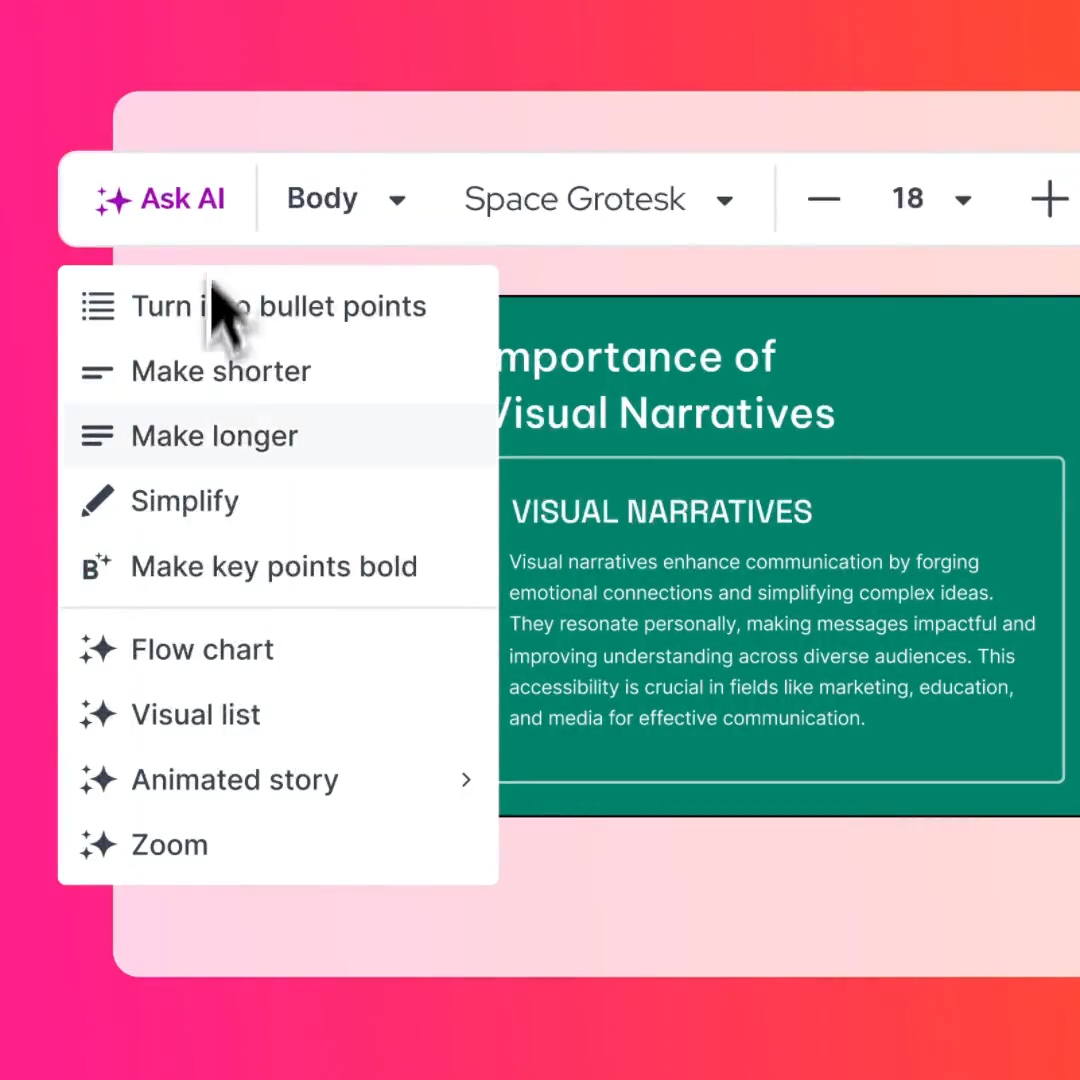
There's also no smart layout adaptation. If you feed the AI a dense PDF, the output maps the content onto the zoomed canvas, but it doesn't intelligently restructure the information for visual clarity. You're getting a conversion, not a redesign. And because the output lives on Prezi's non-linear canvas, the moment you export to .pptx, the AI's work loses the zoom effects that made it visually distinct in the first place.
How Prezi Stacks Up Against the Competition
Prezi's pricing makes a specific bet: that the zooming canvas experience is worth a premium, even when that experience doesn't survive export, even when the AI runs on a credit meter, and even when brand control means manual setup.
For a niche of presenters who deliver exclusively inside Prezi's ecosystem: educators, conference speakers, anyone who never needs to send a .pptx, that bet can pay off. The visual storytelling genuinely stands out in a live room.
But most business users don't live in that niche. They need decks that make it through to a client's inbox. They need branding that's consistent without a 20-minute setup ritual. They need AI that doesn't tap out in week six of a quarter. When you measure Prezi's pricing against what modern AI-native platforms deliver at the same or lower cost, the gaps become hard to justify, especially once you've seen what a purpose-built alternative actually looks like.
How This Compares to Presentations.ai
The contrast is structural, not just cosmetic. Presentations.ai uses Clip-E, a conversational AI assistant that handles end-to-end presentation creation and ongoing iteration. You can generate a deck from a prompt, a PDF, a Word doc, a URL, or raw pasted text. Then you can refine it through conversation: "Tighten the value prop on slide three," "Add a competitive comparison table," "Match this to our brand." Clip-E responds and updates the deck in real-time.
There are no credit caps on the Starter plan. You don't hit a wall at presentation #150 and wait for your billing cycle to reset. The AI scales with your workload rather than gating your output behind a counter.
Brand Sync eliminates the manual brand setup that Prezi requires for Plus and above plans. Drop in your company URL, and Presentations.ai auto-extracts your colors, fonts, and logo, which are applied consistently across every slide. No style guide lookup, no hex code entry, no hoping someone on your team remembers the right shade of blue.
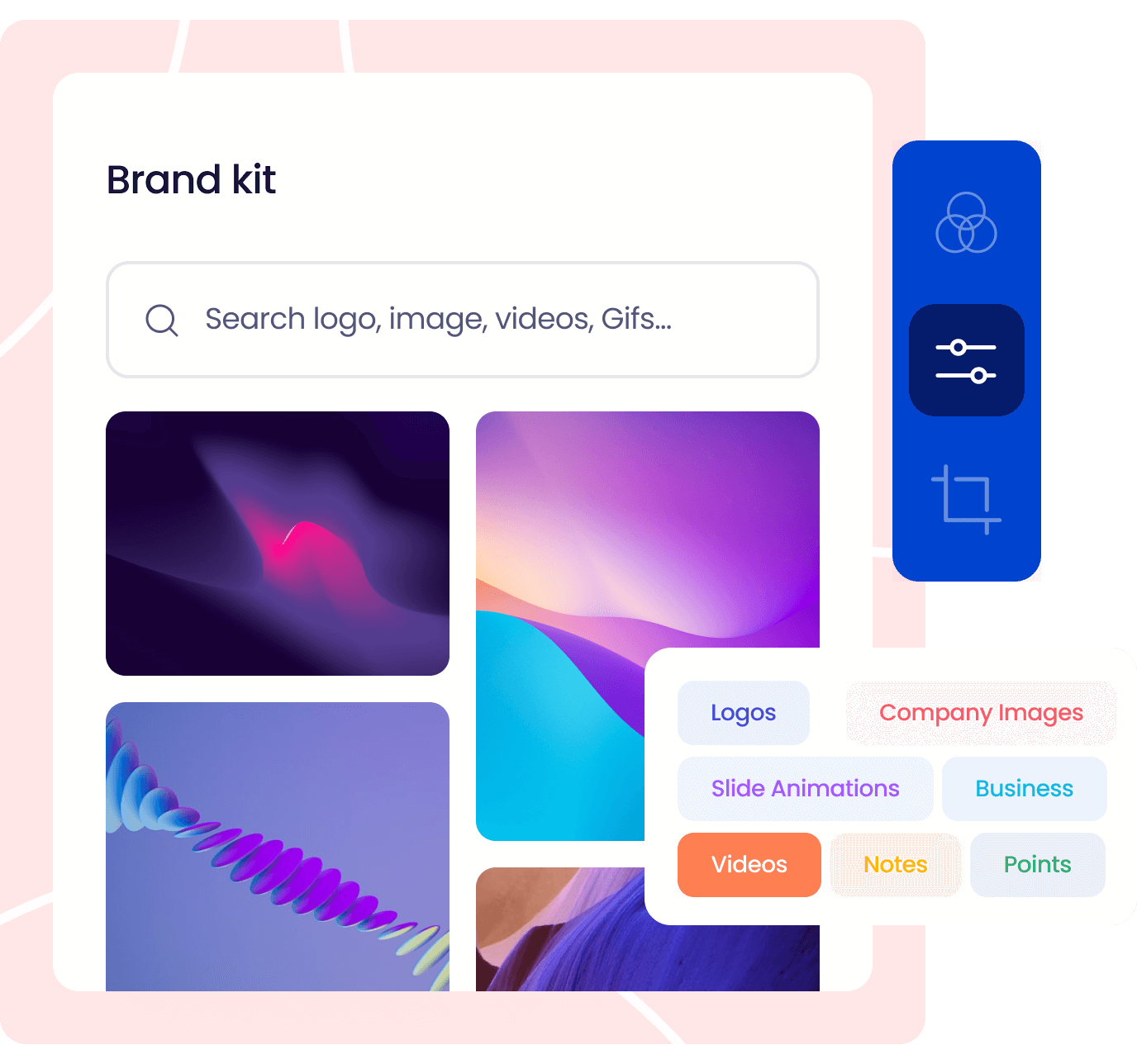
And the output holds up—Presentations.ai exports to clean .pptx with full layout fidelity, no stripped effects, no broken positioning. The deck you build is the deck your stakeholder opens in PowerPoint. For teams that need SOC 2 Type II compliance (available on Pro and above), the security layer is built in, not bolted on.
Presentations.ai Pricing
| Plan | Price | Key Inclusions |
|---|---|---|
| Starter | Free | Unlimited users, AI-powered creation via Clip-E, Brand Sync, multi-format input (prompt, PDF, Word, URL, text), clean .pptx export, anti-fragile templates, analytics, and tracking |
| Pro | $240/year | Everything in Starter + advanced features, priority support, SOC 2 Type II compliance, expanded analytics |
| Enterprise | Custom | Everything in Pro + dedicated onboarding, custom integrations, volume licensing, SLA-backed support |
Notes:
- Starter requires no credit card and has no user cap. Your entire team can use it from day one.
- Pro works out to $20/month when billed annually, less than Prezi's Teams plan and with no AI credit limits.
- Enterprise pricing is quote-based and scales with organizational needs.
For a more in-depth comparison between Prezi and Presentations.ai, read our comparison page.
The Starter plan is free, requires no credit card, and supports unlimited users. Start free here.
Prezi vs Presentations.ai: Which Offers Better Pricing?
When you compare these two platforms line by line, the pricing story becomes clear — and it's not just about the sticker price.
Headline Price
Prezi's most popular individual plan (Plus) costs $6/month, while Teams jumps to $39/month. Presentations.ai's Starter plan is free with no credit card required, and Pro comes in at $240/year ($20/month), less than Prezi Plus on monthly billing, with meaningfully more capabilities.
Brand Control
Prezi offers brand kit capabilities only on Teams. You configure it yourself, and there's no automatic extraction from your brand assets. Presentations.ai's Brand Sync is available on the free Starter plan. Enter a URL, get your brand applied. The gap here isn't incremental; it's the difference between a manual task you repeat and an automated system that handles it once.
Document Import
Prezi gives Plus users 100 file import credits per billing cycle. If you regularly convert client briefs, internal reports, or existing PowerPoint decks into Prezi format, you'll burn through that allocation. Presentations.ai accepts PDFs, Word docs, URLs, and raw text on every plan: no credit counter, no artificial ceiling.
Export Reliability
This is the make-or-break comparison for most business users. Prezi's .pptx export strips zoom effects and frequently produces broken, misaligned layouts. The deck you built inside Prezi is not the deck your client opens in PowerPoint. Presentations.ai exports clean .pptx files with full fidelity. What you see in the editor is what opens in PowerPoint, Keynote, or Google Slides. If your workflow ends in .pptx, this alone justifies the switch.
How to Choose the Right Plan
Whether you’re just evaluating Prezi alternatives or you need professional decks, Presentations.ai is worth a look. Here are situations where it’s a great fit.
You're Just Exploring Options Before You Commit
Start with Presentations.ai Starter (free, no credit card). You'll get full access to Clip-E, Brand Sync, multi-format input, and clean .pptx export — enough to build a real deck and evaluate the output quality against what you'd get from Prezi's paid tiers. Prezi's Basic plan is view-only, so if you want to actually test the product, you'd need to start a 14-day trial on a paid plan (a credit card is required). Presentations.ai lets you test indefinitely on a genuinely functional free plan.
You Create Decks Every Week: Sales, Consulting, Marketing, Internal Comms
Presentations.ai Pro ($240/year) is built for this workload. No AI credit caps means you won't hit a wall during a busy sprint. Prezi's Plus or Teams plans can support weekly production, but the manual branding and export issues create friction that compounds over time. At $39/month for Prezi Teams versus $20/month for Presentations.ai Pro, the math is straightforward.

You Need a Team Workflow: Multiple Contributors, Centralized Control, Compliance
Presentations.ai Pro or Enterprise handles team workflows without the per-seat tax that Prezi requires. The Starter plan already supports unlimited users, so your team can collaborate from day one without upgrading. Pro adds SOC 2 Type II compliance for regulated industries. Enterprise adds dedicated onboarding, custom integrations, and SLA-backed support. Prezi's Teams plan at $39/month per seat means a five-person team costs $195/month, more than a full year of Presentations.ai Pro. And with Prezi's individual plans, content ownership stays with the user, not the organization. One departure and you're chasing down deck access.
Making the Right Choice for Your Company
Prezi built something genuinely creative with the zooming canvas. If your use case is live presentations delivered exclusively inside Prezi: conference keynotes, classroom lectures, interactive storytelling, and you never need to export, never need automatic branding, and can work within credit limits, the platform delivers a unique visual experience that's hard to replicate elsewhere.
But that use case is narrow. Most teams evaluating Prezi pricing in 2026 need presentations that work in the real-world business stack: PowerPoint exports that don't break, branding that's consistent without manual effort, AI that scales with their output, and collaboration that doesn't require a $39/seat upgrade.
How Prezi Compares to the Alternatives
- Beautiful.ai starts at $12/month (Pro, billed annually) with no free plan. It delivers polished, automated slide design but locks brand controls and collaboration behind the $40/user/month Team plan. Better PowerPoint export than Prezi, but the same steep jump between individual and team pricing.
- Canva offers a genuinely useful free tier and a Pro plan at $15/month. It covers presentations alongside social media, marketing materials, and other content formats. More design flexibility than Prezi, broader use case, but less specialized for business presentation workflows.
- Presentations.ai includes a free multi-user Starter plan with no credit card required. Brand Sync, Clip-E, and clean .pptx export are available from the first paid tier at $240/year. Built specifically for business presentation output rather than general design or live visual storytelling.
The clearest way to decide is a direct test with your own content. Take a deck you need to build this week and create it in whichever tool you're seriously evaluating. Note the export quality, the brand setup time, and how far your AI credits go. The outputs will tell you more than any pricing page.
Run that test for free. If the output speaks for itself, the pricing decision makes itself.
Build your next deck with AI that doesn't cap out, branding that applies itself, and exports that actually work in PowerPoint.
(No Credit Card Required)






