


TL;DR
- Presentations.AI suits business teams that turn raw inputs into brand-consistent, editable .pptx decks. It skips manual cleanup and replaces the designer.
- Choosing the right tool comes down to three questions. Start with output format and team size. Then weigh how strict your brand consistency needs to be.
- For a five-person team, annual pricing ranges from free to over $1,800. The figure depends on the tool and plan you select.
- Free tiers vary widely. Some deliver a full workflow. Others gate exports and collaboration behind paid plans.
- PowerPoint export fidelity separates client-ready tools from the rest. Several popular AI makers break layouts the moment you export.
Quick Verdict: The Best AI Presentation Makers in 2026
The best AI presentation maker in 2026 is Presentations.AI for teams that need branded, export-ready PowerPoint decks. Gamma is best for web-native sharing. Canva suits template-heavy design workflows, Beautiful.ai fits design-averse teams, and Prezent.ai handles enterprise brand governance.
You have scattered notes and a deck due soon. The right AI presentation maker should turn that mess into a polished, brand-ready presentation. The goal is a finished deck instead of another draft you rebuild. Here's the problem most teams run into. The AI deck looks good in the browser. The moment someone asks for the PowerPoint file, the cleanup begins. Text shifts. Fonts disappear. Layouts break. And suddenly the "AI shortcut" becomes another manual slide rebuild.
The real test goes beyond whether a tool can generate slides. Most can. The test is whether it stays with you through the full workflow. A strong tool reads your source material and structures the story. It then applies your brand and exports a file your team can use. We evaluated 12 tools across six dimensions, from AI generation quality to total cost of ownership.
What Is an AI Presentation Maker?
An AI presentation maker is software that turns plain-language prompts or existing content into structured, designed slides automatically. Instead of opening a blank slide and building each one by hand, you describe what you need, or hand the tool a document. It generates a first draft complete with layout and visuals.
These tools differ from traditional presentation software like PowerPoint or Google Slides in one key way. The software makes the design and structuring decisions for you. A traditional editor gives you full manual control over every element. An AI presentation maker handles the formatting and visual work, so you focus on the message instead of the mechanics.
Most AI presentation makers accept several input types:
- Text prompts: A one-line description of the deck you need.
- Documents: A Word doc, PDF, or report the tool converts into slides.
- Outlines: Bullet points or a rough structure the AI expands.
- URLs: A web page the tool reads and turns into a deck.
- Existing slides: A starting deck the AI restyles or restructures.
The practical value is speed and consistency. A business professional who starts with scattered inputs like CRM notes and campaign data can reach a polished narrative in minutes instead of hours. No design team required.
Why Use an AI Presentation Maker?
Save Time on First Drafts
The blank slide is the slowest part of any deck. AI generation replaces it with a usable draft in minutes. Your time then goes into refining the message instead of building structure from scratch.
Improve Design Quality
Purpose-built tools apply professional layout and typography automatically. Non-designers get output that looks intentional instead of assembled. That matters when the deck goes in front of a client or board.
Maintain Brand Consistency
Brand controls apply your visual identity across every slide. For teams producing client-facing decks at volume, automated brand enforcement removes the drift that creeps in when everyone builds decks their own way.
Turn Existing Content Into Slides
Document and URL import means a report or web page becomes a starting deck instead of something you rewrite as a prompt. This is where AI presentation makers save the most time for business teams.
Collaborate Faster
Real-time editing and shared workspaces let teams build and review decks together. This replaces the version chaos of emailed files.
Reduce Manual Export Cleanup
The best tools export clean .pptx files that hold their formatting. That single capability separates a genuine time-saver from a tool that quietly adds a rework step at the end.
What Makes the Best AI Presentation Maker?
Before comparing individual tools, it helps to know what actually matters. Use this buyer-facing checklist to evaluate any AI presentation maker against your workflow:
- AI generation quality: Is the first draft genuinely usable, or just scaffolding you rebuild?
- Narrative structure: Does the tool sequence a coherent argument beyond filling slides?
- Design automation: Are layouts professional by default and free of manual formatting?
- Brand controls: Can you enforce colors, fonts, and logos across every deck automatically?
- Editable output: Can you change anything after generation with ease?
- Export fidelity: Does the .pptx hold up when opened in desktop PowerPoint?
- Collaboration: Real-time editing, comments, and access controls for teams.
- Analytics: Can you track how a deck performs after it's shared?
- Security and compliance: SOC 2, GDPR, and clear data-ownership terms.
- Pricing transparency: Clear plans and honest free tiers at real team scale.
- Support for existing files: Can you import PDFs, Word docs, and URLs?
How Much Do AI Presentation Makers Cost?
Pricing in this category rarely comes down to the headline number. What matters is the real cost at team scale. You also hit hidden limits when you need collaboration and brand controls. A clean export can cost extra too. Common pricing models include per-user subscriptions and AI-credit caps. Vendors also charge for export limits and watermark removal. Some add paid collaboration seats.
Here is what the tools reviewed below cost for a five-person team over 12 months, based on each tool's entry paid plan on annual billing.
Best AI Presentation Makers at a Glance
Here is how all 12 tools stack up across the dimensions that matter most at the point of purchase.
How We Tested and Scored the Best AI Presentation Makers
We compared 12 AI presentation tools over 5 weeks in early 2026, using each tool on the plan most relevant to a small- to mid-sized team. Pricing was verified from each tool's pricing page. To make results comparable, we ran the same messy inputs through every tool. These included rough notes and a strategy doc. We also added a PDF report and a company URL. This is the source material business teams start from.
The six dimensions were:
- AI generation quality: How strong the first draft is from a plain-language prompt
- Editing control: How much you can change after the AI is done
- Export fidelity: Whether the .pptx file holds up when opened in PowerPoint
- Brand automation: How much manual work is needed to match your visual identity
- Collaboration: Real-time editing, sharing, and access controls
- Total cost of ownership: Per-user pricing scaled to a 5-person team over 12 months
Presentations.AI is our product, and we've ranked it first because we believe it earns that position on the criteria above. We've also been specific about where it falls short, because a list that glosses over weaknesses fails anyone making a real buying decision.
Same-Prompt Test: How We Compared Output Quality
To keep the comparison honest, we gave every tool the same benchmark prompt and judged the result on the same criteria. The prompt:
"Create a 10-slide investor pitch deck for a B2B SaaS startup, covering problem, solution, market size, traction, business model, and financials. Match our brand from our company URL."
We judged each output on first-draft usability and clean PowerPoint export. We also measured the estimated manual cleanup required before the deck was client-ready.
The 12 Best AI Presentation Makers Reviewed
We cover what each tool does best and where it falls short. We also name who should choose it.
1. Presentations.AI: Best for Turning Messy Inputs Into Brand-Ready Decks
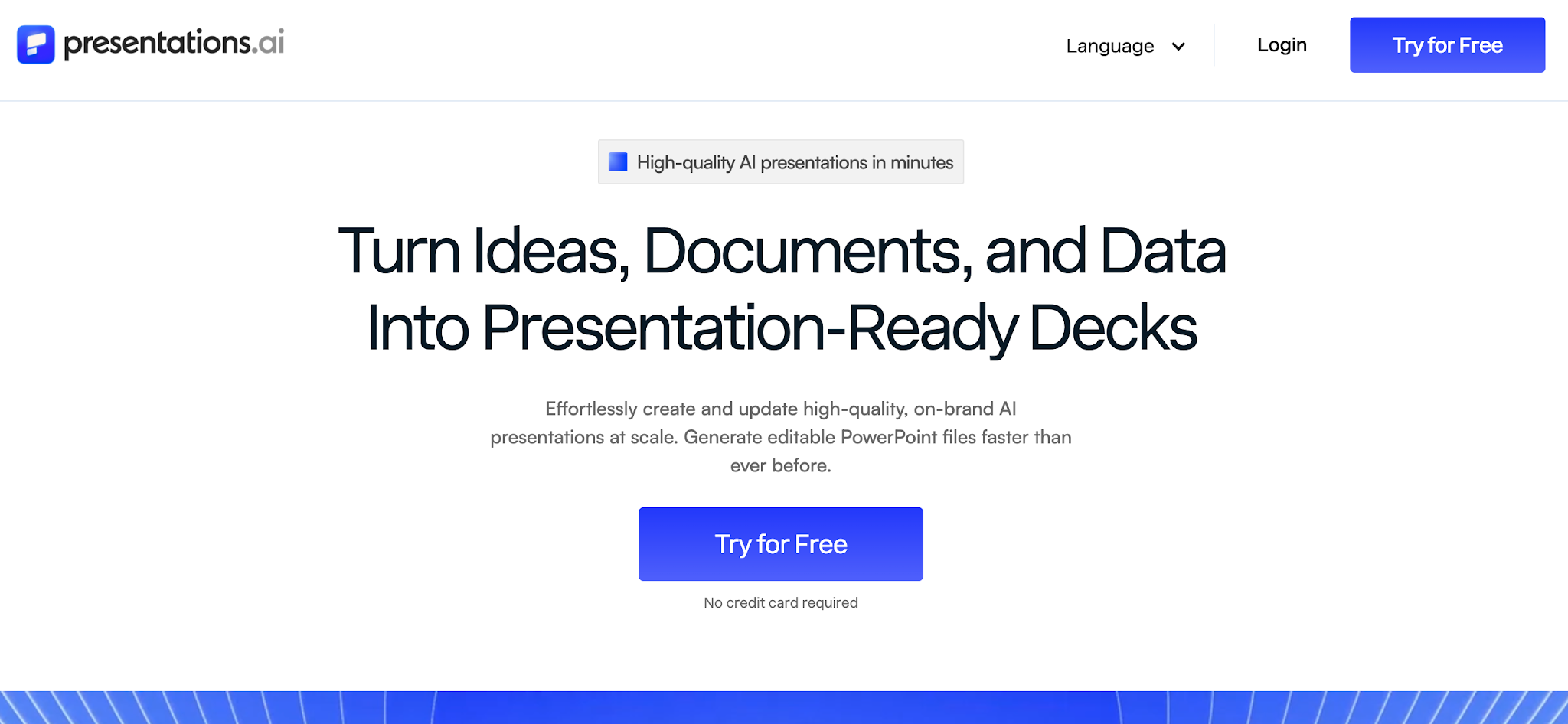
Presentations.AI is built for the full presentation workflow: turning rough inputs into a structured, branded deck. Clip-E, its conversational AI agent, does more than generate a first draft. It structures the story and builds the slides. Then it applies the design and revises the deck in context. You describe what you need. Clip-E generates a full slide structure and populates the content. It applies your design at the same time. Then you keep talking to it. Move the revenue slide up. Add a competitive table. Make this more visual. It iterates in context. You skip the manual dragging and menu hunting that other tools leave you with after a rough draft.
Brand Sync is the other standout feature. Point it at your company URL. It extracts your brand colors and logo, then applies them to every slide.
You skip the brand-kit upload. You skip the hex codes. The logo lands correctly on slide 14 on its own. For lean teams producing client-facing decks, this alone saves significant time per deck.
The tool also accepts multiple input formats. It reads prompts, PDFs, and Word docs. It also accepts URLs and pasted text. Your existing content becomes a starting point instead of something you rewrite as a prompt.
G2 Rating: Newer platform with limited reviews at this time.
Presentations.AI Pros:
- Prompt-to-deck workflow that produces genuinely usable output instead of a rough draft you rebuild from scratch
- Brand Sync applies your visual identity to every deck with zero manual setup
- Anti-fragile templates that hold their design integrity when content changes
- Clean PowerPoint export that preserves formatting on the other end
- Accepts multiple input formats: prompt, PDF, Word doc, and URL
- Real-time sharing with access controls and built-in analytics
Presentations.AI Cons:
- Template library is still growing compared to more established tools
Presentations.AI Pricing:
Free Starter plan. Pro at $240/year. Team and Enterprise plans available.
Presentations.AI is Ideal for:
B2B teams, consultants, sales leaders, marketers, and founders. Anyone who turns notes, reports, CRM data, or strategy docs into brand-consistent, export-ready decks fast.
Visit Presentations.AI or explore the AI presentation maker and tools.
Need a client-ready deck from messy notes or docs?
Try Presentations.AI and see how quickly you can go from source material to a branded, editable deck.
(No credit card required)
2. Gamma: Best for Web-Native Internal Sharing
Use it when: You need a fast, polished web link for internal updates and async briefs.
Avoid it when: Someone in your workflow needs a clean, editable PowerPoint file.
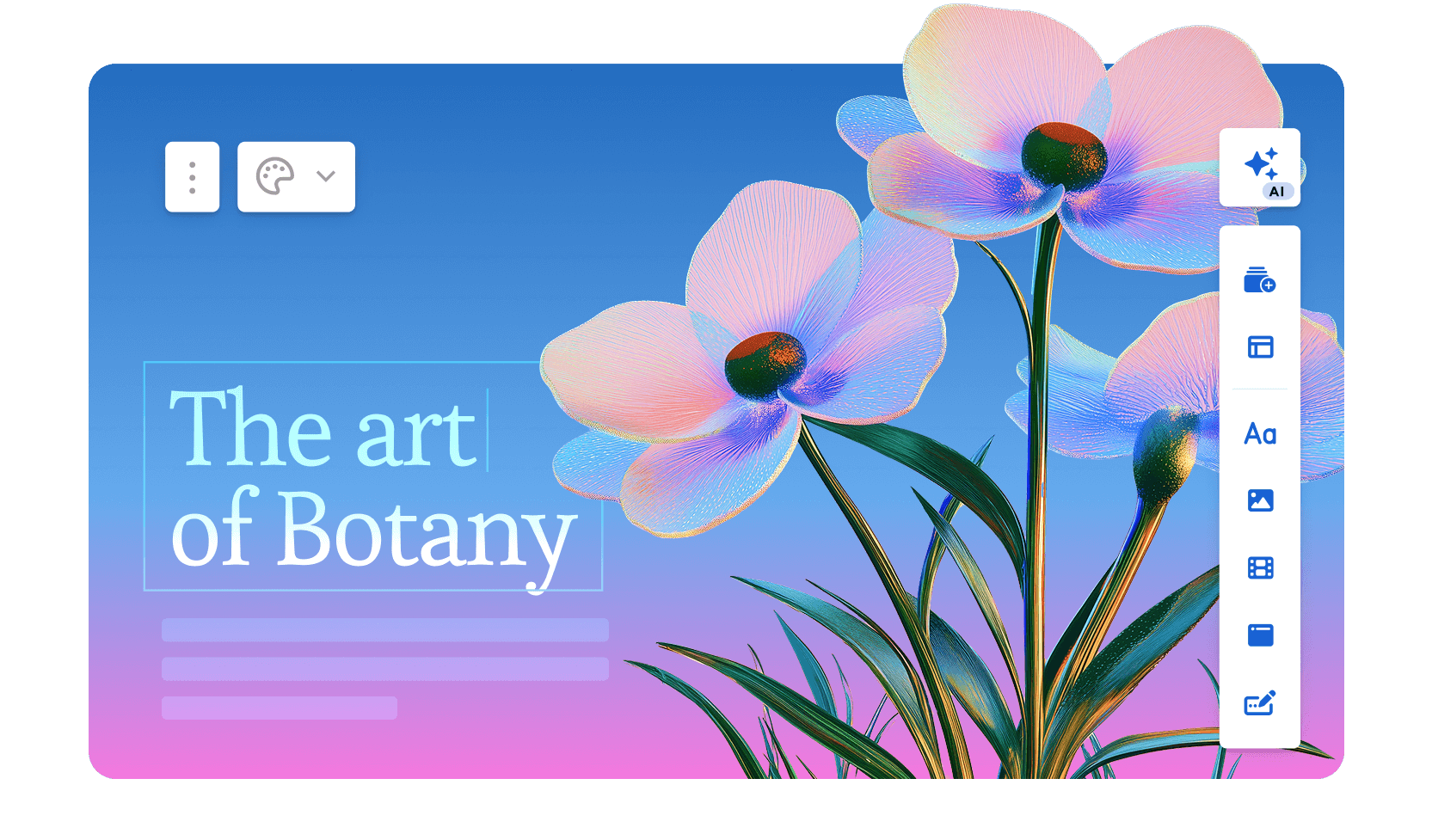
Gamma is fast when the final output is a web link. The problem starts when the workflow moves back into PowerPoint. The platform serves over 70 million users and generates roughly 700,000 pieces of content per day. It integrated ChatGPT in early 2023, and usage grew sharply after that. The 2026 Gamma 3.0 release introduced the Gamma Agent. This AI assistant researches the web and restyles entire decks. It also incorporates links or screenshots you drop into the conversation.
Gamma generates scrollable, web-native card decks instead of traditional slides. First-draft quality is strong, and the AI handles image selection automatically. You can go from prompt to shareable link in under a minute.
The free tier skips the credit card and serves occasional users well. Gamma achieved SOC 2 Type II certification in October 2025 and offers GDPR and CCPA compliance on Team and Business plans.
The hard limit remains the output format. Gamma's decks are web pages instead of slides. When you export to .pptx, layouts break and the card structure fails to map onto fixed slide dimensions.
If anyone in your workflow opens the file in PowerPoint, Gamma creates more rework than it saves.
G2 Rating: 4.1/5
Gamma's Pros:
- Fast prompt-to-deck generation; most standard decks are ready in under a minute
- Genuine free plan that skips the credit card
- Web-native output looks polished by default
- Viewer analytics on paid plans
Gamma's Cons:
- PowerPoint exports frequently break formatting, with overlapping text boxes and missing fonts
- AI credit limits create friction for regular users; Plus plan users realistically hit the ceiling quickly
- Brand enforcement stays manual at the workspace level
- AI steps back after the first draft; conversational iteration and document import are absent
Gamma's Pricing:
Free tier available. Plus at $9/month. Pro at $18/month (annual).
Gamma is Ideal for:
Internal teams sharing updates and briefs via links, where the file stays out of PowerPoint.
If you're interested in a deep dive, head to our page that compares Gamma and Presentations.AI in depth.
3. Canva: For Quick Templates & Designs

Use it when: Your team already lives in Canva and your final deliverable is a PDF or a Canva share link.
Avoid it when: You need AI that structures a narrative or a clean, editable .pptx for complex layouts.
Canva ranks among the largest design platforms in the world, ending 2025 with over 265 million monthly active users. It also reports 31 million paying subscribers and $4 billion in annual recurring revenue. For presentations specifically, Canva's AI features, including Magic Design for layout generation and Magic Write for AI-assisted copy, sit atop a massive template library of over 4.5 million designs.
The collaboration features are genuinely mature, and the Brand Kit on paid plans keeps output consistent across teams. If your team already uses Canva for other content, adding presentations to the same workspace is seamless.
The AI layer is shallower than purpose-built presentation tools. It generates layouts and fills text, but it stops short of restructuring your narrative or iterating conversationally.
And .pptx export requires manual cleanup for complex layouts. Canva works best when your final deliverable is a PDF or a Canva share link instead of an editable PowerPoint file.
G2 Rating: 4.7/5
Canva's Pros:
- Enormous template and asset library that covers almost every use case
- Strong free tier with genuinely useful features
- Easy sharing and collaboration across teams
- Brand Kit on paid plans keeps output consistent
Canva's Cons:
- AI generation is less sophisticated than dedicated AI presentation tools
- Too much flexibility can mean more decisions instead of fewer; the tool leaves you to reach a finished deck on your own
- Built for general design instead of presentation workflows
Canva's Pricing:
Free plan available. Pro at $144/year per user.
Canva is Best for:
Teams already embedded in Canva whose final deliverable is a PDF or a Canva share link instead of a .pptx file.
If you're interested in a deep dive, head to our page that compares Canva and Presentations.AI in depth.
4. Beautiful.ai: Best for Teams With No Designers
Use it when: You want design consistency enforced automatically and are happy staying on the template grid.
Avoid it when: You need to override layouts or rely on deep AI content generation.
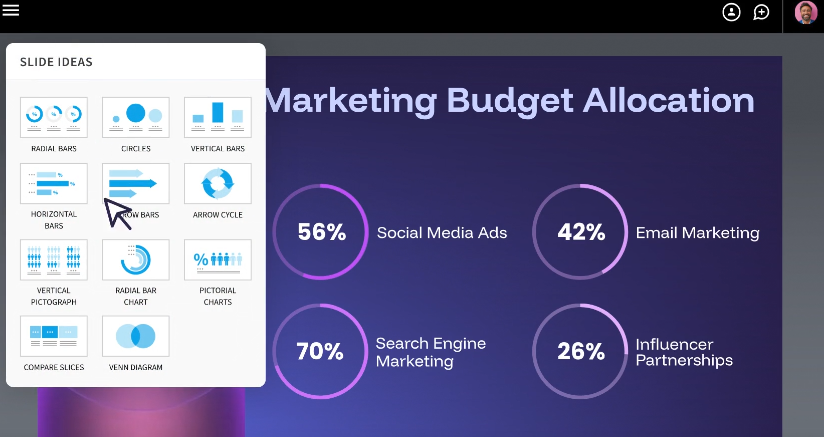
Beautiful.ai was built around a single insight. Most people making presentations lack design training, and the tool spares them from thinking like a designer. The Smart Slides system adjusts layout and spacing as you add or remove content. It eliminates the formatting decisions that eat up time in PowerPoint.
The result is that output consistently looks professional regardless of who built it. Over 50,000 teams use the platform. G2 reviewers rate it 4.7 out of 5 across nearly 200 reviews. They cite ease of use and design quality most frequently.
The AI works as a layout and drafting assistant instead of a content engine. It generates a deck from a prompt and helps polish copy. It stops short of researching topics or pulling in external data. It also skips conversational iteration once the first draft is done.
The 2026 addition of DesignerBot improved initial generation quality. The platform still focuses on keeping design consistent instead of generating deeply contextual content.
The trade-off is rigidity. The same guardrails that keep slides looking good also limit customization. Custom fonts require the Pro plan, and brand controls sit behind Team and Enterprise tiers. The Smart Slide layout logic stays fixed even when you disagree with its decisions.
G2 Rating: 4.7/5
Beautiful.ai's Pros:
- Smart Slide layouts that automatically rebalance as you add or remove content
- Consistently high-quality default design output
- Relatively easy learning curve; most users are productive quickly
Beautiful.ai's Cons:
- Brand customization locked behind Team and Enterprise plans
- Less AI-driven than competitors; functions more as a design assistant than a content generator
- PowerPoint exports sometimes drop the smart layout behavior
Beautiful.ai's Pricing:
14-day trial, then Pro at $12/month (billed annually). Team at $40/user/month.
Beautiful.ai is Best for:
Teams that want design consistency enforced automatically and are content to stay on the template grid.
Read a detailed comparison of Beautiful.ai and Presentations.AI.
5. Prezi: Best for Non-Linear, Interactive Storytelling
Use it when: You present live and want a distinctive, zoomable format that stands out.
Avoid it when: You ever need to export to a usable PowerPoint file.
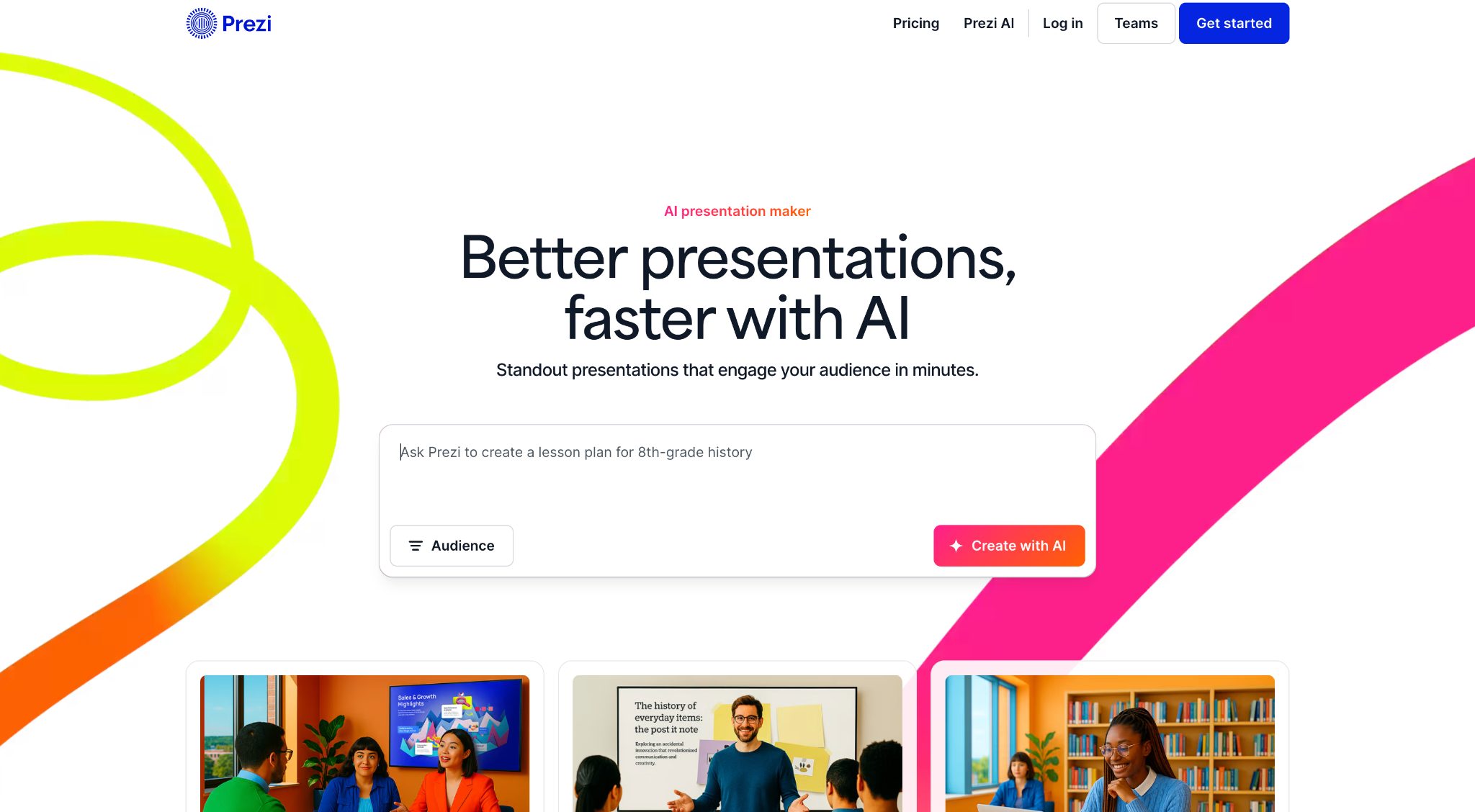
Prezi was founded in Budapest in 2009 and has grown to over 160 million users globally, which makes it one of the most widely adopted presentation platforms in the world. It holds a genuinely niche position despite that scale. Instead of sequential slides, Prezi uses a zooming interface built on an infinite spatial plane where all content lives.
You pan between topics and zoom into details, then pull back to reveal the broader picture. The format creates real engagement when the content supports it.
The 2025 and 2026 updates added AI features like prompt-based generation and outline editing. These bring it closer to modern competitors while preserving its distinctive feel.
Prezi also offers Prezi Video, which overlays the presenter on the content for remote delivery, a feature that has gained traction with educators and remote sales teams.
The hard limits remain consistent. Prezi decks resist any usable .pptx export. The learning curve runs steeper than conventional slide tools. The zooming format can disorient audiences without careful use.
The AI features are also less developed than those of dedicated AI presentation makers. Prezi is a strong pick for a specific job and a poor fit for everything else.
G2 Rating: 4.2/5
Prezi's Pros:
- Highly distinctive, memorable format that stands out from conventional slide decks
- Well-suited to visualizing complex relationships and structures
- Strong for conference presentations and live demos
Prezi's Cons:
- Steep learning curve compared to slide-based tools
- The zooming format suits some content types poorly and can disorient audiences when overused
- Limited AI capabilities compared to newer tools
- PowerPoint export remains unviable
Prezi's Pricing:
Plus at $15/month. Business at $29/month per user.
Prezi is Best for:
Speakers and educators delivering live who want a distinctive format and present entirely within Prezi.
6. Visme: Best for Data-Heavy Presentations

Use it when: Your decks are dense with charts and branded infographics.
Avoid it when: You need a simple slide workflow with strong AI content generation.
Visme is a cloud-based visual content platform serving over 27 million users worldwide. Customers include IBM and the Golden State Warriors. It helps non-designers produce professional visuals across presentations and reports. The template library covers more than 50 content types.
For teams whose presentations are dense with charts and branded graphics, Visme offers more specialized tools than most platforms here.
The data visualization capabilities are the clearest differentiator. Customizable charts and infographic-specific templates make complex data easier to present. The tool needs minimal design skill.
The platform also includes Brand Kit features and real-time collaboration. Analytics tracking covers published content.
The trade-offs are worth noting. Visme is a general visual content platform, and the editor is more complex than most users need for a straightforward slide deck. AI generation stays a secondary feature. Some Capterra reviewers flag performance issues like slow loading and glitches during design tasks.
For users who need a purpose-built AI presentation maker, Visme falls short. Teams that spend significant time making data visual, and need one tool for multiple content formats, will find it earns its place.
G2 Rating: 4.5/5
Visme's Pros:
- Excellent infographic and data visualization capabilities
- Strong brand kit features for consistent output
- Wide range of content types beyond presentations
Visme's Cons:
- More complex than most users need for standard slide decks
- AI generation stays a secondary feature
- Pricing feels high for lighter presentation use cases
Visme's Pricing:
Free plan available. Starter at $12.25/month. Business at $24.75/month per user.
Visme is Best for:
Analysts and data teams who need chart-heavy, infographic-style presentations over AI content generation.
7. Slidesgo: Best Free Template Library

Use it when: You want a free, polished template to customize manually in PowerPoint or Google Slides.
Avoid it when: You need AI generation or brand automation.
Slidesgo is a template marketplace operated by Freepik Company, the same organization behind one of the largest stock asset libraries on the web. The platform offers thousands of free, professionally designed templates for Google Slides and PowerPoint. They cover a wide range of topics and visual styles.
It ranks among the first results when people search for free presentation templates. The library is large and the designs are polished. Downloading is straightforward.
AI features were added in recent years, allowing users to generate basic deck structures from a text prompt. The practical workflow is different. You browse the library and pick a design that fits. Then you customize it in Google Slides or PowerPoint. The AI layer is thin compared to dedicated AI presentation makers, and it stays beside the point for most users.
The platform skips brand automation and a collaboration workspace. Viewer analytics and AI iteration also stay absent. Slidesgo works best as a starting-point resource instead of a full presentation platform.
It fits into a workflow where someone already knows what tool they'll use to build and present, and just needs a design foundation to work from.
G2 Rating: 4.7/5
Slidesgo's Pros:
- Large, free template library with broad topic coverage
- Near-zero learning curve; works directly with PowerPoint and Google Slides
- Useful starting point for occasional presenters
Slidesgo's Cons:
- AI generation and content assistance stay minimal
- All customization is entirely manual
- Brand automation and collaboration features are absent
Slidesgo's Pricing:
Free (with attribution). Premium at $35.99 billed annually.
Slidesgo is Best for:
Individual users who want a free starting point and are comfortable doing all customization manually in PowerPoint or Google Slides.
8. Prezent.ai: Best for Enterprise Brand Control

Use it when: You need brand governance and centralized control across a large organization.
Avoid it when: You're an individual or small team that needs flexibility over strict controls.
Prezent.ai is a generative AI platform built specifically for enterprise presentation workflows. As of 2026, it serves tens of thousands of professionals across more than 80 Fortune 2000 companies. Its leadership includes former executives from Cisco and McKinsey.
The platform's positioning is narrow and deliberate. It targets large organizations that need brand governance at scale, leaving individual deck-builders to other tools.
The core offering includes a library of over 35,000 expert-designed slides and storylines. Astrid, its AI assistant, powers deck generation. A proprietary feature called Fingerprints tailors presentations to audience preferences based on communication style and seniority.
The brand compliance layer is the most mature on this list. Centralized template management and slide libraries enforce consistency across large teams. The controls skip manual review of every output.
Prezent also offers optional expert services including overnight deck creation and personalized communication coaching, which extends its value beyond software into a managed service model. Pricing stays private on the standard plans and requires a sales conversation. That reflects the enterprise-first approach.
For individual users or small teams, this tool overshoots. Organizations where every presentation carries brand and communication risk should have the conversation.
G2 Rating: 4.5/5
Prezent's Pros:
- Strong enterprise slide libraries and governance workflows
- Useful for large teams that need centralized control over approved presentation assets
- Optional expert services can help teams with high-volume presentation needs
Prezent's Cons:
- Limited customization options, reducing flexibility for users who want more control over design and layout.
- AI-generated results can be inconsistent, especially when prompts are unclear or complex.
- Offers fewer design options compared to some competing presentation tools.
- Template customization can feel restrictive, making it harder to adapt presentations to specific needs.
- May experience performance issues with larger presentations, leading to slower workflows.
Prezent's Pricing:
Lite at $399 per year. Enterprise pricing: contact for a quote.
Prezent is Best for:
Large organizations that need brand governance and centralized control across many users producing presentations at scale.
9. Pitch: Best for Collaborative Team Decks
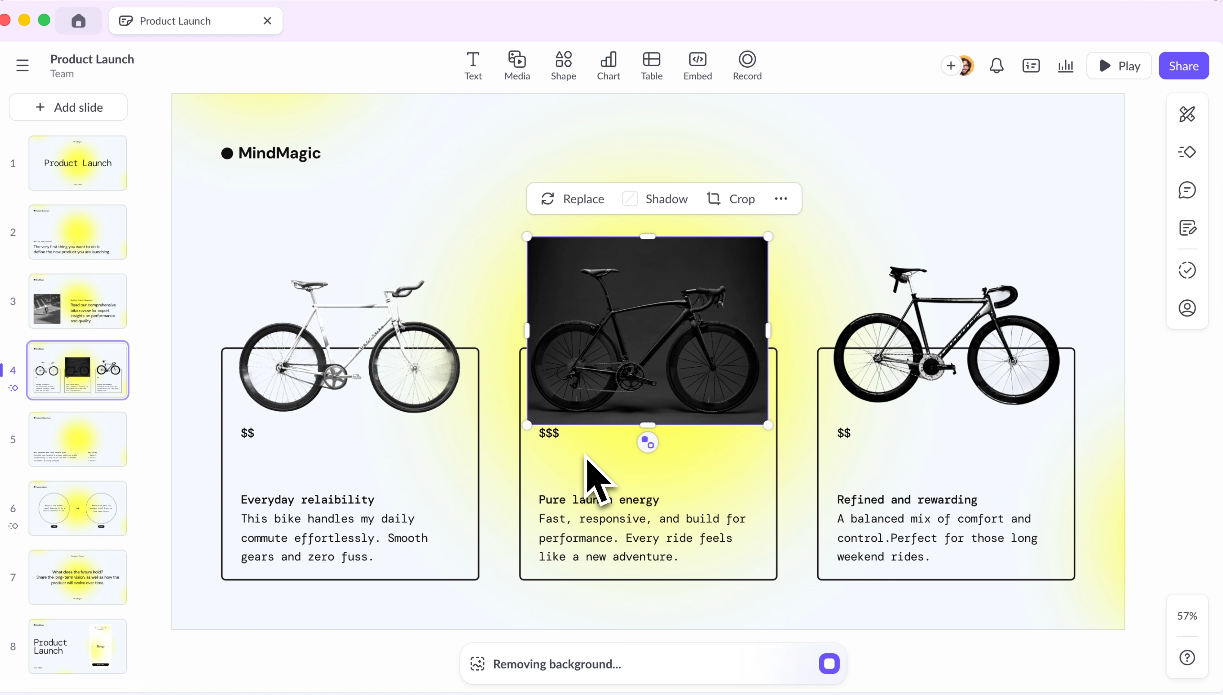
Use it when: Multiple people contribute to decks and you need review and approval workflows.
Avoid it when: You need deep AI-first generation or budget-friendly pricing at large team scale.
Pitch was built from the ground up as a presentation tool for teams, and that intent shows throughout the product. Millions of teams use it, including Pentagram and Synthesia. The platform treats presentations as living documents. They stay collaborative by default and center on shared workspaces and template libraries. The design supports the full review and approval cycle that production-grade decks require.
Real-time co-editing and threaded comments are first-class features. Presentation statuses and role-based access get the same treatment.
The editor is widely regarded as one of the cleaner experiences in the category. It's responsive, modern, and purpose-built for presentations instead of adapted from a general design platform.
Templates are organized around common business needs like pitch decks and OKR reviews. The designs skew more contemporary than most PowerPoint decks.
Pitch has expanded its AI features over the past two years. It now supports draft generation and speaker note creation, along with tone adjustment. The AI works as a supporting layer instead of the core reason to choose the tool.
Pitch also integrates with Slack, Google Analytics, and CRM tools. This extends its usefulness for revenue and marketing teams tracking deck performance after sharing.
G2 Rating: 4.4/5
Pitch's Pros:
- Purpose-built for team workflows with shared workspaces and template libraries
- Strong commenting, review, and approval features
- Good analytics on deck engagement
Pitch's Cons:
- AI generation is less advanced than dedicated AI-first tools
- Pricing scales up steeply for larger teams
- Learning curve for teams migrating from simpler tools
Pitch's Pricing:
Free Starter plan. Plus at $10/month per user (billed annually).
Pitch is Best for:
Teams that collaborate heavily on presentations and want a modern workspace for decks where multiple people are contributing.
10. Google Slides + AI Add-ons: Best Budget Option for Google Workspace Teams
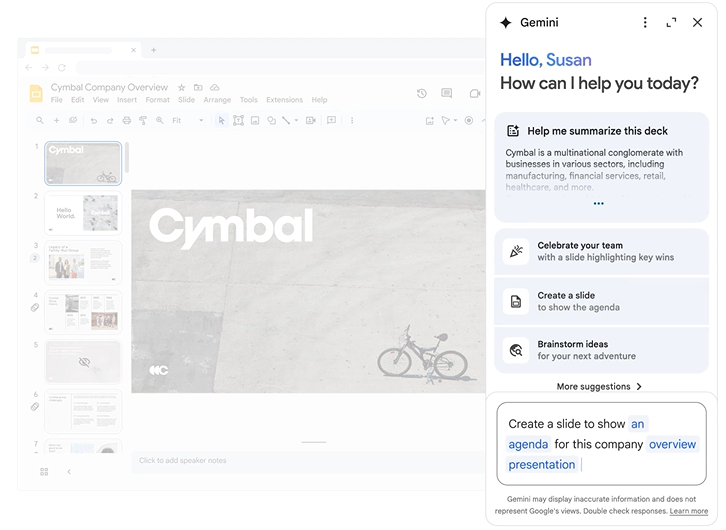
Use it when: Your team already lives in Google Workspace and needs free, real-time collaboration.
Avoid it when: Design quality or brand consistency is a priority.
Google Slides launched as part of Google Docs in 2006. It has become one of the most widely used presentation tools by sheer volume. The reason is simple: it's free and embedded in a Google Workspace environment that hundreds of millions use daily.
The collaboration infrastructure is genuinely best-in-class. Multiple people edit the same deck at once, and comments thread and resolve inline. Version history stays automatic and unlimited.
Native AI generation stays absent from Google Slides itself, but a growing ecosystem of add-ons brings that capability in. SlidesAI, Plus AI, and MagicSlides rank among the most common. Each offers a different approach to prompt-based slide generation inside the familiar interface.
The appeal is that teams stay in a tool they already know, with real-time co-editing built in, and skip learning a new platform.
The limitations are real. Each add-on has different strengths, quality levels, and pricing. This creates a fragmented experience next to purpose-built AI presentation tools.
Native design capabilities stay basic, and every add-on trails the generation depth and brand control of standalone platforms. For teams where cost and familiarity matter more than design quality, this remains a practical option.
G2 Rating: 4.6/5 (rated as part of Google Workspace)
Google Slides' Pros:
- Best-in-class real-time collaboration out of the box
- Free with a Google account
- Seamless integration with Google Docs, Sheets, and Drive
Google Slides' Cons:
- Native design capabilities are limited compared to dedicated presentation tools
- AI add-ons are third-party and vary significantly in quality
- A poor choice when design quality or brand consistency matters
Google Slides' Pricing:
Free with a Google account. Google Workspace from $6/user/month.
Google Slides is Best for:
Budget-conscious Google Workspace teams who want basic AI assistance and stay on their current platform.
Learn how Presentations.AI compares with Google Slides.
11. Keynote: Best for Apple-Native Presenters
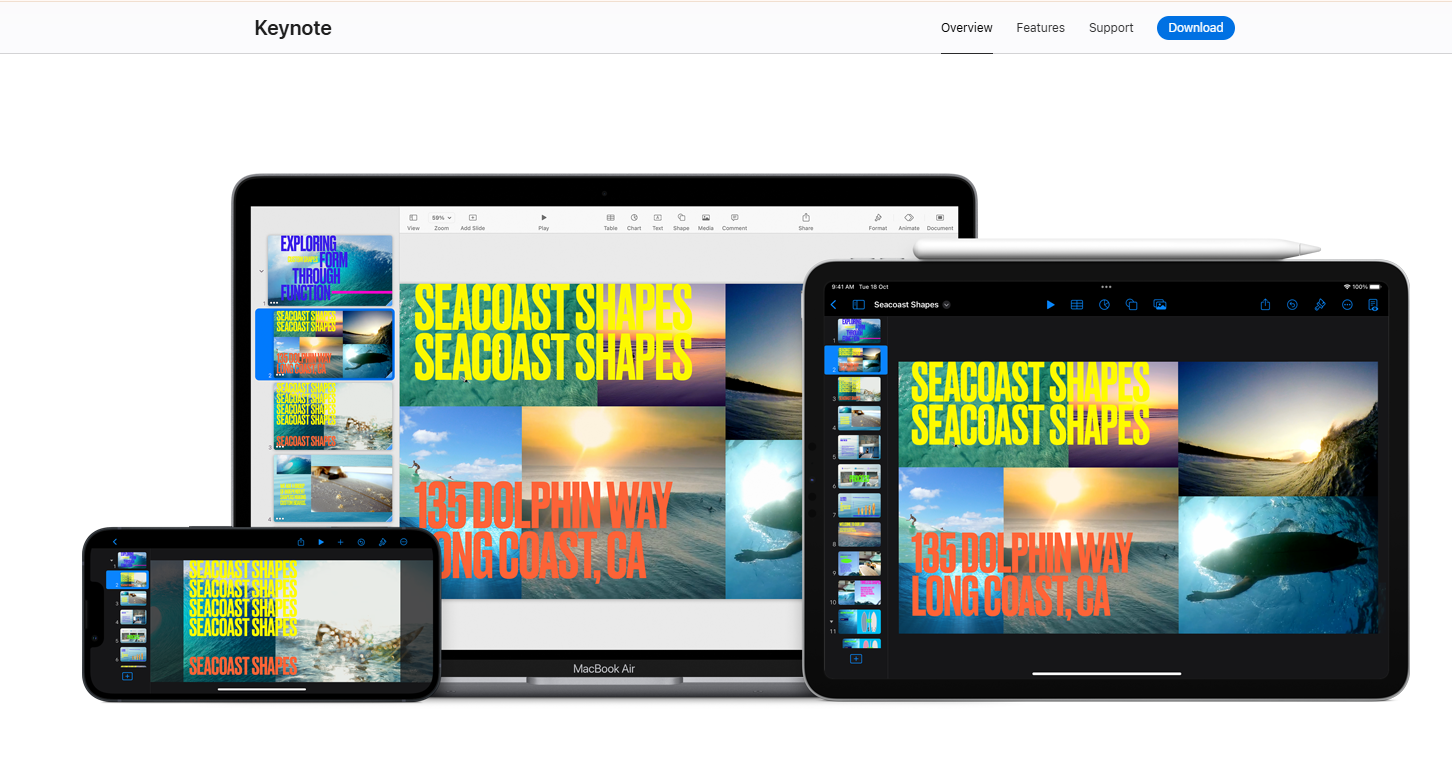
Use it when: You present live on Apple devices and prioritize animation quality.
Avoid it when: You need AI generation or reliable PowerPoint export.
Keynote is Apple's native presentation application, available free to all Apple device users since 2013 and widely regarded as having the best animation engine of any tool on this list. Magic Move transitions and object-level animation outclass every competitor on visual polish for live presentations.
For solo presenters or all-Apple teams, Keynote produces the highest-quality live output available.
The AI story, however, is nearly blank. As of 2026, Keynote offers minimal built-in AI generation. That makes it a manual tool in a market that has moved toward automation.
You build every slide by hand, which means the time investment per deck is significantly higher than with any AI-assisted alternative on this list. Teams that produce presentations at volume pay a real cost here.
The other hard constraint is ecosystem lock-in. Keynote works beautifully within the Apple ecosystem and creates friction the moment it meets Windows. The animations and transitions that make Keynote memorable break on export to .pptx. The output impresses only the people who see it live.
Keynote earns a 4.3/5 on G2, with users consistently praising design quality and faulting limited collaboration and cross-platform compatibility.
G2 Rating: 4.3/5
Keynote's Pros:
- Stunning default design quality and smooth animations
- Free for all Apple users
- The best live presenting experience on Mac and iPad
Keynote's Cons:
- Minimal AI generation features
- Collaboration is limited compared to Google Slides or Pitch
- Exporting to PowerPoint causes formatting issues; animations break during the conversion
Keynote's Pricing:
Free for Apple users.
Keynote is Best for:
Solo presenters or all-Apple teams who deliver live and prioritize animation quality over AI generation speed.
12. Microsoft Copilot for PowerPoint: Best for Microsoft 365 Organizations
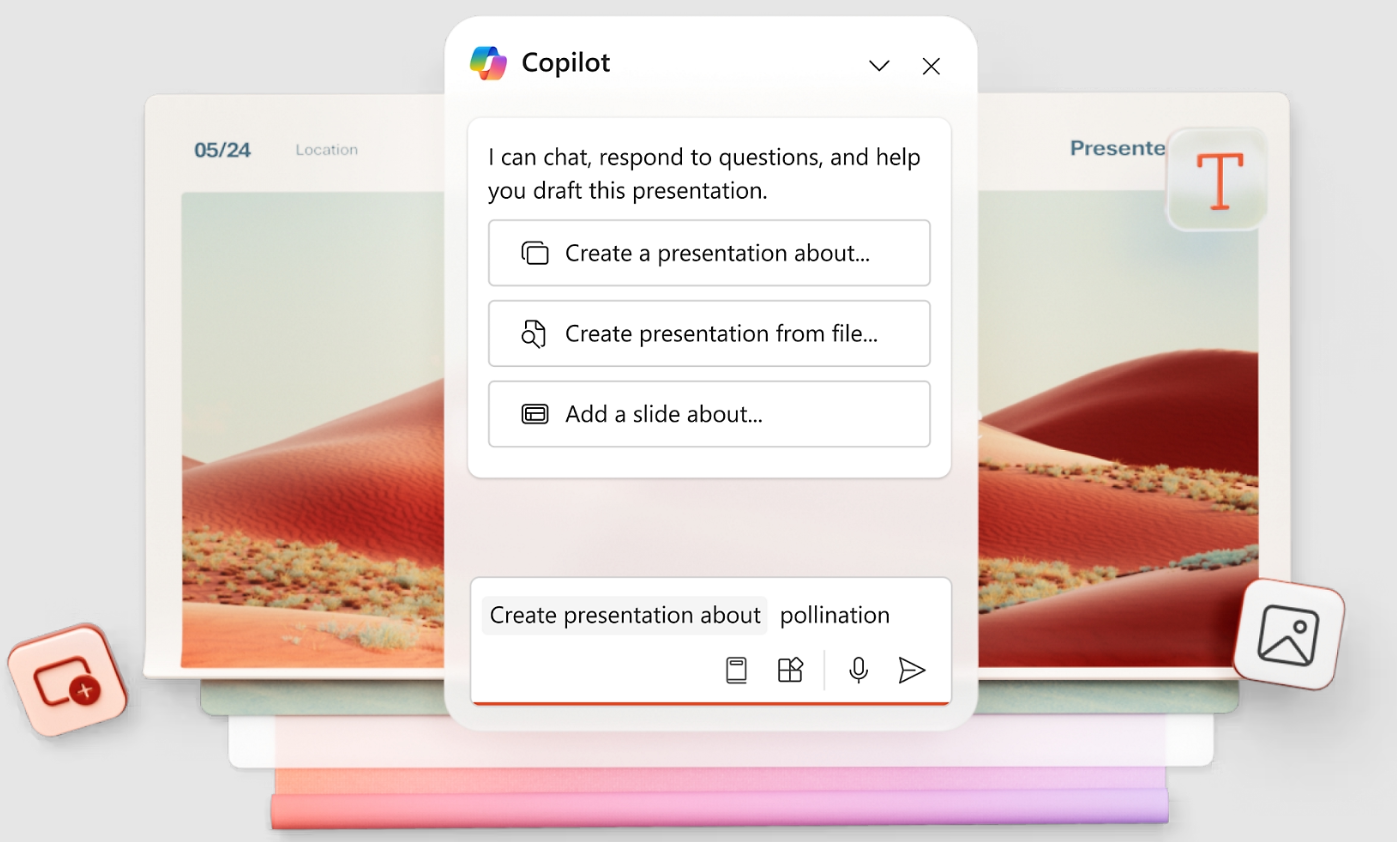
Use it when: Staying inside PowerPoint is non-negotiable and design quality is secondary.
Avoid it when: You need strong design output or URL-based brand automation.
Microsoft Copilot for PowerPoint adds AI generation directly inside the PowerPoint interface, letting users describe what they need and receive AI-populated slides within their existing .pptx workflow. For organizations deeply embedded in Microsoft 365, the zero-friction integration is a genuine advantage. Teams keep their platform, skip file conversion, and lose the export step.
Copilot also connects to Microsoft Graph. It can reference your organization's existing files, emails, and data during generation. Every standalone tool on this list lacks that capability.
PowerPoint itself remains the dominant presentation standard globally, with over a billion users and decades of enterprise adoption. Copilot adds a modern AI layer on top of that installed base instead of asking teams to abandon familiar infrastructure. Organizations where IT governance and Microsoft 365 integration are non-negotiable get the path of least resistance.
The limitations are worth stating clearly. Copilot's design output is the weakest on this list. Slides look auto-formatted instead of designed. Significant manual cleanup comes before a deck is ready for a client or board.
The license adds $30/user/month on top of an existing Microsoft 365 subscription, making it one of the most expensive options at scale. Brand automation is also shallow, limited to whatever PowerPoint template is already in use.
G2 Rating: 4.6/5
Copilot's Pros:
- Native PowerPoint experience that skips export and import friction
- Copilot understands your existing files and company data via Microsoft Graph
- Near-zero learning curve for existing PowerPoint users
Copilot's Cons:
- Requires a Copilot license on top of existing Microsoft 365 costs
- AI output quality varies and usually needs significant cleanup
- An add-on to tools you already pay for, sold on top of them
- Weak on brand automation, with URL-based extraction absent
Copilot's Pricing:
Included with Microsoft 365 (from $6.99/month personal). Copilot AI add-on at approximately $30/user/month.
Copilot is Best for:
Large Microsoft 365 organizations where staying inside PowerPoint is non-negotiable and design quality is a secondary concern.
If you're interested in a deep dive, head to our page that compares PowerPoint and Presentations.AI in depth.
Best Free AI Presentation Makers
The title promises free and paid options, so here's how the genuinely usable free tiers compare. What matters is what you can do at no cost. Consider deck limits and gated exports. Then weigh watermarking, collaboration, and brand controls.
How to Choose the Best AI Presentation Maker for Your Workflow
The fastest way to choose is to match the tool to the deck's job, beyond the feature list. Work through five diagnostic questions: What is your final output format? How strict are your brand governance needs? How many people collaborate on each deck? What's your budget at real team size? And do you need AI for content generation or just design polish?
Before you commit, run this eight-point checklist during any free trial: input quality, first-draft usefulness, editing speed, brand accuracy, collaboration, export fidelity, security, and annual cost at your actual team size.
Why the Top AI Presentation Maker Stands Out
You've seen all 12 tools. Here is what separates Presentations.AI at the point of purchase. It comes down to brand automation, AI iteration, export quality, and narrative structure.
1. Brand Sync Requires Zero Manual Setup
You paste in your company URL and it pulls your colors and logo automatically. Every slide and every new deck stays on-brand on its own. Hex codes and logo uploads become unnecessary. Presentations.AI is the only tool on this list that does this from a URL. Canva's Brand Kit is strong but requires initial configuration. Everything else is manual.
2. Clip-E Stays in the Conversation
Most AI tools give you a first draft and leave you to finish it manually. Clip-E iterates with you. Restructure sections, add comparison tables, and adjust the visual weight of a slide. You stay in one conversation instead of bouncing between the AI and a separate editor. Underneath Clip-E, an AI Slide Creator rebuilds each slide individually as you iterate. The layout adapts to the conversation instead of locking in after the first draft the way most other tools do. The difference in practice is spending 10 minutes in conversation to get a deck that's 90 percent done, versus generating a draft and spending 45 minutes fixing it by hand.
3. The .pptx Export Holds Up
If your final deliverable needs to be a PowerPoint file, the export needs to work cleanly. Gamma fails here. Canva requires cleanup. Copilot is native to PowerPoint but produces weaker designs. Presentations.AI gives you AI-designed slides that survive export intact.
4. It Turns Source Material Into a Narrative
The hard part is rarely making a slide. It is turning scattered inputs into a story people can follow. Think notes, reports, PDFs, and strategy docs. Presentations.AI structures the narrative before it designs the deck, so you get more than prettier slides. You are getting a clearer argument.
5. You Can Start for Free
The free plan skips the credit card. It skips the trial countdown. It skips the "upgrade to share" wall. The Starter plan gives unlimited users and real collaboration. Try it and see how fast you can go from a brief to a finished deck.
Conclusion: Which AI Presentation Maker Should You Choose?
Picking an AI presentation tool comes down to one question: what does your output actually need to do?
If it needs to be a polished, brand-consistent .pptx file that survives a client's inbox and holds up in PowerPoint, most of the tools on this list will disappoint you at some point in the process. Gamma looks great until someone asks for the file. Copilot stays in PowerPoint but produces designs that look like they skipped the design step entirely. Canva works well until export day. Presentations.AI was built for the full loop. Messy inputs go in, and a structured, branded deck comes out as a clean .pptx. The manual cleanup that usually follows AI-generated slides disappears. That's why it's at the top of this list.
That said, the right tool is the one that fits your actual workflow. If your team lives in Google Workspace on a tight budget, Google Slides with a free add-on gets the job done. If you're a solo presenter on a Mac who delivers live, Keynote is still the best animation engine available. If you need brand governance across a large organization, Prezent.ai is worth the enterprise conversation.
Use the "How to Choose" table above to narrow it down, then test your top two picks on a real deck before you commit. Most of these tools have a free tier or a trial. Running your actual content through the workflow tells you the most. If Presentations.AI is one of those picks, the free Starter tier lets you test the full workflow and skip payment details, so the comparison stays honest.






