
TL;DR
- If your bottleneck is turning raw inputs into polished decks, start with AI-native tools; if it's pixel-level control, PowerPoint and Keynote still lead.
- Presentations.AI and Gamma lead the AI-native category, with Pitch close behind. Presentations.AI builds branded decks from a prompt. Gamma wins web sharing, and Pitch targets investor decks.
- PowerPoint and Apple Keynote are best when design control and file reliability matter more than creation speed.
- Google Slides and Canva Presentations are the easiest starting points; Slides wins collaboration, Canva wins template depth.
- Beautiful.ai enforces design consistency automatically; Visme goes deeper on data visualization; Prezi and Slidebean serve live keynotes and seed pitch decks.
- Prezent stands apart for enterprise and regulated industries. Brand governance and compliance shape its high-stakes executive presentations.
Manual vs. AI-Native Presentation Software
You rarely start a business presentation with perfect slides. You start with a messy doc or a few notes from a sales call. Maybe it's last month's dashboard, or a strategy memo someone needs turned into a polished deck by tomorrow. That is where presentation software either saves you hours or quietly creates more work.
The gap between presentation tools has never been wider. On one end, you have AI-powered tools that generate a full deck from a prompt, PDF, URL, or document in minutes. On the other, you have desktop software with decades of feature depth. These tools stay powerful and familiar across enterprise workflows. They lean on a manual process that feels dated when teams need decks from docs and notes fast. If that first category is where you want to start, a dedicated ai presentation maker can turn a single prompt into a finished, on-brand deck in under a minute.
Traditional tools give you control. They still expect you to do most of the work. You structure the story and choose layouts. You format slides and apply brand rules. Then you rebuild charts and fix exports. AI-native tools change the starting point. Instead of opening a blank slide, you start with the input you already have. That could be a prompt, PDF, Word doc, or outline. The system then creates the first structured draft.
That distinction matters most for business teams creating sales decks, board updates, QBRs, and investor materials under time pressure. This guide covers 12 of the best presentation software tools available right now. We compared them on creation speed, brand control, export quality, collaboration, and real-world pricing. We've included Presentations.AI because we built it, which means we can be specific about where it fits and where it falls short, more than any third-party review.
Best Presentation Software Comparison: 12 Tools at a Glance
Here's how the tools stack up across the five criteria that showed the biggest variance in our testing.
Here's the practical takeaway: if your team already has the story and only needs design control, PowerPoint, Canva, or Keynote can work. If your team is still turning raw material into the story itself, AI-native tools like Presentations.AI and Gamma are where the time savings start to matter.
What Makes the Best Presentation Software?
Before comparing individual tools, it helps to define what makes a presentation platform strong. The best tools tend to score well across these core qualities:
- Ease of use: A low learning curve so anyone on the team can build a deck without training.
- Input-to-deck workflow: The ability to turn raw material into a structured deck. That includes prompts, docs, PDFs, and notes, instead of manual slide-by-slide assembly.
- Design flexibility: Enough layout and formatting control to match your message while keeping the template intact.
- Collaboration: Real-time co-editing and version history that stay available without a premium seat for every user.
- File compatibility and export fidelity: Clean .pptx and PDF output that holds up when opened elsewhere.
- Brand controls: Enforceable fonts and logo placement that survive editing and export.
- Analytics and presenter tools: Post-share engagement data and live presenting support.
- Cost at scale: Predictable pricing once per-seat costs and add-ons are factored in.
These qualities map directly to the testing criteria we used below.
How We Tested and Evaluated the Best Presentation Software
Every tool in this roundup was assessed on the criteria that matter most to business teams building real decks under time pressure:
- Creation speed: How fast can you go from zero to a shareable deck? For AI tools, we checked prompt-to-deck generation. Traditional tools were measured on template-to-finished-deck time.
- Input-to-deck workflow: Can the tool turn raw material into a structured deck, or does the user still shape the story slide by slide? Raw material means prompts, docs, PDFs, and notes.
- Brand control: Can you enforce your brand's colors and logo placement without fixing every slide by hand? We checked whether brand settings survive editing and export.
- Export fidelity: Does the .pptx or PDF output look like what you built? We opened every export in PowerPoint 365 and flagged broken layouts and missing fonts that needed manual cleanup.
- Collaboration and sharing: Real-time co-editing, commenting, link sharing, and whether those features require a paid seat.
- Manual cleanup required: After the first draft is created, how much time do you spend fixing layouts, rebuilding charts, adjusting brand elements, or cleaning up exports?
- Total cost at scale: Not just the headline price, but what 5, 10, or 25 users actually pay once per-seat pricing and add-ons factor in.
These criteria matter most when teams build sales decks, board updates, QBRs, campaign reports, and investor materials from imperfect source material. Pricing and features were checked in mid-2026 and may change as vendors update plans.
The 12 Best Presentation Software Tools Reviewed
"Best" only matters if it matches the way your team actually builds decks. A sales team turning CRM notes into proposal slides needs something different from a founder building an investor deck or a leader preparing a board update. Use the breakdown below to find the tool that removes the most work from your process.
1. Presentations.AI
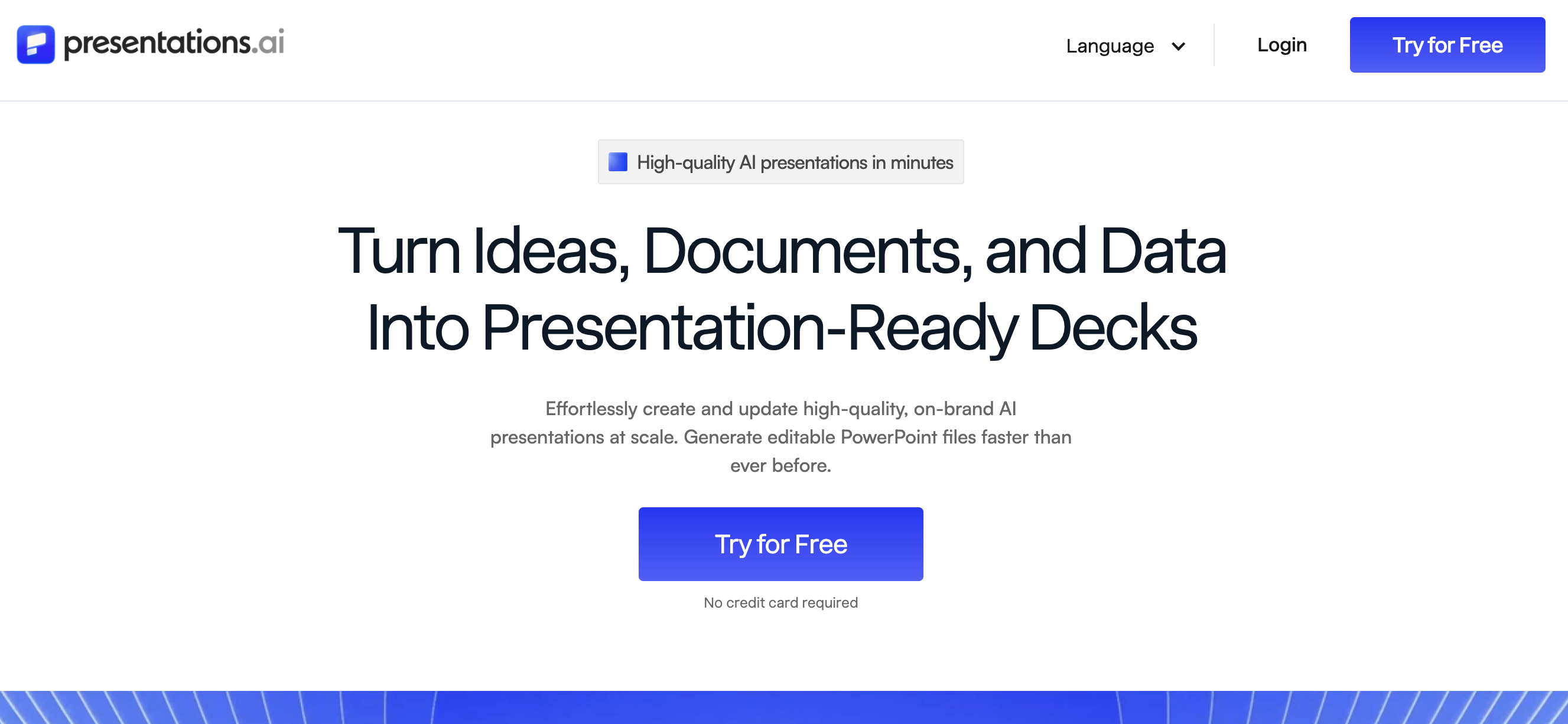
Presentations.AI is built for busy business teams that want to skip building slides by hand from docs, dashboards, and rough outlines. Instead of starting with a blank slide, you give the AI a prompt, URL, PDF, or Word doc, and it creates a structured, branded first draft you can refine.
Teams using Presentations.AI report saving 4 to 40 hours a month. Most of that comes from reducing repetitive work that traditional tools leave to the user. That work includes rebuilding charts when data changes and reformatting slides when content shifts. It also covers realigning layouts every time something gets added or removed. Explore the full feature set.
Pros of Presentations.AI
- Full deck generation from a prompt, URL, PDF, or Word doc in under a minute
- Brand Sync pulls your colors and logo from your company URL with no manual setup
- Clip-E AI assistant handles generation and refinement in one conversational thread
- Anti-fragile templates reflow content while holding layout when slides are added or rearranged
- Helps teams refresh recurring decks faster by reducing the manual work of updating content, charts, layouts, and brand elements
- Free Starter plan with unlimited users and brand themes, and the signup skips the credit card
- Clean .pptx export on Pro, with strong PowerPoint 365 fidelity in our testing
- SOC 2 Type II compliance on Pro and above
- Post-share analytics showing slide-level engagement from viewers
Cons of Presentations.AI
- AI credits on the free tier run out quickly with regular deck generation, and the credit count stays unpublished
- PowerPoint export requires Pro ($240/year per user); free and Beta tiers offer PDF and web sharing only
- Per-user Pro pricing scales linearly, and volume discounts between Beta and Enterprise stay unpublished
- Web-only, so it lacks a desktop app and a native plugin for PowerPoint or Keynote
- Advanced brand customization such as custom fonts and company-wide template libraries requires Pro or Enterprise
Best For
- B2B sales and marketing teams that build decks weekly and need brand-consistent output without a designer in the loop
- Founders and operators who want to go from a brief to a shareable deck in minutes
- Teams already in web-based workflows (Notion, Figma, Google Workspace) where a browser-native tool fits naturally
Pricing
- Starter: Free, unlimited users, brand themes included
- Pro: $240/year per user (early bird pricing)
- Enterprise: Custom pricing
2. Gamma
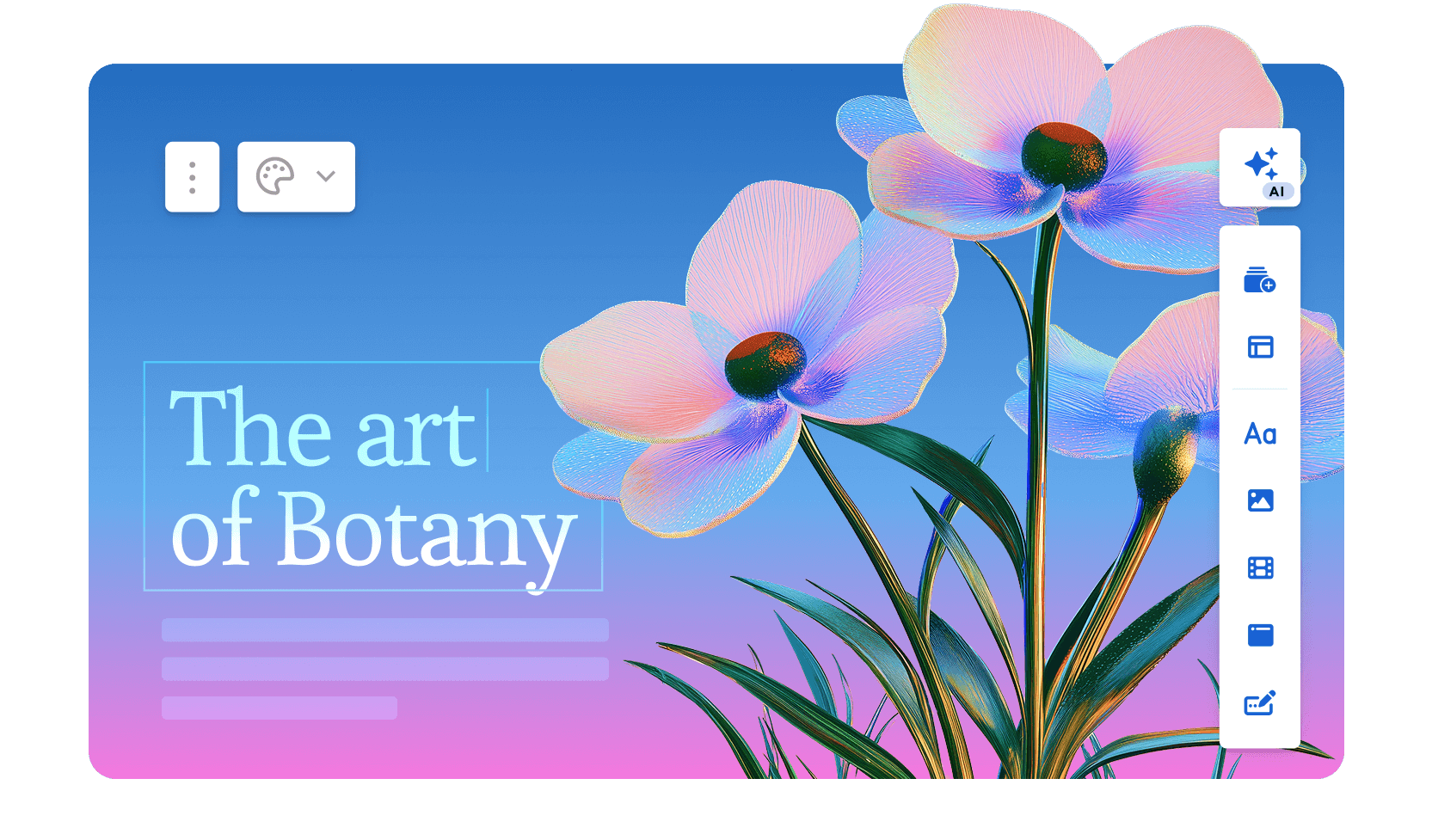
Gamma takes a different structural approach to presentations. Instead of traditional slides, it builds a scrollable, web-first format of cards. The result reads more like an interactive document than a deck. You paste in a prompt or outline, and Gamma generates a full presentation with layout and copy in about 30 seconds.
The results look clean and modern. For presentations shared via link instead of a projector, Gamma's format performs better than a standard .pptx.
Read our review of Gamma here.
Pros of Gamma
- Fast AI generation, full deck from a prompt or outline in under a minute
- Modern card-based format looks polished for web-shared presentations and documents
- Built-in image generation for slide visuals, which removes the need for external stock libraries
- Analytics on shared presentations including views and engagement per card
- Collaboration with comments and shared workspaces on paid plans
- Free tier available without a credit card
Cons of Gamma
- PowerPoint export quality is inconsistent, better suited for web sharing or PDF than .pptx handoff
- Free tier is limited to 400 AI credits, which depletes quickly across multiple decks
- Less brand control than tools with dedicated brand kit functionality
- Card format can struggle to translate to traditional boardroom or projector presentations
Best For
- Marketing and content teams who primarily share presentations online via link
- Anyone who needs fast, AI-generated decks without a .pptx export requirement
Pricing
- Free: 400 AI credits
- Plus: $8/month
- Pro: $15/month
3. Beautiful.ai
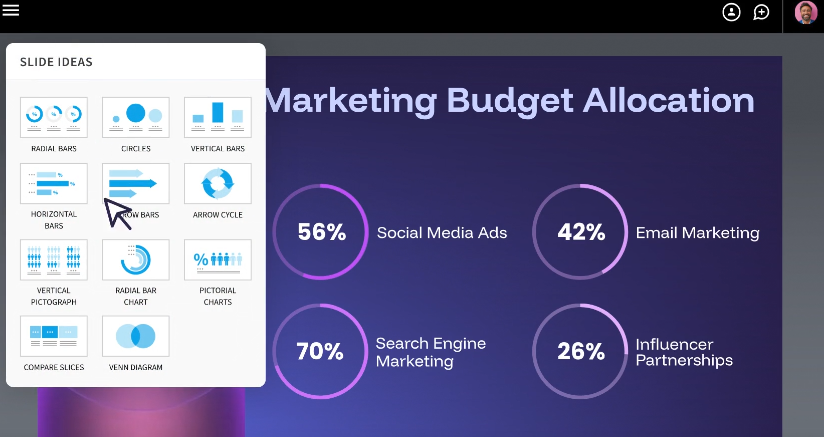
Beautiful.ai occupies the space between full AI automation and manual design control. Its core mechanic is smart templates. You pick a slide type such as timeline, comparison, or chart. The layout auto-adjusts as you add content, recalculating spacing and typography in real time.
The system removes the formatting tax from individual slides without requiring design skill. Its constraint-based approach makes it hard to produce an ugly slide.
Read our blog comparing Beautiful.ai vs. Presentations.AI. If you'd like a more detailed review of Beautiful.ai, check out our blog.
Pros of Beautiful.ai
- Smart Slide templates auto-adjust layout and spacing as content is added or removed
- Design guardrails enforce visual consistency across the full deck without requiring a style guide
- Real-time collaboration with commenting on Pro plans
- AI-assisted content generation for individual slides
- Presentation analytics on shared links: views, time per slide, completion rate
Cons of Beautiful.ai
- Limited creative freedom: smart template system blocks manual element positioning
- PowerPoint export introduces alignment shifts and font substitutions for complex layouts
- Available as a trial only, then payment is required
- Brand controls (custom fonts, shared templates, centralized brand management) gated behind the Team tier at $39/month per user
- Per-seat pricing adds up fast: a 10-person team pays $1,440 to $4,680 per year depending on plan
Best For
- Mid-size teams where visual consistency matters more than creative flexibility
- Internal decks, client reports, and recurring presentations where every slide needs to look polished without a design review bottleneck
Pricing
- Pro: $12/month per user (billed annually)
- Team: $39/month per user (billed annually)
- Enterprise: Custom pricing
4. Canva

Canva is the tool your team probably already has a login for. Its presentation feature rides on the same template-first ecosystem that made it dominant for social graphics and marketing materials.
Thousands of pre-designed templates and drag-and-drop editing help Canva move a non-designer from blank screen to finished deck fast. Only AI-generated tools tend to beat it on speed. Read our comparison between Canva and Presentations.AI.
Pros of Canva
- Massive template library across industries and use cases, far more than most competitors
- Drag-and-drop editing with near-zero learning curve, so anyone on the team can build a deck without training
- Built-in stock media (photos, illustrations, icons, video) included with most plans
- Real-time collaboration on free and paid plans
- Multi-format export: PDF, PowerPoint, MP4 video, and direct link sharing
- Docs-to-Deck workflow converts written content into slide format
Cons of Canva
- Presenter view and speaker notes require Canva Pro or Teams, limiting the free tier for live presentations
- Brand Kit (custom fonts, brand colors, logo management) locked behind paid plans
- PowerPoint export breaks complex layouts: text repositioning and image cropping appear when opening exports in PowerPoint 365
- Post-share analytics are absent: you can share a link but lack visibility into audience engagement
- AI presentation generation is limited compared to purpose-built tools: Magic Design suggests layouts but stops short of generating full decks from a prompt
Best For
- Small teams and solo operators who need good-looking decks quickly without advanced features
- Non-designers who want a familiar, low-friction tool for one-off or occasional presentations
- Teams where the deck is a supporting asset instead of a primary deliverable
Pricing
- Free: limited features
- Canva Pro: $120/year per user
- Canva Teams: $100/year per user (3-seat minimum)
- Enterprise: Custom pricing
5. Microsoft PowerPoint
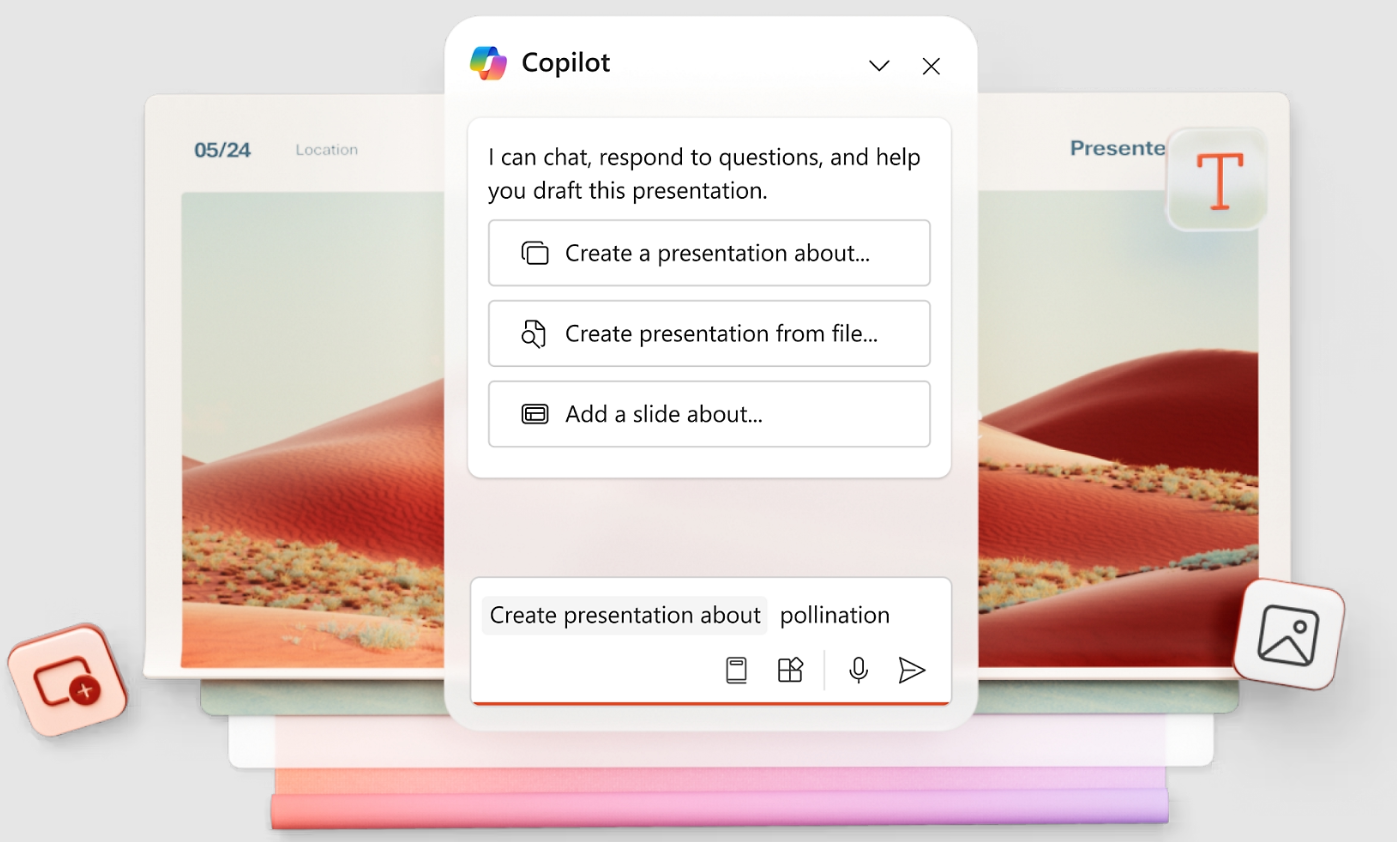
PowerPoint is still the default in many enterprise organizations, for good reason. It offers deep control alongside dependable file compatibility. That control comes with a cost. Most of the work still happens manually, especially when teams are turning raw inputs into polished business narratives.
If you need pixel-perfect positioning, complex transitions, or a file that opens identically on any machine, PowerPoint sets the benchmark. Everything else gets measured against it.
Pros of Microsoft PowerPoint
- Maximum design control: pixel-level positioning, custom animations, master slide configuration, and deep formatting options
- Universal .pptx compatibility, files open as expected in every major tool
- Offline-first desktop app with cloud sync via OneDrive
- Rich animation and transition library unmatched by web-based alternatives
- Microsoft Copilot integration (add-on) for AI-assisted content and design suggestions
- Enterprise-grade security and compliance through Microsoft 365
Cons of Microsoft PowerPoint
- Steep learning curve for advanced features; mastering slide masters and animations takes real time
- Collaboration works but feels clunky, requiring SharePoint or OneDrive and lagging behind real-time web tools
- Licensing cost is significant if you need presentation software alone instead of the full Office suite
- Built-in AI deck generation from a prompt is absent: Copilot helps with content but stops short of building full decks
- Out-of-the-box templates skew corporate and dated, requiring significant customization to look modern
Best For
- Enterprise teams, consultants, and anyone producing complex presentations requiring deep layout control and advanced animations
- Organizations where .pptx format compatibility and cross-platform file integrity are non-negotiable
Pricing
- Microsoft 365 Personal: $69.99/year
- Microsoft 365 Business Basic: $6/month per user
- Microsoft 365 Business Standard: $12.50/month per user
- Microsoft Copilot AI features available as a separate add-on
6. Google Slides
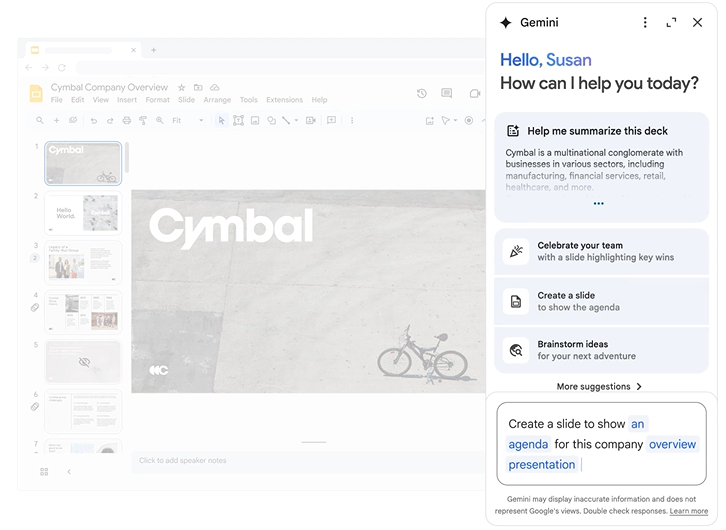
Google Slides is the most accessible presentation tool on this list. It's free with any Google account and works entirely in the browser. Its real-time collaboration is the smoothest of any tool we tried.
For teams already living in Google Workspace, with Docs, Sheets, and Gmail as the backbone of daily work, Slides slots in without friction.
Pros of Google Slides
- Free with any Google account; core features stay open to everyone
- Best-in-class real-time collaboration with simultaneous editing and version history
- Deep Google Workspace integration: pull data from Sheets and present directly from Drive
- Runs on any device with a browser, skipping software installation entirely
- Reliable PowerPoint import and export for cross-platform compatibility
Cons of Google Slides
- Limited design capabilities: fewer layout options and a thinner template library than PowerPoint or Canva
- Meaningful AI deck generation from a prompt is missing: Duet AI assists with text but stops short of building full branded presentations
- Offline mode is available but unreliable compared to a true desktop app
- PowerPoint export can introduce formatting inconsistencies for slides with complex layouts
- Presentation analytics are absent: audience engagement with shared decks stays invisible
Best For
- Teams already in Google Workspace who prioritize collaboration and accessibility over design depth
- Anyone who needs a free, frictionless tool for building and sharing simple to mid-complexity presentations
Pricing
- Free with a Google account
- Google Workspace Business Starter: $6/month per user
- Google Workspace Business Plus: $18/month per user
7. Prezi
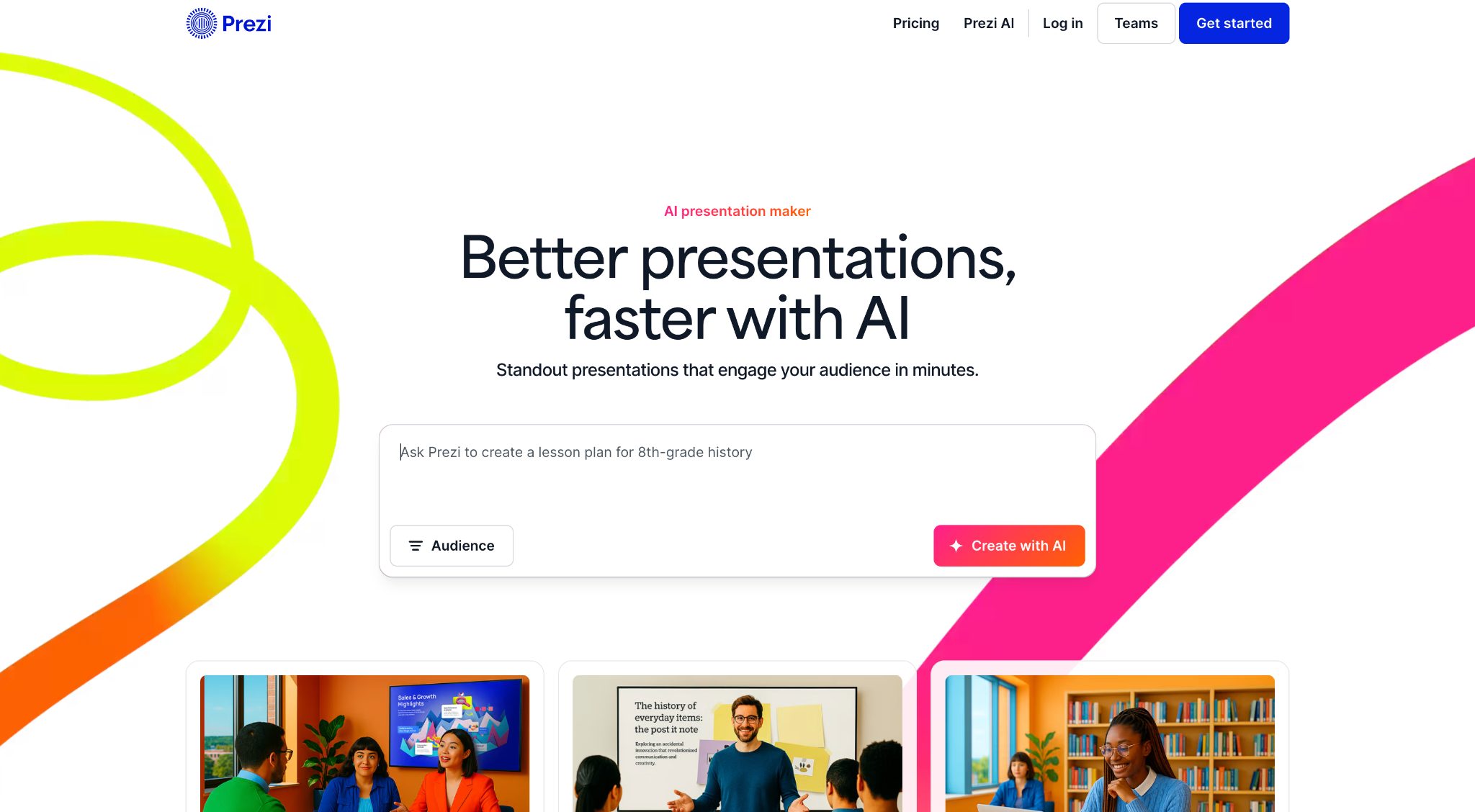
Prezi replaces the linear slide format with a zoomable canvas. You navigate a spatial map that zooms in and out of topics. The effect creates narrative movement that traditional decks struggle to replicate. For keynote speakers, sales teams working complex deals, or anyone with hierarchical content, the format is memorable when executed well.
Pros of Prezi
- Unique zooming canvas format creates a memorable, non-linear narrative experience for live presentations
- Strong for in-person keynotes and sales presentations where visual storytelling differentiates the presenter
- Prezi Video allows presenters to appear alongside their content during video calls
- AI-assisted text and design suggestions added in recent updates
- Free tier available for basic use
Cons of Prezi
- Steeper learning curve than traditional slide tools because spatial storytelling requires more upfront planning
- Format feels gimmicky when the content gains little from non-linear navigation
- Performance degrades on slower internet connections or older hardware
- Poorly suited for presentations that need .pptx sharing
- Limited brand control compared to tools with dedicated brand kit features
Best For
- Keynote speakers, sales presenters, and educators whose content benefits from spatial or narrative storytelling
- Anyone presenting live in-person where a memorable, non-standard format is a differentiator
Pricing
- Free: basic use, watermarked output
- Standard: $5/month
- Plus: $12/month
- Premium: $16/month
8. Apple Keynote
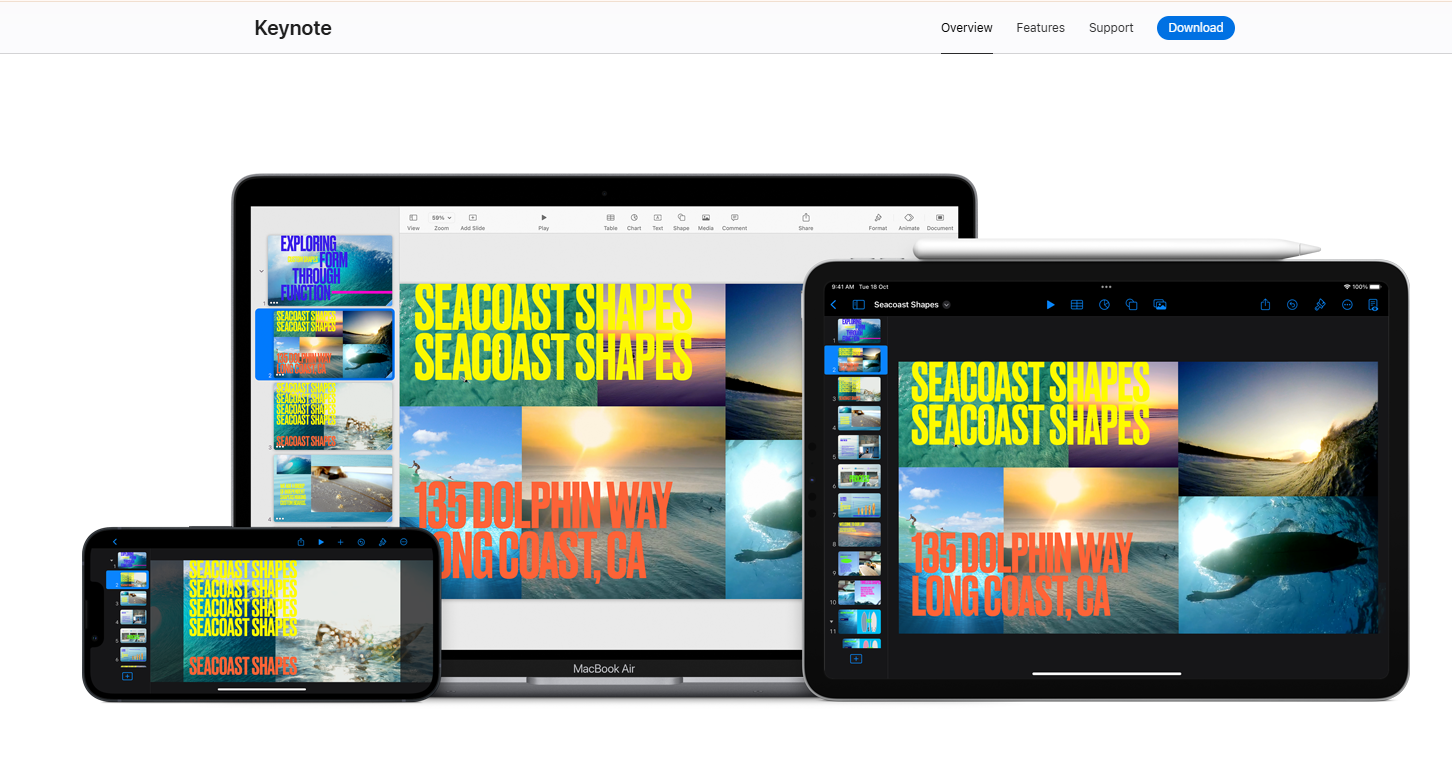
Apple Keynote is the obvious choice if your team works entirely in the Apple ecosystem and needs polished, one-off decks without paying for another tool. It is strong on visual polish, but it leaves the harder business problem open: turning raw inputs into a structured, on-brand deck quickly. The built-in themes look polished well beyond what PowerPoint ships by default. Magic Move and other animations run smooth and visually impressive. The iOS and iPad apps let you build and present from an iPhone or iPad with minimal compromise.
Pros of Apple Keynote
- Free on all Apple devices: Mac, iPad, and iPhone
- Polished built-in themes that look modern and professional without customization
- Magic Move and other animations are among the smoothest of any presentation tool
- iCloud collaboration allows real-time editing across Apple devices
- Excellent video export: presentations can be rendered as high-quality video files
Cons of Apple Keynote
- Apple ecosystem only: it lacks a Windows native app, and the browser version stays limited
- PowerPoint export introduces formatting issues, particularly with animations and custom fonts
- Prompt-to-deck and brand sync features are both absent
- iCloud collaboration is less seamless than Google Slides for mixed-device teams
- Presentation analytics and link-sharing insights are missing
Best For
- Mac and iOS users who present frequently in Apple environments and value design quality over AI-powered creation
- Anyone who wants a free, polished presentation tool and works exclusively within the Apple ecosystem
Pricing
- Free on Mac, iPad, and iPhone
9. Pitch
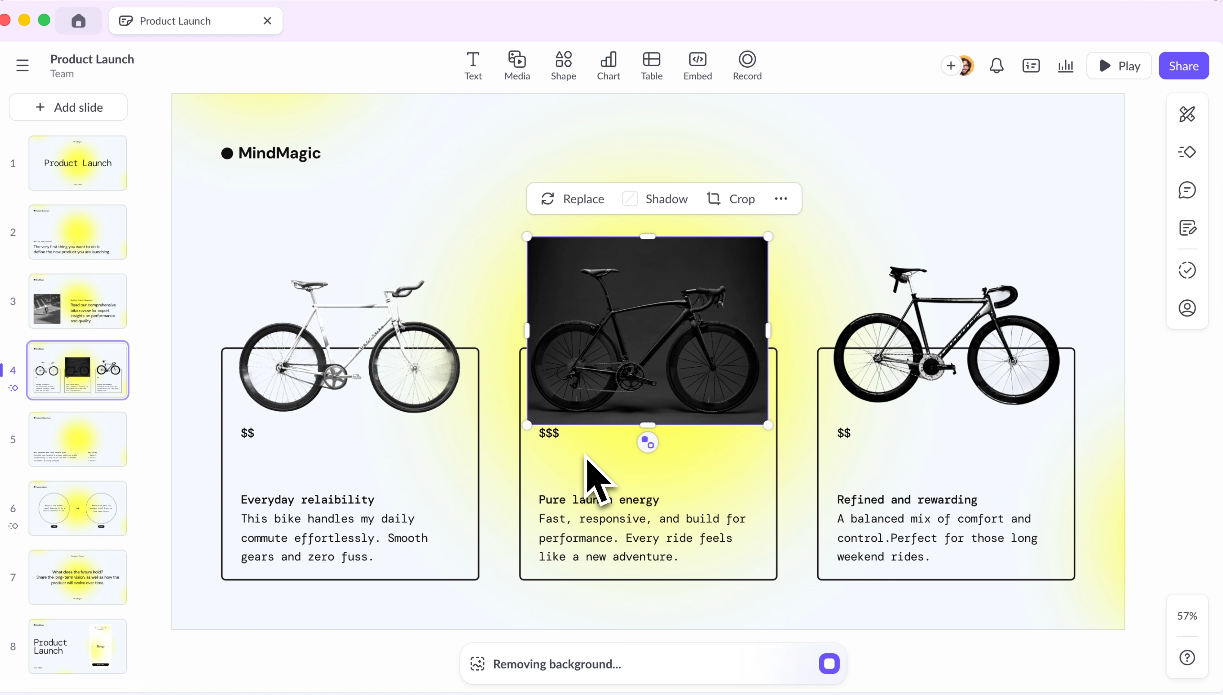
Pitch was built specifically for the kinds of presentations that matter most to startups and growth teams: investor decks, product updates, company all-hands, and sales materials that get shared externally.
Its template library is smaller than Canva's but better suited for pitch contexts. Collaboration is strong, with real-time co-editing and commenting. A workspace structure keeps decks organized by project instead of buried in a flat file list. AI features are available for content suggestions within slides.
Pros of Pitch
- Beautiful, modern templates designed specifically for pitch decks, company updates, and sales materials
- Strong real-time collaboration with commenting and workspace organization
- Presentation analytics on shared links: views, time per slide, and completion rate
- AI content suggestions integrated into the editor
- Free tier with meaningful feature access for solo users and small teams
- Clean, intuitive interface with a lower learning curve than PowerPoint
Cons of Pitch
- AI features cover content suggestions instead of full deck generation from a prompt
- Template library is narrow outside of startup and business contexts
- PowerPoint export quality is inconsistent for complex layouts
- Full real-time co-editing requires a paid plan; free tier limits collaboration
Best For
- Startups and early-stage founders building investor decks, company updates, and external-facing sales materials
- Growth teams who need polished, shareable decks with built-in analytics on viewer engagement
Pricing
- Free: limited collaboration
- Pro: $8/month per user
- Business: $16/month per user
10. Visme

Visme sits at the intersection of presentations, infographics, and visual content creation. If a significant portion of your presentations involve charts, data visualizations, timelines, or process diagrams, Visme is worth a serious look.
Its data visualization library runs deeper than most presentation tools. It extends into formats others skip, including standalone infographics and interactive reports.
Pros of Visme
- Deep data visualization library with chart types, maps, and interactive diagram options beyond most presentation tools
- Extends into infographics, reports, and visual content formats beyond standard slide decks
- Brand kit with custom fonts and logo management available on paid plans
- AI slide generation available for accelerating deck creation
- Wide format export options including PDF, PowerPoint, HTML, and video
Cons of Visme
- Steeper learning curve than simpler tools like Canva or Google Slides due to feature depth
- Editor can feel slow and cluttered compared to more focused presentation tools
- Free tier is too limited for regular work without upgrading
- Team pricing is expensive relative to the feature set for pure presentation use cases
- AI generation is less refined than purpose-built tools like Presentations.AI or Gamma
Best For
- Marketing teams, data analysts, and content creators who produce data-heavy presentations, infographics, and visual reports as core deliverables
- Teams that need one tool for presentations, reports, and standalone visual content
Pricing
- Free: limited features
- Starter: $12.25/month
- Pro: $24.75/month
- Teams: Custom pricing
11. Slidebean

Slidebean is built around one specific use case: the startup pitch deck. If you're raising a pre-seed or seed round, Slidebean fits. It also suits decks for accelerator applications or angel investor meetings. Its template library and AI-assisted structure are calibrated for that job.
The tool has analyzed thousands of successful pitch decks and built those patterns into its templates. The templates cover the problem, solution, market size, traction, and ask structure that investors expect.
Pros of Slidebean
- Templates built specifically for startup pitch deck structures, calibrated to what investors expect to see
- AI-assisted structuring helps founders organize their narrative in a logical flow
- Presentation analytics showing which investors engaged and how far they got
- Optional professional design service for founders who want human designers to polish the final deck
- Clean, focused interface that stays approachable for first-time founders
Cons of Slidebean
- Very narrow use case: strong for pitch decks, limited for general presentations or team decks
- Small template library outside of the startup context
- Free tier is significantly limited and hits a paywall quickly for substantive work
- Expensive relative to feature scope at higher tiers
- Design customization is more constrained than general-purpose tools
Best For
- Early-stage startup founders who are actively fundraising and need a pitch deck structure that matches what seed-stage investors expect
- Founders preparing applications for accelerator programs or angel pitch events
Pricing
- Free: limited features
- Content: $29/month
- Content + Design: $99/month
12. Prezent

Prezent is purpose-built for enterprise teams and regulated industries where brand governance and compliance matter as much as speed. Where most AI tools generate generic decks from broad prompts, Prezent applies what it calls Contextual Intelligence. It personalizes each presentation across five layers of input. Those layers include your preferences, your company, your industry, your content, and proven layout frameworks.
Its Fingerprints feature works like a communication style profile. It adjusts tone and storytelling structure to match how your audience prefers to receive information.
Pros of Prezent
- Contextual AI personalizes presentations across individual, company, industry, and content layers instead of generating one-size-fits-all decks
- Fingerprints feature tailors tone and narrative structure to match how your audience prefers to receive information
- Enterprise-grade brand governance enforces fonts, colors, layouts, and tone at scale across large teams
- Library of 35,000+ expert-designed, on-brand slide templates
- Overnight presentation service pairs AI output with domain expert review for high-stakes decks
- Built-in communication skills training and learning modules for teams
- Strong security and compliance posture: SSO, access controls, data privacy, trusted by pharma and regulated industries
Cons of Prezent
- Pricing stays private and requires contacting the sales team, which makes cost hard to evaluate without a conversation
- Overkill for small teams, freelancers, or anyone who needs a quick, self-serve presentation tool
- Learning curve is steeper than simpler tools due to feature depth and the Contextual Intelligence layer
- Some features require additional onboarding and training to use effectively
- Less suited for fast, ad hoc deck creation compared to Presentations.AI or Gamma
Best For
- Enterprise teams in regulated industries (biopharma, healthcare, financial services) where brand compliance and narrative accuracy are non-negotiable
- Large organizations where dozens of teams create presentations daily and consistency at scale is a real operational problem
- Strategy, medical affairs, and commercial teams producing high-stakes, executive-facing presentations
Pricing
- Free: limited access
- Contact Prezent for pricing
Why AI-Native Presentation Workflows Matter
The biggest change in presentation software goes beyond prettier templates. It is the move from manual slide production to AI-assisted deck creation. In a manual workflow, you gather inputs and outline the story. You choose layouts and format every slide. Then you adjust branding and fix export issues. You repeat the whole process when the data changes.
In an AI-native workflow, the tool helps turn raw material into a structured, branded draft first. Presentations.AI is built around that shift. Here's what that means in practice:
- Prompt-to-deck generation: Feed Clip-E, the built-in AI assistant, a text prompt, URL, or Word doc. A complete presentation comes back in under a minute, skipping template-hunting and blank-slide anxiety.
- Brand Sync: Drop in your company URL and Presentations.AI auto-extracts your colors and logo. It applies them across every generated deck automatically. Day one needs zero manual hex codes.
- Adaptable templates. Layouts reflow content while holding alignment and hierarchy when you add, remove, or rearrange slides. That means less cleanup after generation.
- Free Starter plan: Unlimited users and brand themes, and the signup skips the credit card. The free tier is genuinely usable, well beyond a demo.
- Clean .pptx export: Pro plan exports are designed to reduce broken layouts and handoff cleanup when teams share decks with clients or stakeholders.
- Post-share analytics: See exactly which slides your audience engaged with and how long they spent on each one, useful for sales decks and investor materials.
- SOC 2 Type II compliance: Available on Pro and above, relevant for teams where IT or legal needs to sign off on tool adoption.
Best Presentation Software by Use Case
Different teams have different bottlenecks. This table maps common needs to the strongest tool category so you can find a fit without reading all 12 reviews.
Best Free Presentation Software Options
Many teams want a no-cost option first. Free plans vary widely. Some are genuinely usable, and others are trials or credit-limited demos. Here's how the free tiers actually compare.
Which Tool Is Right for You?
If one idea sticks, make it this: skip choosing based on the longest feature list. Choose based on the bottleneck your team hits most often.
- You need full AI deck generation from a prompt: Presentations.AI is the strongest option. Gamma is a solid alternative if web sharing is your final destination instead of .pptx.
- You're a founder building a pitch deck: Pitch and Slidebean are both designed for this context. Pitch gives more design flexibility; Slidebean provides more narrative scaffolding for the investor story. Presentations.AI works well here too if speed is the priority.
- Your team lives in Google Workspace: Google Slides is the path of least resistance. The collaboration is unmatched at the price point, and it integrates directly with the tools your team uses every day.
- You're in enterprise and need maximum layout control: PowerPoint remains the answer for complex, highly customized presentations where .pptx compatibility and pixel-level control are non-negotiable.
- You're in enterprise and need brand governance at scale: Prezent is purpose-built for this, particularly for regulated industries where compliance and narrative structure are as important as design.
- You need great-looking decks fast without a designer: Canva Presentations and Beautiful.ai both serve this. Canva offers more templates; Beautiful.ai offers stronger design consistency through its smart template system.
- You produce data-heavy reports and infographics: Visme is the strongest option for teams where data visualization sits at the center of the presentation, beyond a slide or two.
- You present live and want to stand out: Prezi's nonlinear canvas format is genuinely memorable for in-person keynotes and sales presentations when the content structure supports it.
- You're on Mac and skip cross-platform editing: Apple Keynote is free, polished, and handles Apple-to-Apple workflows without friction.
Best Presentation Software by Team
- Sales teams: Presentations.AI, Pitch, and PowerPoint. Presentations.AI is strongest when sales teams need to turn discovery notes, CRM context, or proposal outlines into branded client-ready decks quickly.
- Marketing teams: Presentations.AI, Canva, Gamma, and Visme. Presentations.AI is best when the work starts from campaign reports, messaging docs, or launch plans that need to become polished stakeholder presentations.
- Customer success teams: Presentations.AI, Google Slides, and PowerPoint. Presentations.AI is useful for QBRs, renewal decks, and account updates built from notes, metrics, and customer history.
- Founders: Presentations.AI, Pitch, and Slidebean. Presentations.AI is best when speed matters and you need to move from a rough investor narrative to a structured first draft fast.
- Business leaders: Presentations.AI, PowerPoint, and Prezent. Presentations.AI helps leaders turn strategy memos, operating updates, and dashboards into clear executive narratives.
- Enterprise teams: PowerPoint, Prezent, and Presentations.AI Enterprise. Choose based on whether your bottleneck is manual control, governance, or AI-assisted creation at scale.
Final Recommendations at a Glance
- Best overall: Presentations.AI, for speed and automatic brand consistency.
- Best free option: Google Slides, for zero-cost collaboration.
- Best for teams: Presentations.AI and Pitch, depending on whether AI generation or structured review workflows matter most.
- Best for enterprise: PowerPoint for control, Prezent for brand governance in regulated industries.
- Best for video and animation: Apple Keynote, with Canva and Visme close behind.
- Best for pitch decks: Pitch and Slidebean.
Conclusion
The right presentation tool depends on what your team is trying to avoid. If you need maximum manual control, PowerPoint still has a place. If you need simple collaboration, Google Slides is hard to beat. But if your real bottleneck is turning raw notes, docs, data, and ideas into polished, on-brand decks quickly, AI-native tools have the clear advantage.
Presentations.AI is built for that shift: less formatting, less rebuilding, less blank-slide work, and more time spent on the message that moves the room.
Most tools here have a free tier, so pick two or three that fit your use case and spend 30 minutes with each one before committing. For deeper comparisons across specific tools, the Presentations.AI blog covers detailed head-to-head breakdowns across the full range of presentation software on the market.