


Here’s the scenario many buyers end up in: you’ve narrowed your presentation-making tool choices to Beautiful.ai and Gamma. You’ve read a few reviews, and you still cannot make a decision. One is stronger on design. The other has a better free tier. Neither feels like a clear winner.
That deadlock between Beautiful.ai and Gamma usually means there is a third option worth knowing about. What if there were a tool that sits at the intersection of Beautiful.ai and Gamma? Think AI-driven creation speed plus brand-consistent, professionally polished output: That’s Presentations.AI.
TL;DR: Key takeaways
- Beautiful.AI's Smart Slides system automates layout and design, but the AI stops at the first draft. Adding new AI-generated slides after initial creation requires manual workarounds.
- Gamma's card-based format works well for browser-based sharing but frequently produces overlapping boxes and missing fonts when exported to PowerPoint.
- Presentations.AI stands out with Brand Sync, anti-fragile templates that adapt without breaking design, Clip-E for conversational AI collaboration, and multi-source input that turns PDFs, Word docs, and URLs into decks instantly.
- Beautiful.AI has no free plan. The 14-day trial requires a credit card and auto-renews into an annual subscription.
- Gamma offers a free tier with 400 one-time AI credits and a PowerPoint export included.
- Presentations.AI lets you create presentations on the free Starter plan with no credit card required.
- For teams that need brand-consistent, business-critical presentations with genuine AI collaboration, Presentations.ai is the strongest all-around choice in 2026.
If you have been running a Beautiful.AI vs. Gamma search to make a final call, you are not alone. This AI presentation tool comparison for 2026 compares three tools based on how you, as a buyer, would actually approach the choice: real use cases, pricing, and what you will actually pay once the free trial is over.
If you landed here looking for a Beautiful.ai alternative or a Gamma alternative, Presentations.AI is the most complete answer to both. Stronger on AI depth, brand enforcement, and enterprise readiness than either tool.
Quick Overview
| Tool | Best For | AI Features | Starting Price | G2 Rating |
|---|---|---|---|---|
| Beautiful.ai | Non-designers, solo consultants | Layout automation + draft generation | $12/month (annual) | 4.7/5 |
| Gamma | Multi-format creators, small teams | Prompt-to-deck + AI Agent editing | Free / $12/month (Plus) | 4.7/5 |
| Presentations.AI | Professionals, sales teams, enterprises | Full AI collaborator (Clip-E) + Brand Sync | Free / $240/year (Pro) | 4.4/5 |
What is Beautiful.ai?
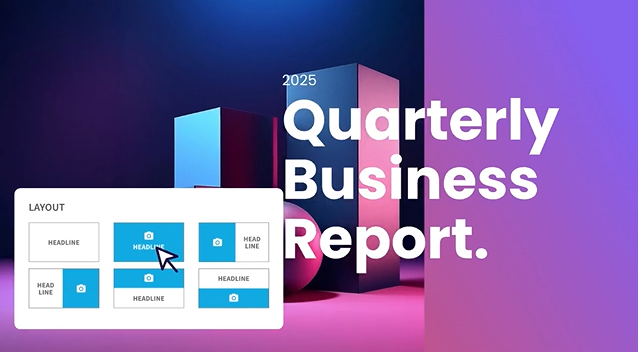
Beautiful.ai is a cloud-based presentation tool built around a feature called Smart Slides. Instead of a blank canvas, you work with intelligent slide templates that automatically adjust their layout as you add or remove content. Drop in a bullet point and spacing recalibrates. Add an image and text reflows. The design handles itself.
That core mechanic is what has built its user base among consultants, sales teams, marketers, and startup founders who need consistently polished output without spending hours on formatting. It sits in a deliberate middle ground: smarter than traditional slide editors, but less autonomous than a full AI generation platform.
Beautiful.ai is best understood as a design-assistance tool. You bring the content and structure; it brings the visual execution.
What is Gamma?

Gamma is a browser-based creation tool that generates presentations, documents, and web pages from a text prompt. Its card-based format is the distinguishing structural choice: instead of fixed-size slides, cards expand and contract to fit their content, making them well-suited for browser-based sharing, async reading, and multi-format output.
Gamma is broader in scope than most presentation tools. Users create Instagram carousels, internal reports, landing pages, and social content on the same platform. Its AI Agent can research, draft, and iterate on content, and its free tier is genuinely useful rather than the typical token offering.
The trade-off for that versatility: Gamma's card-based output does not always translate cleanly to traditional 16:9 PowerPoint slides. For teams that need to deliver polished .pptx files to clients or executives, that is friction worth knowing about upfront.
If you’d like to compare Gamma with another tool that’s better at PPT exports and more, it's worth looking at a Gamma alternative built for slides first.
What is Presentations.AI?
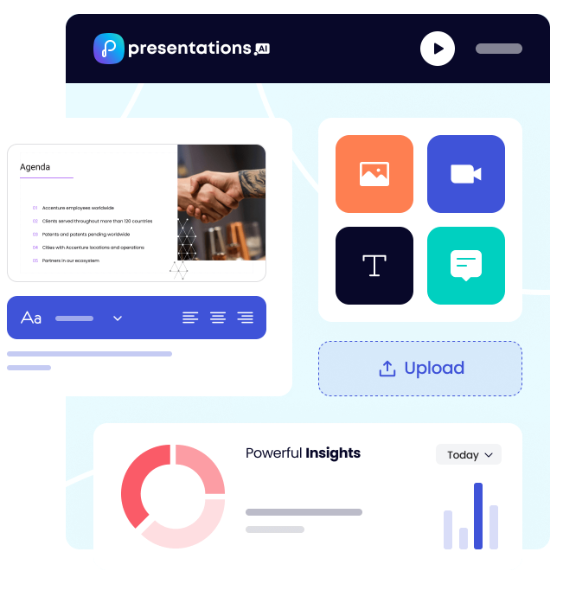
Presentations.AI is an AI-native presentation platform built specifically for business-critical slide creation. Think investor pitches, sales decks, board presentations, and anything where the output needs to move a decision. It is purpose-built for one format done exceptionally well: the professional slide deck.
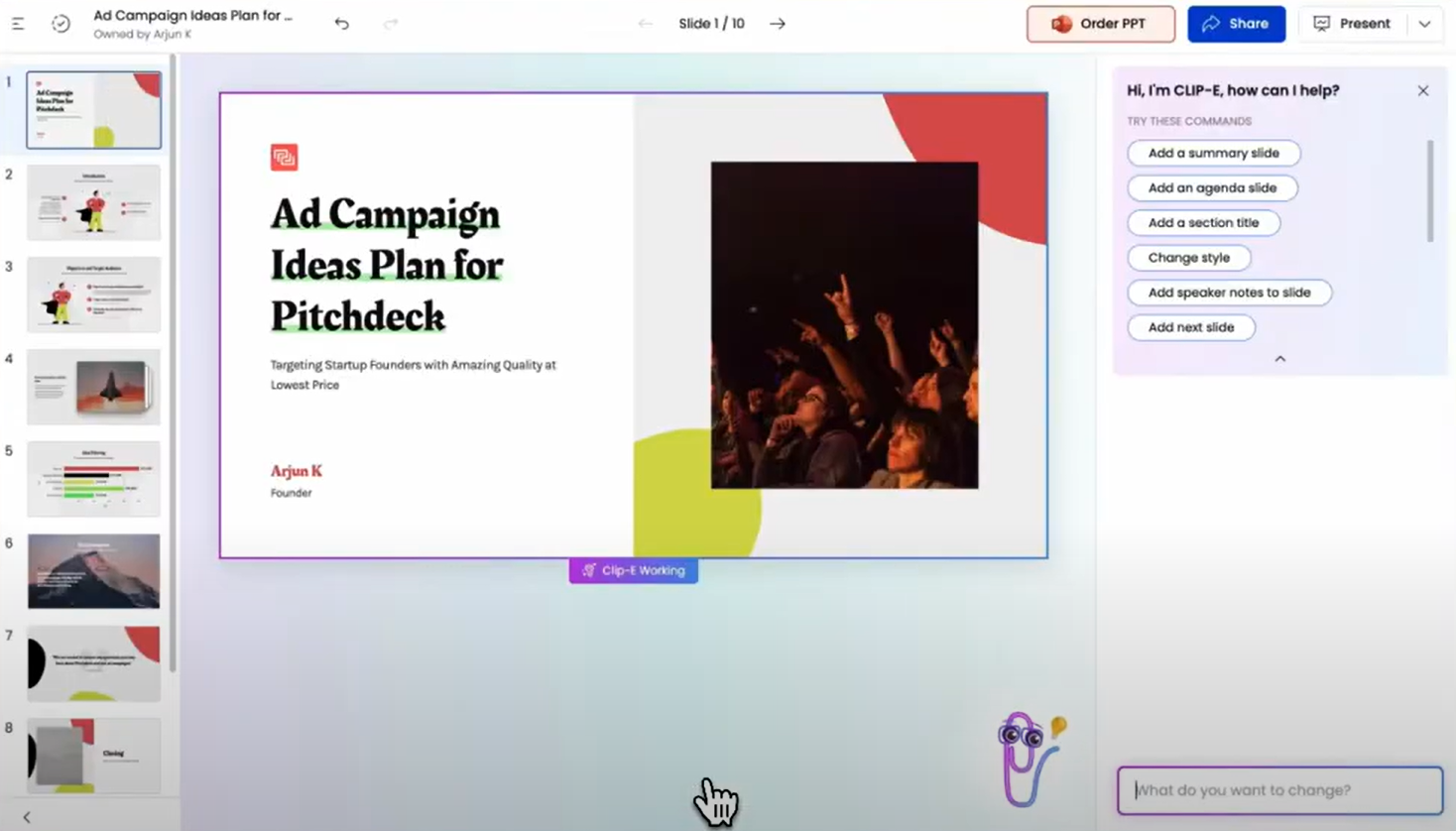
The platform's AI, Clip-E, functions as an ongoing collaborator. You can generate a full deck from an outline, a prompt, a URL, a PDF, or a Word document, and then continue refining through natural conversation. The proprietary Brand Sync feature automatically pulls your company's colors, fonts, and logos from your URL and applies them consistently across every deck.
Presentations.AI is SOC 2 Type II certified and designed for the security and compliance expectations of enterprise buyers. For professionals who need speed, polish, and brand consistency without sacrificing control, it stands alone.
If you’d like to compare Beautiful.ai in depth with Presentations.ai, head over to this page.
Beautiful.ai vs Gamma vs Presentations.AI: Feature-by-Feature Comparison
AI-Powered Slide Generation
Beautiful.ai: DesignerBot generates a presentation from a text prompt and populates slides with content organized by outline. After the initial generation, adding new AI-produced slides requires manual workarounds.
Gamma: Gamma generates a full deck from a prompt and continues iterating through its AI Agent. Users can ask the AI to revise sections, research topics, or add new content after the initial draft.
Presentations.AI: Clip-E handles end-to-end deck creation and stays engaged throughout the process. Generate from a prompt, import a PDF, paste a URL, or upload a Word doc, and the AI builds a structured, brand-consistent deck. You can refine, add slides, and adjust content through natural conversation without leaving the platform.
Design Quality and Customization
Beautiful.ai: The Smart Slides system produces consistently clean, professional output. The trade-off is control. You cannot freely position elements or override the layout logic. For users who need custom or unconventional layouts, it is a hard ceiling.
Gamma: Gamma's output is visually modern and well-suited to its card-based format. Customization options on paid plans are broader than those in Beautiful.ai, including custom fonts and themes. The visual quality shines for browser-based sharing but can look less polished in exported PowerPoint format.
Presentations.AI: Has templates that adapt intelligently as content changes without breaking the design structure. Brand Sync automatically applies your company's visual identity from a URL, so every deck is on-brand from the first slide without any manual theme setup.
Collaboration and Team Features
Beautiful.ai: Real-time co-editing, comments, version history, role-based permissions, and shared asset libraries are available on the Team plan at $40/user/month. The catch is that they are entirely locked behind a plan that more than triples the per-user cost from the Pro tier.
Gamma: Real-time collaboration is available on all plans. Team-level features, including custom company themes, shared folders, admin controls, and centralized billing, cost $20/seat/month with a minimum of 2 seats.
Presentations.AI: Team collaboration, real-time sync, and access controls are included at the Starter level. Every team member has access to the Clip-E AI assistant, which means any user can produce professional-quality output independently.
Export and Integration Options
Beautiful.ai: PowerPoint and PDF export on all paid plans. PowerPoint export is a noted pain point in user reviews. Text that appears as a single block in Beautiful.ai can be split into individual text boxes in the exported file, and alignment can shift. Test export quality before committing if .pptx delivery is central to your workflow.
Gamma: Exports to PowerPoint and PDF on all plans. The card-based format does not always convert cleanly to 16:9 slides, so budget time for cleanup when delivering .pptx files externally. Gamma also supports web-based sharing, doc output, and social content formats that the other two tools do not cover.
Presentations.AI: Clean PowerPoint export on the Pro plan, with output designed from the ground up to translate correctly to .pptx format. PDF export is also available on Pro and above. Multiple import options, including PDF, Word, and URL, give it the most flexible intake of the three.
Ease of Use and Learning Curve
Beautiful.ai: Minimal learning curve. The Smart Slides system means you never start from a blank canvas, and design decisions are largely handled automatically. Multiple users across review platforms report going from idea to a presentable deck in under an hour. For non-designers, this is the most immediately accessible of the three tools.
Gamma: Straightforward onboarding with a generous free tier that lets you create real presentations before committing to anything. The card-based format takes a few decks to get comfortable with, especially if you are accustomed to traditional slide layouts. The AI Agent adds capability once you learn how to direct it.
Presentations.AI: The conversational interface with Clip-E significantly reduces the learning curve. Because you can describe what you want in plain language, users with no design experience can quickly produce polished output. Brand Sync eliminates the setup friction that typically slows teams down when adopting a new tool.
Beautiful.ai vs Gamma vs Presentations.ai — Detailed Feature Comparison Table
| Capability | Beautiful.ai | Gamma | Presentations.ai |
|---|---|---|---|
| Core Approach | Template automation: smart layouts that adapt | Multi-format AI generation (decks, docs, web pages) | AI-driven content structuring and generation |
| Typical Use Cases | Sales decks, client presentations, internal updates | Personal projects, social media, multi-format content | Board decks, investor pitches, enterprise sales |
| Document Import | Basic text input | Basic text / prompt input | PDF, Word, URL conversion |
| Brand Management | Manual setup per presentation | Manual per presentation | Automatic from the company URL |
| PowerPoint Export | Available — users report formatting issues | ❌ Overlapping boxes, missing fonts | ✅ High-fidelity exports |
| Template Library | Professional but limited selection | Moderate library | 10,000+ templates |
| AI Features | DesignerBot for slide generation | AI Agent for research and iterative editing | Full content generation and structuring (Clip-E) |
| Animation / Transitions | Manual configuration | Card-based format — limited traditional animations | Automatic professional animations |
| Collaboration | Basic sharing — full co-editing on the Team plan only | Real-time on all plans | Real-time team workflows (Starter+) |
| Enterprise Security | Standard security | ❌ No SOC 2 — frequently fails IT review | ✅ SOC 2 Type II certified |
| Data / Content Ownership | Standard terms | ❌ Grants Gamma perpetual, irrevocable, worldwide rights | ✅ Users retain full ownership |
| GDPR / Privacy Compliance | Standard | ❌ Viewer tracking raises GDPR concerns | ✅ Privacy by design |
| Audit Trail | Limited | ❌ None | ✅ Full audit logging |
| Fortune 500 Adoption | Moderate | Minimal | Widespread |
| IT Approval Likelihood | Moderate | Low — security and data concerns | High — meets enterprise standards |
| Free Trial | 14-day trial (credit card required) | Free plan — no card required | 5 presentations — no card required |
| Hidden Costs | Export cleanup, limited AI depth at scale | Export fixes, brand violations, and potential legal risk | None |
| Training Required | Minimal for design tasks | Multi-format scope creates confusion | Focused workflow — low ramp-up |
| Vendor Risk | Moderate | High — platform pivoting away from presentations | Low — deepening focus on presentations |
| Support Level | Standard support | Generic help center | Dedicated enterprise support |
| Best For | Teams needing design consistency without design skills | Multi-format content creation, solo creators | Teams converting documents to polished presentations |
Pricing Comparison: Beautiful.ai vs Gamma vs Presentations.AI
| Plan/Feature | Beautiful.ai | Gamma | Presentations.AI |
|---|---|---|---|
| Free plan | ✗ (14-day trial only) | ✓ (400 one-time credits) | ✓ (unlimited users) |
| Starter/entry paid | $12/mo (Pro, annual) | $12/mo (Plus) | $240/year ($20/mo) |
| Mid-tier paid | N/A | $25/mo (Pro) | N/A |
| Team plan | $40/user/mo | $20/seat/mo (min. 2) | Enterprise (custom) |
| Enterprise | Custom | $40/seat/mo (min. 10) | Custom |
| Annual discount | ✓ | ✓ | Annual only (no monthly) |
| Monthly billing | ✓ (premium pricing) | ✓ | ✗ |
| AI credits included | Unlimited on paid | 1,000–20,000/mo (plan-dependent) | Limited on Starter; more on Pro; unlimited on Enterprise |
| Branding removal | All paid plans | Plus and above | Paid plans |
| Credit card for trial | ✓ (required) | ✗ | ✗ |
Take a look at Presentations.ai’s pricing in depth.
Which Tool is Best for Your Use Case?
Best for Startups and Pitch Decks
Presentations.AI wins here. Clip-E generates a structured, brand-consistent pitch deck from a prompt or an uploaded document, and you can iterate in natural language. Beautiful.ai is a reasonable second option if you already know what you want to say and just need it to look good fast.
Best for Sales Teams
Presentations.AI delivers on three things sales teams need the most: AI-driven creation, Brand Sync for consistent output across reps, and viewer analytics on paid plans. Beautiful.ai is also a credible option with Smart Slides consistency and built-in engagement tracking on the Pro tier. Gamma is less purpose-built for sales deck workflows.
Best for Marketing Teams
Presentations.AI's Brand Sync means every deck auto-aligns to the brand without anyone needing to select a theme or check a brand kit. For teams producing campaign proposals, launch presentations, and creative briefs at volume, that automation compounds quickly. Beautiful.ai's Brand Kit is a solid manual alternative. Gamma works well for marketing teams that need multi-format output beyond just slides.
Best for Enterprise and Large Teams
Presentations.AI at the Enterprise tier offers unlimited AI credits, company-wide templates, admin controls, and full enterprise security. SOC 2 Type II certification is a meaningful differentiator for procurement and security review processes.
Beautiful.ai's Enterprise plan covers SSO, SCIM, and dedicated account management. Gamma Business at $40/seat adds SSO and SOC 2 documentation for organizations that want enterprise controls without leaving the Gamma ecosystem.
Best for Individuals and Freelancers
For solo users, the decision comes down to the quality and value of the free tier and the first paid tier. Gamma's free plan is the most genuinely useful: 400 credits, no credit card required, and PowerPoint export included. Presentations.AI's free Starter plan is strong for exploring the platform before committing. Beautiful.ai has no free plan, and the trial requires a credit card with auto-renewal.
Why Presentations.AI is the Smarter Choice Over Beautiful.ai and Gamma
Here is what makes it a stronger all-around choice:
- Brand Sync reads your company URL and automatically applies your visual identity. This saves the time required to set up brand identity and ensures presentations are on-brand from slide 1.
- Clip-E can build, refine, and reshape a deck through conversation. This saves time and effort and helps even non-designers create presentations with ease. Beautiful.ai's AI stops at the first draft. Gamma's AI Agent is capable but less focused on slide output specifically.
- Multi-source input can turn a PDF, a Word doc, a URL, or a plain prompt into a polished deck. Neither competitor supports input from all four sources.
- Pricing: At $240/year ($20/month), Presentations.AI Pro undercuts Gamma Pro ($25/month) by a third and matches Beautiful.ai Pro ($12/month) much more closely than the initial numbers suggest, especially when you factor in what each tier actually delivers.
- The free Starter plan is multi-user, and your team can explore the platform before committing. Beautiful.ai's trial requires a credit card. Gamma's free tier is limited to one-time credits.
The Verdict: Which AI Presentation Maker Should You Choose?
Choose Beautiful.ai if you:
- Create decks solo and want a consistent, polished result every time with minimal effort
- Need viewer engagement analytics for sales follow-up workflows
- Brand requirements are straightforward: colors, fonts, logos
- Are comfortable with a 14-day trial that requires a credit card
Choose Gamma if you:
- Need a free plan with no credit card required
- Create content across multiple formats: presentations, docs, web pages, social content
- Want month-to-month flexibility before committing to an annual plan
- Are a small team looking for collaborative features at a reasonable per-seat price
Choose Presentations.AI if you:
- Want AI that builds, refines, and iterates on your deck conversationally
- Need brand consistency to be automatic, not dependent on manual theme selection
- Regularly convert PDFs, Word docs, or URLs into presentation format
- Are building business-critical decks: pitches, sales presentations, board updates
- Team needs every member to produce professional output, regardless of design skill






