TL;DR
- AI presentation tools now do more than template generation. The best ones help business teams build structured, branded decks from raw inputs in minutes.
- Multi-format inputs replace blank prompt boxes as the starting point for high-stakes decks. You can begin from a PDF or a CSV.
- Auto-branding and Brand Sync cut the manual cleanup that follows deck generation.
- Conversational editing turns AI from a one-shot generator into a presentation assistant. It helps refine the story one slide at a time.
- Audience personalization and analytics close the gap between deck creation and business outcomes.
The shift from manual slides to AI-assisted communication
You have a strategy doc and a messy spreadsheet. A meeting starts tomorrow morning, and the deck is still blank. The old workflow was obvious. You opened PowerPoint and copied the inputs across. Then you rebuilt charts and adjusted layouts, hoping the deck looked polished before time ran out.
That workflow is starting to feel outdated. In 2026, AI presentation tools are moving from "generate a few slides from a prompt" to "turn raw business inputs into a branded, audience-ready deck."
What happens in 2026 goes further. The speed argument still holds, though it tells only part of the story. The tools now read context better and hold consistency across a full deck. They adapt to different audiences and work with you through an ongoing dialogue, past the single prompt-and-generate cycle. The old way of building decks now looks like a legacy workflow. You opened PowerPoint, fixed layouts by hand, and updated versions one by one.
If you lead sales, marketing, or strategy, this matters. Presentations now do more than sit as documents. They win attention and explain performance. They move deals forward and drive decisions. The less time your team spends formatting slides, the more time they can spend sharpening the story.
This piece covers eight trends shaping AI presentation tools in 2026. It marks what is already here and what sits close enough to plan around. If you build decks for work, from internal meetings to client pitches, these trends matter in practice. Most of these shifts already show up in a modern ai presentation maker, so it helps to see how they play out in a tool you can use today.
Quick Reference: 2026 AI Presentation Trends at a Glance
Trend 1: Blank Slides Disappear
Blank slides are becoming rare. A couple of years ago, a full presentation from a text prompt looked impressive. Today the bar has moved. Now teams ask how fast the deck arrives and how coherent it reads. They also ask how close to ready-to-use the output looks.
According to McKinsey's AI in the Workplace report, 92% of companies plan to increase AI investments over the next three years. Real-time content generation ranks among the most cited use cases. That spending makes instant generation the baseline expectation for deck builders, past the novelty stage.
The best tools in 2026 generate structured, laid-out decks in seconds. You type a sentence and describe your goal or audience. The tool produces a 10-to-12 slide deck with a logical narrative arc and formatted slides. The days of watching a progress bar inch across the screen are mostly behind us.
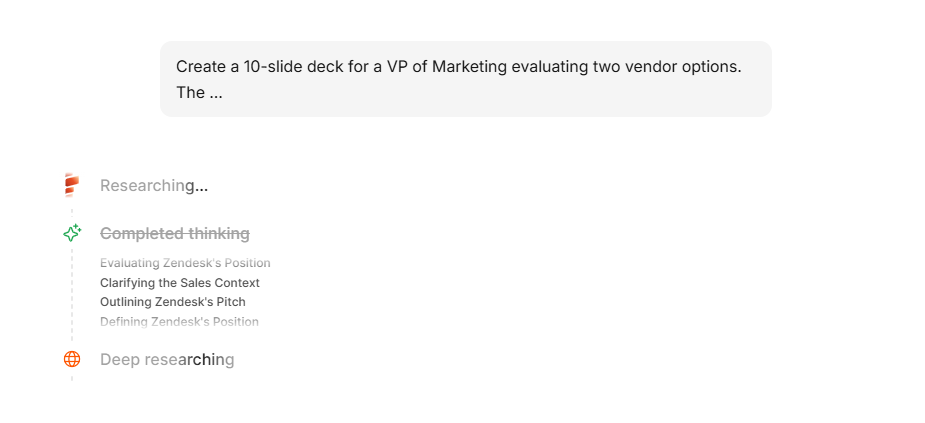
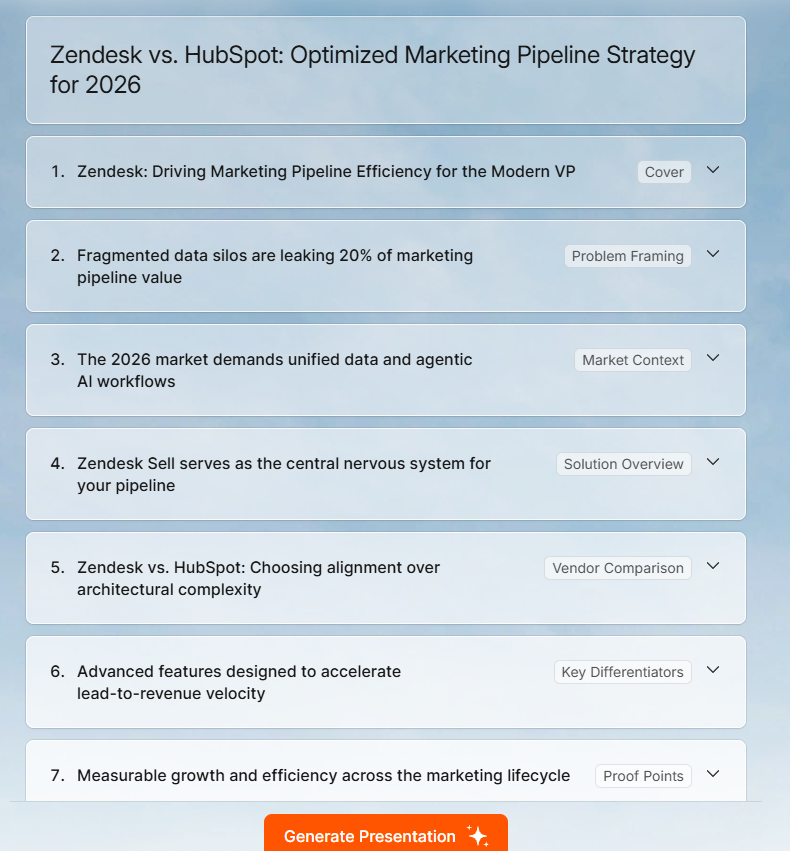
This matters beyond speed, because the generation is becoming context-aware. A prompt like "Create a pitch deck for a Series A fundraise targeting SaaS investors" produces different output from "Create a quarterly review deck for an internal ops team." The tools read intent now, past simple keywords.
What this means for your next deck
Skip the template step at the start. Begin by describing the outcome. Name who the deck is for and what decision you need from the room. Point the AI to your source material. The better the business context, the better the first draft.
Where this is going
The next step is generation that responds to feedback in real time. The better tools already do this. You generate a draft and spot something close but slightly off. You say, "Make the opening more direct" or "Cut slide 4 and expand slide 7." The AI treats the deck as a live document, open to edits at any point.
Trend 2: Messy Inputs Become Finished Decks
Messy inputs now turn into finished decks. The plain-text prompt had a good run. In 2026, people start a deck by dropping in something they already have. According to Gartner's prediction on multimodal AI, 80% of enterprise software and applications will be multimodal by 2030. Deck builders now start from material they already own, like a CRM export or a campaign report.
You might upload a research brief or paste a company URL. You might import last quarter's PDF report. These inputs are becoming the default starting points for AI-generated decks, for good reason. A tool that reads your actual content produces a deck grounded in your real data and language. It draws from your material, past the AI's general knowledge of the topic.
This workflow shift matters most for busy teams. Sales teams already have CRM notes. Marketers already have campaign reports. Customer success teams already have usage data. Founders already have investor updates and financial models. The AI presentation tool should build on that work. It should turn those inputs into a clear first draft.
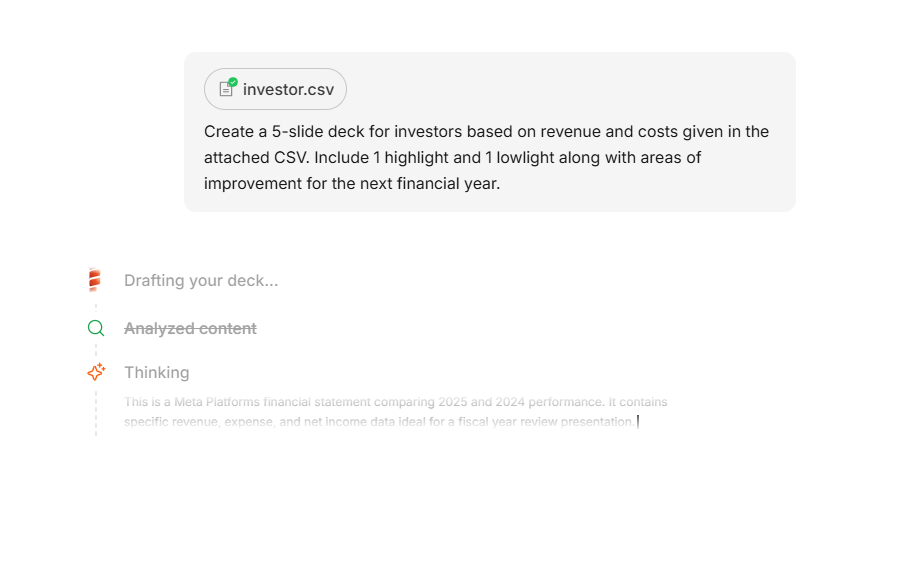
This matters for people who already did the hard work of gathering and structuring information. If you have written a 2,000-word brief, you want the tool to use it directly. Summarizing it into a prompt and watching the AI rebuild it wastes your effort. You want the tool to read the brief and turn it into a deck directly.
The practical difference
When the source material is real content, the output turns more accurate and specific. It aligns with your actual message. You still review and edit, though the editing pass focuses on refinement over error-correction. The gap between what the AI produced and what you needed is smaller from the start.
Multi-format input matters inside Presentations.AI for this reason. A business user should be able to skip rewriting a campaign report into a perfect prompt. The AI should read the source material and structure the deck from there.
Trend 3: Talking Through an Idea Becomes the First Draft
Talking through an idea now produces a first draft. Voice input has served other categories for years, from transcription tools to meeting assistants. In 2026, that capability reaches the presentation creation workflow in a real way.
The premise is simple: speak your idea, and the tool structures it into a deck. Describe the narrative arc out loud and say what each section should cover. You get back a structured slide outline ready for visual layout. People who think better out loud gain the most here. It removes a major friction point in the deck-creation process.
Voice-to-slide is also picking up in mobile contexts. Someone on the move can capture an idea before a meeting. They describe a deck concept into their phone and return to a more developed version later. The capture-to-creation gap gets shorter.
What to do with it
When you speak your deck, go past the topic itself. Name the audience and the decision you need from them. Point the AI to the document or data it should pull from. That context turns a rough voice note into a usable first draft.
Where it's at right now
Full voice-to-finished-slide workflows are still maturing in most tools, though the underlying capability is solid. Speech-to-text accuracy is good enough that the main question is how well the tool interprets and structures what it hears. The early movers build interfaces that let you toggle between text and voice input while keeping your workflow intact.
Trend 4: Brand Cleanup Stops Being Manual
Brand cleanup is losing its manual step. Ask people who use AI presentation tools what they fix most after generation, and brand consistency comes up fast. The AI produces a clean deck with the wrong fonts and approximate colors. The generic style misses how your company actually looks. You then spend 15 to 20 minutes making the slides look like yours.
In 2026, the tools that require that manual correction step are falling behind. Auto-branding pulls your visual identity and applies it to every slide from the start. It is becoming a baseline expectation, past the premium-feature stage.
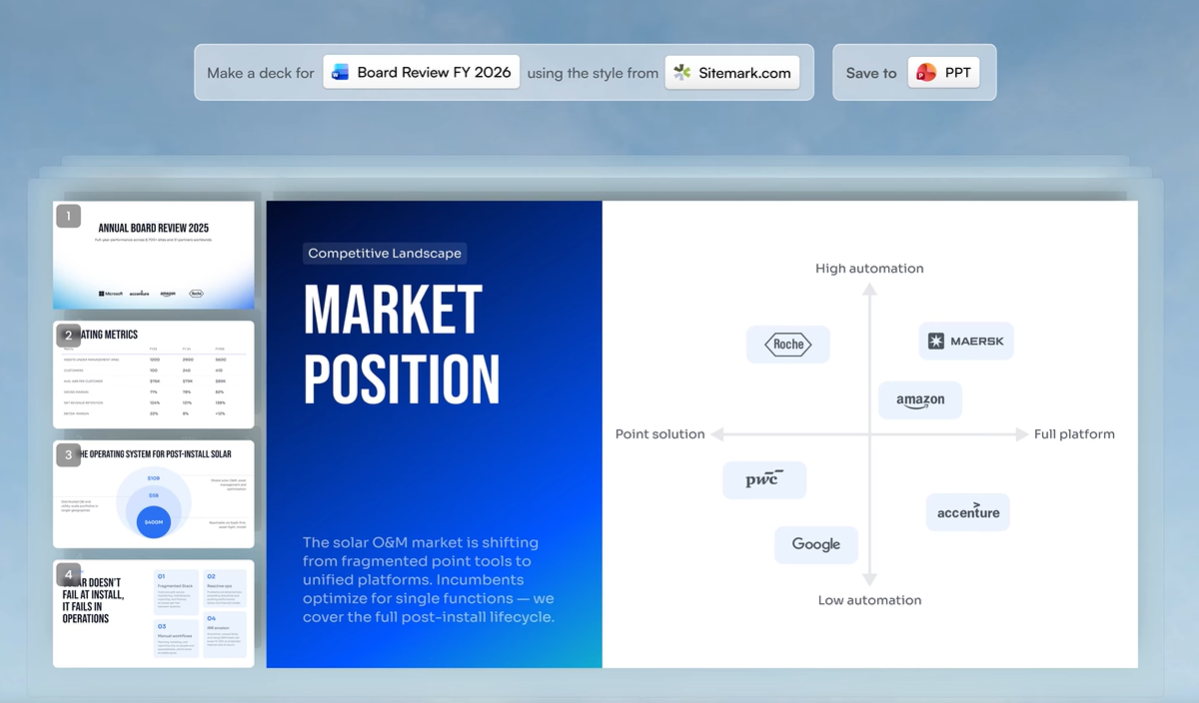
The approach that works best is URL-based extraction. Paste your company website, and the tool reads your brand colors and fonts from the page. It applies them across the deck, logo included. You skip the brand kit upload. You skip the color codes and the visual guidelines. The tool figures it out and stays consistent slide to slide.
According to Deloitte's Marketing Trends report, 64% of brands already use AI tools to automate content creation. The report cites brand consistency as a driver.
Why this matters more than it sounds
A deck that looks like your brand does more than please the eye. It signals credibility. Inconsistent formatting quietly makes a sales proposal or board update feel less considered. The same holds for an investor pitch. Brand Sync removes that cleanup step so the first draft already looks like it belongs to your company.
Presentations.AI's Brand Sync builds around this exact idea. The deck should look like your company from the first draft, before any manual cleanup.
Manual brand cleanup is exactly the work AI should remove. Presentations.AI can apply your company identity automatically so your first draft already looks on-brand.
Trend 5: AI Moves from Generator to Presentation Assistant
AI is moving from a slide generator to a presentation assistant. The original tools worked like a vending machine. You put in a prompt and got out a deck. If the output missed the mark, you refined the prompt and tried again.
That model is giving way to an intelligent presentation assistant. It understands the deck and remembers the context. It helps you improve the story while sparing you manual slide editing. In 2026, the better tools let you talk through changes and refine specific slides. You keep the deck moving while skipping any start-from-scratch reset.
The practical effect is that the editing process becomes conversational. Instead of opening a layout editor and rewriting a text box by hand, you say "make slide 3 more concise." Or you say, "shift slide 6 toward cost savings." The AI makes the change. You review it and either keep it or redirect. That back-and-forth marks a clear break from how presentation tools have always worked.
Gartner predicts that 40% of enterprise applications will integrate task-specific AI agents by the end of 2026, up from less than 5% today. Conversational editing turns into an expectation for presentation tools, past the bonus stage. Teams want an assistant they can direct, more than a button they press once.
What this changes about the creation process
When the tool becomes a conversation partner, the barrier to getting a slide exactly right drops significantly. You can skip knowing where to click or how to format. You just describe what you want. That makes the tool friendlier for people who feel unsure in slide editors. It also speeds the refinement step for the experts.
This is the difference between a slide generator and a presentation assistant. A generator gives you output. An assistant helps you shape the story until it is ready for the room.
Trend 6: One Source Deck Becomes Many Audience-Ready Versions
One source deck can become many audience-ready versions. The same content needs different delivery depending on who sits in the room. A product update presented to engineers needs different depth and terminology than the same update presented to sales. A fundraising pitch tailored to a consumer-focused investor looks different from the same pitch tailored to an enterprise-focused one.
Most people build multiple versions by hand, which eats time and invites errors. Others use one version for every audience and hope the gaps stay small. Both approaches fall short.
AI tools in 2026 are starting to address this more directly. You describe your audience as part of the generation input. The tool adjusts the content and the framing for that group. A finance audience gets more numbers and fewer feature descriptions. A creative team gets more visual examples and fewer data tables. The underlying story is the same. The presentation of it changes.
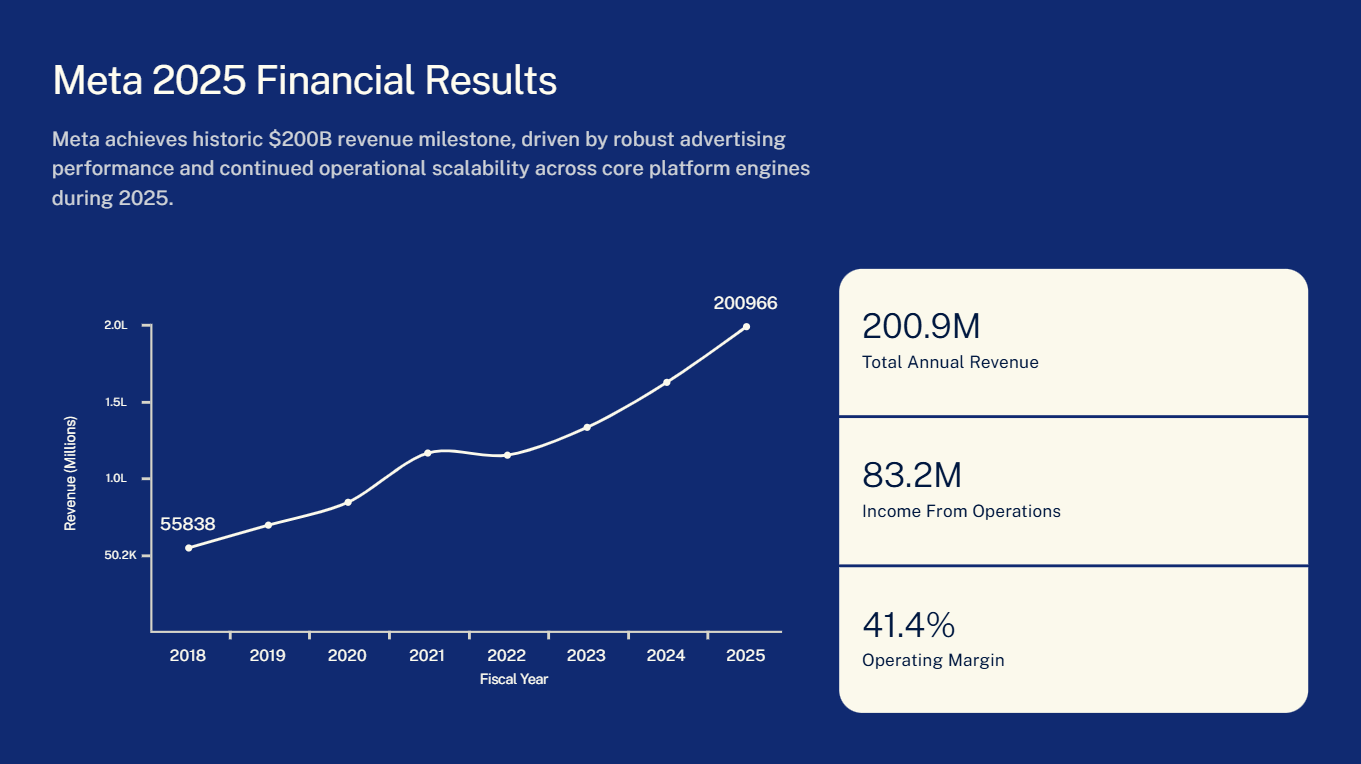
According to McKinsey's analysis of personalization in marketing, strong performers generate 40% more revenue from those activities than average performers. Personalization drives a 5 to 15 percent revenue lift.
The early version of this
Full automatic audience-switching is still developing, though the building blocks are here. Tools that let you specify audience characteristics in the prompt already produce meaningfully different decks from the same source material. The more explicit you are about the audience and what they need to do with the information, the better the differentiation gets.
Some teams already work with a "base deck" model: generate a comprehensive version, then use AI editing tools to strip it down and reframe it for each specific audience. It stays partly manual, though it runs much faster than building multiple versions from scratch.
What to do with it
Start with one comprehensive source deck. Ask the AI to adapt it for each room, from the investor pitch to the board update. Keep the core story consistent. Change the level of detail and the proof points for each audience.
Trend 7: Templates Stop Breaking When Your Content Changes
Templates are starting to hold up when your content changes. Here is the classic problem: you find a layout you like, drop in your content, and by the third slide it breaks. You added one bullet more than the template expected. Now the text overflows, or the image slides into the heading. So you spend 10 minutes fighting the layout instead of working on the content.
The template model in 2026 is moving away from fixed layouts toward adaptable design. The layout adapts to your content as you edit. It stops assuming a fixed amount of content and holds together when you deviate. Add a bullet point, and the layout reorganizes to fit it. Remove a content block, and the remaining elements redistribute to fill the space.
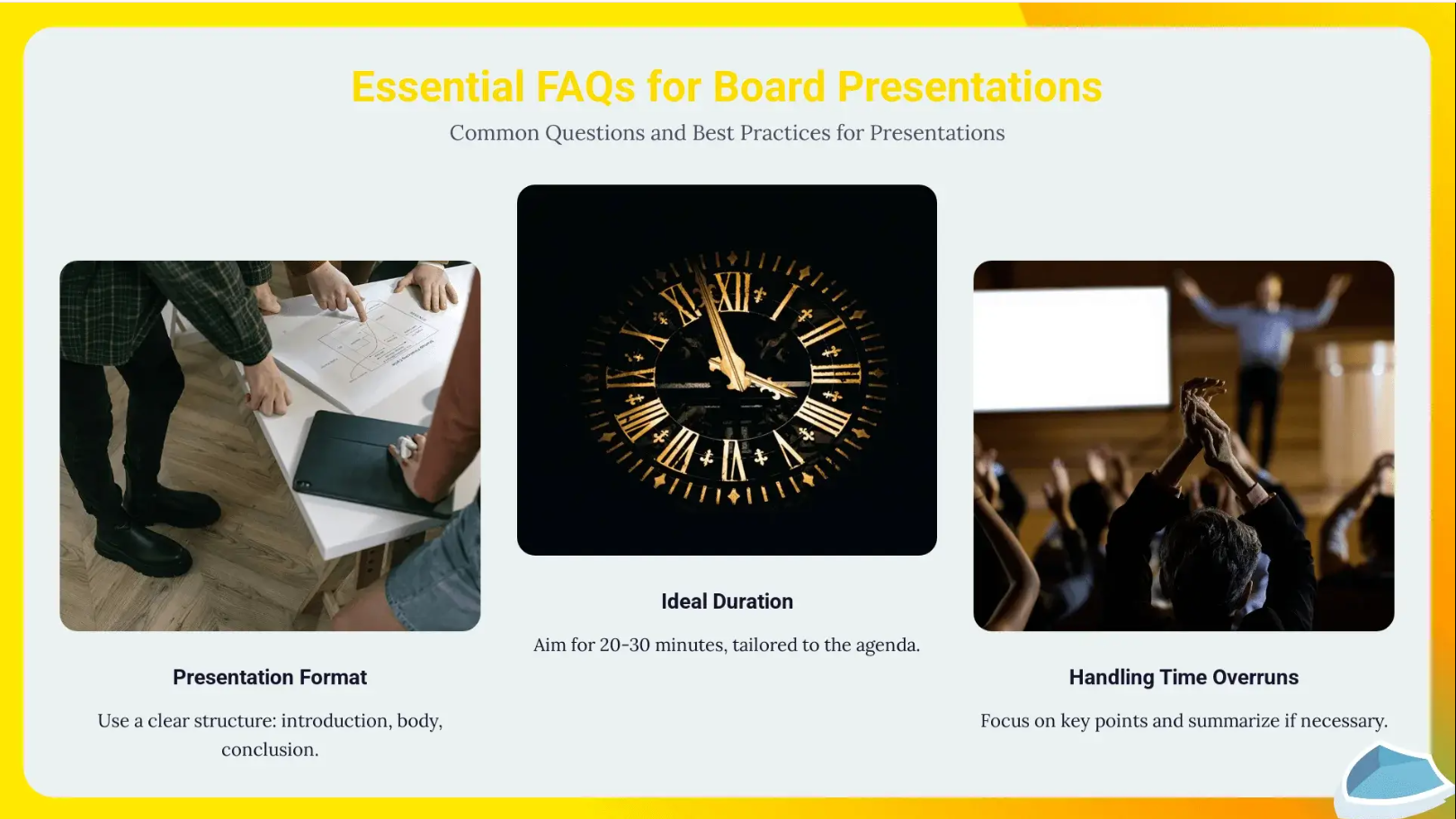
This might sound like a small quality-of-life improvement, though it changes how people work. When you trust that your edits will hold the layout, you spend more time on the actual content. The tool stops being something you work around and becomes something you work with.
Beyond layout flexibility
The smarter template systems are also starting to make content suggestions based on the slide's context. If you land on a data slide with a sparse chart, the tool might suggest additional data points. If you land on an agenda slide, it might pre-populate based on the headings it sees across the deck. These stay small, contextual nudges instead of dramatic AI interventions. They save you the mental overhead of remembering what goes where.
Trend 8: Decks Start Showing What Actually Worked
Decks now show what actually worked. Building a great deck used to be the end of the story. You sent it and presented it, then learned little about what actually landed. Did people read the slides you spent the most time on? Did they exit the deck halfway through? Did the proposal get opened again after the initial meeting?
Presentation analytics have existed in various forms for a while, and they are becoming more integrated with AI creation tools in 2026. The same platform where you build the deck now tells you how it performs after you send it. You see slide-by-slide engagement and time spent per slide. You see whether the deck traveled further and how viewer behavior differed across segments.
That data helps you improve future decks. If three out of four viewers exit on slide six, slide six has a problem. If the ROI slide gets three times more time than any other, that is the argument you should lead with. You stop guessing about what resonates and start seeing it in the data.
What to do with it
After your next sales proposal or investor deck, look at where viewers slowed down and where they dropped off. Lead your next version with the slides that earned the most attention, and cut or rework the ones people skipped.
Where this leads
The next step, already in development at several companies, is AI that reads engagement data from past presentations and surfaces recommendations for future ones. "In presentations to this segment, financial slides get 40% more attention than feature slides. Consider leading with the cost analysis." That kind of feedback loop is where analytics and AI generation start reinforcing each other.
What separates useful AI presentation tools from gimmicks?
The difference is whether the tool removes real work. A novelty generator can produce slides from a prompt. A useful AI presentation assistant takes your actual inputs and structures the narrative. It applies your brand and adjusts the deck for the audience. It helps you refine the result while sparing you a manual rebuild.
Business users should expect a real standard now. Skip the template library and the blank slide editor. Ask for an AI assistant that structures the story and keeps the deck consistent from the first draft.
Conclusion
The big shift is simple: presentation work is moving away from manual slide production and toward AI-assisted communication.
The best tools do more than make slides faster. They turn messy inputs into clear narratives and keep every deck on brand. They adapt the story for different audiences and show what worked after you share the deck.
That is where Presentations.AI is focused: helping business teams spend less time building slides and more time driving decisions.