为什么要将 HTML 转换为 PowerPoint?
HTML 是为浏览器而非会议室设计的。无论是导出的报告、内部仪表板、电子邮件通讯还是保存的网页,一旦您需要将其放入幻灯片中,就不得不陷入复制粘贴代码或截图的困境。这往往会导致格式错乱、表格坍塌,链接也无法使用。
Presentations.AI 可以直接读取您的标记(标题、段落、列表、表格和超链接),并将其重构为清晰的幻灯片叙事,而不是堆砌抓取来的文本。它采用了与我们 URL 转 PPT 工具相同的引擎,并针对原始 HTML 和 .html 文件进行了专门优化。
常见应用场景:将 HTML 报告转换为适合演示的幻灯片、将仪表板导出内容转换为客户更新、将通讯内容重新利用为推介幻灯片,以及将网页保存为演示就绪的文档。无论源标记是什么,Presentations.AI 都能将其转换为结构化、可编辑的 PowerPoint,无需您触碰任何一行代码。
为什么选择 Presentations.ai 进行 HTML 转 PPT?
AI 解析 HTML 结构,而不只是标签
AI 读取的是文档的语义结构,而不仅仅是可见文本。H1 标题会变为幻灯片标题,列表会变为整洁的项目符号,各部分内容会变为逻辑清晰的幻灯片分页,确保演示文稿遵循您的内容层级,而不是将所有内容堆砌在一张幻灯片上。
保留表格、列表和超链接
数据表格会转换为结构化、可编辑的幻灯片表格,有序和无序列表会保留为格式化的项目符号,超链接在最终的演示文稿中依然可以点击。没有任何内容会被扁平化为无法使用的截图。
粘贴原始 HTML 代码或上传 .html 文件
随心所欲地工作。您可以直接放入导出的 .html 文件,或将原始 HTML 标记直接粘贴到导入框中,AI 均可处理。当您只有来自 CMS 或邮件工具的片段而没有保存文件时,这是最简洁的选择。对于没有标记的纯文本,我们的 文本转 PPT 工具 也能实现同样的效果。
品牌同步:应用您的专属配色、字体和徽标
只需输入一次公司网址, 品牌同步 即可自动抓取您的品牌配色、字体和徽标,并将其应用于每一张幻灯片。导出的 HTML 文件将呈现出正式的企业演示文稿效果,而非简单的原始转换。想要从现成方案开始?请选择我们的 专业模板 。
完全可编辑的 PowerPoint 输出
每一个文本框、表格和形状都是原生的 PowerPoint 对象,而非图片。导出后,您可以直接在 PowerPoint 中修改文案、调整表格样式、更换布局并更新内容。使用我们的 AI 幻灯片创建工具 在转换后的演示文稿基础上添加新幻灯片。
SOC 2 Type II 认证:转换后立即删除文件
通过 SOC 2 Type II 认证,全程采用端到端加密处理。您的 HTML 文件及其中包含的任何数据均会得到安全处理,绝不会在转换会话结束后留存,也绝不会用于训练公共 AI 模型。
如何通过 3 个步骤将 HTML 转换为 PPT
第 1 步:上传 HTML 文件或粘贴原始代码
进入仪表板并选择“导入”。拖放 .html 文件,或直接将原始 HTML 标记粘贴到导入字段中。两种方式均可,无需任何预处理。
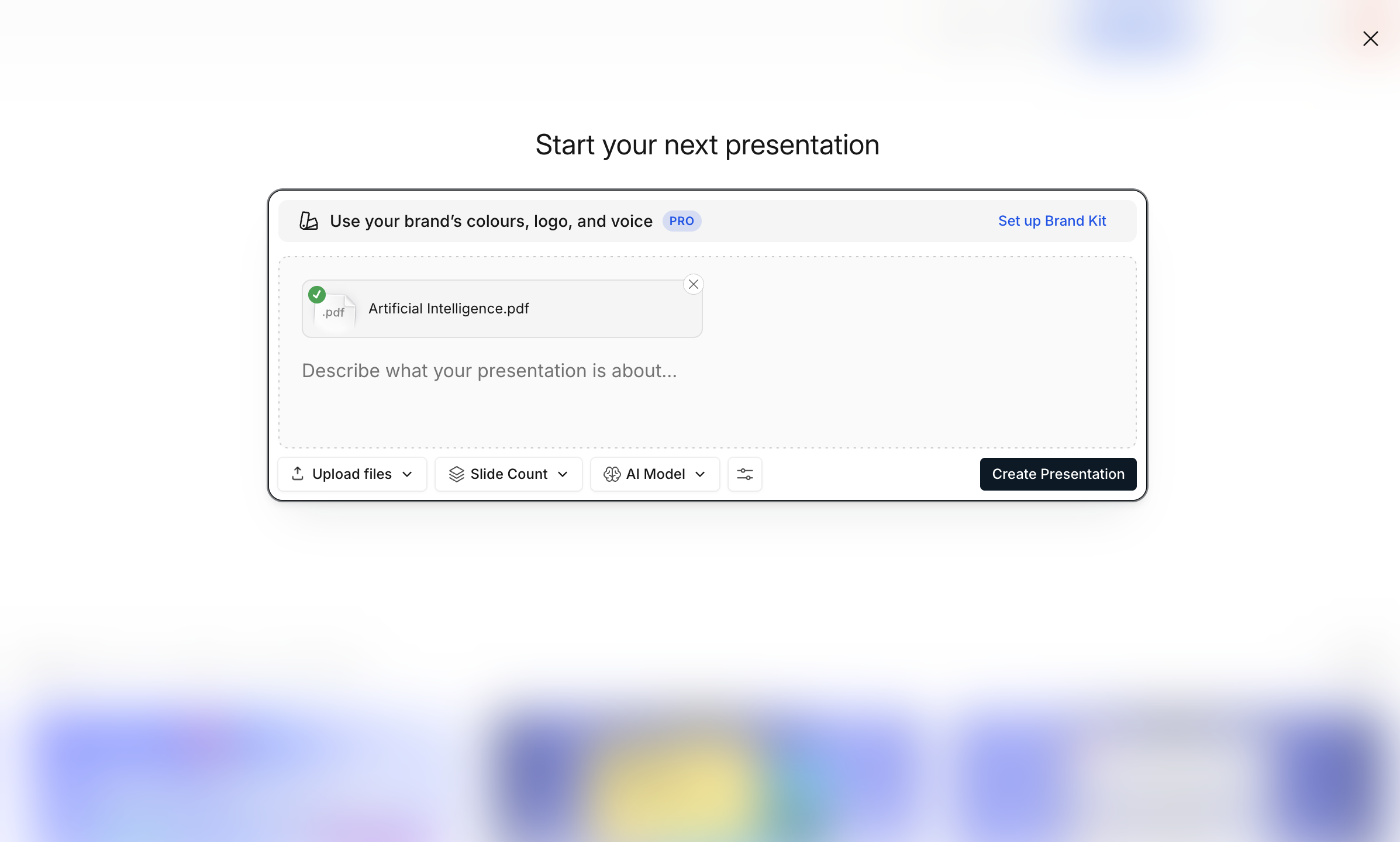
第 2 步:AI 解析标记并构建幻灯片
AI 会读取您的标签、表格、列表和链接,识别内容层级,并将其构建为完整的演示文稿,无需手动处理空白幻灯片或调整格式。 品牌同步 会自动应用您的企业配色和字体。
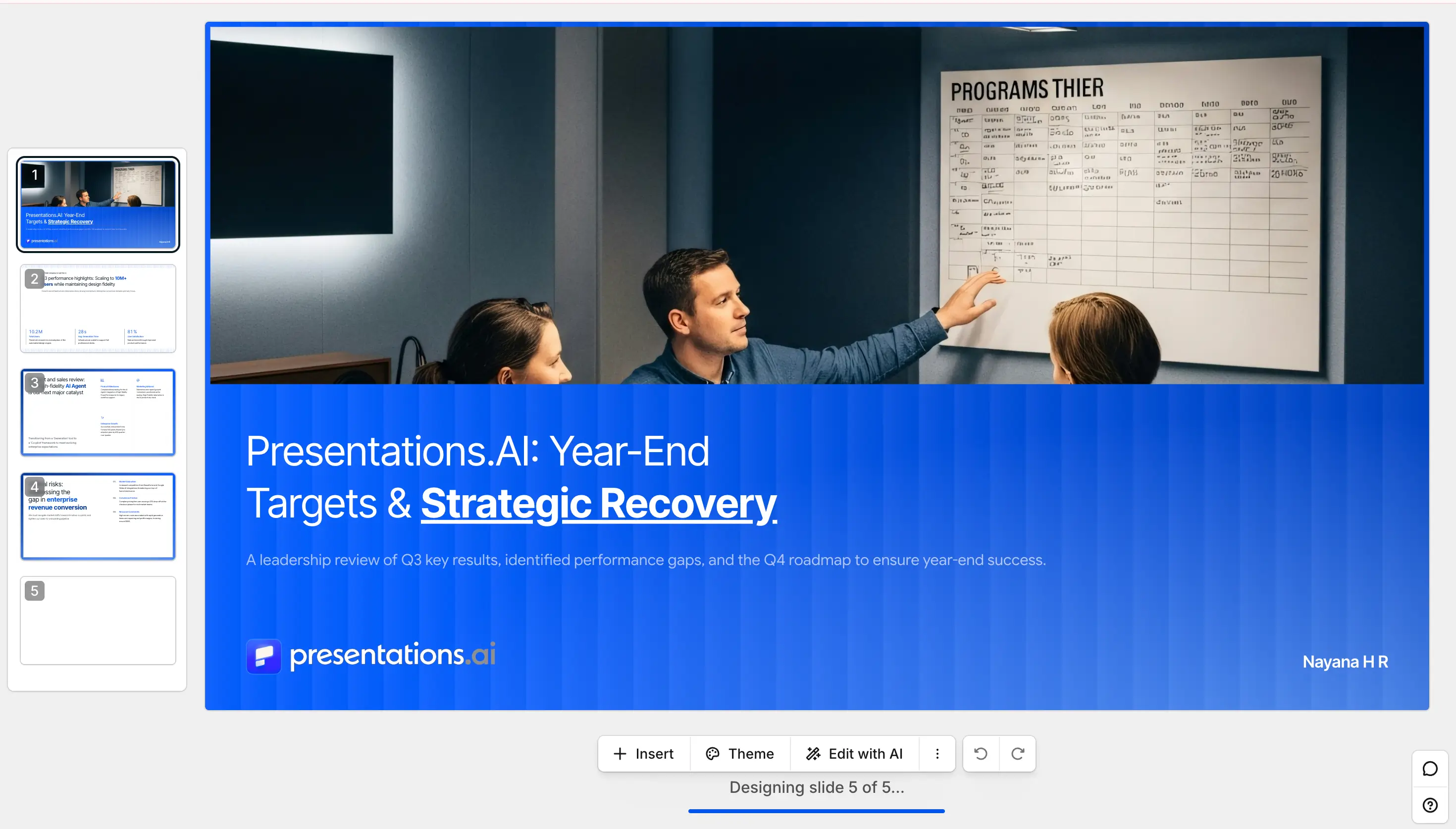
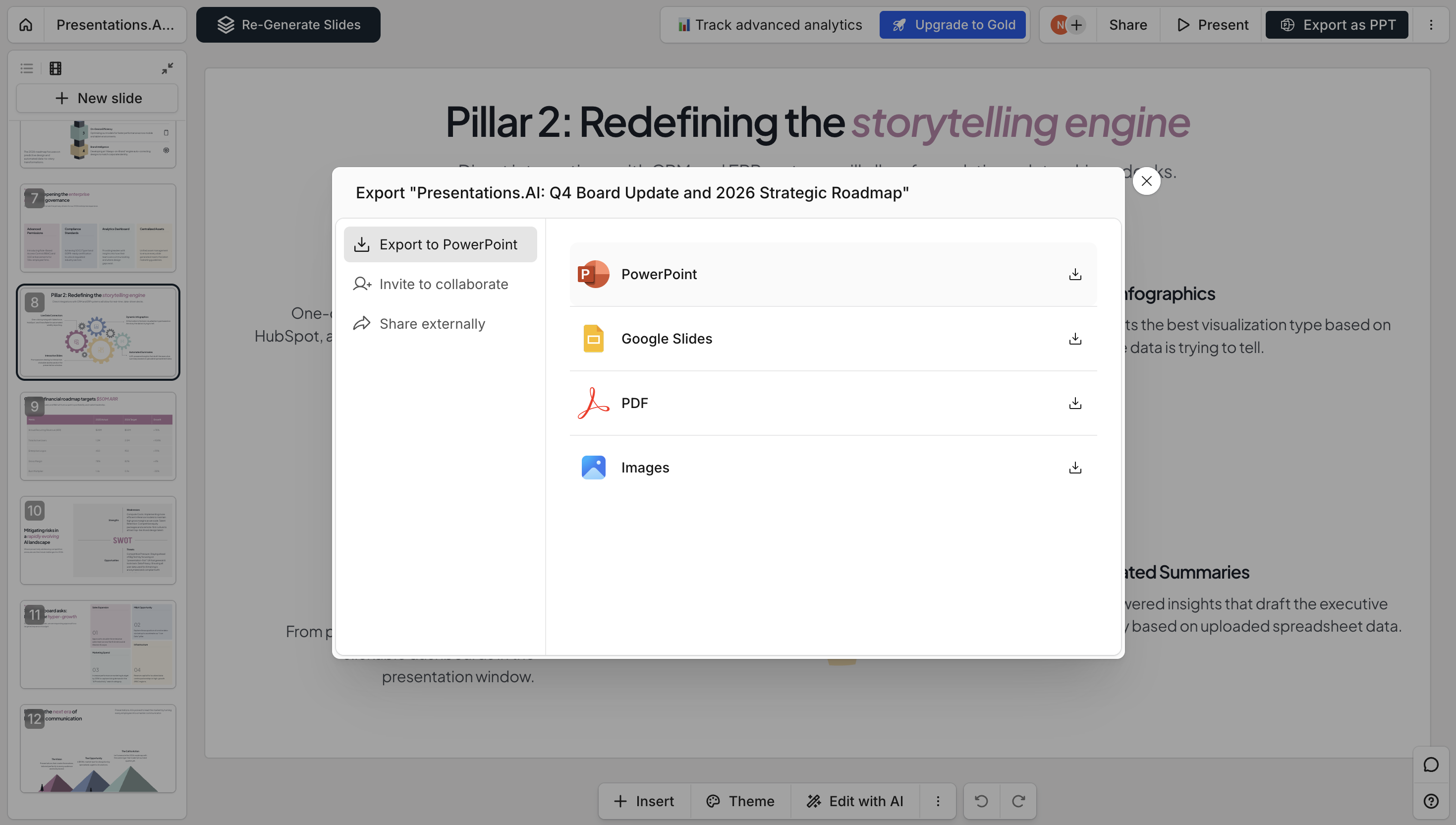
第 3 步:编辑、导出为 PPTX 或分享链接
预览演示文稿,在编辑器中调整布局、编辑文案或优化幻灯片。随后可导出为完全可编辑的 PowerPoint (.pptx) 文件、下载为 PDF,或发布为可分享的链接供相关人员查看。查看我们的 定价页面 查看免费版包含的功能。
Presentations.ai 与其他 HTML 转 PPT 工具的对比
大多数 HTML 转换工具只是将页面以平面图片形式粘贴。而 Presentations.ai 会将其重构为可编辑的幻灯片,以下是两者对比。
支持的格式与规格
销售:将竞品页面转化为演示幻灯片
将竞争对手的定价或功能页面转换为可编辑的演示文稿,并添加注释,用于竞争分析或季度业务回顾(QBR)。无需裁剪截图,也无需手动重建对比表格。
市场营销:将活动落地页存档为演示文稿
在活动页面下线前将其保存为 .html 文件并进行转换,即可保留一份带有品牌标识的活动记录。适用于项目复盘、董事会汇报或代理商交接。
报告:将 HTML 仪表板导出为董事会级别的汇报材料
大多数商业智能(BI)工具都支持导出 HTML。直接将其转换为幻灯片,并保持表格完整且可编辑,无需再在 PowerPoint 中手动重建每一个数据图表。