

Google Slaytlar vs Presentations.AI: Dürüst Bir 2026 Karşılaştırması

Google Slaytlar Nedir?

Google Slaytlar Nedir?

Google Workspace'e entegre edilmiş bulut tabanlı bir sunum düzenleyici; gerçek zamanlı işbirliği ve Google Drive entegrasyonunda güçlü, ancak slayt oluşturma, tasarım ve marka yönetimi söz konusu olduğunda tamamen manuel bir araç.

Presentations.AI Nedir?

Presentations.AI Nedir?

Herhangi bir belge veya taslaktan eksiksiz, markalı sunumlar oluşturan, ardından Google Slaytlar'a sorunsuz aktarım için .pptx olarak dışa aktaran yapay zeka tabanlı bir sunum platformu; ekibinizin zaten bildiği bir iş akışına yapay zeka destekli oluşturma yeteneği ekler.

Google Slaytlar vs Presentations.AI: Özellik Karşılaştırması

Google Slaytlar işbirliğinde, Presentations AI ise oluşturmada üstündür. Birlikte kullanıldığında, tüm sunum iş akışını kapsarlar — yapay zeka tasarım ve marka aşamasını yönetirken, Google Slaytlar ekibinizin zaten aşina olduğu paylaşım ve ortak düzenleme işlemlerini üstlenir.
功能 Google Slides Presentations.AI
侧重点 手动制作幻灯片与协作 AI 生成演示文稿,品牌同步
模板多样性 基础主题 丰富的模板库,可通过 AI 自定义
品牌一致性 手动应用品牌 自动、一键品牌同步
协作 出色的实时协同编辑 同样支持实时协作
AI 能力 无直接的 AI 设计或文本转幻灯片功能 AI 为核心:内容梳理、设计生成

Zahmetsiz Yapay Zeka Sunum Oluşturmayı Deneyimlemeye Hazır mısınız?

Presentations AI'ın taslağınızı veya belgenizi dakikalar içinde çarpıcı, markaya uygun bir sunuma nasıl dönüştürebileceğini keşfedin!

Ücretsiz Başlayın

Google Slides与Presentations.AI一览

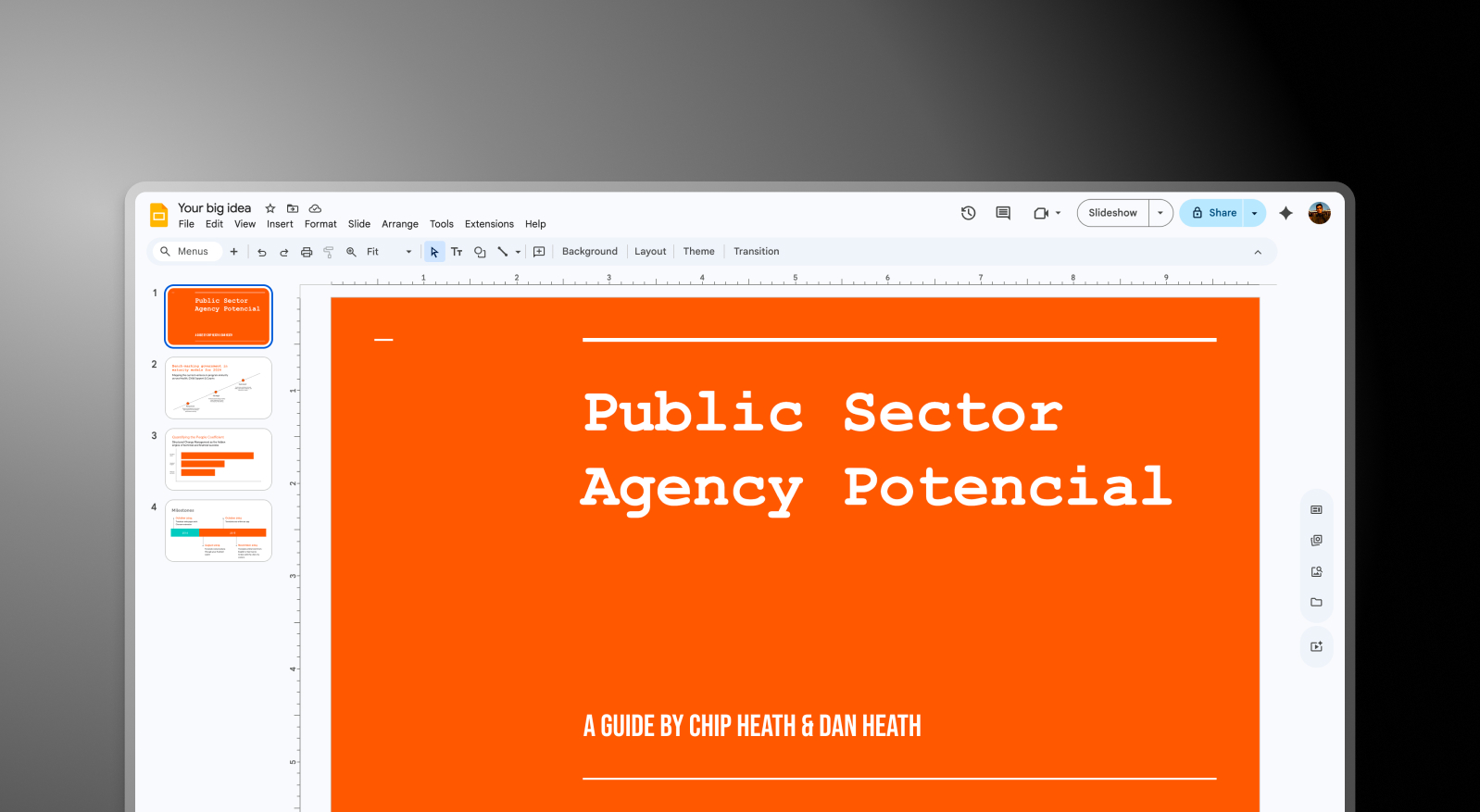
Google Slides是数百万使用Google Workspace团队的默认演示工具——它免费、基于浏览器,并与Docs、Sheets和Drive紧密集成。虽然Google Slides让团队可以轻松地在浏览器中协同编辑演示文稿,但它完全依赖用户手动设计每张幻灯片、手动应用品牌元素,并从零开始构建结构,没有任何AI辅助布局或内容生成。Presentations AI通过自动处理繁重的设计工作来弥补这一空白,然后导出.pptx文件,该文件可无缝导入Google Slides,供您的团队进行任何最终的协同编辑。作为一款专业的 AI演示文稿制作工具,它能在几分钟内将原始文档或大纲转化为结构化、符合品牌调性的演示文稿——无需手动排版。

Presentations AI在不影响Google Slides工作流程的前提下弥补了这一不足。它能根据文档或大纲生成一份完整的、符合品牌调性的演示文稿,导出为.pptx文件,并直接导入Google Slides。从那时起,团队可以像往常一样进行协作——他们只是从一份专业设计、品牌一致的演示文稿开始,而不是从一张空白幻灯片开始。

对于Google Workspace团队而言,这种结合消除了演示文稿创建中最耗时的部分,同时保持后续所有环节不变。

同时使用这两种工具

步骤1:在Presentations AI中构建 – 上传文档、PDF或大纲。AI会自动生成一份完整的演示文稿——品牌风格、布局、动画和内容结构均自动处理。

Google Slides step 1 screenshot

步骤2:导出为.pptx – 下载一份高保真PowerPoint文件,所有设计元素均得以保留——字体、布局和图像均完整无缺。
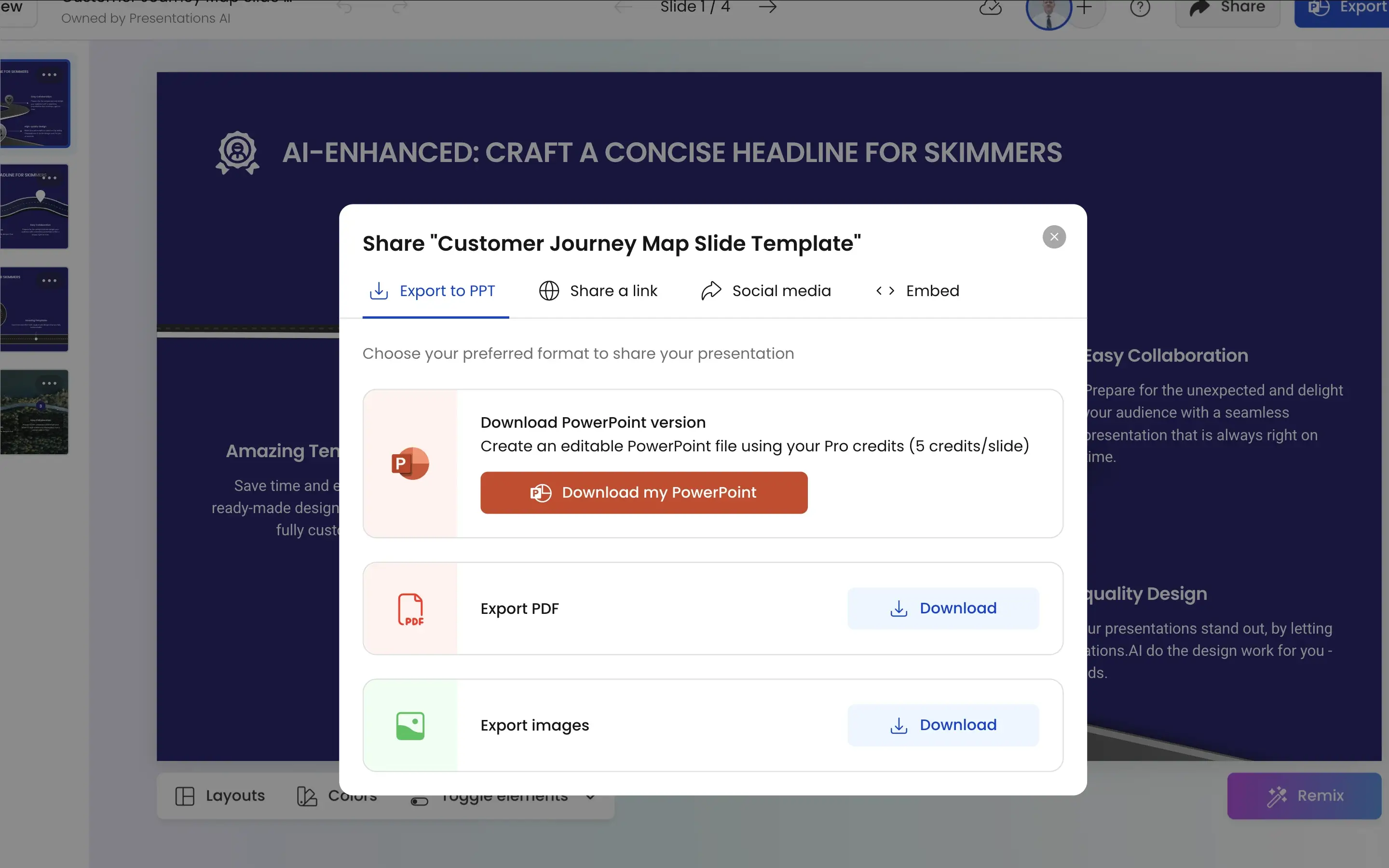
Google Slides step 2 screenshot

步骤3:导入Google Slides – 将.pptx文件直接上传到Google云端硬盘。Google Slides会干净地导入它,您的团队可以从那里继续工作——在他们熟悉的协作环境中进行编辑、评论和协作。
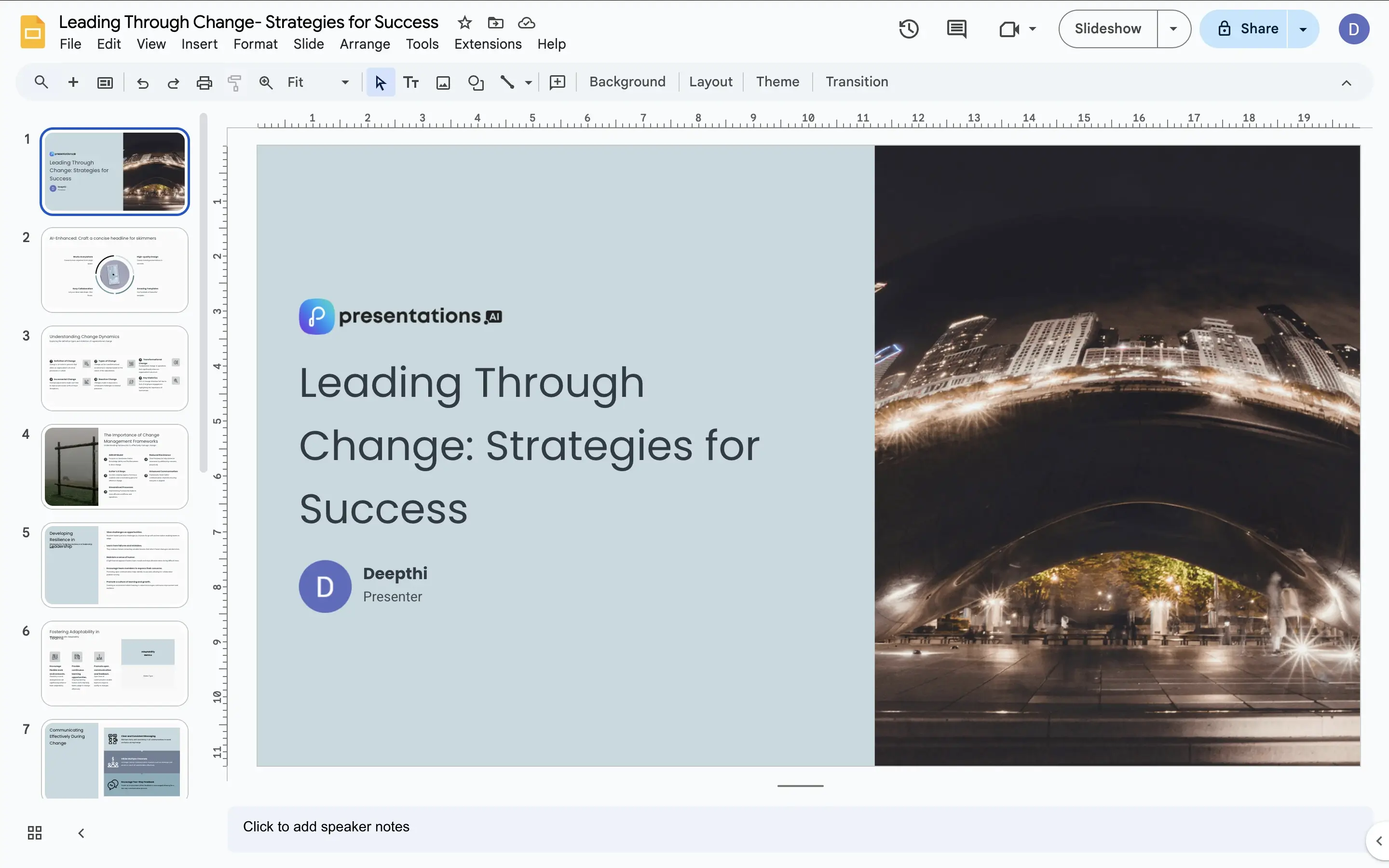
Google Slides step 3 screenshot

Presentations.AI补充Google Slides的四种方式

解决了空白幻灯片问题:

Google Slides在有内容可供操作时表现出色。而Presentations AI则提供了这些内容——一个结构化、设计精良、符合品牌调性的起点,可在几分钟内根据您的原始内容生成。

在协作开始前确保品牌一致性:

在典型的Google Slides工作流程中,品牌一致性取决于创建第一张幻灯片的人。Presentations AI会在演示文稿到达Google Slides之前自动应用品牌风格——因此团队可以在一个已经符合品牌调性的基础上进行协作。

导入无障碍:

.pptx 文件可干净地导入 Google 幻灯片。Presentations AI 生成的内容,您的团队打开时所见即所得——无需重新排版、无需修复布局,也无需费力寻找缺失的字体。

AI 速度,Google 协作:

Presentations.AI 将创建阶段从数小时缩短至数分钟。Google 幻灯片提供实时协作、评论线程和云端硬盘集成,确保团队工作流程顺畅进行。每个工具各司其职,发挥所长。这就是 AI 演示文稿 方法所带来的:前期设计提速,后期全面支持 Google 幻灯片协作。

手动制作幻灯片如何耗费营销团队大量时间

想象一下,一个依赖 Google Workspace 的营销团队每周都需要一份新的客户演示文稿。目前,有人在 Google 幻灯片中从零开始制作——空白幻灯片、手动布局、凭记忆应用品牌颜色、单独寻找库存图片。每次至少两小时。这正是 AI 幻灯片创建工具 赢得一席之地的地方——它能自动生成每张幻灯片、布局和品牌元素,而不是手动构建。

将 Presentations AI 引入工作流程后,那两小时将缩短为十分钟。AI 生成演示文稿,.pptx 文件导入 Google 幻灯片,团队将时间用于完善叙述和协作内容——而不是制作幻灯片。同样的 Google 幻灯片工作流程,却大大节省了时间。

Divider Lines

Sıkça Sorulan Sorular

What is the main difference between Google Slides and Presentations.AI?

Down IconUp Icon

The main difference is creation versus collaboration. Google Slides is a manual presentation editor where every slide, layout, and brand element is built by hand, with Google Workspace integration and real-time co-editing as its strengths. Presentations.AI generates complete branded decks from documents or prompts and exports a .pptx file that imports cleanly into Google Slides. The two tools complement each other rather than replace each other.

Does Google Slides have AI in 2026?

Down IconUp Icon

Yes, Google Slides has Gemini AI built into Google Workspace, which can help write speaker notes, suggest layouts, generate images, and produce slide outlines from prompts. Gemini works at the slide and component level rather than building full branded decks. Presentations.AI generates a complete deck end to end with brand styling, structure, and visuals applied automatically, then exports to Google Slides for collaborative editing.

Can Google Slides import PowerPoint files?

Down IconUp Icon

Yes, Google Slides imports PowerPoint files directly through Google Drive. Most layouts, fonts, and brand elements transfer cleanly, though complex animations and proprietary fonts can shift on import. Presentations.AI exports high-fidelity .pptx files designed to import into Google Slides without reformatting, so teams can keep the Google Workspace collaboration setup they already use.

Can you use Presentations.AI with Google Slides?

Down IconUp Icon

Yes, Presentations.AI is designed to work alongside Google Slides rather than replace it. The AI generates a complete branded deck from your input, exports a clean .pptx file, and your team imports it into Google Slides to collaborate, comment, and refine using familiar Workspace tools. This adds AI-driven creation to the Google Slides workflow without changing anything downstream.

Is Google Slides free?

Down IconUp Icon

Yes, Google Slides is free for personal use with a Google account and is included in all Google Workspace plans for business users. Presentations.AI also offers a free plan with five complete AI-generated presentations, no credit card required, and full PowerPoint export included. Teams using Google Slides can layer Presentations.AI on top at no cost to start.