

Beautiful.ai、Gamma 与 Presentations.AI:2026年客观评测

Beautiful.ai 是什么?

Beautiful.ai 是什么?

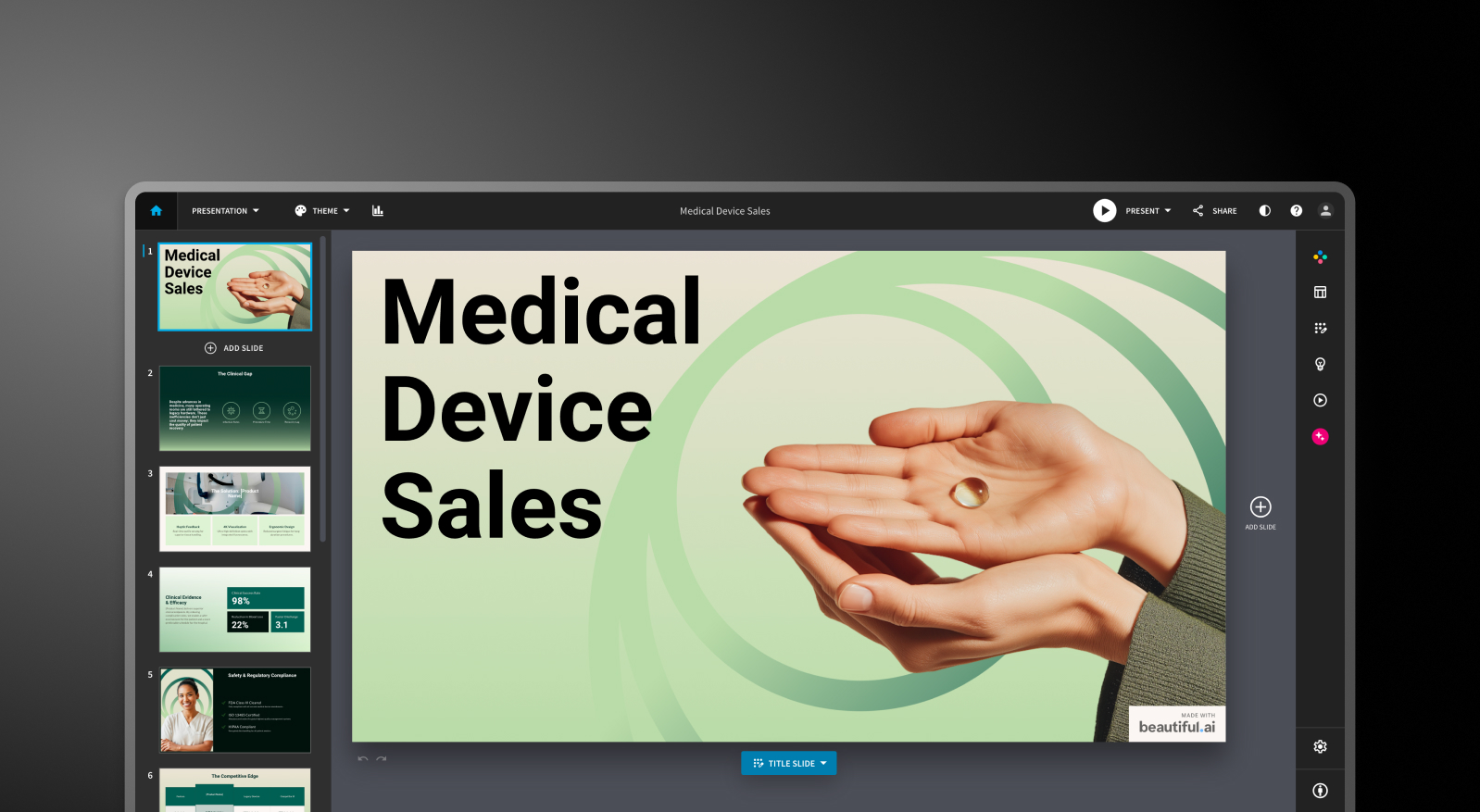
Beautiful.ai 是一款基于云的演示工具,其核心功能是“智能幻灯片”(Smart Slides)。它不同于空白画布,您可以使用智能幻灯片模板,在添加或删除内容时,布局会自动调整。添加一个项目符号,间距就会重新校准;添加一张图片,文本就会自动重排。设计过程无需人工干预。

Gamma 是什么?

Gamma 是什么?

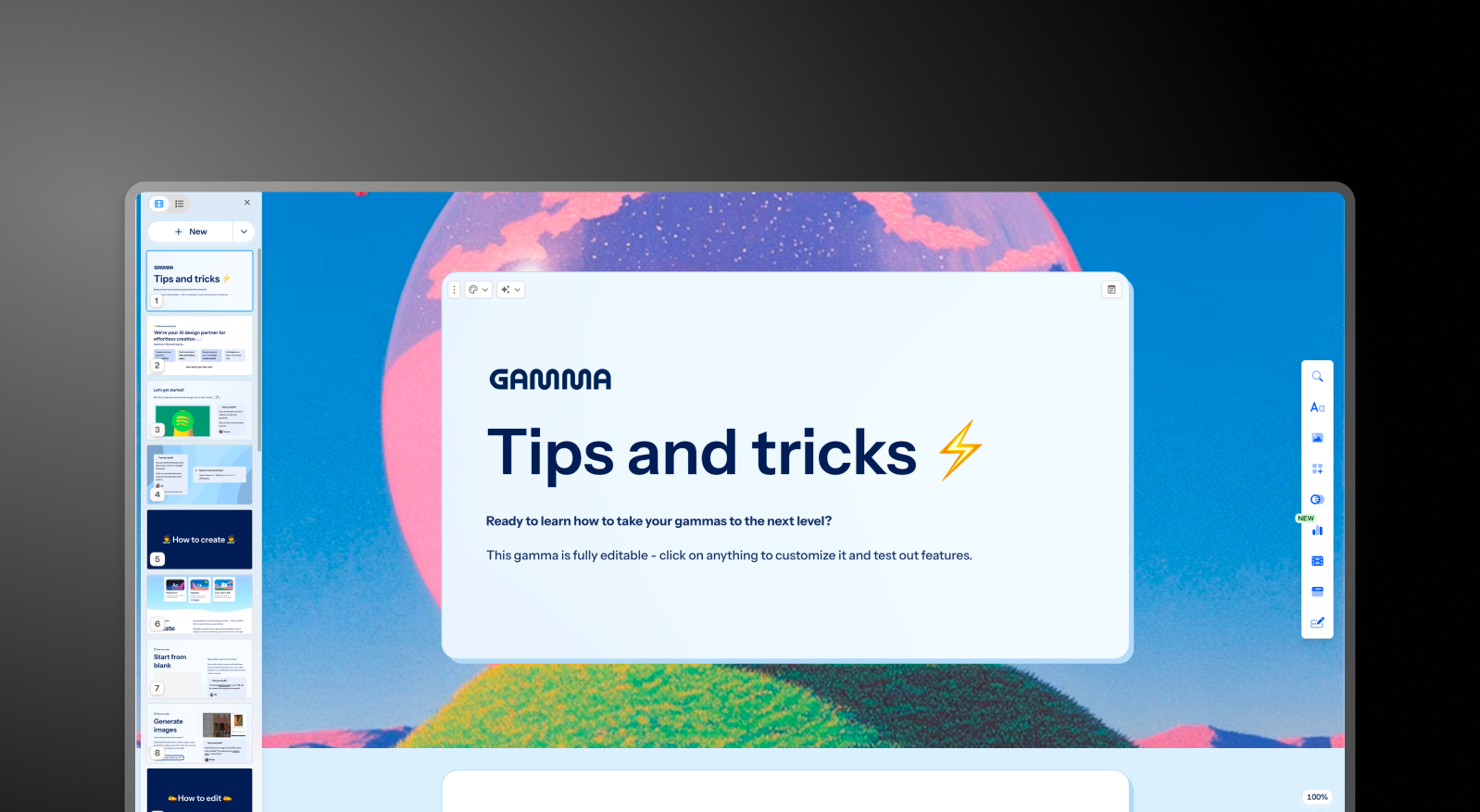
Gamma 是一款基于浏览器的创作工具,可以通过文本提示生成演示文稿、文档和网页。其独特的结构选择是卡片式格式:卡片不像固定大小的幻灯片,它们会根据内容自动扩展和收缩,这使得它们非常适合基于浏览器的共享、异步阅读和多格式输出。

Presentations AI 是什么?

Presentations AI 是什么?

Presentations AI 是一个原生AI演示平台,专为关键业务幻灯片创建而设计。例如投资者路演、销售演示、董事会报告,以及任何需要通过演示推动决策的场合。它专为一种格式而生,并将其做到极致:专业的幻灯片演示文稿。

快速概览

工具 最适合 AI 功能 起步价格 G2 评分
Beautiful.ai 非设计人员、独立顾问 版式自动化 + 草稿生成 $12/月(按年付费) 4.7/5
Gamma 多格式创作者、小型团队 提示词生成演示文稿 + AI Agent 编辑 免费 / $12/月(Plus) 4.7/5
Presentations AI 专业人士、销售团队、企业 完整 AI 协作助手(Clip-E)+ 品牌同步 免费 / $198/年(Pro) 4.8/5

Beautiful.ai vs Gamma vs Presentations AI: Feature-by-Feature Comparison

AI-Powered Slide Generation

Beautiful.ai: DesignerBot generates a presentation from a text prompt and populates slides with content organized by outline. The first draft is typically 70-80% usable for standard deck types. After the initial generation, adding new AI-produced slides requires manual workarounds. The AI is a starting gun, not a collaborator.

Gamma: Gamma generates a full deck from a prompt and continues iterating through its AI Agent. Users can ask the AI to revise sections, research topics, or add new content after the initial draft. Card limits vary by plan, from 10 cards per prompt on the free tier up to 75 on Ultra.

Presentations AI: Clip-E handles end-to-end deck creation and stays engaged throughout the process. Generate from a prompt, import a PDF, paste a URL, or upload a Word doc, and the AI builds a structured, brand-consistent deck. You can refine, add slides, and adjust content through natural conversation without leaving the platform.

Clip-E in action (Link to YouTube video)

Design Quality and Customization

Beautiful.ai: The Smart Slides system produces consistently clean, professional output. The trade-off is control. You cannot freely position elements or override the layout logic when it makes a decision you disagree with. For the vast majority of business presentations, that constraint is actually an advantage. For users who need custom or unconventional layouts, it is a hard ceiling.

Gamma: Gamma's output is visually modern and well-suited to its card-based format. Customization options on paid plans are broader than those in Beautiful.ai, including custom fonts and themes. The visual quality shines for browser-based sharing but can look less polished in exported PowerPoint format.

Presentations AI: Anti-fragile templates adapt intelligently as content changes without breaking the design structure. Brand Sync automatically applies your company's visual identity from a URL, so every deck is on-brand from the first slide without any manual theme setup.

Collaboration and Team Features

Beautiful.ai: Real-time co-editing, comments, version history, role-based permissions, and shared asset libraries are available on the Team plan at $40/user/month. These features are mature and functional. The catch is that they are entirely locked behind a plan that more than triples the per-user cost from the Pro tier.

Gamma: Real-time collaboration is available on all plans. Team-level features, including custom company themes, shared folders, admin controls, and centralized billing, cost $20/seat/month with a minimum of 2 seats. For small teams, this is the most practical mid-market collaboration entry point among the three tools.

 Presentations AI: Team collaboration, real-time sync, and access controls are included at the Starter level. Every team member has access to the Clip-E AI assistant, which means any user can produce professional-quality output independently. The Enterprise tier adds admin capabilities, company-wide templates, and enterprise security.

Export and Integration Options

Beautiful.ai: PowerPoint and PDF export on all paid plans. PowerPoint export is a noted pain point in user reviews. Text that appears as a single block in Beautiful.ai can be split into individual text boxes in the exported file, and alignment can shift. Test export quality before committing if .pptx delivery is central to your workflow.

Gamma: Exports to PowerPoint and PDF on all plans. The card-based format does not always convert cleanly to 16:9 slides, so budget time for cleanup when delivering .pptx files externally. Gamma also supports web-based sharing, doc output, and social content formats that the other two tools do not cover.

 Presentations AI: Clean PowerPoint export on the Pro plan, with output designed from the ground up to translate correctly to .pptx format. PDF export is also available on Pro and above. Multiple import options, including PDF, Word, and URL, give it the most flexible intake of the three.

Ease of Use and Learning Curve

Beautiful.ai: Minimal learning curve. The Smart Slides system means you never start from a blank canvas, and design decisions are largely handled automatically. Multiple users across review platforms report going from idea to a presentable deck in under an hour. For non-designers, this is the most immediately accessible of the three tools.

Gamma: Straightforward onboarding with a generous free tier that lets you create real presentations before committing to anything. The card-based format takes a few decks to get comfortable with, especially if you are accustomed to traditional slide layouts. The AI Agent adds capability once you learn how to direct it.

 Presentations AI: The conversational interface with Clip-E significantly reduces the learning curve. Because you can describe what you want in plain language, users with no design experience can quickly produce polished output. Brand Sync eliminates the setup friction that typically slows teams down when adopting a new tool.

Capability Beautiful.ai Gamma Presentations AI
Core Approach Template automation: smart layouts that adapt Multi-format AI generation (decks, docs, web pages) AI-driven content structuring and generation
Typical Use Cases Sales decks, client presentations, internal updates Personal projects, social media, multi-format content Board decks, investor pitches, enterprise sales
Document Import Basic text input Basic text / prompt input PDF, Word, URL conversion
Brand Management Manual setup per presentation Manual per presentation Automatic from the company URL
PowerPoint Export Available — users report formatting issues ❌ Overlapping boxes, missing fonts ✅ High-fidelity exports
Template Library Professional but limited selection Moderate library 10,000+ templates
AI Features DesignerBot for slide generation AI Agent for research and iterative editing Full content generation and structuring (Clip-E)
Animation / Transitions Manual configuration Card-based format — limited traditional animations Automatic professional animations
Collaboration Basic sharing — full co-editing on the Team plan only Real-time on all plans Real-time team workflows (Starter+)
Enterprise Security Standard security ❌ No SOC 2 — frequently fails IT review ✅ SOC 2 Type II certified
Data / Content Ownership Standard terms ❌ Grants Gamma perpetual, irrevocable, worldwide rights ✅ Users retain full ownership
GDPR / Privacy Compliance Standard ❌ Viewer tracking raises GDPR concerns ✅ Privacy by design
Audit Trail Limited ❌ None ✅ Full audit logging
Fortune 500 Adoption Moderate Minimal Widespread
IT Approval Likelihood Moderate Low — security and data concerns High — meets enterprise standards
Free Trial 14-day trial (credit card required) Free plan — no card required 5 presentations — no card required
Hidden Costs Export cleanup, limited AI depth at scale Export fixes, brand violations, and potential legal risk None
Training Required Minimal for design tasks Multi-format scope creates confusion Focused workflow — low ramp-up
Vendor Risk Moderate High — platform pivoting away from presentations Low — deepening focus on presentations
Support Level Standard support Generic help center Dedicated enterprise support
Best For Teams needing design consistency without design skills Multi-format content creation, solo creators Teams converting documents to polished presentations

Pricing Comparison: Beautiful.ai vs Gamma vs  Presentations AI

Pricing in this category is rarely just about the headline number. What matters is what you hit once you need collaboration, brand controls, or clean exports. All three tools handle that differently.

Beautiful.ai Pricing

Beautiful.ai has three tiers: Pro, Team, and Enterprise. There is no free plan. A 14-day trial is available for Pro and Team, but it requires a credit card and will automatically convert to an annual subscription if not cancelled. This has generated recurring complaints across Trustpilot and Product Hunt.

  • Pro: $12/month (annual) or $45/month (monthly). Unlimited slides, Smart Slides, AI generation, custom fonts, PowerPoint and PDF export, viewer analytics. Single user only.
  • Team: $40/user/month (annual) or $50/user/month (monthly). Adds real-time collaboration, Brand Kit, shared libraries, admin controls, and engagement analytics—the jump from Pro to Team more than triples the per-user cost.
  • Enterprise: Custom pricing. SSO, SCIM, dedicated account management, priority support, and advanced security.

What to watch out for: a team of five on the Team plan costs $2,400 per year. That is a significant commitment for a tool whose AI capabilities are more limited than its newer competitors.

Gamma Pricing

Gamma has four individual plans and two team plans. Monthly billing is available on most tiers, which makes it the most flexible of the three for buyers who are not ready to commit annually.

  • Free: 400 one-time AI credits (do not refresh), up to 10 cards per prompt, Gamma branding on all output.
  • Plus: $12/month (or ~$9/month annual). Removes branding, 1,000 refreshing monthly credits, up to 20 cards per prompt.
  • Pro: $25/month (or ~$18/month annual). Premium AI models, API access, custom fonts, up to 10 custom domains, detailed analytics, 4,000 monthly credits, up to 50 cards per prompt.
  • Ultra: $100/month (monthly only). 20,000 monthly credits, up to 75 cards per prompt, Studio Mode, and the most advanced AI image models.
  • Team: $20/seat/month, minimum 2 seats. Custom company theme, shared folders, admin controls, centralized billing, 6,000 credits per seat.
  • Business: $40/seat/month, minimum 10 seats. SSO, SOC 2 documentation, advanced data controls, 10,000 credits per seat.

What to watch out for: Free plan credits are one-time, not monthly. Heavy use of premium image models on paid plans burns through the monthly credit allowance faster than expected.

Plan/Feature Beautiful.ai Gamma Presentations AI
Free plan ✗ (14-day trial only) ✓ (400 one-time credits) ✓ (unlimited users)
Starter/entry paid $12/mo (Pro, annual) $12/mo (Plus) $198/year ($16.50/mo)
Mid-tier paid N/A $25/mo (Pro) N/A
Team plan $40/user/mo $20/seat/mo (min. 2) Enterprise (custom)
Enterprise Custom $40/seat/mo (min. 10) Custom
Annual discount Annual only (no monthly)
Monthly billing ✓ (premium pricing)
AI credits included Unlimited on paid 1,000–20,000/mo (plan-dependent) Limited on Starter; more on Pro; unlimited on Enterprise
Branding removal All paid plans Plus and above Paid plans
Credit card for trial ✓ (required)

 Presentations AI Pricing

 Presentations AI keeps its structure simple with three tiers. There is no monthly billing option; plans are available only on an annual or quarterly basis.

  • Starter: Free. Unlimited users, limited AI credits, brand themes, team collaboration, and basic functionality.
  • Pro: $198/year (one user). Equivalent to $16.50/month. Additional AI credits, Pro templates, custom fonts and colors, analytics, PDF export, and advanced features.
  • Enterprise: Custom pricing. Unlimited AI credits, company-wide templates, admin capabilities, dedicated support, enterprise security, and compliance.

The Starter plan is genuinely multi-user, making it a practical way for an entire team to evaluate the platform before committing. The Pro plan at $198/year undercuts Gamma's equivalent Pro tier ($25/month) by roughly a third on an annualized basis.

Which Tool is Best for Your Use Case?

Best for Startups and Pitch Decks

Speed and polish matter more than anything else when you are creating an investor deck on a deadline.  Presentations AI wins here. Clip-E generates a structured, brand-consistent pitch deck from a prompt or an uploaded document, and you can iterate in natural language without going back and forth between slides manually. 

The Pro plan at $198/year is affordable for early-stage founders, and the output looks professionally designed. Beautiful.ai is a reasonable second option if you already know what you want to say and just need it to look good fast.

Best for Sales Teams

Sales teams need decks that are fast to produce, easy to personalize, and trackable once shared.  Presentations AI delivers on all three: AI-driven creation, Brand Sync for consistent output across reps, and viewer analytics on paid plans. 

Beautiful.ai is also a credible option for sales teams who value the Smart Slides consistency and built-in engagement tracking on the Pro tier. Gamma is less purpose-built for sales deck workflows.

Best for Marketing Teams

Marketing teams live inside their brand guidelines, and that is where  Presentations AI's Brand Sync creates a genuine operational advantage. Every deck auto-aligns to the brand without anyone needing to select a theme or check a brand kit. 

For teams producing campaign proposals, launch presentations, and creative briefs at volume, that automation compounds quickly. Beautiful.ai's Brand Kit is a solid manual alternative. Gamma works well for marketing teams that need multi-format output beyond just slides.

Best for Enterprise and Large Teams

Presentations AI at the Enterprise tier offers unlimited AI credits, company-wide templates, admin controls, and full enterprise security. SOC 2 Type II certification is a meaningful differentiator for procurement and security review processes. 

Beautiful.ai's Enterprise plan covers SSO, SCIM, and dedicated account management. Gamma Business at $40/seat adds SSO and SOC 2 documentation for organizations that want enterprise controls without leaving the Gamma ecosystem.

Best for Individuals and Freelancers

For solo users, the decision comes down to the quality and value of the free tier and the first paid tier. Gamma's free plan is the most genuinely useful: 400 credits, no credit card required, and PowerPoint export included.  Presentations AI's free Starter plan is strong for exploring the platform before committing. Beautiful.ai has no free plan, and the trial requires a credit card with auto-renewal into an annual subscription. For solo professionals who create decks regularly,  Presentations AI Pro at $16.50/month offers the best value for the feature set it delivers

团队选择 Presentations.AI 而非 Beautiful.ai 和 Gamma 的五大理由

Beautiful.ai 和 Gamma 各自适用于特定场景。对于非设计师来说,创建简单演示文稿时 Beautiful.ai 更快。如果需要多格式内容输出和按月付费的灵活性,Gamma 则更具弹性。两者在其各自的领域内都是可靠的工具。

但 Presentations AI 旨在解决最重要的使用场景:制作对业务至关重要的演示文稿,这些文稿需要看起来专业、符合品牌形象,并且能够快速创建,无需依赖您可能不具备的设计技能。

以下是它成为更全面选择的原因:

  • 品牌同步 超越了任何品牌工具包。它无需您手动设置品牌规则。它会读取您的公司网址,并自动应用您的视觉识别。从第一张幻灯片开始,每个演示文稿都符合品牌规范,无需为每个演示文稿进行任何设置。
  • Clip-E 是一个真正的 AI 协作伙伴,而不仅仅是一个初稿生成器。您可以通过对话来构建、完善和重塑演示文稿。Beautiful.ai 的 AI 止步于初稿。Gamma 的 AI 代理功能强大,但对幻灯片输出的侧重程度较低。
  • 多源输入 是一项真正的流程优势。将 PDF、Word 文档、URL 或简单的提示转化为精美的演示文稿。两个竞争对手都不支持所有这四种来源的输入。
  • 专业版定价 比初看起来更具竞争力。每年 198 美元(每月 16.50 美元)的 Presentations AI 专业版比 Gamma 专业版(每月 25 美元)便宜三分之一,并且比最初数据显示的更接近 Beautiful.ai 专业版(每月 12 美元),尤其是在考虑到每个套餐实际提供的功能时。
  • 免费入门计划 是真正的多用户。您的整个团队都可以在任何人承诺预算之前探索该平台。Beautiful.ai 的试用版需要信用卡。Gamma 的免费套餐仅限于一次性积分。

结论:您应该选择哪款 AI 演示文稿制作工具?

如果您是以下情况,请选择 Beautiful.ai

  • 独自制作演示文稿,并希望每次都能以最少的精力获得一致且精美的成果
  • 需要观众参与度分析以优化销售跟进流程
  • 品牌要求很简单:颜色、字体、标志
  • 接受需要信用卡的14天试用期

如果您符合以下条件,请选择 Gamma

  • 需要无需信用卡的免费套餐
  • 制作涵盖多种格式的内容:演示文稿、文档、网页、社交内容
  • 在承诺年度计划前,希望拥有按月付费的灵活性
  • 是一个小型团队,正在寻找价格合理的按席位协作功能

如果您符合以下条件,请选择 Presentations AI

  • 希望AI能以对话方式构建、优化和迭代您的演示文稿
  • 需要品牌一致性自动实现,而非依赖手动主题选择
  • 经常将PDF、Word文档或URL转换为演示文稿格式
  • 正在制作业务关键型演示文稿:提案、销售演示、董事会更新
  • 团队需要每位成员都能产出专业的成果,无论设计技能如何
Divider Lines

常见问题

就演示文稿而言,Beautiful.ai 比 Gamma 更好吗?

Down IconUp Icon

Beautiful.AI 和 Gamma 的选择取决于您的具体输出需求。Beautiful.ai 能够为传统演示文稿格式生成更简洁、更一致的幻灯片。Gamma 则功能更全面,除了幻灯片,还能处理文档、网页和社交内容,其 AI 代理提供更迭代的内容生成能力。对于那些不需要这两种工具特定优势的买家,Presentations.AI 值得作为第三个选项进行评估,它结合了 AI 深度和品牌一致的幻灯片输出。

什么是最好的免费 AI 演示制作工具?

Down IconUp Icon

在2026年最好的AI演示制作者中,这三种工具都提供免费计划,无需信用卡。Canva的免费套餐是适用于一般设计工作的最广泛套餐。尽管导出质量是一个已知的问题,但Gamma的免费套餐包括400个一次性人工智能积分和PowerPoint导出。Presentations.AI 的免费入门套餐支持无限用户,包括品牌主题和团队协作,最多允许 5 次完整演示——这使其成为业务团队在升级之前共同评估平台的最佳免费选择。

我可以使用这三款工具将演示文稿导出为PowerPoint格式吗?

Down IconUp Icon

是的,但有一些重要的注意事项。Beautiful.ai 在所有付费计划中都支持导出到 PowerPoint,但格式问题是常见的抱怨——文本会分散到不同的文本框中,对齐方式也可能发生变化。Gamma 在所有计划(包括免费版)中都支持导出到 PowerPoint,但其卡片式格式并非总能干净地转换为 16:9 的幻灯片。Presentations.AI 在专业版计划中支持导出到 PowerPoint,其输出专门设计用于确保 .pptx 文件的清晰度和保真度。如果 PowerPoint 导出质量对您的工作流程至关重要,那么 Presentations.AI 在这三款工具中拥有最强的表现。

哪种 AI 演示工具最适合团队?

Down IconUp Icon

对于预算有限的小型团队,Gamma的团队套餐为20美元/座位/月(最少2个席位),是具有真正协作功能的最便捷的切入点。对于需要在所有成员中扩展品牌一致性和人工智能辅助创作的团队来说,Presentations.AI 让每个用户都能访问 Clip-E 的方法是一种有意义的结构性优势。Beautiful.ai 的团队计划具有成熟的协作功能,但每位用户每月40美元,即使是小型团队的成本也会迅速增加。

Beautiful.ai 和 Gamma 的最佳替代品是什么?

Down IconUp Icon

Presentations.AI 是 2026 年可用的最强的 Beautiful.ai 替代方案和 Gamma 替代品。它解决了两者的关键局限性:它比 Beautiful.ai 更深入地研究了人工智能,并产生了比 Gamma 更清晰、更注重业务的幻灯片输出。对于想要与对话式 AI 合作者一起使用品牌一致的专业套牌且无需信用卡即可启动的买家来说,Presentations.AI 是合乎逻辑的下一步。