


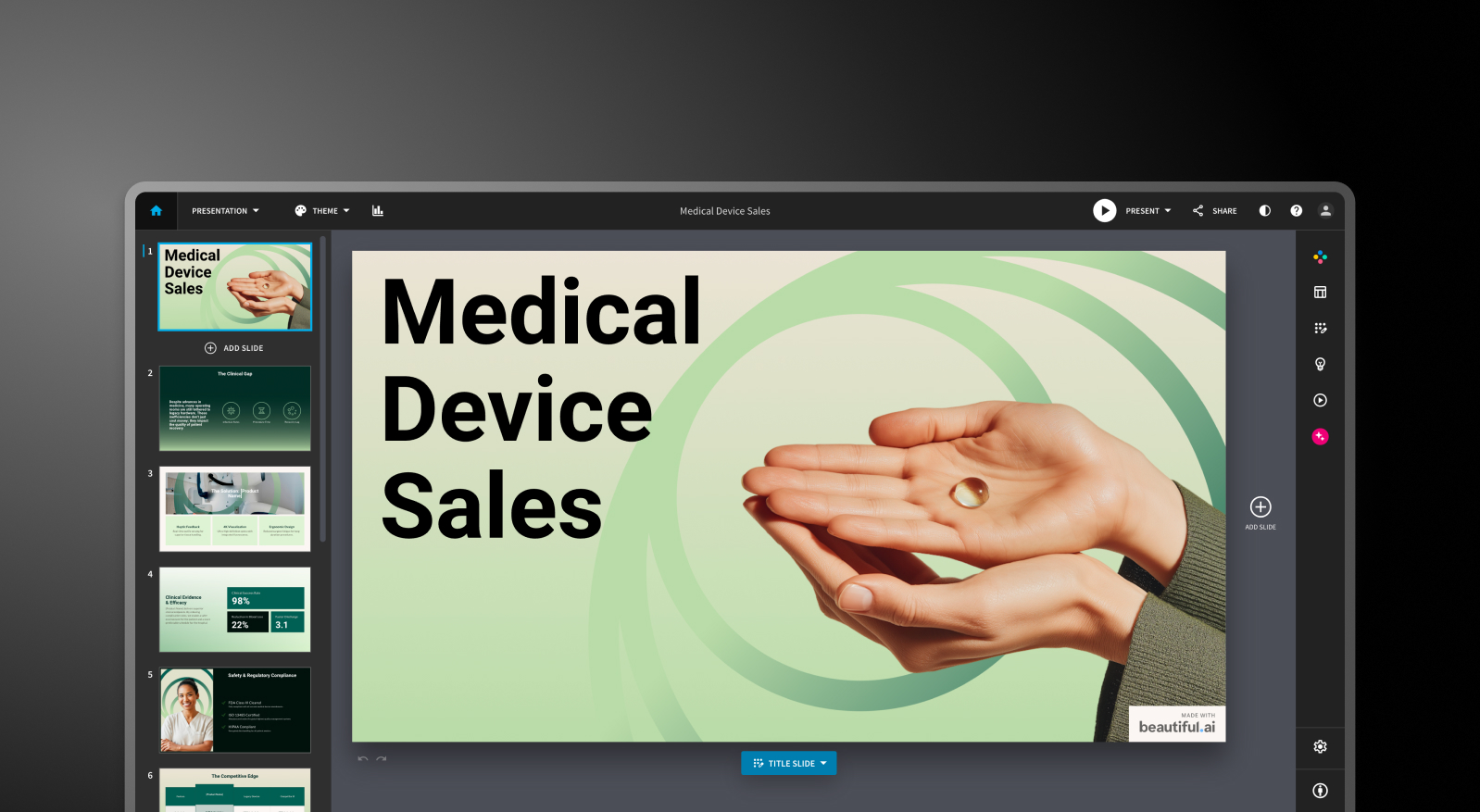



Beautiful.ai vs Gamma vs Presentations.AI: Comparativo detalhado de recursos
Geração de slides com IA
Beautiful.ai: O DesignerBot gera uma apresentação a partir de um comando de texto e preenche os slides com conteúdo organizado por tópicos. O primeiro rascunho é geralmente 70-80% utilizável para apresentações padrão. Após a geração inicial, adicionar novos slides criados por IA exige soluções manuais. A IA serve como um ponto de partida, não como um colaborador contínuo.
Gamma: O Gamma gera uma apresentação completa a partir de um comando e continua iterando através do seu Agente de IA. Os usuários podem pedir à IA para revisar seções, pesquisar tópicos ou adicionar novo conteúdo após o rascunho inicial. Os limites de cartões variam conforme o plano, de 10 cartões por comando no plano gratuito até 75 no Ultra.
Presentations.AI: O Clip-E cuida da criação da apresentação de ponta a ponta e permanece ativo durante todo o processo. Gere a partir de um comando, importe um PDF, cole uma URL ou envie um documento Word, e a IA criará uma apresentação estruturada e alinhada à sua marca. Você pode refinar, adicionar slides e ajustar o conteúdo através de conversas naturais sem sair da plataforma.

Qualidade de design e personalização
Beautiful.ai: O sistema Smart Slides produz resultados consistentemente limpos e profissionais. O contraponto é o controle. Você não pode posicionar elementos livremente ou substituir a lógica de layout quando o sistema toma uma decisão com a qual você não concorda. Para a grande maioria das apresentações de negócios, essa restrição é, na verdade, uma vantagem. Para usuários que precisam de layouts personalizados ou não convencionais, é um limite rígido.
Gamma: O resultado do Gamma é visualmente moderno e bem adaptado ao seu formato baseado em cartões. As opções de personalização nos planos pagos são mais amplas do que no Beautiful.ai, incluindo fontes e temas personalizados. A qualidade visual destaca-se para compartilhamento via navegador, mas pode parecer menos refinada no formato PowerPoint exportado.
Presentations AI: Os modelos "anti-frágeis" adaptam-se de forma inteligente conforme o conteúdo muda, sem quebrar a estrutura do design. O Brand Sync aplica automaticamente a identidade visual da sua empresa a partir de uma URL, garantindo que cada apresentação esteja alinhada à marca desde o primeiro slide, sem necessidade de configuração manual de temas.
Recursos de Colaboração e Equipe
Beautiful.ai: Coedição em tempo real, comentários, histórico de versões, permissões baseadas em funções e bibliotecas de ativos compartilhados estão disponíveis no plano Team por US$ 40/usuário/mês. Esses recursos são maduros e funcionais. O porém é que eles ficam totalmente bloqueados em um plano que mais que triplica o custo por usuário em relação ao nível Pro.
Gamma: A colaboração em tempo real está disponível em todos os planos. Recursos de nível de equipe, incluindo temas personalizados da empresa, pastas compartilhadas, controles administrativos e faturamento centralizado, custam US$ 20/assento/mês com um mínimo de 2 assentos. Para pequenas equipes, este é o ponto de entrada de colaboração de mercado intermediário mais prático entre as três ferramentas.
Presentations.AI: Colaboração em equipe, sincronização em tempo real e controles de acesso estão incluídos no nível Starter. Cada membro da equipe tem acesso ao assistente de IA Clip-E, o que significa que qualquer usuário pode produzir resultados com qualidade profissional de forma independente. O nível Enterprise adiciona recursos administrativos, modelos para toda a empresa e segurança corporativa.
Opções de Exportação e Integração
Beautiful.ai: Exportação para PowerPoint e PDF em todos os planos pagos. A exportação para PowerPoint é um ponto de dor notável nas avaliações dos usuários. O texto que aparece como um bloco único no Beautiful.ai pode ser dividido em caixas de texto individuais no arquivo exportado, e o alinhamento pode mudar. Teste a qualidade da exportação antes de se comprometer se a entrega em .pptx for central para o seu fluxo de trabalho.
Gamma: Exportações para PowerPoint e PDF em todos os planos. O formato baseado em cartões nem sempre é convertido perfeitamente para slides 16:9, portanto, reserve um tempo para ajustes ao entregar arquivos .pptx externamente. O Gamma também oferece suporte a compartilhamento baseado na web, saída de documentos e formatos de conteúdo social que as outras duas ferramentas não cobrem.
Presentations.AI: Exportação limpa para PowerPoint no plano Pro, com saída projetada desde o início para ser traduzida corretamente para o formato .pptx. A exportação para PDF também está disponível no plano Pro e superiores. Múltiplas opções de importação, incluindo PDF, Word e URL, conferem a ele a entrada mais flexível das três ferramentas.
Facilidade de Uso e Curva de Aprendizado
Beautiful.ai: Curva de aprendizado mínima. O sistema Smart Slides significa que você nunca começa de uma tela em branco, e as decisões de design são tratadas em grande parte automaticamente. Vários usuários em plataformas de avaliação relatam passar de uma ideia a uma apresentação pronta em menos de uma hora. Para não designers, esta é a mais acessível das três ferramentas.
Gamma: Onboarding direto com um plano gratuito generoso que permite criar apresentações reais antes de se comprometer com qualquer coisa. O formato baseado em cartões exige alguns decks para se acostumar, especialmente se você estiver habituado a layouts de slides tradicionais. O Agente de IA adiciona funcionalidade assim que você aprende a direcioná-lo.
Presentations.AI: A interface conversacional com o Clip-E reduz significativamente a curva de aprendizado. Como você pode descrever o que deseja em linguagem simples, usuários sem experiência em design conseguem produzir resultados refinados rapidamente. O Brand Sync elimina o atrito de configuração que normalmente atrasa as equipes ao adotar uma nova ferramenta.
| Recurso | Beautiful.ai | Gamma | Presentations AI |
|---|---|---|---|
| Abordagem principal | Automação de templates: layouts inteligentes que se adaptam | Geração por IA em múltiplos formatos (apresentações, documentos, páginas web) | Estruturação e geração de conteúdo com IA |
| Casos de uso típicos | Apresentações de vendas, apresentações para clientes, atualizações internas | Projetos pessoais, redes sociais, conteúdo em múltiplos formatos | Apresentações para conselhos, pitches para investidores, vendas corporativas |
| Importação de documentos | Entrada básica de texto | Entrada básica de texto / prompt | Conversão de PDF, Word e URL |
| Gestão de marca | Configuração manual por apresentação | Manual por apresentação | Automática a partir da URL da empresa |
| Exportação para PowerPoint | Disponível — usuários relatam problemas de formatação | ❌ Caixas sobrepostas, fontes ausentes | ✅ Exportações de alta fidelidade |
| Biblioteca de templates | Profissional, mas com seleção limitada | Biblioteca moderada | Mais de 10.000 templates |
| Recursos de IA | DesignerBot para geração de slides | Agente de IA para pesquisa e edição iterativa | Geração e estruturação completa de conteúdo (Clip-E) |
| Animação / Transições | Configuração manual | Formato baseado em cards — animações tradicionais limitadas | Animações profissionais automáticas |
| Colaboração | Compartilhamento básico — coedição completa apenas no plano Team | Em tempo real em todos os planos | Fluxos de trabalho em equipe em tempo real (Starter+) |
| Segurança corporativa | Segurança padrão | ❌ Sem SOC 2 — reprovado com frequência na avaliação de TI | ✅ Certificação SOC 2 Type II |
| Propriedade de dados / conteúdo | Termos padrão | ❌ Concede à Gamma direitos perpétuos, irrevogáveis e mundiais | ✅ Os usuários mantêm a propriedade total |
| Conformidade com GDPR / privacidade | Padrão | ❌ O rastreamento de visualizadores levanta preocupações de GDPR | ✅ Privacidade desde a concepção |
| Trilha de auditoria | Limitada | ❌ Nenhuma | ✅ Registro de auditoria completo |
| Adoção pela Fortune 500 | Moderada | Mínima | Ampla |
| Probabilidade de aprovação pela TI | Moderada | Baixa — preocupações com segurança e dados | Alta — atende aos padrões corporativos |
| Teste gratuito | Teste de 14 dias (cartão de crédito obrigatório) | Plano gratuito — sem cartão | 5 apresentações — sem cartão |
| Custos ocultos | Correção de exportações, profundidade limitada da IA em escala | Correções de exportação, violações de marca e potencial risco jurídico | Nenhum |
| Treinamento necessário | Mínimo para tarefas de design | O escopo multiformato gera confusão | Fluxo de trabalho focado — curva de aprendizado baixa |
| Risco do fornecedor | Moderado | Alto — plataforma se afastando das apresentações | Baixo — foco cada vez maior em apresentações |
| Nível de suporte | Suporte padrão | Central de ajuda genérica | Suporte corporativo dedicado |
| Ideal para | Equipes que precisam de consistência visual sem habilidades de design | Criação de conteúdo em múltiplos formatos, criadores individuais | Equipes que convertem documentos em apresentações refinadas |
Comparação de Preços: Beautiful.ai vs Gamma vs Presentations.AI
Nesta categoria, o preço raramente se resume ao valor anunciado. O que importa é o que você encontra quando precisa de colaboração, controles de marca ou exportações limpas. As três ferramentas lidam com isso de formas diferentes.
Preços do Beautiful.ai
O Beautiful.ai possui três planos: Pro, Team e Enterprise. Não há plano gratuito. Uma avaliação de 14 dias está disponível para o Pro e o Team, mas exige cartão de crédito e será convertida automaticamente em uma assinatura anual se não for cancelada. Isso tem gerado reclamações recorrentes no Trustpilot e no Product Hunt.
- Pro: US$ 12/mês (anual) ou US$ 45/mês (mensal). Slides ilimitados, Smart Slides, geração por IA, fontes personalizadas, exportação para PowerPoint e PDF, análises de visualização. Apenas para um usuário.
- Team: US$ 40/usuário/mês (anual) ou US$ 50/usuário/mês (mensal). Adiciona colaboração em tempo real, Brand Kit, bibliotecas compartilhadas, controles administrativos e análises de engajamento — o salto do Pro para o Team mais do que triplica o custo por usuário.
- Enterprise: Preço personalizado. SSO, SCIM, gerenciamento de conta dedicado, suporte prioritário e segurança avançada.
O que observar: uma equipe de cinco pessoas no plano Team custa US$ 2.400 por ano. Esse é um compromisso significativo para uma ferramenta cujas capacidades de IA são mais limitadas do que as de seus concorrentes mais recentes.
Preços do Gamma
O Gamma possui quatro planos individuais e dois planos para equipes. A cobrança mensal está disponível na maioria dos níveis, o que o torna o mais flexível dos três para compradores que não estão prontos para se comprometer anualmente.
- Gratuito: 400 créditos de IA únicos (não renováveis), até 10 cartões por prompt, marca Gamma em todas as criações.
- Plus: US$ 12/mês (ou aprox. US$ 9/mês no plano anual). Remove a marca, 1.000 créditos mensais renováveis, até 20 cartões por prompt.
- Pro: US$ 25/mês (ou aprox. US$ 18/mês no plano anual). Modelos de IA premium, acesso à API, fontes personalizadas, até 10 domínios personalizados, análises detalhadas, 4.000 créditos mensais, até 50 cartões por prompt.
- Ultra: US$ 100/mês (apenas cobrança mensal). 20.000 créditos mensais, até 75 cartões por prompt, Modo Estúdio e os modelos de imagem por IA mais avançados.
- Equipe: US$ 20/usuário/mês, mínimo de 2 usuários. Tema personalizado da empresa, pastas compartilhadas, controles administrativos, faturamento centralizado, 6.000 créditos por usuário.
- Business: US$ 40/usuário/mês, mínimo de 10 usuários. SSO, documentação SOC 2, controles de dados avançados, 10.000 créditos por usuário.
O que observar: Os créditos do plano gratuito são únicos, não mensais. O uso intenso de modelos de imagem premium nos planos pagos consome a franquia de créditos mensal mais rápido do que o esperado.
| Plano/Recurso | Beautiful.ai | Gamma | Presentations.AI |
|---|---|---|---|
| Plano gratuito | ✗ (apenas teste de 14 dias) | ✓ (400 créditos únicos) | ✓ (usuários ilimitados) |
| Plano pago inicial (Starter) | $12/mês (Pro, anual) | $12/mês (Plus) | $240/ano ($20/mês) |
| Plano pago intermediário | N/D | $25/mês (Pro) | N/D |
| Plano Team | $40/usuário/mês | $20/assento/mês (mín. 2) | Personalizado |
| Enterprise | Personalizado | $40/assento/mês (mín. 10) | Personalizado |
| Desconto anual | ✓ | ✓ | Somente anual (sem mensal) |
| Cobrança mensal | ✓ (preço premium) | ✓ | ✗ |
| Créditos de IA inclusos | Ilimitados nos planos pagos | 1.000–20.000/mês (depende do plano) | Limitados no Starter; maiores no Pro; máximos no Gold, com modelos de IA de ponta e geração prioritária. |
| Remoção da marca | Todos os planos pagos | Plus e superiores | Planos pagos |
| Cartão de crédito para o teste | ✓ (obrigatório) | ✗ | ✗ |
Preços do Presentations.AI
O Presentations AI mantém sua estrutura simples com três níveis. Não há opção de faturamento mensal; os planos estão disponíveis apenas em base anual ou trimestral.
- Starter: Gratuito. Usuários ilimitados, créditos de IA limitados, temas de marca, colaboração em equipe e funcionalidades básicas.
- Pro: 240 $/ano (um usuário). Equivalente a 20 $/mês. Créditos de IA adicionais, modelos Pro, fontes e cores personalizadas, análise de dados, exportação em PDF e recursos avançados.
- Gold: 1.200 $/ano (um usuário). Equivalente a 100 $/mês. Adiciona modelos de IA de ponta, controles avançados de marca, conhecimento de projeto compartilhado e geração prioritária, além de tudo o que está incluído no Pro. Criado para trabalhos de alto volume e alta responsabilidade.
O plano Starter é genuinamente multiusuário, tornando-se uma forma prática para toda uma equipe avaliar a plataforma antes de se comprometer. O plano Pro, a 240 $/ano, custa cerca de um terço a menos que o nível Pro equivalente do Gamma (25 $/mês) em uma base anualizada.
Qual ferramenta é a melhor para o seu caso de uso?
Melhor para startups e apresentações de pitch
Velocidade e polimento são o que mais importa quando você está criando uma apresentação para investidores com um prazo apertado. O Presentations AI vence aqui. O Clip-E gera uma apresentação de pitch estruturada e consistente com a marca a partir de um prompt ou de um documento enviado, e você pode fazer iterações usando linguagem natural sem precisar ajustar slide por slide manualmente.
O plano Pro, a 240 $/ano, é acessível para fundadores em estágio inicial, e o resultado tem um design profissional. O Beautiful.ai é uma segunda opção razoável se você já sabe o que quer dizer e só precisa que o visual fique bom rapidamente.
Melhor para equipes de vendas
Equipes de vendas precisam de apresentações rápidas de produzir, fáceis de personalizar e rastreáveis após o compartilhamento. O Presentations AI entrega os três pontos: criação orientada por IA, sincronização de marca para consistência entre os representantes e análise de visualização nos planos pagos.
O Beautiful.ai também é uma opção confiável para equipes de vendas que valorizam a consistência dos Smart Slides e o rastreamento de engajamento integrado no nível Pro. O Gamma é menos voltado para fluxos de trabalho de apresentações de vendas.
Melhor para equipes de marketing
Equipes de marketing vivem dentro das diretrizes de sua marca, e é aí que a sincronização de marca do Presentations AI cria uma vantagem operacional real. Cada apresentação se alinha automaticamente à marca sem que ninguém precise selecionar um tema ou verificar um kit de marca.
Para equipes que produzem propostas de campanha, apresentações de lançamento e briefings criativos em grande volume, essa automação gera ganhos rápidos. O kit de marca do Beautiful.ai é uma alternativa manual sólida. O Gamma funciona bem para equipes de marketing que precisam de saídas em vários formatos, além de apenas slides.
Melhor para empresas e grandes equipes
O nível Enterprise do Presentations AI oferece créditos de IA ilimitados, modelos para toda a empresa, controles administrativos e segurança corporativa completa. A certificação SOC 2 Tipo II é um diferencial significativo para processos de aquisição e revisão de segurança.
O plano Enterprise do Beautiful.ai cobre SSO, SCIM e gerenciamento de conta dedicado. O Gamma Business, a 40 $/usuário, adiciona SSO e documentação SOC 2 para organizações que desejam controles corporativos sem sair do ecossistema Gamma.
Melhor para indivíduos e freelancers
Para usuários individuais, a decisão se resume à qualidade e ao valor do plano gratuito e do primeiro plano pago. O plano gratuito do Gamma é o mais útil: 400 créditos, sem necessidade de cartão de crédito e com exportação para PowerPoint incluída. O plano Starter gratuito do Presentations AI é excelente para explorar a plataforma antes de se comprometer. O Beautiful.ai não possui plano gratuito, e o teste exige um cartão de crédito com renovação automática para uma assinatura anual. Para profissionais autônomos que criam apresentações regularmente, o Presentations AI Pro, a 20 $/mês, oferece o melhor custo-benefício pelo conjunto de recursos que entrega.
Cinco motivos pelos quais as equipes escolhem o Presentations.AI em vez do Beautiful.ai e do Gamma
O Beautiful.ai e o Gamma se destacam em cenários específicos. O Beautiful.ai é mais rápido para quem não é designer e precisa criar apresentações simples. O Gamma oferece mais flexibilidade se você precisa de formatos de saída variados e da liberdade de um plano mensal. Ambos são ferramentas sólidas em suas respectivas áreas.
Mas o Presentations.AI foi desenvolvido para o caso de uso mais importante: produzir apresentações essenciais para o negócio que precisam ser profissionais, manter a identidade da marca e ser criadas rapidamente, sem depender de habilidades de design que você talvez não tenha.
Veja por que ele é a escolha mais completa:
- Sincronização de marca vai além de qualquer kit de marca. Ele não exige que você defina regras de marca manualmente. Ele lê a URL da sua empresa e aplica automaticamente sua identidade visual. Cada apresentação já nasce alinhada à marca desde o primeiro slide, sem necessidade de configuração a cada novo arquivo.
- O Clip-E é um colaborador de IA genuíno, não apenas um gerador de rascunhos. Você pode criar, refinar e remodelar uma apresentação por meio de conversas. A IA do Beautiful.ai para no primeiro rascunho. O agente de IA do Gamma é capaz, mas menos focado especificamente na criação de slides.
- A entrada de múltiplas fontes é uma vantagem real para o fluxo de trabalho. Transforme um PDF, um documento do Word, uma URL ou um simples comando em uma apresentação polida. Nenhum dos concorrentes oferece suporte a todas essas quatro fontes.
- O preço do plano Pro é mais competitivo do que parece à primeira vista. Por US$ 240/ano (US$ 20/mês), o Presentations.AI Pro custa um terço a menos que o Gamma Pro (US$ 25/mês) e se aproxima muito mais do Beautiful.ai Pro (US$ 12/mês) do que os números iniciais sugerem, especialmente quando você considera o que cada nível realmente entrega.
- O plano gratuito Starter é verdadeiramente multiusuário. Toda a sua equipe pode explorar a plataforma antes que alguém precise comprometer um orçamento. O teste do Beautiful.ai exige cartão de crédito. O nível gratuito do Gamma é limitado a créditos únicos.
O Veredito: Qual criador de apresentações com IA você deve escolher?
Escolha o Beautiful.ai se você:
- Cria apresentações sozinho e deseja um resultado consistente e polido sempre, com o mínimo de esforço
- Precisa de análises de engajamento do visualizador para fluxos de trabalho de acompanhamento de vendas
- Os requisitos da marca são diretos: cores, fontes e logotipos
- Sente-se confortável com um teste de 14 dias que exige cartão de crédito
Escolha o Gamma se você:
- Precisa de um plano gratuito sem a necessidade de cartão de crédito
- Cria conteúdo em vários formatos: apresentações, documentos, páginas da web e conteúdo para redes sociais
- Quer flexibilidade mensal antes de se comprometer com um plano anual
- É uma pequena equipe em busca de recursos colaborativos a um preço justo por usuário
Escolha o Presentations AI se você:
- Quer uma IA que crie, refine e itere sua apresentação de forma conversacional
- Precisa que a consistência da marca seja automática, sem depender da seleção manual de temas
- Converte regularmente PDFs, documentos do Word ou URLs para o formato de apresentação
- Está criando apresentações essenciais para o negócio: pitches, apresentações de vendas e atualizações para o conselho
- Sua equipe precisa que todos os membros produzam resultados profissionais, independentemente de habilidades de design


