




Beautiful.ai vs Gamma vs Presentations.AI : Comparaison fonctionnalité par fonctionnalité
Génération de diapositives assistée par IA
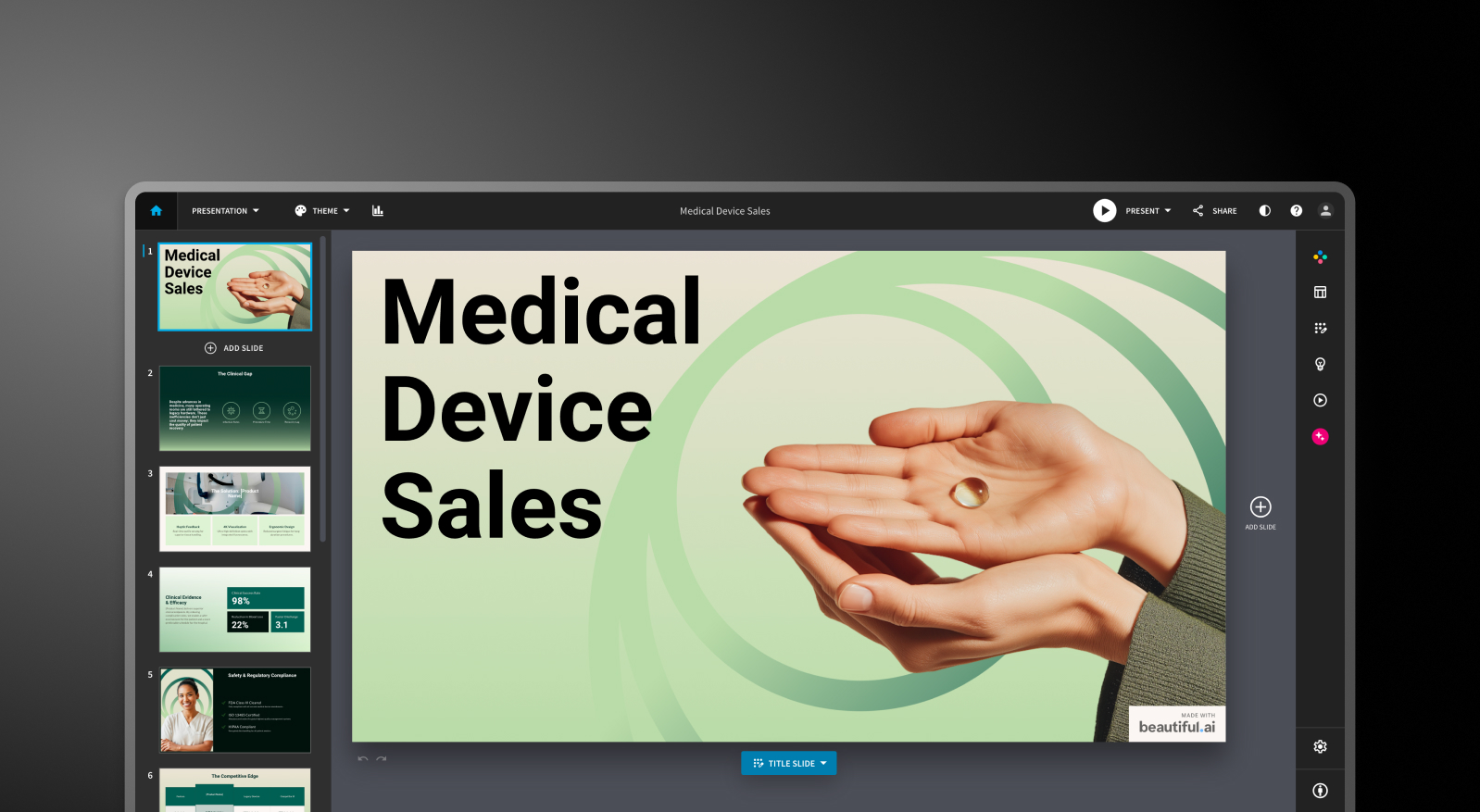
Beautiful.ai: DesignerBot génère une présentation à partir d'une invite textuelle et remplit les diapositives avec un contenu organisé selon un plan. Le premier jet est généralement utilisable à 70-80 % pour des présentations classiques. Après la génération initiale, l'ajout de nouvelles diapositives créées par l'IA nécessite des manipulations manuelles. L'IA sert de point de départ, mais ne collabore pas réellement.
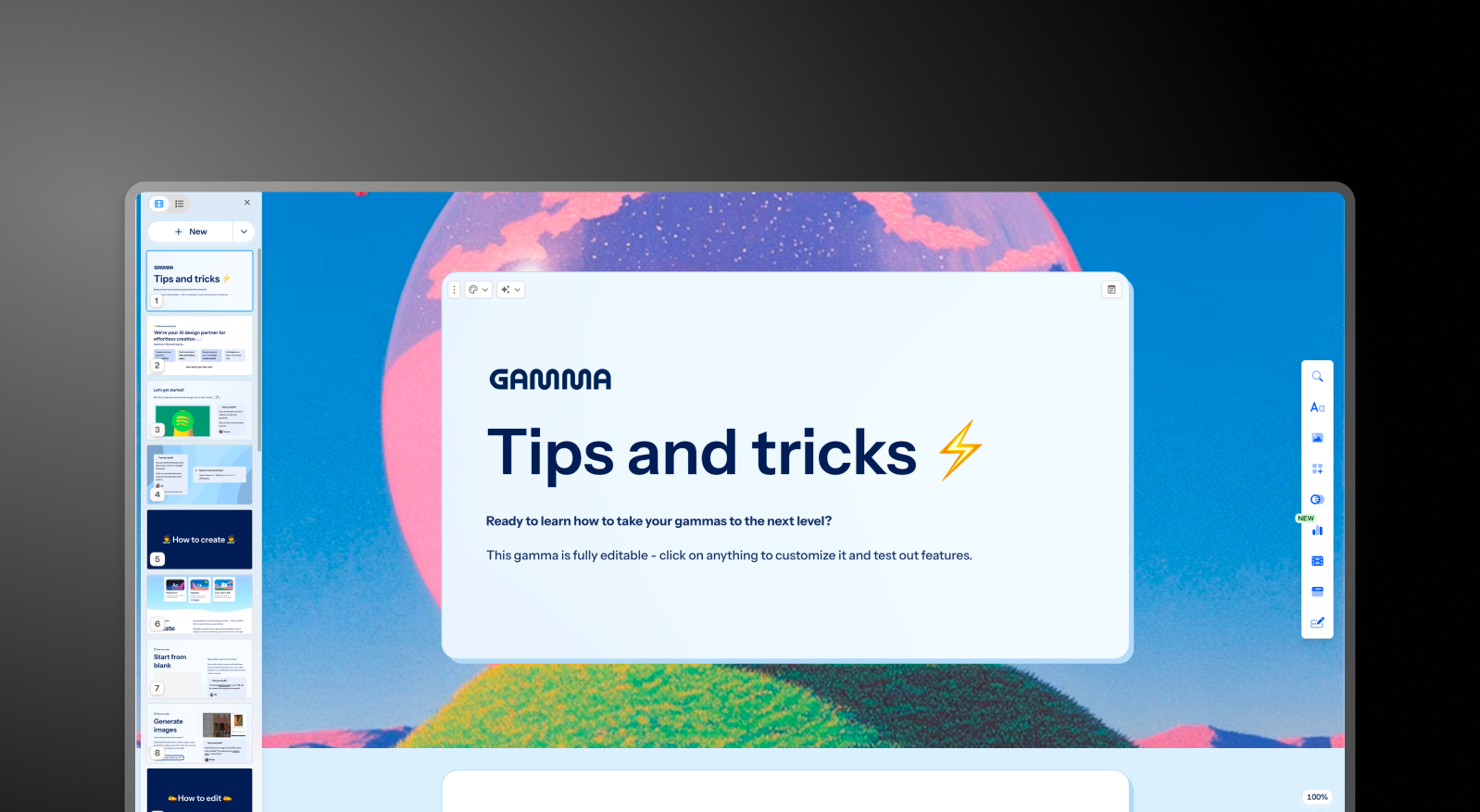
Gamma: Gamma génère un jeu complet de diapositives à partir d'une invite et continue d'itérer grâce à son agent IA. Les utilisateurs peuvent demander à l'IA de réviser des sections, de rechercher des sujets ou d'ajouter du contenu après le brouillon initial. Les limites de cartes varient selon le forfait, allant de 10 cartes par invite pour la version gratuite jusqu'à 75 pour l'offre Ultra.
Presentations.AI: Clip-E prend en charge la création complète de vos présentations et reste actif tout au long du processus. Générez à partir d'une invite, importez un PDF, collez une URL ou téléchargez un document Word : l'IA construit une présentation structurée et cohérente avec votre image de marque. Vous pouvez affiner, ajouter des diapositives et ajuster le contenu par le biais d'une conversation naturelle sans quitter la plateforme.

Qualité du design et personnalisation
Beautiful.ai: Le système Smart Slides produit un résultat toujours propre et professionnel. Le revers de la médaille est le manque de contrôle. Vous ne pouvez pas positionner librement les éléments ni outrepasser la logique de mise en page lorsqu'elle prend une décision qui ne vous convient pas. Pour la grande majorité des présentations professionnelles, cette contrainte est en réalité un avantage. Pour les utilisateurs ayant besoin de mises en page personnalisées ou non conventionnelles, c'est une limite infranchissable.
Gamma: Le rendu de Gamma est visuellement moderne et parfaitement adapté à son format basé sur des cartes. Les options de personnalisation des forfaits payants sont plus étendues que celles de Beautiful.ai, incluant des polices et des thèmes personnalisés. La qualité visuelle est optimale pour un partage via navigateur, mais peut paraître moins soignée une fois exportée au format PowerPoint.
Presentations AI: Les modèles « anti-fragiles » s'adaptent intelligemment au fur et à mesure que le contenu change, sans jamais briser la structure du design. Brand Sync applique automatiquement l'identité visuelle de votre entreprise à partir d'une URL, garantissant ainsi que chaque présentation respecte votre charte graphique dès la première diapositive, sans aucune configuration manuelle de thème.
Fonctionnalités de collaboration et d'équipe
Beautiful.ai: La coédition en temps réel, les commentaires, l'historique des versions, les autorisations basées sur les rôles et les bibliothèques de ressources partagées sont disponibles dans le forfait Équipe à 40 $/utilisateur/mois. Ces fonctionnalités sont matures et opérationnelles. Le bémol est qu'elles sont entièrement réservées à un forfait qui multiplie par plus de trois le coût par utilisateur par rapport à l'offre Pro.
Gamma: La collaboration en temps réel est disponible sur tous les forfaits. Les fonctionnalités destinées aux équipes, notamment les thèmes d'entreprise personnalisés, les dossiers partagés, les contrôles d'administration et la facturation centralisée, coûtent 20 $/siège/mois avec un minimum de 2 sièges. Pour les petites équipes, il s'agit du point d'entrée le plus pratique sur le marché intermédiaire parmi ces trois outils.
Presentations.AI: La collaboration en équipe, la synchronisation en temps réel et les contrôles d'accès sont inclus dès le niveau Starter. Chaque membre de l'équipe a accès à l'assistant IA Clip-E, ce qui permet à n'importe quel utilisateur de produire indépendamment des résultats de qualité professionnelle. Le niveau Entreprise ajoute des capacités d'administration, des modèles à l'échelle de l'entreprise et une sécurité renforcée.
Options d'exportation et d'intégration
Beautiful.ai: Exportation vers PowerPoint et PDF sur tous les forfaits payants. L'exportation PowerPoint est un point sensible souvent mentionné dans les avis des utilisateurs. Le texte qui apparaît comme un bloc unique dans Beautiful.ai peut être divisé en zones de texte individuelles dans le fichier exporté, et l'alignement peut être modifié. Testez la qualité de l'exportation avant de vous engager si la livraison au format .pptx est essentielle à votre flux de travail.
Gamma: Exportations vers PowerPoint et PDF sur tous les forfaits. Le format basé sur des cartes ne se convertit pas toujours parfaitement en diapositives 16:9 ; prévoyez donc du temps pour le nettoyage lors de la livraison de fichiers .pptx à des tiers. Gamma prend également en charge le partage sur le Web, l'exportation de documents et les formats de contenu pour les réseaux sociaux, ce que les deux autres outils ne proposent pas.
Presentations.AI: Exportation PowerPoint propre disponible avec le forfait Pro, avec une sortie conçue dès le départ pour se traduire correctement au format .pptx. L'exportation PDF est également disponible à partir du forfait Pro. De multiples options d'importation, notamment PDF, Word et URL, en font l'outil le plus flexible des trois en matière d'intégration de données.
Facilité d'utilisation et courbe d'apprentissage
Beautiful.ai: Courbe d'apprentissage minimale. Le système Smart Slides vous évite de partir d'une page blanche et les décisions de conception sont largement automatisées. De nombreux utilisateurs sur les plateformes d'avis rapportent être passés d'une idée à une présentation présentable en moins d'une heure. Pour les non-designers, c'est l'outil le plus immédiatement accessible des trois.
Gamma: Une prise en main intuitive avec une offre gratuite généreuse qui permet de créer de véritables présentations avant de s'engager. Le format basé sur des cartes demande un temps d'adaptation, surtout si vous avez l'habitude des mises en page de diapositives classiques. L'agent IA devient très performant une fois que l'on maîtrise la manière de le diriger.
Presentations.AI: L'interface conversationnelle avec Clip-E réduit considérablement la courbe d'apprentissage. Comme vous pouvez décrire vos besoins en langage naturel, les utilisateurs sans expérience en design peuvent rapidement produire des résultats soignés. La fonction Brand Sync élimine les frictions de configuration qui ralentissent généralement les équipes lors de l'adoption d'un nouvel outil.
| Fonctionnalité | Beautiful.ai | Gamma | Presentations AI |
|---|---|---|---|
| Approche principale | Automatisation des modèles : mises en page intelligentes et adaptatives | Génération par IA multiformat (présentations, documents, pages web) | Structuration et génération de contenu pilotées par l'IA |
| Cas d'usage typiques | Présentations commerciales, présentations client, communications internes | Projets personnels, réseaux sociaux, contenu multiformat | Présentations au conseil, pitchs investisseurs, ventes grands comptes |
| Import de documents | Saisie de texte basique | Saisie de texte / prompt basique | Conversion de PDF, Word et URL |
| Gestion de la marque | Configuration manuelle pour chaque présentation | Manuelle pour chaque présentation | Automatique à partir de l'URL de l'entreprise |
| Export PowerPoint | Disponible — les utilisateurs signalent des problèmes de mise en forme | ❌ Blocs qui se chevauchent, polices manquantes | ✅ Exports haute fidélité |
| Bibliothèque de modèles | Professionnelle mais choix limité | Bibliothèque moyenne | Plus de 10 000 modèles |
| Fonctions d'IA | DesignerBot pour générer les diapositives | Agent IA pour la recherche et l'édition itérative | Génération et structuration complètes du contenu (Clip-E) |
| Animations / Transitions | Configuration manuelle | Format en cartes — animations traditionnelles limitées | Animations professionnelles automatiques |
| Collaboration | Partage basique — coédition complète uniquement sur la formule Team | Temps réel sur toutes les formules | Flux de travail d'équipe en temps réel (Starter et +) |
| Sécurité entreprise | Sécurité standard | ❌ Pas de SOC 2 — échoue souvent à la validation informatique | ✅ Certifié SOC 2 Type II |
| Propriété des données / du contenu | Conditions standard | ❌ Accorde à Gamma des droits perpétuels, irrévocables et mondiaux | ✅ Les utilisateurs conservent la pleine propriété |
| Conformité RGPD / confidentialité | Standard | ❌ Le suivi des spectateurs soulève des questions au regard du RGPD | ✅ Confidentialité dès la conception |
| Piste d'audit | Limitée | ❌ Aucune | ✅ Journalisation d'audit complète |
| Adoption par les Fortune 500 | Modérée | Minime | Large |
| Probabilité de validation par la DSI | Modérée | Faible — préoccupations de sécurité et de données | Élevée — répond aux standards des entreprises |
| Essai gratuit | Essai de 14 jours (carte bancaire obligatoire) | Formule gratuite — sans carte | 5 présentations — sans carte |
| Coûts cachés | Reprise des exports, profondeur d'IA limitée à grande échelle | Corrections d'export, non-respect de la charte graphique et risque juridique potentiel | Aucun |
| Formation nécessaire | Minime pour les tâches de design | La portée multiformat crée de la confusion | Flux de travail ciblé — prise en main rapide |
| Risque fournisseur | Modéré | Élevé — la plateforme se détourne des présentations | Faible — concentration croissante sur les présentations |
| Niveau de support | Support standard | Centre d'aide générique | Support entreprise dédié |
| Idéal pour | Les équipes qui veulent une cohérence graphique sans compétences en design | La création de contenu multiformat, les créateurs indépendants | Les équipes qui transforment des documents en présentations soignées |
Comparatif des tarifs : Beautiful.ai vs Gamma vs Presentations.AI
Dans cette catégorie, le prix ne se résume pas au montant affiché. Ce qui compte, c'est ce que vous payez réellement dès que vous avez besoin de fonctionnalités de collaboration, de contrôle de marque ou d'exportations propres. Ces trois outils gèrent ces aspects différemment.
Tarifs de Beautiful.ai
Beautiful.ai propose trois niveaux : Pro, Team et Enterprise. Il n'existe pas de version gratuite. Un essai de 14 jours est disponible pour les offres Pro et Team, mais il nécessite une carte bancaire et se transforme automatiquement en abonnement annuel s'il n'est pas annulé. Ce point fait l'objet de plaintes récurrentes sur Trustpilot et Product Hunt.
- Pro : 12 $/mois (facturation annuelle) ou 45 $/mois (facturation mensuelle). Diapositives illimitées, Smart Slides, génération par IA, polices personnalisées, export PowerPoint et PDF, analyses de consultation. Utilisateur unique uniquement.
- Team : 40 $/utilisateur/mois (facturation annuelle) ou 50 $/utilisateur/mois (facturation mensuelle). Ajoute la collaboration en temps réel, le kit de marque, les bibliothèques partagées, les contrôles d'administration et les analyses d'engagement. Le passage de l'offre Pro à l'offre Team multiplie par plus de trois le coût par utilisateur.
- Enterprise : Tarification sur mesure. SSO, SCIM, gestionnaire de compte dédié, support prioritaire et sécurité avancée.
Points de vigilance: une équipe de cinq personnes sur le plan Team coûte 2 400 $ par an. C'est un investissement important pour un outil dont les capacités en IA sont plus limitées que celles de ses concurrents plus récents.
Tarifs de Gamma
Gamma propose quatre plans individuels et deux plans pour les équipes. La facturation mensuelle est disponible sur la plupart des niveaux, ce qui en fait l'option la plus flexible des trois pour les acheteurs qui ne sont pas prêts à s'engager sur une année.
- Gratuit: 400 crédits IA uniques (non renouvelables), jusqu'à 10 cartes par requête, marque Gamma sur toutes les créations.
- Plus: 12 $/mois (ou environ 9 $/mois en facturation annuelle). Suppression de la marque, 1 000 crédits renouvelés chaque mois, jusqu'à 20 cartes par requête.
- Pro: 25 $/mois (ou environ 18 $/mois en facturation annuelle). Modèles d'IA premium, accès API, polices personnalisées, jusqu'à 10 domaines personnalisés, analyses détaillées, 4 000 crédits mensuels, jusqu'à 50 cartes par requête.
- Ultra: 100 $/mois (facturation mensuelle uniquement). 20 000 crédits mensuels, jusqu'à 75 cartes par requête, mode Studio et modèles d'images IA les plus avancés.
- Équipe: 20 $/utilisateur/mois, minimum 2 utilisateurs. Thème d'entreprise personnalisé, dossiers partagés, contrôles d'administration, facturation centralisée, 6 000 crédits par utilisateur.
- Entreprise: 40 $/utilisateur/mois, minimum 10 utilisateurs. SSO, documentation SOC 2, contrôles de données avancés, 10 000 crédits par utilisateur.
Points de vigilance: Les crédits du forfait gratuit sont uniques et non mensuels. Une utilisation intensive des modèles d'images premium sur les forfaits payants consomme le quota de crédits mensuel plus rapidement que prévu.
| Formule/Fonctionnalité | Beautiful.ai | Gamma | Presentations.AI |
|---|---|---|---|
| Formule gratuite | ✗ (essai de 14 jours uniquement) | ✓ (400 crédits uniques) | ✓ (utilisateurs illimités) |
| Formule payante d'entrée de gamme | 12 $/mois (Pro, annuel) | 12 $/mois (Plus) | 240 $/an (20 $/mois) |
| Formule payante intermédiaire | N/A | 25 $/mois (Pro) | N/A |
| Formule Équipe | 40 $/utilisateur/mois | 20 $/licence/mois (min. 2) | Sur devis |
| Enterprise | Sur devis | 40 $/licence/mois (min. 10) | Sur devis |
| Remise annuelle | ✓ | ✓ | Annuel uniquement (pas de mensuel) |
| Facturation mensuelle | ✓ (tarif premium) | ✓ | ✗ |
| Crédits IA inclus | Illimités sur les formules payantes | 1 000–20 000/mois (selon la formule) | Limités sur Starter ; plus nombreux sur Pro ; maximum sur Gold, avec des modèles d'IA de pointe et une génération prioritaire. |
| Suppression de la marque | Toutes les formules payantes | Plus et supérieur | Formules payantes |
| Carte bancaire pour l'essai | ✓ (obligatoire) | ✗ | ✗ |
Tarifs de Presentations.AI
Presentations AI propose une structure tarifaire simple composée de trois niveaux. Il n'existe pas d'option de facturation mensuelle ; les forfaits sont uniquement disponibles sur une base annuelle ou trimestrielle.
- Starter: Gratuit. Utilisateurs illimités, crédits IA limités, thèmes de marque, collaboration d'équipe et fonctionnalités de base.
- Pro: 240 $/an (un utilisateur). Équivalent à 20 $/mois. Crédits IA supplémentaires, modèles Pro, polices et couleurs personnalisées, analyses, exportation PDF et fonctionnalités avancées.
- Gold : 1 200 $/an (un utilisateur). Équivalent à 100 $/mois. Ajoute des modèles d'IA de pointe, des contrôles de marque avancés, le partage des connaissances de projet et une génération prioritaire, en plus de tout ce qui est inclus dans l'offre Pro. Conçu pour les travaux à fort enjeu et à haut volume.
Le forfait Starter est réellement multi-utilisateurs, ce qui en fait un moyen pratique pour toute une équipe d'évaluer la plateforme avant de s'engager. Le forfait Pro à 240 $/an est environ un tiers moins cher que l'offre Pro équivalente de Gamma (25 $/mois) sur une base annuelle.
Quel outil est le mieux adapté à vos besoins ?
Idéal pour les startups et les pitch decks
La rapidité et la qualité sont primordiales lorsque vous créez une présentation pour des investisseurs dans l'urgence. Presentations AI l'emporte ici. Clip-E génère un pitch deck structuré et cohérent avec votre image de marque à partir d'une simple consigne ou d'un document téléchargé, et vous pouvez effectuer des itérations en langage naturel sans avoir à retoucher manuellement chaque diapositive.
Le forfait Pro à 240 $/an est abordable pour les fondateurs en phase de démarrage, et le résultat est d'une conception professionnelle. Beautiful.ai est une alternative intéressante si vous savez déjà ce que vous voulez dire et que vous avez simplement besoin d'un rendu rapide et esthétique.
Idéal pour les équipes commerciales
Les équipes commerciales ont besoin de présentations rapides à produire, faciles à personnaliser et traçables une fois partagées. Presentations AI répond à ces trois exigences : création assistée par IA, synchronisation de la marque pour une cohérence entre les commerciaux, et analyses de consultation sur les forfaits payants.
Beautiful.ai est également une option crédible pour les équipes commerciales qui apprécient la cohérence des Smart Slides et le suivi d'engagement intégré au forfait Pro. Gamma est moins spécifiquement conçu pour les flux de travail liés aux présentations commerciales.
Idéal pour les équipes marketing
Les équipes marketing travaillent en respectant scrupuleusement leur charte graphique, et c'est là que la synchronisation de marque de Presentations AI offre un réel avantage opérationnel. Chaque présentation s'aligne automatiquement sur la marque sans que personne n'ait besoin de sélectionner un thème ou de vérifier un kit de marque.
Pour les équipes produisant des propositions de campagne, des présentations de lancement et des briefs créatifs en volume, cette automatisation permet un gain de temps considérable. Le kit de marque de Beautiful.ai est une alternative manuelle solide. Gamma fonctionne bien pour les équipes marketing qui ont besoin de formats de sortie variés au-delà des simples diapositives.
Idéal pour les grandes entreprises et les grandes équipes
L'offre Entreprise de Presentations AI propose des crédits IA illimités, des modèles à l'échelle de l'entreprise, des contrôles d'administration et une sécurité complète. La certification SOC 2 Type II est un différenciateur majeur pour les processus d'achat et de révision de sécurité.
Le forfait Entreprise de Beautiful.ai couvre le SSO, le SCIM et la gestion de compte dédiée. Gamma Business, à 40 $/utilisateur, ajoute le SSO et la documentation SOC 2 pour les organisations souhaitant des contrôles d'entreprise sans quitter l'écosystème Gamma.
Idéal pour les particuliers et les freelances
Pour les utilisateurs individuels, la décision repose sur la qualité et la valeur de l'offre gratuite et du premier niveau payant. Le forfait gratuit de Gamma est le plus réellement utile : 400 crédits, aucune carte bancaire requise et exportation PowerPoint incluse. Le forfait Starter gratuit de Presentations AI est idéal pour explorer la plateforme avant de s'engager. Beautiful.ai ne propose pas de forfait gratuit, et l'essai nécessite une carte bancaire avec renouvellement automatique en abonnement annuel. Pour les professionnels indépendants qui créent régulièrement des présentations, Presentations AI Pro à 20 $/mois offre le meilleur rapport qualité-prix pour les fonctionnalités proposées.
Cinq raisons pour lesquelles les équipes préfèrent Presentations.AI à Beautiful.ai et Gamma
Beautiful.ai et Gamma excellent chacun dans des scénarios spécifiques. Beautiful.ai est plus rapide pour les non-designers qui créent des présentations simples. Gamma offre plus de flexibilité si vous avez besoin de formats de sortie variés et d'une liberté de facturation mensuelle. Ce sont deux outils solides dans leurs domaines respectifs.
Mais Presentations.AI est conçu pour l'usage le plus crucial : produire des présentations professionnelles essentielles, parfaitement alignées sur votre image de marque, et créées rapidement sans nécessiter de compétences en design.
Voici ce qui en fait un choix globalement plus performant :
- La synchronisation de marque va plus loin que n'importe quel kit de marque. Il ne vous demande pas de définir manuellement des règles graphiques. Il analyse l'URL de votre entreprise et applique automatiquement votre identité visuelle. Chaque présentation est conforme à votre image dès la première diapositive, sans aucune configuration préalable.
- Clip-E est un véritable collaborateur IA, et non un simple générateur de brouillons. Vous pouvez construire, affiner et remodeler une présentation par la conversation. L'IA de Beautiful.ai s'arrête au premier jet. L'agent IA de Gamma est performant, mais moins spécialisé dans la création de diapositives.
- L'importation multi-sources est un réel avantage pour votre flux de travail. Transformez un PDF, un document Word, une URL ou une simple consigne en une présentation soignée. Aucun des deux concurrents ne prend en charge ces quatre types de sources.
- Le tarif Pro est plus compétitif qu'il n'y paraît. À 240 $/an (20 $/mois), Presentations.AI Pro est un tiers moins cher que Gamma Pro (25 $/mois) et se rapproche bien plus du tarif de Beautiful.ai Pro (12 $/mois) que les chiffres initiaux ne le suggèrent, surtout si l'on considère ce que chaque offre inclut réellement.
- L'offre gratuite Starter est réellement conçue pour plusieurs utilisateurs. Toute votre équipe peut explorer la plateforme avant qu'un budget ne soit engagé. L'essai de Beautiful.ai nécessite une carte bancaire. L'offre gratuite de Gamma est limitée à des crédits ponctuels.
Le verdict : quel outil de création de présentations par IA choisir ?
Choisissez Beautiful.ai si vous:
- Créez des présentations en solo et souhaitez obtenir un résultat cohérent et soigné à chaque fois, avec un minimum d'effort
- Besoin d'analyses d'engagement des spectateurs pour les flux de suivi des ventes
- Les exigences de marque sont simples : couleurs, polices, logos
- Êtes à l'aise avec un essai de 14 jours nécessitant une carte bancaire
Choisissez Gamma si vous:
- Avez besoin d'un forfait gratuit sans carte bancaire requise
- Créez du contenu sur plusieurs formats : présentations, documents, pages web, contenu pour les réseaux sociaux
- Souhaitez une flexibilité mensuelle avant de vous engager sur un forfait annuel
- Êtes une petite équipe à la recherche de fonctionnalités collaboratives à un prix par utilisateur raisonnable
Choisissez Presentations AI si vous:
- Souhaitez une IA qui construit, affine et itère sur votre présentation de manière conversationnelle
- Avez besoin que la cohérence de la marque soit automatique, sans dépendre d'une sélection manuelle de thèmes
- Convertissez régulièrement des PDF, des documents Word ou des URL au format présentation
- Créez des présentations stratégiques : pitchs, présentations commerciales, rapports pour le conseil d'administration
- Avez une équipe où chaque membre doit produire un résultat professionnel, quelles que soient ses compétences en design
