




Beautiful.ai、Gamma、Presentations.AIの機能比較
AIによるスライド生成
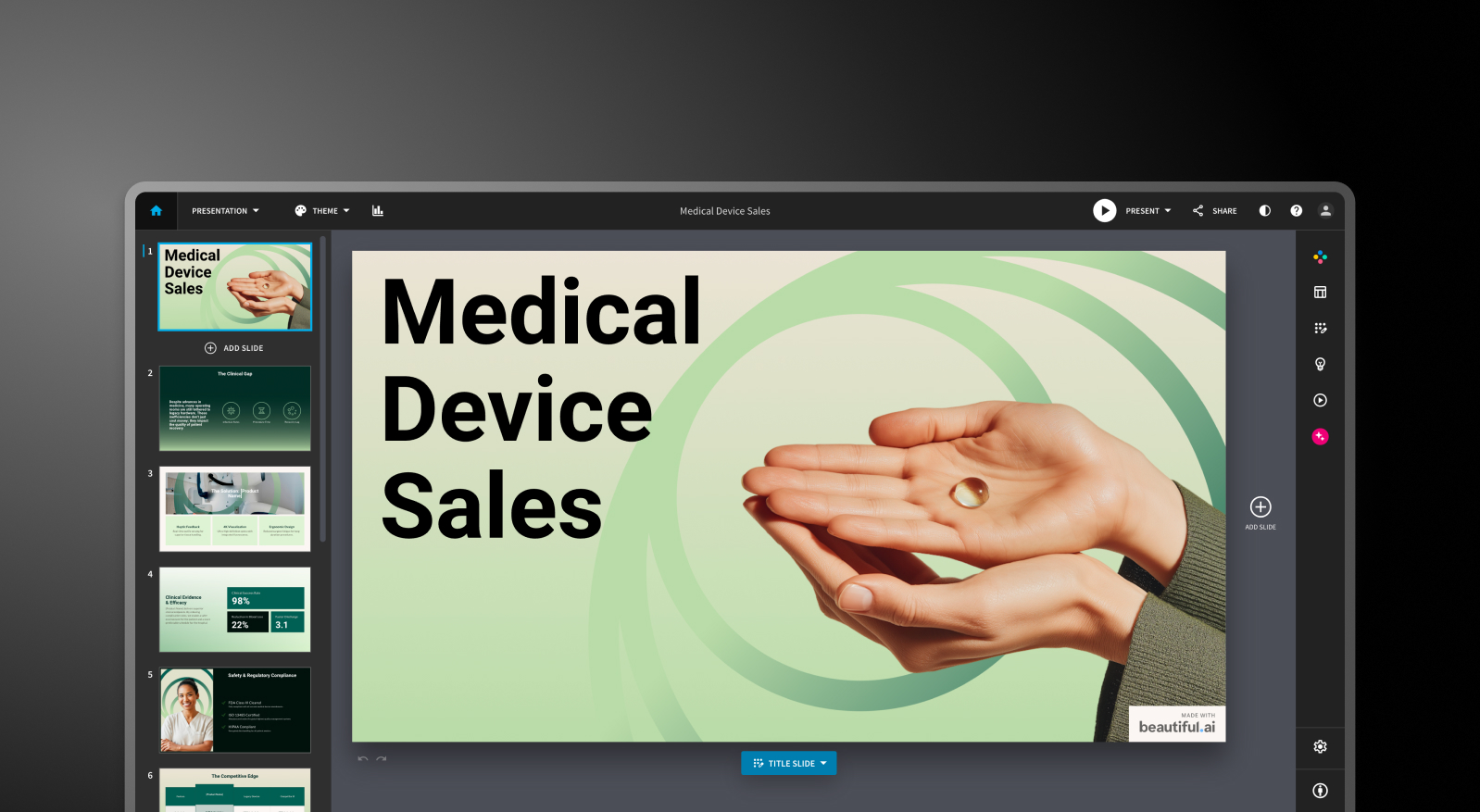
Beautiful.ai:DesignerBotがテキストプロンプトからプレゼンテーションを生成し、アウトラインに基づいてコンテンツをスライドに配置します。初稿の完成度は標準的なデッキであれば70〜80%程度です。生成後、AIで新しいスライドを追加するには手動での工夫が必要となり、AIはあくまで出発点としての役割に留まります。
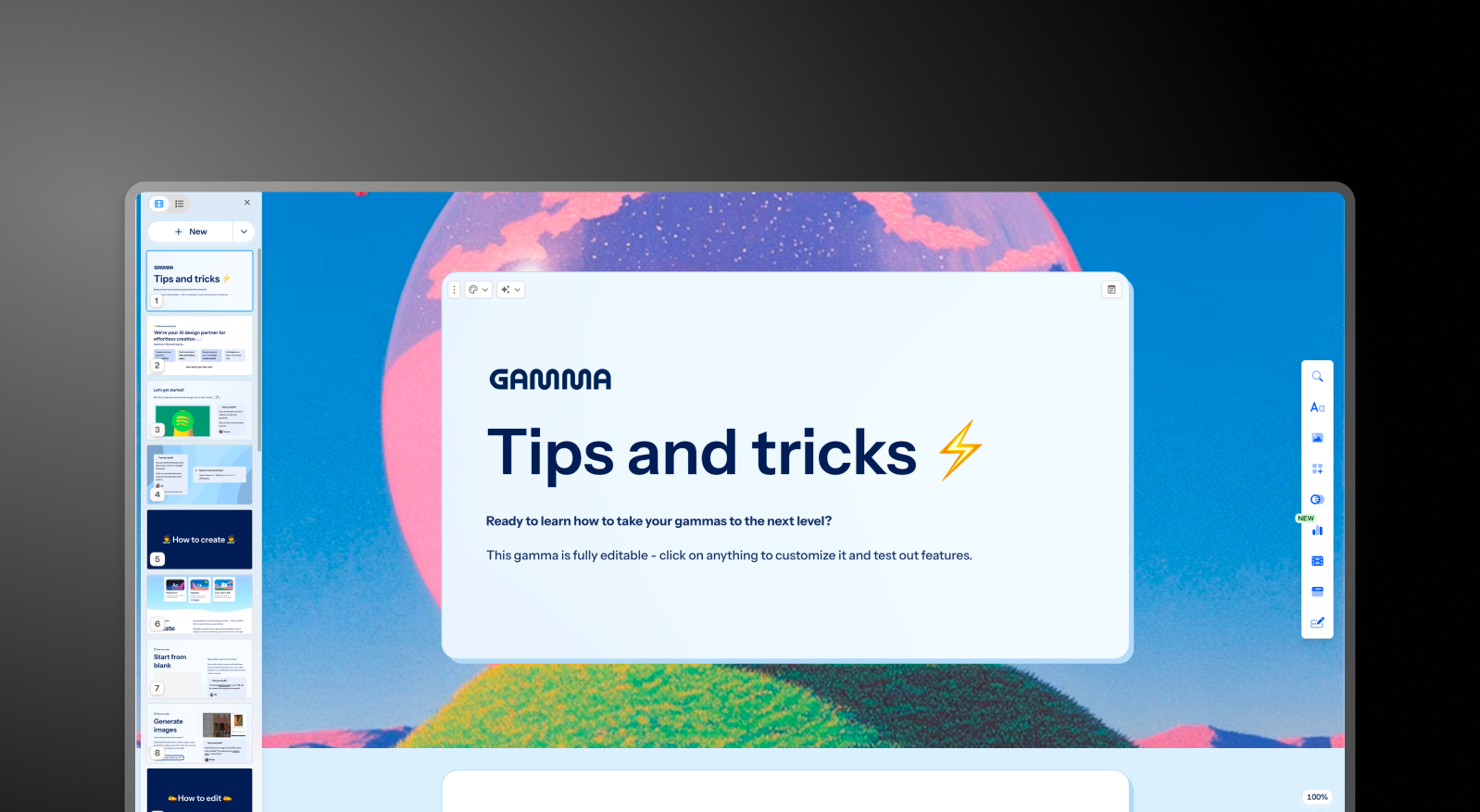
Gamma:Gammaはプロンプトからデッキ全体を生成し、AIエージェントを通じて継続的な反復作業が可能です。初稿作成後も、セクションの修正やトピックのリサーチ、コンテンツの追加をAIに指示できます。カードの生成上限はプランによって異なり、無料版ではプロンプトあたり10枚、Ultraプランでは最大75枚まで対応しています。
Presentations.AI:Clip-Eはデッキ作成の全工程を担い、プロセス全体を通じてサポートします。プロンプトからの生成に加え、PDFのインポート、URLの貼り付け、Wordドキュメントのアップロードにも対応しており、ブランドの一貫性を保った構成案を作成します。プラットフォームを離れることなく、自然な対話を通じてスライドの追加やコンテンツの調整が可能です。

デザイン品質とカスタマイズ性
Beautiful.ai:Smart Slidesシステムにより、常に洗練されたプロフェッショナルな仕上がりを実現します。その代償として、自由な配置やレイアウトの強制的な変更はできません。一般的なビジネスプレゼンテーションにおいては、この制約がむしろ利点となりますが、独自性の高いレイアウトを求めるユーザーにとっては大きな壁となります。
Gamma:Gammaの出力は視覚的にモダンで、カードベースのフォーマットに適しています。有料プランではカスタムフォントやテーマなど、Beautiful.aiよりも幅広いカスタマイズが可能です。ブラウザ上での共有には非常に適していますが、PowerPoint形式でエクスポートすると、やや見栄えが劣る場合があります。
Presentations.AI:アンチフラジャイル(適応型)テンプレートを採用しており、コンテンツの変更に合わせてデザイン構造を崩すことなくインテリジェントに調整されます。Brand Sync機能により、URLから企業のビジュアルアイデンティティを自動適用できるため、テーマ設定の手間をかけずに、最初の一枚からブランドイメージに沿ったデッキを作成可能です。
コラボレーションおよびチーム向け機能
Beautiful.ai:リアルタイム共同編集、コメント機能、バージョン履歴、権限管理、共有アセットライブラリは、月額40ドル/ユーザーのTeamプランで利用可能です。これらの機能は完成度が高く実用的ですが、Proプランと比較してユーザーあたりのコストが3倍以上になるという点がネックとなります。
Gamma:リアルタイム共同編集はすべてのプランで利用可能です。カスタム企業テーマ、共有フォルダ、管理者コントロール、一括請求などのチーム向け機能は、月額20ドル/シート(最低2シートから)で利用できます。小規模チームにとって、これら3つのツールの中で最も現実的なミッドマーケット向けコラボレーションの選択肢です。
Presentations.AI:チームコラボレーション、リアルタイム同期、アクセス制御はStarterプランから含まれています。すべてのチームメンバーがAIアシスタント「Clip-E」を利用できるため、誰でもプロ品質の成果物を個別に作成可能です。Enterpriseプランでは、管理者機能、全社共通テンプレート、エンタープライズレベルのセキュリティが追加されます。
エクスポートおよび連携オプション
Beautiful.ai:すべての有料プランでPowerPointおよびPDF形式でのエクスポートが可能です。ただし、ユーザーレビューではPowerPointへのエクスポートが難点として挙げられています。Beautiful.ai上で1つのブロックとして表示されるテキストが、エクスポート後に個別のテキストボックスに分割されたり、配置がずれたりすることがあります。PowerPoint形式での納品がワークフローの要となる場合は、導入前にエクスポート品質を必ず確認してください。
Gamma:すべてのプランでPowerPointおよびPDF形式へのエクスポートに対応しています。カードベースのフォーマットは必ずしも16:9のスライドにきれいに変換されるわけではないため、外部へPowerPointファイルを提出する際は修正時間を考慮しておく必要があります。Gammaは、他の2つのツールにはないWebベースの共有、ドキュメント出力、SNS向けコンテンツ形式もサポートしています。
Presentations.AI:Proプランでは、PowerPoint形式へ正確に変換されるよう設計されたクリーンなエクスポートが可能です。PDFエクスポートもProプラン以上で利用できます。PDF、Word、URLなど多様なインポートオプションを備えており、3つのツールの中で最も柔軟な取り込みが可能です。
使いやすさと学習曲線
Beautiful.ai:学習曲線は非常に緩やかです。「スマートスライド」システムにより、白紙の状態から始める必要がなく、デザインの決定事項の多くが自動的に処理されます。複数のレビュープラットフォームにおいて、アイデア出しからプレゼン資料の完成まで1時間以内で行えるという報告が多数寄せられています。デザインの専門知識がない方にとって、これら3つのツールの中で最も直感的に使い始められるツールです。
Gamma:導入が非常にスムーズで、無料プランも充実しています。本格的なプレゼンテーションを作成してから契約を検討できるのが魅力です。カード形式のレイアウトは、従来の形式に慣れていると最初は少し戸惑うかもしれませんが、数回使えばすぐに馴染めるでしょう。AIエージェントは、使いこなせるようになると非常に強力な戦力になります。
Presentations.AI:AIアシスタント「Clip-E」との対話型インターフェースにより、学習コストが大幅に抑えられています。作りたい内容を言葉で伝えるだけでよいため、デザイン経験がない方でも短時間で洗練された資料を作成可能です。また、「Brand Sync」機能により、新しいツールを導入する際にありがちな初期設定の手間を省き、チームでの利用をスムーズに開始できます。
| 機能 | Beautiful.ai | Gamma | Presentations AI |
|---|---|---|---|
| 基本アプローチ | テンプレートの自動化:状況に応じて適応するスマートなレイアウト | マルチフォーマットのAI生成(スライド、ドキュメント、Webページ) | AIによるコンテンツの構造化と生成 |
| 主な用途 | 営業資料、顧客向けプレゼン、社内報告 | 個人プロジェクト、SNS、マルチフォーマットのコンテンツ | 取締役会資料、投資家向けピッチ、エンタープライズ営業 |
| ドキュメントのインポート | 基本的なテキスト入力 | 基本的なテキスト/プロンプト入力 | PDF、Word、URLの変換 |
| ブランド管理 | プレゼンごとに手動で設定 | プレゼンごとに手動 | 企業のURLから自動設定 |
| PowerPointへのエクスポート | 対応 — 書式の乱れが報告されている | ❌ ボックスの重なり、フォントの欠落 | ✅ 高再現度のエクスポート |
| テンプレートライブラリ | プロ仕様だが選択肢は限定的 | 中程度のライブラリ | 10,000点以上のテンプレート |
| AI機能 | スライド生成用のDesignerBot | リサーチと反復編集のためのAIエージェント | コンテンツの生成と構造化をフルサポート(Clip-E) |
| アニメーション/画面切り替え | 手動設定 | カード形式 — 従来型のアニメーションは限定的 | プロ品質のアニメーションを自動付与 |
| コラボレーション | 基本的な共有 — 完全な共同編集はTeamプランのみ | 全プランでリアルタイム対応 | リアルタイムのチームワークフロー(Starter以上) |
| エンタープライズセキュリティ | 標準的なセキュリティ | ❌ SOC 2非対応 — IT審査で不合格になることが多い | ✅ SOC 2 Type II認証取得 |
| データ/コンテンツの所有権 | 標準的な規約 | ❌ Gammaに永続的・取消不能・全世界的な権利を付与 | ✅ ユーザーが完全な所有権を保持 |
| GDPR/プライバシー対応 | 標準 | ❌ 閲覧者のトラッキングがGDPR上の懸念を生む | ✅ プライバシー・バイ・デザイン |
| 監査証跡 | 限定的 | ❌ なし | ✅ 完全な監査ログ |
| Fortune 500での導入 | 中程度 | ごくわずか | 広範 |
| IT承認の見込み | 中程度 | 低い — セキュリティとデータに関する懸念 | 高い — エンタープライズ基準を満たす |
| 無料体験 | 14日間の体験版(クレジットカード必須) | 無料プラン — カード不要 | 5件のプレゼン — カード不要 |
| 隠れたコスト | エクスポート後の修正、大規模利用時のAIの深さ不足 | エクスポートの修正、ブランド規定違反、法的リスクの可能性 | なし |
| 必要なトレーニング | デザイン作業にはほとんど不要 | マルチフォーマットの幅広さが混乱を招く | 用途が明確なワークフロー — 習熟が早い |
| ベンダーリスク | 中程度 | 高い — プラットフォームがプレゼン領域から離れつつある | 低い — プレゼン領域への注力を強化 |
| サポート水準 | 標準サポート | 一般的なヘルプセンター | 専任のエンタープライズサポート |
| 最適な用途 | デザインスキルなしで統一感を求めるチーム | マルチフォーマットのコンテンツ制作、個人クリエイター | 文書を洗練されたプレゼンに変換するチーム |
料金比較:Beautiful.ai vs Gamma vs Presentations.AI
この分野のツールにおいて、料金は単なる表示価格だけで判断すべきではありません。共同編集機能やブランド管理、高品質なエクスポート機能など、実際に業務で必要となる機能を含めた総額で考える必要があります。これら3つのツールは、それぞれ料金体系の考え方が大きく異なります。
Beautiful.aiの料金
Beautiful.aiには「Pro」「Team」「Enterprise」の3つのプランがあり、無料プランは提供されていません。ProとTeamには14日間の無料トライアルがありますが、クレジットカードの登録が必須であり、解約しない限り自動的に年間サブスクリプションへ移行します。この仕組みについては、TrustpilotやProduct Huntなどで多くの不満が寄せられています。
- Pro:月額12ドル(年払い)または月額45ドル(月払い)。スライド作成無制限、スマートスライド機能、AI生成、カスタムフォント、PowerPoint/PDFエクスポート、閲覧分析機能が含まれます。個人利用向けです。
- Team:1ユーザーあたり月額40ドル(年払い)または月額50ドル(月払い)。Proの機能に加え、リアルタイム共同編集、ブランドキット、共有ライブラリ、管理機能、エンゲージメント分析が利用可能です。ProからTeamへ移行すると、ユーザーあたりのコストは3倍以上に跳ね上がります。
- Enterprise:個別見積もり。SSO(シングルサインオン)、SCIM、専任アカウントマネージャー、優先サポート、高度なセキュリティ機能が提供されます。
注意点:5人のチームでTeamプランを利用する場合、年間で2,400ドルのコストがかかります。AI機能が競合の新しいツールと比較して限定的であることを考えると、決して小さくない投資額と言えるでしょう。
Gammaの料金
Gammaには個人向けプランが4つ、チーム向けプランが2つ用意されています。ほとんどのプランで月払いが選択できるため、年間契約に踏み切れないユーザーにとっても、今回比較した3ツールの中で最も柔軟性が高いと言えます。
- 無料:400回分のAIクレジット(使い切り、毎月の付与なし)、1プロンプトにつき最大10枚のカード、すべての出力にGammaのブランディングが含まれます。
- Plus:月額12ドル(年払いなら月額約9ドル)。ブランディングの削除、毎月1,000回分のクレジット付与、1プロンプトにつき最大20枚のカード。
- Pro:月額25ドル(年払いなら月額約18ドル)。プレミアムAIモデル、APIアクセス、カスタムフォント、最大10個のカスタムドメイン、詳細な分析機能、毎月4,000回分のクレジット付与、1プロンプトにつき最大50枚のカード。
- Ultra:月額100ドル(月払いのみ)。毎月20,000回分のクレジット付与、1プロンプトにつき最大75枚のカード、スタジオモード、最先端のAI画像生成モデル。
- Team:1ユーザーあたり月額20ドル(最低2ユーザーから)。カスタム企業テーマ、共有フォルダ、管理者コントロール、一括請求、1ユーザーあたり毎月6,000回分のクレジット付与。
- Business:1ユーザーあたり月額40ドル(最低10ユーザーから)。SSO、SOC 2ドキュメント、高度なデータ管理機能、1ユーザーあたり毎月10,000回分のクレジット付与。
注意点:無料プランのクレジットは使い切りであり、毎月付与されるものではありません。有料プランでプレミアム画像生成モデルを多用すると、月間のクレジット消費が想定より早くなる場合があります。
| プラン/機能 | Beautiful.ai | Gamma | Presentations.AI |
|---|---|---|---|
| 無料プラン | ✗(14日間の体験版のみ) | ✓(400クレジットを1回限り付与) | ✓(ユーザー数無制限) |
| 有料エントリープラン | $12/月(Pro、年払い) | $12/月(Plus) | $240/年($20/月) |
| 有料中位プラン | 該当なし | $25/月(Pro) | 該当なし |
| チームプラン | $40/ユーザー/月 | $20/席/月(最低2席) | カスタム |
| エンタープライズ | カスタム | $40/席/月(最低10席) | カスタム |
| 年払い割引 | ✓ | ✓ | 年払いのみ(月払いなし) |
| 月払い | ✓(割高な料金) | ✓ | ✗ |
| 含まれるAIクレジット | 有料プランは無制限 | 1,000〜20,000/月(プランによる) | Starterは制限あり、Proで増加、Goldが最多で、最先端のAIモデルと優先生成に対応。 |
| ブランド表示の削除 | すべての有料プラン | Plus以上 | 有料プラン |
| 体験版のクレジットカード | ✓(必須) | ✗ | ✗ |
Presentations.AIの料金
Presentations AIの料金体系は3つのプランで構成されています。月額払いのオプションはなく、年払いまたは四半期払いのみとなります。
- Starter:無料。無制限のユーザー数、制限付きAIクレジット、ブランドテーマ、チームコラボレーション、基本機能。
- Pro: 年額240ドル(1ユーザー)。月額換算で20ドルです。AIクレジットの追加、Proテンプレート、カスタムフォントとカラー、分析機能、PDFエクスポート、その他高度な機能が含まれます。
- Gold: 年額1,200ドル(1ユーザー)。月額換算で100ドルです。Proの全機能に加え、最先端のAIモデル、高度なブランド管理、プロジェクトナレッジの共有、優先的な生成機能が追加されます。重要かつ大量の業務をこなすために設計されています。
Starterプランは真の意味でマルチユーザーに対応しており、チーム全体で導入を検討する際に実用的な選択肢となります。年額240ドルのProプランは、Gammaの同等プラン(月額25ドル)と比較して、年間ベースで約3分の1のコスト削減を実現しています。
用途に最適なツールは?
スタートアップやピッチデッキに最適
締め切りのある投資家向け資料を作成する際、何よりも重要なのはスピードと完成度です。この点でPresentations AIが優れています。Clip-Eは、プロンプトやアップロードされたドキュメントから、ブランドの一貫性を保った構造化されたピッチデッキを生成します。スライドを一つずつ手作業で修正することなく、自然言語で繰り返し調整が可能です。
年額240ドルのProプランは、シード期の創業者にとっても手頃であり、出力されるデザインもプロフェッショナルです。Beautiful.aiは、伝えたい内容が明確で、とにかく素早く見栄えを整えたい場合に適した次善の選択肢です。
営業チームに最適
営業チームには、素早く作成でき、パーソナライズが容易で、共有後の追跡が可能な資料が求められます。Presentations AIは、AIによる作成、担当者間で一貫性を保つBrand Sync、有料プランでの閲覧分析という3つのニーズを満たします。
Beautiful.aiも、Smart Slidesの一貫性とProプランのエンゲージメント追跡機能を重視する営業チームにとっては有力な選択肢です。Gammaは、営業資料のワークフローに特化した設計という点では一歩譲ります。
マーケティングチームに最適
マーケティングチームにとってブランドガイドラインの遵守は不可欠であり、Presentations AIのBrand Syncは、この点で真の運用上の強みを発揮します。すべてのスライドが自動的にブランドに準拠するため、テーマを選択したりブランドキットを確認したりする手間が省けます。
キャンペーン提案書やローンチプレゼン、クリエイティブブリーフを大量に作成するチームにとって、この自動化は大きな効率化につながります。Beautiful.aiのBrand Kitは、手動での管理が必要ですが堅実な代替手段です。Gammaは、スライド以外のマルチフォーマット出力が必要なマーケティングチームに適しています。
エンタープライズおよび大規模チームに最適
Presentations AIのEnterpriseプランでは、無制限のAIクレジット、全社共通テンプレート、管理機能、完全なエンタープライズセキュリティを提供します。SOC 2 Type II認証を取得している点は、調達やセキュリティ審査のプロセスにおいて重要な差別化要因となります。
Beautiful.aiのEnterpriseプランは、SSO、SCIM、専任のアカウント管理をカバーしています。Gamma Business(1シートあたり月額40ドル)は、Gammaのエコシステムを維持したままエンタープライズレベルの管理を求める組織向けに、SSOとSOC 2ドキュメントを提供しています。
個人やフリーランスに最適
個人ユーザーの場合、判断基準は無料プランと最初の有料プランの品質と価値に集約されます。Gammaの無料プランは、400クレジットが付与され、クレジットカード登録不要でPowerPointエクスポートも可能なため、最も実用的です。Presentations AIのStarterプランは、導入前の試用として優れています。Beautiful.aiには無料プランがなく、トライアルにはクレジットカード登録と年額サブスクリプションへの自動更新が必須です。定期的に資料を作成する個人プロフェッショナルにとって、月額20ドルのPresentations AI Proは、提供される機能セットに対して最高の価値を提供します。
チームがBeautiful.aiやGammaではなくPresentations.AIを選ぶ5つの理由
Beautiful.aiとGammaには、それぞれ得意とするシナリオがあります。Beautiful.aiは、デザインの専門知識がない人がシンプルなプレゼン資料を素早く作成するのに適しています。Gammaは、マルチフォーマットでの出力が必要な場合や、月単位での柔軟な契約を求める場合に強みを発揮します。どちらも特定の用途においては優れたツールです。
しかし、Presentations.AIは、最も重要なビジネスシーン――つまり、デザインスキルに頼ることなく、プロフェッショナルな品質を維持し、ブランドイメージを損なわず、かつ迅速にプレゼン資料を作成する――というニーズに応えるために設計されています。
総合的な選択肢として、なぜPresentations.AIが優れているのかを解説します。
- ブランド同期 は、単なるブランドキットの枠を超えています。手動でブランドルールを設定する必要はありません。会社のURLを読み込むだけで、ビジュアルアイデンティティが自動的に適用されます。プレゼンテーションごとに設定を行う手間は一切不要で、最初の一枚からブランドイメージに沿った資料が完成します。
- Clip-E は、単なる下書き作成ツールではなく、真のAIコラボレーターです。対話を通じてプレゼン資料の構築、洗練、再構成を行うことができます。Beautiful.aiのAIは下書き作成までしか対応しておらず、GammaのAIエージェントは多機能ですが、スライド出力に特化した最適化という点では一歩譲ります。
- マルチソース入力 は、ワークフローにおいて大きな利点となります。PDF、Wordドキュメント、URL、あるいはテキストプロンプトから、洗練されたプレゼン資料を生成できます。これら4つすべてのソースに対応している競合ツールは他にありません。
- Proプランの価格 は、見た目以上に競争力があります。年額240ドル(月額20ドル)のPresentations.AI Proは、Gamma Pro(月額25ドル)よりも3分の1安く、Beautiful.ai Pro(月額12ドル)と比較しても、各プランで提供される価値を考慮すれば、その価格差は当初の印象よりもはるかに小さくなります。
- 無料のStarterプラン は、真の意味で複数ユーザーに対応しています。予算を確定させる前に、チーム全員でプラットフォームを試すことが可能です。Beautiful.aiのトライアルにはクレジットカードの登録が必要であり、Gammaの無料プランは使い切りのクレジット制に制限されています。
結論:どのAIプレゼンテーション作成ツールを選ぶべきか?
Beautiful.aiを選ぶべきケース::
- 個人でプレゼン資料を作成し、最小限の労力で常に一貫性のある洗練された結果を求める場合
- 営業フォローアップのワークフローに閲覧者のエンゲージメント分析が必要
- ブランド要件は色、フォント、ロゴのみとシンプル
- クレジットカード登録が必要な14日間のトライアルに抵抗がない
以下のような場合はGammaがおすすめです:
- クレジットカード不要の無料プランが必要
- プレゼンテーション、ドキュメント、Webページ、SNS投稿など、多様な形式でコンテンツを作成したい
- 年間プランを契約する前に、月単位で柔軟に利用したい
- 少人数のチームで、手頃なシート単価でコラボレーション機能を使いたい
以下のような場合はPresentations AIがおすすめです:
- AIとの対話を通じて、スライドの作成、改善、修正を行いたい
- 手動でテーマを選択することなく、自動的にブランドの一貫性を保ちたい
- PDF、Wordドキュメント、URLを頻繁にプレゼンテーション形式に変換する必要がある
- ピッチ資料、営業プレゼン、取締役会報告など、ビジネスに不可欠な資料を作成している
- デザインスキルに関係なく、チーム全員がプロ品質の資料を作成できるようにしたい
