

Tome vs Presentations.AI: 2026年徹底比較

Tomeとは?

PowerPointの代替としてストーリーテリングを再定義しようとしているAI搭載プラットフォームです。従来のプレゼンテーションスライドではなく、タイルベースのシステムを採用しています。最近、営業およびマーケティング担当者に特化するよう方向転換し、無料プランからAI機能を削除しました。また、どの料金プランでもPowerPointエクスポートに対応していません。

Presentations.AIとは?

スライドベースのビジネス資料専用に構築されたAIネイティブのプレゼンテーションプラットフォームです。あらゆる機能の中心にAIを据え、自動ブランド同期、そして最初から高精度なPowerPointエクスポート機能が含まれています。

Tome vs Presentations.AI: 機能比較

Tomeは、プレゼンテーションをオンラインで公開するタイルベースのドキュメントとして再構築します。一方、Presentations.AIは、PowerPointにエクスポートされ、役員会議で発表され、実際のビジネス上の意思決定プロセスに合わせて設計されるなど、現実世界で機能するスライド資料を作成します。これらは、根本的に異なる成果をもたらす、異なるツールなのです。
Capability Tome Presentations AI
Design Quality Basic layouts, tile-based structure High-quality, AI-generated slide designs
AI Capabilities Limited; not available in free plan Core AI for full deck generation and structuring
Templates & Assets No true slide templates; limited styling Extensive template library with images & icons
Text-to-Presentation Basic, limited conversion Advanced document-to-deck transformation
Brand Consistency Manual fonts and colors Automatic brand sync across slides
PowerPoint Export Not supported High-fidelity .pptx export
Presentation Format Tile-based pages (not true slides) Structured, slide-by-slide presentations
Pricing & Free Plan No meaningful free AI access; high pricing tiers Free plan (5 presentations), cost-effective paid plans
Ease of Use 2 / 5 4.5 / 5
Value for Money 1.5 / 5 5 / 5
Overall Rating 1.5 / 5 4.5 / 5

最高のAIプレゼンテーションメーカーで未来へ飛び込みましょう。退屈は減らし、感動を増やしましょう。

あらゆる文書、アウトライン、アイデアを、60秒以内に完全にデザインされたスライドデッキに変換します。

無料で始める

TomeとPresentations.AIの概要

Tomeは、PowerPointの現代的な代替として位置づけられているAI搭載プラットフォームで、より流動的でドキュメントのようなストーリーテリング形式を重視しています。その基盤となるアーキテクチャは、スライドではなく、依然としてタイルベースのページです。Tomeのドキュメントをスライドショーとして発表することはできません。Notionドキュメントと同様に、読み取り専用のページとして公開します。PowerPointエクスポート機能はなく、AI機能は有料プランでのみ利用可能です。また、エンタープライズプランは月額60ドル/ユーザーで、10人チームの場合、年間7,200ドルかかります。

Presentations.AIは、ビジネスで利用されるスライド形式を中心に構築されています。AIが構造、ブランド、アニメーション、デザインを自動的に処理します。無料プランには、クレジットカード不要でAIが生成した完全なプレゼンテーションが5つ含まれています。有料プランは月額16ドルからで、同等のチーム規模の場合、Tomeのエンタープライズプランよりも95%費用対効果が高いことになります。

PowerPointファイルとしてエクスポート、ライブ発表、共有できるプレゼンテーションを必要とするプロフェッショナルにとって、Tomeのタイルベースでウェブ専用の形式は、あらゆる段階で障壁を生じさせます。Presentations.AIは、その障壁を完全に解消します。


Tomeの仕組み

ステップ1:登録 – 無料プランはありますが、AI機能は含まれていません。実用的な利用には、月額20ドル/ユーザーからの有料プランが必要です。

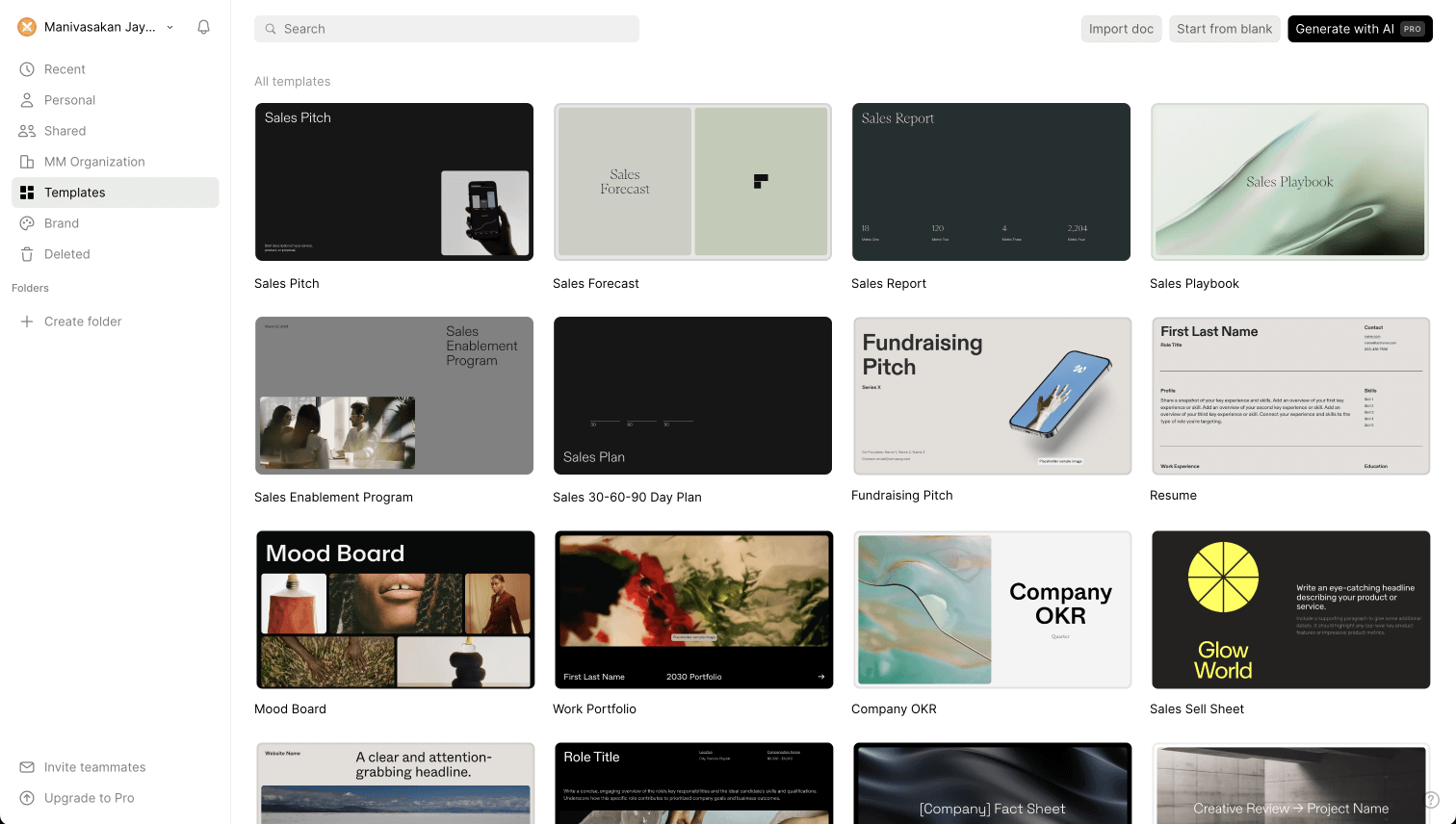
ステップ2:ダッシュボードへ移動 – 「新しいプレゼンテーションを作成」をクリックし、空白のドキュメントまたは限られた数の基本テンプレートから選択します。

ステップ3:タイルを使って作成 – テキスト、メディア、図形、表、グラフなどのコンテンツタイルを、手動でドキュメントにドラッグ&ドロップします。従来のプレゼンテーションスライド、スライドレイアウト、プレゼンテーション固有の構造はありません。

Tome editor interface - step 4

ステップ4:フォントと色をカスタマイズ – 基本的なスタイル設定オプションが利用可能です。自動ブランド同期や、会社のURLからのブランド抽出機能はありません。

Tome screenshot 2 - step 4
Tome screenshot 3 - step 4

ステップ5:公開と共有 - 完成したドキュメントは、読み取り専用のウェブページとして共有されます。閲覧者はGoogleドキュメントのように、1ページずつ操作します。スライドショーモード、発表者ビュー、およびどのプランレベルでもPowerPointエクスポート機能はありません。

Presentations.AIの仕組み

ステップ1:サインアップ – 無料プランには、AIプレゼンテーションが5つ含まれています。クレジットカードは不要です。セットアップは30秒もかかりません。

ステップ2:作成方法を選択 – アウトラインから作成、WordまたはPDFドキュメントをインポート、プロンプトを直接変換、または10,000以上のプロフェッショナルテンプレートから選択できます — これらはすべてビジネスプレゼンテーションのために特別に作られています。

ステップ3:AIが生成したアウトラインを確認 – 詳細で構造化されたアウトラインが自動的に生成されます。テキストの編集、スライドの並べ替え、ワンクリックでのデッキ生成が可能です。

ステップ4:ビジネス対応のデッキを入手 – 企業ブランドが自動的に適用されます。アニメーションとトランジションが重ねられます。高品質なPowerPointエクスポートがすぐに利用可能 — PowerPointで開けばすぐに使えます。

Presentations.AI final deck - step 6


チームがTomeよりもPresentations.AIを選ぶ5つの理由

タイルではなくスライド: Tomeのタイルベースのページはスライドではなく、ウェブドキュメントです。スライドショーモード、発表者ビュー、ライブプレゼンテーション機能はありません。Presentations.AIは、発表、共有、エクスポートのために設計された実際のスライドデッキを作成します。

PowerPointエクスポート対応: TomeはどのプランレベルでもPowerPointエクスポートに対応していません。ビジネス界のほとんどの企業がそうであるように、.pptxが標準である環境で業務を行うチームにとって、これは致命的な問題です。Presentations.AIは、高精度のPowerPointをネイティブでエクスポートします。

AI機能の標準搭載: Tomeの無料プランにはAI機能がありません。Presentations AIの無料プランには、ブランド同期、アニメーション、完全なデッキ作成を含む、AIが生成したプレゼンテーションが5つ含まれており、1円も費やすことなく利用できます。

95%も費用対効果が高い: Tomeのエンタープライズプランは、10ユーザーで年間7,200ドルかかります。Presentations AIの同等プランは約396ドルです。同じチーム規模、同じプロフェッショナルな成果でありながら、コストはごく一部です。

手作業不要のブランド同期: Tomeには自動ブランド適用機能がありません。Presentations AIは、会社のURLからブランドを抽出し、すべてのデッキに自動的に適用します。プレゼンテーションごとの手動設定は不要です。

ブラウザ専用ツールが役員会議用資料で通用しなくなるとき

成長段階のスタートアップ企業の戦略担当ディレクターは、Tomeを3ヶ月間使用した後、切り替えました。タイルベースのフォーマットは社内文書には適していましたが、投資家や役員に資料を提出するたびに、PowerPointでゼロから作り直す必要がありました。Tomeにはエクスポート機能がありませんでした。プレゼンテーションはブラウザの中に留まり、会議室で使われることはありませんでした。

Presentations AIは、この両方の問題を一度に解決しました。ビジネスで求められる形式で作成された資料は、クリーンアップなしでPowerPointとしてエクスポートでき、Tomeのわずかなコストで利用できます。切り替えには1週間かかりました。再構築されたワークフローにより、資料作成にかかる時間を大幅に短縮できました。

プレゼンテーションがブラウザの外、つまり会議室、クライアントの受信トレイ、投資家ポータルなどで必要とされる場合、使用するツールはそれらの環境で機能する必要があります。Tomeは対応していませんが、Presentations AIは対応しています。

Divider Lines

よくある質問

What is the main difference between Tome and Presentations.AI?

Down IconUp Icon

The main difference is format. Tome uses tile-based pages that publish as read-only web documents rather than slideshow presentations. Presentations.AI builds traditional slide decks designed to be presented, exported as PowerPoint, and shared in business contexts. Tome is structured for online reading. Presentations.AI is structured for boardrooms and client meetings.

Is Tome still available in 2026?

Down IconUp Icon

Tome's original presentation product was discontinued in 2025. The founding team pivoted to a sales intelligence company called Lightfield, and the Tome brand was acquired by AngelList for document summarization. A separate product called Tome App AI is marketed under similar branding. For users who relied on Tome for presentations, Presentations.AI is a like-for-like replacement built around slides, PowerPoint export, and AI generation.

Can you export from Tome to PowerPoint?

Down IconUp Icon

No, the original Tome did not support PowerPoint export at any plan level. Files could only be shared as read-only web pages or PDFs, with no native .pptx output. This was one of the most cited limitations before the product was discontinued. Presentations.AI exports a high-fidelity PowerPoint file with layouts, fonts, and brand styling preserved, ready to open and present.

Is Tome free?

Down IconUp Icon

Tome offered a free Basic plan, but AI features such as generating presentations from a prompt were locked behind paid tiers. The free plan was limited to manual editing and template browsing. Presentations.AI offers a free plan with five complete AI-generated presentations included, no credit card required, and no branding on exports. The Presentations.AI free plan includes the AI, not just the editor.

What is the best alternative to Tome for business presentations?

Down IconUp Icon

Presentations.AI is the closest replacement for Tome users who need an AI-driven presentation tool. It generates complete decks from documents, outlines, or prompts, applies brand colors and fonts automatically, and exports a high-fidelity PowerPoint file ready for client and boardroom use. Unlike Tome, it is built around the slide format, supports live presenting, and is SOC 2 Type II certified for enterprise use.