TL;DR
- Beautiful.ai offers paid plans only. Its 14-day trial requires a credit card. The plan renews annually if you miss the cancel deadline.
- The Smart Slide layout system locks its structure, which limits custom presentations that fall outside its 300-plus templates.
- The AI drafts and arranges layouts once. It stops short of conversational iteration and rejects documents or URLs as source input.
- Collaboration costs $40 per seat each month on the Team plan. Enforced brand guardrails arrive only at the Enterprise level.
- Best AI-first workflow for business teams: Presentations.AI turns prompts and raw notes into structured, branded decks you keep refining with AI.
- Best design freedom: Canva; best free option: Gamma or Google Slides; best team collaboration workflows: Pitch.
Quick Verdict: Best Options by Use Case
- Choose Presentations.AI if you need AI to turn docs or raw text into branded business decks.
- Choose Canva if your priority is design freedom and asset variety.
- Choose Pitch if your main problem is team review and collaboration.
- Choose PowerPoint + Copilot if your company is fully standardized on Microsoft 365.
You have a client meeting tomorrow. A messy strategy doc sits in one tab, a half-finished PowerPoint in another. Slide layouts are the last thing you want to fight. Beautiful.ai can make a deck look cleaner than PowerPoint. Once you need custom structure or a clean .pptx handoff, the limits show up fast.
The cracks appear when you push it further, when you:
- Need a layout missing from its library, and discover the system locks you out of overrides.
- Hand a PowerPoint export to a client and get an awkward phone call about broken formatting.
- Scale your team and realize that proper collaboration costs much more than you're paying now.
- Want the AI to help write the deck, beyond arranging it.
This guide is for anyone who has hit one of those walls. The bigger shift is this: presentation work is moving away from manual slide-building and toward AI-assisted workflows. The best alternatives give you more than prettier templates. They reduce repetitive work like formatting and updating that used to eat hours in PowerPoint.
We tested the 10 strongest Beautiful.ai alternatives on the factors that matter in real workflows. Those factors range from AI quality and brand control to PowerPoint export and pricing.
Maybe Beautiful.ai makes slides look better while leaving the thinking to you. Presentations.AI is the most direct upgrade. It turns raw inputs into branded decks and keeps AI available for edits throughout.
How We Evaluated the Best AI Presentation Tools
Beautiful.ai occupies a specific lane: design-first and layout-automated, with light AI depth. The tools worth comparing go beyond generic presentation software. They either do Beautiful.ai's job better or offer something different for teams that have outgrown it.
Each tool on this list was assessed against seven dimensions. They mark the specific points where Beautiful.ai most commonly falls short in user reviews on G2, Capterra, and Trustpilot.
- AI output quality: Is the AI generating something genuinely usable, or is it scaffolding you still have to build?
- Input flexibility: Can the tool work from messy inputs like documents and raw notes, or does it demand a polished prompt first?
- Brand enforcement: Is brand control something you configure once and trust, or something you have to apply every time? There's a large practical difference between the two.
- PowerPoint export fidelity: Does the .pptx file you send to a client look like what you built, or does it require a second round of fixes?
- Layout and design flexibility: Can you go off-template when needed, or does the tool penalize unconventional content with broken layouts?
- Team features and access model: Are collaboration tools available on standard plans, or gated behind a pricing tier that makes them impractical for most teams?
- Pricing: What does this tool actually cost at team scale? Are free plans real, or are they time-limited trials with auto-charge mechanics?
User sentiment from G2, Capterra, and Trustpilot shaped the ratings throughout. It mattered most for export quality and billing, where user experience diverges from official feature descriptions. Our full Beautiful.ai review digs into that user sentiment in detail, tier by tier.
Feature Breakdown: What to Compare Before Switching
Before comparing individual tools, it helps to know which capabilities change your workflow. These functional categories decide whether a switch saves time or moves the work around.
- AI drafting: How much of a finished, usable deck the AI produces from a single prompt versus how much you rebuild by hand.
- AI editing and iteration: Whether the AI keeps working with you after the first draft or steps aside once slides exist.
- Input support: Whether you can start from a PDF or raw notes, or must type everything into a prompt.
- Brand controls: Whether brand identity is applied automatically and enforced, or reapplied manually on every deck.
- Collaboration and permissions: Real-time editing and shared libraries, plus which pricing tier includes them.
- Export formats: Clean, editable .pptx and PDF output that survives the trip into desktop PowerPoint.
- Analytics and integrations: Viewer tracking and cloud storage, plus how the tool fits your existing stack.
Why Teams Look for an Alternative
Beautiful.ai has real fans, and its positive reviews hold up. For a certain type of user, it delivers. The frustrations that push teams toward alternatives cluster around a few issues. Understanding them helps you narrow down the right replacement.
Smart Slide System
The automation that makes Beautiful.ai fast also makes it rigid. The layout engine makes decisions you must accept. Say your content misses the fit of one of the 300+ Smart Slide structures. Your options narrow to two: pick the closest approximation and accept the compromise, or switch to a Classic Slide and lose the formatting intelligence.
Teams producing one consistent deck type find this fine. Anyone building custom presentations often hits a genuine constraint instead of a feature.
Trial to Paid Pipeline
Paid-only access removes any low-stakes way to evaluate whether Beautiful.ai fits your workflow. The 14-day trial looks accessible until you notice the credit card requirement. An automatic annual charge follows if you forget to cancel.
This complaint recurs across Trustpilot reviews as one of the most-cited issues. Teams that need to trial a tool before budget approval feel the friction immediately. The structure works against you from day one.
Limited AI Functionality
Beautiful.ai's DesignerBot generates a reasonable first draft from a prompt. Its help stops once that draft exists. It rejects documents and URLs as input. It skips conversational iteration on your deck. It leaves your topic research and business context to you. Once the first draft is done, the AI's job is essentially over.
Some teams expect an AI PowerPoint generator that turns a strategy document into a board presentation. Others want to refine a pitch deck through multiple edit rounds. Beautiful.ai's AI runs out of road quickly for both.
Collaboration Is Gated
Beautiful.ai's pricing makes collaboration an upgrade instead of a default. The Pro plan at $12/month covers solo use cleanly. Add a second co-editor and you move to the Team plan at $40/seat/month, more than triple the cost. Five people costs $2,400 a year.
Enforced brand guardrails appear only at Enterprise. These prevent team members from using the wrong colors or logo. Teams tend to discover this pricing after they have built workflows inside the product. Our complete Beautiful.ai pricing breakdown maps every tier, including the trial's auto-renewal terms, before you commit.
PowerPoint Exports Need A Cleanup
Beautiful.ai's Smart Slide system is built for the browser. The translation to .pptx format is where problems start. Text blocks split into individual boxes and alignment shifts. Animations disappear or behave unpredictably in desktop PowerPoint.
Internal decks that stay inside Beautiful.ai's viewer avoid the issue. Presentations sent to clients or handed to colleagues who edit in PowerPoint hit trouble. They regularly need a round of fixes that offsets the time you saved building the deck.
Pricing Snapshot: Free Plans, Trials, and Team Costs
Pricing ranks among the most-cited reasons teams leave Beautiful.ai. Seeing free plans and team costs side by side helps before you commit.
To evaluate total cost, separate solo use from team scale. A solo user should weigh headline monthly price and whether a free tier exists. A team should run the math at real headcount, because per-seat collaboration pricing is where the biggest surprises hide.
Free Alternatives With No Credit Card Required
If the trigger for leaving Beautiful.ai is its card-required trial, several tools let you start for free without entering payment details up front.
- Presentations.AI Starter: Free for any number of users, with brand themes and team collaboration included. It skips the credit card. Best for testing a full AI workflow before paying.
- Gamma: A genuine free tier that skips the card, though AI credits run out quickly on heavier use.
- Google Slides: Free with a Google account, with best-in-class collaboration and zero design or AI cost.
- Keynote: Free for Apple users who want polished decks and skip any subscription.
- Slidesgo: Free professional templates for PowerPoint and Google Slides, and it skips any new platform to learn.
Choose a free tool when your needs are occasional or design-light. Choose a paid AI platform when brand consistency and iteration speed affect revenue or stakeholder decisions.
10 Best AI Presentation Alternatives by Use Case
The right replacement depends on the job you need the tool to do. Some tools give you more design freedom. Some improve collaboration. The strongest options reduce the actual work. They turn raw content into a clear story and keep slides on-brand. They also produce files your team can use without a cleanup pass.
1. Presentations.AI
Beautiful.ai automates how slides look. Presentations.AI automates more of the workflow. It turns messy inputs into a structured story and generates the deck. It keeps the result on-brand and helps you refine it with AI until ready to share.
Presentations.AI works more like an AI presentation assistant than a slide editor. Clip-E takes a prompt, a document, or raw notes as input. It turns them into a structured narrative and generates the deck. Then it keeps refining the deck with you slide by slide. The experience feels closer to working with a colleague than clicking through a template.
Brand Sync is the other standout. Beautiful.ai requires you to configure a Brand Kit manually and trust that team members apply it. Brand Sync instead extracts your colors, fonts, and logo automatically from your company URL. Every deck starts on-brand. You configure nothing per project, and team members stay on-script.
Key Strengths
- Conversational AI assistant (Clip-E) that builds and refines decks in natural language
- Multiple creation modes, so teams turn briefs and raw text into decks with minimal manual rebuilding
- Brand Sync applies your visual identity automatically and skips manual theme setup
- Anti-fragile templates that adapt to content changes and hold their layout
- Clean PowerPoint export, so client and stakeholder handoffs skip another cleanup cycle
- Analytics and tracking, so sales and leadership teams can see which slides hold attention and where stakeholders drop off
- Free Starter plan that skips the credit card
- Multilingual support for global teams
Our AI Presentation Generator does more than create a first draft and step aside. Clip-E stays in the loop to refine and restructure the deck as your thinking changes. That workflow gap pushes most teams off Beautiful.ai's one-shot AI.
Teams that reuse and update decks feel this most, across sales proposals and investor updates. The goal reaches past creating a first version faster. It cuts the recurring work of rebuilding and refreshing presentations every time the story or numbers change.
Limitations
- Newer platform, so the template library is still growing compared to more established tools.
- Pro and Enterprise are annual-only (but there is a generous free tier)
Best For
Mid-to-senior business teams that turn raw inputs into polished, stakeholder-ready presentations under deadline. Those inputs include sales notes and strategy docs. It helps sales and marketing teams, plus founders building investor decks with an AI pitch deck generator.
2. Gamma
Gamma bet on a different presentation format, and the bet paid off. Instead of replicating the traditional slide grid, it builds web-native decks that scroll like documents. The AI drafts fast and the default aesthetic stays clean. You get into the product without handing over a credit card. Teams frustrated by Beautiful.ai's auto-charge trial will note that last point.
Key Strengths
- Strong AI draft quality; fast from prompt to presentable output
- Web-native format that looks polished without design effort
- Generous free tier that skips the credit card
- Good template variety and clean default aesthetics
Limitations
- AI credit limits kick in quickly on free and lower-paid plans
- PowerPoint exports are inconsistent; formatting often shifts on export
- Brand controls are thin, with weak enforcement at the workspace level
- Team collaboration features are limited compared to purpose-built tools
Best For
Individuals and small teams who want a fast, modern AI presentation experience with a low barrier to entry and light needs for brand control or team workflows.
Decision note: Choose Gamma if you want fast web-native decks. Skip it if your team needs editable PowerPoint files or sales decks that move through stakeholder review.
3. Canva
The core complaint about Beautiful.ai is that it dictates where things go. Canva flips that. It is a full design platform, so you control every element and layout.
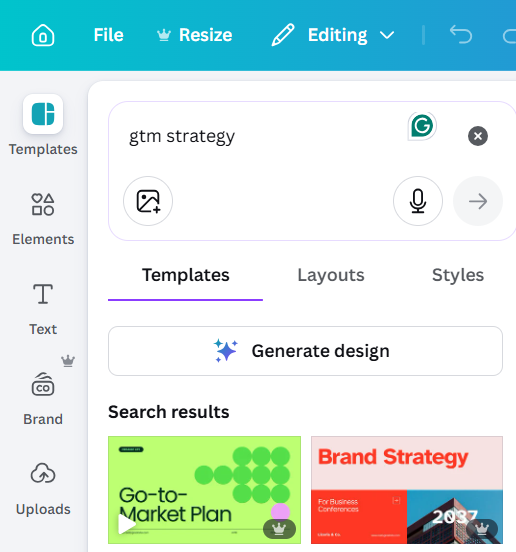
The breadth is staggering. Canva offers thousands of templates and millions of stock assets. The trade-off: its AI generation is less sophisticated than dedicated presentation tools. The sheer number of options can slow you down if you are used to Smart Slides thinking for you.
Key Strengths
- Massive template and asset library
- Full design flexibility with open layout control
- Strong free tier
- Brand Kit feature on paid plans
- Easy sharing and real-time collaboration
Limitations
- AI generation is less sophisticated than dedicated AI presentation tools
- Too much flexibility can become a time sink, adding decisions instead of removing them
- Built for general design more than presentation workflows
Best For
Marketing teams and small businesses that want a versatile design tool covering presentations and other formats. It suits people who value a large asset library and creative freedom over AI-first generation.
Decision note: Canva gives you freedom, but freedom can become work. If your bottleneck is turning raw business content into a finished deck, an AI-first workflow will save more time.
4. Pitch
Pitch was built with one question in mind: what does a presentation tool actually need to do when multiple people are involved? The answer, according to Pitch, is a lot more than most tools offer.
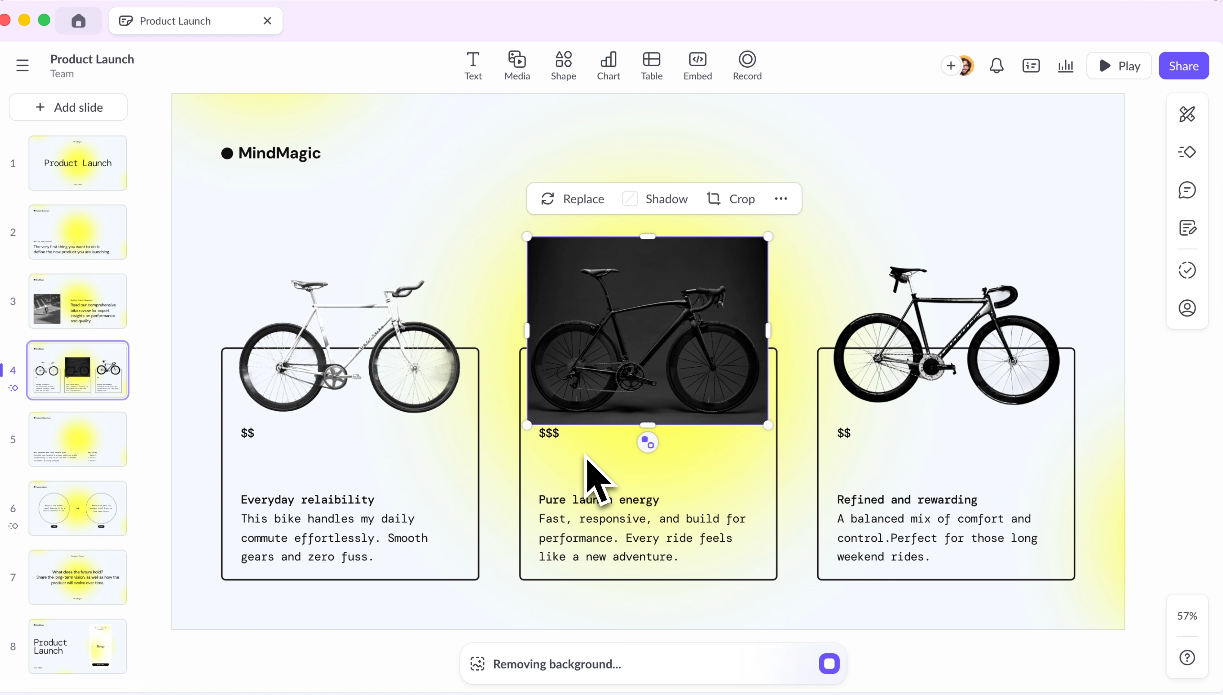
Shared workspaces, role-based permissions, and threaded comments sit at the product's core. Structured approval workflows come standard too, beyond an enterprise tier. Say the collaboration gap is your reason for reconsidering Beautiful.ai. Pitch answers that problem most directly.
Key Strengths
- Purpose-built for team workflows
- Shared template libraries and brand kits
- Strong commenting and review features
- Good analytics on deck engagement
Limitations
- AI generation features are less advanced than dedicated AI-first tools
- Pricing gets steep for larger teams
- Learning curve for teams migrating from simpler tools
Best For
Marketing and sales teams that produce a high volume of decks and need structure and collaboration built in, especially where review and approval workflows matter.
Decision note: Choose Pitch if review workflows and team collaboration are the main problem. Choose an AI-first tool if the bigger bottleneck is turning messy inputs into a complete first draft.
5. Prezi
Prezi solves a different problem. Its zoomable canvas lets you pan across one visual space instead of advancing through a slide deck. That format polarized audiences at launch and still does today.
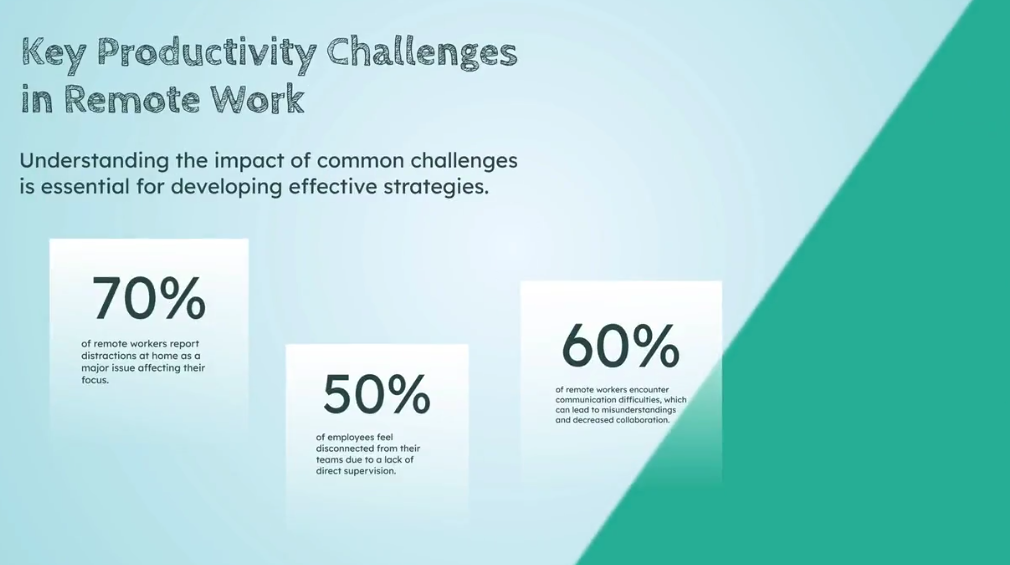
Done well, it stays memorable and communicates complex relationships beyond what sequential slides manage. It suits speakers who want to stand out in live presentations with non-linear content. As a day-to-day workhorse for business decks, it falls short.
Key Strengths
- Highly distinctive, memorable presentation style
- Good for visualizing complex relationships and non-linear structures
- Strong for conference presentations or live demos
Limitations
- Steep learning curve
- Format struggles with data-heavy or sequential content.
- Can disorient audiences if overused
- Limited AI capabilities compared to newer tools
Best For
Speakers and educators who want to stand out with visual, non-linear content instead of standard sequential slides.
6. Visme
Visme answers a specific question: what do you use when your presentations run heavy on data, charts, and infographics that need a designer's polish? It sits in its own category as a visual content platform. One workspace covers presentations, infographics, and interactive reports.
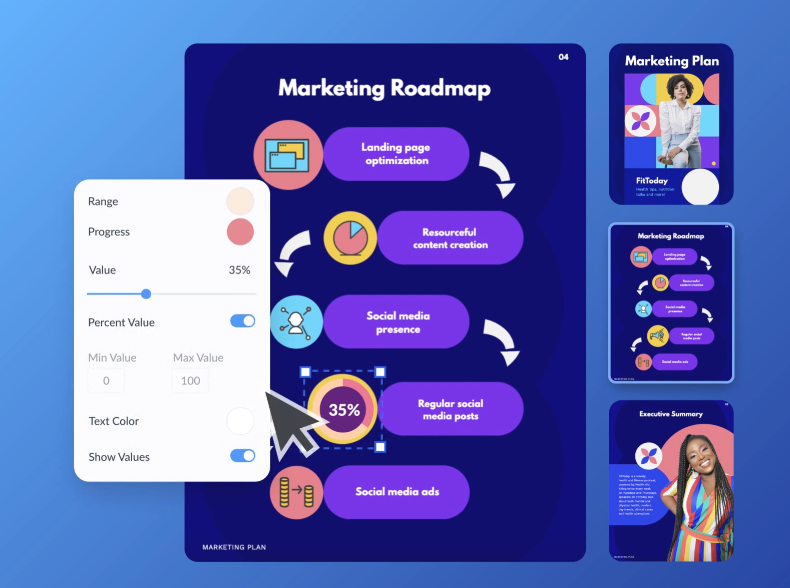
The depth of data visualization tooling goes well beyond what Beautiful.ai or most other presentation tools offer. The trade-off is complexity. Visme has a learning curve, and for teams that just need a polished deck, it can feel like more tool than the job requires.
Key Strengths
- Excellent infographic and data visualization capabilities
- Strong brand kit features
- Wide range of content types beyond slides
Limitations
- More complex than most users need for standard presentations
- AI generation ranks below its design strengths
- Pricing can feel high for lighter use cases
Best For
Marketing teams and content creators who need branded visual content across multiple formats, and whose presentations are data-heavy or infographic-driven.
7. Slidesgo
Some presentation problems skip AI and smart layout engines entirely. You just need a well-designed starting point in a familiar format. Slidesgo is a large, free template library built for PowerPoint and Google Slides. Pick a template that fits your content, drop in your copy, and you are done.

You learn no new platform and pay nothing for basic access. Your layouts stay fully under your control. Slidesgo skips the automation race with Beautiful.ai. It offers a different value proposition entirely.
Key Strengths
- Large, free template libraries across hundreds of categories
- Minimal learning curve; works with tools you already know
- Clean, professional design quality
Limitations
- Lacks AI drafting
- Templates are starting points only; customization is entirely manual
- Falls short if you need brand automation or team workflows
Best For
Occasional presenters and students who need a quick, professional starting point without committing to a new platform or monthly subscription.
8. Microsoft PowerPoint + Copilot
The strongest argument for PowerPoint + Copilot is zero friction on the output, beyond feature depth. Your clients expect .pptx files and your stakeholders edit in PowerPoint. A tool that merely exports cleanly to PowerPoint solves the wrong problem.
PowerPoint is the format. Copilot layers AI into the native experience, giving you AI-generated slides and prompt-based reformatting with no export step. The catch: it requires a Microsoft 365 Copilot license on top of your existing Microsoft 365 cost. The AI output quality varies enough that cleanup still comes up.
Key Strengths
- Native PowerPoint experience with zero export or import issues
- Copilot understands your existing files and company data via Microsoft Graph
- Familiar interface with near-zero learning curve for existing PPT users
- Deep enterprise integration with Microsoft 365 security and compliance
Limitations
- Requires a Microsoft 365 Copilot license, which adds a high cost
- AI output quality varies and needs cleanup
- Works only as an add-on to tools you already pay for
Best For
Enterprise teams already in the Microsoft 365 ecosystem who want to add AI without switching platforms, and whose workflows are built around .pptx files.
Decision note: PowerPoint + Copilot makes sense when Microsoft 365 is non-negotiable. Test the AI output with a real deck before assuming it will remove the cleanup work.
9. Google Slides + AI Add-ons
Google Slides wins on collaboration, and it does so for free, setting design and AI aside. It puts multiple editors in the same deck, with threaded comments and automatic version history. Access control needs no separate team plan. Beautiful.ai charges $40/seat/month for the equivalent.
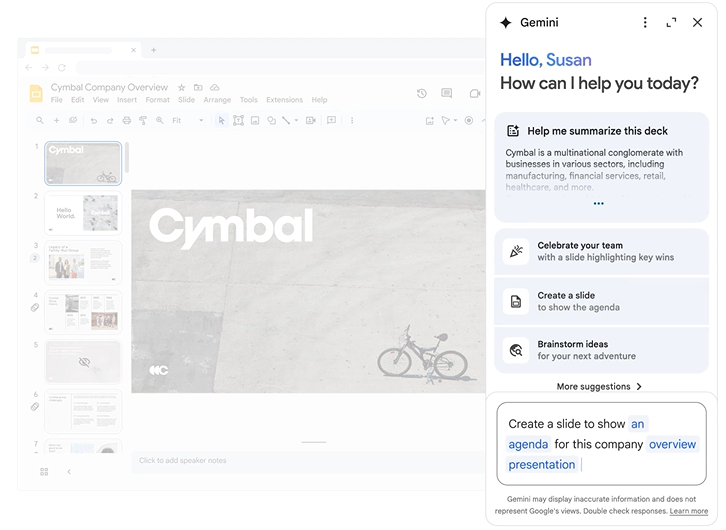
Google Slides ships them with a Gmail account. Third-party add-ons like Slides AI can layer in basic generation capabilities, though quality varies significantly across providers.
Key Strengths
- Best-in-class real-time collaboration
- Free with a Google account
- Seamless sharing and access control
- Strong integration with Google Docs, Sheets, and Drive
Limitations
- Native design capabilities are limited compared to dedicated presentation tools.
- AI add-ons are third-party and vary in quality.
- A weak choice if you care deeply about design polish or brand consistency
Best For
Teams already in Google Workspace who need a free, collaborative solution and produce few heavily designed or brand-sensitive client-facing decks.
10. Keynote
Keynote is Apple's presentation tool, and its approach matches what you would expect. You get premium default aesthetics and smooth animations at zero cost on Mac. It leaves every element placement to you.
![Keynote presentation design interface]
Some users value design quality but find Beautiful.ai's layout automation more constraining than helpful. Keynote gives them full creative control, and that control feels effortless. The catch is Apple hardware.
Key Strengths
- Stunning default design quality
- Free for Apple users
- Smooth animations and transitions
- Full layout flexibility with open structure
Limitations
- Lacks meaningful AI generation
- Collaboration is limited compared to Google Slides or Pitch
- Exporting to PowerPoint can cause formatting issues
- Mac and iOS only
Best For
Mac users who want a polished, reliable tool for live presentations and skip AI generation or cross-platform needs.
Side-by-Side Comparison Table
How to Choose the Right AI Presentation Tool
The 10 tools above solve different problems. The right one depends less on which has the longest feature list and more on which specific limitation of Beautiful.ai matters most to you. If you want to widen the field beyond Beautiful.ai's orbit, our roundup of the Best AI Presentation Makers compares the top tools head to head. Here's how to think through it.
Start with the AI's role in your workflow: Beautiful.ai's AI improves how slides look more than what they say. Say you want an AI that takes a brief or a URL and drafts something worth working from. You need more than layout automation. Look for workflow automation across narrative shaping and clean handoff.
Fighting the layout: Choose an alternative if you regularly need structures the tool blocks, or if you produce highly customized client-facing work.
Test the PowerPoint export: Take a realistic presentation and export it to .pptx. Open it in desktop PowerPoint. Check whether fonts embed and the file stays editable without heavy rework.
Double-check the pricing: Beautiful.ai's pricing gap between Pro and Team is one of its most cited frustrations. Before switching, check whether the alternative you're evaluating treats collaboration as a core feature or as a paid upgrade.
Best Overall Option for Most Business Teams
Here's what makes Presentations.AI the right answer for most teams:
- Brand Sync automatically pulls your visual identity from your company URL. Every presentation starts branded.
- Anti-fragile templates adapt when content changes. Add a section or swap out data, and the design adjusts instead of falling apart. These templates run on an AI Slide Generator that builds each slide around your content instead of locking it into a fixed Smart Slide layout. That is the structural difference between an adaptive design system and a rigid one.
- Conversational AI (Clip-E) lets you refine slide by slide and restructure sections in natural language until the deck is done.
- Multiple input formats (prompt, PDF, Word doc, URL, raw text) let teams start from content they already have, like briefs and customer updates, instead of rebuilding from scratch.
- A clean PowerPoint export means the file you send to clients or stakeholders looks like what you built, without another cleanup cycle.
- Analytics and tracking tell you who viewed the deck and where they dropped off on each slide.
- Free Starter plan: any number of users, and it skips the credit card. Test the full experience before spending anything.
Who should choose Presentations.AI?
- Sales teams turning account notes and proposal inputs into tailored client decks at scale.
- Marketing teams converting campaign reports and messaging briefs into branded presentations without a design bottleneck.
- Founders and executives shaping investor narratives and board updates under deadline.
- Internal teams turning QBRs and strategy docs into stakeholder-ready presentations.
Final Recommendation
Beautiful.ai is useful when the job is simple: make a straightforward deck look better. Most business teams eventually need more than layout automation. They need an AI workflow that takes messy inputs, shapes the story, and applies the brand. It should keep helping as the deck changes.
Sales, marketing, and leadership teams creating stakeholder-ready presentations get the most value. Presentations.AI is the strongest Beautiful.ai alternative because it reduces the manual work behind the deck, beyond the design work on the slide.