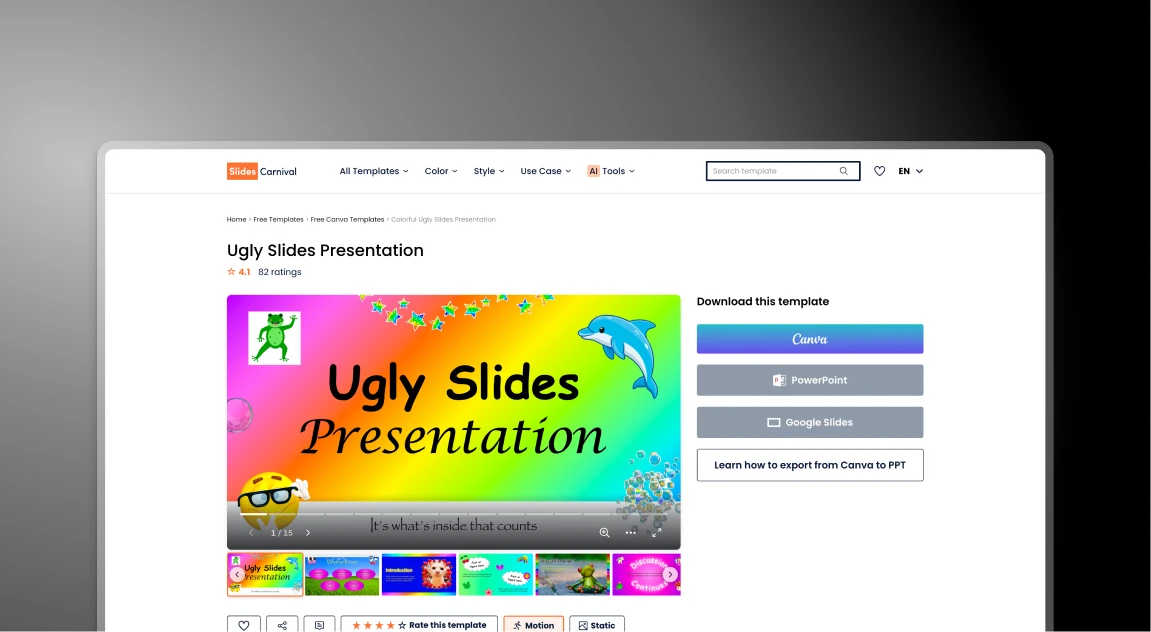


SlidesCarnival 与 Presentations.AI:2026年公正对比

什么是 SlidesCarnival?

什么是 SlidesCarnival?

一个经典的免费模板库,旨在为Google幻灯片和PowerPoint提供精美设计。需要手动输入和调整布局。

什么是 Presentations AI?

什么是 Presentations AI?

一个专为商业用途设计的AI演示文稿制作平台,用户只需通过简单的提示、文档或链接即可制作演示文稿。

SlidesCarnival 与 Presentations.AI:功能对比

SlidesCarnival 适合喜欢自己动手的人——那些有时间挑选设计并手动移动文本框的人。Presentations AI 适合专业人士——那些需要快速获得高质量演示文稿而无需繁琐设计工作的人。
Feature SlidesCarnival Presentations AI
How it works You pick a template and fill it in AI writes and builds the slides for you
Adding Content You type or paste everything manually You upload a doc or type one prompt
Design Control Hard: Moving boxes can break the look Smart: Design changes as you add text
Your Brand Manual: You must change every color Auto: It grabs your colors from your site
Best For School, hobbies, or simple projects Business, sales, and professional teams
PowerPoint Standard download (often has errors) High-quality export that stays perfect
Security None: anyone can use it Secure and private for business info
Price 100% Free Free to start: Paid for business plans

想更快地制作出更出色的演示文稿?

在不到60秒内,将任何文档、大纲或想法转化为设计精美的幻灯片演示文稿。

免费开始

SlidesCarnival 和 Presentations.AI 概览

SlidesCarnival 是一个免费的、手工制作的Google幻灯片和PowerPoint演示文稿模板库。它通过提供吸引人的现成主题来解决视觉设计问题——但演示文稿制作过程中的其他所有环节,从撰写内容到应用品牌颜色,都完全需要手动操作。Presentations AI 是一个专为商业用途设计的AI演示文稿平台,它能根据提示、文档或URL自动生成幻灯片——无需浏览模板或手动填写。

区别在于谁来完成工作。SlidesCarnival 提供画布;其他一切都由您来完成——从源材料中提取要点,将内容输入固定文本框,在元素不合适时调整大小,以及手动查找品牌标志和颜色并逐页应用。Presentations.AI 则自动处理所有这些:AI 提取叙述,构建故事,制作幻灯片,而品牌同步功能只需一键即可应用您的企业形象。

对于商业和专业用途,Presentations AI 提供了免费模板库无法比拟的三大优势:
1. 安全、私密地处理商业信息
2. 专业级的PowerPoint导出,在会议室中表现出色
3. AI 助力,每份演示文稿可节省数小时的手动设计工作。


SlidesCarnival 工作原理

步骤 1:浏览模板库 – 浏览数百个类别,找到适合您主题的视觉风格

步骤 2:下载并打开 – 将模板下载为 .pptx 或 Google 幻灯片文件,并在您的桌面软件中打开

第三步:手动提取 – 阅读您的业务报告或笔记,并找出需要包含的关键点

第四步:复制粘贴并调整大小 – 手动将文本粘贴到固定框中;如果内容过长,请调整字体大小并移动元素,以避免设计出现问题

第五步:手动品牌化 - 在您的驱动器中搜索高分辨率徽标,并手动更改每种颜色和字体,以匹配您的企业形象

总耗时: 3到5小时 的手动设计工作

演示文稿AI的工作原理

第一步:输入您的内容 – 上传您的笔记、业务报告、PDF,或直接粘贴网站URL

第二步:AI生成 – AI即时提取叙述内容,构建故事结构,并为您制作幻灯片

第三步:即时品牌化 – 使用品牌同步功能,一键将您的徽标、字体和颜色应用于整个演示文稿

第四步:专业导出 – 导出高保真PowerPoint文件,格式完美,可直接用于董事会演示

总耗时: 不到15分钟 的创作与完善。

团队选择 Presentations.AI 而非 SlidesCarnival 的五大理由

省时高效的AI演示文稿制作工具 – 无需手动排版,自动设计专业幻灯片

智能布局,内容自适应 – 即使添加更多文本,您的幻灯片也能保持整洁美观

品牌自动整合 – 即时应用您网站上的标志、颜色和风格

将文档转换为演示文稿 – 在几分钟内将Word文档和PDF转换为结构化幻灯片

快速创建专业幻灯片 – 只需几次点击,即可将构思转化为最终演示文稿

免费模板为何会带来隐性生产力成本

SlidesCarnival 是一个提供精美免费设计的传奇资源,但静态模板却是企业生产力的无形杀手。虽然初始价格为0美元,但手动排版所耗费的成本却很高昂。

Presentations AI 解决了根本性的瓶颈——它不是将您的内容强行塞入预制模板,而是由AI根据您的内容构建框架,在几分钟内即可生成精美、高质量的PowerPoint导出文件。

Divider Lines

常见问题

What is the main difference between SlidesCarnival and Presentations.AI?

Down IconUp Icon

The main difference is workflow. SlidesCarnival is a free template library where you browse, download a static .pptx or Google Slides file, and manually type content, resize elements, and apply your brand colors slide by slide. Presentations.AI is an AI-native platform that generates a complete branded deck from a document or prompt, with content, layouts, and brand styling applied automatically.

Is SlidesCarnival completely free?

Down IconUp Icon

Yes, SlidesCarnival is completely free with no signup, no download limits, and a commercial license for both personal and business use. There are no paid tiers. Presentations.AI also offers a free plan with five complete AI-generated presentations, no credit card required, no watermark, and full PowerPoint export with brand styling applied automatically.

Can you use SlidesCarnival templates in PowerPoint and Google Slides?

Down IconUp Icon

Yes, SlidesCarnival templates are designed for both Microsoft PowerPoint and Google Slides, with each template offering download buttons for both formats. Some templates are exclusive to Canva. Presentations.AI exports a clean .pptx file that works in PowerPoint, imports into Google Slides without reformatting, and preserves layouts, fonts, and brand styling exactly as designed in the editor.

Does SlidesCarnival have AI for presentations?

Down IconUp Icon

SlidesCarnival lists an AI PPT Maker tool in its product menu alongside other utilities like PDF conversion and font pairing, primarily as a complement to its template library rather than the core product. Presentations.AI is AI-native from the ground up, with deck generation, brand sync, document import, and PowerPoint export all designed together as a single platform.

What is the best alternative to SlidesCarnival for business presentations?

Down IconUp Icon

Presentations.AI is the strongest alternative for teams that need finished branded decks rather than templates to fill in. It generates complete presentations from documents or prompts, applies brand colors and fonts automatically through company URL sync, includes 10,000+ business-specific templates, and exports a clean PowerPoint file. For business teams that lose hours per deck on manual template filling, the workflow saves the design labor entirely.