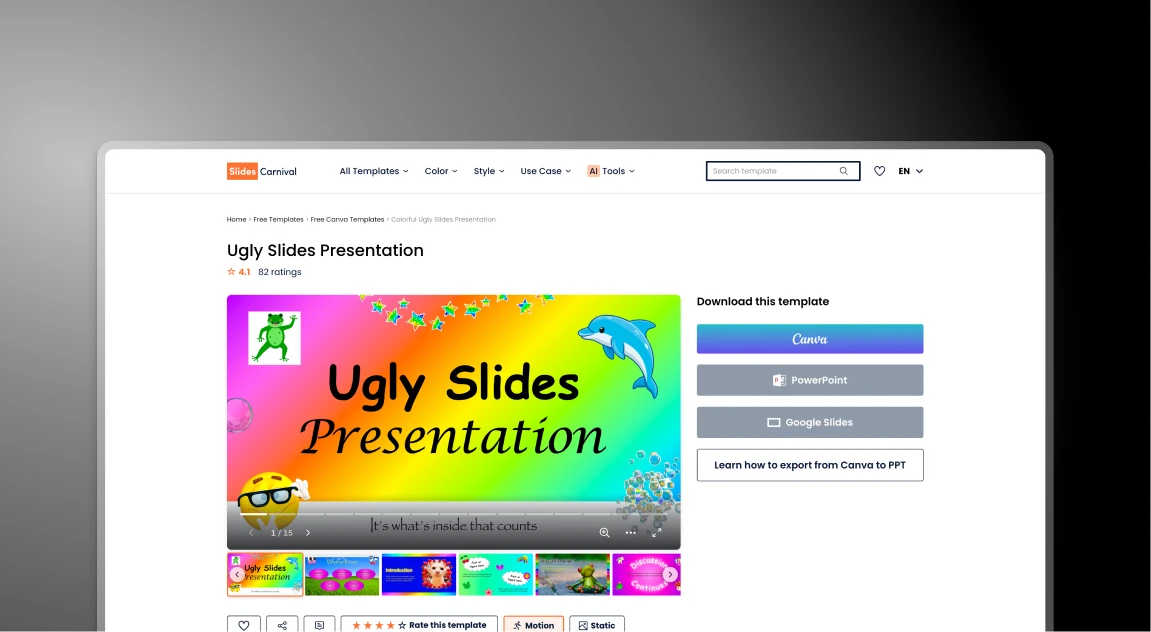


SlidesCarnival 대 Presentations.AI: 2026년 솔직한 비교

SlidesCarnival이란 무엇인가요?

SlidesCarnival이란 무엇인가요?

Google Slides 및 PowerPoint용으로 예쁜 디자인을 제공하기 위해 만들어진 무료 템플릿의 전통적인 라이브러리입니다. 입력 및 레이아웃 수정을 위한 수동 작업이 필요합니다.

Presentations AI란 무엇인가요?

Presentations AI란 무엇인가요?

비즈니스 사용 사례를 위해 설계된 AI 프레젠테이션 제작 플랫폼으로, 사용자가 간단한 프롬프트, 문서 또는 링크를 통해 프레젠테이션을 만들 수 있도록 돕습니다.

SlidesCarnival 대 Presentations.AI: 기능 비교

SlidesCarnival은 디자인을 선택하고 텍스트 상자를 수동으로 이동할 시간이 있는 DIY를 즐기는 사람들을 위한 것입니다. Presentations AI는 디자인의 고된 작업 없이 고품질의 자료를 빠르게 필요로 하는 전문가를 위한 것입니다.
기능 SlidesCarnival Presentations.AI
작동 방식 템플릿을 선택해 직접 채워 넣음 AI가 슬라이드를 작성하고 만들어 줌
콘텐츠 추가 모든 내용을 수동으로 입력하거나 붙여넣음 문서를 업로드하거나 프롬프트 하나를 입력함
디자인 제어 어려움: 상자를 옮기면 디자인이 망가질 수 있음 스마트: 텍스트를 추가하면 디자인이 변경됨
내 브랜드 수동: 모든 색상을 직접 변경해야 함 자동: 사이트에서 색상을 가져옴
적합한 대상 학교, 취미 또는 간단한 프로젝트 비즈니스, 영업 및 전문 팀
PowerPoint 표준 다운로드(오류가 잦음) 완벽함을 유지하는 고품질 내보내기
보안 없음: 누구나 사용 가능 비즈니스 정보를 위한 안전하고 비공개적인 보안
가격 100% 무료 무료로 시작: 비즈니스 플랜은 유료

더 빠르고 더 나은 프레젠테이션을 만들 준비가 되셨나요?

어떤 문서, 개요, 아이디어든 60초 이내에 완벽하게 디자인된 슬라이드 덱으로 변환하세요.

무료로 시작하기

SlidesCarnival 및 Presentations.AI 한눈에 보기

SlidesCarnival은 Google Slides 및 PowerPoint용으로 수작업으로 제작된 무료 프레젠테이션 템플릿 라이브러리입니다. 매력적인 기성 테마를 제공하여 시각적 디자인 문제를 해결하지만, 콘텐츠 작성부터 브랜드 색상 적용에 이르는 프레젠테이션 프로세스의 다른 모든 부분은 전적으로 수동으로 이루어집니다. Presentations AI는 비즈니스용으로 설계된 AI 프레젠테이션 플랫폼으로, 프롬프트, 문서 또는 URL에서 슬라이드를 자동으로 생성하며, 템플릿을 찾아보거나 수동으로 채울 필요가 없습니다.

차이점은 누가 작업을 하는지에 있습니다. SlidesCarnival은 캔버스를 제공하고, 나머지는 모두 사용자가 합니다. 즉, 원본 자료에서 핵심 포인트를 추출하고, 고정된 텍스트 상자에 내용을 입력하고, 맞지 않을 때 요소를 크기 조정하고, 슬라이드별로 적용할 브랜드 로고와 색상을 수동으로 찾아야 합니다. Presentations.AI는 이 모든 것을 자동으로 처리합니다. AI가 내러티브를 추출하고, 스토리를 구성하며, 슬라이드를 만들고, 브랜드 싱크(Brand Sync)가 한 번의 클릭으로 기업 아이덴티티를 적용합니다.

비즈니스 및 전문적인 사용 사례의 경우, Presentations AI는 무료 템플릿 라이브러리로는 불가능한 세 가지 장점을 제공합니다.
1. 비즈니스 정보의 안전하고 비공개적인 처리
2. 이사회에서도 손색없는 전문가 수준의 PowerPoint 내보내기
3. 각 자료당 수동 디자인 작업 시간을 몇 시간씩 절약해주는 AI


SlidesCarnival 작동 방식

1단계: 라이브러리 찾아보기 – 수백 가지 카테고리를 검색하여 주제에 맞는 시각적 테마를 찾으세요.

2단계: 다운로드 및 열기 – 템플릿을 .pptx 또는 Google Slides 파일로 다운로드하여 데스크톱 소프트웨어에서 엽니다.

3단계: 수동 추출 – 비즈니스 보고서나 노트를 읽고 포함해야 할 핵심 사항을 파악합니다.

4단계: 복사-붙여넣기 및 크기 조정 – 고정된 상자에 텍스트를 수동으로 붙여넣습니다. 내용이 너무 길면 디자인이 깨지지 않도록 글꼴 크기를 조정하고 요소를 이동합니다.

5단계: 수동 브랜딩 - 드라이브에서 고해상도 로고를 검색하고 모든 색상과 글꼴을 수동으로 변경하여 기업 아이덴티티에 맞춥니다.

총 소요 시간: 3~5시간 수동 디자인 작업

프레젠테이션 AI 작동 방식

1단계: 콘텐츠 입력 – 노트, 비즈니스 보고서, PDF를 업로드하거나 웹사이트 URL을 붙여넣기만 하면 됩니다.

2단계: AI 생성 – AI가 즉시 내러티브를 추출하고 스토리를 구성하며 슬라이드를 만들어 줍니다.

3단계: 즉석 브랜딩 – 브랜드 싱크를 사용하여 한 번의 클릭으로 전체 덱에 로고, 글꼴, 색상을 적용합니다.

4단계: 전문가 수준의 내보내기 – 완벽하게 포맷되어 이사회에서 바로 사용할 수 있는 고품질 파워포인트 파일을 내보냅니다.

총 소요 시간: 15분 이내 생성 및 다듬기

팀이 SlidesCarnival 대신 Presentations.AI를 선택하는 다섯 가지 이유

시간을 절약해 주는 AI 프레젠테이션 제작 도구 – 수동 서식 지정 없이 전문적인 슬라이드를 자동으로 디자인

콘텐츠에 맞춰 조정되는 스마트 레이아웃 – 텍스트를 추가해도 슬라이드가 깔끔하고 세련되게 유지됩니다

자동 브랜드 통합 – 웹사이트에서 로고, 색상, 스타일을 즉시 적용

문서를 프레젠테이션으로 변환 – Word 문서와 PDF를 몇 분 안에 구조화된 슬라이드로 변환

전문적인 슬라이드를 더 빠르게 제작 – 몇 번의 클릭만으로 아이디어에서 완성된 프레젠테이션까지

무료 템플릿이 숨겨진 생산성 비용을 초래하는 이유

SlidesCarnival 은 아름답고 무료 디자인을 위한 전설적인 리소스이지만, 정적인 템플릿은 비즈니스 생산성을 저해하는 주범입니다. 초기 비용은 0달러이지만, 수동 서식 지정에 드는 비용은 엄청납니다.

Presentations AI 는 근본적인 병목 현상을 해결합니다. 콘텐츠를 미리 만들어진 틀에 억지로 끼워 넣는 대신, AI가 콘텐츠에 맞춰 틀을 구축하여 몇 분 안에 세련되고 고품질의 PowerPoint 파일을 내보냅니다.

Divider Lines

자주 묻는 질문

What is the main difference between SlidesCarnival and Presentations.AI?

Down IconUp Icon

The main difference is workflow. SlidesCarnival is a free template library where you browse, download a static .pptx or Google Slides file, and manually type content, resize elements, and apply your brand colors slide by slide. Presentations.AI is an AI-native platform that generates a complete branded deck from a document or prompt, with content, layouts, and brand styling applied automatically.

Is SlidesCarnival completely free?

Down IconUp Icon

Yes, SlidesCarnival is completely free with no signup, no download limits, and a commercial license for both personal and business use. There are no paid tiers. Presentations.AI also offers a free plan with five complete AI-generated presentations, no credit card required, no watermark, and full PowerPoint export with brand styling applied automatically.

Can you use SlidesCarnival templates in PowerPoint and Google Slides?

Down IconUp Icon

Yes, SlidesCarnival templates are designed for both Microsoft PowerPoint and Google Slides, with each template offering download buttons for both formats. Some templates are exclusive to Canva. Presentations.AI exports a clean .pptx file that works in PowerPoint, imports into Google Slides without reformatting, and preserves layouts, fonts, and brand styling exactly as designed in the editor.

Does SlidesCarnival have AI for presentations?

Down IconUp Icon

SlidesCarnival lists an AI PPT Maker tool in its product menu alongside other utilities like PDF conversion and font pairing, primarily as a complement to its template library rather than the core product. Presentations.AI is AI-native from the ground up, with deck generation, brand sync, document import, and PowerPoint export all designed together as a single platform.

What is the best alternative to SlidesCarnival for business presentations?

Down IconUp Icon

Presentations.AI is the strongest alternative for teams that need finished branded decks rather than templates to fill in. It generates complete presentations from documents or prompts, applies brand colors and fonts automatically through company URL sync, includes 10,000+ business-specific templates, and exports a clean PowerPoint file. For business teams that lose hours per deck on manual template filling, the workflow saves the design labor entirely.