TL;DR
- Manual design wins for high-stakes, one-off creative work like keynotes and Series B pitches. For recurring decks, AI's speed-and-quality trade-off wins.
- The real decision comes down to one question. Does the deck need to drive a fast decision, or deliver a rare brand moment your team seldom builds?
- Brand consistency breaks down fastest at scale with manual design. AI tools with Brand Sync keep every deck on-brand by default.
- Export quality makes or breaks AI tools. Clean .pptx output is essential when your stakeholders work in PowerPoint, so confirm it before committing.
- Presentations.AI's Starter plan is free with no credit card, so you can test AI-generated output against your own team's decks before spending anything.
Quick Comparison: AI Presentations vs Manual Design
You already know the pitch: AI makes presentations faster. Faster matters little when the output looks generic or breaks your brand guidelines. It matters even less when the deck needs two hours of cleanup before it goes to a client.
The question is simple. Should your workflow change with AI, or does manual design still earn its place for your use case? This piece compares both approaches across the dimensions that shape your week. We cover speed, quality, brand control, and total cost of ownership. If you are weighing AI, it helps to know what a modern ai presentation maker does before comparing it to manual work.
The distinction that matters: is AI bolted onto an old slide editor, or built into the workflow from the start? AI add-ons help generate content. AI-native tools structure the narrative and design the slides. They also adapt layouts and apply brand rules. Iteration happens inside the same system.
That matters most when your starting point looks messy instead of clean. Think of raw sales notes sitting next to a half-finished strategy doc. The real value of AI goes beyond making slides faster. It turns scattered business inputs into a clear narrative your stakeholders can act on.
What AI Presentations Actually Mean in 2026
AI presentations in 2026 mean more than typing a prompt and accepting whatever appears. Let's clear up that misconception first.
AI presentation tools split into distinct types. At one end sit simple prompt-to-slide generators. Type a topic and get a deck. These tools give you a rough starting point. The output feels templated, so you still spend time editing layouts and fixing slides that broke when you added a third bullet.
At the other end sit AI-native presentation makers built around iterative creation. They let you refine and restructure slide-by-slide using natural language. Say "Make slide 4 more visual" and it adapts in real time.
That shift is the important one. The best AI presentation tools act as presentation assistants. They turn raw inputs into a storyline and suggest structure. They also generate the deck and update it as the numbers change, keeping you out of manual formatting.
Manual design, by contrast, means you are the layout engine. You choose the template. You apply the brand. You nudge every element into place. You troubleshoot every broken text box when a stakeholder adds one more slide the night before the meeting.
That approach works well in the right context. For custom, one-of-a-kind keynotes like a CEO's annual address, manual design gives you pixel-level control that AI tools still chase. For the presentations your team builds every month, the cost-benefit math has shifted. That volume includes weekly sales decks and monthly board reports.
AI Presentations vs Manual Design: Where to Use Each Approach
Blanket statements like "AI is always faster" collapse against real workflows. The honest answer depends on which dimension you measure and which presentations you build.
Here is how the two approaches compare across five dimensions that shape your output quality and your calendar.
Speed to First Draft
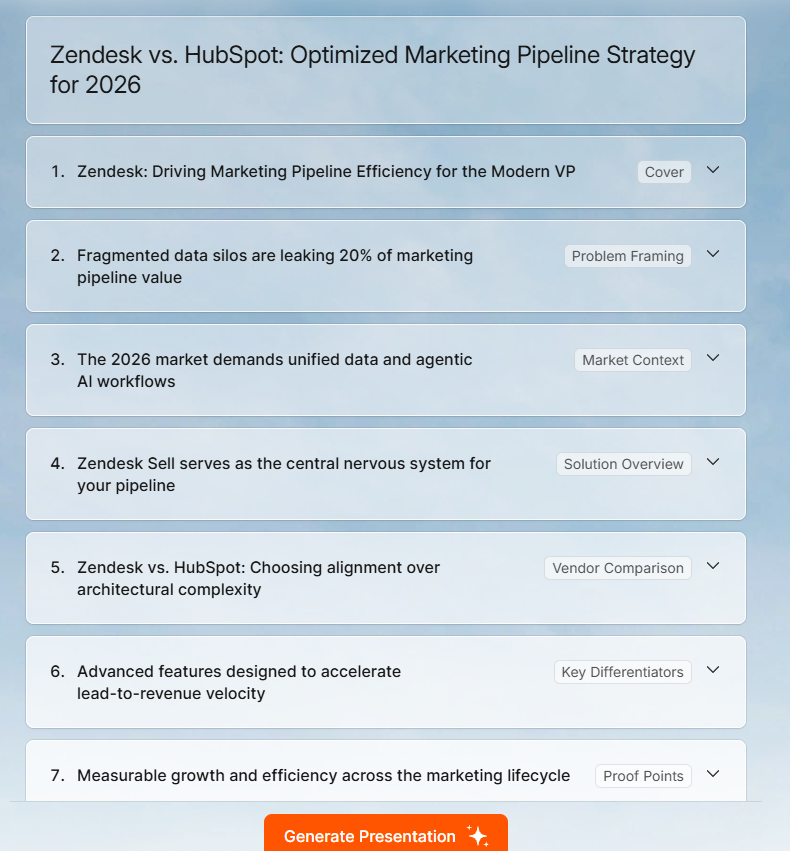
Speed to first draft favors AI by a wide margin. AI presentation tools compress first-draft creation from hours to under two minutes. Feed Presentations.AI a strategy doc or a URL, and the Clip-E feature produces a structured deck with clear layouts and visual hierarchy.
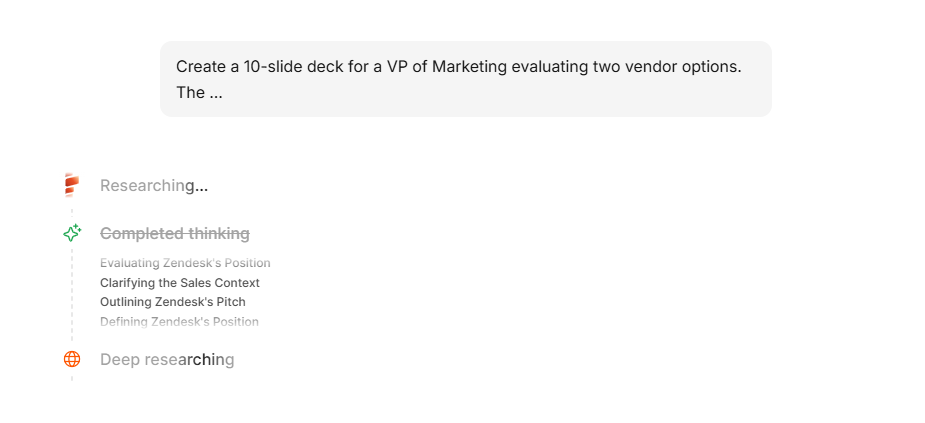
Manual design in PowerPoint or Google Slides starts with a blank file or a template that almost fits. You build the slide master and align every block yourself. For a 15-slide deck, expect 2 to 4 hours minimum for a polished first pass.
Speed to first draft matters only when the draft is usable. Early AI tools ran fast but produced generic output, so you spent your saved time on cleanup. In 2026, better tools produce drafts much closer to review-ready. Layouts that adapt as content changes plus Brand Sync drive that improvement.
These tools also changed what happens before you build a single slide. Getting your story straight upfront saves more time than any AI feature. Knowing how to structure a presentation outline before you open a tool pays off first.
Winner: AI. Even accounting for iteration, you are saving hours of total creation time on recurring deck types.
Visual Quality
Manual design has a higher ceiling. A skilled designer working in Figma or Keynote will produce a more visually distinctive deck than any AI tool today. That is just the reality.
Most presentations come from people other than skilled designers. They are built by founders and product marketers, plus account managers who last opened the brand guide PDF months ago. For these users, manual design lands far from pixel-perfect. It means inconsistent font sizes and off-brand colors, plus layouts that collapse the moment someone adds a sixth bullet.
AI tools with layout intelligence beat the average non-designer. Presentations.AI's adaptable templates reflow as content scales instead of breaking. A slide with three data points and one with nine both look intentional. In PowerPoint, the nine-point version usually looks crowded and clearly patched together.
Winner: Manual design for bespoke, high-stakes keynotes. AI for everything else, because consistent and clean beats theoretically custom but actually messy.
Brand Control
Brand control is where the AI-versus-manual gap has closed fastest. Traditional workflow: someone on your brand team maintains a PowerPoint template. It gets emailed around. People modify it. Within a quarter, fifteen versions of your official deck float around Slack. Each one drifts from the current logo and color palette.
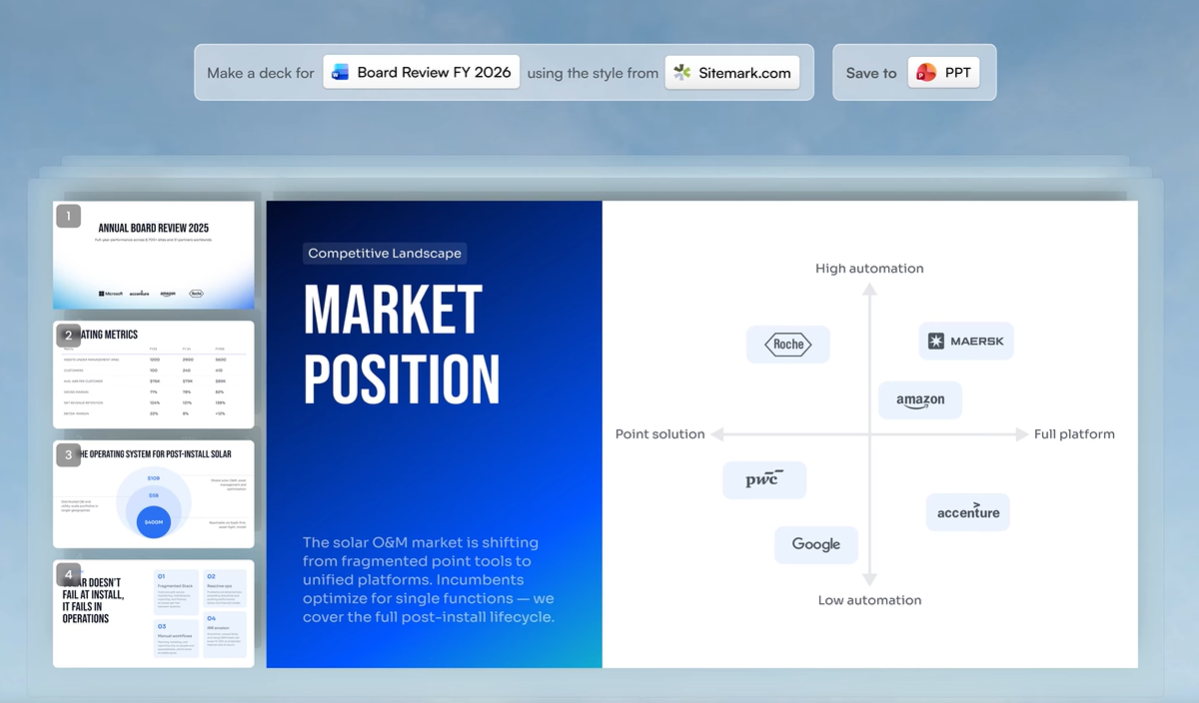
AI tools that automate brand extraction cut this drift. Every new deck starts from the same approved brand system. Presentations.AI's Brand Sync pulls your fonts and colors straight from your company URL, logo included. It skips template distribution and the "Which blue is our blue?" conversations. Brand Sync works as a governance feature as much as a design one. Sales and customer success teams can each create decks that hold the same brand. Every deck starts on-brand by default.
Manual design gives you more brand control in theory. In practice, consistency breaks down at scale. It depends on every person following the same rules every time, and that discipline slips fast.
Winner: AI with Brand Sync for teams larger than one. Manual design only wins here if you have a dedicated designer reviewing every deck before it ships.
Keeping Decks Updated
Keeping decks current is another place manual design quietly burns time. A QBR deck keeps changing after you finish it. Pipeline numbers change and campaign results shift. Product usage data gets refreshed. Someone asks for the latest pricing slide five minutes before the meeting.
In a manual workflow, every update creates more formatting work. In an AI-native workflow, the system handles updates. You revise the input and refresh the relevant slide, and the layout holds while you skip the rebuild.
Winner: AI for recurring decks that need to stay current.
Flexibility and Customization
Flexibility is where manual design still holds real ground. Need a custom illustration embedded in a specific position? Want an unconventional slide transition for a product demo? Building a non-linear presentation with branching paths? Manual tools give you the freedom to do whatever you want, assuming you have the skill and the hours.
AI tools impose constraints. Even the best ones work within layout systems. That structure produces consistent output, and it also stops short of a designer's one-off creative choices.
That said, conversational AI like Clip-E expands what you can do through plain language. You can restructure sections and add comparison tables. You can shift visual emphasis and adjust tone in the same flow. The flexibility has limits, and it still covers the range most business presentations require.
Winner: Manual design for pixel-level customization and original creative work.
Export and Compatibility
PowerPoint and Keynote lead on compatibility when you stay inside the same ecosystem.
The problem shows up the moment you step outside that ecosystem. It also shows up when you need a polished deck faster than manual design allows. Export quality then makes or breaks an AI tool.
Clean .pptx export stays essential for most B2B teams, since it keeps stakeholders in the workflow they already use. Presentations.AI exports to PowerPoint with full layout fidelity on paid plans. The file your stakeholder opens matches what you built in the platform. Some competing tools offer only PDF export on free plans, a dead end when someone needs to edit a number before a board meeting.
Winner: Manual if your ecosystems match. AI if you need universal compatibility.
The Long-Term Cost Math Most Teams Get Wrong
When teams compare AI presentations and manual design on cost, they look at the sticker price: a tool subscription versus free PowerPoint. That math misleads, because it ignores the most expensive line item in your workflow: time.
PowerPoint and Google Slides come free, or bundled into licenses you already pay for. The labor cost of manual design stays steep and recurring.
Cost takeaway: Manual design looks cheap when you only count software. It becomes expensive once you count the hours spent formatting and waiting for design support. **Simple formula: Total deck cost = software cost + labor hours + revision cycles + waiting time.
What Outsourcing Presentation Design Actually Costs in 2026
Teams without an in-house designer turn to outsourcing. Here is what the market charges across platforms:
On Fiverr, presentation design is priced across three tiers. Value work (under $50) gets you basic slides with limited customization. Mid-range ($50 to $175) gives you a more polished result with revisions included. A highly rated seller currently offers 10 slides for $140 and 20 slides for $290, with a 2-day turnaround.
On Upwork, top-rated-plus designers charge between $15 and $150 per hour, which means a 20-slide sales deck could cost anywhere from $150 to $600 or more depending on complexity.
You also wait 2 to 5 days for delivery, a problem when the pitch is tomorrow. A precise brief matters too, since a vague one triggers another round of revisions before the deck is ready.
Presentations.AI generates and refines the same deck in under an hour, with full brand control and instant turnaround. For recurring business decks, that economics case is hard to ignore.
What AI Tools Actually Cost
AI presentation tools introduce a subscription cost but dramatically reduce the labor input. If the same 20 decks take an average of 45 minutes each with an AI-native tool (initial generation plus refinement through Clip-E), that is 15 hours per month instead of 60. At the same blended rate, you are now at $1,125 per month in labor, plus the tool subscription.
Presentations.AI's pricing makes the math straightforward:
Starter plan: Free. No credit card. Unlimited users. You can test whether AI-generated output meets your bar and keep your budget intact.
Pro plan: $240 per year per user. It includes full AI credits and Brand Sync. You also get clean .pptx export plus SOC 2 Type II compliance for sensitive data.
Enterprise: Custom pricing with unlimited AI credits and company-wide template governance.
Even at the Pro level, a 10-person team pays $2,400 per year for the tool. That team saves substantially on recurring labor compared to manual design. The ROI reaches an order of magnitude, well past marginal.
Where Manual Design Still Justifies the Investment
Some presentations still call for a designer over AI. A keynote for a 5,000-person conference or a Series B fundraising deck earns that investment. So does a product launch narrative that needs to feel genuinely original. The cost holds up because the stakes run high and the creative bar sits above routine decks.
Those showcase decks make up a small share of what your team builds. The majority run routine: weekly pipeline reviews, QBR decks, and partner proposals. A designer adds little to these. They need to land accurate and on-brand before the meeting starts. AI tools are built for exactly this work, and the cost math stays clear.
The practical move routes each presentation to the right workflow. Use AI-native for the volume work and manual design for the showcase moments.
30-Second Decision Filter: Use AI or Manual Design?
Knowing where each approach wins pays off once you translate it into a decision for this week's deck. Answer yes or no:
- Will more than one person edit this deck?
- Does this deck recur monthly or quarterly?
- Is the source material already sitting in a doc, URL, PDF, or CRM export?
- Does the deck need to be ready today or tomorrow?
- Does the final file need to stay editable in PowerPoint?
If you answered yes to three or more, use an AI-native workflow. If you answered no to most, and the deck is a one-off creative moment, manual design may be worth the time. Here is the reasoning behind each question.
1. Will more than one person touch this deck?
If yes, AI with brand governance wins. The more hands on a deck, the faster manual design drifts off-brand. Brand Sync eliminates the drift before it starts.
2. Does this deck type recur monthly or quarterly?
Recurring decks favor AI. Pipeline reviews, QBRs, and partner proposals run high-frequency and moderate-stakes. A reliable system that produces consistent output fast beats a designer here. AI-native tools were built for exactly this.
3. Is the audience internal or external?
Internal decks reward speed and clarity over visual polish. AI handles that well because the job repeats: organize the content and get it ready for review fast. High-stakes external presentations differ. Investor pitches and major product launches still earn the manual time investment.
4. Do you already have the content in another format?
Existing content favors AI. Your source material might live in a Word doc, a CRM export, or a customer success dashboard. AI tools with multi-format input save you the worst part of manual design: retyping and reformatting content slide by slide. Feed the document in and refine the structured deck it returns.
5. Does the final file need to be .pptx?
PowerPoint editing is common in B2B, so confirm your AI tool exports clean .pptx before you commit. Presentations.AI handles this on Pro and above with full layout fidelity. Some tools export only PDF on free plans, which blocks a quick number change before a board meeting.
If you answered yes to three or more of these, AI-native creation is the faster, more reliable path. If you answered no across the board, you are probably building a one-off creative piece, and manual design is the right call.
What About Google Slides AI Add-ons and Other Tools?
The AI-versus-manual conversation has a middle ground. Between full manual design and AI-native platforms sit AI add-ons layered onto Google Slides or PowerPoint. Tools like SlidesAI or Plus AI bolt generation features onto your existing editor.
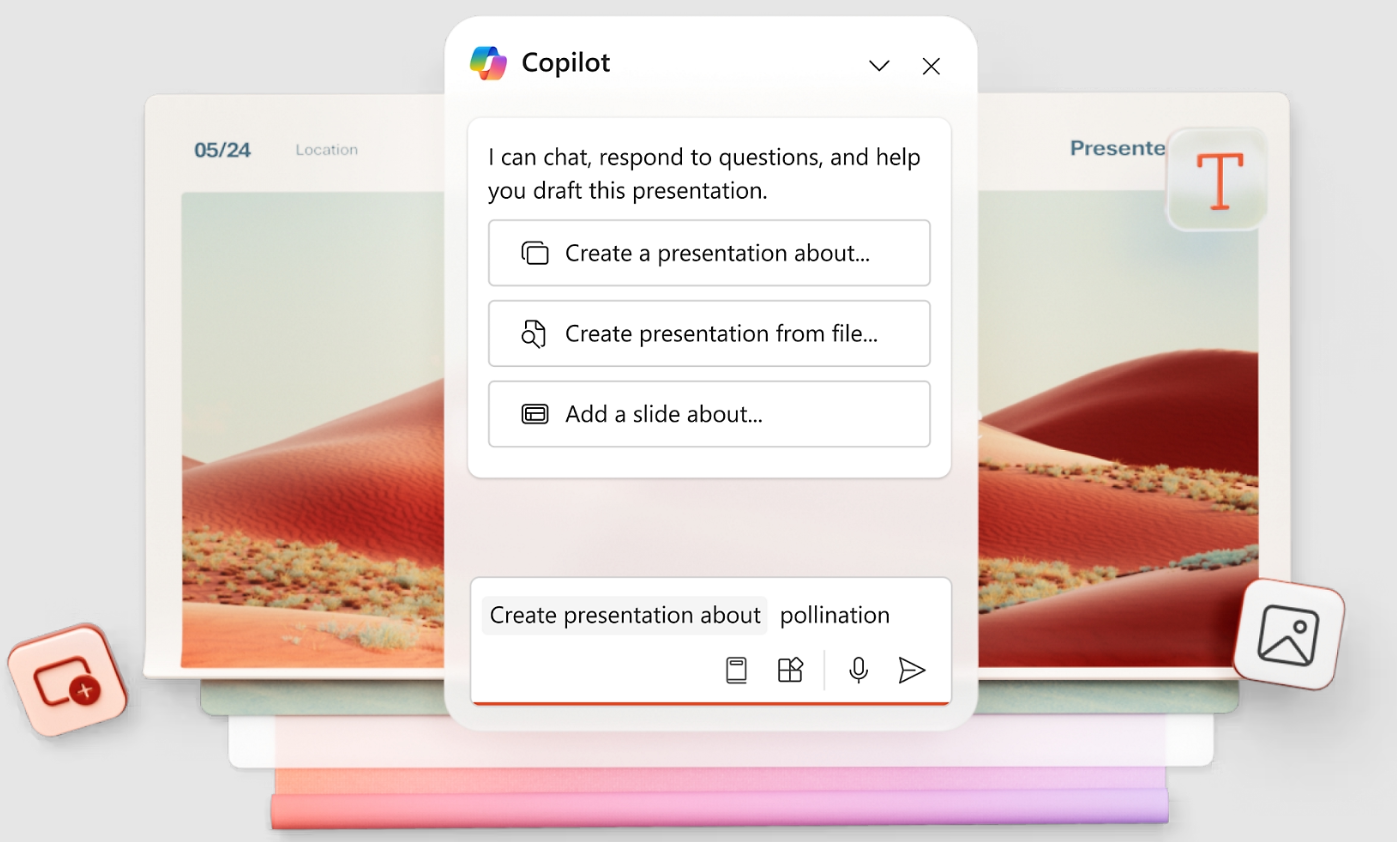
These add-ons reduce some friction, and they inherit the limits of the host platform. You still work inside Google Slides' or PowerPoint's layout engine. Templates still break when content scales, and brand control still leans on discipline. The bolt-on AI leaves your deck architecture intact where a purpose-built tool would restructure it.
They also stop short of iterative AI. You get a first draft, and refining it sends you back to manual editing. Conversational refinement like Clip-E restructures and expands specific slides through natural language. A bolt-on add-on can match that only by owning the rendering layer.
Teams locked into Google Slides or PowerPoint for compliance reasons find add-ons a reasonable half-step. For everyone else, an AI-native platform removes more friction and produces better output. The AI controls the full design pipeline, well beyond content generation.
Data Security: Is It Safe to Use AI Tools with Sensitive Presentations?
Data security stops many teams from testing AI presentation tools, and the concern is legitimate. Sales decks contain pipeline data. Board reports contain financials. Client proposals contain pricing you want to keep from competitors.
The answer depends on which tool you evaluate. Many free AI generators keep vague or missing data-handling policies. When a tool stays silent on where your data goes, assume it goes everywhere.
For teams handling sensitive information, look for two things:
- SOC 2 Type II compliance. This standard B2B certification confirms that an independent auditor reviewed the vendor's data handling and access controls. Presentations.AI offers SOC 2 Type II compliance on eligible paid plans, a stronger security foundation for sensitive business decks.
- Clear data retention policies. Learn whether the tool stores your content or deletes it after processing, and whether it feeds model training. A vendor that dodges the question has given you the answer.
Manual design in PowerPoint on your company's SharePoint stays secure, since the data lives in your infrastructure. That security arrives bundled with all the labor costs covered earlier. The goal is an AI tool that matches your security requirements and delivers the speed gains, so you keep both productivity and data protection.
Conclusion: AI Presentations vs Manual Design
For recurring business decks, the AI-versus-manual decision has turned into a workflow question over a design debate. Manual slide-building made sense when every deck came together by hand. In 2026, faster paths have taken over as the default.
Manual design remains the right choice for a small category of presentations. Think creative keynotes and decks where every pixel carries strategic weight. If you build fewer than five presentations a month and each one runs genuinely unique, manual design may still fit. Even there, AI can speed up the research and outlining phases.
For most business presentations, AI-native tools deliver better outcomes in less time at lower cost. Think recurring decks, weekly updates, and client proposals that need to land accurate and on-brand before tomorrow's meeting. Teams that start from AI-generated drafts instead of building every slide by hand cut creation time. They also gain brand consistency and keep editable exports.
The practical move tests the claim against your own workflow. Take a deck your team builds regularly, like a QBR template or a monthly update, and build it both ways. Time the process and compare the output. See whether the AI version meets your bar or falls short.
Presentations.AI's free Starter plan runs that test with zero budget risk. You get unlimited users and real AI output from your own content, no credit card required. If the deck meets the bar, you have found a workflow that returns hours to your team every week. If it falls short, you have spent only fifteen minutes.