




Canva、Gamma、Presentations AI:機能別比較
AIによるスライド生成
Canva:Magic Designは、テキストプロンプトやアップロードされたドキュメントからスライドデッキのレイアウトを生成し、ビジュアルテーマを適用して、構造化されたプレースホルダーコンテンツを配置します。
Magic Writeは、スライド単位での文章作成をサポートします。ただし、トピックのリサーチ、論理的なストーリー構成の構築、対話を通じたデッキの反復修正はできません。AIが担当するのは視覚的な骨組みであり、各スライドの内容についてはユーザー自身が責任を持つ必要があります。
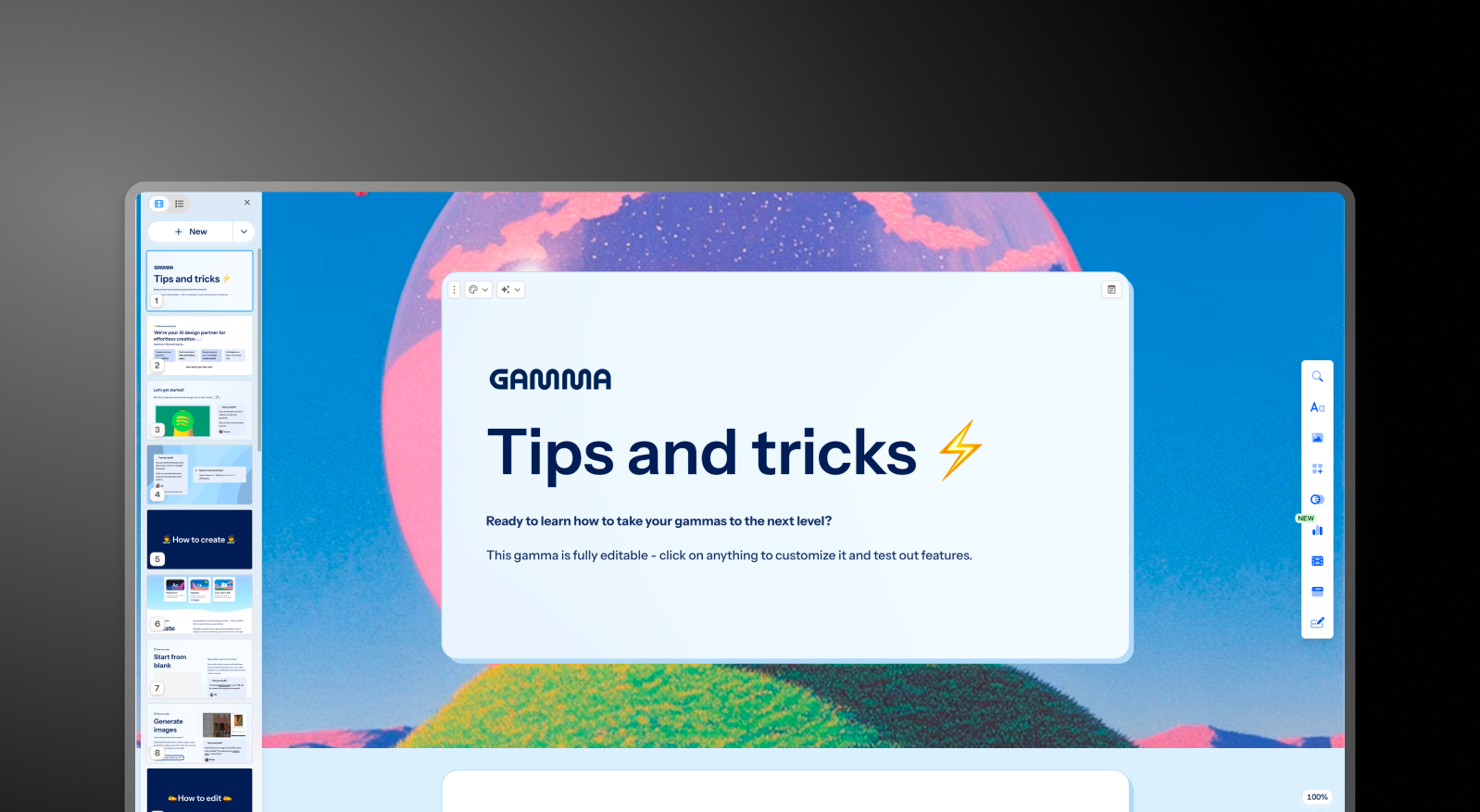
Gamma:GammaはChatGPTとの統合により、プロンプトからデッキ全体を生成し、AIエージェントを通じて反復的な修正を行います。ユーザーはAIに対し、セクションの修正、トピックのリサーチ、初期ドラフト作成後のコンテンツ追加などを指示できます。
出力品質はビジネスの文脈に関わらず一定ですが、会議やクライアントへの提示に耐えうる状態にするには、通常2〜4時間の編集作業が必要です。カードの上限はプランによって異なり、無料プランではプロンプトあたり10枚、Ultraプランでは最大までとなります。
Presentations AI:Clip-Eは、ビジネスにおける説得のアーキテクチャを学習したAIを用い、デッキ作成を包括的にサポートします。プロンプトからの生成、PDFのインポート、URLの貼り付け、Wordドキュメントのアップロードに対応しており、最小限の編集で済む、構造化されたブランド準拠のビジネス用デッキを構築します。
プラットフォームを離れることなく、自然な対話を通じて内容の洗練、スライドの追加、調整が可能です。
デザイン品質とカスタマイズ性
Canva:デザインの柔軟性はCanvaの最大の強みです。スライド上のあらゆる要素を自由に配置し、オブジェクトを重ね、カスタムアニメーションを適用できるほか、あらゆるスタイルや用途に対応した数百万ものテンプレートを利用できます。
プレゼンテーションの見た目を細かく制御したいチームにとって、本比較において右に出るツールはありません。その代償として、一貫して洗練された成果物を作るにはデザインの判断力が求められます。Canvaはすべてのツールを提供しますが、代わりに判断を下してくれるわけではありません。
Gamma:Gammaの出力は視覚的にモダンで、カードベースのフォーマットに適しています。有料プランでは、カスタムフォントやテーマなどのカスタマイズオプションが利用可能です。ブラウザベースでの共有には適していますが、PowerPoint形式でエクスポートすると、やや見映えが劣る場合があります。
Presentations AI:アンチフラジャイル(適応型)テンプレートは、コンテンツの変更に合わせてデザイン構造を崩すことなくインテリジェントに適応します。Brand Sync機能により、URLから企業のビジュアルアイデンティティを自動的に適用できるため、手動でテーマを設定しなくても、最初の一枚からブランドイメージに沿ったデッキを作成できます。
10,000種類以上のプロ仕様テンプレート、膚大なストック画像やアイコンライブラリ、そして自動生成されるプロ級のアニメーションを備えたPresentations AIは、他社には真似できない一貫したビジュアル品質を大規模に提供します。
コラボレーションとチーム機能
Canva: リアルタイムでの共同編集は、無料プランを含むすべてのプランで利用可能です。チームプランでは、共有ブランドキット、フォルダ管理、テンプレートのロック機能、管理者コントロールが追加されます。コラボレーション機能は成熟しており、すでにCanvaで他のデザインを作成しているマーケティングチームやクリエイティブチームを中心に広く活用されています。
チームでのブランドキット管理では、ロゴ、カラー、フォントを一元管理できますが、それらのアセットをプレゼンテーションに適用する際は、自動適用ではなく手動で選択する必要があります。
Gamma: リアルタイムでの共同編集はすべてのプランで利用可能です。カスタム企業テーマ、共有フォルダ、管理者コントロール、一元的な請求管理などのチーム向け機能は、1ユーザーあたり月額20ドル(最低2ユーザーから)で利用できます。ブランド管理については、プレゼンテーションごとに手動設定が必要で、一元的なガバナンス機能はありません。
Presentations AI: チームでの共同編集、リアルタイム同期、アクセス制御はスタータープランから利用可能です。すべてのチームメンバーがAIアシスタント「Clip-E」を利用できるため、誰でもプロ品質の資料を自力で作成できます。
「Brand Sync」は一度設定するだけで、チームの誰が作成する資料にも永続的な一貫性を保ちます。エンタープライズプランでは、管理者機能、全社共通テンプレート、エンタープライズレベルのセキュリティが追加されます。
エクスポートと連携オプション
Canva: エクスポートオプションは3社の中で最も充実しており、PowerPoint、PDF、MP4動画、GIF、PNG、SVGなどに対応しています。PowerPointへのエクスポート品質は概ね良好ですが、Canva独自のアニメーションやエフェクトが.pptx形式に完全に反映されない場合があります。
Canvaは、アプリマーケットプレイスを通じてGoogleドライブ、Dropbox、HubSpot、Mailchimpなど、幅広いツールとネイティブに連携します。
Gamma: 無料プランを含むすべてのプランでPowerPointおよびPDFへのエクスポートが可能です。カードベースの形式のため、16:9のスライド形式に変換する際にレイアウトが崩れることがあります。ボックスの重なり、フォントの欠落、書式の崩れなどがよく見られます。
外部へ.pptxファイルを提出する際は、修正のための時間を確保しておく必要があります。Gammaは、他の2つのツールにはないWeb共有、ドキュメント出力、SNS向けコンテンツ形式にも対応しています。
Presentations AI: Proプランでは、.pptx形式へ正確に変換されるよう設計された高精細なPowerPointエクスポートが可能で、ワンクリックで会議資料としてそのまま使用できます。PDFエクスポートもProプラン以上で利用可能です。PDF、Word、URLなど複数のインポートオプションに対応しており、3社の中で最も柔軟な取り込みが可能です。
使いやすさと学習曲線
Canva: ドラッグ&ドロップ形式のデザインツールに慣れている方なら、すぐに使いこなせます。テンプレートライブラリが充実しているため、洗練されたスライドを簡単に作成できます。
論理的な構成で一貫性のあるプレゼンテーションを一から作り上げるには、依然としてかなりの手作業が必要です。デザイン面での操作性は優れていますが、プレゼンの戦略的な組み立ては完全にユーザー自身で行う必要があります。
Gamma: オンボーディングが分かりやすく、無料プランも充実しているため、本格的なプレゼンテーションを作成してから導入を検討できます。
カード形式のレイアウトに慣れるまでは少し時間がかかるかもしれません。特に、従来のスライド形式に慣れている場合は戸惑う可能性があります。また、プレゼンテーション以外の機能も多いため、プレゼン作成のみを目的とするユーザーには複雑に感じられることがあります。
Presentations AI: AIアシスタント「Clip-E」との対話型インターフェースにより、学習コストを大幅に抑えられます。作りたい内容を言葉で伝えるだけで、デザイン経験がなくても説得力のある洗練されたスライドが短時間で完成します。「Brand Sync」機能により、新しいツールを導入する際の初期設定の手間も省けます。
3つのツールの詳細な比較表は以下の通りです。
| 機能 | Canva | Gamma | Presentations AI |
|---|---|---|---|
| 基本的なアプローチ | プレゼン機能を備えた汎用デザインプラットフォーム | 複数フォーマットのAI生成(資料、文書、Webページ、ソーシャル) | プレゼンに特化した、AI主導のコンテンツ構成・生成 |
| 典型的なユースケース | ソーシャルメディア、マーケティング、汎用デザイン、プレゼン | Instagramカルーセル、個人サイト、複数フォーマットのコンテンツ | 役員向け資料、投資家向けピッチ、エンタープライズ営業 |
| ドキュメントのインポート | 基本的なファイルアップロード、変換は限定的 | 基本的なテキスト/プロンプト入力 | PDF、Word、URLの変換 |
| ブランド管理 | TeamsプランでのBrand Kitの手動設定 | 資料ごとに手動設定、一元管理なし | 会社のURLから自動。一度の設定で、恒久的な一貫性 |
| PowerPointエクスポート | 利用可能、アニメーションの再現性に多少の劣化あり | ❌ ボックスの重なり、フォントの欠落、書式の崩れ | ✅ 高再現性、ワンクリック、役員会にそのまま使える品質 |
| テンプレートライブラリ | あらゆるデザインフォーマットで数百万点 | 中程度のライブラリ | 10,000点以上のプロ仕様プレゼンテンプレート |
| AI出力の品質 | レイアウトの骨組みのみ、ストーリー構成なし | ビジネスの文脈に関係なく汎用的な出力。通常2~4時間の編集が必要 | ビジネスの説得構造で学習済み。最小限の編集でビジネスに使える |
| 初回ドラフト後のAIによる反復 | 限定的、手動編集が必要 | あり、AI Agentによる | あり、完全な会話型の反復 |
| ストック画像/アイコン/アニメーション | 膚大なライブラリ(プレミアム素材はProで利用可) | 中程度 | 膚大なデザインライブラリと、自動のプロ仕様アニメーション |
| コラボレーション | 全プランでリアルタイム | 全プランでリアルタイム | リアルタイムのチームワークフロー(Starter以上) |
| エンタープライズセキュリティ | ISO 27001。SOC 2は標準ではない | ❌ SOC 2なし | ✅ SOC 2 Type II認証取得済み、完全な監査証跡、GDPR対応 |
| データ/コンテンツの所有権 | ユーザーが所有権を保持 | ❌ Gammaに恒久的・取消不能・全世界での権利を付与 | ✅ ユーザーが完全な所有権を保持 |
| GDPR/プライバシー対応 | 標準的な対応 | ❌ 閲覧者トラッキングがGDPR上の懸念を生む | ✅ プライバシー・バイ・デザイン、閲覧者トラッキングなし |
| 監査証跡 | 限定的 | ❌ なし | ✅ 完全な監査ログ |
| Fortune 500での採用 | 汎用デザインで広く普及 | ごくわずか | ビジネスプレゼンで広く普及 |
| 無料プラン | あり:充実、カード不要 | あり:400の一回限りのクレジット、カード不要 | あり:ユーザー数無制限、最大5資料、カード不要 |
| 隠れたコスト | プレミアム要素・フォント・ストック素材はProが必要 | エクスポートの修正、ブランド違反、潜在的な法的リスク | なし |
| 最適な用途 | デザイン重視のチーム、複数フォーマットのクリエイティブ制作 | 複数フォーマットのコンテンツ制作、個人クリエイター | ビジネスに不可欠で、説得構造を備えたプレゼンを必要とするチーム |
料金比較:Canva vs Gamma vs Presentations AI
このカテゴリーの料金は、提示価格だけで判断すべきではありません。共同編集機能、ブランド管理、高品質なエクスポート機能など、実際に必要な機能がどこまで含まれているかが重要です。これら3つのツールは、それぞれ異なる料金体系を採用しています。
Canvaの料金
Canvaには「Free」「Pro」「Teams」「Enterprise」の4つのプランがあります。無料プランでも非常に多機能で、個人の基本的なプレゼン作成には十分対応可能です。
- Free: 数十万点のテンプレート、基本的なAIツール、リアルタイム共同編集、PDFやPowerPoint形式でのエクスポートが可能です。プレミアム素材、ストック画像、一部のフォントは有料となります。
- Pro: 年額120ドル(月額換算10ドル)。すべてのテンプレート、ブランドキット、背景削除ツール、プレミアムストック素材、高度なAIツール、その他のエクスポート形式が利用可能になります。
- Teams: 1ユーザーあたり月額10ドル(年払い)。3名以上から利用可能です。チーム用ブランドキット管理、テンプレートのロック機能、共有フォルダ、管理者権限、一括請求管理などが追加されます。
- Enterprise:カスタム価格。SSO、SCIM、高度な管理機能、専任のアカウント管理、優先サポートが含まれます。
注意点:Canvaの魅力的なテンプレートや素材の多くは、無料プランでは利用できません。また、Teamsプランは最低3名からの契約となるため、2名チームであっても3名分の料金が発生します。
Gammaの料金プラン
Gammaには個人向けプランが4種類、チーム向けプランが2種類あります。ほとんどのプランで月額払いが選択できるため、年間契約に抵抗がある方にとって、今回比較した3社の中で最も柔軟な選択肢となっています。
- Free(無料):初回のみ400 AIクレジット(更新なし)、1プロンプトにつき最大10カードまで、すべての出力にGammaのロゴが入ります。
- Plus:月額12ドル(年間契約の場合は月額約9ドル)。ロゴの削除、毎月1,000クレジット付与(更新あり)、1プロンプトにつき最大20カードまで。
- Pro:月額25ドル(年間契約の場合は月額約18ドル)。プレミアムAIモデル、APIアクセス、カスタムフォント、最大10個のカスタムドメイン、詳細な分析機能、毎月4,000クレジット付与、1プロンプトにつき最大50カードまで。
- Ultra:月額100ドル(月額払いのみ)。毎月20,000クレジット付与、1プロンプトにつき最大75カードまで、スタジオモード、最上位のAI画像生成モデル。
- Team:1ユーザーあたり月額20ドル、最低2名から。カスタム企業テーマ、共有フォルダ、管理機能、一括請求、1ユーザーあたり毎月6,000クレジット付与。
- Business:1ユーザーあたり月額40ドル、最低10名から。SSO、SOC 2準拠ドキュメント、高度なデータ管理機能、1ユーザーあたり毎月10,000クレジット付与。
注意点:無料プランのクレジットは初回のみの付与で、毎月更新されません。また、Gammaのデータ所有権条項には、プラットフォーム側がユーザーのコンテンツに対して永続的かつ世界的な権利を持つと記載されており、多くの企業の法務・コンプライアンス部門にとって導入の大きな障壁となります。
Presentations AIの料金プラン
Presentations AIの料金体系は、シンプルに3つのプランで構成されています。月額払いのオプションはなく、年払いまたは四半期払いのいずれかを選択可能です。
- Starter:無料。ユーザー数無制限、AIクレジット(制限あり)、ブランドテーマ、チームコラボレーション、基本機能が利用可能。最大5件のプレゼンテーションを作成でき、クレジットカード登録も不要です。
- Pro:年額240ドル(ユーザー1名)。月額換算で20ドル相当です。AIクレジットの追加、Proテンプレート、カスタムフォントやカラーの設定、分析機能、PDFエクスポート、高度な機能が利用可能です。
- Gold: 年間1,200ドル(1ユーザー)。月額100ドルに相当します。Proのすべての機能に加えて、最先端のAIモデル、高度なブランド管理機能、プロジェクト知識の共有、優先生成が利用できます。負荷が高く大量の作業に対応するために設計されています。
Starterプランは複数ユーザーで利用できるため、チーム全体でプラットフォームを試してから導入を検討するのに最適です。年額240ドルのProプランは、Gammaの同等プラン(月額25ドル)と比較して、年間コストで約3分の1ほど安く抑えられています。
| プラン/機能 | Canva | Gamma | Presentations AI |
|---|---|---|---|
| 無料プラン | あり(充実、カード不要) | あり(400の一回限りのクレジット) | あり(ユーザー数無制限、最大5資料) |
| スターター/エントリー有料 | $120/年($10/月、Pro) | $12/月(Plus) | $240/年($20/月) |
| 中位有料 | 該当なし | $25/月(Pro) | 該当なし |
| チームプラン | $10/人/月(最低3人、年払い) | $20/席/月(最低2席) | カスタム |
| Enterprise | カスタム | $40/席/月(最低10席) | カスタム |
| 含まれるAIクレジット | Proに含まれる。Freeでは制限あり | 月1,000~20,000(プランによる) | Starterでは制限あり、Proではより多く、Goldではさらに多く |
あなたの用途に最適なツールはどれですか?
スタートアップとピッチデッキに最適
投資家向け資料を作成する際、視覚的な洗練度と同じくらい議論の質が重要です。Presentations AIは、この両方の点で優れています。
Clip-Eは、ビジネス上の意思決定プロセスに特化して学習されたAIを搭載しており、プロンプトやアップロードされたドキュメントから、構造化された説得力のあるピッチデッキを生成します。手動でスライドを調整することなく、自然言語で繰り返し改善が可能です。
年額240ドルのProプランは、初期段階の創業者にとって利用しやすい価格設定です。Canvaは、高いデザインセンスを持ち、レイアウトを細部まで制御したい創業者にとって妥当な選択肢です。一方、Gammaは出力の汎用性が低く、PowerPointエクスポートにも制限があるため、重要なピッチ資料の作成にはあまり適していません。
営業チームに最適
営業チームが求めるのは、迅速に作成でき、常にブランドイメージを維持し、共有後に追跡可能な資料です。Presentations AIは、AIによる自動生成、営業担当者間で一貫した出力を実現するブランド同期機能、そして有料プランでの閲覧者分析により、これらすべてを実現します。
営業チームは提案書や1枚資料の作成にCanvaを広く利用していますが、Canvaで本格的な営業資料を仕上げるには、多くの営業担当者が許容できる以上の手作業が必要です。また、Gammaは営業資料のワークフローに特化した設計ではありません。
マーケティングチームに最適
この分野ではCanvaが最も強力な競合となります。ソーシャルコンテンツ、キャンペーンビジュアル、プレゼンテーションを単一のワークフローで管理するマーケティングチームにとって、クリエイティブの幅広さでCanvaに勝るものはないでしょう。プレゼンテーションが数あるデザイン成果物の一つに過ぎないチームであれば、Canvaは現実的な選択肢となります。
しかし、ブランドガイドラインを厳格に守り、デザインの手間をかけずに大量の資料を作成する必要があるマーケティングチームにとって、Presentations AIのブランド同期機能は真の運用上の優位性をもたらします。誰もテーマを選択したり、手動でキットを確認したりすることなく、すべての資料が自動的にブランドに適合します。
エンタープライズおよび大規模チームに最適
エンタープライズ層のPresentations AIは、無制限のAIクレジット、全社的なテンプレート、管理者コントロール、完全な監査証跡、および完全なエンタープライズセキュリティを提供します。SOC 2 Type II認証とGDPR対応は、調達およびセキュリティレビュープロセスにおける重要な差別化要因であり、データ所有権の条件は明確で、ユーザーは自分のコンテンツに対するすべての権利を保持します。
Canvaのエンタープライズプランは、SSO、SCIM、およびISO 27001認証による専任のアカウント管理をカバーしています。しかし、標準層でのSOC 2 Type IIの欠如は、より厳格なエンタープライズ環境で摩擦を生じさせます。
1シートあたり40ドルのGamma Businessは、SSOとSOC 2ドキュメントを追加しますが、プラットフォームの永続的なコンテンツ権利条項は、ほとんどの法務およびコンプライアンスチームにとって決定的な障害となります。
個人およびフリーランサーに最適
3つのツールすべてが、クレジットカード不要の無料プランを提供しています。Canvaの無料層は、一般的なデザイン作業に最も広く役立ちます。
Gammaの無料層は、AI生成のマルチフォーマットコンテンツに最も強力です。
Presentations AIの無料Starterプランは、プロフェッショナルなビジネスプレゼンテーションを作成する必要があり、アップグレードする前にチームメイトとプラットフォーム全体を評価したい個人にとって最適な選択肢です。
定期的に資料を作成する個人事業主にとって、月額20ドル相当のPresentations AI Proは、提供される機能セットに対して最高の価値を提供します。
チームがCanvaやGammaではなくPresentations.AIを選ぶ5つの理由
CanvaとGammaはそれぞれ特定のシナリオで強みを発揮します。デザインの柔軟性や多様な形式でのクリエイティブな出力が優先される場合、Canvaはより強力なツールです。Gammaは、形式を問わないAI生成コンテンツや、月ごとの料金プランの柔軟性において優れています。どちらもそれぞれの分野で優れたツールです。
しかし、Presentations AIは、たった一つの目的のためにゼロから構築された唯一のツールです。それは、説得力があり、ブランドに忠実で、最小限の編集で共有できるプロフェッショナルなビジネスプレゼンテーションを作成することです。
- ブランド同期 は、どのブランドキットよりも優れています。会社のURLを読み込み、すべてのデッキに視覚的アイデンティティを自動的に適用します。手動設定なしで、スライド1枚目からすべてのプレゼンテーションがブランドに忠実になります。Canvaのブランドキットは意図的な選択が必要で、Gammaのテーマ設定は新しいプレゼンテーションごとに手動での設定が必要です。
- Clip-E は、コンテンツ生成だけでなく、ビジネスにおける説得力に特化して学習されています。AIは、論理的で説得力があり、聴衆を意識した、ビジネス上の意思決定がなされるような構成でデッキを作成します。CanvaのAIはレイアウトを生成しますが、GammaのAIエージェントは汎用的な出力を生成するため、役員会議で使えるようになるまでに通常2~4時間の編集が必要です。
- 複数ソース入力 は、ワークフローにおける真の利点です。PDF、Word文書、URL、またはシンプルなプロンプトを洗練されたデッキに変換できます。CanvaもGammaも、これら4種類の入力すべてからの変換には対応していません。
- の データ所有権 に関する規約は明確です。Presentations AIのユーザーは、自身のコンテンツに対する完全な権利を保持します。Gammaの規約では、プラットフォームに永続的かつ世界的な権利が付与されます。機密情報を扱うチームにとって、この違いは決して些細なことではありません。
- の 無料スタータープラン は、真にマルチユーザー対応です。予算を確定する前に、チーム全体でプラットフォームを試すことができます。クレジットカードは不要で、最大5つの完全なプレゼンテーションが含まれています。
結論:2026年に選ぶべきAIプレゼンテーション作成ツールは?
Canvaを選ぶなら:
- ソーシャル、マーケティング、ビデオなど、幅広いデザイン作業と並行してプレゼンテーションを作成したい
- 最大限のレイアウトの自由度と、膚大なマルチフォーマットのテンプレートライブラリを必要としている
- デザインに慣れており、手動でビジュアルの決定を行うことに抵抗がないチームをお持ちの方
- 幅広いデザイン機能を備えた無料プランを、クレジットカードなしで利用したい
Gammaを選ぶなら:
- プレゼンテーション、ドキュメント、ウェブページ、ソーシャルコンテンツなど、複数のフォーマットでコンテンツを作成したい
- 年間プランを契約する前に、月ごとの柔軟性を求めている
- 少人数のチームで、手頃なシート単価で共同作業機能が必要
- 高品質なPowerPointエクスポートや、エンタープライズセキュリティコンプライアンスを必要としない
Presentations AIを選ぶなら:
- 単にスライドを埋めるだけでなく、説得力のある資料構成をAIが作成するのを望む
- ブランドの一貫性を手動でのテーマ選択に頼らず、自動化したい
- PDF、Word文書、またはURLを定期的にプレゼンテーション形式に変換したい
- ピッチ、営業プレゼンテーション、役員会報告など、ビジネス上重要な資料を作成している
- きれいなPowerPointエクスポートと、エンタープライズグレードのデータ所有権条項を必要としている
