





Canva, Gamma ve Presentations AI: Özellik Bazlı Karşılaştırma
Yapay Zeka Destekli Slayt Oluşturma
Canva: Magic Design, bir metin isteminden veya yüklenen bir belgeden slayt destesi düzeni oluşturur, görsel bir tema uygular ve slaytları yapılandırılmış yer tutucu içeriklerle doldurur.
Magic Write, slayt bazında metin yazımına yardımcı olur. Yapamadıkları: bir konuyu araştırmak, mantıksal bir anlatım kurgusu oluşturmak veya sohbet yoluyla sunumunuzu geliştirmek. Yapay zeka görsel iskeleti oluşturur. Her slaytın içeriği sizin sorumluluğunuzdadır.
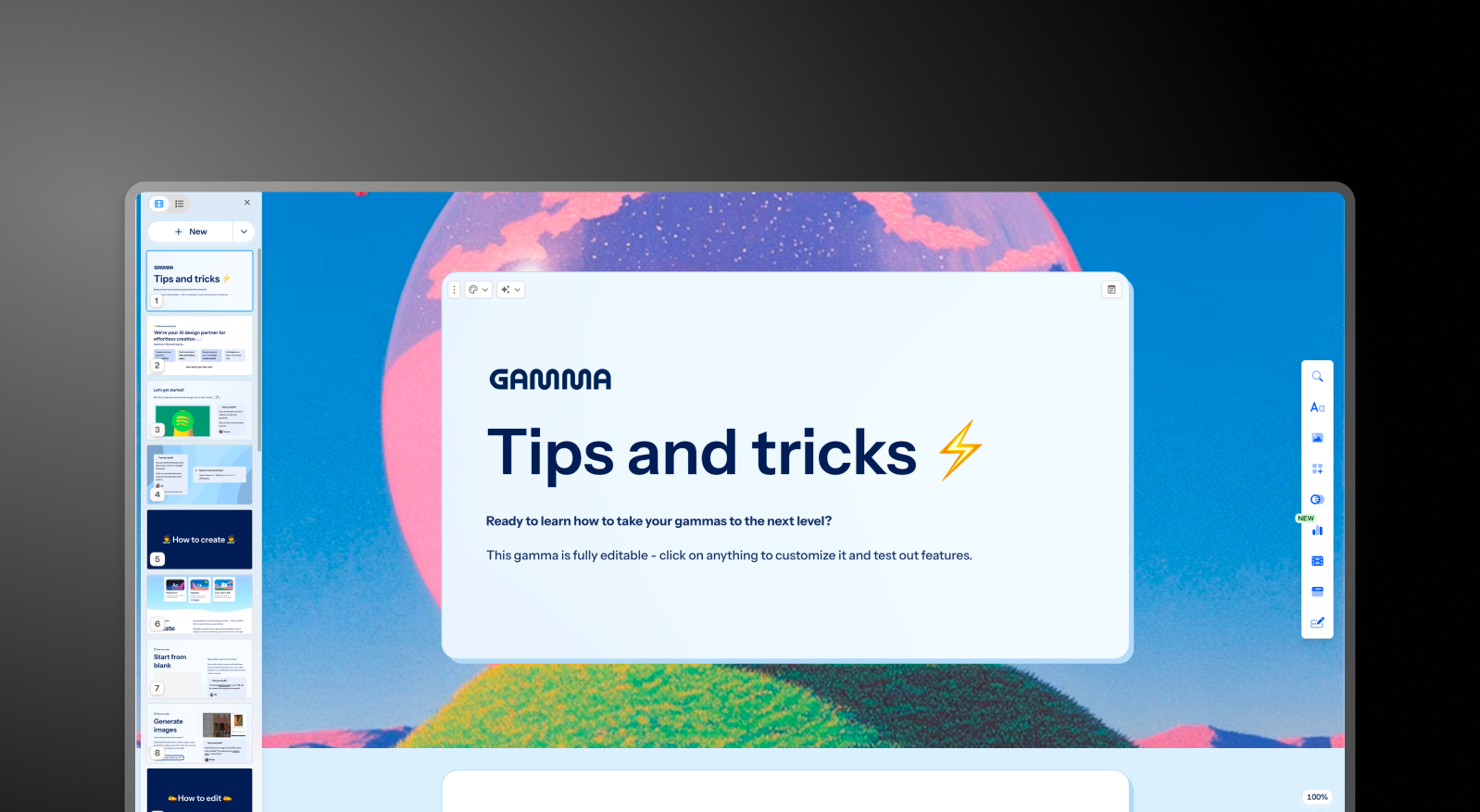
Gamma: Gamma, ChatGPT entegrasyonunu kullanarak bir istemden tam bir sunum destesi oluşturur ve Yapay Zeka Ajanı aracılığıyla yinelemeye devam eder. Kullanıcılar, ilk taslaktan sonra yapay zekadan bölümleri gözden geçirmesini, konuları araştırmasını veya yeni içerik eklemesini isteyebilir.
Çıktı kalitesi iş bağlamından bağımsız olarak tutarlıdır; bu da genellikle yönetim kurulu veya müşteri sunumuna hazır hale gelmeden önce iki ila dört saatlik düzenleme gerektiren genel sunumlar anlamına gelir. Kart limitleri plana göre değişir; ücretsiz sürümde istem başına 10 karttan Ultra sürümünde 75 karta kadar çıkabilir.
Presentations AI: Clip-E, özellikle iş dünyasındaki ikna mimarisi üzerine eğitilmiş yapay zeka ile uçtan uca sunum oluşturma sürecini yönetir. Bir istemden oluşturun, PDF içe aktarın, URL yapıştırın veya Word belgesi yükleyin; yapay zeka, minimum düzenleme gerektiren, yapılandırılmış, marka tutarlılığına sahip ve iş sunumuna hazır bir deste oluşturur.
Platformdan ayrılmadan doğal bir sohbet yoluyla iyileştirmeler yapabilir, slayt ekleyebilir ve içeriği ayarlayabilirsiniz.
Tasarım Kalitesi ve Özelleştirme
Canva: Tasarım esnekliği, Canva'nın en belirgin avantajıdır. Bir slayt üzerindeki herhangi bir öğeyi serbestçe hareket ettirebilir, nesneleri katmanlayabilir, özel animasyonlar uygulayabilir ve her stil ve kullanım durumu için milyonlarca şablondan yararlanabilirsiniz.
Sunumlarının nasıl göründüğü üzerinde hassas kontrol isteyen ekipler için bu karşılaştırmadaki hiçbir araç Canva'nın yanına yaklaşamaz. Dezavantajı ise, sürekli olarak profesyonel görünümlü çıktılar üretmenin tasarım becerisi gerektirmesidir. Canva size tüm araçları sunar ancak kararları sizin yerinize vermez.
Gamma: Gamma'nın çıktısı görsel olarak moderndir ve kart tabanlı formatına çok uygundur. Ücretli planlardaki özelleştirme seçenekleri arasında özel yazı tipleri ve temalar bulunur. Görsel kalite, tarayıcı tabanlı paylaşımlarda öne çıkar ancak dışa aktarılan PowerPoint formatında daha az profesyonel görünebilir.
Presentations AI: Kırılgan olmayan şablonlar, içerik değiştikçe tasarım yapısını bozmadan akıllıca uyum sağlar. Brand Sync, şirketinizin görsel kimliğini bir URL üzerinden otomatik olarak uygular; böylece her sunum, manuel tema ayarıyla uğraşmanıza gerek kalmadan ilk slayttan itibaren marka kimliğinizle uyumlu olur.
10.000'den fazla profesyonel şablon, geniş stok görsel ve simge kütüphaneleri ve otomatik profesyonel animasyonlarla Presentations AI, rakiplerinin ölçeklenebilirlik konusunda yaklaşamadığı tutarlı bir görsel kalite sunar.
İş Birliği ve Ekip Özellikleri
Canva: Ücretsiz plan dahil tüm planlarda gerçek zamanlı iş birliği mevcuttur. Ekip planları; paylaşımlı marka kitleri, klasörler, şablon kilitleme ve yönetici kontrolleri ekler. İş birliği deneyimi oldukça gelişmiştir ve özellikle Canva'yı diğer tasarım formatları için halihazırda kullanan pazarlama ve yaratıcı ekipler tarafından yaygın olarak tercih edilir.
Ekiplerde marka kiti yönetimi; logolar, renkler ve yazı tipleri için merkezi bir depolama alanı sağlar, ancak bu varlıkların sunumlara uygulanması otomatik bir zorunluluktan ziyade manuel seçim gerektirir.
Gamma: Tüm planlarda gerçek zamanlı iş birliği mevcuttur. Özel şirket temaları, paylaşımlı klasörler, yönetici kontrolleri ve merkezi faturalandırma gibi ekip düzeyi özellikler, en az iki kullanıcı şartıyla kullanıcı başına aylık 20 dolardır. Marka yönetimi, merkezi bir denetim olmaksızın her sunum için manuel kurulum gerektirir.
Presentations AI: Ekip iş birliği, gerçek zamanlı senkronizasyon ve erişim kontrolleri Başlangıç seviyesinden itibaren dahildir. Her ekip üyesi, Clip-E yapay zeka asistanına erişebilir; bu da her kullanıcının bağımsız olarak profesyonel kalitede içerik üretebileceği anlamına gelir.
Brand Sync, ekipteki herkesin oluşturduğu her sunumda kalıcı tutarlılık sağlayan tek seferlik bir kurulumdur. Kurumsal seviye; yönetici yetenekleri, şirket geneli şablonlar ve kurumsal güvenlik özellikleri ekler.
Dışa Aktarma ve Entegrasyon Seçenekleri
Canva: Dışa aktarma seçenekleri bu üç araç arasındaki en kapsamlı olanıdır: PowerPoint, PDF, MP4 video, GIF, PNG, SVG ve daha fazlası. PowerPoint dışa aktarma kalitesi genel olarak iyidir, ancak Canva'ya özgü gelişmiş animasyonlar ve efektler .pptx formatına her zaman sorunsuz bir şekilde aktarılamayabilir.
Canva; Google Drive, Dropbox, HubSpot, Mailchimp ve uygulama mağazası aracılığıyla çok daha geniş bir araç yelpazesiyle yerel olarak entegre olur.
Gamma: Ücretsiz plan dahil tüm planlarda PowerPoint ve PDF olarak dışa aktarma mevcuttur. Kart tabanlı format, her zaman 16:9 slayt boyutuna sorunsuz bir şekilde dönüştürülemez. Yaygın sorunlar arasında üst üste binen kutular, eksik yazı tipleri ve bozulan biçimlendirmeler yer alır.
.pptx dosyalarını harici olarak paylaşırken düzenleme yapmak için zaman ayırın. Gamma ayrıca diğer iki aracın kapsamadığı web tabanlı paylaşım, belge çıktısı ve sosyal medya içerik formatlarını da destekler.
Presentations AI: Pro planında, .pptx formatına doğru şekilde aktarılmak üzere sıfırdan tasarlanmış, yüksek kaliteli PowerPoint dışa aktarımı: tek tıkla sunuma hazır. PDF dışa aktarımı da Pro ve üzeri planlarda mevcuttur. PDF, Word ve URL dahil olmak üzere çoklu içe aktarma seçenekleri, onu bu üçü arasında en esnek veri girişi sağlayan araç haline getirir.
Kullanım Kolaylığı ve Öğrenme Eğrisi
Canva: Özellikle sürükle-bırak tasarım araçlarına aşina olan kullanıcılar için başlaması kolaydır. Şablon kütüphanesi, ilk slaytın profesyonel görünmesini zahmetsiz hale getirir.
Mantıksal bir anlatım yapısına sahip, bütünlüklü bir sunum oluşturmak hala önemli ölçüde manuel çaba gerektirir. Araç, tasarım mekaniklerini iyi yönetse de sunumun arkasındaki stratejik düşünce tamamen kullanıcının sorumluluğundadır.
Gamma: Herhangi bir taahhütte bulunmadan önce gerçek sunumlar oluşturmanıza olanak tanıyan cömert bir ücretsiz sürümle basit bir başlangıç süreci sunar.
Kart tabanlı format, özellikle geleneksel slayt düzenlerine alışkınsanız, alışması birkaç sunum gerektiren bir yapıdır. Platformun çoklu format kapsamı, sadece sunuma ihtiyaç duyan kullanıcılar için kafa karıştırıcı olabilir.
Presentations AI: Clip-E ile sunulan sohbet tabanlı arayüz, öğrenme eğrisini önemli ölçüde düşürür. Ne istediğinizi sade bir dille ifade edebildiğiniz için, tasarım deneyimi olmayan kullanıcılar bile hızlıca ikna edici ve profesyonel çıktılar üretebilir. Brand Sync, ekiplerin yeni bir araca geçerken yaşadığı kurulum zorluklarını ortadan kaldırır.
İşte üç aracı derinlemesine karşılaştıran bir tablo:
Fiyatlandırma Karşılaştırması: Canva, Gamma ve Presentations AI
Bu kategoride fiyatlandırma nadiren sadece görünen rakamdan ibarettir. Önemli olan; iş birliği, marka kontrolleri veya temiz dışa aktarma seçeneklerine ihtiyaç duyduğunuzda karşınıza çıkanlardır. Her üç araç da bu süreci farklı şekilde yönetir.
Canva Fiyatlandırması
Canva dört farklı plana sahiptir: Ücretsiz, Pro, Teams ve Enterprise. Ücretsiz plan oldukça kapsamlıdır ve birçok bireysel kullanıcının temel sunum ihtiyaçlarını karşılar.
- Ücretsiz: Yüz binlerce şablon, temel yapay zeka araçları, gerçek zamanlı iş birliği ve PDF ile PowerPoint formatında dışa aktarma imkanı. Premium öğeler, stok görseller ve yazı tipleri ücretli abonelik gerektirir.
- Pro: Kişi başı yıllık 120$ (aylık 10$'a denk gelir). Tüm şablon kütüphanesinin, Marka Kiti'nin, arka plan kaldırma aracının, premium stok varlıkların, gelişmiş yapay zeka araçlarının ve ek dışa aktarma formatlarının kilidini açar.
- Ekipler: Yıllık faturalandırıldığında kişi başı aylık 10$; en az 3 kişilik katılım gerekir. Ekip Marka Kiti yönetimi, şablon kilitleme, paylaşılan klasörler, yönetici kontrolleri ve merkezi faturalandırma özellikleri ekler.
- Kurumsal: Özel fiyatlandırma. SSO, SCIM, gelişmiş yönetici kontrolleri, özel hesap yönetimi ve öncelikli destek.
Dikkat edilmesi gerekenler: Canva'nın görsel açıdan en çekici şablonlarının ve stok öğelerinin birçoğu ücretsiz planda yer almaz. Ekipler planı en az üç kişilik katılım gerektirdiğinden, iki kişilik ekipler üç kişilik ödeme yapmak zorundadır.
Gamma Fiyatlandırması
Gamma'nın dört bireysel ve iki ekip planı bulunmaktadır. Çoğu kademede aylık faturalandırma seçeneği mevcuttur; bu da onu yıllık plana bağlanmaya hazır olmayan kullanıcılar için üç seçenek arasındaki en esnek alternatif yapar.
- Ücretsiz: 400 adet tek seferlik yapay zeka kredisi (yenilenmez), komut başına 10 karta kadar oluşturma ve tüm çıktılarda Gamma logosu.
- Plus: Aylık 12$ (veya yıllık ödemede aylık yaklaşık 9$). Logo işaretini kaldırır, her ay yenilenen 1.000 kredi sunar ve komut başına 20 karta kadar oluşturma imkanı sağlar.
- Pro: Aylık 25$ (veya yıllık ödemede aylık yaklaşık 18$). Premium yapay zeka modelleri, API erişimi, özel yazı tipleri, 10 adede kadar özel alan adı, detaylı analizler, aylık 4.000 kredi ve komut başına 50 karta kadar oluşturma imkanı sunar.
- Ultra: Aylık 100$. (Sadece aylık ödeme). Aylık 20.000 kredi, istem başına 75 karta kadar, Stüdyo Modu ve en gelişmiş yapay zeka görsel modelleri.
- Ekip: Kullanıcı başına aylık 20$, en az iki kullanıcı. Özel şirket teması, paylaşılan klasörler, yönetici kontrolleri, merkezi faturalandırma, kullanıcı başına 6.000 kredi.
- İşletme: Kullanıcı başına aylık 40$, en az 10 kullanıcı. SSO, SOC 2 dokümantasyonu, gelişmiş veri kontrolleri, kullanıcı başına 10.000 kredi.
Dikkat edilmesi gerekenler: Ücretsiz plan kredileri aylık değil, tek seferliktir. Gamma'nın veri sahipliği maddesi, platforma içeriğiniz üzerinde dünya çapında kalıcı haklar tanır; bu durum çoğu kurumsal hukuk ve uyumluluk ekibi için kabul edilemez bir engeldir.
Presentations AI Fiyatlandırması
Presentations AI, üç kademeli basit bir yapı sunar. Aylık faturalandırma seçeneği yoktur; planlar yalnızca yıllık veya üç aylık dönemler halinde sunulmaktadır.
- Başlangıç: Ücretsiz. Sınırsız kullanıcı, sınırlı yapay zeka kredisi, marka temaları, ekip iş birliği ve temel işlevler. 5 sunuma kadar, kredi kartı gerekmez.
- Pro: Yıllık 240$ (tek kullanıcı). Aylık 20$'a denk gelir. Ek yapay zeka kredileri, Pro şablonlar, özel yazı tipleri ve renkler, analizler, PDF dışa aktarma ve gelişmiş özellikler.
- Gold: Yılda 600 ABD doları (tek kullanıcı). Aylık 50 ABD dolarına eşdeğerdir. Pro'daki her şeye ek olarak en gelişmiş yapay zeka modellerini, gelişmiş marka kontrollerini, paylaşılan proje bilgisini ve öncelikli üretimi ekler. Yoğun ve kritik iş yükleri için tasarlanmıştır.
Başlangıç planı gerçekten çok kullanıcılıdır, bu da tüm ekibin taahhütte bulunmadan önce platformu değerlendirmesi için pratik bir yoldur. Yıllık 240$ olan Pro planı, yıllık bazda Gamma'nın eşdeğer Pro kademesinin (aylık 25$) yaklaşık üçte biri kadar daha ekonomiktir.
İhtiyacınız İçin En İyi Araç Hangisi?
Girişimler ve Yatırımcı Sunumları İçin En İyisi
Yatırımcı sunumu hazırlarken argümanın kalitesi, görsel estetik kadar önemlidir. Presentations AI her iki konuda da öne çıkıyor.
Clip-E, iş kararlarının nasıl alındığı konusunda özel olarak eğitilmiş yapay zekası sayesinde, bir komut veya yüklenen bir belge üzerinden yapılandırılmış, ikna edici bir sunum hazırlar. Slaytlar arasında manuel geçiş yapmanıza gerek kalmadan doğal dille düzenleme yapabilirsiniz.
Yıllık 198$ olan Pro planı, erken aşama kurucular için oldukça erişilebilir. Canva, tasarım yeteneği güçlü olan ve düzen üzerinde tam kontrol isteyen kurucular için makul bir seçenektir. Gamma ise genel çıktıları ve PowerPoint dışa aktarma sınırlamaları nedeniyle yüksek öneme sahip sunum süreçleri için daha az uygundur.
Satış Ekipleri İçin En İyisi
Satış ekipleri; hızlı hazırlanan, marka kimliğiyle tutarlı ve paylaşıldığında takip edilebilen sunumlara ihtiyaç duyar. Presentations AI bu üç beklentiyi de karşılar: Yapay zeka destekli oluşturma, temsilciler arasında tutarlı çıktı sağlayan Marka Senkronizasyonu ve ücretli planlarda izleyici analitiği.
Satış ekipleri teklifler ve tek sayfalık dokümanlar için yaygın olarak Canva kullanıyor, ancak Canva'da kapsamlı bir satış sunumu hazırlamak, çoğu temsilcinin harcamak istediğinden daha fazla manuel çaba gerektiriyor. Gamma ise satış sunumu iş akışları için özel olarak tasarlanmamıştır.
Pazarlama Ekipleri İçin En İyisi
Canva'nın en güçlü olduğu alan burasıdır. Sosyal medya içerikleri, kampanya görselleri ve sunumları tek bir iş akışında üreten pazarlama ekipleri için Canva'nın yaratıcı kapsamını geçmek zordur. Sunumların birçok tasarım çıktısından sadece biri olduğu ekipler için Canva pratik bir tercihtir.
Ancak sunumlarının marka yönergelerini tam olarak yansıtmasını ve tasarım yükü olmadan ölçeklenebilir şekilde üretilmesini isteyen pazarlama ekipleri için Presentations AI'ın Marka Senkronizasyonu gerçek bir operasyonel avantaj sağlar. Her sunum, kimse bir tema seçmek veya bir kiti manuel olarak kontrol etmek zorunda kalmadan otomatik olarak markayla uyumlu hale gelir.
Kurumsal ve Büyük Ekipler İçin En İyisi
Presentations AI Kurumsal seviyesi; sınırsız yapay zeka kredisi, şirket genelinde şablonlar, yönetici kontrolleri, eksiksiz denetim kayıtları ve tam kurumsal güvenlik sunar. SOC 2 Tip II sertifikası ve GDPR uyumluluğu, satın alma ve güvenlik inceleme süreçlerinde önemli fark yaratan unsurlardır; ayrıca veri sahipliği şartları nettir: kullanıcılar içeriklerinin tüm haklarını korur.
Canva'nın Kurumsal planı; SSO, SCIM ve ISO 27001 sertifikalı özel hesap yönetimi sunar. Ancak standart seviyelerde SOC 2 Tip II sertifikasının bulunmaması, daha katı kurumsal ortamlarda sorun yaratabilir.
Kullanıcı başına aylık 40$ olan Gamma Business, SSO ve SOC 2 belgeleri ekler, ancak platformun sürekli içerik hakları maddesi, çoğu hukuk ve uyum ekibi için aşılması zor bir engeldir.
Bireyler ve Freelancerlar İçin En İyisi
Her üç araç da kredi kartı gerektirmeyen ücretsiz bir plan sunar. Canva'nın ücretsiz seviyesi, genel tasarım işleri için en geniş kullanım alanına sahiptir.
Gamma'nın ücretsiz seviyesi, yapay zeka ile oluşturulan çok formatlı içerikler için en güçlü olanıdır.
Presentations AI'ın ücretsiz Başlangıç planı, profesyonel iş sunumları hazırlaması gereken ve yükseltme yapmadan önce tüm platformu ekip arkadaşlarıyla değerlendirmek isteyen bireyler için en iyi seçenektir.
Düzenli olarak sunum hazırlayan profesyoneller için aylık 20$ karşılığına gelen Presentations AI Pro, sunduğu özellik setiyle en iyi fiyat-performans oranını sağlar.
Ekiplerin Canva ve Gamma Yerine Presentations.AI'ı Tercih Etmesinin Beş Nedeni
Canva ve Gamma belirli senaryolarda öne çıkıyor. Tasarım esnekliği ve çok formatlı yaratıcı çıktı öncelikli olduğunda Canva daha güçlü bir araçtır. Gamma ise aylık fiyatlandırma esnekliğiyle, farklı formatlarda yapay zeka destekli içerik üretimi için daha uygundur. Her ikisi de kendi alanlarında sağlam araçlardır.
Ancak Presentations AI, tek bir amaç için sıfırdan inşa edilmiş tek araçtır: minimum düzenlemeyle paylaşıma hazır, ikna edici ve marka kimliğinizle uyumlu profesyonel iş sunumları hazırlamak.
- Marka Uyumu herhangi bir Marka Kitinden çok daha fazlasını sunar. Şirketinizin URL'sini okur ve görsel kimliğinizi her sunuma otomatik olarak uygular. Manuel kurulum gerektirmeden, ilk slayttan itibaren her sunum marka kimliğinizle uyumlu olur. Canva'nın Marka Kiti bilinçli bir seçim gerektirir. Gamma'nın tema sistemi ise her yeni sunum için manuel yapılandırma ister.
- Clip-E sadece içerik üretimi üzerine değil, iş dünyasında ikna kabiliyeti üzerine eğitilmiştir. Yapay zeka, sunumları iş kararlarının alınmasını sağlayacak şekilde; mantıklı, ikna edici ve hedef kitleye uygun olarak kurgular. Canva'nın yapay zekası düzenler oluşturur. Gamma'nın yapay zeka ajanı ise genellikle yönetim kurulu toplantısına hazır hale gelmesi için iki ila dört saatlik düzenleme gerektiren genel çıktılar üretir.
- Çoklu kaynak girişi gerçek bir iş akışı avantajıdır. Bir PDF'i, Word belgesini, URL'yi veya basit bir komutu profesyonel bir sunuma dönüştürün. Ne Canva ne de Gamma, bu dört giriş türünün tamamından dönüştürmeyi destekler.
- Veri sahipliği koşulları oldukça nettir. Presentations AI kullanıcıları, içeriklerinin tüm haklarını ellerinde tutarlar. Gamma'nın kullanım koşulları ise platforma dünya çapında kalıcı haklar tanır. Gizli verilerle çalışan ekipler için bu ayrım, göz ardı edilemeyecek kadar önemlidir.
- Ücretsiz Başlangıç planı gerçekten çok kullanıcılıdır. Tüm ekibiniz bütçe ayırmadan önce platformu keşfedebilir. Kredi kartı gerekmez ve 5 adede kadar tam sunum dahildir.
Karar: 2026'da Hangi Yapay Zeka Sunum Aracını Seçmelisiniz?
Şu durumlarda Canva'yı seçin:
- Sunumların yanı sıra sosyal medya, pazarlama ve video gibi daha geniş bir tasarım yelpazesinde içerik üretin
- Maksimum düzen özgürlüğüne ve devasa, çok formatlı bir şablon kütüphanesine ihtiyaç duyuyorsanız
- Görsel kararları manuel olarak almaktan keyif alan, tasarıma yatkın bir ekibiniz varsa
- Kredi kartı gerektirmeyen, geniş tasarım özelliklerine sahip ücretsiz bir plan istiyorsanız
Şu durumlarda Gamma'yı seçin::
- Sunumlar, belgeler, web sayfaları ve sosyal medya içerikleri gibi birçok farklı formatta içerik oluşturun
- Yıllık plana geçmeden önce aylık esneklik istiyorsanız
- Makul bir kullanıcı başı fiyatla iş birliği özelliklerine ihtiyaç duyan küçük bir ekibiz
- Yüksek kaliteli PowerPoint dışa aktarma veya kurumsal güvenlik uyumluluğuna ihtiyaç duymuyorsanız
Şu durumlarda Presentations AI'yı seçin::
- Sadece slaytları dolduran değil, sunumları ikna edici bir yapıda kurgulayan bir yapay zeka istiyorsanız
- Marka tutarlılığının manuel tema seçimine bağlı kalmadan otomatik olarak sağlanmasını istiyorsanız
- Düzenli olarak PDF, Word belgesi veya URL'leri sunum formatına dönüştürüyorsanız
- Yatırımcı sunumları, satış sunumları ve yönetim kurulu güncellemeleri gibi iş açısından kritik sunumlar hazırlıyorsanız
- Temiz bir PowerPoint dışa aktarma seçeneğine ve kurumsal düzeyde veri sahipliği şartlarına ihtiyaç duyuyorsanız
