


.webp)
En bref
- Le canevas zoomable de Prezi permet de créer des présentations visuellement percutantes et non linéaires, qui se distinguent des outils basés sur des diapositives classiques. Toutefois, cette singularité s'accompagne de compromis en matière de flexibilité et de qualité d'exportation.
- Les exportations au format PPTX sont défaillantes. Les effets de zoom et la navigation dynamique sont aplatis en diapositives statiques à la mise en page altérée, ce qui rend Prezi inadapté si votre flux de travail repose sur PowerPoint.
- Tout forfait payant (Plus et supérieur) débloque des crédits IA illimités, un avantage réel par rapport aux outils qui limitent l'usage de l'IA à chaque niveau d'abonnement.
- Le contrôle de la marque est une fonctionnalité réservée aux équipes. Le branding intelligent est disponible dès l'offre Plus, mais un kit de marque complet avec contrôle centralisé nécessite un abonnement Teams à 39 $/mois par utilisateur (facturé annuellement ; minimum de 2 utilisateurs).
- Si vous avez besoin d'exportations PowerPoint propres, d'une itération IA en temps réel et d'une synchronisation automatique de votre image de marque, Prezi n'est pas l'outil qu'il vous faut. Presentations.ai répond à ces besoins, et vous pouvez l'essayer gratuitement.
Prezi s'est fait un nom en réalisant ce que PowerPoint n'a jamais pu faire : rendre les présentations cinématographiques. Le canevas zoomable, la narration non linéaire et la capacité de passer d'une vue d'ensemble à un détail précis ont véritablement transformé les attentes en matière de présentation. Pour les enseignants, les intervenants TEDx et les présentations créatives, ce fut une révélation.
Mais c'était en 2012. Nous sommes en 2026, et le paysage des présentations a radicalement changé. L'IA peut désormais rédiger un diaporama complet à partir d'une simple consigne. Les équipes distantes ont besoin d'exportations propres, compatibles avec PowerPoint, Google Slides et le partage d'écran Zoom, sans artefacts visuels.
Le branding doit être automatique, et non une tâche de configuration supplémentaire de 30 minutes. La question n'est pas de savoir si Prezi est « cool » (il l'est), mais si cela suffit lorsque vous travaillez sous pression et que vos parties prenantes évoluent dans l'écosystème Microsoft 365.

Comment nous avons évalué Prezi
Nous avons évalué Prezi selon six dimensions essentielles pour les équipes professionnelles qui conçoivent des présentations en 2026 :
- Capacité et profondeur de l'IA
- Fidélité de l'exportation
- Contrôle de la marque et temps de configuration
- Flux de travail collaboratif
- Transparence des prix et valeur ajoutée
- Retours d'utilisateurs réels
Les points faibles de Prezi
Les forces de Prezi sont indéniables, mais plusieurs lacunes sont difficiles à ignorer pour les utilisateurs professionnels qui comparent l'outil aux exigences des flux de travail modernes.
Vos exports PowerPoint ne ressembleront en rien à vos présentations Prezi
Les exports .pptx de Prezi perdent l'essence même de ce qui rend Prezi unique. Les effets de zoom, la navigation sur canevas et le flux non linéaire sont aplatis en diapositives statiques dont la mise en page est souvent défaillante. Si votre flux de travail implique d'envoyer un support à un client ou de présenter sur une machine sans Prezi, vous vous retrouvez avec une version dégradée de votre création. Les exports .pptx de Presentations.ai sont propres et fidèles : ce que vous voyez dans l'éditeur est exactement ce qui s'ouvre dans PowerPoint.
Les outils d'IA avancés sont bloqués derrière un paywall
Le forfait gratuit de Prezi inclut 500 crédits IA, mais l'assistant de conception IA et la génération avancée sont réservés à l'offre Plus. Plus important encore, l'IA de Prezi est transactionnelle : vous demandez un résultat, elle le livre, et l'échange s'arrête là. Il n'y a pas d'itération conversationnelle. Clip-E de Presentations.ai vous permet de générer du contenu à partir d'une consigne, d'un PDF, d'un document Word ou d'une URL, puis de l'affiner via des requêtes en langage naturel sans avoir à tout recommencer.
Le contrôle de la marque nécessite un abonnement Teams
Un kit de marque centralisé est réservé aux abonnements Teams chez Prezi. Les utilisateurs individuels des offres Plus ou Premium doivent configurer les paramètres de marque manuellement, sans garantie de cohérence entre les membres de l'équipe. Il n'existe aucune extraction de marque basée sur une URL, quel que soit le niveau. La fonction Brand Sync de Presentations.ai extrait automatiquement vos couleurs, polices et logo depuis l'URL de votre entreprise, afin que chaque présentation respecte votre image de marque sans avoir à toucher à un panneau de configuration.
Le forfait gratuit rend vos présentations publiques
Le forfait Basic de Prezi vous limite à des présentations publiques sans option de confidentialité, protection par mot de passe ou possibilité de téléchargement. Pour quiconque travaille sur des supports de vente, des mises à jour pour un conseil d'administration ou toute donnée sensible, c'est un frein majeur. La confidentialité n'est débloquée qu'avec l'offre Plus (4 $/mois). Le forfait Starter gratuit de Presentations.ai garde votre travail privé, prend en charge un nombre illimité d'utilisateurs et ne nécessite aucune carte bancaire.
Le canevas à zoom vous enferme dans l'écosystème Prezi
Une fois que vous construisez sur le canevas de Prezi, vous y êtes lié. Il n'existe aucun chemin simple vers un support de présentation linéaire, aucun type de graphique métier avancé, ni aucune intégration native à PowerPoint au sens traditionnel. Pour les équipes qui ont besoin de partir d'une consigne ou d'un document pour aboutir à un fichier .pptx fonctionnant partout, c'est une incompatibilité fondamentale.
Tarifs des forfaits Prezi et ce que vous obtenez
La tarification de Prezi semble simple jusqu'à ce que vous commenciez à comparer les fonctionnalités par niveau. L'écart entre ce qui est annoncé et ce qui est réellement utilisable à chaque niveau est plus important que chez la plupart des concurrents, notamment en ce qui concerne l'accès à l'IA, la confidentialité et les options d'exportation. Voici le détail complet.
Aperçu des forfaits
Un point fort notable des offres payantes de Prezi : tout forfait à partir de Plus inclut des crédits IA illimités. Il n'y a pas de rationnement ou de plafond par cycle une fois que vous passez à un niveau supérieur, un avantage significatif pour les équipes ayant un volume élevé de présentations.
La tension principale dans la tarification de Prezi réside dans le fait que les fonctionnalités dont la plupart des utilisateurs professionnels ont besoin, notamment les présentations privées, l'accès complet à l'IA et des exports propres, nécessitent une mise à niveau. L'offre Plus comble les lacunes d'accès et de confidentialité à un prix annuel bas. Pourtant, les équipes qui ont besoin d'une réelle collaboration ou d'une gouvernance de marque se retrouvent rapidement à payer près de 10 fois le coût par utilisateur pour l'offre Teams.
Presentations.ai propose un forfait Starter gratuit sans carte bancaire, avec un nombre illimité d'utilisateurs, des présentations privées et un export .pptx propre dès le premier jour. Brand Sync, l'IA conversationnelle Clip-E et des modèles robustes sont intégrés à l'expérience et ne sont pas bloqués derrière des niveaux premium. Si le volume de présentations de votre équipe fait du prix par siège un poste de dépense important, le calcul favorise un outil qui ne vous facture pas de supplément pour les fonctionnalités de base.
Comment fonctionne l'IA dans Prezi
Les capacités d'IA de Prezi couvrent la génération de présentations, la création d'images, l'importation de fichiers, la transformation de contenu et la suppression d'arrière-plan. Une chose mérite d'être soulignée d'emblée : tout forfait Prezi payant débloque des crédits IA illimités. Contrairement aux outils qui continuent de limiter l'utilisation de l'IA sur les forfaits intermédiaires, Prezi supprime totalement le plafond à partir de l'offre Plus. Pour les créateurs fréquents disposant d'un forfait payant, c'est une politique réellement utile.
La question plus fondamentale est de savoir ce que l'IA fait réellement avec cet accès, et où le modèle d'interaction atteint ses limites, quel que soit le volume d'utilisation autorisé.
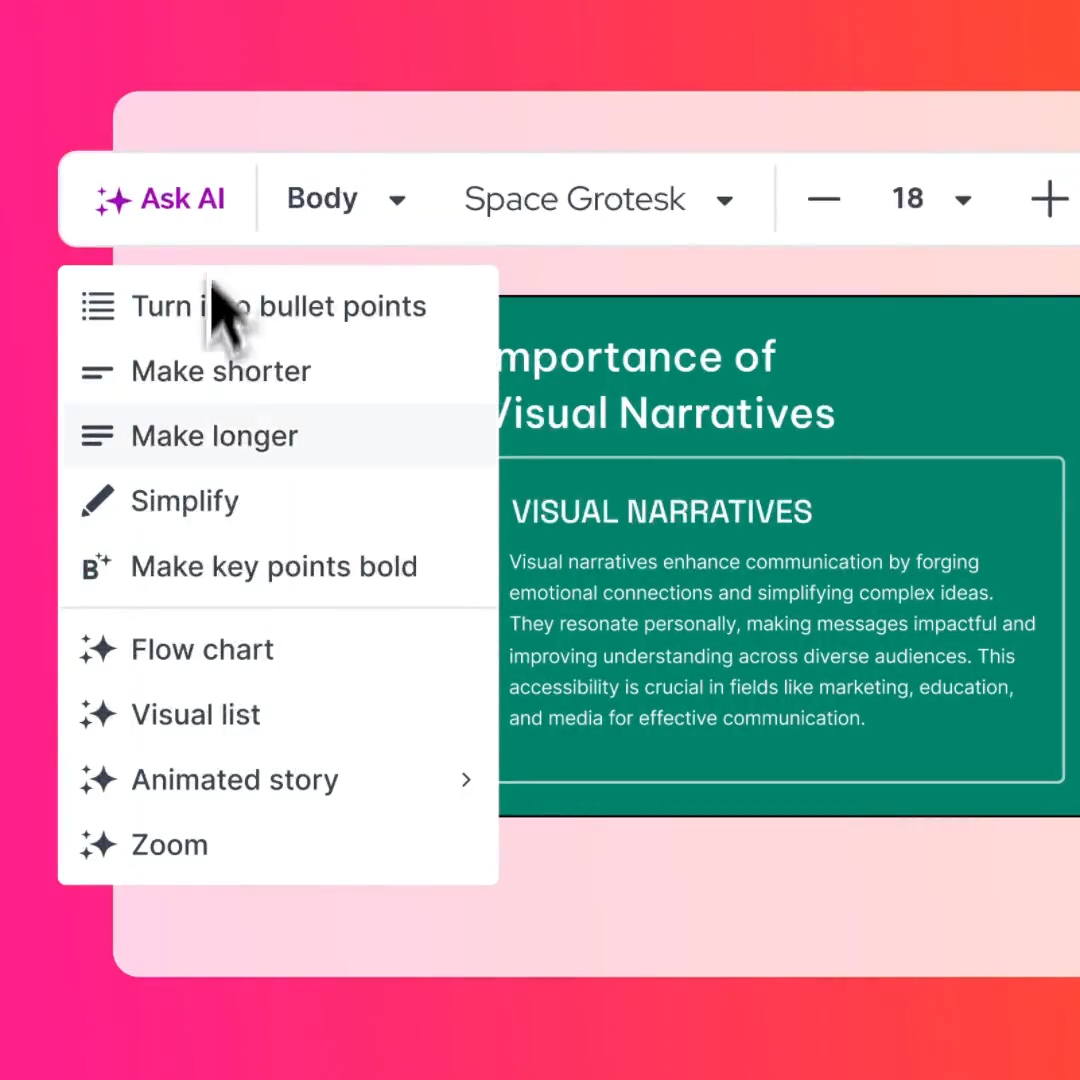
Ce que l'IA produit réellement
Lorsqu'elle fonctionne, l'IA de Prezi génère des présentations conservant la structure de canevas zoomable, avec des sujets disposés dans l'espace et des chemins de zoom entre eux. Le résultat s'appuie sur la bibliothèque de modèles de Prezi ; la qualité visuelle dépend donc fortement du modèle sélectionné par l'IA. Le contenu a tendance à être généraliste : utile pour un premier jet, mais vous passerez un temps considérable à modifier, réorganiser et peaufiner avant qu'il ne soit prêt pour un client.
La génération d'images produit des résultats exploitables pour des visuels décoratifs tels que des arrière-plans, des illustrations abstraites et des graphiques thématiques. Elle ne génère pas de visualisations de données, de graphiques personnalisés ou tout élément nécessitant de la précision. Comme Prezi manque de types de graphiques métier avancés (cascade, Mekko, Gantt), l'IA ne peut pas vous aider sur ce point non plus. Si votre présentation doit communiquer des données financières ou des indicateurs opérationnels, vous devrez créer ces visuels manuellement ou les importer sous forme d'images statiques.
Ce qui manque : une collaboration itérative avec l'IA
Lorsque vous itérez sur une présentation, que vous affinez votre message, restructurez des sections et adaptez le contenu à différents publics, vous avez besoin d'une IA qui reste impliquée, et non d'une IA qui produit un résultat unique et considère sa mission comme accomplie.
Clip-E de Presentations.ai est conçu précisément pour ce flux de travail. Il s'agit d'un assistant IA conversationnel qui vous accompagne de bout en bout : générez à partir d'une invite, d'un PDF, d'un document Word ou d'une URL, puis itérez grâce à des requêtes en langage naturel.
Les points forts de Prezi
Une analyse équitable reconnaît ce qui fonctionne. Prezi excelle réellement dans plusieurs domaines, et pour les cas d'usage appropriés, ces atouts sont significatifs.
Le canevas zoomable reste inégalé pour la narration visuelle
Aucun autre outil de présentation courant ne reproduit ce que fait le canevas de Prezi. La possibilité de placer des idées dans l'espace, de zoomer depuis une vue d'ensemble vers des sous-sujets imbriqués et de naviguer à travers un paysage visuel crée une expérience de présentation qui ressemble davantage à une exploration qu'à un diaporama.
Prezi Video ajoute une dimension unique pour les présentateurs à distance
Prezi Video, qui superpose le contenu de votre présentation autour de vous à l'écran, est réellement utile pour les démonstrations à distance, les webinaires et les messages vidéo. Au lieu de partager votre écran et de disparaître derrière vos diapositives, vous apparaissez aux côtés de votre contenu. Il s'intègre à Zoom, Microsoft Teams, Google Meet et Webex.
Les non-designers peuvent produire des résultats visuellement saisissants
La bibliothèque de modèles de Prezi et le mécanisme de canevas zoomable font une grande partie du travail pour les utilisateurs sans compétences en design. Comme le canevas gère la hiérarchie visuelle par les niveaux de zoom plutôt que par la mise en page des diapositives, vous n'avez pas besoin de vous soucier de l'équilibre typographique ou de l'alignement sur grille comme vous le feriez dans PowerPoint ou Keynote.
Nativement dans le cloud avec un accès en temps réel
Prezi est entièrement basé sur le cloud (avec un accès hors ligne sur les versions Plus et supérieures), ce qui signifie que vos présentations sont accessibles depuis n'importe quel navigateur sans installation de logiciel. L'historique des versions est automatique.
Courbe d'apprentissage et performances de Prezi
Prezi ne remplace pas instantanément les outils que votre équipe utilise déjà. L'interface, la structure du canevas et la logique non linéaire nécessitent un temps d'adaptation, et certains de ces ajustements prennent plus de temps que ce que la plupart des utilisateurs anticipent.
Ce n'est pas PowerPoint, et cela demande un temps d'adaptation
De nombreux avis d'utilisateurs sur G2, Capterra et TrustRadius soulignent que la courbe d'apprentissage de Prezi est plus abrupte que prévu. Le canevas zoomable est conceptuellement différent des diapositives linéaires, et les nouveaux utilisateurs rapportent fréquemment passer leurs premières sessions à comprendre l'organisation spatiale, les chemins de zoom et la manière de structurer le contenu de façon non linéaire.
Des performances parfois inconstantes
Les utilisateurs signalent des ralentissements occasionnels lors du rendu, en particulier avec des présentations complexes utilisant des images lourdes ou de multiples niveaux de zoom. Les performances via navigateur varient selon le matériel et la connexion internet.
Des possibilités de personnalisation limitées
Bien que les modèles de Prezi soient visuellement saisissants, les options de personnalisation sont plus restreintes que celles offertes par PowerPoint ou des outils de conception dédiés. Vous êtes contraint par la structure et la logique de zoom du modèle. Déplacer des éléments, créer des animations personnalisées ou concevoir des mises en page non standard nécessite des solutions de contournement ou n'est tout simplement pas pris en charge.
Comment Prezi se situe face à la concurrence
La tarification et les fonctionnalités de Prezi étaient plus cohérentes lorsque le paysage concurrentiel se limitait à PowerPoint, Keynote et Google Slides. En 2026, le marché inclut des plateformes natives en IA conçues dès le départ pour la rapidité, la cohérence de marque et la fiabilité des exportations.
Avec les offres Plus et Premium, Prezi est plus accessible qu'auparavant, à partir de 4 $/mois facturés annuellement. Cependant, les fonctionnalités que les équipes commerciales considèrent désormais comme indispensables — telles qu'une exportation .pptx propre, l'application automatique de la charte graphique et une IA conversationnelle capable d'itérer au-delà d'un premier brouillon — sont soit absentes de Prezi, soit peu performantes.
C'est ici qu'intervient Presentations.ai, non pas comme un énième outil de diapositives, mais comme une approche fondamentalement différente de la création de présentations.
Presentations.ai : conçu pour la réalité des équipes professionnelles
Presentations.ai est une plateforme de présentation native en IA, pensée pour répondre aux flux de travail sur lesquels Prezi peine : transformer des données brutes en présentations soignées, aux couleurs de votre marque, qui s'exportent parfaitement et fonctionnent partout où votre public en a besoin.
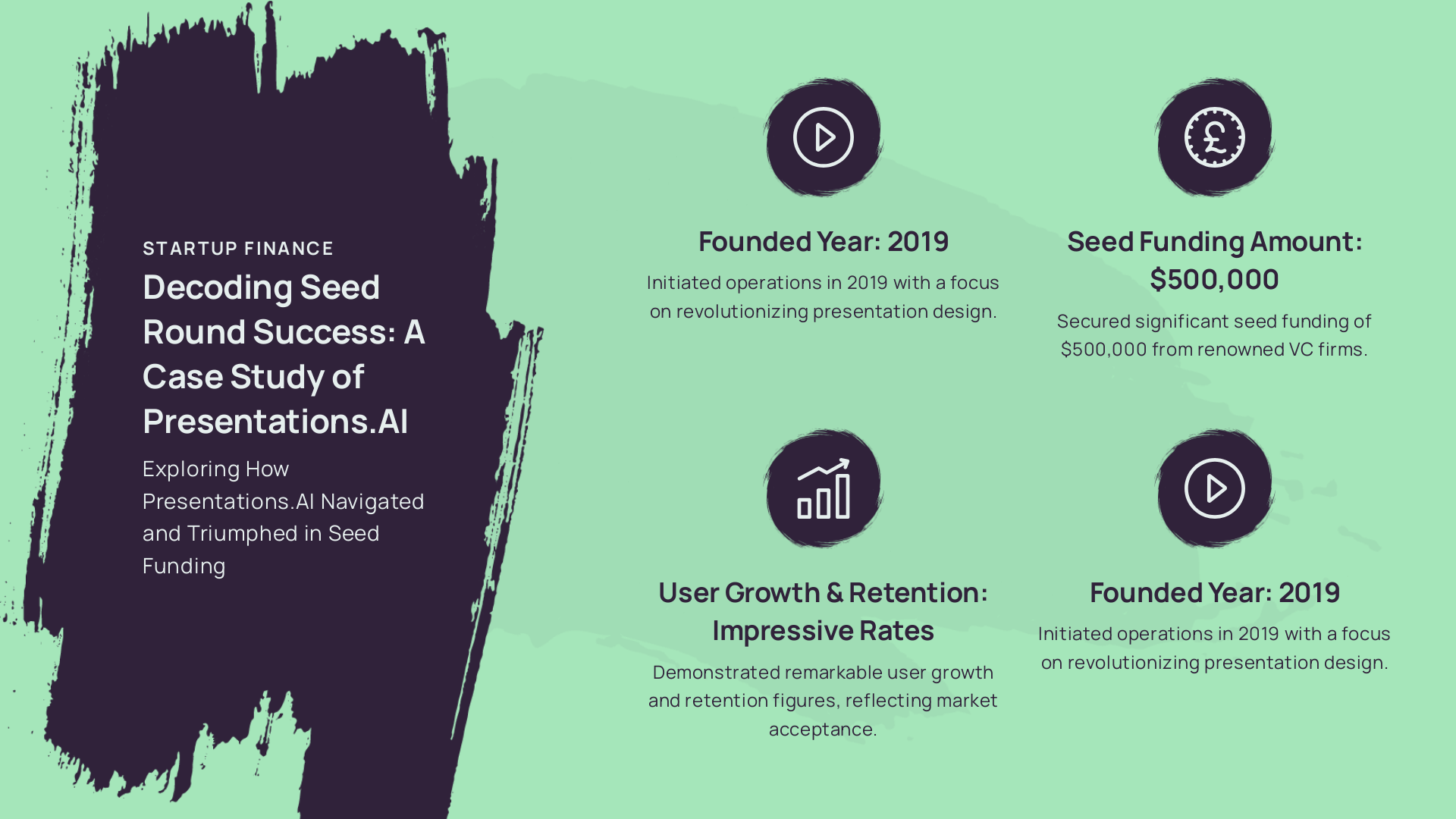
Là où Prezi mise sur un mécanisme visuel unique et vous fait payer pour débloquer les fonctionnalités de base, Presentations.ai vous offre l'essentiel (confidentialité, exportation, image de marque, IA) dès le premier jour, avec une capacité d'évolution constante.
Fonctionnalités de Presentations.ai
Ce qui différencie Presentations.ai
Presentations.ai n'est pas un simple outil de diapositives relooké avec une couche d'IA ajoutée. La plateforme repose sur trois piliers qui comblent directement les lacunes laissées par Prezi.
Brand Sync : votre identité visuelle extraite automatiquement. Saisissez l'URL de votre entreprise. Presentations.ai récupère automatiquement vos couleurs, vos polices et votre logo. Chaque présentation respecte ainsi votre image de marque dès le départ.

Des modèles qui s'adaptent sans se briserLes modèles « anti-fragiles » de Presentations.ai sont conçus pour s'adapter à la variabilité de votre contenu. Ajoutez ou supprimez des éléments, restructurez vos sections : la mise en page s'ajuste intelligemment. Votre présentation reste impeccable, que votre diapositive comporte trois ou sept points.
Modes de création multiples : partez de ce que vous avez déjàPresentations.ai accepte divers formats en entrée (invites, PDF, documents Word, URL ou texte brut) pour générer une présentation structurée et à votre image. Plus besoin de ressaisir votre contenu ou de faire des allers-retours entre plusieurs fenêtres.
Prezi ou Presentations.ai : lequel offre le meilleur rapport qualité-prix ?
Comparer ces deux outils va bien au-delà du simple prix affiché. Voici comment ils se positionnent sur les critères essentiels pour un usage professionnel.
Prix affiché
L'offre Prezi Plus débute à 4 $/mois (facturation annuelle) pour les particuliers. La tarification pour les équipes est de 39 $/mois par utilisateur (facturation annuelle), avec un minimum de deux utilisateurs (soit 936 $/an). L'offre Presentations.ai Pro est à 198 $/an, sans limite d'utilisateurs. Pour une équipe de 10 personnes, Prezi coûte 4 680 $/an, tandis que Presentations.ai Pro couvre la même équipe (et bien plus) pour 198 $/an.
Contrôle de la marque
La fonctionnalité « Smart Branding » de Prezi Plus permet de configurer manuellement vos thèmes de couleurs. Pour un kit de marque complet avec contrôle centralisé, il faut passer à l'offre Teams à 39 $ par utilisateur et par mois. Avec Presentations.ai, la synchronisation de marque (Brand Sync) extrait automatiquement tous vos éléments depuis votre URL, et ce, dès le premier niveau d'abonnement, y compris l'offre gratuite Starter.
Importation de documents
Prezi permet d'importer des fichiers via l'IA, mais les intégrations avancées (iFrame, connecteurs SQL) sont réservées à l'offre Premium. Presentations.ai accepte nativement les formats PDF, Word, URL et texte brut, sans aucune restriction liée au niveau d'abonnement.
Fiabilité de l'exportation
Presentations.ai exporte vos fichiers au format .pptx avec une fidélité totale. Ce que vous voyez dans l'éditeur est exactement ce qui s'ouvre dans PowerPoint. Pour tout flux de travail nécessitant l'ouverture du fichier dans Microsoft 365, ce n'est pas une simple comparaison de fonctionnalités, c'est un test décisif.
Modèle d'interaction avec l'IA
Les deux outils offrent aux utilisateurs payants une génération illimitée par IA. La différence réside dans la manière dont l'IA collabore avec vous. L'IA de Prezi génère un résultat et s'arrête là. Clip-E, l'IA de Presentations.ai, reste engagé dans la conversation : il itère sur la structure, le texte et la mise en page via des requêtes en langage naturel, sans jamais perdre le contexte. Pour un brouillon unique, la différence est minime. Pour les équipes qui peaufinent une présentation sur plusieurs versions, le gain de temps devient rapidement considérable.
Comment choisir la bonne formule
Le bon choix dépend de votre manière de travailler au quotidien.
Vous êtes en phase de découverte : Commencez avec l'offre gratuite Starter de Presentations.ai. Aucune carte bancaire requise, pas de limite d'utilisateurs, et aucune restriction de confidentialité. L'offre gratuite de Prezi permet de tester le concept de canevas, mais n'est pas adaptée à un usage professionnel réel.
Vous créez des présentations chaque semaine : Vous avez besoin d'une IA illimitée, d'exportations fluides et d'une image de marque qui ne nécessite pas de configuration manuelle à chaque fois. Prezi Plus à 4 $/mois comble le manque d'accès à l'IA, mais le problème d'exportation persiste. Presentations.AI Pro à 198 $/an couvre ces trois aspects.
Votre équipe a besoin d'un flux de travail partagé : Prezi Teams à 39 $/utilisateur/mois coûte 4 680 $/an pour 10 personnes, avec en plus la configuration manuelle de la marque et les contrôles de qualité d'exportation. Le modèle à utilisateurs illimités de Presentations.AI supprime cette surcharge.
Prezi est vraiment convaincant pour les éducateurs, les conférenciers et les professionnels de la création qui présentent en direct et n'ont jamais besoin d'un fichier .pptx. Pour les équipes commerciales qui doivent partir de contenu existant, rester automatiquement fidèles à leur image de marque et livrer des fichiers PowerPoint propres, ce n'est pas adapté.






