Outline to PPT

Outline to Presentation in 30 Seconds

Got an outline? We'll make it a deck. Our AI presentation generator transforms your bullet points into polished slides while you grab coffee.

Thank you! Your submission has been received!
Oops! Something went wrong while submitting the form.

200 free AI credits

No card required

Export to PowerPoint

Become the presentation superstar you were meant to be

Use AI to create PPTs, infographics, charts, timelines, project plans, reports, product roadmaps and more. Effortless, engaging, and free to try.

Try Outline to PPT for Free

Why Outline to Slides Usually Doesn't Work

You've got the outline. The ideas are solid. But converting that outline into a presentation? That's where things fall apart for most people.

Manual outline to deck conversion takes 3-4 hours minimum
An outline captures ideas, not flow. When you convert it manually, the narrative often becomes disjointed—slides feel like fragments instead of a cohesive story. What should be a 30-minute task becomes a 3-hour exercise in alignment, spacing, and design fixes. And by the end, the message often loses clarity.

Our AI outline to PPT converter flips the script
Paste your outline. Click generate. Get a complete deck in under a minute. Not a template with lorem ipsum — your actual content, professionally designed, ready to present. Whether you need to convert an outline to slides for a pitch deck, a training session, or a board meeting, our AI presentation generator handles it all.


How Our AI Outline to PowerPoint Works Differently

Understands your structure, not just your text
The AI reads hierarchy, intent, and relationships between points—converting raw bullets into a clear narrative arc, not just slides.

Adapts layouts dynamically
Instead of forcing your content into rigid templates, layouts evolve based on what you write—comparisons become tables, processes become flows, and data becomes visuals.

Enhances content intelligently
Sparse outline? The AI expands it. Too detailed? It condenses and restructures it into summaries and supporting slides.

Builds for real presentation contexts
Trained on millions of successful presentations, our AI outline to presentation maker knows the difference between a sales deck and a board report, adjusting design, tone, and layout accordingly.

How to Convert Outlines to Presentations

Step 1: Paste your outline

Drop in text from anywhere; word docs, emails, meeting notes, brain dumps. Our AI handles messy formatting, nested bullets, even stream-of-consciousness writing.

It works just like our text to ppt tool — any block of text becomes a structured deck, no clean formatting required.
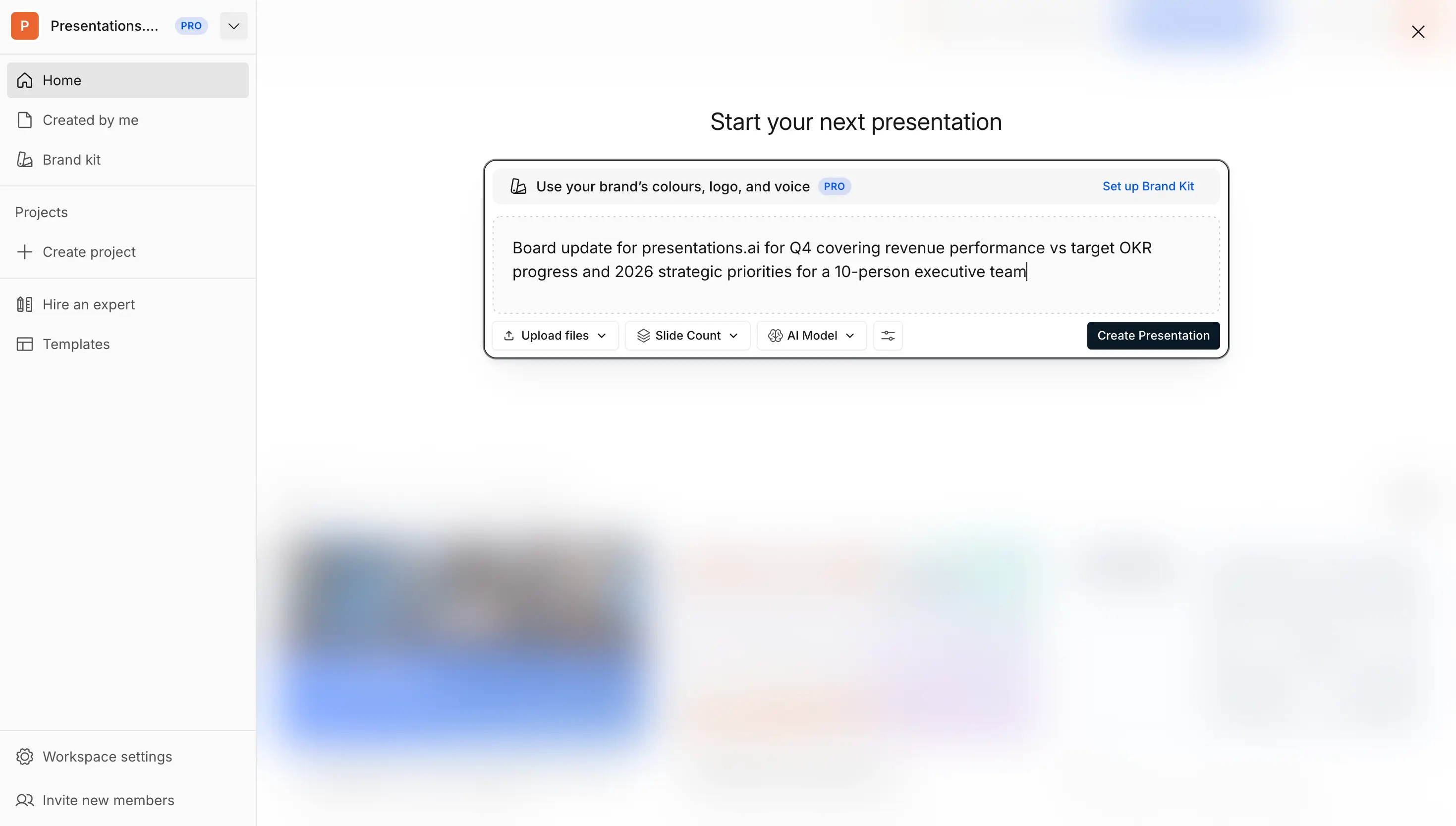
Outline text

Step 2: Set your parameters (optional)

Control every aspect or let AI decide. Set your slide count (5-50+), pick your language (40+ supported), define the tone (technical, casual, boardroom-ready), and specify your audience.
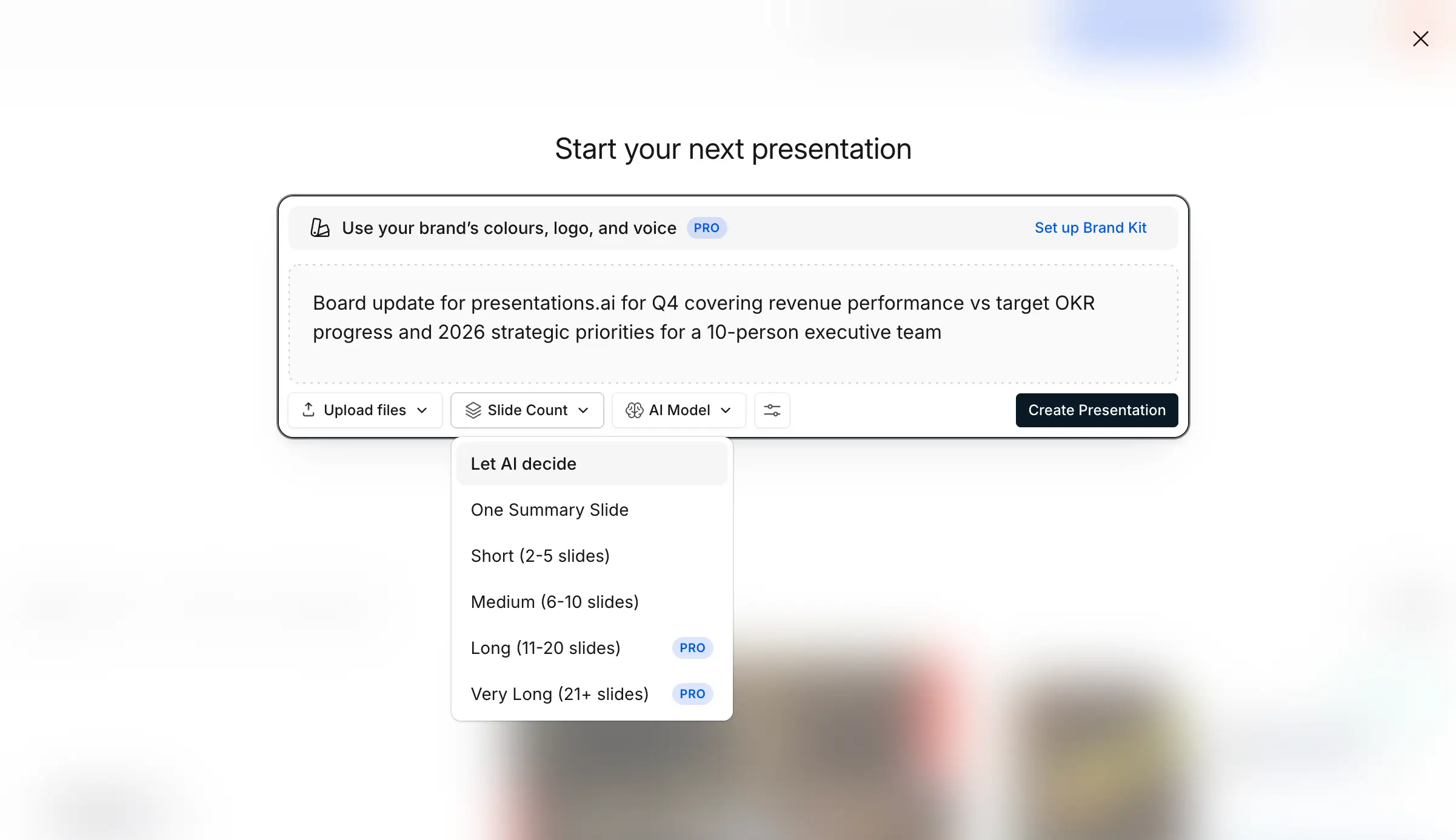
Slide count selection

Step 3: AI builds your deck

Convert your topic or idea into a deck with a single click! Watch as your outline transforms into structured narrative flow, professional slide layouts, relevant imagery, automatic animations, and consistent typography. Behind it is an ai slide creator that designs every slide for you — layout, imagery, and typography handled automatically.
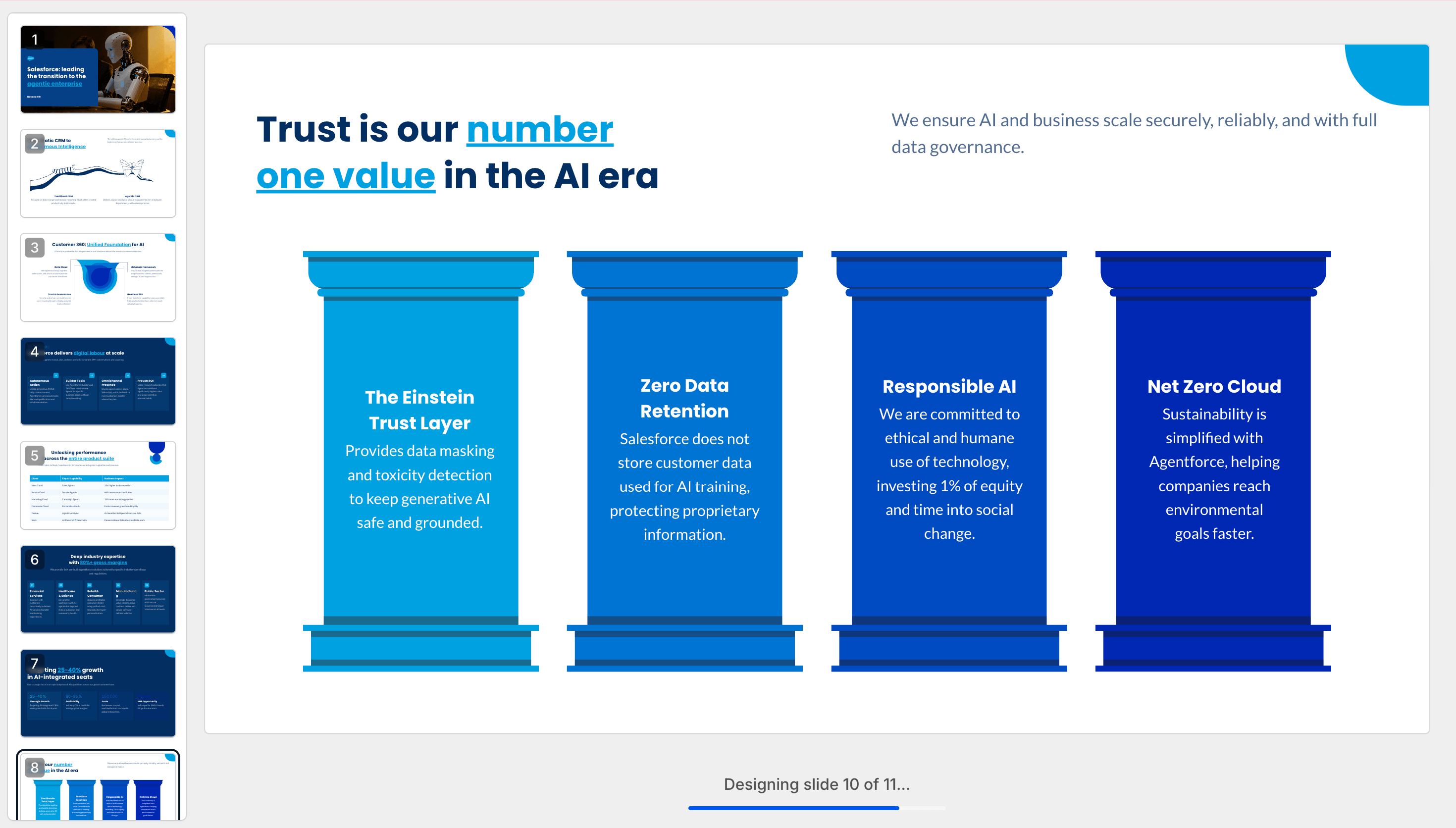
Generate deck

Step 4: Review your work

Preview your deck as a slideshow — a fully designed product, not a draft or placeholder version.

Explore other slides

Step 5: Refine with AI Assistance

Edit, expand, or simplify slides using natural prompts — no manual redesign needed.
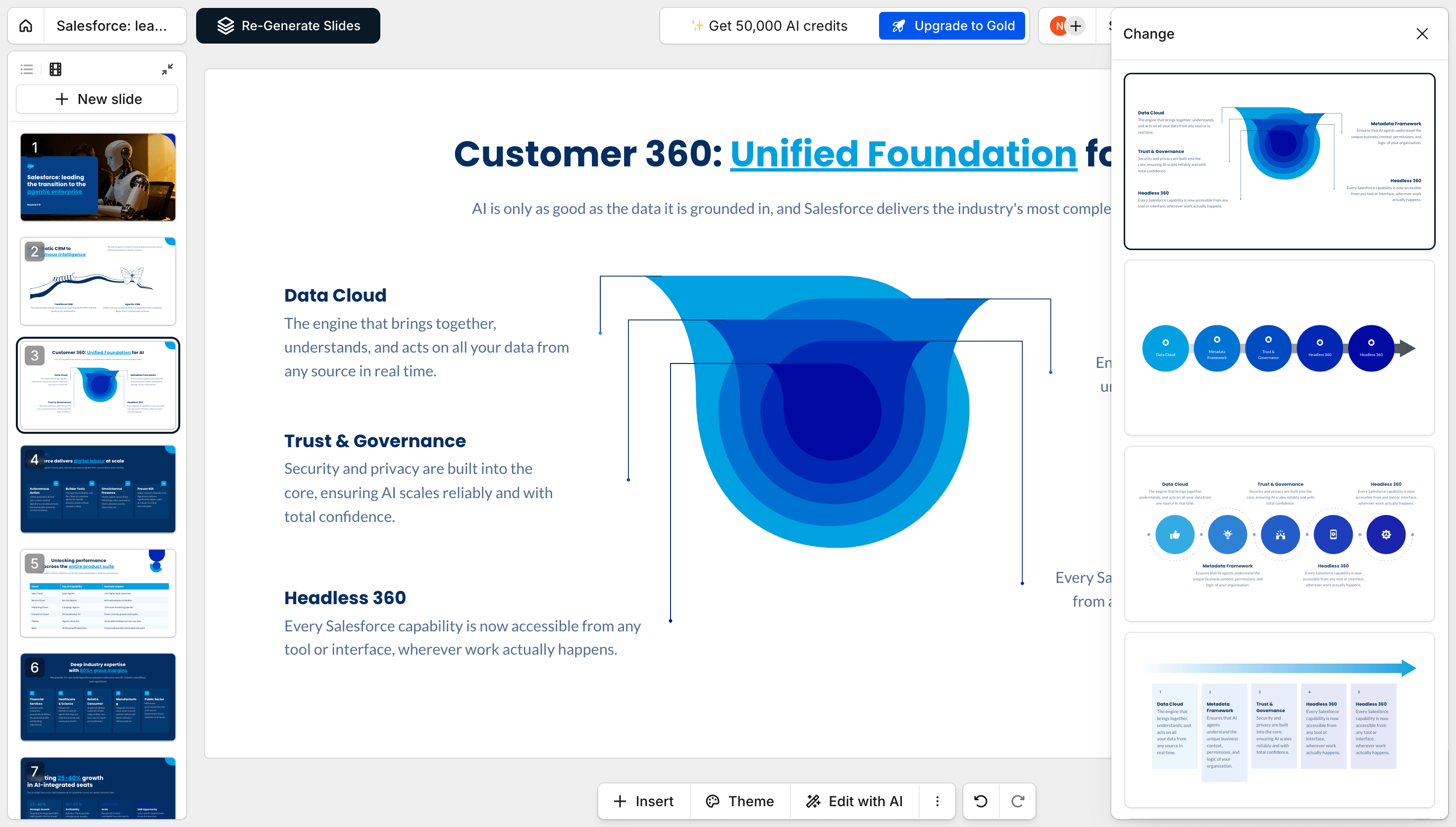
Edit with AI

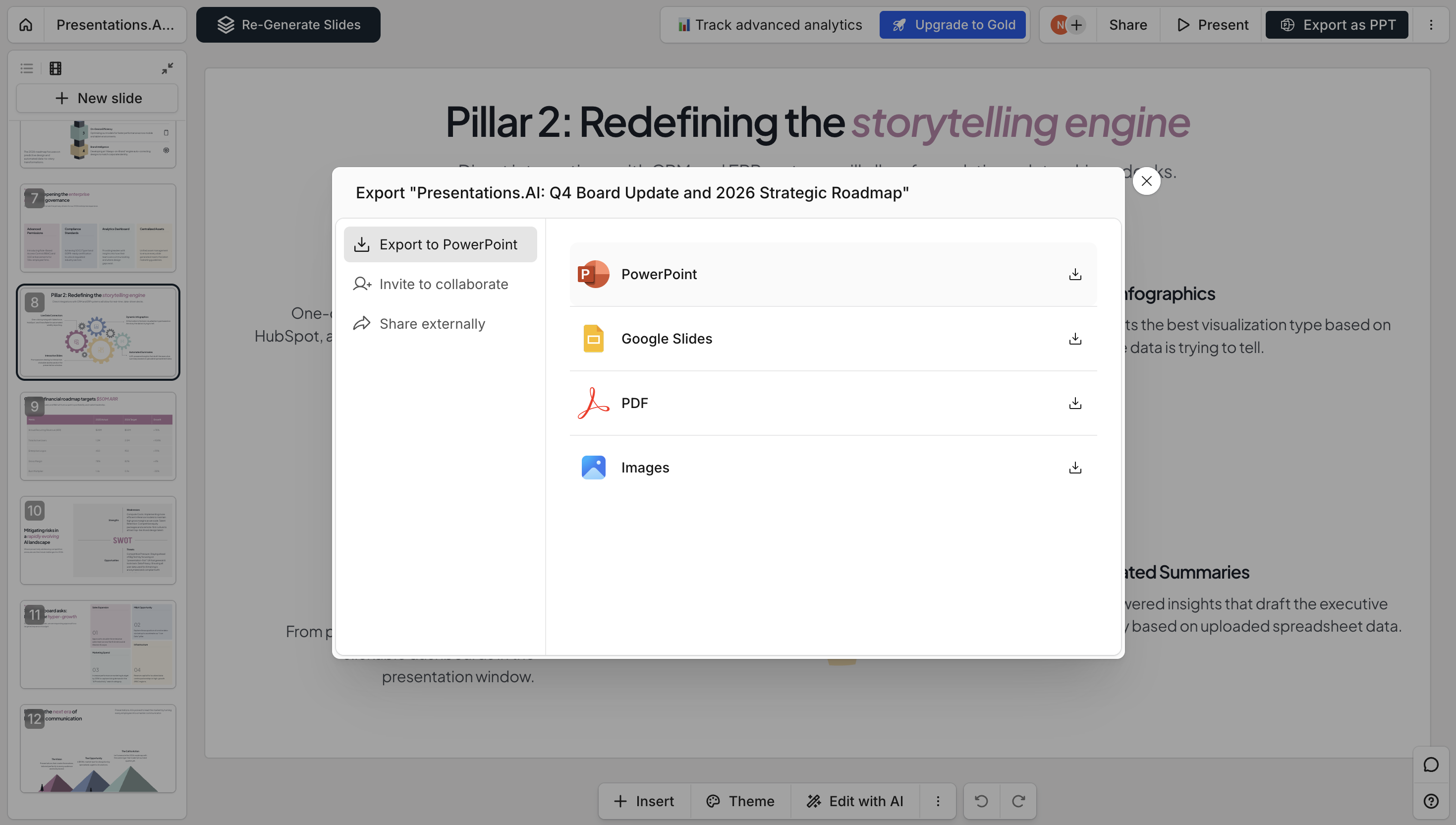
Step 6: Export or share

Download as PowerPoint, share via link, or collaborate with your team in real time.
Export
Divider Lines

Explore More Tools

PDF to PPT

Convert a PDF or Word file back into a fully editable slide deck.

URL to PPT

Convert any live webpage link into a designed slide deck, with no saving or exporting required.

Google Slides to PPT

Going the other way? Turn any Google Slides deck back into an editable PowerPoint file.

PPT to PDF

Turn any PowerPoint into a share-ready PDF that keeps your fonts, images, and layout intact.

Word to PPT

Turn a Word document into structured, editable slides.

AI PDF Maker

Describe any topic and generate a polished, shareable PDF in seconds.

Markdown to PPT

Go from raw Markdown to a finished deck in under a minute. No setup, no manual formatting cleanup.

Outline to PPT

Build a deck from your bullet-point outline, and AI turns your structure into fully designed, editable slides.

Divider Lines
Testimonials Background

Testimonials

What Teams are saying

I really like how Presentations.ai converts my ideas into presentations instantly, removing my dependency on others. The variety of templates supports my use cases well, fitting the tags and insights perfectly. It's also very easy to set up, with a simple form to fill out, making my workspace ready smoothly and quickly.

Manoj P

Co-founder and Director of Strategy, The Triple Dart

testimonial image

I've tried four or five AI deck tools and this is the one I actually kept using. The slides look good straight away, I can edit anything I want, and it exports cleanly to PowerPoint so it drops right into how my team already works. Great-looking decks without losing control of them.

Chaitanya Chokkareddy

CTO, Ozonetel

testimonial image

Perfect for business presentations. I've had a great experience with Presentations.ai. It's incredibly fast to go from a blank page to a polished presentation, and the template library gives you plenty of well-designed starting points for different use cases.
One feature that really stands out is how well it handles data visualisations.

Charu Pragya

Founder, Public Knowledge Studio

testimonial image
Divider Lines

Frequently Asked Questions

Can I convert a messy, unformatted outline?

Down IconUp Icon

Absolutely. Our AI handles everything from perfectly structured bullets to stream-of-consciousness brain dumps. It identifies hierarchy, groups related concepts, and creates logical flow even from chaotic input.

What file formats can I import for outline conversion?

Down IconUp Icon

Currently, you can paste text directly or upload Word docs and PDFs. We're adding Google Docs, Notion, and Markdown file imports next quarter. The AI processes any text-based outline regardless of original formatting.

How long should my outline be for best results?

Down IconUp Icon

Sweet spot: 200-2000 words for a 10-20 slide presentation. Too short? The AI can expand topics. Too long? It'll create a main deck plus appendix slides. There's no hard limit—we've processed 50-page documents successfully.

Does the AI add images and graphics automatically?

Down IconUp Icon

Yes. The AI selects relevant images from our library of millions of stock photos and icons. For data in your outline, it creates appropriate charts and graphs. You can swap any image with one click if needed.

Can I maintain my company's brand guidelines?

Down IconUp Icon

Pro accounts get Brand Sync: enter your website URL and our AI extracts your exact colors, fonts, and logos, applying them consistently across all slides. Enterprise accounts can lock brand templates company-wide.

How is this different from ChatGPT or Claude for presentations?

Down IconUp Icon

Those tools generate text. We generate complete, designed presentations. Our AI understands slide psychology, visual hierarchy, and presentation flow. Plus, you get immediate PowerPoint export—not just text you still need to design.

Can multiple people work on the converted presentation?

Down IconUp Icon

Pro and Enterprise plans include real-time collaboration. Your team can edit simultaneously, leave comments, and track changes. The AI assistant remains available to all editors for continued refinement.

Is my outline data secure?

Down IconUp Icon

Yes. We're SOC 2 Type II certified with end-to-end encryption. Your outlines and presentations are never used to train AI models. Enterprise accounts get additional security features including SSO and audit logs.