

Wepik 与 Presentations.AI:2026年真实对比

什么是 WePik?

什么是 WePik?

一个通用设计平台,用于创建社交媒体图片、传单、徽标和基础演示文稿。它侧重于手动定制和视觉灵活性,而非AI驱动的演示文稿创建或品牌一致性。

什么是 Presentations.AI?

什么是 Presentations.AI?

一个专为商务演示文稿打造的原生AI系统,在一个工作流程中自动化内容、设计和品牌风格。用户无需手动编辑模板,即可从文档或提示生成完整的、可用于演示的PowerPoint幻灯片。

Wepik 与 Presentations.AI:功能对比

WePik 专为营销人员和设计师打造,用于创建各种格式的一次性视觉内容。Presentations.AI 专为需要自动生成完整、符合品牌调性的演示文稿的专业人士打造。WePik 帮助您设计素材;Presentations.AI 帮助您创建完整的演示文稿。
Capability WePik Presentations AI
Scope Broad graphic design (social media, posters, logos) Dedicated AI-powered presentation creation
AI Capabilities Minimal AI; primarily manual editing Deep AI for content, layout, and slide generation
Brand Consistency Manual color and font adjustments Automatic brand sync across all slides
Design Workflow Template selection and manual customization Fully automated design from input to output
Export PNG, PDF, or basic PPT options High-fidelity PowerPoint (.pptx) export
Use Case Quick marketing visuals and graphics End-to-end business presentations

准备好体验轻松的AI演示文稿创建了吗?

了解Presentations.AI如何在几分钟内将您的提纲或文档转化为精美且符合品牌调性的演示文稿!

免费开始

Wepik 和 Presentations.AI 概览

WePik 是一款灵活的设计工具,用于使用可编辑模板创建各种视觉素材——从社交媒体帖子到传单;Presentations.AI 是一个专用AI平台,可从文本或文档输入生成完整的、品牌一致的幻灯片演示文稿,无需手动设计。

区别在于侧重点和AI深度。WePik 是一个通用设计工具,专门针对演示文稿的AI自动化程度较低;用户选择模板并手动定制每个元素,幻灯片之间的品牌一致性需要手动操作。Presentations.AI 专为AI驱动的幻灯片创建而生:它自动生成布局,将企业品牌应用于整个演示文稿,添加动画和过渡效果,并生成完全精美的输出,用户无需触及任何设计元素。

对于经常创建演示文稿的专业人士而言,Presentations.AI 的专用AI引擎、所有幻灯片之间的自动品牌同步以及高保真PowerPoint导出,相比 WePik 的通用方法,代表着一种从根本上更快、更可靠的工作流程。


WePik 工作原理

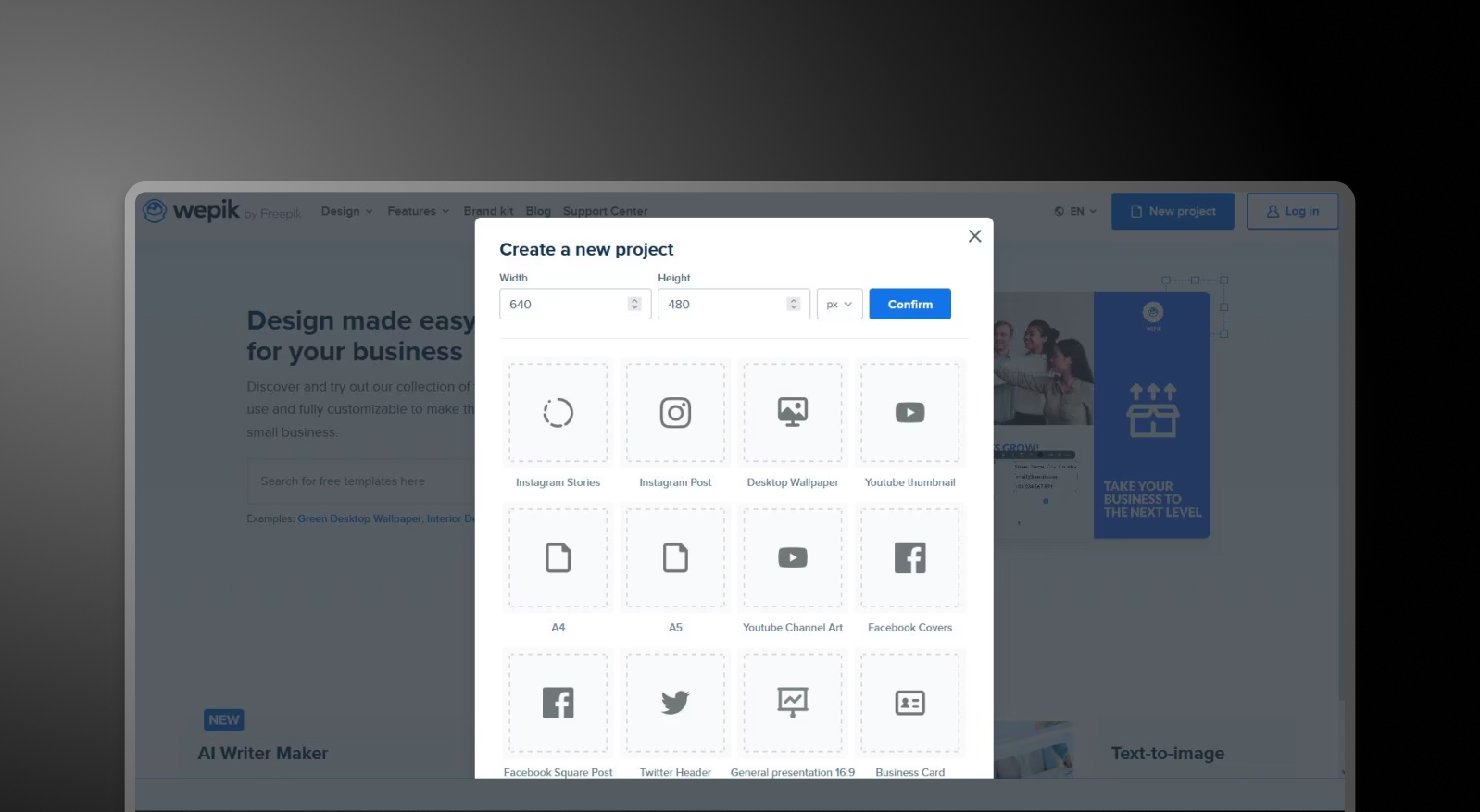
步骤1:浏览模板 – 从涵盖社交媒体、商务材料和演示文稿等类别的庞大模板库中选择。

WePik browse templates step screenshot

步骤2:自定义设计 – 使用拖放编辑器手动调整文本、图片、颜色和布局元素,以满足您的需求。

步骤3:应用品牌(手动) – 单独更新字体、颜色和徽标——没有集中的品牌同步功能。

步骤4:导出您的设计 – 根据格式,将文件下载为PNG、PDF或基础PowerPoint文件。

步骤5:构建演示文稿(如果需要) – 如果要创建演示文稿,请逐页重复此过程或在外部组装设计

Presentations.AI工作原理

步骤1:从您的内容开始 – 上传文档(PDF/Word)、粘贴网址或输入提示描述您的演示文稿。

步骤2:AI构建演示文稿 – 系统分析您的输入,并生成包含标题、布局和视觉元素的结构化幻灯片组。

步骤3:自动应用品牌 – 只需输入一次您的公司网址,颜色、字体和徽标会立即应用于每张幻灯片。

步骤4:优化与协作 – 在平台内编辑幻灯片、调整布局,并与您的团队实时协作。

步骤5:导出或演示 – 下载高保真.pptx文件或直接演示 — 无需重新格式化。


团队选择Presentations.AI而非Wepik的五大理由

专为演示文稿打造: WePik专为通用图形设计。Presentations.AI则专为端到端创建商务演示文稿而生。

AI自动完成工作: 人工智能无需手动编辑模板,即可生成完整的演示文稿——包括内容、结构和设计。

自动品牌一致性: 无需逐页调整颜色或字体。品牌同步功能可确保每份演示文稿从一开始就保持一致。

更快的工作流程,更好的产出: 在WePik中需要数小时手动设计的工作,使用Presentations.AI只需几分钟即可完成。

一站式工具,而非多款工具: 无需再使用单独的工具进行设计、排版和演示文稿组装。

通用设计工具在演示文稿制作上的局限性

WePik是一款强大的工具,用于创建独立的视觉设计素材。但是,当团队使用通用设计工具制作演示文稿时,他们最终会花费数小时来组装幻灯片、调整布局并手动应用品牌元素。这些时间很快就会累积起来。

Presentations.AI彻底消除了这种摩擦。通过 从单一输入生成完整的、符合品牌调性的演示文稿,它将从构思到交付的时间大大缩短——让团队能够专注于信息本身,而不是格式排版。

Divider Lines

常见问题

What is the main difference between Wepik and Presentations.AI?

Down IconUp Icon

The main difference is scope. Wepik was a general-purpose design platform for social media graphics, flyers, logos, and basic presentations, with manual editing as the core workflow. Presentations.AI is built exclusively for business decks, generating complete presentations from documents or prompts with brand sync and PowerPoint export applied automatically. Wepik was designed for individual visuals. Presentations.AI is designed for full presentations.

Is Wepik still available in 2026?

Down IconUp Icon

Wepik no longer exists as a standalone product in 2026. Its core design functionality has been absorbed into Freepik Designer, and its AI Presentation Maker has moved to Slidesgo, with wepik.com URLs now redirecting there. For users who relied on Wepik for presentation creation, Presentations.AI is a like-for-like AI presentation platform built around brand sync, document import, and PowerPoint export.

Is Wepik free?

Down IconUp Icon

Wepik was free to use with a watermark on exported presentations and no upsell to paid tiers. The features have since moved to Slidesgo, which keeps the free model with attribution requirements on free downloads. Presentations.AI offers a free plan with five complete AI-generated presentations, no credit card required, no watermark, and full PowerPoint export included.

Can you export from Wepik to PowerPoint?

Down IconUp Icon

Wepik allowed PowerPoint and PDF export from its editor, though the AI presentation feature was primarily set up for in-browser editing and link sharing. The same feature now sits inside Slidesgo. Presentations.AI is built around PowerPoint as the primary output, exporting a high-fidelity .pptx with layouts, fonts, animations, and brand styling preserved.

What is the best alternative to Wepik for business presentations?

Down IconUp Icon

Presentations.AI is the closest replacement for teams that previously used Wepik for presentations. It generates complete decks from documents, outlines, or prompts, applies brand colors and fonts automatically through company URL sync, and exports a clean PowerPoint file. For business presentations where consistency, speed, and PowerPoint compatibility matter, the workflow is built around the use case rather than added as a feature.