

SlideModel 与 Presentations.AI:2026年真实对比

什么是 SlideModel?

什么是 SlideModel?

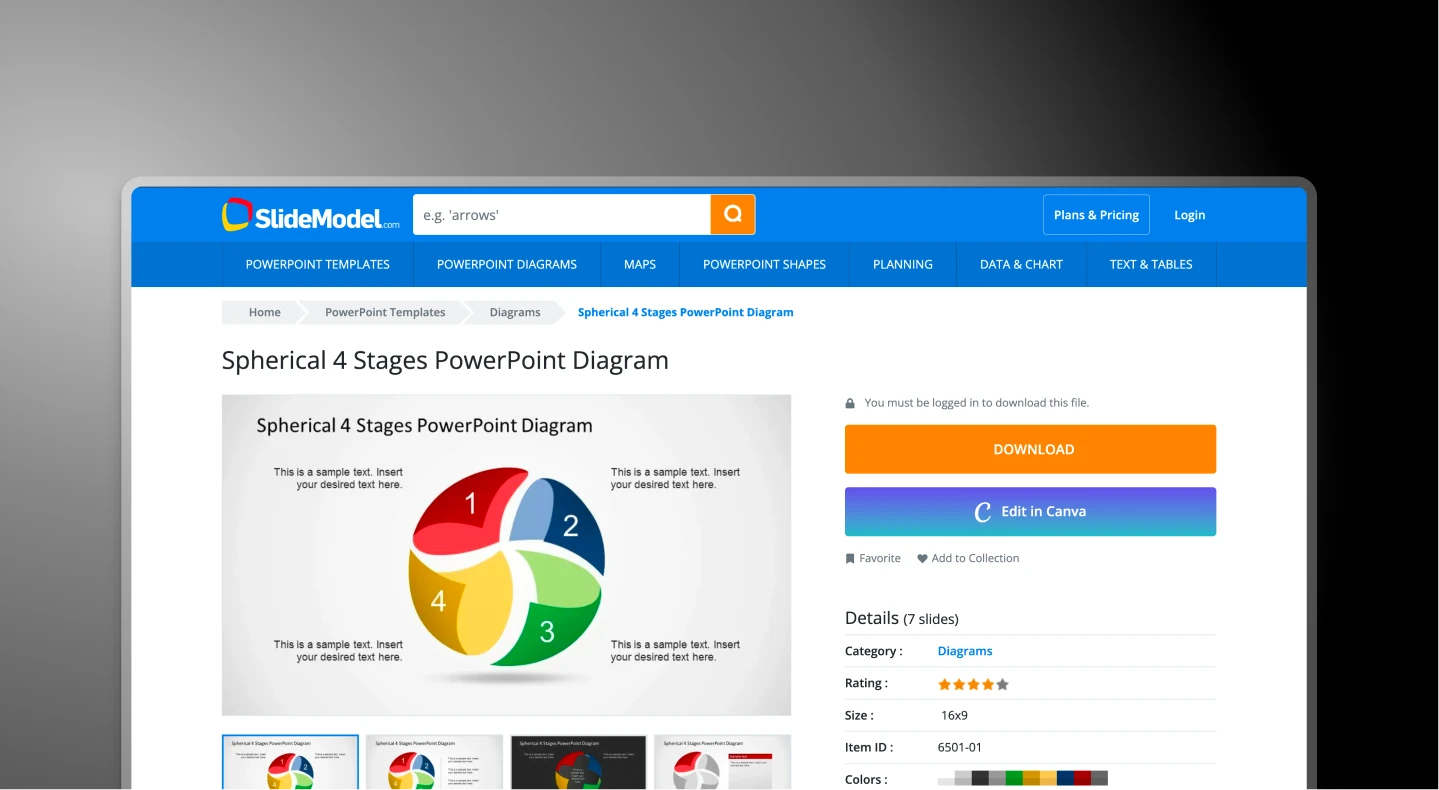
一个基于订阅的高级矢量演示素材库。它通过提供专业的“积木”来解决“空白页问题”,但仍需要用户手动组装和格式化每一张幻灯片。

什么是 Presentations.AI?

什么是 Presentations.AI?

一个原生AI平台,代表着生成式工作流程时代,旨在消除“格式化成本”。您无需搜索素材并将其生硬地塞入演示文稿,只需提供一个想法,生成式引擎便能在几秒钟内构建出结构化的叙述。

SlideModel 与 Presentations.AI:功能对比

SlideModel 适用于“狩猎采集者”型用户——他们需要特定的矢量图,并有时间手动整合、重新着色和更改字体。Presentations.AI 则适用于“操作者”——那些希望立即获得专业成果,而无需触碰任何文本框或对齐工具的领导者。
Capability SlideModel Presentations AI
Core Approach Asset Construction: You pick bricks AI-driven content generation
Input Mechanism Keyword search Business professionals & enterprise
Design Integrity Layouts break if you add text PDF, Word or URL conversion
Brand Control Manual: You must fix every colour Automatic: 'Brand Sync' feature locks standardized themes
Content Creation Zero: Only placeholders (Lorem Ipsum) Active: AI writes copy and summaries
Cost Basis Annual subscription / download limits Outcome-based / usage credits
Collaboration File-based: Emailing .pptx versions Cloud-native: Real-time co-editing

准备好更快地创建更好的演示文稿了吗?

在 60 秒内将任何文档、大纲或想法转化为完整设计的幻灯片演示文稿。

免费开始

SlideModel 与 Presentations.AI 概览

SlideModel 是一个基于订阅的素材库,提供数千个高级矢量幻灯片模板和PowerPoint图表组件。它通过提供专业的“积木”来解决空白页问题——但要求用户手动搜索、下载、复制粘贴并重新着色每个元素以匹配其品牌。Presentations AI 则代表着一种根本不同的范式:一个原生AI平台,能够自动构建整个幻灯片结构、撰写内容并应用品牌样式。

关键区别在于选择工具后您仍需做些什么。SlideModel 消除了空白幻灯片,但将所有内容创建、品牌对齐和结构决策留给用户——对于复杂的图表,这个过程需要 30 到 60 分钟。Presentations.AI 则消除了所有这些手动工作:上传 PDF 或输入提示,AI 就能在 15 分钟内生成一份完整的演示文稿,包含正确的布局、撰写好的内容和自动品牌同步。

对于需要快速产出成果(而不仅仅是组装组件库)的专业人士来说,Presentations AI 的生成式工作流程是明确的选择,它提供了云原生实时协作和高保真 PowerPoint 导出功能,这是 SlideModel 基于文件、通过电子邮件驱动的方法无法复制的。


SlideModel 如何运作

SlideModel 是一个高级素材库,专为需要特定图表(如 3D 漏斗图或 SWOT 矩阵)并知道如何手动自定义的用户而设计。

步骤 1:搜索 –
访问 SlideModel,在其包含 50,000 多个素材的库中搜索特定关键词,例如“路线图”或“风险投资推介”。

步骤 2:下载 – 将静态 .pptx 文件下载到您的电脑。此文件包含 lorem ipsum 文本和通用形状。

步骤 3:手动整合 – 在PowerPoint中打开模板,与您的主演示文稿分开。从SlideModel文件中复制形状并粘贴到您自己的演示文稿中。

步骤 4:补救(“格式化成本”)– 手动更改所有颜色、字体和元素以匹配您的品牌。

总耗时: 30 到 60 分钟 每个复杂图表


Presentations AI 的工作原理

SlideModel 提供了砖块,而 Presentations.AI 则扮演着建筑师和建造者的角色。

步骤 1:意图
– 上传 PDF 报告或输入提示

步骤 2:生成 – AI 根据正确的布局和内容构建幻灯片

步骤 3:治理 – 品牌同步自动应用您的颜色和徽标

步骤 4:优化 – 使用 AI 助手一键“混搭”外观

总耗时: 15分钟以内 制作一份完整的演示文稿


团队选择 Presentations.AI 而非 SlideModel 的五大理由

生成式 vs. 检索式: SlideModel 找到 一个可能适用的旧模板;而 Presentations AI 从零开始创建 独一无二的演示文稿。

零“格式化成本”:通过品牌同步功能,您无需再手动更改形状颜色。只需输入您的公司网址,AI 就会自动锁定整个演示文稿中的所有字体、颜色和徽标。

叙事智能:SlideModel 提供视觉容器,但无法帮助您讲述故事。Presentations AI 会读取您的 PDF、Word 文档或提示,并为您实际撰写内容、摘要和标题。

反脆弱设计: 如果您添加过多文本,SlideModel 的静态形状会破裂。Presentations AI 采用响应式引擎——如果您添加更多内容,布局将自动重新调整以保持专业性。

协作式与云原生: SlideModel 停留在“Presentation_Final_v3.pptx”电子邮件附件的时代。Presentations AI 是一个实时、多人协作工作区,可在云端处理版本控制和团队编辑。

手动模板组装的隐性格式成本

SlideModel 是传统设计领域的巨头,但手动模板是现代效率的敌人。 格式成本 (即花费在匹配字体、调整形状大小和修复冲突的主题页上的时间)可能导致您的公司浪费数千美元的可计费工时。

Presentations AI 解决了这一结构性瓶颈。它让您摆脱了“搜索和下载”的循环。通过根据您的文档或提示生成幻灯片,它节省了团队花费数小时搭建基本结构的时间。

Divider Lines

常见问题

What is the main difference between SlideModel and Presentations.AI?

Down IconUp Icon

The main difference is workflow. SlideModel is a subscription template library where you search 50,000+ premium PowerPoint slides, download a static .pptx file, and then manually copy elements into your deck, matching fonts and colors to your brand. Presentations.AI is an AI-native platform that generates a complete branded deck from a document or prompt, with brand sync, layouts, and content applied automatically.

Is SlideModel free?

Down IconUp Icon

SlideModel offers a gallery of free PowerPoint templates as a sampling of their library, but full library access requires a paid subscription. Annual Unlimited plans provide unrestricted downloads. Presentations.AI offers a free plan with five complete AI-generated presentations, no credit card required, no download limits on the included decks, and full PowerPoint export with brand styling applied automatically.

Does SlideModel have AI for presentations?

Down IconUp Icon

Yes, SlideModel launched SlideModel.AI, an AI presentation maker bundled with some subscription plans. The AI generates presentations using SlideModel's template library as the underlying design foundation. Presentations.AI was built AI-native from the start, with brand sync, document import, narrative intelligence, and high-fidelity PowerPoint export designed together rather than added on top of an existing template product.

Can you use SlideModel templates in Google Slides?

Down IconUp Icon

Yes, most SlideModel templates are compatible with both Microsoft PowerPoint and Google Slides, with some exceptions for templates that use PowerPoint-specific 3D features. Templates are also compatible with Keynote. Presentations.AI exports a clean PowerPoint file that imports into Google Slides without reformatting, so teams can keep their existing Google Workspace collaboration setup after generating the deck.

What is the best alternative to SlideModel for business presentations?

Down IconUp Icon

Presentations.AI is the strongest alternative for teams that want finished decks rather than template assets to assemble. It generates complete presentations from documents or prompts, applies brand colors and fonts automatically through company URL sync, includes 10,000+ business-specific templates, and exports a clean PowerPoint file. For teams that lose hours per deck on the format tax of manual template integration, the workflow eliminates the manual rounds entirely.