

SlidesAI vs Presentations.AI: 2026年徹底比較

SlidesAIとは?

SlidesAIとは?

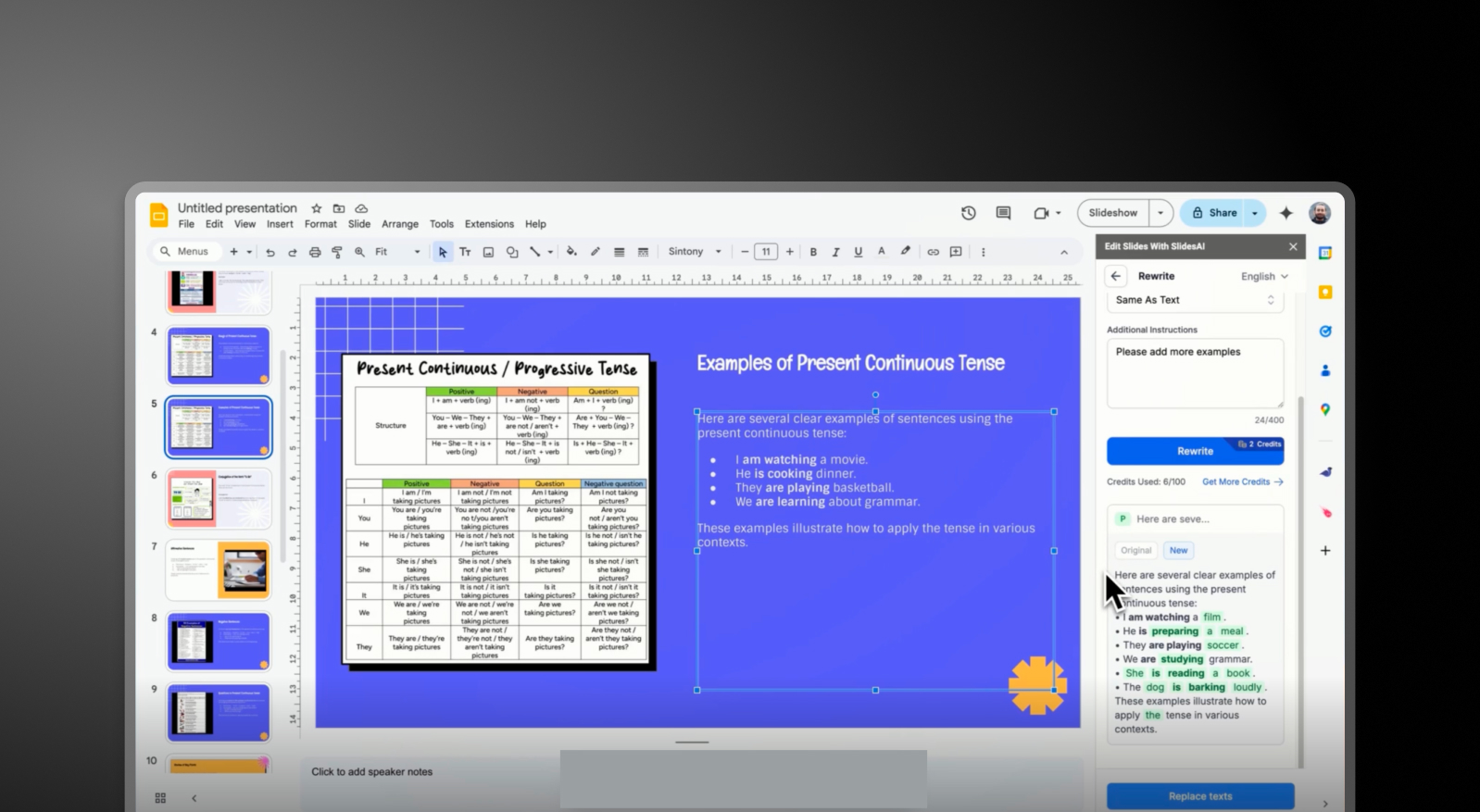
テキストからプレゼンテーションへの迅速な変換に特化したAIプレゼンテーションツールです。基本的なスライド構成を提供し、カスタマイズは限定的です。通常、プレゼンテーションを完成させるには、GoogleスライドやPowerPointにエクスポートまたはコピーする必要があります。

Presentations AIとは?

Presentations AIとは?

あらゆるテキストやドキュメントを、統一感のあるブランド化されたスライドデッキに変換するAIネイティブソフトウェアです。豊富な画像、アイコン、自動アニメーションの選択肢を提供し、ブランド同期機能も備えています。シームレスなPowerPointエクスポートを、一つの統合されたワークフローで実現します。

SlidesAI vs Presentations.AI: 機能比較

SlidesAIは、スライドコンテンツを素早く作成したいユーザーに最適な、迅速な下書き作成のために作られています。Presentations AIは、ツールを切り替えることなく、完成度の高い洗練されたプレゼンテーションを必要とするプロフェッショナル向けに作られています。違いはシンプルです。アウトラインか、それとも成果物か。
Capability SlidesAI Presentations AI
AI Approach Basic text-to-slide outlines End-to-end AI presentation generation
Brand Consistency Manual or minimal control Automatic brand-sync (colors, fonts, logos)
Design & Customization Limited templates and styling options Extensive libraries, animations, and smart layouts
Export Workflow Google Slides integration or manual PPT handling High-fidelity .pptx export with no rework
Collaboration External tools required Real-time co-editing and feedback
Use Case Quick draft slides from text Business-ready presentations end-to-end

手間いらずのAIプレゼンテーション作成を体験してみませんか?

Presentations AIが、アウトラインやドキュメントを数分で見事でブランドに沿ったプレゼンテーションに変える方法をご覧ください!

無料で始める

一目でわかるSlidesAIとPresentations.AI

SlidesAIは、書かれたコンテンツを基本的なスライドのアウトラインに素早く変換することに特化したテキストからプレゼンテーションへのツールです。白紙の状態から始める手間を省くのに役立ちますが、出力はしばしば基本的なものであり、ユーザーはGoogleスライドやPowerPointなどのツールで、レイアウトの手動調整、ブランディングの適用、ビジュアルの強化を行う必要があります。

Presentations AIは、テキスト入力からブランド化され、洗練された、エクスポート可能なデッキまで、プレゼンテーションのライフサイクル全体を処理する完全に統合されたAIネイティブプラットフォームであり、出力をプロフェッショナルに見せるための外部ツールは一切必要ありません。AIによるコンテンツ構成、組み込みのデザイン生成、自動ブランド適用、豊富な画像とアイコンライブラリといったオールインワンのエクスペリエンスを、すべて単一のプラットフォーム内で提供します。このプラットフォームは、SlidesAIの3.5/5と比較して、使いやすさで4.5/5の評価を得ています。

プロフェッショナルやチームにとって、この違いは重要です。SlidesAIはより早く開始するのに役立ちますが、Presentations AIは、共有準備が整ったプレゼンテーションで、より早く完了するのに役立ちます。

SlidesAIの仕組み

ステップ1: サインアップ – アカウントを作成し、SlidesAIインターフェースにアクセスします。

ステップ2: テキストまたはプロンプトを入力 – コンテンツ、メモ、またはアウトラインを貼り付けます。ツールがこれを基本的なスライド構成に変換します。

ステップ3: スライドを生成 – SlidesAIは、シンプルな書式設定とプレースホルダーを使用して、テキストをスライドに整理します。

ステップ4: 外部ツールで編集 – Google スライドまたは PowerPoint でスライドをエクスポートまたは開き、デザイン、レイアウト、ビジュアルを改善します。

ステップ5: ブランド設定を手動で適用 – フォント、色、ロゴを手動で調整し、ブランドガイドラインに合わせます。

最終結果: プレゼンテーションとして完成させるには、追加のツールと時間が必要な、使用可能な下書きです。


Presentations AI の仕組み

ステップ1: コンテンツを入力 – ドキュメント (PDF/Word) をアップロードするか、アウトラインを貼り付けるか、プロンプトを入力します。

ステップ2: AI が完全なデッキを作成 – プラットフォームがストーリー構成を構築し、スライドコンテンツを生成し、レイアウト、ビジュアル、アニメーションを自動的に適用します。

ステップ3: ブランドの自動同期 – ブランドの色、フォント、ロゴがすべてのスライドに瞬時に適用されます。手動での書式設定は不要です。

ステップ4: 共同作業と調整 – チームとリアルタイムでスライドを編集し、フィードバックを追加し、プラットフォーム内でコンテンツを微調整します。

ステップ5: エクスポートまたはプレゼンテーション – 高品質な .pptx ファイルをダウンロードするか、直接プレゼンテーションを行います。再フォーマットは不要です。

最終結果: 数分で作成できる、完全で洗練された、ブランドに合ったプレゼンテーションです。


チームがSlidesAIではなくPresentations.AIを選ぶ5つの理由

アウトラインから完成まで: SlidesAIは構造を生成します。Presentations AIは、完成した、すぐに使えるプレゼンテーション資料を提供します。

オールインワンのワークフロー: ツールを切り替える必要はありません。コンテンツ、デザイン、ブランディング、エクスポートまで、すべてを1か所で完結できます。

自動的なブランドの一貫性: 手動で編集することなく、すべてのスライドが瞬時にブランドに適合します。

高度なデザインインテリジェンス: 組み込みのアニメーション、レイアウト、ビジュアルアセットが、プレゼンテーションを自動的に向上させます。

チームでの共同作業に対応: ファイルをやり取りする代わりに、リアルタイムで共同作業ができます。

スライドの下書きが仕事の半分に過ぎない理由

スライドを素早く作成することは仕事の半分に過ぎません。本当の労力は、それらを使いやすく、ブランドに沿った、洗練されたものにすることにあります。SlidesAIのようなツールでは、最初のドラフトが生成された後も、その作業はチームに委ねられます。

Presentations AIは、その第二段階を完全に排除します。 ツールや手動編集でワークフローを分断する代わりに、最初から完全なプレゼンテーションを提供します — そのため、チームはスライドの修正ではなく、メッセージを伝えることに集中できます。

Divider Lines

よくある質問

What is the main difference between SlidesAI and Presentations.AI?

Down IconUp Icon

The main difference is workflow. SlidesAI is an add-on that runs inside Google Slides and PowerPoint, converting text input into a basic slide structure within those native editors. Presentations.AI is a standalone AI platform that generates complete branded decks from documents or prompts and exports a polished PowerPoint file. SlidesAI helps you start a draft. Presentations.AI delivers a finished presentation.

Is SlidesAI free?

Down IconUp Icon

Yes, SlidesAI has a free Basic plan with three presentations per month, a 2,500-character input limit per presentation, and 10 AI credits per month. Paid plans expand presentation count, character limits, and AI credits. Presentations.AI offers a free plan with five complete AI-generated presentations, no character limits on input, no credit card required, and full PowerPoint export included.

Does SlidesAI work with PowerPoint?

Down IconUp Icon

Yes, SlidesAI is now available as a native integration for both Google Slides and Microsoft PowerPoint, including Web and Desktop versions. It generates slides directly inside the editor and exports as a PPTX file. Presentations.AI exports a high-fidelity PowerPoint file with layouts, fonts, animations, and brand styling preserved exactly as designed in the editor.

Is SlidesAI a Google Slides add-on?

Down IconUp Icon

Yes, SlidesAI originally launched as a Google Slides add-on and that remains its primary surface. It runs inside Google Slides, generates structured slides from text input, and offers theme selection, layout customization, and AI image insertion. Presentations.AI is a standalone platform rather than an add-on, so brand sync, design templates, and animations are built into the deck rather than applied through a host editor's native features.

What is the best alternative to SlidesAI for business presentations?

Down IconUp Icon

Presentations.AI is the strongest alternative for teams that need finished decks rather than slide drafts. It generates complete presentations from documents, outlines, or prompts, applies brand styling automatically through company URL sync, and exports a clean PowerPoint file. For teams that consistently start from a brief or document and need consistent design without manual cleanup, the workflow saves hours per deck.