

SlidesAI vs Presentations.AI: An Honest 2026 Comparison

What is SlidesAI?

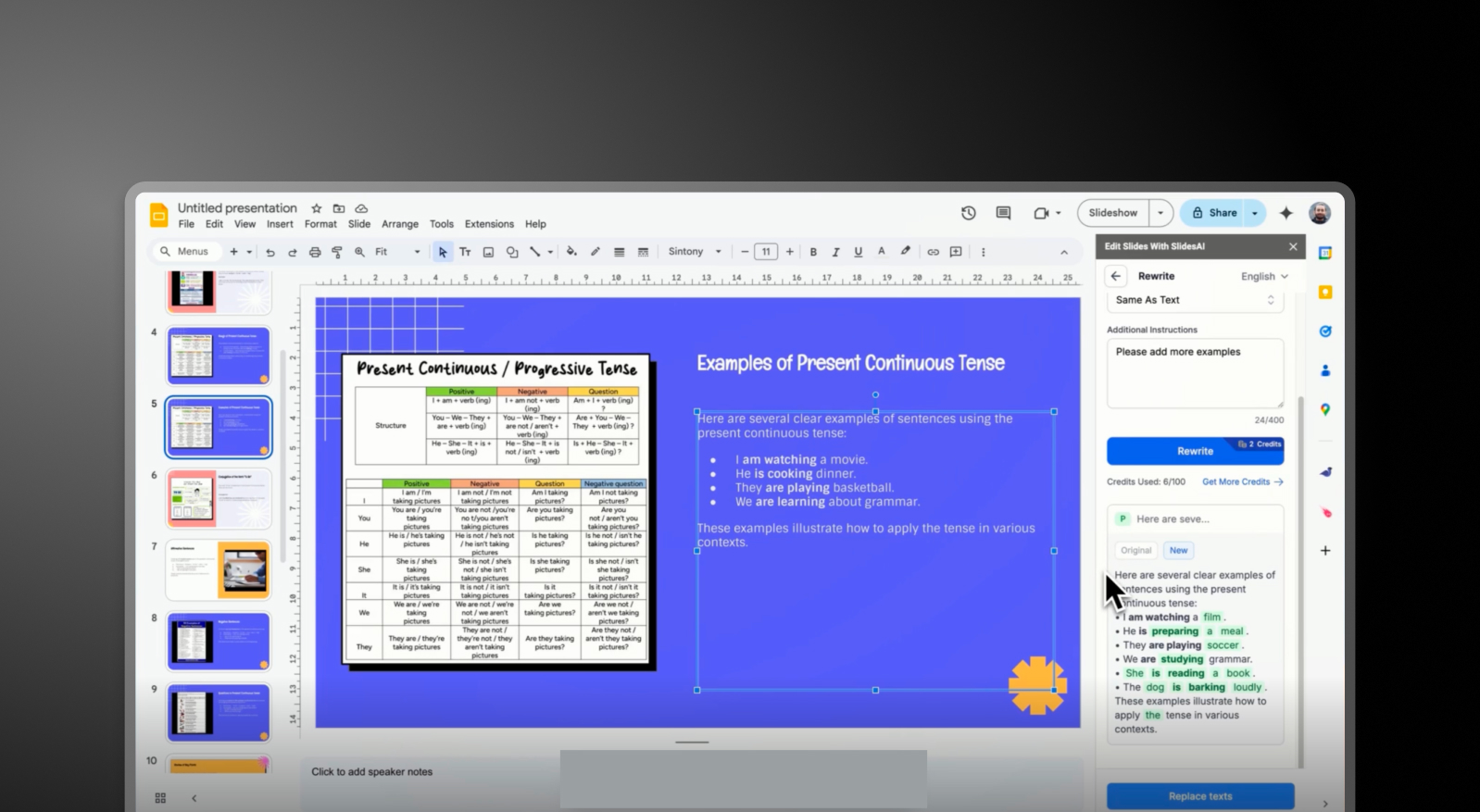
An AI presentation tool focusing on quick text-to-presentation conversion. Offers basic slide structure with limited customization and typically requires exporting or copying into Google Slides or PowerPoint to finalize presentations.

What is Presentations AI?

AI-native software that transforms any text or document into a cohesive, branded slide deck. Offers vast choice of images, icons, and automatic animations, with brand sync, and seamless PowerPoint export in one unified workflow.

SlidesAI vs Presentations.AI: Feature Comparison

SlidesAI is built for quick draft creation—ideal for users who just need slide content fast. Presentations AI is built for professionals who need complete, polished presentations without switching tools. The difference is simple: outline vs outcome.
Capability SlidesAI Presentations AI
AI Approach Basic text-to-slide outlines End-to-end AI presentation generation
Brand Consistency Manual or minimal control Automatic brand-sync (colors, fonts, logos)
Design & Customization Limited templates and styling options Extensive libraries, animations, and smart layouts
Export Workflow Google Slides integration or manual PPT handling High-fidelity .pptx export with no rework
Collaboration External tools required Real-time co-editing and feedback
Use Case Quick draft slides from text Business-ready presentations end-to-end

Ready to Experience Effortless AI Presentation Creation?

Discover how Presentations AI can transform your outline or document into a stunning, on-brand presentation within minutes!

Get Started for Free

SlidesAI and Presentations.AI at a Glance

SlidesAI is a text-to-presentation tool focused on quickly converting written content into basic slide outline. While it helps eliminate the blank page, the output is often basic —requiring users to manually refine layouts, apply branding, and enhance visuals in tools like Google Slides or PowerPoint.

Presentations AI is a fully integrated AI-native platform that handles the entire presentation lifecycle — from text input to branded, polished, export-ready decks — without requiring any external tool to make the output look professional. It delivers an all-in-one experience: AI content structuring, built-in design generation, automatic brand enforcement, and a vast library of images and icons, all within a single platform that earns a 4.5/5 ease-of-use rating compared to SlidesAI's 3.5/5.

For professionals and teams, this distinction matters. SlidesAI helps you start faster, but Presentations AI helps you finish faster, with a presentation that’s ready to share.

How SlidesAI Works

Step 1: Sign Up – Create an account and access the SlidesAI interface.

Step 2: Input Text or Prompt – Paste your content, notes, or outline. The tool converts this into a basic slide structure.

Step 3: Generate Slides – SlidesAI organizes your text into slides with simple formatting and placeholders.

Step 4: Edit in External Tools – Export or open the slides in Google Slides or PowerPoint to improve design, layout, and visuals.

Step 5: Apply Branding Manually – Adjust fonts, colors, and logos manually to match your brand guidelines.

Total Outcome: A usable draft that requires additional tools and time to become presentation-ready.


How Presentations AI Works

Step 1: Input Your Content – Upload a document (PDF/Word), paste an outline, or enter a prompt.

Step 2: AI Builds the Full Deck – The platform structures your narrative, generates slide content, and applies layouts, visuals, and animations automatically.

Step 3: Automatic Brand Sync – Your brand colors, fonts, and logos are applied instantly across all slides; no manual formatting needed.

Step 4: Collaborate & Refine – Edit slides with your team in real time, add feedback, and fine-tune content within the platform.

Step 5: Export or Present – Download a high-fidelity .pptx file or present directly; no reformatting required.

Total Outcome: A complete, polished, on-brand presentation created in minutes.


Five Reasons Teams Choose Presentations.AI Over SlidesAI

From Outline to Outcome: SlidesAI generates structure. Presentations AI delivers a finished, presentation-ready deck.

All-in-One Workflow: No need to switch between tools — content, design, branding, and export happen in one place.

Automatic Brand Consistency: Every slide is instantly aligned to your brand without manual edits.

Advanced Design Intelligence: Built-in animations, layouts, and visual assets elevate your presentation automatically.

Team-Ready Collaboration: Work together in real time instead of passing files back and forth.

Why a Slide Draft Is Only Half the Work

Creating slides quickly is only half the job — the real effort lies in making them usable, branded, and polished. With tools like SlidesAI, that work still falls on your team after the initial draft is generated.

Presentations AI removes that second phase entirely. Instead of splitting your workflow across tools and manual edits, it delivers a complete presentation upfront — so your team can focus on delivering the message, not fixing the slides.

Divider Lines

Frequently Asked Questions

What is the main difference between SlidesAI and Presentations.AI?

Down IconUp Icon

The main difference is workflow. SlidesAI is an add-on that runs inside Google Slides and PowerPoint, converting text input into a basic slide structure within those native editors. Presentations.AI is a standalone AI platform that generates complete branded decks from documents or prompts and exports a polished PowerPoint file. SlidesAI helps you start a draft. Presentations.AI delivers a finished presentation.

Is SlidesAI free?

Down IconUp Icon

Yes, SlidesAI has a free Basic plan with three presentations per month, a 2,500-character input limit per presentation, and 10 AI credits per month. Paid plans expand presentation count, character limits, and AI credits. Presentations.AI offers a free plan with five complete AI-generated presentations, no character limits on input, no credit card required, and full PowerPoint export included.

Does SlidesAI work with PowerPoint?

Down IconUp Icon

Yes, SlidesAI is now available as a native integration for both Google Slides and Microsoft PowerPoint, including Web and Desktop versions. It generates slides directly inside the editor and exports as a PPTX file. Presentations.AI exports a high-fidelity PowerPoint file with layouts, fonts, animations, and brand styling preserved exactly as designed in the editor.

Is SlidesAI a Google Slides add-on?

Down IconUp Icon

Yes, SlidesAI originally launched as a Google Slides add-on and that remains its primary surface. It runs inside Google Slides, generates structured slides from text input, and offers theme selection, layout customization, and AI image insertion. Presentations.AI is a standalone platform rather than an add-on, so brand sync, design templates, and animations are built into the deck rather than applied through a host editor's native features.

What is the best alternative to SlidesAI for business presentations?

Down IconUp Icon

Presentations.AI is the strongest alternative for teams that need finished decks rather than slide drafts. It generates complete presentations from documents, outlines, or prompts, applies brand styling automatically through company URL sync, and exports a clean PowerPoint file. For teams that consistently start from a brief or document and need consistent design without manual cleanup, the workflow saves hours per deck.