

SlidesAI 대 Presentations.AI: 2026년 솔직 비교

SlidesAI란 무엇인가요?

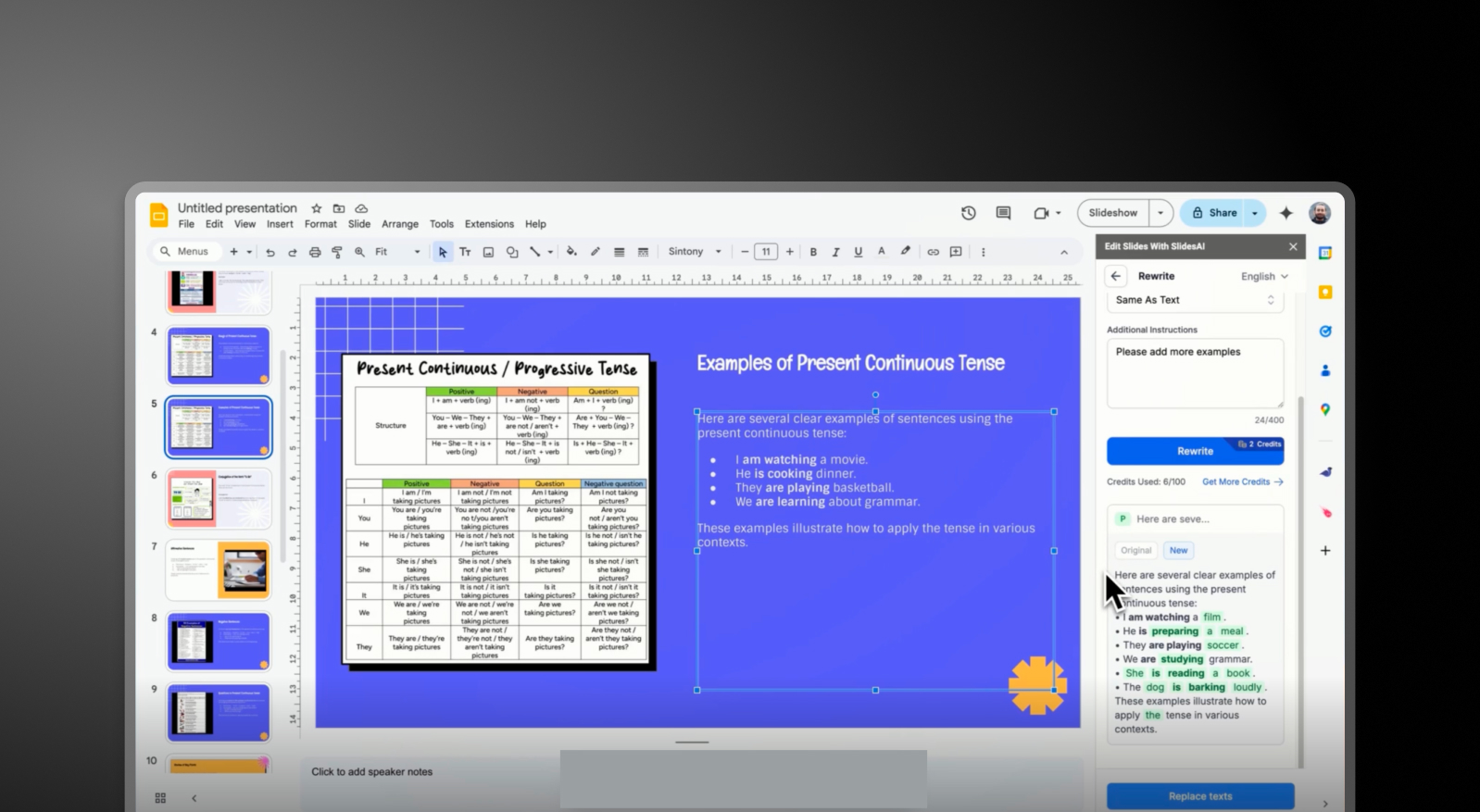
SlidesAI란 무엇인가요?

빠른 텍스트-프레젠테이션 변환에 중점을 둔 AI 프레젠테이션 도구입니다. 기본적인 슬라이드 구조를 제공하며 제한적인 사용자 정의 기능을 갖추고 있어, 프레젠테이션을 완성하려면 일반적으로 Google Slides 또는 PowerPoint로 내보내거나 복사해야 합니다.

Presentations AI란 무엇인가요?

Presentations AI란 무엇인가요?

어떤 텍스트나 문서든 일관성 있고 브랜드화된 슬라이드 덱으로 변환하는 AI 네이티브 소프트웨어입니다. 다양한 이미지, 아이콘, 자동 애니메이션 선택지를 제공하며, 브랜드 동기화 기능과 함께 하나의 통합된 워크플로우 내에서 원활한 PowerPoint 내보내기를 지원합니다.

SlidesAI 대 Presentations.AI: 기능 비교

SlidesAI는 빠른 초안 작성을 위해 만들어졌으며, 슬라이드 콘텐츠를 빠르게 필요로 하는 사용자에게 이상적입니다. Presentations AI는 도구를 전환할 필요 없이 완벽하고 세련된 프레젠테이션을 필요로 하는 전문가를 위해 만들어졌습니다. 차이점은 간단합니다: 개요 대 결과물.
Capability SlidesAI Presentations AI
AI Approach Basic text-to-slide outlines End-to-end AI presentation generation
Brand Consistency Manual or minimal control Automatic brand-sync (colors, fonts, logos)
Design & Customization Limited templates and styling options Extensive libraries, animations, and smart layouts
Export Workflow Google Slides integration or manual PPT handling High-fidelity .pptx export with no rework
Collaboration External tools required Real-time co-editing and feedback
Use Case Quick draft slides from text Business-ready presentations end-to-end

손쉬운 AI 프레젠테이션 제작을 경험할 준비가 되셨습니까?

Presentations AI가 몇 분 안에 개요나 문서를 멋지고 브랜드에 맞는 프레젠테이션으로 변환하는 방법을 알아보세요!

무료로 시작하기

SlidesAI와 Presentations.AI 한눈에 보기

SlidesAI는 작성된 콘텐츠를 기본적인 슬라이드 개요로 빠르게 변환하는 데 중점을 둔 텍스트-프레젠테이션 도구입니다. 빈 페이지의 부담을 덜어주지만, 결과물은 종종 기본적인 수준에 머무릅니다. 따라서 사용자는 Google Slides 또는 PowerPoint와 같은 도구에서 레이아웃을 수동으로 다듬고, 브랜딩을 적용하며, 시각적 요소를 개선해야 합니다.

Presentations AI는 텍스트 입력부터 브랜드화되고 세련되며 내보내기 준비가 된 덱까지 전체 프레젠테이션 수명 주기를 처리하는 완전히 통합된 AI 네이티브 플랫폼입니다. 결과물을 전문적으로 보이게 하기 위해 외부 도구가 필요하지 않습니다. AI 콘텐츠 구조화, 내장된 디자인 생성, 자동 브랜드 적용, 방대한 이미지 및 아이콘 라이브러리 등 올인원 경험을 제공하며, 이 모든 것이 SlidesAI의 3.5/5점과 비교하여 4.5/5점의 사용 편의성 등급을 받은 단일 플랫폼 내에서 이루어집니다.

전문가와 팀에게는 이러한 차이가 중요합니다. SlidesAI는 더 빠르게 시작할 수 있도록 돕지만, Presentations AI는 공유할 준비가 된 프레젠테이션으로 더 빠르게 마무리할 수 있도록 돕습니다.

SlidesAI 작동 방식

1단계: 가입 – 계정을 생성하고 SlidesAI 인터페이스에 접속합니다.

2단계: 텍스트 또는 프롬프트 입력 – 콘텐츠, 메모 또는 개요를 붙여넣습니다. 이 도구는 이를 기본적인 슬라이드 구조로 변환합니다.

3단계: 슬라이드 생성 – SlidesAI는 간단한 서식과 자리 표시자를 사용하여 텍스트를 슬라이드로 구성합니다.

4단계: 외부 도구에서 편집 – 슬라이드를 Google Slides 또는 PowerPoint에서 내보내거나 열어 디자인, 레이아웃 및 시각적 요소를 개선합니다.

5단계: 수동으로 브랜딩 적용 – 글꼴, 색상, 로고를 수동으로 조정하여 브랜드 가이드라인에 맞춥니다.

최종 결과: 프레젠테이션 준비를 완료하려면 추가 도구와 시간이 필요한 사용 가능한 초안.


Presentations AI 작동 방식

1단계: 콘텐츠 입력 – 문서(PDF/Word)를 업로드하거나, 개요를 붙여넣거나, 프롬프트를 입력합니다.

2단계: AI가 전체 덱 구축 – 플랫폼이 내러티브를 구성하고 슬라이드 콘텐츠를 생성하며, 레이아웃, 시각적 요소 및 애니메이션을 자동으로 적용합니다.

3단계: 자동 브랜드 동기화 – 브랜드 색상, 글꼴, 로고가 모든 슬라이드에 즉시 적용되어 수동 서식 지정이 필요 없습니다.

4단계: 공동 작업 및 개선 – 팀과 실시간으로 슬라이드를 편집하고, 피드백을 추가하며, 플랫폼 내에서 콘텐츠를 세부 조정합니다.

5단계: 내보내기 또는 발표 – 고품질 .pptx 파일을 다운로드하거나 직접 발표합니다. 다시 서식을 지정할 필요가 없습니다.

최종 결과: 몇 분 만에 완성되는 완벽하고 세련된 브랜드 맞춤형 프레젠테이션.


팀이 SlidesAI 대신 Presentations.AI를 선택하는 다섯 가지 이유

개요부터 결과물까지: SlidesAI는 구조를 생성합니다. Presentations AI는 완성된, 발표 준비가 된 덱을 제공합니다.

올인원 워크플로우: 도구를 전환할 필요 없이 — 콘텐츠, 디자인, 브랜딩, 내보내기가 한 곳에서 이루어집니다.

자동 브랜드 일관성: 모든 슬라이드가 수동 편집 없이 즉시 브랜드에 맞춰집니다.

고급 디자인 인텔리전스: 내장된 애니메이션, 레이아웃, 시각 자료가 프레젠테이션을 자동으로 향상시킵니다.

팀을 위한 협업: 파일을 주고받는 대신 실시간으로 함께 작업하세요.

슬라이드 초안이 작업의 절반에 불과한 이유

슬라이드를 빠르게 만드는 것은 작업의 절반에 불과합니다 — 진정한 노력은 슬라이드를 사용 가능하고, 브랜드에 맞게, 그리고 세련되게 만드는 데 있습니다. SlidesAI와 같은 도구를 사용하면, 초기 초안이 생성된 후에도 그 작업은 여전히 팀에게 남습니다.

Presentations AI는 그 두 번째 단계를 완전히 제거합니다. 도구와 수동 편집으로 워크플로우를 분할하는 대신, 완전한 프레젠테이션을 미리 제공합니다 — 그래서 팀은 슬라이드를 수정하는 것이 아니라 메시지 전달에 집중할 수 있습니다.

Divider Lines

자주 묻는 질문

What is the main difference between SlidesAI and Presentations.AI?

Down IconUp Icon

The main difference is workflow. SlidesAI is an add-on that runs inside Google Slides and PowerPoint, converting text input into a basic slide structure within those native editors. Presentations.AI is a standalone AI platform that generates complete branded decks from documents or prompts and exports a polished PowerPoint file. SlidesAI helps you start a draft. Presentations.AI delivers a finished presentation.

Is SlidesAI free?

Down IconUp Icon

Yes, SlidesAI has a free Basic plan with three presentations per month, a 2,500-character input limit per presentation, and 10 AI credits per month. Paid plans expand presentation count, character limits, and AI credits. Presentations.AI offers a free plan with five complete AI-generated presentations, no character limits on input, no credit card required, and full PowerPoint export included.

Does SlidesAI work with PowerPoint?

Down IconUp Icon

Yes, SlidesAI is now available as a native integration for both Google Slides and Microsoft PowerPoint, including Web and Desktop versions. It generates slides directly inside the editor and exports as a PPTX file. Presentations.AI exports a high-fidelity PowerPoint file with layouts, fonts, animations, and brand styling preserved exactly as designed in the editor.

Is SlidesAI a Google Slides add-on?

Down IconUp Icon

Yes, SlidesAI originally launched as a Google Slides add-on and that remains its primary surface. It runs inside Google Slides, generates structured slides from text input, and offers theme selection, layout customization, and AI image insertion. Presentations.AI is a standalone platform rather than an add-on, so brand sync, design templates, and animations are built into the deck rather than applied through a host editor's native features.

What is the best alternative to SlidesAI for business presentations?

Down IconUp Icon

Presentations.AI is the strongest alternative for teams that need finished decks rather than slide drafts. It generates complete presentations from documents, outlines, or prompts, applies brand styling automatically through company URL sync, and exports a clean PowerPoint file. For teams that consistently start from a brief or document and need consistent design without manual cleanup, the workflow saves hours per deck.