




Prezi、Beautiful.ai、Presentations AI:機能別比較
AIによるスライド生成
Prezi:Prezi AIは、プロンプト、PDF、Wordファイル、またはアップロードされたPowerPointからプレゼンテーションを生成します。その際、最終的なスライドを作成する前に、構成を確認・並べ替えできる編集可能なアウトラインが作成されるのが大きな特徴です。
この構成プレビューは、デザインを確定させる前にストーリー展開を細かく調整したいユーザーにとって大きな利点です。ただし、生成後のAIの関与は限定的です。対話形式でのコンテンツ修正には対応しておらず、ビジネスの現場でそのまま使用するには、生成後に手作業での編集が必要になることがよくあります。
Beautiful.ai:DesignerBotは、テキストプロンプトから構成されたスライドデッキを生成します。初稿の段階で、一般的なプレゼンテーションであれば大幅な修正なしに使用できる品質です。ただし、その後の柔軟性に課題があります。
初稿作成後にAIで新しいスライドを追加するには工夫が必要で、生成後にチャット形式でデッキを洗練させる機能はありません。AIはあくまで「出発点」であり、継続的なパートナーとしては機能しません。
Presentations AI:Clip-Eは、デッキ作成の全工程を担い、プロセス全体を通じてユーザーをサポートします。プロンプトからの生成、PDFのインポート、URLの貼り付け、Wordドキュメントのアップロードに対応しており、AIがブランドの一貫性を保った、ビジネスですぐに使える構成のスライドデッキを作成します。
作成後は、自然言語による対話を通じて、スライドの微調整、セクションの追加、コンテンツの修正を継続的に行えます。AIはビジネスにおける説得の構造に特化して学習されているため、単にスライドを埋めるだけでなく、意思決定を促す構成で出力されます。

デザイン品質とカスタマイズ性
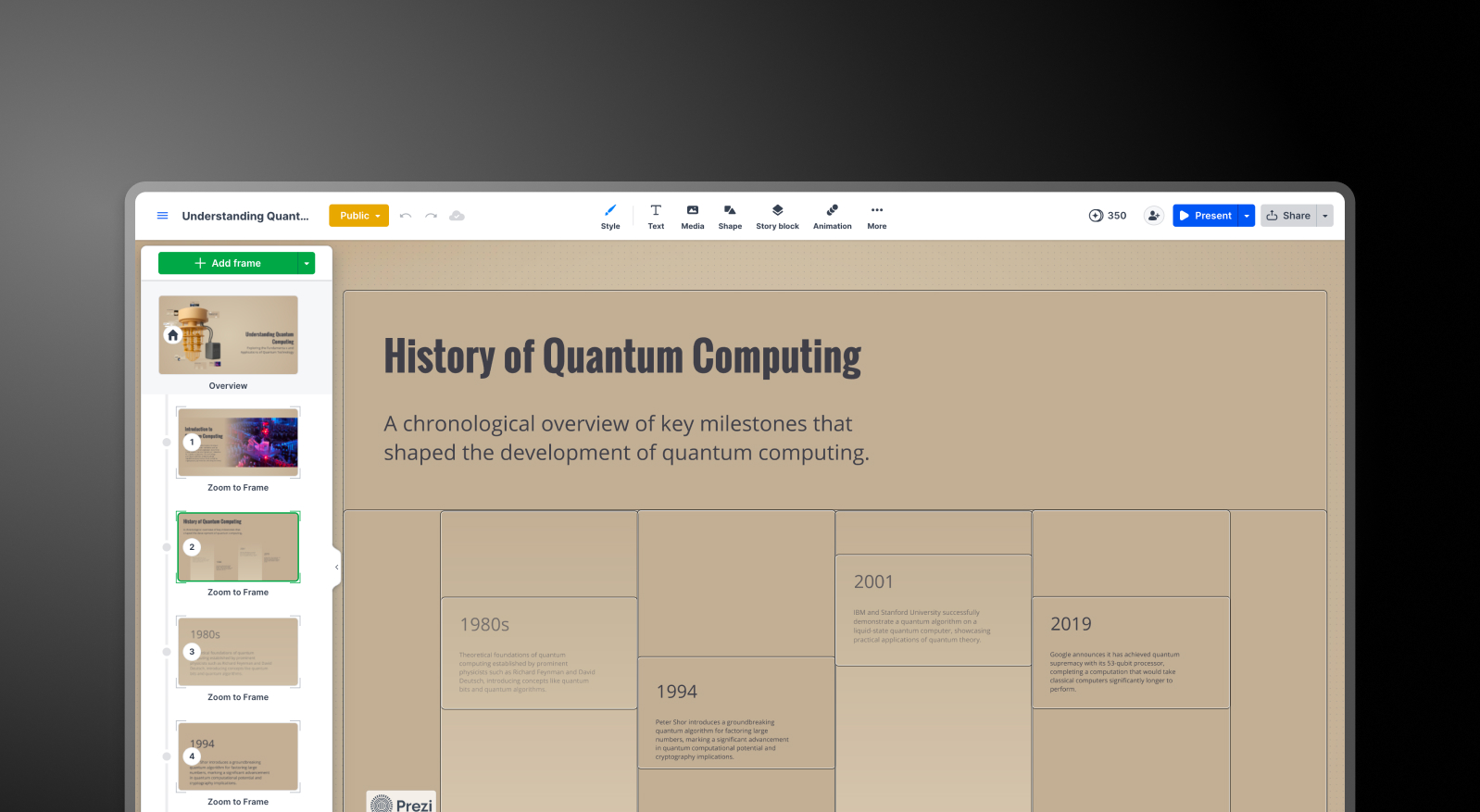
Prezi:オープンキャンバス形式を採用しているPreziは、スライドベースのツールでは再現できない独特の視覚効果を生み出します。ズームによるトランジション、トピック間の空間的な関係性、詳細レベルを段階的に見せる演出など、従来のスライドとは根本的に異なる体験を提供します。
その反面、この形式内でのカスタマイズの自由度には限界があります。Prezi独自の構造論理に従う必要があるため、非線形なアプローチを使いこなせるユーザーには最適ですが、クライアント向けに従来のスライドレイアウトを求めるユーザーには制約となる場合があります。
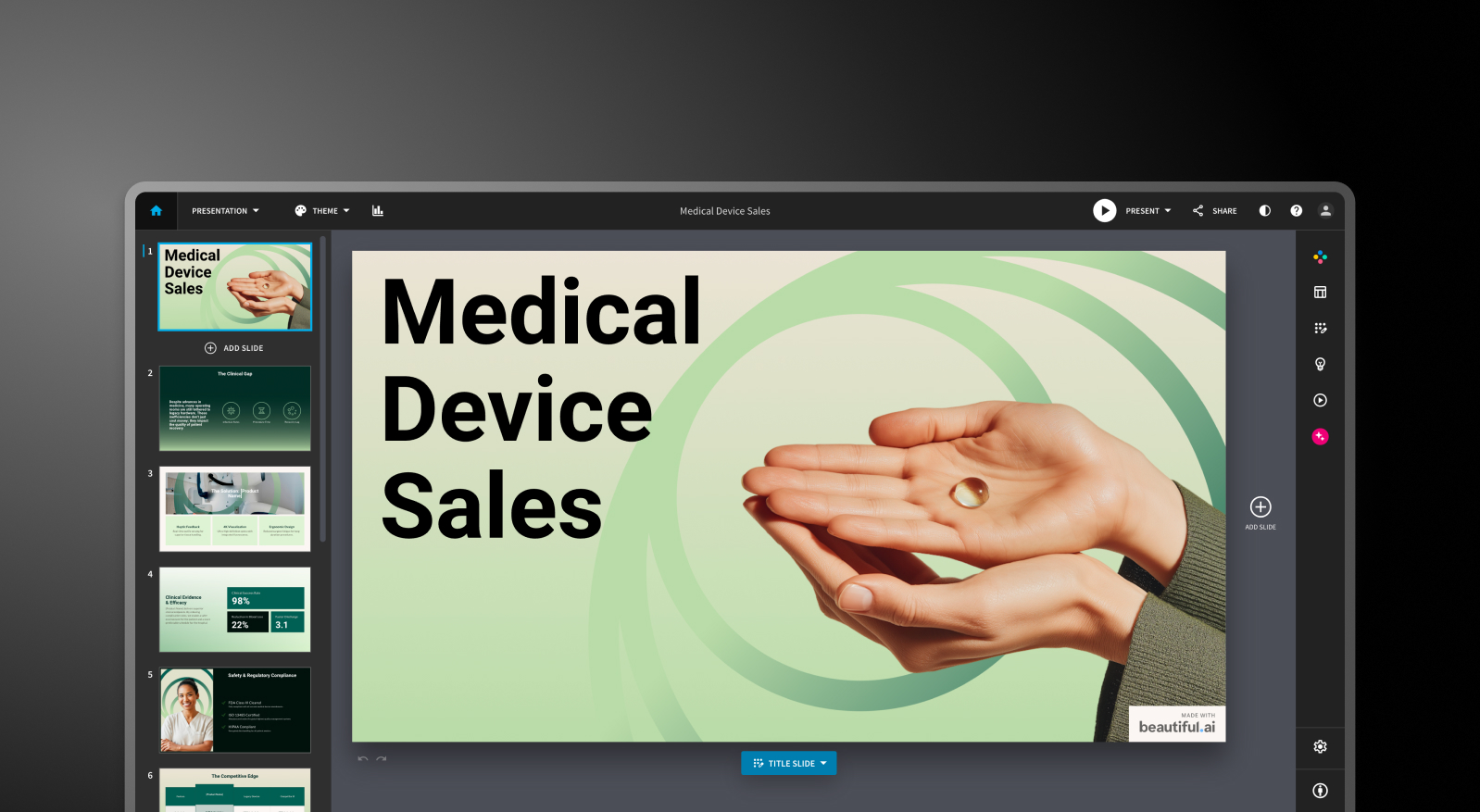
Beautiful.ai:Smart Slidesシステムにより、定義されたレイアウトタイプ全体で一貫して洗練された出力が得られます。この制約は意図的なものであり、レイアウトの論理を上書きしたり、個々の要素を自由に配置したりすることはできません。
多くのビジネスプレゼンテーションにおいて、それは実際には利点となります。しかし、独自のデザインや型にはまらない構成を求めるユーザーにとっては、それが制約となってしまいます。
Presentations AI:アンチフラジャイル(適応型)テンプレートは、コンテンツの変更に合わせてデザイン構造を崩すことなくインテリジェントに適応します。Brand Sync機能を使えば、URLから企業のビジュアルアイデンティティを自動的に適用できるため、手動でテーマを設定しなくても、最初のスライドからブランドイメージを統一できます。
10,000種類以上のプロ仕様テンプレート、豊富なストック画像やアイコンライブラリ、そして自動生成されるプロ級のアニメーションを備えたPresentations AIは、PreziやBeautiful.aiでは対応できない規模で、チーム全体の成果物のビジュアル品質を一定に保ちます。
コラボレーションとチーム機能
Prezi:Preziのコラボレーション機能は実用的ですが、制限があります。閲覧やコメントは簡単に行えますが、共同編集を行うにはチームメンバー全員がPreziのアカウントを持っている必要があります。CanvaやGoogleスライドでは標準的なリアルタイムのカーソル表示機能は利用できません。
小規模なチームや個人でプレゼンテーションを作成する場合には問題ありませんが、同時編集がワークフローに不可欠なチームにとっては、導入前に知っておくべき懸念点となります。
Beautiful.ai:リアルタイムの共同編集、コメント機能、バージョン履歴、役割ベースの権限設定、共有アセットライブラリは、月額40ドル/ユーザーのチームプランで利用可能です。これらの機能は成熟しており、必要とするチームにとっては十分に機能します。
課題は価格の跳ね上がりです。月額12ドルのプロプラン(個人用)からチームプランへ移行すると、ユーザーあたりのコストが3倍以上に増え、実用的なコラボレーション機能のすべてがその上位プランに制限されています。
Presentations AI:チームコラボレーション、リアルタイム同期、アクセス制御はスタータープランから含まれており、プレミアムプランに限定されていません。すべてのチームメンバーがClip-Eを利用できるため、デザインスキルに関係なく、誰でもプロ品質の資料を個別に作成できます。
Brand Syncは一度設定するだけで、チームの誰が作成しても一貫したビジュアルアイデンティティを維持できます。エンタープライズプランでは、管理機能、全社共通テンプレート、エンタープライズレベルのセキュリティが追加されます。
エクスポートと統合オプション
Prezi:これはビジネスユーザーにとって最も大きな実用上の制限です。PreziはPDFやPPTX形式でのエクスポートに対応していますが、変換プロセスで空間的なフォーマットが平坦化されてしまいます。ズーム効果は完全に失われ、各フレームが個別の静的スライドとなり、書式が崩れることも珍しくありません。もし関係者がアニメーションや書式が維持された編集可能なPowerPointファイルを期待している場合、Preziからのエクスポートには納品前の手作業による修正が不可欠です。
Prezi内で完結するプレゼンテーションであれば問題ありませんが、ワークフローの最終成果物が.pptxファイルであるチームにとっては、大きな障壁となります。
Beautiful.ai: PowerPointおよびPDF形式でのエクスポートは、すべての有料プランで利用可能です。ただし、エクスポート時の書式崩れは既知の課題となっています。Beautiful.ai上で1つのブロックとして表示されていたテキストが、エクスポート後のファイルでは複数のテキストボックスに分割されたり、配置がずれたりすることがあります。
.pptx形式での納品が日常的な業務要件である場合は、本格的な利用を開始する前に、代表的なスライドでエクスポート品質をテストしておくことを強く推奨します。
Presentations AI: Proプランでは、.pptx形式へきれいに変換できるようゼロから設計された、高精度のPowerPointエクスポート機能を提供しています。ワンクリックで、会議室でのプレゼンにそのまま使える品質を実現します。
PDFエクスポートもProプラン以上で利用可能です。PDF、Word、URL、テキストプロンプトなど、多様なインポートオプションを備えており、これら3つのツールの中で最も柔軟な取り込みが可能です。
使いやすさと学習曲線
Prezi: Preziのキャンバスは独特で、そのロジックを理解すれば非常に強力ですが、スライドベースのツールと比べると学習曲線は急峻です。
空間的なフォーマットを採用しているため、コンテンツの構成や見せ方について従来とは異なる考え方が求められます。初めて利用するユーザーは、フレームとズームの構造に慣れるまで、何度かプレゼンテーションを作成する必要があるかもしれません。
Beautiful.ai: 学習曲線は緩やかです。「スマートスライド」システムにより、白紙の状態から始める必要はなく、デザインの決定事項の多くは自動的に処理されます。多くのユーザーが、アイデア出しからプレゼン可能なスライド作成までを1時間以内に行えると報告しています。デザインの専門知識がなくても、一貫性のある資料を素早く作成したい場合、最も手軽に始められるツールです。
Presentations AI: 「Clip-E」による対話型インターフェースが、導入のハードルを大幅に下げています。作りたい内容を自然な言葉で伝えるだけでよいため、デザインの経験がないユーザーでも、初日から説得力のある洗練されたスライドを作成できます。
「Brand Sync」機能により、新しいツールを導入する際にチームの作業を停滞させる設定の手間を解消します。URLを一度連携させるだけで、それ以降作成するすべてのスライドが自動的にブランドガイドラインに準拠します。
比較表全体
| 機能 | Prezi | Beautiful.ai | Presentations AI |
|---|---|---|---|
| 基本的なアプローチ | 視覚的なストーリーテリングのための非線形ズームキャンバス | テンプレートの自動化:内容に合わせて調整されるスマートなレイアウト | ビジネス向けプレゼンテーションに特化した、AIによる構成と生成 |
| 主な用途 | 教育、講演、クリエイティブなプレゼンテーション | 営業資料、顧客向け提案、社内共有 | 取締役会向け資料、投資家向けピッチ、大企業向け営業 |
| ドキュメントの読み込み | PDF、PPT、Word(テキストのみ。画像ベースのファイルは非対応) | 基本的なテキスト入力 | PDF、Word、URLからの変換 |
| ブランド管理 | プレゼンテーションごとに手動で設定 | ブランドキットを手動で設定 | 会社URLから自動設定。一度設定すればそのまま使用可能 |
| PowerPointへの書き出し | 対応。ただしズーム効果は静的なスライドに変換される | 対応。書式や配置の崩れがユーザーから報告されている | 高い再現度でワンクリック。役員会でそのまま使える品質 |
| テンプレート数 | 200種類以上 | 洗練されているが選択肢は限定的 | 10,000種類以上のビジネス向けテンプレート |
| AI生成の品質 | 編集可能な下書きと構成案。ビジネス利用には手直しが必要 | レイアウトの土台と質の高い初稿。AIの支援はそこまで | ビジネスにおける説得の構造を学習。ほとんど手直しなく使える |
| 初稿後のAIによる改善 | 限定的。対話型のインターフェースなし | 初回生成後は利用不可 | 全工程で対話しながら繰り返し改善が可能 |
| ストック画像・アニメーション | UnsplashとNoun Projectのライブラリ。アニメーションの種類は限定的 | 標準的なライブラリ。アニメーションは手動で設定 | 豊富なデザインライブラリと自動で付与される洗練されたアニメーション |
| 共同編集 | 基本的な機能のみ。完全な共同編集には全員のPreziアカウントが必要 | リアルタイム共同編集はTeamプランのみ(1ユーザーあたり月額40ドル) | Starterプランからリアルタイムのチーム共同作業に対応 |
| エンタープライズ向けセキュリティ | 標準的。SOC 2は未取得 | 標準的なセキュリティ | SOC 2 Type II取得済み、GDPR対応、完全な監査ログ |
| データの所有権 | 標準的な利用規約 | 標準的な利用規約 | ユーザーが完全な所有権を保持 |
| 無料プラン | あり:AIクレジット500、公開プレゼンテーション | なし:14日間の試用のみ(クレジットカード必須) | あり:ユーザー数無制限、5件までのプレゼンテーション、カード登録不要 |
| 見えにくいコスト | 共同編集はTeamsプラン限定。年間契約の制約あり | 書き出し後の修正作業。チームプランは1ユーザーあたりの費用が3倍に | なし |
| Fortune 500企業での導入 | 中程度。教育分野で高い実績 | 中程度 | ビジネス用途で広く導入 |
| 適しているユーザー | 教育者、講演者、クリエイティブな表現を求める方 | デザインの専門知識なしに統一感を求めるチーム | 成果を左右する、説得力ある構成の資料が必要なチーム |
価格比較:Prezi vs Beautiful.ai vs Presentations AI
このカテゴリーの提示価格は、実態を正確に表していないことがほとんどです。真のコストは、コラボレーションやブランド管理、あるいは最終的なPowerPointファイルのクリーンアップが必要になった時に発生します。ここでは、各ツールがこれらの要件にどのように対応しているかを解説します。
Preziの料金プラン

Preziには3つの個人向け有料プランとビジネス向けプランがあり、すべて14日間の無料トライアルが用意されています。無料のBasicプランには500個のAIクレジットと公開プレゼンテーション機能が含まれており、フォーマットを試すには十分です。
- Basic:無料。500個のAIクレジット(更新なし)、公開プレゼンテーション、機能制限あり。オフラインアクセスやPDFエクスポートは利用できません。
- Plus:月額4ドル。Preziのブランディングが削除され、デスクトップアプリ経由のオフラインアクセス、PDFエクスポート、ナレーション、無制限のAIクレジット、カスタムカラーテーマが追加されます。実務で活用するための最低限のプランです。
- Premium:月額7ドル。Prezi Analytics、優先サポート、高度なインポート統合機能が追加されます。
- Teams:月額39ドル。一括請求、高度なコラボレーション、専任サポート、エンタープライズ管理機能が含まれます。
注意点:有料プランは年払いが一般的であり、自動更新前に解約するのが難しいというユーザーからの報告が複数あります。PDFエクスポートはPlusプラン以上で利用可能で、無料プランには含まれていません。PPTXエクスポートも可能ですが、出力されるスライドはフラットで静的なものとなり、書式設定の崩れを修正する手作業が発生するため、価格以上の手間がかかる可能性があります。
Beautiful.aiの料金プラン

Beautiful.aiには、Pro、Team、Enterpriseの3つのプランがあります。無料プランはありません。14日間のトライアルが用意されていますが、クレジットカードの登録が必要であり、期間内に解約しない場合は自動的に年間サブスクリプションへ移行します。
- Pro:月額12ドル(年払い)または月額45ドル(月払い)。スライド作成無制限、スマートスライド、AI生成、カスタムフォント、PowerPointおよびPDFエクスポート、閲覧者分析機能が含まれます。個人利用専用です。
- Team:1ユーザーあたり月額40ドル(年払い)または月額50ドル(月払い)。リアルタイム共同編集、ブランドキット、共有ライブラリ、管理者コントロール、エンゲージメント分析機能が追加されます。ProからTeamへのアップグレードにより、ユーザーあたりのコストは3倍以上に跳ね上がります。
- Enterprise:個別見積もり。SSO、SCIM、専任のアカウント管理、優先サポート、高度なセキュリティ機能が含まれます。
注意点:5名チームでTeamプランを利用する場合、年間2,400ドルの費用がかかります。これは決して小さくない投資です。特に、新しい競合ツールと比較してAIの深みが限定的であることや、PowerPointへのエクスポート品質に課題が残っている点を考慮すると、慎重な検討が必要です。
Presentations AIの料金
Presentations AIの料金体系はシンプルで、月払いオプションのない3つのプランで構成されています。すべてのプランは年単位での契約となります。
- Starter:無料。ユーザー数無制限、AIクレジット(制限あり)、ブランドテーマ、チーム共同編集、基本機能が利用可能です。最大5件のプレゼンテーションを作成でき、クレジットカード登録も不要です。
- Pro:年額240ドル(1ユーザー)。月額換算で20ドル相当です。AIクレジットの追加、Proテンプレート、カスタムフォントとカラー、分析機能、PDFエクスポート、高精度なPowerPointエクスポートが利用可能です。
- Enterprise:個別見積もり。AIクレジット無制限、全社共通テンプレート、管理機能、専任サポート、エンタープライズレベルのセキュリティ、コンプライアンス関連ドキュメントが提供されます。
スタータープランは真にマルチユーザー対応であり、予算を確定する前にチーム全体でプラットフォームを評価する実用的な手段となります。年間240ドルのプロプランは、Beautiful.aiのチームプランよりもユーザーあたりのコストが大幅に抑えられており、PreziのPlusティアとほぼ同等の価格ながら、より高度なAI機能と優れたPowerPointエクスポート精度を実現しています。
あなたのユースケースに最適なツールは?
スタートアップとピッチ資料に最適
投資家向け資料には、明確な論理と洗練された見た目の両方が不可欠です。Presentations AIは、1つのプロンプトからその両方を実現します。Clip-Eが説得力のある構成のピッチ資料を生成し、スライドを手動で調整することなく、自然言語でストーリーを繰り返し改善できます。年間240ドルのプロプランは、初期段階の創業者にとって導入しやすく、その出力はプロがデザインしたかのような仕上がりです。
Beautiful.aiは、伝えたい内容がすでに固まっており、それを素早くフォーマットする必要がある創業者にとって、信頼できる次善の選択肢です。Preziはピッチ資料のワークフローにはあまり適していません。ズーム形式はライブデモでは印象的ですが、投資家が後日レビューするために受け取るファイルとしては、通常期待される形式ではありません。
営業チームに最適
営業チームには、素早く作成でき、担当者間で一貫性が保たれ、共有後に追跡可能な資料が必要です。Presentations AIは、プロンプトや既存ドキュメントからのAI生成、チーム全体の視覚的な一貫性を保つブランド同期、そして有料プランでの閲覧者分析という3つのニーズをすべてカバーします。
Beautiful.aiも、Smart Slidesの一貫性と組み込みのエンゲージメント追跡を重視する営業チームにとって、信頼できる選択肢です。チームプランのユーザーあたりのコストが主な検討事項となるでしょう。Preziは営業資料のワークフローにはあまり適していません。特に、出力が編集可能なPowerPointファイルである必要がある場合はなおさらです。
マーケティングチームに最適
マーケティングチームにとって、ブランドの一貫性は極めて重要です。Presentations AIのブランド同期機能は、新しい資料を作成するたびにブランドガイドラインを手動で適用する手間を省きます。これは、プレゼンテーションの量が増えるほど価値が高まる機能です。マーケティング責任者が作成したものであろうと、地方支社のスタッフが作成したものであろうと、すべての資料は最初のスライドから自動的にブランドに適合します。
Beautiful.aiのブランドキットは、よりシンプルなブランド管理とデザイン自動化を好むチームにとって、堅実な代替手段です。Preziの形式は、視覚体験がメッセージの一部となる会議の基調講演や製品発表プレゼンテーションを作成するマーケティングチームに適しています。ただし、大量のビジネス資料においてブランドの一貫性を維持する場合、ブランド同期の利点を手動で再現するのは困難です。
エンタープライズおよび大規模チームに最適
エンタープライズティアのPresentations AIは、無制限のAIクレジット、全社的なテンプレート、管理者コントロール、完全な監査証跡、SOC 2 Type II認証、およびGDPR対応のコンプライアンスドキュメントを提供します。これらの資格情報はセキュリティレビューにおいて重要であり、データ所有権の条件も明確です。ユーザーは自身のコンテンツに対する完全な権利を保持します。
Beautiful.aiのエンタープライズプランは、SSO、SCIM、および専任のアカウント管理をカバーしています。Preziは、エンタープライズコントロールを備えたビジネスティアの料金をリクエストに応じて提供していますが、SOC 2 Type II認証は取得していません。正式なセキュリティ評価を実施するITおよび調達チームにとって、Presentations AIはそのプロセスにおける摩擦を競合他社よりも軽減します。
個人およびフリーランサーに最適
Preziの無料プランと月額15ドルのPlusティアは、多額の投資をせずに視覚的に特徴的なプレゼンテーションを作成したい個人ユーザーにとって、非常に利用しやすい選択肢です。一方、Beautiful.aiには無料プランがなく、14日間のトライアルにはクレジットカードの登録が必要です。
Presentations AIの無料スタータープランは、無制限のユーザーをサポートし、チームコラボレーションとブランドテーマを含んでいます。定期的にビジネス資料を作成する個人プロフェッショナルにとって、
月額20ドルのPresentations AI Proは、AI生成、高精度なPPTXエクスポート、ブランド管理を1つのプランに統合しており、その価格帯で最も幅広い機能セットを提供します。
チームがPreziやBeautiful.aiではなくPresentations.AIを選ぶ5つの理由
PreziとBeautiful.aiは、それぞれ特定のユースケースにおいて独自の強みを持っています。Preziの非線形キャンバスは他に類を見ないユニークなものであり、その形式を好むプレゼンターにとっては、スライドベースのツールでは実現できないレベルのビジュアルストーリーテリングを可能にします。一方、Beautiful.aiのデザイン自動化は、伝えたい内容が明確な非デザイナーにとって、白紙の状態から洗練されたデッキを最も素早く作成できる手段です。
しかし、Presentations AIは、説得力があり、ブランドに準拠したプロフェッショナルなビジネスプレゼンテーションを、最小限の編集時間で作成するというただ一つの目的のためにゼロから構築された唯一のツールです。
- ブランド同期 は、どのような手動ブランドキットよりも優れています。会社のURLを読み取るだけで、チームが作成するすべてのデッキにビジュアルアイデンティティを自動的に適用します。Preziではプレゼンテーションごとに手動でテーマを設定する必要があり、Beautiful.aiのブランドキットは毎回意図的な選択が求められます。Presentations AIは、一貫したブランディングを「責任」ではなく「デフォルト」にします。
- Clip-E は、単なる下書きエンジンではなく、共同作業者です。プロセスのどの時点でも、自然な会話を通じてデッキを構築、洗練、再構築できます。PreziのAIは開始構造を生成するとそれ以上は関与せず、Beautiful.aiのDesignerBotは下書き段階で停止します。Presentations AIはプロセス全体を通して関与し続けます。
- マルチソース入力 は、真のワークフロー上の利点をもたらします。PDF、Word文書、URL、またはプレーンテキストのプロンプトを、洗練されたデッキに変換できます。PreziもBeautiful.aiも、これら4つの入力タイプすべてからの変換には対応していません。
- PowerPointエクスポート は、単に機能として存在するだけでなく、実用性を重視して構築されています。PreziのPPTXエクスポートはズーム効果を静的なスライドに平坦化してしまい、Beautiful.aiのエクスポートは修正が必要な書式設定の問題を引き起こすことがありますが、Presentations AIのProエクスポートは、最初からクリーンな.pptx忠実度を実現するように設計されています。
- 無料のStarterプラン は、真にマルチユーザー対応です。チーム全体で予算を投じる前にプラットフォームを評価できます。クレジットカードの登録は不要で、使い切りのワンタイムクレジットもありません。Beautiful.aiには無料プランがなく、Preziの無料プランではPDFエクスポートが制限され、プレゼンテーションは公開設定に限定されます。
2026年に選ぶべきAIプレゼンテーション作成ツールは?
Preziを選ぶべきなのは、次のような場合です。
- 聴衆に対して定期的にライブプレゼンテーションを行い、ズームキャンバスを体験の一部として取り入れたい場合
- 教育、講演、またはクリエイティブ業界に携わっており、非線形ストーリーテリングが差別化要因となる場合
- 洗練された編集可能なPowerPointファイルを、定期的な成果物として提供する必要がない場合
- アクセスしやすい個人プランを求めており、独特のフォーマットを重視する場合
Beautiful.aiは次のような方におすすめです:
- 一人で資料を作成し、書式設定の手間を最小限に抑えつつ、常に一貫性のある洗練されたアウトプットが必要な方
- 営業フォローアップのために、視聴者のエンゲージメント分析を重視する方
- トライアルにクレジットカードが必要で、事前の評価用無料プランがないことに抵抗がない方
- ブランド要件がシンプルで、色、フォント、ロゴを手動で適用することに問題がない方
Presentations.AIは次のような方におすすめです:
- 単に生成されたコンテンツでスライドを埋めるだけでなく、説得力のある資料構成をAIが作成することを望む方
- ブランドの一貫性が自動的に保たれることを求め、テーマ適用を覚えておくことに依存しない方
- PDF、Word文書、またはURLを定期的にプレゼンテーション形式に変換する方
- 提案書、営業プレゼンテーション、役員会報告など、ビジネス上重要な資料を作成している方
- 高品質なPowerPointエクスポートと、エンタープライズレベルのデータ所有権に関する条件が必要な方
