




Perbandingan Fitur: Prezi vs Beautiful.ai vs Presentations AI
Pembuatan Slide Berbasis AI
Prezi: Prezi AI membuat presentasi dari perintah teks, PDF, file Word, atau PowerPoint yang diunggah, dengan satu langkah penting di antaranya: kerangka yang dapat diedit agar Anda bisa meninjau dan mengatur ulang struktur sebelum slide final dibuat.
Pratinjau struktur tersebut merupakan keunggulan nyata bagi pengguna yang ingin mengendalikan alur cerita sebelum menentukan desain. Namun, setelah slide jadi, peran AI hampir tidak ada lagi. Iterasi konten melalui percakapan tidak tersedia, dan hasilnya sering kali perlu disunting kembali agar siap digunakan untuk audiens profesional.
Beautiful.ai: DesignerBot membuat dek presentasi terstruktur dari perintah teks, dan draf pertamanya biasanya sudah bisa langsung digunakan untuk jenis presentasi standar tanpa perlu banyak perombakan. Keterbatasannya terletak pada langkah selanjutnya.
Menambahkan slide baru hasil AI setelah draf awal memerlukan cara manual, dan tidak ada antarmuka percakapan untuk menyempurnakan dek setelah proses pembuatan selesai. AI di sini hanya berfungsi sebagai titik awal, bukan kolaborator jangka panjang.
Presentations AI: Clip-E menangani pembuatan dek dari awal hingga akhir dan terus terlibat sepanjang prosesnya. Anda bisa membuat presentasi dari perintah teks, mengimpor PDF, menempelkan URL, atau mengunggah dokumen Word, dan AI akan membangun dek yang terstruktur, konsisten dengan merek, dan siap untuk kebutuhan bisnis.
Setelah itu, Anda dapat terus menyempurnakan slide, menambahkan bagian, dan menyesuaikan konten melalui percakapan bahasa alami. AI ini dilatih secara khusus mengenai arsitektur persuasi bisnis, yang berarti hasilnya disusun untuk mendorong pengambilan keputusan, bukan sekadar mengisi slide.

Kualitas Desain dan Kustomisasi
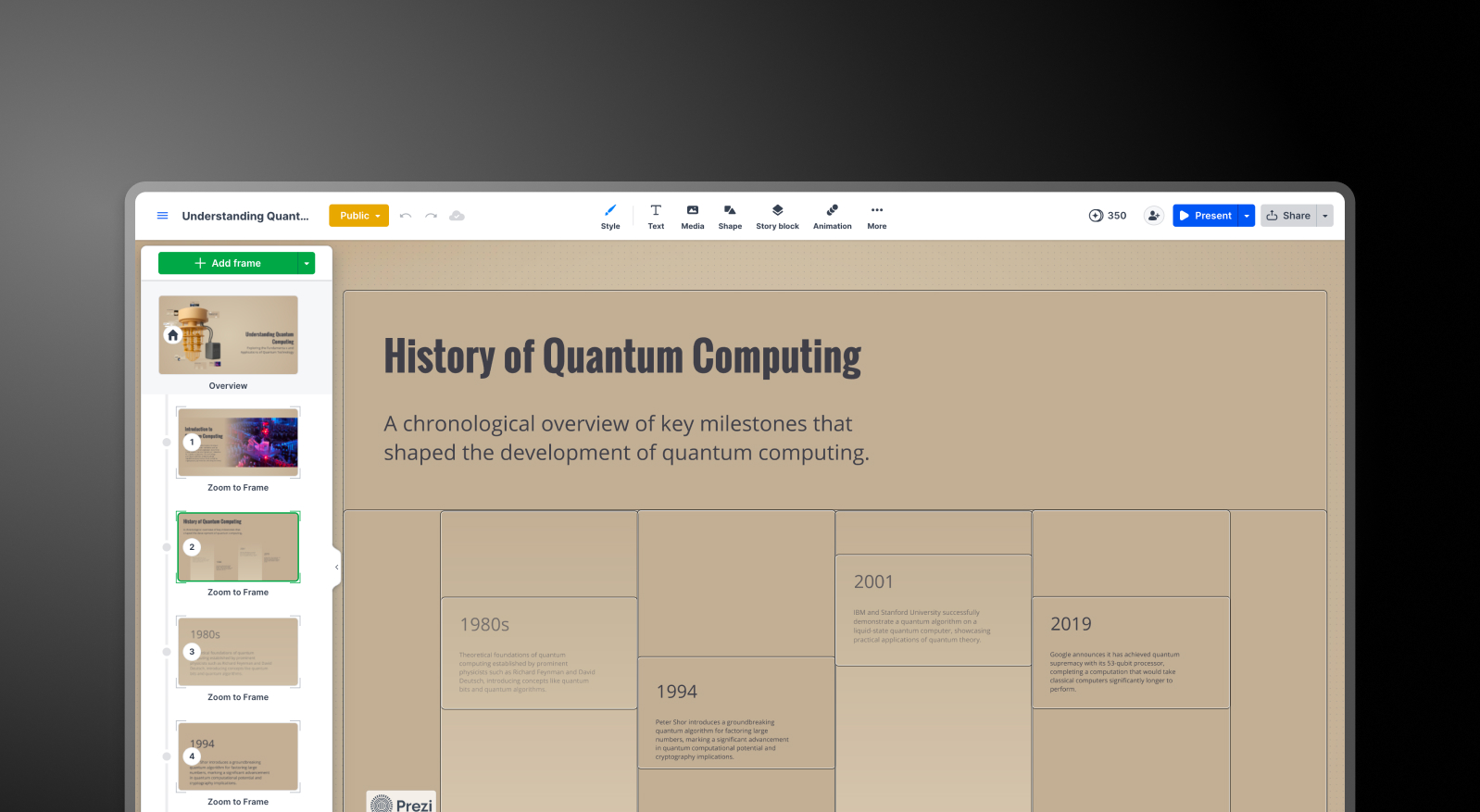
Prezi: Format kanvas terbuka memberikan keunikan visual pada presentasi Prezi yang tidak bisa ditiru oleh alat berbasis slide biasa. Transisi zoom, hubungan spasial antar topik, dan kemampuan untuk menampilkan konten dengan tingkat detail yang berbeda menciptakan pengalaman yang terasa sangat berbeda dari dek presentasi standar.
Kekurangannya adalah kedalaman kustomisasi dalam format tersebut. Anda harus bekerja mengikuti logika struktural Prezi, yang sangat menguntungkan bagi pengguna yang terbiasa dengan pendekatan non-linear, namun membatasi mereka yang membutuhkan tata letak slide tradisional untuk kebutuhan klien.
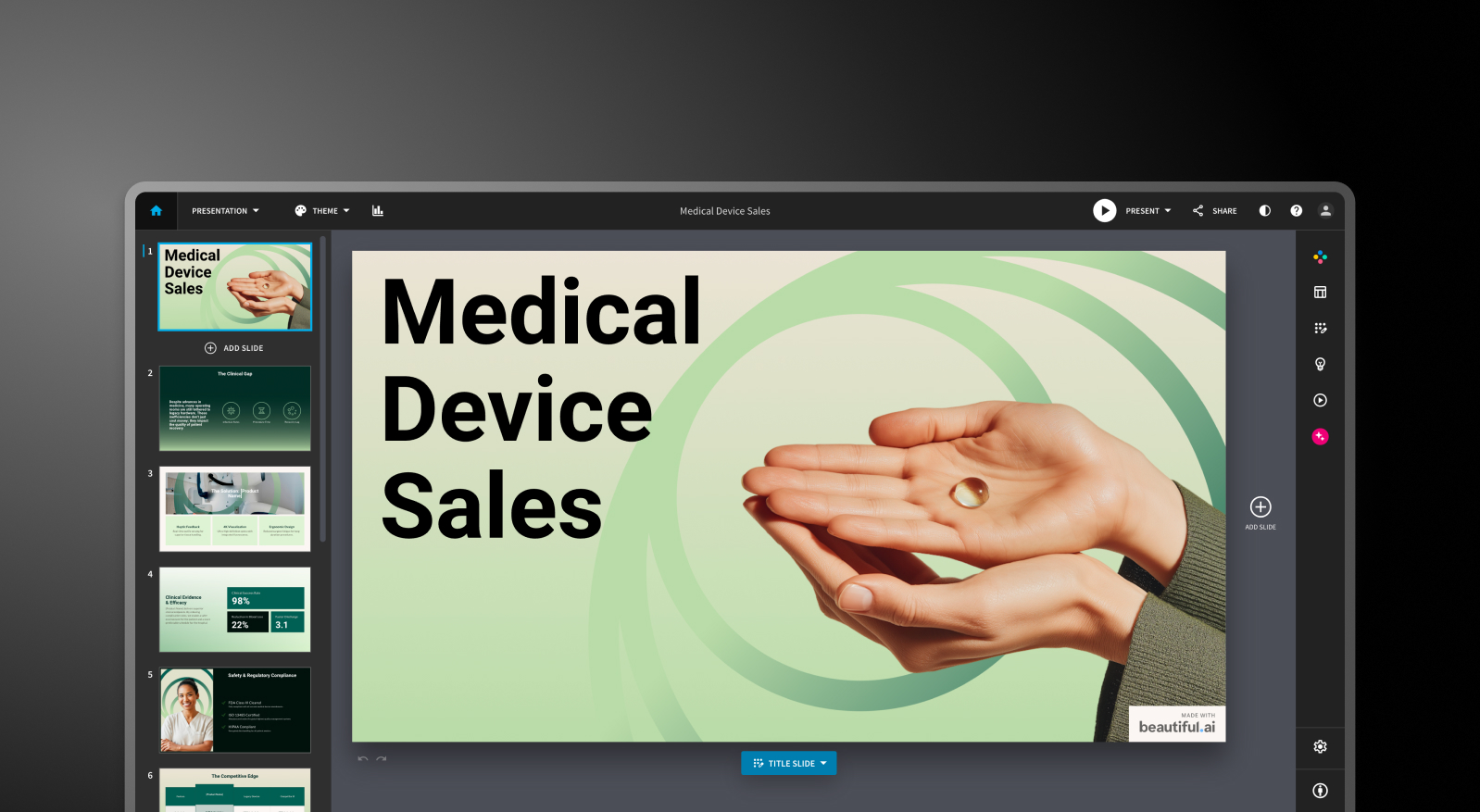
Beautiful.ai: Sistem Smart Slides menghasilkan output yang selalu rapi di berbagai jenis tata letak yang telah ditentukan. Batasannya bersifat disengaja: Anda tidak dapat mengabaikan logika tata letak, dan alat ini memang tidak dirancang untuk memposisikan elemen secara bebas.
Untuk sebagian besar presentasi bisnis, hal itu justru menjadi keunggulan. Namun bagi pengguna yang membutuhkan pengaturan khusus atau tidak konvensional, hal ini menjadi batasan.
Presentations AI: Templat anti-rapuh beradaptasi secara cerdas seiring perubahan konten tanpa merusak struktur desain secara keseluruhan. Brand Sync secara otomatis menerapkan identitas visual perusahaan Anda dari URL, sehingga setiap dek presentasi langsung sesuai dengan merek sejak slide pertama tanpa perlu konfigurasi tema secara manual.
Dengan lebih dari 10.000 templat profesional, pustaka gambar dan ikon stok yang luas, serta animasi profesional otomatis, Presentations AI menghadirkan kualitas visual yang konsisten untuk hasil kerja tim dalam skala yang tidak dirancang untuk dicapai oleh Prezi maupun Beautiful.ai.
Fitur Kolaborasi dan Tim
Prezi: Kolaborasi di Prezi bersifat fungsional namun terbatas. Melihat dan memberikan komentar memang mudah, tetapi untuk penyuntingan bersama secara penuh, rekan tim harus memiliki akun Prezi. Pelacakan kursor waktu nyata, yang merupakan standar di alat seperti Canva dan Google Slides, tidak tersedia di sini.
Bagi tim kecil atau kreator solo yang mengerjakan presentasi secara mandiri, hal ini masih bisa diatasi. Namun bagi tim yang mengandalkan penyuntingan simultan dalam alur kerjanya, ini adalah hambatan yang perlu diketahui sebelum memutuskan untuk menggunakannya.
Beautiful.ai: Penyuntingan bersama secara waktu nyata, komentar, riwayat versi, izin berbasis peran, dan pustaka aset bersama tersedia pada paket Tim seharga $40/pengguna/bulan. Fitur-fitur ini sudah matang dan fungsional bagi tim yang membutuhkannya.
Tantangannya adalah lonjakan harga: beralih dari paket Pro seharga $12/bulan (hanya untuk satu pengguna) ke paket Tim akan melipatgandakan biaya per pengguna lebih dari tiga kali lipat, dan semua fitur kolaborasi yang penting terkunci di balik ambang batas tersebut.
Presentations AI: Kolaborasi tim, sinkronisasi waktu nyata, dan kontrol akses sudah disertakan sejak paket Starter, tidak terkunci di balik tingkatan premium. Setiap anggota tim memiliki akses ke Clip-E, yang berarti setiap pengguna dapat menghasilkan karya berkualitas profesional secara mandiri, terlepas dari kemampuan desain mereka.
Brand Sync adalah pengaturan satu kali yang memberikan identitas visual konsisten di setiap dek yang dibuat oleh siapa pun di dalam tim. Tingkatan Enterprise menambahkan kemampuan admin, templat untuk seluruh perusahaan, dan keamanan tingkat perusahaan.
Opsi Ekspor dan Integrasi
Prezi: Ini adalah batasan praktis paling signifikan bagi pembeli dari kalangan bisnis. Prezi dapat mengekspor ke format PDF dan PPTX, tetapi proses konversinya meratakan format spasial: efek zoom hilang sepenuhnya, setiap bingkai menjadi slide statis terpisah, dan pergeseran format sering terjadi. Jika pemangku kepentingan mengharapkan file PowerPoint yang dapat disunting dengan animasi yang berfungsi dan format yang konsisten, hasil ekspor Prezi akan memerlukan perbaikan manual sebelum diberikan.
Untuk presentasi yang sepenuhnya dijalankan di dalam Prezi, format ini berfungsi dengan baik. Namun bagi tim yang alur kerjanya berakhir pada file .pptx, ini adalah hambatan besar yang sulit diatasi.
Beautiful.ai: Ekspor PowerPoint dan PDF tersedia di semua paket berbayar. Masalah pemformatan saat ekspor adalah kendala yang sering ditemui: teks yang muncul sebagai satu blok di Beautiful.ai bisa terpecah menjadi beberapa kotak teks dalam file hasil ekspor, dan perataan bisa bergeser.
Menguji kualitas ekspor pada dek presentasi contoh sebelum memutuskan sangat disarankan jika pengiriman file .pptx merupakan kebutuhan alur kerja rutin.
Presentations AI: Ekspor PowerPoint dengan fidelitas tinggi tersedia pada paket Pro, yang dirancang khusus agar dapat dikonversi dengan rapi ke format .pptx. Sekali klik, langsung siap untuk presentasi di ruang rapat.
Ekspor PDF juga tersedia untuk paket Pro ke atas. Berbagai opsi impor, termasuk PDF, Word, URL, dan perintah teks biasa, menjadikannya alat dengan metode input paling fleksibel di antara ketiganya.
Kemudahan Penggunaan dan Kurva Pembelajaran
Prezi: Kanvas Prezi sangat unik dan memuaskan setelah Anda memahami logikanya, namun kurva pembelajarannya lebih curam dibandingkan alat berbasis slide lainnya.
Format spasialnya menuntut cara berpikir yang berbeda tentang bagaimana konten diatur dan ditampilkan, dan pengguna baru sering kali membutuhkan beberapa kali presentasi untuk terbiasa dengan struktur bingkai dan zoom sebelum hasilnya terasa alami.
Beautiful.ai: Memiliki kurva pembelajaran yang singkat. Sistem Smart Slides memastikan Anda tidak pernah memulai dari kanvas kosong, dan keputusan desain sebagian besar ditangani secara otomatis. Banyak pengulas di berbagai platform melaporkan mampu menyelesaikan dek presentasi dari ide hingga siap pakai dalam waktu kurang dari satu jam. Bagi non-desainer yang membutuhkan hasil cepat dan konsisten, ini adalah titik awal yang paling mudah diakses.
Presentations AI: Antarmuka percakapan dengan Clip-E secara signifikan menurunkan hambatan bagi pengguna baru. Karena Anda cukup mendeskripsikan apa yang diinginkan dengan bahasa sehari-hari, pengguna tanpa latar belakang desain pun dapat menghasilkan dek presentasi yang rapi dan terstruktur dengan baik sejak hari pertama.
Brand Sync menghilangkan hambatan pengaturan yang biasanya memperlambat tim saat mengadopsi alat baru: cukup hubungkan URL Anda sekali, dan setiap dek presentasi berikutnya akan otomatis sesuai dengan identitas merek Anda.
Tabel Perbandingan Lengkap
| Fitur | Prezi | Beautiful.ai | Presentations AI |
|---|---|---|---|
| Pendekatan utama | Kanvas zoom non-linear untuk bercerita secara visual | Otomatisasi templat: tata letak cerdas yang menyesuaikan isi | Penyusunan dan pembuatan konten berbasis AI, khusus untuk presentasi bisnis |
| Kasus penggunaan umum | Pendidikan, berbicara di depan umum, presentasi kreatif | Presentasi penjualan, presentasi klien, pembaruan internal | Presentasi dewan direksi, pitch investor, penjualan korporat |
| Impor dokumen | PDF, PPT, Word (hanya teks; file berbasis gambar tidak didukung) | Input teks dasar | PDF, Word, dan konversi URL |
| Pengelolaan merek | Manual untuk tiap presentasi | Penyiapan brand kit secara manual | Otomatis dari URL perusahaan; sekali atur, berlaku seterusnya |
| Ekspor ke PowerPoint | Tersedia, tetapi efek zoom berubah menjadi slide statis | Tersedia; pengguna melaporkan masalah format dan perataan | Hasil sangat mirip aslinya, sekali klik, siap dipresentasikan |
| Pustaka templat | Lebih dari 200 templat | Pilihan profesional, tetapi terbatas | Lebih dari 10.000 templat presentasi profesional |
| Kualitas hasil AI | Kerangka terstruktur dengan draf yang bisa diedit; masih perlu penyuntingan untuk keperluan bisnis | Kerangka tata letak dengan draf awal yang solid; bantuan AI berhenti di situ | Dilatih dengan struktur persuasi bisnis; siap dipakai dengan sedikit penyuntingan |
| Iterasi AI setelah draf pertama | Terbatas; tanpa antarmuka percakapan | Tidak tersedia setelah pembuatan awal | Iterasi berbasis percakapan di sepanjang proses |
| Stok gambar / animasi | Pustaka Unsplash dan Noun Project; jenis animasi terbatas | Pustaka berukuran sedang; animasi diatur manual | Pustaka desain yang sangat luas dan animasi profesional otomatis |
| Kolaborasi | Dasar; penyuntingan bersama secara penuh memerlukan akun Prezi | Penyuntingan bersama real-time hanya di paket Team ($40/pengguna/bulan) | Alur kerja tim secara real-time sejak paket Starter |
| Keamanan perusahaan | Standar; tanpa SOC 2 | Keamanan standar | Bersertifikat SOC 2 Type II, sesuai GDPR, jejak audit lengkap |
| Kepemilikan data | Ketentuan standar | Ketentuan standar | Pengguna memiliki hak penuh |
| Paket gratis | Ya: 500 kredit AI, presentasi bersifat publik | Tidak: hanya uji coba 14 hari (perlu kartu kredit) | Ya: pengguna tak terbatas, hingga 5 presentasi, tanpa kartu |
| Biaya tersembunyi | Kolaborasi terkunci di paket Teams; penagihan tahunan yang merepotkan | Perlu merapikan hasil ekspor; paket tim melipatgandakan biaya per pengguna hingga tiga kali | Tidak ada |
| Adopsi perusahaan Fortune 500 | Sedang; kuat di bidang pendidikan | Sedang | Luas untuk presentasi bisnis |
| Paling cocok untuk | Pendidik, pembicara, dan pencerita kreatif | Tim yang butuh konsistensi desain tanpa keahlian desain | Tim yang butuh presentasi bisnis penting dengan struktur persuasif |
Perbandingan Harga: Prezi vs Beautiful.ai vs Presentations AI
Angka utama dalam kategori ini jarang menceritakan keseluruhan cerita. Biaya sebenarnya baru muncul saat Anda membutuhkan kolaborasi, kontrol merek, atau file PowerPoint yang rapi pada akhirnya. Berikut adalah cara ketiga alat tersebut menangani masing-masing kebutuhan tersebut.
Harga Prezi

Prezi menawarkan tiga paket berbayar individu dan satu tingkat Bisnis, semuanya dengan uji coba gratis selama 14 hari. Paket Dasar gratis mencakup 500 kredit AI dan presentasi publik, yang cukup untuk mengevaluasi formatnya.
- Dasar: Gratis. 500 kredit AI (tidak dapat diperbarui), presentasi publik, fitur terbatas, tanpa akses offline atau ekspor PDF.
- Plus: $4/bulan. Menghapus branding Prezi, menambahkan akses offline melalui aplikasi desktop, ekspor PDF, sulih suara, kredit AI tak terbatas, dan tema warna kustom. Ini adalah paket minimum untuk penggunaan profesional yang berarti.
- Premium: $7/bulan. Menambahkan Analitik Prezi, dukungan prioritas, dan integrasi impor tingkat lanjut.
- Tim: $39/bulan. Penagihan terpusat, kolaborasi tingkat lanjut, dukungan khusus, dan kontrol perusahaan.
Hal yang perlu diwaspadai: Penagihan tahunan adalah standar untuk paket berbayar, dan banyak laporan pengguna menyebutkan kesulitan dalam membatalkan sebelum perpanjangan otomatis. Ekspor PDF terkunci di balik paket Plus; paket gratis tidak menyertakannya. Ekspor PPTX tersedia tetapi menghasilkan slide statis yang datar dengan masalah pemformatan, sehingga menambah waktu pembersihan manual yang tidak tercermin dalam harga.
Harga Beautiful.ai

Beautiful.ai memiliki tiga tingkatan: Pro, Team, dan Enterprise. Tidak tersedia paket gratis. Uji coba 14 hari tersedia, namun memerlukan kartu kredit dan akan otomatis berubah menjadi langganan tahunan jika tidak dibatalkan.
- Pro: $12/bulan (tahunan) atau $45/bulan (bulanan). Slide tak terbatas, Smart Slides, pembuatan konten AI, font kustom, ekspor PowerPoint dan PDF, serta analitik penampil. Hanya untuk satu pengguna.
- Team: $40/pengguna/bulan (tahunan) atau $50/pengguna/bulan (bulanan). Menambahkan kolaborasi waktu nyata, Brand Kit, pustaka bersama, kontrol admin, dan analitik keterlibatan. Lonjakan harga dari Pro ke Team membuat biaya per pengguna menjadi lebih dari tiga kali lipat.
- Enterprise: Harga kustom. SSO, SCIM, manajemen akun khusus, dukungan prioritas, dan keamanan tingkat lanjut.
Hal yang perlu diperhatikan: Tim beranggotakan lima orang dengan paket Team memerlukan biaya $2.400 per tahun. Ini adalah komitmen yang cukup besar, terutama untuk alat yang kedalaman AI-nya terbatas dibandingkan kompetitor baru dan kualitas ekspor PowerPoint-nya masih menjadi masalah.
Harga Presentations AI
Presentations AI menjaga strukturnya tetap sederhana: tiga tingkatan tanpa opsi penagihan bulanan. Paket hanya tersedia secara tahunan.
- Starter: Gratis. Pengguna tak terbatas, kredit AI terbatas, tema merek, kolaborasi tim, dan fungsionalitas dasar. Hingga 5 presentasi, tidak memerlukan kartu kredit.
- Pro: $240/tahun (satu pengguna). Setara dengan $20/bulan. Kredit AI tambahan, templat Pro, font dan warna kustom, analitik, ekspor PDF, dan ekspor PowerPoint fidelitas tinggi.
- Enterprise: Harga kustom. Kredit AI tak terbatas, templat untuk seluruh perusahaan, kapabilitas admin, dukungan khusus, keamanan perusahaan, dan dokumentasi kepatuhan.
Paket Starter benar-benar multi-pengguna, menjadikannya cara praktis bagi seluruh tim untuk mengevaluasi platform sebelum berkomitmen pada anggaran. Dengan harga $240/tahun, paket Pro jauh lebih murah dibandingkan paket Tim Beautiful.ai per pengguna dan kira-kira setara dengan tingkat Plus Prezi, sambil memberikan kemampuan AI yang jauh lebih banyak dan fidelitas ekspor PowerPoint yang lebih baik.
Alat Mana yang Terbaik untuk Kasus Penggunaan Anda?
Terbaik untuk Startup dan Pitch Deck
Dek investor membutuhkan dua hal dalam ukuran yang sama: argumen yang jelas dan tampilan yang rapi. Presentations AI memberikan keduanya dari satu perintah. Clip-E menghasilkan pitch deck dengan struktur persuasif, dan Anda dapat mengulang narasi dalam bahasa alami tanpa beralih antar slide secara manual. Paket Pro seharga $240/tahun terjangkau bagi pendiri tahap awal, dan hasilnya terlihat dirancang dengan sengaja.
Beautiful.ai juga merupakan pilihan kedua yang kredibel bagi para pendiri yang sudah tahu apa yang ingin mereka sampaikan dan perlu diformat dengan cepat. Prezi kurang cocok untuk alur kerja pitch: format zoom-nya mudah diingat dalam demo langsung, tetapi biasanya bukan yang diharapkan investor untuk diterima sebagai file untuk tinjauan lanjutan.
Terbaik untuk Tim Penjualan
Tim penjualan membutuhkan dek yang cepat dibuat, konsisten di semua perwakilan, dan dapat dilacak setelah dibagikan. Presentations AI mencakup ketiganya: pembuatan berbasis AI dari perintah atau dokumen yang sudah ada, Sinkronisasi Merek untuk konsistensi visual di seluruh tim, dan analitik penonton pada paket berbayar.
Beautiful.ai juga merupakan pilihan yang kredibel untuk tim penjualan yang menghargai konsistensi Smart Slides dan pelacakan keterlibatan bawaan. Biaya per pengguna pada paket Tim adalah pertimbangan utama. Prezi kurang cocok untuk alur kerja dek penjualan, terutama ketika hasilnya perlu berupa file PowerPoint yang dapat diedit.
Terbaik untuk Tim Pemasaran
Tim pemasaran sangat bergantung pada konsistensi merek. Sinkronisasi Merek Presentations AI menghilangkan langkah manual dalam menerapkan pedoman merek ke setiap dek baru, sebuah langkah yang nilainya berlipat ganda seiring dengan peningkatan volume presentasi. Setiap dek secara otomatis selaras dengan merek sejak slide pertama, baik itu dibuat oleh kepala pemasaran atau seseorang di kantor regional.
Brand Kit Beautiful.ai adalah alternatif yang solid untuk tim dengan kebutuhan manajemen merek yang lebih sederhana dan preferensi untuk otomatisasi desain. Format Prezi berfungsi baik untuk tim pemasaran yang membuat pidato utama konferensi atau presentasi peluncuran produk di mana pengalaman visual adalah bagian dari pesan. Untuk dek bisnis bervolume tinggi dan sangat penting bagi merek, keunggulan Sinkronisasi Merek sulit direplikasi secara manual.
Terbaik untuk Perusahaan dan Tim Besar
Presentations AI pada tingkat Enterprise menyediakan kredit AI tak terbatas, templat di seluruh perusahaan, kontrol admin, jejak audit lengkap, sertifikasi SOC 2 Tipe II, dan dokumentasi kepatuhan siap GDPR. Kredensial tersebut penting dalam tinjauan keamanan, dan ketentuan kepemilikan data tidak ambigu: pengguna mempertahankan hak penuh atas konten mereka.
Paket Enterprise Beautiful.ai mencakup SSO, SCIM, dan manajemen akun khusus. Prezi menawarkan harga tingkat Bisnis berdasarkan permintaan dengan kontrol perusahaan, meskipun tidak memiliki sertifikasi SOC 2 Tipe II. Untuk tim IT dan pengadaan yang melakukan evaluasi keamanan formal, Presentations AI mengurangi gesekan dalam proses tersebut lebih dari yang dilakukan pesaing lainnya.
Terbaik untuk Individu dan Freelancer
Paket gratis Prezi dan tingkat Plus $15/bulan benar-benar terjangkau bagi pengguna tunggal yang ingin membuat presentasi yang khas secara visual tanpa investasi besar. Beautiful.ai tidak memiliki paket gratis dan memerlukan kartu kredit untuk uji coba 14 harinya.
Paket Starter gratis Presentations AI mendukung pengguna tak terbatas dan mencakup kolaborasi tim serta tema merek. Untuk profesional tunggal yang secara teratur membuat dek bisnis,
Presentations AI Pro seharga $20/bulan menawarkan rangkaian fitur terluas untuk harga tersebut, menggabungkan pembuatan AI, ekspor PPTX fidelitas tinggi, dan manajemen merek dalam satu paket.
5 Alasan Tim Memilih Presentations.AI Dibandingkan Prezi dan Beautiful.ai
Prezi dan Beautiful.ai masing-masing memiliki keunggulan nyata untuk kebutuhan tertentu. Kanvas non-linear Prezi tidak tertandingi. Bagi presenter yang terbiasa dengan format tersebut, ini menghadirkan tingkat penceritaan visual yang tidak bisa dicapai oleh alat berbasis slide. Otomatisasi desain Beautiful.ai adalah cara tercepat bagi non-desainer untuk mengubah ide menjadi dek presentasi yang terlihat rapi.
Namun, Presentations AI adalah satu-satunya alat dalam perbandingan ini yang dibangun dari awal untuk satu tujuan: menghasilkan presentasi bisnis profesional yang persuasif, sesuai merek, dan siap digunakan dengan waktu pengeditan minimal.
- Sinkronisasi Merek melampaui Kit Merek manual mana pun. Sistem ini membaca URL perusahaan Anda dan secara otomatis menerapkan identitas visual Anda ke setiap dek presentasi yang dibuat tim Anda. Prezi memerlukan pengaturan tema manual untuk setiap presentasi. Kit Merek Beautiful.ai memerlukan pemilihan manual setiap saat. Presentations AI menjadikan branding yang konsisten sebagai standar, bukan lagi beban kerja tambahan.
- Clip-E adalah kolaborator, bukan sekadar mesin draf pertama. Anda dapat membangun, menyempurnakan, dan membentuk ulang dek presentasi melalui percakapan alami kapan saja selama proses berlangsung. AI Prezi menghasilkan struktur awal lalu berhenti. DesignerBot Beautiful.ai hanya sampai pada draf pertama. Presentations AI tetap terlibat sepanjang proses.
- Masukan multi-sumber menciptakan keuntungan alur kerja yang nyata. Ubah PDF, dokumen Word, URL, atau perintah teks biasa menjadi dek presentasi yang rapi. Baik Prezi maupun Beautiful.ai tidak mendukung konversi dari keempat jenis masukan ini.
- Ekspor PowerPoint dibangun untuk benar-benar berfungsi, bukan sekadar tersedia secara teknis. Ekspor PPTX Prezi meratakan efek zoom menjadi slide statis. Ekspor Beautiful.ai sering kali menghasilkan masalah pemformatan yang memerlukan perbaikan. Ekspor Pro Presentations AI dirancang untuk menghasilkan file .pptx yang bersih dan akurat sejak awal.
- Paket Starter gratis benar-benar mendukung multi-pengguna. Seluruh tim Anda dapat mengevaluasi platform sebelum berkomitmen pada anggaran. Tidak perlu kartu kredit, tidak ada kredit sekali pakai yang cepat habis. Beautiful.ai tidak memiliki paket gratis. Tingkat gratis Prezi tidak menyertakan ekspor PDF dan membatasi presentasi hanya untuk visibilitas publik.
Pembuat Presentasi AI Mana yang Harus Anda Pilih pada Tahun 2026?
Pilih Prezi jika Anda:
- Secara rutin melakukan presentasi langsung di hadapan audiens dan ingin kanvas zoom menjadi bagian dari pengalaman Anda
- Bekerja di bidang pendidikan, berbicara di depan umum, atau industri kreatif di mana penceritaan non-linear membuat Anda menonjol
- Tidak perlu menyerahkan file PowerPoint yang rapi dan dapat diedit sebagai hasil akhir secara rutin
- Menginginkan paket individu yang terjangkau dengan format yang khas
Pilih Beautiful.ai jika Anda:
- Membuat presentasi sendiri dan membutuhkan hasil yang konsisten serta rapi setiap saat dengan upaya pemformatan minimal
- Menganggap penting analitik keterlibatan audiens untuk tindak lanjut penjualan
- Tidak keberatan dengan persyaratan kartu kredit untuk uji coba, dan tidak masalah jika tidak ada paket gratis untuk dievaluasi di awal
- Memiliki persyaratan merek yang sederhana: warna, font, dan logo diterapkan secara manual
Pilih Presentations AI jika Anda:
- Menginginkan AI yang menyusun presentasi untuk tujuan persuasi, bukan sekadar mengisi slide dengan konten yang dihasilkan
- Membutuhkan konsistensi merek yang otomatis, tanpa harus mengandalkan ingatan untuk menerapkan tema
- Secara rutin mengonversi PDF, dokumen Word, atau URL menjadi format presentasi
- Membangun presentasi krusial untuk bisnis: pitch, presentasi penjualan, atau pembaruan dewan direksi
- Membutuhkan ekspor PowerPoint berkualitas tinggi dan ketentuan kepemilikan data tingkat perusahaan


