




Prezi vs Beautiful.ai vs Presentations AI: Feature-by-Feature Comparison
AI-Powered Slide Generation
Prezi: Prezi AI generates a presentation from a prompt, a PDF, a Word file, or an uploaded PowerPoint, with one notable step in between: an editable outline that lets you review and reorder the structure before the final deck is built.
That structural preview is a genuine advantage for users who want control over the narrative before committing to a design. After generation, though, the AI largely steps aside. Iterating on content through conversation is not available, and the output often needs editing before it is ready for a professional audience.
Beautiful.ai: DesignerBot generates a structured deck from a text prompt, and the first draft is typically usable for standard presentation types without significant rework. The limitation is what comes next.
Adding new AI-generated slides after the initial draft requires workarounds, and there is no conversational interface for refining the deck post-generation. The AI is a starting gun, not a long-term collaborator.
Presentations AI: Clip-E handles end-to-end deck creation and stays engaged throughout the process. Generate from a prompt, import a PDF, paste a URL, or upload a Word document, and the AI builds a structured, brand-consistent, business-ready deck.
From there, you can continue refining slides, adding sections, and adjusting content through natural language conversation. The AI is trained specifically on business persuasion architecture, which means the output is structured to move decisions rather than just fill slides.

Design Quality and Customization
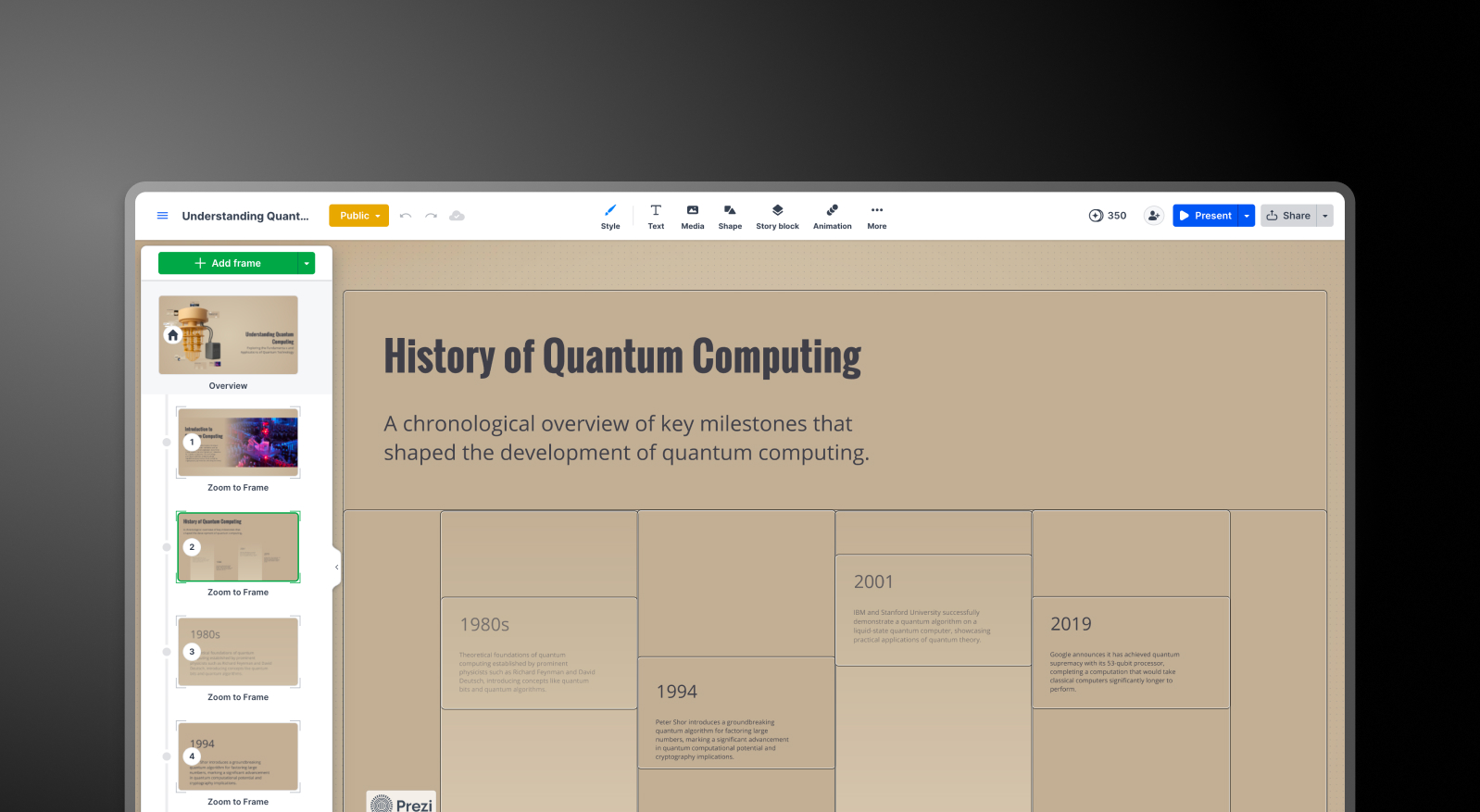
Prezi: The open canvas format gives Prezi presentations a visual distinctiveness that slide-based tools simply cannot replicate. Zooming transitions, spatial relationships between topics, and the ability to reveal content at different levels of detail create an experience that feels fundamentally different from a standard deck.
The trade-off is the depth of customization within that format. You work within Prezi's structural logic, which rewards users who commit to its non-linear approach but limits those who need traditional slide layouts for client delivery.
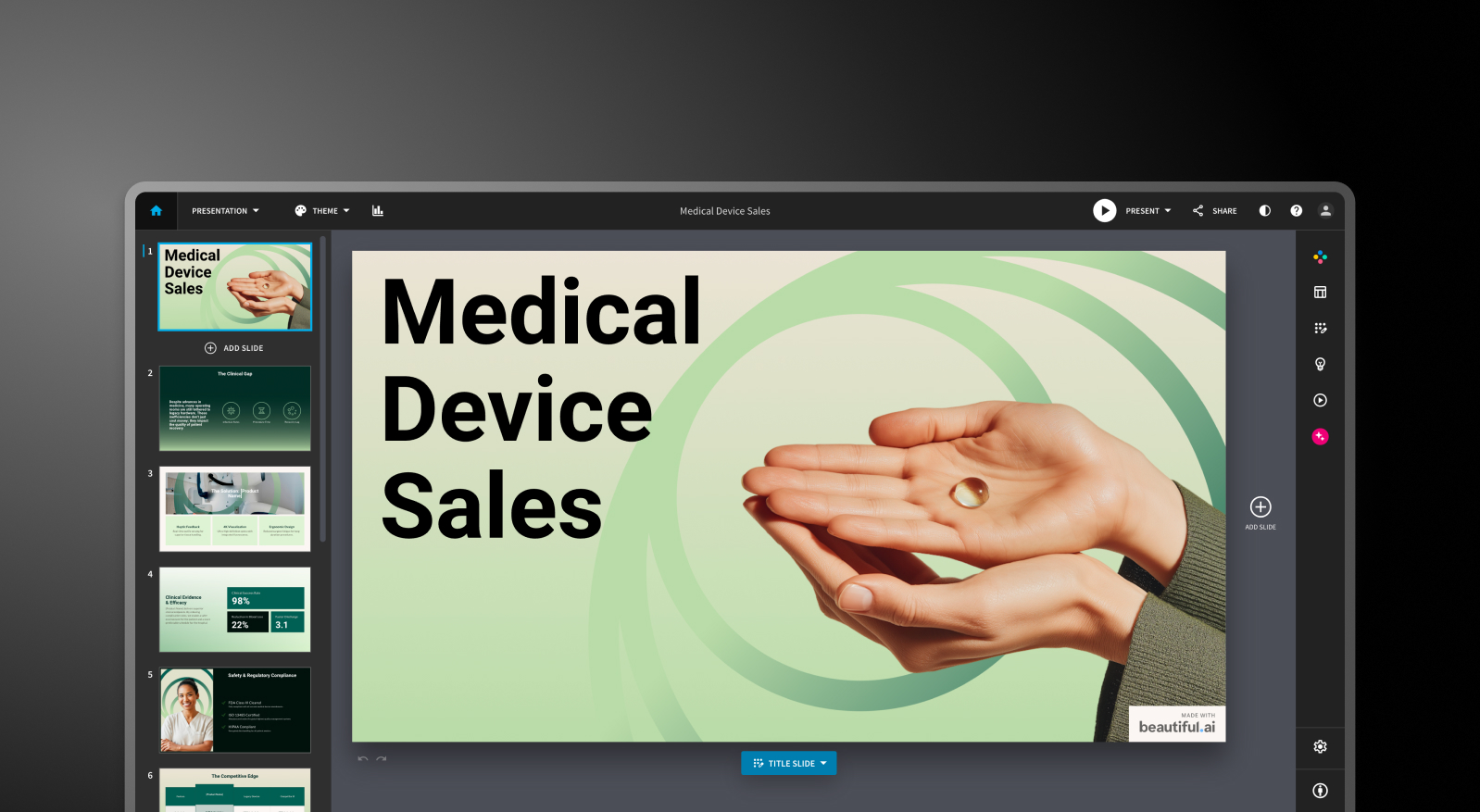
Beautiful.ai: The Smart Slides system produces consistently polished output across a defined range of layout types. The constraint is intentional: you cannot override the layout logic, and freely positioning individual elements is not how the tool works.
For most business presentations, that is actually an advantage. For users who need custom or unconventional arrangements, it becomes a ceiling.
Presentations AI: Anti-fragile templates adapt intelligently as content changes without breaking the overall design structure. Brand Sync automatically applies your company's visual identity from a URL, so every deck is on-brand from the first slide without manual theme configuration.
With over 10,000 professional templates, extensive stock image and icon libraries, and automatic professional animations, Presentations AI delivers consistent visual quality across a team's output at a scale that neither Prezi nor Beautiful.ai was designed to match.
Collaboration and Team Features
Prezi: Collaboration in Prezi is functional but gated. Viewing and commenting are straightforward, but full co-editing requires teammates to have Prezi accounts. Real-time cursor tracking, standard in tools like Canva and Google Slides, is not available.
For small teams or solo creators working on presentations independently, that is manageable. For teams where simultaneous editing is part of the workflow, it is a friction point worth knowing about before committing.
Beautiful.ai: Real-time co-editing, comments, version history, role-based permissions, and shared asset libraries are available on the Team plan at $40/user/month. These features are mature and functional for teams that need them.
The challenge is the price jump: moving from the $12/month Pro plan (single user only) to the Team plan more than triples the per-user cost, and all meaningful collaboration features are locked behind that threshold.
Presentations AI: Team collaboration, real-time sync, and access controls are included at the Starter level, not locked behind a premium tier. Every team member has access to Clip-E, which means any user can produce professional-quality output independently, regardless of their design skills.
Brand Sync is a one-time setup that delivers consistent visual identity across every deck anyone on the team creates. The Enterprise tier adds admin capabilities, company-wide templates, and enterprise-grade security.
Export and Integration Options
Prezi: This is the most significant practical limitation for business buyers. Prezi exports to PDF and PPTX, but the conversion process flattens the spatial format: zoom effects are lost entirely, each frame becomes a separate static slide, and formatting shifts are common. If a stakeholder expects an editable PowerPoint file with working animations and consistent formatting, Prezi's export will require manual cleanup before delivery.
For presentations that live and breathe inside Prezi, the format works well. For teams whose workflow ends in a .pptx file, this is a hard blocker.
Beautiful.ai: PowerPoint and PDF export are available on all paid plans. Formatting issues during export are a documented pain point: text that appears as a single block in Beautiful.ai can split into multiple text boxes in the exported file, and alignment can shift.
Testing export quality on a representative deck before committing is genuinely worthwhile if .pptx delivery is a regular workflow requirement.
Presentations AI: High-fidelity PowerPoint export on the Pro plan, built from the ground up to translate cleanly to .pptx format. One click, boardroom-ready.
PDF export is also available on Pro and above. Multiple import options, including PDF, Word, URL, and plain prompt, give it the most flexible intake of the three tools.
Ease of Use and Learning Curve
Prezi: The Prezi canvas is distinctive and rewarding once you understand its logic, but the learning curve is steeper than any slide-based tool.
The spatial format requires a different way of thinking about how content is organized and revealed, and new users often spend several presentations getting comfortable with the frame-and-zoom structure before output feels natural.
Beautiful.ai: Has a short learning curve. The Smart Slides system means you never start from a blank canvas, and the design decisions are largely handled automatically. Multiple reviewers across platforms report going from idea to a presentable deck in under an hour. For non-designers who need consistent, quick output, this is the most immediately accessible starting point.
Presentations AI: The conversational interface with Clip-E significantly lowers the barrier to entry. Because you describe what you want in plain language, users with no design background can produce polished, persuasion-structured decks from day one.
Brand Sync eliminates the setup friction that typically slows teams down when adopting a new tool: connect your URL once, and every deck that follows is already on-brand.
Full Comparison Table
Pricing Comparison: Prezi vs Beautiful.ai vs Presentations AI
Headline numbers in this category rarely tell the full story. The real cost surfaces when you need collaboration, brand controls, or a clean PowerPoint file at the end. Here is how the three tools handle each of those requirements.
Prezi Pricing

Prezi offers three individual paid plans and a Business tier, all with a 14-day free trial. The free Basic plan includes 500 AI credits and public presentations, which is enough to evaluate the format.
- Basic: Free. 500 AI credits (non-renewable), public presentations, limited features, no offline access or PDF export.
- Plus: $4/month. Removes Prezi branding, adds offline access via the desktop app, PDF export, voiceover, unlimited AI credits, and custom color themes. This is the minimum plan for meaningful professional use.
- Premium: $7/month. Adds Prezi Analytics, priority support, and advanced import integrations.
- Teams: $39/month. Centralized billing, advanced collaboration, dedicated support, and enterprise controls.
What to watch out for: Annual billing is the norm on paid plans, and multiple user reports flag difficulty canceling before auto-renewal. PDF export is locked behind the Plus plan; the free plan does not include it. PPTX export is available but produces flat, static slides with formatting issues, adding manual cleanup time that is not reflected in the price.
Beautiful.ai Pricing

Beautiful.ai has three tiers: Pro, Team, and Enterprise. There is no free plan. A 14-day trial is available, but it requires a credit card and automatically converts to an annual subscription if not cancelled.
- Pro: $12/month (annual) or $45/month (monthly). Unlimited slides, Smart Slides, AI generation, custom fonts, PowerPoint and PDF export, viewer analytics. Single user only.
- Team: $40/user/month (annual) or $50/user/month (monthly). Adds real-time collaboration, Brand Kit, shared libraries, admin controls, and engagement analytics. The jump from Pro to Team more than triples the per-user cost.
- Enterprise: Custom pricing. SSO, SCIM, dedicated account management, priority support, and advanced security.
What to watch out for: A team of five on the Team plan costs $2,400 per year. That is a significant commitment, particularly for a tool where AI depth is limited compared with newer competitors and where PowerPoint export quality remains an open issue.
Presentations AI Pricing
Presentations AI keeps its structure simple: three tiers with no monthly billing option. Plans are available on an annual basis.
- Starter: Free. Unlimited users, limited AI credits, brand themes, team collaboration, and basic functionality. Up to 5 presentations, no credit card required.
- Pro: $240/year (one user). Equivalent to $16.50/month. Additional AI credits, Pro templates, custom fonts and colors, analytics, PDF export, and high-fidelity PowerPoint export.
- Enterprise: Custom pricing. Unlimited AI credits, company-wide templates, admin capabilities, dedicated support, enterprise security, and compliance documentation.
The Starter plan is genuinely multi-user, making it a practical way for an entire team to evaluate the platform before committing to a budget. At $240/year, the Pro plan is meaningfully cheaper than Beautiful.ai's Team plan per user and roughly on par with Prezi's Plus tier, while delivering substantially more AI capabilities and better PowerPoint export fidelity.
Which Tool is Best for Your Use Case?
Best for Startups and Pitch Decks
Investor decks need two things in equal measure: a clear argument and a polished look. Presentations AI delivers both from a single prompt. Clip-E generates a persuasion-structured pitch deck, and you can iterate on the narrative in natural language without manually toggling between slides. The Pro plan at $240/year is accessible for early-stage founders, and the output looks intentionally designed.
Beautiful.ai is a credible second option for founders who already know what they want to say and need it formatted quickly. Prezi is a harder fit for pitch workflows: the zooming format is memorable in a live demo, but typically not what investors expect to receive as a file for follow-up review.
Best for Sales Teams
Sales teams need decks that are quick to build, consistent across all reps, and trackable once shared. Presentations AI covers all three: AI-driven creation from a prompt or an existing document, Brand Sync for team-wide visual consistency, and viewer analytics on paid plans.
Beautiful.ai is also a credible option for sales teams that value Smart Slides' consistency and built-in engagement tracking. The per-user cost on the Team plan is the main consideration. Prezi is less suited to sales deck workflows, particularly when the output needs to be an editable PowerPoint file.
Best for Marketing Teams
Marketing teams live and die by brand consistency. Presentations AI's Brand Sync removes the manual step of applying brand guidelines to each new deck, a step that compounds in value as presentation volume increases. Every deck auto-aligns with the brand from the first slide, whether it is built by the head of marketing or someone in a regional office.
Beautiful.ai's Brand Kit is a solid alternative for teams with simpler brand management needs and a preference for design automation. Prezi's format works well for marketing teams creating conference keynotes or product launch presentations where the visual experience is part of the message. For high-volume, brand-critical business decks, the Brand Sync advantage is hard to replicate manually.
Best for Enterprise and Large Teams
Presentations AI at the Enterprise tier provides unlimited AI credits, company-wide templates, admin controls, complete audit trails, SOC 2 Type II certification, and GDPR-ready compliance documentation. Those credentials matter in security reviews, and the data ownership terms are unambiguous: users retain full rights to their content.
Beautiful.ai's Enterprise plan covers SSO, SCIM, and dedicated account management. Prezi offers Business tier pricing on request with enterprise controls, though it lacks SOC 2 Type II certification. For IT and procurement teams conducting formal security evaluations, Presentations AI reduces the friction in that process more than either competitor does.
Best for Individuals and Freelancers
Prezi's free plan and $15/month Plus tier are genuinely accessible for solo users who want to create visually distinctive presentations without a large investment. Beautiful.ai has no free plan and requires a credit card for its 14-day trial.
Presentations AI's free Starter plan supports unlimited users and includes team collaboration and brand themes. For solo professionals who regularly create business decks,
Presentations AI Pro at $16.50/month offers the broadest feature set for the price, combining AI generation, high-fidelity PPTX export, and brand management in a single plan.
Five Reasons Teams Choose Presentations.AI Over Prezi and Beautiful.ai
Prezi and Beautiful.ai each have genuine strengths within defined use cases. Prezi's non-linear canvas is unlike anything else available. For presenters who live in that format, it delivers a level of visual storytelling that slide-based tools cannot match. Beautiful.ai's design automation is the fastest path from a blank prompt to a polished-looking deck for non-designers who know what they want to say.
But Presentations AI is the only tool in this comparison built from the ground up for one purpose: producing professional business presentations that are persuasive, on-brand, and ready to deliver with minimal editing time.
- Brand Sync goes further than any manual Brand Kit. It reads your company URL and automatically applies your visual identity to every deck your team creates. Prezi requires manual theme setup per presentation. Beautiful.ai's Brand Kit requires deliberate selection each time. Presentations AI makes consistent branding the default rather than the responsibility.
- Clip-E is a collaborator, not just a first-draft engine. You can build, refine, and reshape a deck through natural conversation at any point in the process. Prezi's AI generates a starting structure and steps back. Beautiful.ai's DesignerBot stops at the first draft. Presentations AI stays engaged throughout.
- Multi-source input creates a real workflow advantage. Turn a PDF, a Word document, a URL, or a plain text prompt into a polished deck. Neither Prezi nor Beautiful.ai supports conversion from all four input types.
- PowerPoint export is built to work, not just technically available. Prezi's PPTX export flattens zoom effects into static slides. Beautiful.ai's export produces formatting issues that require cleanup. Presentations AI's Pro export is designed for clean .pptx fidelity from the start.
- The free Starter plan is genuinely multi-user. Your whole team can evaluate the platform before committing to a budget. No credit card required, no one-time credits that run out. Beautiful.ai has no free plan. Prezi's free tier excludes PDF export and limits presentations to public visibility.
Which AI Presentation Maker Should You Choose in 2026?
Choose Prezi if you:
- Regularly present live to audiences and want the zooming canvas to be part of the experience
- Work in education, public speaking, or creative industries where non-linear storytelling sets you apart
- Do not need to deliver polished, editable PowerPoint files as a regular output
- Want an accessible individual plan with a distinctive format
Choose Beautiful.ai if you:
- Create decks solo and need consistent, polished output every time with minimal formatting effort
- Value viewer engagement analytics for sales follow-up
- Are comfortable with a credit card required for the trial, and no free plan to evaluate upfront
- Have straightforward brand requirements: colors, fonts, logos applied manually
Choose Presentations AI if you:
- Want AI that structures decks for persuasion, not just fills in slides with generated content
- Need brand consistency to be automatic, not dependent on remembering to apply a theme
- Regularly convert PDFs, Word documents, or URLs into presentation format
- Are building business-critical decks: pitches, sales presentations, board updates
- Need high-fidelity PowerPoint export and enterprise-grade data ownership terms
