

AhaSlides vs Presentations.AI: 2026年版 正直な比較

AhaSlidesとは?

AhaSlidesとは?

プレゼンテーション中にインタラクティブな機能(ライブ投票、クイズ、アンケートなど)を提供するエンゲージメントプラットフォームです。スライドの自動デザインやブランド統一のための高度なAI機能は備えていません。本格的なAIデザインスイートではありません。

Presentations.AIとは?

Presentations.AIとは?

アウトラインやドキュメントを、ブランドの自動適用、リアルタイムでの共同作業、高品質なPowerPointエクスポート機能を備えた完全にデザインされたスライドに変換する、AI駆動のプレゼンテーション作成ツールです。

AhaSlides vs Presentations.AI: 機能比較

AhaSlidesは、プレゼンテーションを行っているその瞬間のために作られており、投票、クイズ、ライブインタラクションを追加して聴衆を惹きつけます。一方、Presentations.AIは、その前のすべての段階のために作られており、未加工のアイデアを完全にデザインされたブランドに沿ったプレゼンテーションに変えます。前者はプレゼンテーションの実行を助け、あると便利なものですが、後者はプレゼンテーションの作成を助けます。
Capability AhaSlides Presentations AI
Focus Interactive features like polls, quizzes, and live Q&A AI-native presentation creation from content to design
Brand Consistency Basic or manual brand styling Automatic brand sync across all slides
AI Capabilities No AI for layout or design; focused on engagement tools Deep AI for full deck generation, layout, and visuals
Export Limited export (PDF or web-based formats) High-fidelity PowerPoint (.pptx) export
Use Case Live audience interaction and engagement Professional, on-brand presentation creation

AIによる楽々プレゼンテーション作成を体験しませんか?

Presentations.AIが、あなたの概要やドキュメントを、数分で魅力的でブランドに合ったプレゼンテーションにどのように変えることができるかをご覧ください!

無料で始める

AhaSlidesとPresentations.AIの概要

AhaSlidesは、インタラクティブな機能を核としたオーディエンスエンゲージメントプラットフォームであり、既に作成済みのプレゼンテーションに、投票、クイズ、ライブQ&Aを追加します。一方、Presentations.AIは、単一の入力からコンテンツ、デザイン、ブランドの一貫性、アニメーションを自動的に処理し、プレゼンテーションそのものを構築します。

これら2つのツールは、プレゼンテーションのライフサイクルにおける異なる段階で役立ちます。AhaSlidesは、既存の資料にインタラクティブ性を追加することで、発表中に最も威力を発揮しますが、スライド作成やデザイン自動化のための意味のあるAI機能はなく、資料作成ツールではなくエンゲージメントレイヤーです。Presentations.AIは作成段階で最も威力を発揮し、レイアウト、ブランド統一、デザインを自動化するため、聴衆の前に立つ前に資料が発表できる状態になります。

Presentations.AIが大きく優位に立つのは、そのAIエンジンの深さです。単にスライドを作成するだけでなく、企業のカラー、フォント、ロゴを自動的に適用し、組み込みのアニメーションやトランジションを含み、AhaSlidesでは匹敵できない高品質な.pptxファイルをエクスポートします。両方を求めるチームにとって、これら2つは相互に排他的ではありません。Presentations.AIで資料を作成し、PowerPointにエクスポートした後、AhaSlidesのインタラクションを埋め込むことができます。しかし、目標がプロフェッショナルでブランドに沿ったプレゼンテーションを迅速かつ大規模に作成することであれば、Presentations.AIがその実際の作業を行うツールです。

AhaSlidesの仕組み

ステップ1:登録 – 無料プランと有料プランがあり、投票やクイズなどのエンゲージメント機能に異なる制限があります。

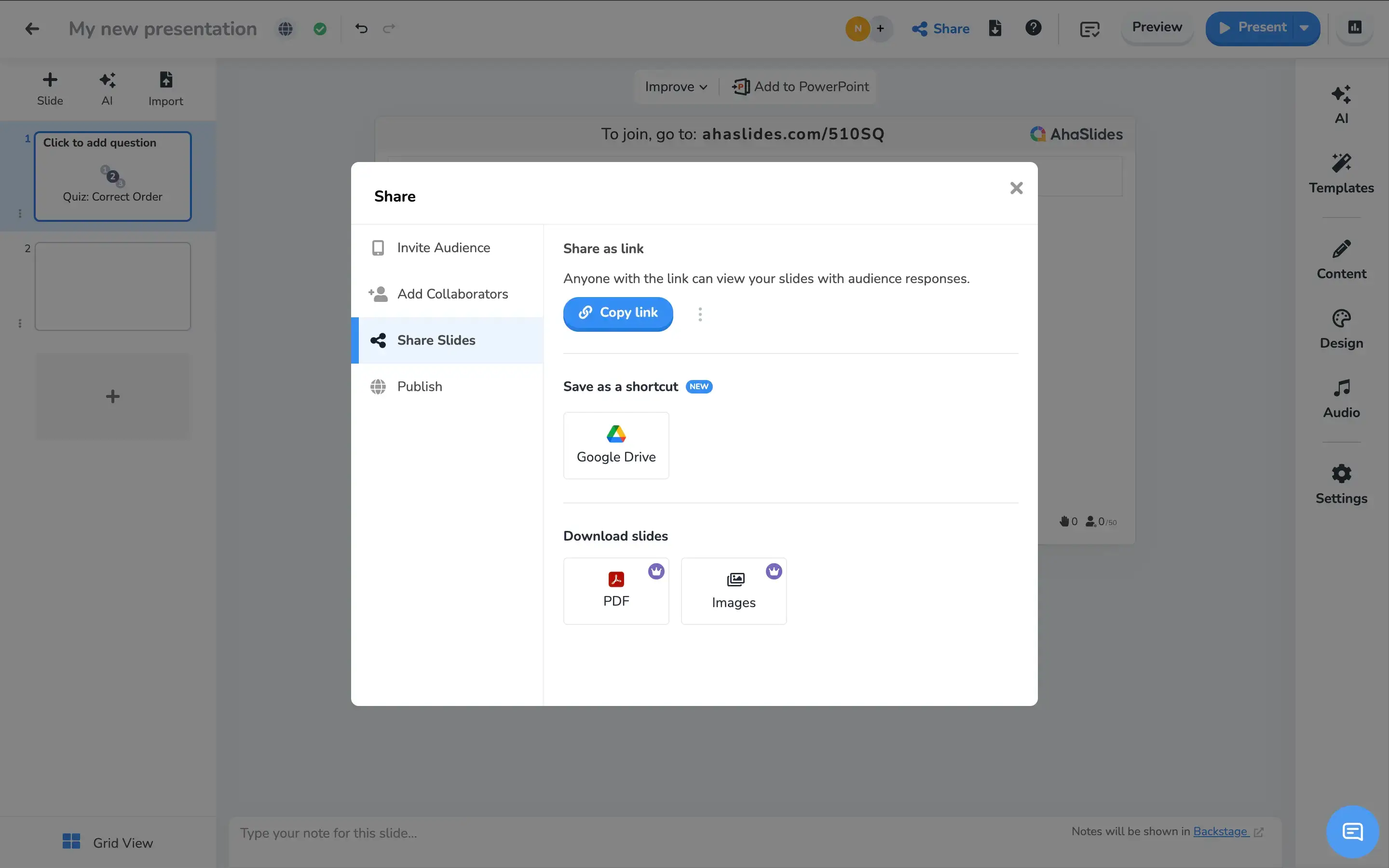
ステップ2:スライドを手動で作成 – テキスト、投票、クイズ、Q&Aスライドを手作業で追加します。この段階では、レイアウト、デザイン、ブランドの自動化のためのAI機能はありません。

AhaSlides create slides step screenshot

ステップ3:セッションを開始 – 聴衆とコードまたはリンクを共有します。参加者はプレゼンテーション中にリアルタイムで参加し、インタラクトします。

AhaSlides launch step screenshot

ステップ4:基本的なブランディングを適用 – テーマのカスタマイズは限定的です。ブランドの一貫性は手動で、最小限です。自動ブランド同期はありません。


Presentations AIの仕組み

ステップ1:登録 – 無料プランには、AIプレゼンテーションが5回分含まれています。クレジットカードは不要です。

ステップ2:コンテンツの入力 – PDF、Word文書をアップロードするか、アウトラインを入力します。Presentations.AIは、あなたの資料を文脈に沿って読み取ります。

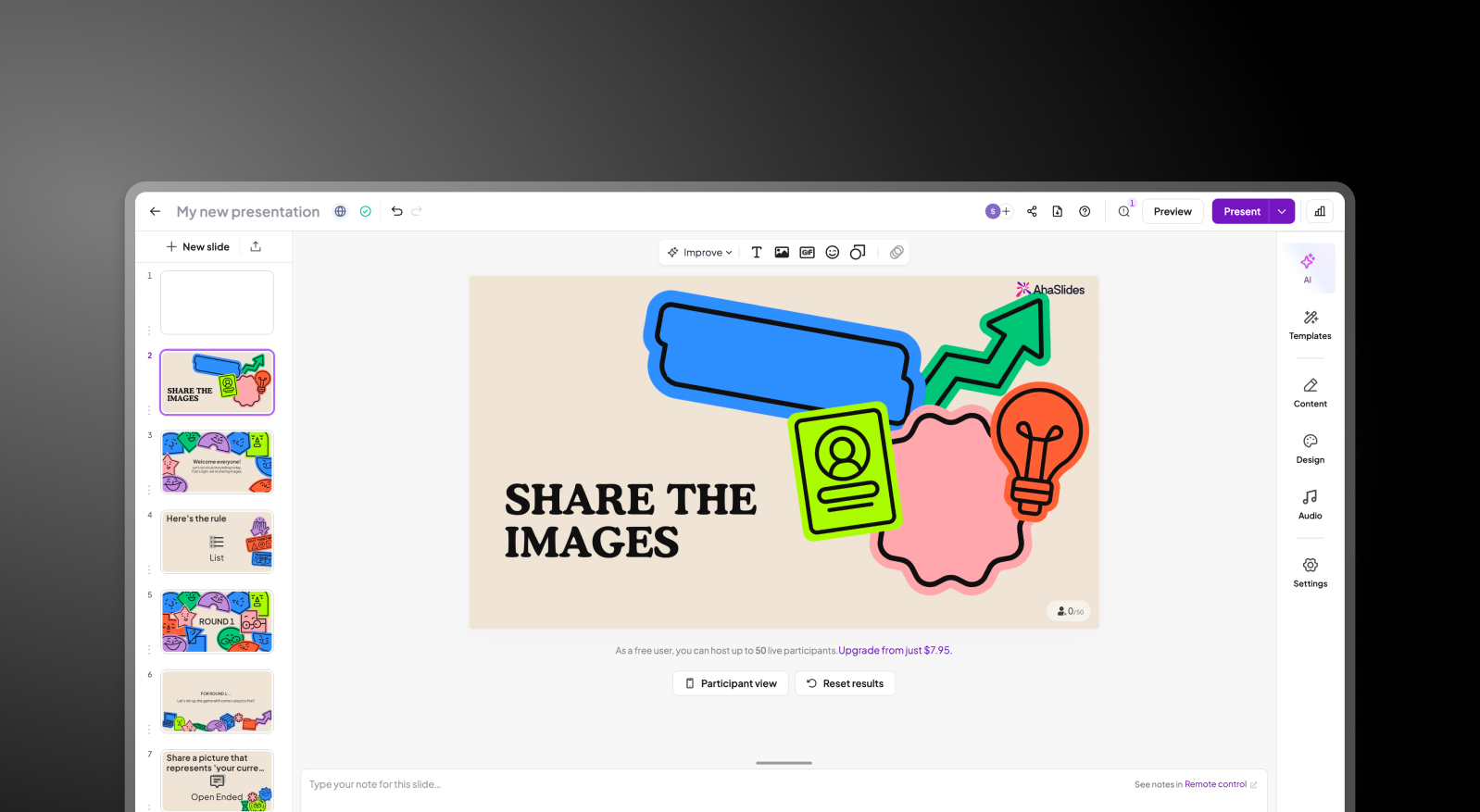
ステップ3:AIが完全な資料を作成 – レイアウト、ブランドカラー、フォント、アニメーション、トランジションが自動的に適用されます。すぐに使える完成されたプレゼンテーションです。

Presentations.AI automated deck step screenshot

ステップ4:エクスポートまたはプレゼンテーション – PowerPointで問題なく開く高精度の.pptxファイルをダウンロードできます。または、組み込みのアニメーションを使ってオンラインで直接プレゼンテーションできます。再フォーマットは不要です。


チームがAhaSlidesではなくPresentations.AIを選ぶ5つの理由

手間のかかる部分を自動化:AhaSlidesはインタラクションに優れていますが、高度な資料デザインの自動化機能はありません。

ブランドの一貫性:AhaSlidesには、レイアウトやデザインの自動化のためのAIがありません。Presentations AIは、ブランド同期により即座にブランドコンプライアンスを確保します。手動でのテーマ設定は不要です。

スケーラブル:あらゆる種類のビジネスプレゼンテーションや学術プレゼンテーションに利用できます。必要に応じて投票機能も統合できます。

プロフェッショナルなエクスポート: AhaSlidesのエクスポートはPDFまたはウェブベースの形式に限定されています。Presentations AIは、アニメーションを保持したまま、高品質な.pptxファイルを提供し、PowerPoint、メール、またはクライアントへの納品にすぐに使えます。

両方の良いとこ取り: 競合する必要はありません。Presentations AIでデッキを作成し、PowerPointにエクスポートした後、AhaSlidesのインタラクションを追加しましょう。プロがデザインしたプレゼンテーションと、ライブオーディエンスエンゲージメントの両方を、どちらも妥協することなく手に入れることができます。

まず、インタラクションに値するデッキが必要な理由

AhaSlidesは、プレゼンテーションをよりインタラクティブにするという点で、本当に優れています。しかし、インタラクションは、インタラクションする価値のあるプレゼンテーションがあって初めて意味を持ちます。

Presentations AIがそのプレゼンテーションを作成します。 生のドキュメントやアウトラインから、洗練されたブランドに合ったPowerPointまで、数分で作成できます。チーム全員での共同作業が可能で、デザイン作業は不要です。 意味があるなら両方使いましょう。しかし、プロフェッショナルなデッキを迅速かつ大規模に作成するには、Presentations AIが最適です。

Divider Lines

よくある質問

What is the main difference between AhaSlides and Presentations.AI?

Down IconUp Icon

The main difference is the moment in the workflow each tool serves. AhaSlides is built for live audience engagement, adding polls, quizzes, word clouds, and Q&A during a presentation. Presentations.AI is built for creation, generating complete branded decks from documents or prompts before the presentation begins. AhaSlides activates an audience. Presentations.AI builds the deck that audience is responding to.

Is AhaSlides free?

Down IconUp Icon

Yes, AhaSlides has a free plan that supports up to 50 audience members per session, with access to interactive features like polls, quizzes, and word clouds. Paid plans expand audience size, branding controls, and exports. Presentations.AI offers a free plan with five complete AI-generated presentations, no audience size cap on the deck itself, and full PowerPoint export included.

Can you export from AhaSlides to PowerPoint?

Down IconUp Icon

AhaSlides integrates with PowerPoint and supports importing PowerPoint presentations or embedding AhaSlides interactions into existing decks. Direct PPTX export from AhaSlides is limited, with data exports available for polls and word clouds rather than full visual deck export. Presentations.AI exports a high-fidelity .pptx file natively, with layouts, fonts, animations, and brand styling preserved exactly as designed in the editor.

Does AhaSlides have AI for slide creation?

Down IconUp Icon

Yes, AhaSlides has an AI slide assistant that generates poll questions, quiz options, and basic slide content from a prompt. The AI is engagement-focused, designed to populate interactive elements rather than build full branded decks. Presentations.AI is AI-native for full presentation generation, producing complete decks with brand styling, animations, and layouts applied in a single pass from a document or prompt.

Can you use AhaSlides and Presentations.AI together?

Down IconUp Icon

Yes, the two tools work well together. Build a complete branded deck in Presentations.AI, export it to PowerPoint, then embed AhaSlides interactions into the file for live polls and Q&A. This combination delivers a professionally designed deck with audience engagement layered on top. Teams that need both creation and interactivity often run this exact workflow rather than choosing one over the other.