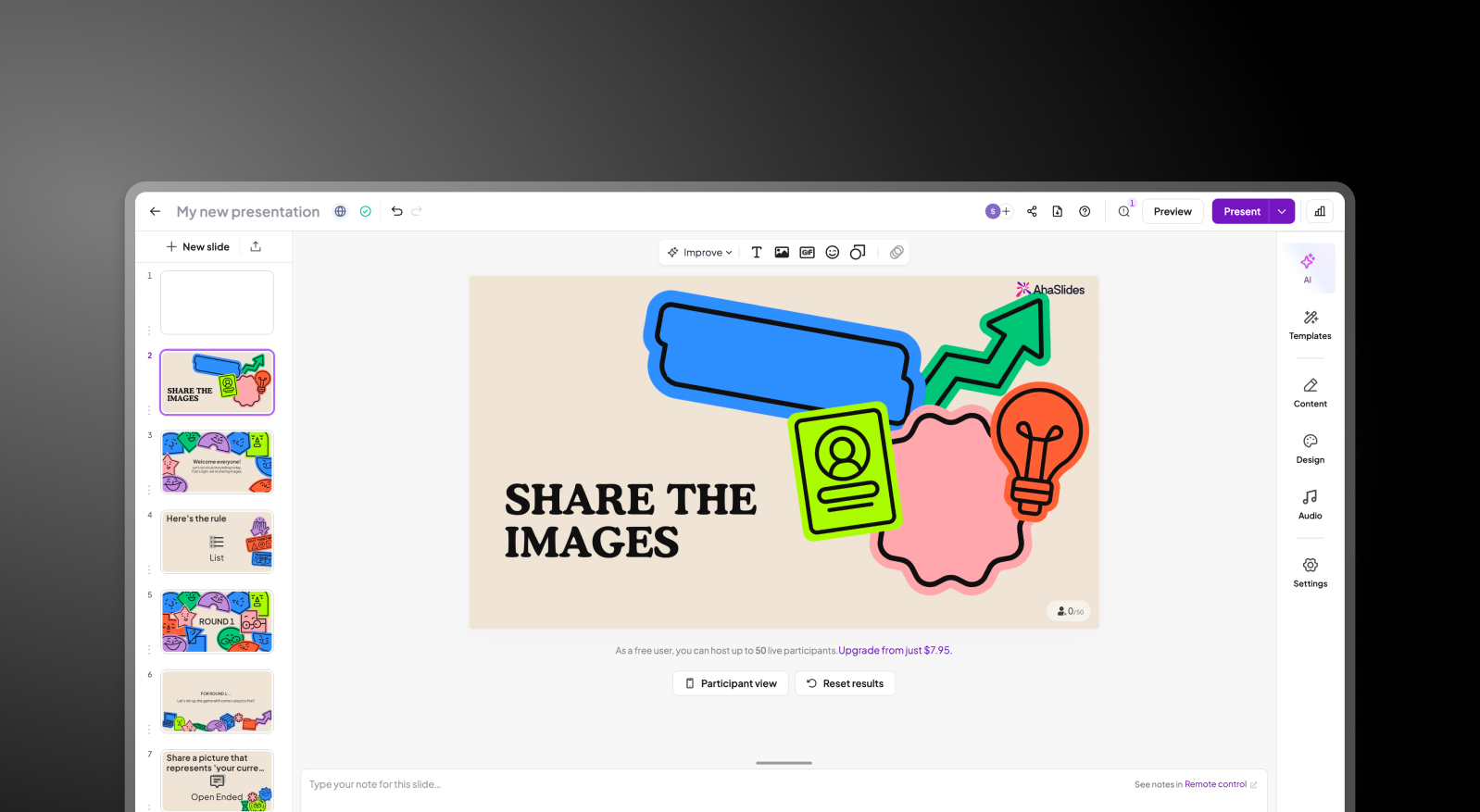


AhaSlides vs Presentations.AI: An Honest 2026 Comparison

What is AhaSlides?

An engagement platform offering interactive features during presentations (live polls, quizzes, surveys). Lacks advanced AI for automatic slide design or brand enforcement. It is not a full-scale AI design suite.

What is Presentations.AI?

An AI-driven presentation builder that converts outlines/documents into fully designed slides with automatic brand application, real-time collaboration, and high-fidelity PowerPoint exports.

AhaSlides vs Presentations.AI: Feature Comparison

AhaSlides is built for the moment you’re presenting — adding polls, quizzes, and live interaction to engage your audience. Presentations.AI is built for everything before that — turning raw ideas into fully designed, on-brand presentations. One helps you run the presentation and is just nice to have; the other helps you create it.
Capability AhaSlides Presentations AI
Focus Interactive features like polls, quizzes, and live Q&A AI-native presentation creation from content to design
Brand Consistency Basic or manual brand styling Automatic brand sync across all slides
AI Capabilities No AI for layout or design; focused on engagement tools Deep AI for full deck generation, layout, and visuals
Export Limited export (PDF or web-based formats) High-fidelity PowerPoint (.pptx) export
Use Case Live audience interaction and engagement Professional, on-brand presentation creation

Ready to Experience Effortless AI Presentation Creation?

Discover how Presentations.AI can transform your outline or document into a stunning, on-brand presentation within minutes!

Get Started for Free

AhaSlides and Presentations.AI at a Glance

AhaSlides is an audience engagement platform built around interactive features — it adds polls, quizzes, and live Q&A to presentations you've already built. Presentations.AI builds the presentation itself, handling content, design, brand alignment, and animations automatically from a single input.

These two tools serve different moments in the presentation lifecycle. AhaSlides is strongest during delivery, adding interactivity on top of an existing deck, however, it has no meaningful AI for slide creation or design automation — it's an engagement layer, not a deck builder. Presentations.AI is strongest at creation: it automates layout, brand enforcement, and design so the deck is ready to present before you ever step in front of an audience.

Where Presentations AI pulls well ahead is in the depth of its AI engine. It doesn't just build slides — it applies your corporate colors, fonts, and logos automatically, includes built-in animations and transitions, and exports high-fidelity .pptx files that AhaSlides cannot match. For teams that want both, the two aren't mutually exclusive. Build your deck in Presentations.AI, export to PowerPoint, and embed AhaSlides interactions afterward. But if the goal is creating professional, on-brand presentations at speed and scale — Presentations AI is the tool doing the actual work.

How AhaSlides Works

Step 1: Sign Up – Free and paid plans, with varying limits on engagement features like polls and quizzes.

Step 2: Build slides manually – Add text, polls, quizzes, or Q&A slides by hand. There's no AI for layout, design, or brand automation at this stage.

AhaSlides create slides step screenshot

Step 3: Launch your session – Share a code or link with your audience. Participants join and interact in real time during your presentation.
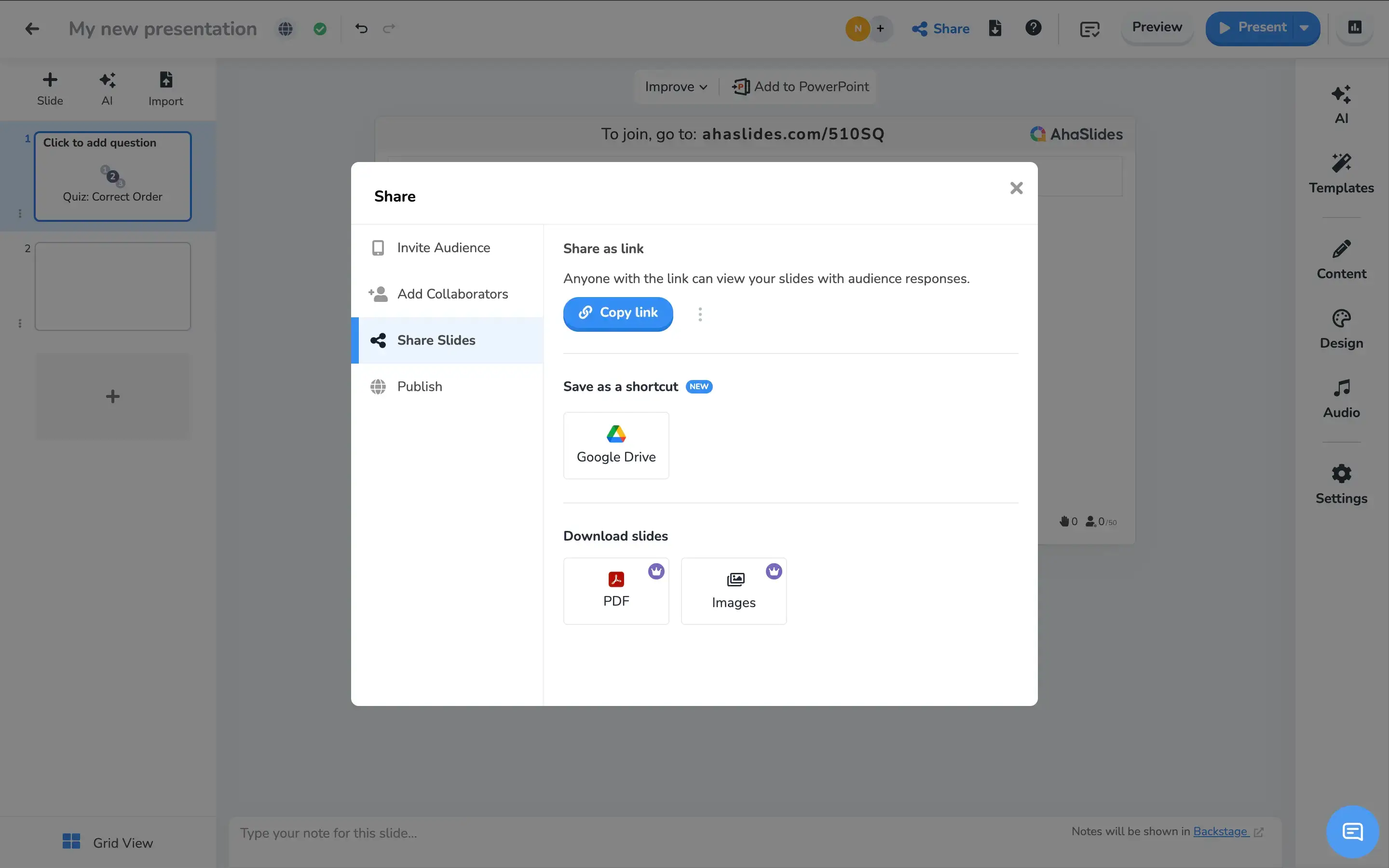
AhaSlides launch step screenshot

Step 4: Apply basic branding – Limited theme customization is available. Brand consistency is manual and minimal — no automatic brand sync.


How Presentations AI Works

Step 1: Sign up – Free plan includes 5 full AI presentations. No credit card required.

Step 2: Input your content – Upload a PDF, Word doc, or type an outline. Presentations.AI reads your material in context.

Step 3: AI builds the complete deck – Layout, brand colors, fonts, animations, and transitions applied automatically — a finished presentation ready to use.

Presentations.AI automated deck step screenshot

Step 4: Export or present – Download a high-fidelity .pptx that opens cleanly in PowerPoint, or present directly online with built-in animations. No reformatting needed.


Five Reasons Teams Choose Presentations.AI Over AhaSlides

Automate the Hard Parts: AhaSlides thrives on interaction but lacks advanced deck design automation.

Brand Uniformity: AhaSlides has no AI for layout or design automation. Presentations AI ensures instant brand compliance with brand sync—no manual theming.

Scalable: Use it for all types of business or academic presentations, then integrate polls if needed.

Professional Export: AhaSlides exports are limited to PDF or web-based formats. Presentations AI delivers high-fidelity .pptx files with animations intact — ready for PowerPoint, email, or client delivery.

The Best of Both: They don't have to compete. Build your deck in Presentations AI, export to PowerPoint, and layer in AhaSlides interactions afterward. You get a professionally designed presentation and live audience engagement — without compromising either.

Why You Need a Deck Worth Interacting With First

AhaSlides is genuinely good at what it does — making presentations more interactive. But interaction only matters once you have a presentation worth interacting with.

Presentations AI builds that presentation. From a raw document or outline to a polished, on-brand PowerPoint in minutes — with full team collaboration and no design work required. Use both if it makes sense. But for creating professional decks at speed and scale, Presentations AI is where the work gets done.

Divider Lines

Frequently Asked Questions

What is the main difference between AhaSlides and Presentations.AI?

Down IconUp Icon

The main difference is the moment in the workflow each tool serves. AhaSlides is built for live audience engagement, adding polls, quizzes, word clouds, and Q&A during a presentation. Presentations.AI is built for creation, generating complete branded decks from documents or prompts before the presentation begins. AhaSlides activates an audience. Presentations.AI builds the deck that audience is responding to.

Is AhaSlides free?

Down IconUp Icon

Yes, AhaSlides has a free plan that supports up to 50 audience members per session, with access to interactive features like polls, quizzes, and word clouds. Paid plans expand audience size, branding controls, and exports. Presentations.AI offers a free plan with five complete AI-generated presentations, no audience size cap on the deck itself, and full PowerPoint export included.

Can you export from AhaSlides to PowerPoint?

Down IconUp Icon

AhaSlides integrates with PowerPoint and supports importing PowerPoint presentations or embedding AhaSlides interactions into existing decks. Direct PPTX export from AhaSlides is limited, with data exports available for polls and word clouds rather than full visual deck export. Presentations.AI exports a high-fidelity .pptx file natively, with layouts, fonts, animations, and brand styling preserved exactly as designed in the editor.

Does AhaSlides have AI for slide creation?

Down IconUp Icon

Yes, AhaSlides has an AI slide assistant that generates poll questions, quiz options, and basic slide content from a prompt. The AI is engagement-focused, designed to populate interactive elements rather than build full branded decks. Presentations.AI is AI-native for full presentation generation, producing complete decks with brand styling, animations, and layouts applied in a single pass from a document or prompt.

Can you use AhaSlides and Presentations.AI together?

Down IconUp Icon

Yes, the two tools work well together. Build a complete branded deck in Presentations.AI, export it to PowerPoint, then embed AhaSlides interactions into the file for live polls and Q&A. This combination delivers a professionally designed deck with audience engagement layered on top. Teams that need both creation and interactivity often run this exact workflow rather than choosing one over the other.