


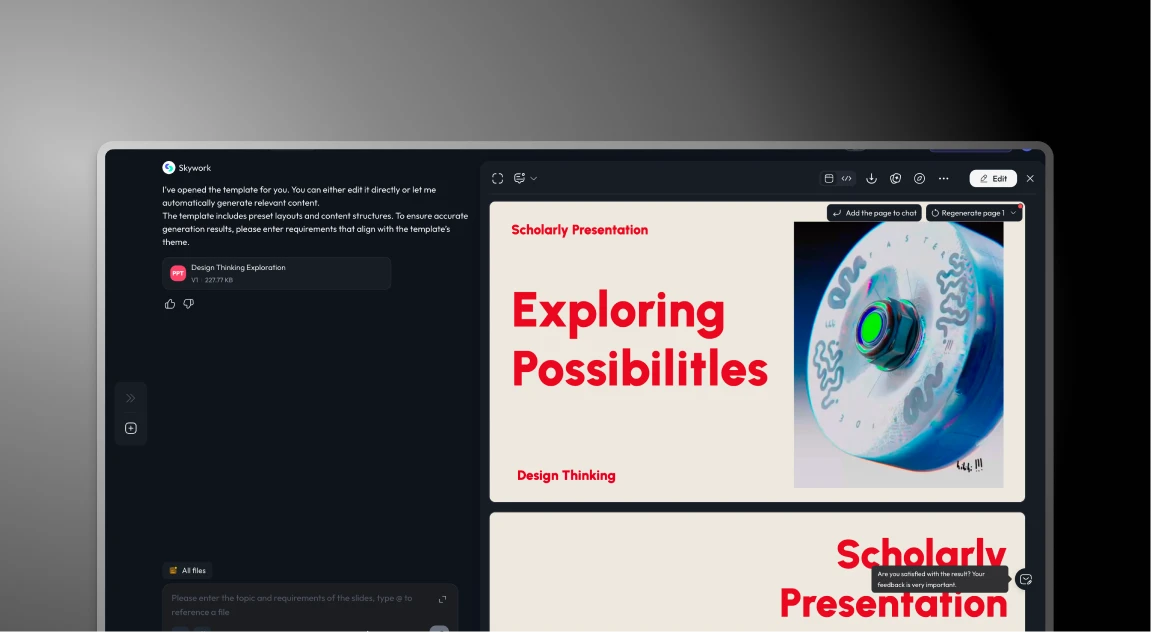


Skywork and Presentations.AI at a Glance
Skywork is a multi-purpose AI workspace that bundles documents, spreadsheets, and slides into a single platform via its "Super Agents" feature. While versatile, slides are one of several outputs it supports — not the platform's core focus. Presentations AI is built exclusively for slide decks, with every AI capability purpose-designed for professional business presentations.
Since Skywork spreads its AI across multiple output types, its slide generation is general-purpose — adequate for basic tasks but lacking the presentation-specific intelligence needed for business-ready decks. Brand control is manual or limited, collaboration is workspace-level rather than slide-specific, and PowerPoint exports deliver only basic fidelity. Presentations AI builds narrative structure, persuasive storytelling, and corporate brand enforcement into every generated deck.
For teams that need polished, boardroom-ready presentations rather than generic workspace slides, Presentations AI delivers where Skywork falls short: automatic brand sync from your website URL, SOC 2 Type II certified security, real-time slide-level co-editing, and true high-fidelity .pptx exports.
How Skywork Works
Skywork is a general-purpose AI workspace with documents, spreadsheets, and slides all under one roof. Presentations are handled by one of several "Super Agents," not a dedicated tool.
Step 1: Create an account – Sign up for a free plan with limited monthly credits. Usage is capped, so if you run out, you either wait or upgrade.
Step 2: Select the slides agent – Navigate to the slides agent from Skywork's multi-purpose dashboard. It sits alongside document and spreadsheet agents — presentations aren't the focus.
Step 3: Enter a research prompt – Input your topic. Skywork's strongest feature kicks in here: it synthesizes content, reads charts, and pulls citations. Useful for research-heavy work.
Step 4: Review generated content – The AI assembles basic slides from its research output. Content is placed, but without narrative structure or presentation psychology. There is no story arc, no persuasion logic.
Step 5: Manually refine everything – Apply your brand elements by hand. Adjust formatting. Add the design sophistication the generic AI misses. This step takes as long as it takes.
Step 6: Export and share – Download as PowerPoint or PDF. Collaboration happens through file sharing, no real-time editing, no centralized workflows.
How Presentations AI Works
Built specifically for business presentations — not documents, not spreadsheets, just slides.
Step 1: Sign up – Free tier with 5 presentations. No credit card required. Setup takes 30 seconds.
Step 2: See the quality immediately – The product is built for business users, not researchers. The difference is obvious from the first screen.
Step 3: Create a new presentation – Hit "Create new presentation" from your dashboard and choose how you want to build — from an outline, from 10,000+ templates, from an AI prompt, or by importing a Word or PDF document directly.
Step 4: Review and refine your AI-generated outline – The AI produces a detailed outline with presentation psychology built in. Edit text, rearrange slides, then generate with one click.
Step 5: Get a business-ready deck – Presentations AI delivers a polished, on-brand deck with animations, transitions, and corporate branding applied automatically. High-fidelity PowerPoint export is ready immediately.
Step 6: Collaborate and track – Share with your team for real-time editing, or send to stakeholders and track exactly who viewed it, which slides held their attention, and where they dropped off.
Three Reasons Teams Choose Presentations.AI Over Skywork
Skywork does one thing well: research synthesis. But research is only one ingredient in an effective business presentation. You still need narrative structure, design sophistication, brand consistency, team workflows, and enterprise security — and Skywork doesn't deliver any of those.
1. Purpose-Built for Business Presentations
- 10,000+ templates designed for specific business use cases like pitch decks, QBRs, board reports, strategy decks, and not generic layouts
- Narrative intelligence that understands persuasive storytelling and presentation psychology, not just content accuracy
- Automatic animations and transitions that turn static slides into a choreographed story — no manual configuration
- High-fidelity PowerPoint exports that preserve every animation, transition, and design element — no broken formatting, no missing fonts
2. Business-Ready Team Features
- Enter your website URL once, and every deck your team creates, anywhere in the world, automatically matches your brand
- Real-time collaboration with version control and approval workflows built in
- Engagement analytics show who viewed your deck, which slides held attention, and where people dropped off
- Centralized template libraries let your best presentations scale across the entire organization
3. Enterprise-Grade Infrastructure
- SOC 2 Type II certified- the enterprise security standard Fortune 500 companies require before approving any tool
- Full audit trails for compliance reporting; track who accessed what and when
- Granular access controls so you decide who can view, edit, or share sensitive presentations
When a General AI Workspace Stops Being Enough
Skywork is a capable general AI workspace and works well for a solo researcher who needs content synthesis more than presentation craft.
But if you're a consultant building client decks, an analyst presenting to a board, or a business team that needs presentations to actually move people, a general-purpose tool with a slides feature isn't enough. You need something built specifically for the job.
Presentations AI is that tool that will take you from raw input to polished, on-brand, export-ready PowerPoint in minutes, with the team infrastructure and enterprise security to support it at scale. Start with the AI presentation maker when you are building a full deck from a prompt or a document, and the AI slide creator when you only need to rebuild one slide.
