
تفاصيل الميزات: Slidesgo مقابل Presentations.AI
1. تفرّد القوالب مقابل المحتوى المُنشأ
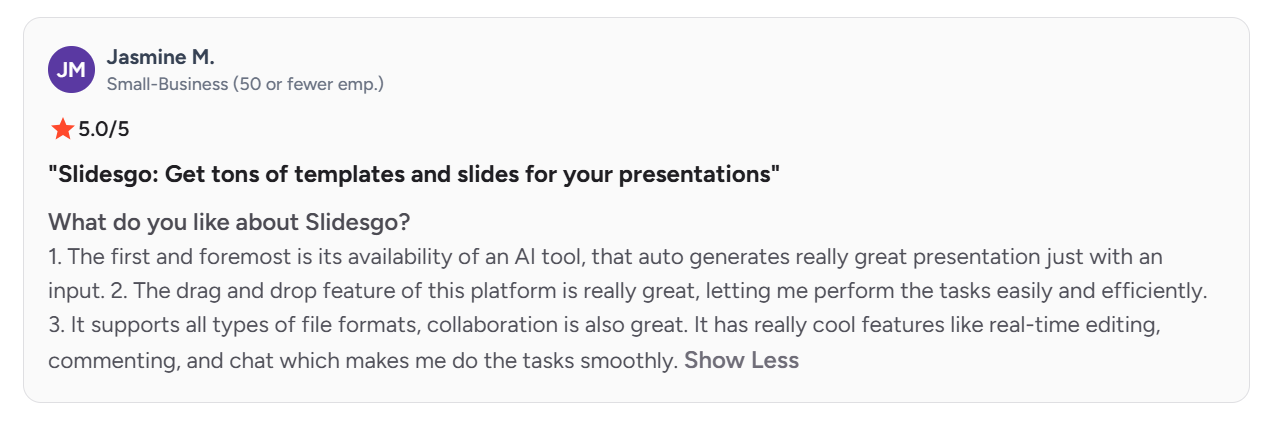
لأن قوالب Slidesgo الشائعة مجانية ويتم تنزيلها على نطاق واسع، يلاحظ عدد من Slidesgo G2 ظهور التصاميم نفسها في عروض أشخاص آخرين. ينشئ Presentations.AI كل عرض من محتواك الخاص، فلا يوجد قالب مشترك قد تجده عند غيرك.
2. عمق الإنشاء بالذكاء الاصطناعي
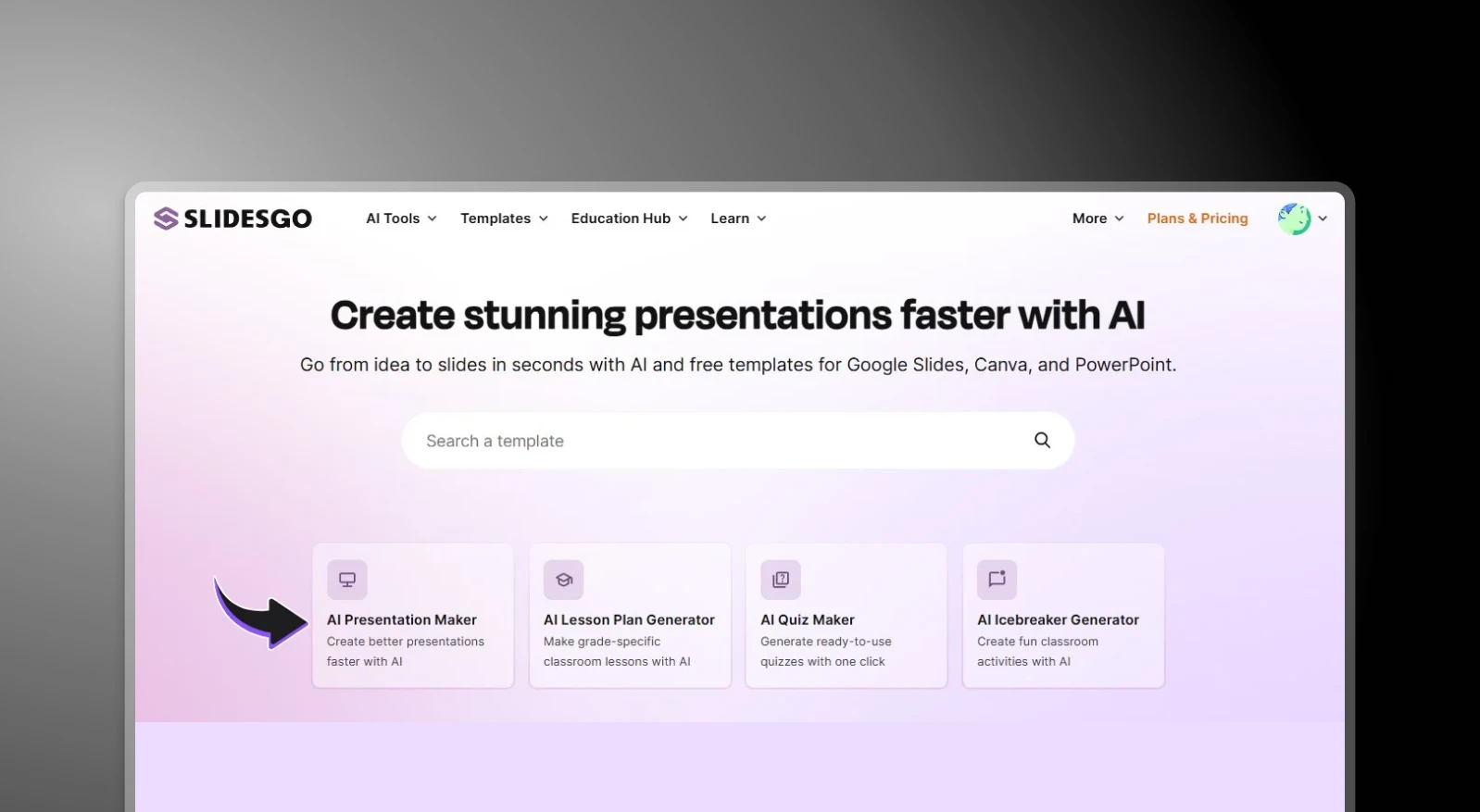
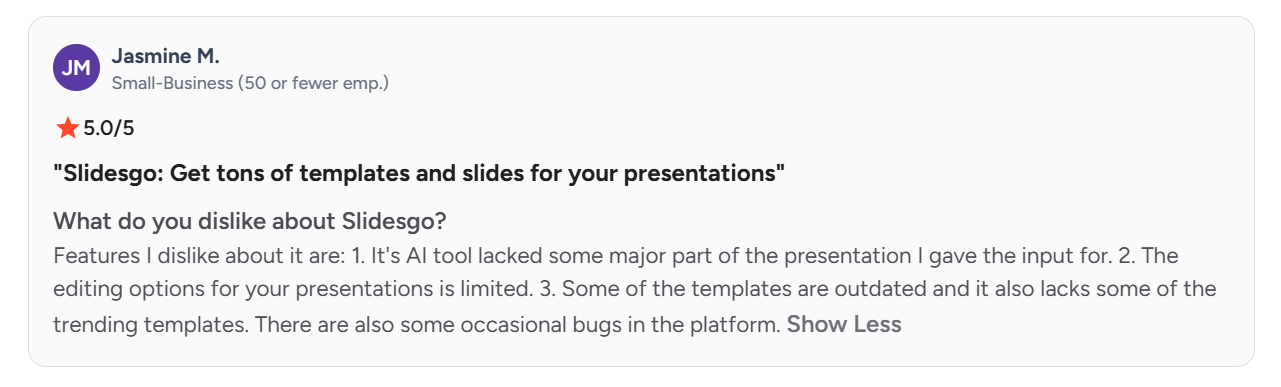
أضافت Slidesgo أداة AI Presentation Maker تنشئ مسودات انطلاقًا من موضوع، لكن مراجعًا واحدًا على الأقل وجد أن النتيجة أغفلت "جزءًا مهمًا" مما طلبه فعلًا، ما اضطره إلى إعادة البناء يدويًا. أما صانع العروض التقديمية بالذكاء الاصطناعي من Presentations.AI فيقرأ المستند أو المخطط أو الطلب النصي كاملًا ضمن سياقه، ويبني العرض كله حوله مع الحفاظ على هوية علامتك التجارية في كل عرض.
3. التعديل والتخصيص
يذكر مراجعو Slidesgo مرارًا أنهم يصطدمون بحاجز بمجرد أن يحتاجوا إلى شيء خارج بنية القالب. يعاني المستخدمون من تخطيطات متكررة، وصعوبة استخدام الأيقونات والعناصر بين القوالب، وتعديلات تحتاج دائمًا تقريبًا إلى تغيير يدوي. أما شرائح Presentations.AI فيمكن تعديلها مباشرة، دون قالب ثابت يقيّد ما يمكن تغييره.
4. اتساق العلامة التجارية
يتطلب Slidesgo إعادة تطبيق ألوان العلامة التجارية وخطوطها يدويًا مع كل تنزيل جديد؛ فلا يُنقل أي شيء من عرض إلى آخر. أما ميزة Brand Sync في Presentations.AI فتستخرج شعارك وخطوطك وألوانك تلقائيًا من رابط موقع شركتك، وتعيد استخدامها في كل عرض بعد الإعداد الأولي.
5. سهولة الوصول وعوائق التسعير
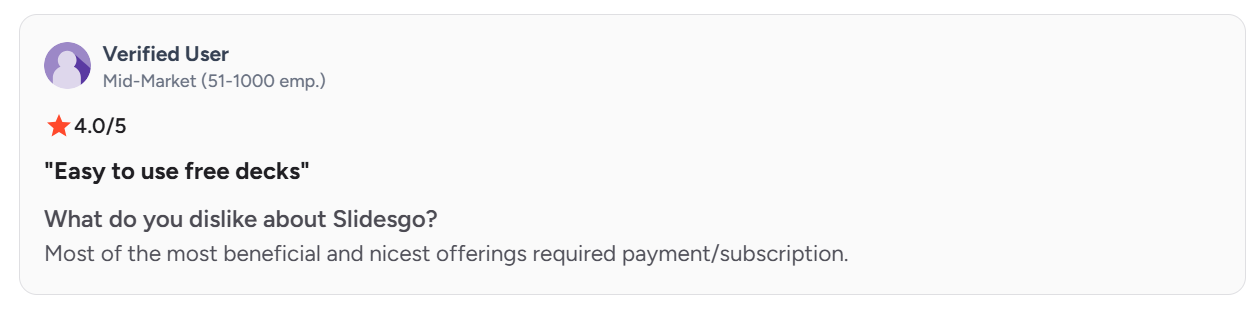
يقبع أثمن محتوى Slidesgo خلف اشتراك مدفوع، وتنزيلات الخطة المجانية محدودة شهريًا. أما خطة Starter المجانية في Presentations.AI فتشمل إنشاء العروض بالذكاء الاصطناعي، وعروضًا تصل إلى 20 شريحة، ووصولًا كاملًا إلى مكتبة القوالب.
6. الأمان والشهادات
لا تُعلن Slidesgo عن أي شهادة أمان أو وثائق امتثال أو سياسات لمعالجة البيانات يمكن لفريق المشتريات أو تقنية المعلومات مراجعتها. في الاستخدام الشخصي أو الدراسي نادرًا ما يكون ذلك عائقًا، لكنه غالبًا ما يكون كذلك في عرض أعمال يجب أن يمر بمراجعة تقنية أو قانونية قبل اعتماده. حصل Presentations.AI على شهادة SOC 2 Type II ويدعم تسجيل الدخول الموحّد (SSO) لمستخدمي المؤسسات، ما يجعله الخيار الأمثل لفرق الأعمال.
Slidesgo مقابل Presentations.AI: نظرة سريعة
Slidesgo مكتبة قوالب تضم مجموعة كبيرة من الشرائح التي صمّمها مصممون لـ Google Slides وPowerPoint، ينزّلها المستخدمون ويملؤونها يدويًا. وهي مصدر جيد لنقطة انطلاق متقنة إذا كان لديك الوقت لتخصيصها بنفسك. لكنها في النهاية مستودع تصاميم فقط. مجال إنشاء المحتوى بالذكاء الاصطناعي وأتمتة العلامة التجارية محدود، وكل شريحة تُبنى يدويًا بعد التنزيل.
يبدأ Presentations.AI حيث يتوقف Slidesgo. أدخِل مستندًا أو مخططًا أو طلبًا نصيًا، وسينشئ الذكاء الاصطناعي عرضًا كاملًا بمحتوى منظم وهوية علامة تجارية مطبّقة ورسوم متحركة مضمّنة، دون المساس بأي قالب. ولمن يبحث عن مولّد PowerPoint بالذكاء الاصطناعي يتخطى مرحلة التصميم اليدوي بالكامل، فإن الأداتين لا تحلّان في الواقع المشكلة نفسها.
للاستخدام الشخصي العابر، يصعب منافسة قوالب Slidesgo المجانية من حيث السعر. أما فرق الأعمال التي تعدّ العروض بانتظام، فالتكاليف الخفية بالنسبة لها هي الوقت، و—بحسب مراجعيها أنفسهم—الأصالة، إذ يمر كل عرض بدورة التنسيق اليدوي نفسها ويغدو عرضة لأن يشبه عرض شخص آخر. وPresentations.AI يزيل هذه الدورة.
لمن تناسب كل أداة فعلًا؟
Slidesgo هو الأنسب لـ
- الطلاب والمعلمين الذين يعدّون عروضًا للفصول أو للأغراض الأكاديمية
- العاملين المستقلين الذين يعدّون عرضًا عابرًا قليل الأهمية
- كل من يستمتع باختيار قالب وتخصيصه يدويًا
- الفرق التي لا تمانع استخدام محتوى مجاني قد يستخدمه آخرون أيضًا
Presentations.AI مصمم لـ
- فرق الأعمال التي تعدّ العروض بانتظام
- المستشارين وفرق المبيعات والمؤسسين الذين يحتاجون إلى عروض أصيلة ومتوافقة مع العلامة التجارية
- كل من يبدأ من مستند أو تقرير أو مجموعة ملاحظات موجودة
- الفرق التي تحتاج إلى تصدير PowerPoint يعمل فعلًا دون الحاجة إلى تنظيف
كيف يعمل Slidesgo
الخطوة 1: تصفّح المكتبة. انتقل إلى Slidesgo وابحث حسب الفئة أو النمط أو الموضوع.
الخطوة 2: نزّل القالب الذي اخترته. اختر صيغة PowerPoint أو Google Slides، ثم نزّل الملف.

الخطوة 3: افتح الملف وعدّله يدويًا. خصّص كل شريحة: استبدل النص المؤقت، وغيّر الصور، واضبط التخطيطات، وطبّق ألوان علامتك التجارية وخطوطها يدويًا.
الخطوة 4: طبّق هوية العلامة التجارية يدويًا. لا توجد ذاكرة للعلامة التجارية ولا أتمتة؛ فكل عرض جديد يبدأ العملية اليدوية نفسها من الصفر.
كيف يعمل Presentations.AI
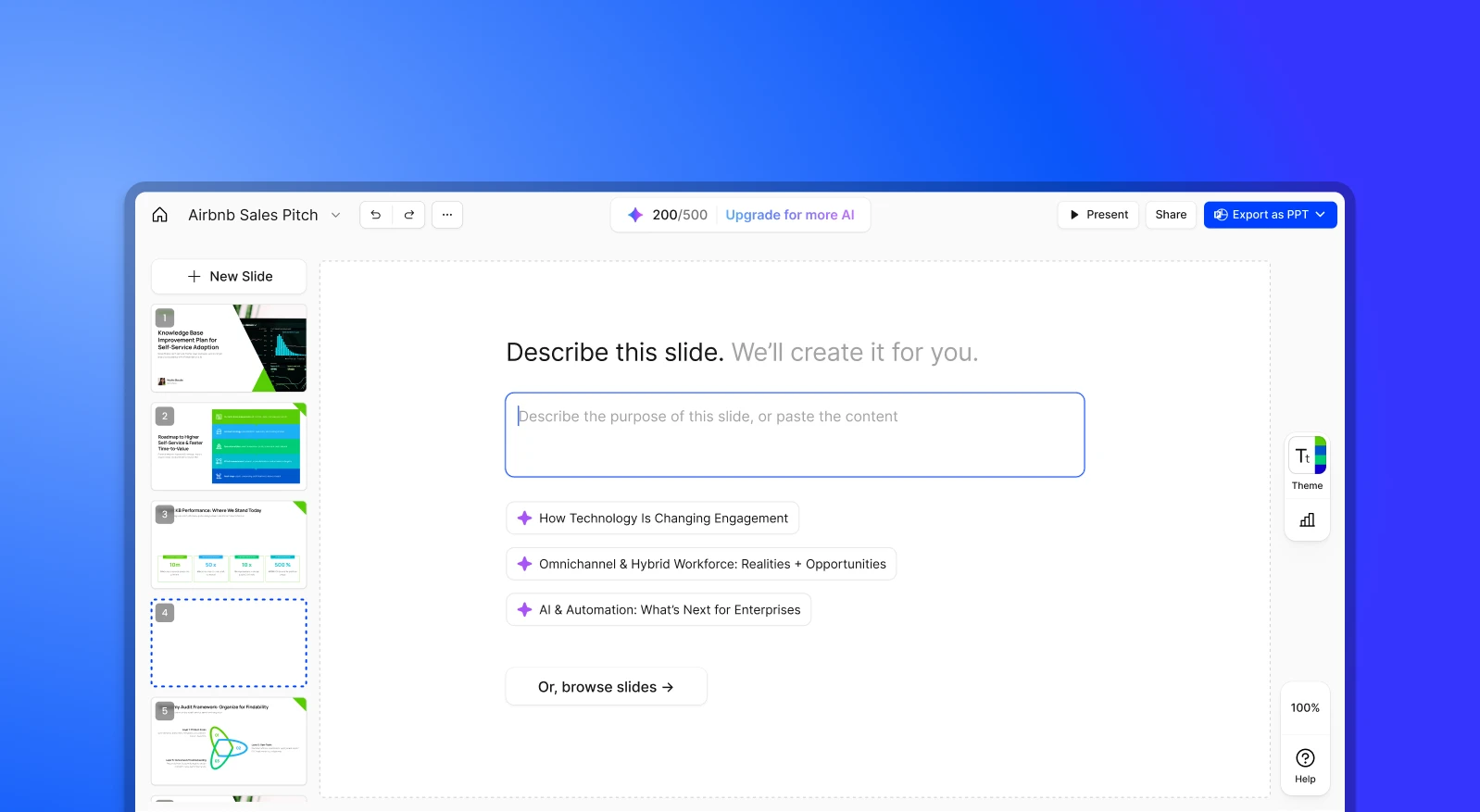
الخطوة 1: أنشئ حسابًا. تشمل خطة Starter المجانية 100 رصيد ذكاء اصطناعي وعروضًا تصل إلى 20 شريحة. لا حاجة إلى بطاقة ائتمان.
الخطوة 2: أدخِل محتواك. ارفع ملف PDF أو مستند Word، أو اكتب مخططًا.
الخطوة 3: ينشئ الذكاء الاصطناعي عرضًا بهوية علامتك التجارية. محتوى منظم، وألوان وخطوط العلامة التجارية مطبّقة، ورسوم متحركة مضمّنة تلقائيًا.
الخطوة 4: صدّر أو اعرض. نزّل ملف .pptx عالي الدقة، أو اعرض مباشرة عبر الإنترنت.
الأسعار والقيمة: Slidesgo مقابل Presentations.AI
| مستوى الخطة | Slidesgo | Presentations.AI |
|---|---|---|
| الخطة المجانية | 3 عروض بالذكاء الاصطناعي شهريًا، و 3 تنزيلات للقوالب شهريًا، وإعلانات، وإشارة إلزامية إلى المصدر | 100 رصيد، وعروض تصل إلى 20 شريحة، دون بطاقة ائتمان |
| الخطة المدفوعة الأولى | Premium، بـ 5.99 دولار شهريًا (أو 3 دولارات شهريًا بالفوترة السنوية)؛ تنزيلات غير محدودة (بحد أقصى 150 شهريًا)، ومكتبة كاملة تضم أكثر من 30,000 قالب، بلا إعلانات وبلا إشارة إلى المصدر | Pro، بـ 20 دولارًا شهريًا (فوترة سنوية)؛ 5,000 رصيد، وتصدير PowerPoint عالي الجودة، وتحليلات، وتخصيص العلامة التجارية |
| تسعير الفرق/الكميات | تقدم Premium خصومات لكل مستخدم تصل إلى 37% للفرق الأكبر؛ لا توجد فئة مؤسسية مستقلة أو SSO أو وثائق امتثال | Gold، بـ 100 دولار شهريًا (فوترة سنوية)، 50,000 رصيد، وأحدث نماذج الذكاء الاصطناعي، وتخصيص متقدم للعلامة التجارية، وقاعدة معرفية مشتركة |
| Enterprise | غير متاح | Enterprise، تسعير مخصص، وشهادة SOC 2 Type II افتراضيًا في كل الخطط |
الأسعار اعتبارًا من أغسطس 2026
الخلاصة: خطة Premium من Slidesgo رخيصة فعلًا، وهي الخيار الصحيح إذا كان كل ما تحتاجه هو مكتبة قوالب وإمكانية التنزيل. لكن كل خطة تمنحك نقطة انطلاق فقط، وليس عرضًا جاهزًا. يبقى المحتوى والتنظيم وتطبيق العلامة التجارية عملًا يدويًا أيًا كانت الخطة. أما خطة Pro من Presentations.AI فتكلف أكثر، لكنها تشمل الإنشاء بالذكاء الاصطناعي وأتمتة العلامة التجارية، وهو ما لا تقدمه أي خطة من Slidesgo بأي سعر.
5 أسباب تجعل الفرق تختار Presentations.AI بدلًا من Slidesgo
1. الإنشاء بدلًا من البحث
يعثر Slidesgo على قالب قد يناسبك. أما Presentations.AI فينشئ عرضًا فريدًا من محتواك الفعلي، منظمًا ومصممًا ومتوافقًا مع علامتك التجارية من البداية.
2. لا مزيد من البحث عن القوالب
يظل قالب Slidesgo مجرد نقطة انطلاق. يتخطى Presentations.AI مرحلة البحث ويقدم عرضًا جاهزًا مباشرة من مدخلاتك، أو شريحة واحدة من أداة إنشاء الشرائح بالذكاء الاصطناعي عندما تحتاج إلى ذلك فقط.
3. عروض لا تبدو مستعارة
يلاحظ عدد من مراجعي G2 ظهور قوالب Slidesgo الشائعة في عروض أشخاص آخرين. ينشئ Presentations.AI كل عرض من محتواك الخاص، فلا يوجد تصميم مشترك قد تصادفه في مكان آخر.
4. علامة تجارية ثابتة
يتطلب Slidesgo تطبيق العلامة التجارية يدويًا في كل مرة. أدخِل رابط موقع شركتك في Presentations.AI مرة واحدة، وسيأتي كل عرض متوافقًا مع علامتك التجارية تلقائيًا.
5. منصة واحدة لسير عمل كامل
يحتاج Slidesgo إلى أداتين على الأقل للوصول إلى عرض جاهز: المكتبة أولًا، ثم PowerPoint أو Google Slides للتعديل الفعلي. أما Presentations.AI فيتولى المحتوى والتصميم والتعاون والتصدير في مكان واحد.
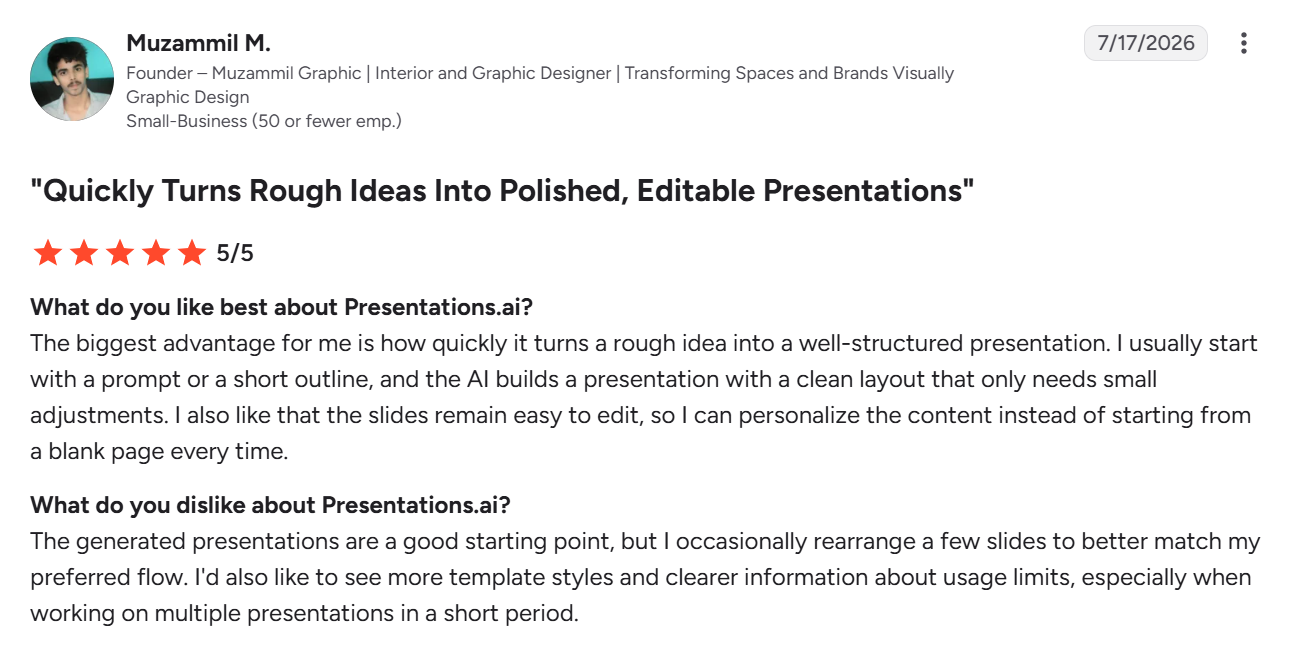
ماذا يقول مستخدمو Presentations.AI
Slidesgo مقابل Presentations.AI: أيهما تختار؟
إذا كنت تحتاج إلى عرض لمرة واحدة وتستمتع باختيار قالب وجعله خاصًا بك، فمن الصعب منافسة مكتبة Slidesgo، خاصة للمشاريع الشخصية أو الواجبات المدرسية أو عرض تقديمي عابر لن يقارن فيه أحد تصميم شرائحك بتصميم غيرك.
أما إذا كنت تعدّ العروض بانتظام، وغالبًا ما تبدأ من شيء موجود بالفعل، فإن Presentations.AI يوصلك إلى عرض جاهز ومتوافق مع علامتك التجارية دون البحث عن قوالب، ودون دورة التنسيق اليدوي، ودون خطر أن يبدو مثل عروض الجميع.