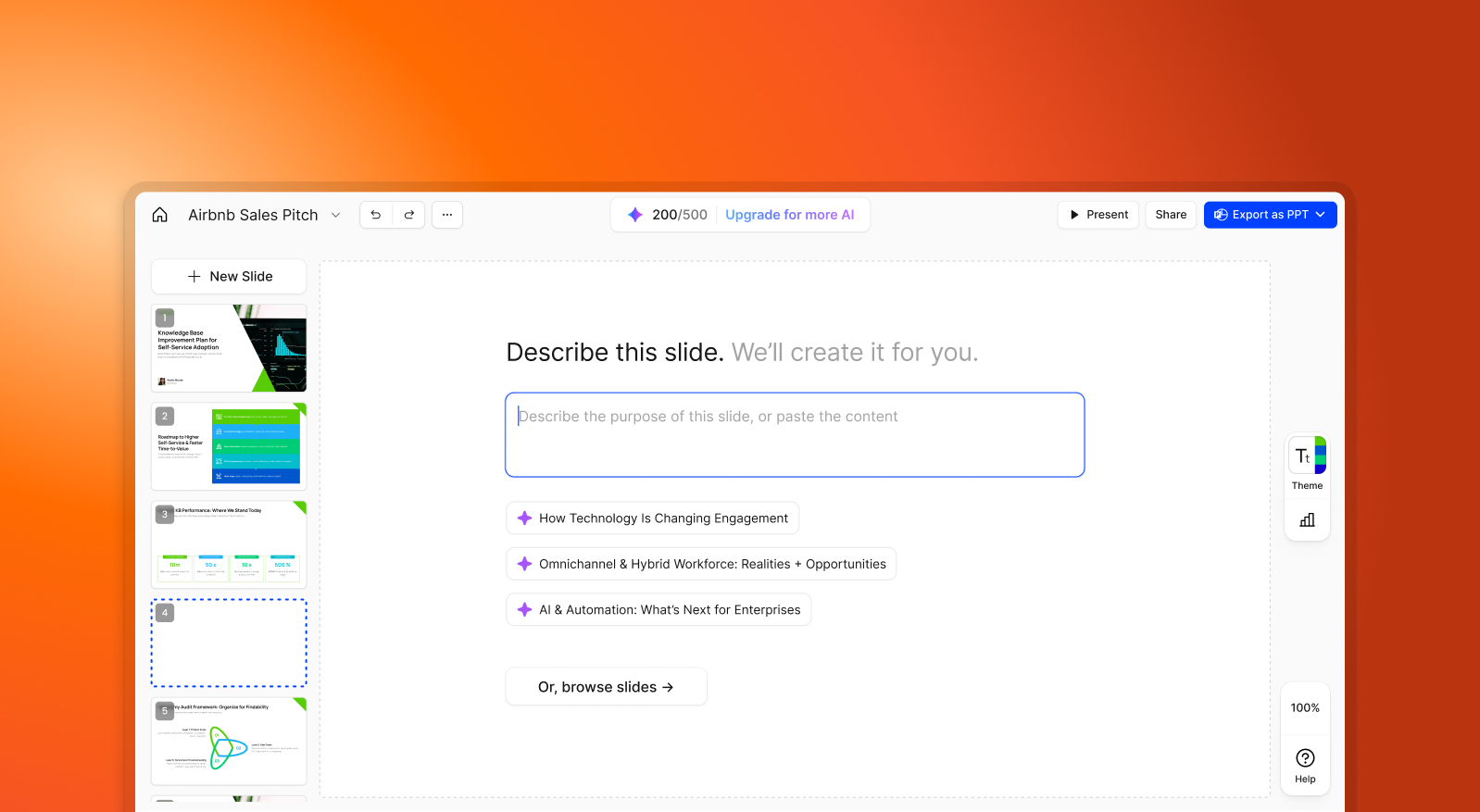

SlidesPilot vs Presentations.AI: 2026年徹底比較

SlidesPilotとは?

SlidesPilotとは?

テキストや箇条書きの入力から基本的なスライド構造を生成するAIツールです。コンテンツの初期作成を加速させますが、ブランディング、デザイン、視覚的な洗練は外部ソフトウェアで手動で完了させる必要があります。

Presentations.AIとは?

Presentations.AIとは?

テキスト、PDF、Word文書などの生コンテンツを取り込み、完全にデザインされ、ブランド化され、エクスポート可能な資料を手動での修正作業なしで提供する、専用に構築されたAIプレゼンテーションプラットフォームです。

SlidesPilot vs Presentations.AI: 機能比較

SlidesPilotとPresentations.AIは、プレゼンテーションのワークフローを実際にどの程度自動化するかという点で異なります。SlidesPilotはテキストから基本的なスライド構造を生成することに重点を置いていますが、デザイン、ブランディング、洗練の大部分は手動で行う必要があります。対照的に、Presentations.AIはコンテンツとレイアウトからブランドの一貫性、最終的なエクスポートまで、プロセス全体を処理します。
Capability SlidesPilot Presentations AI
AI Scope Basic text-to-slide structure Advanced AI for layout, branding, and animations
Brand Management Mostly manual in external editor Built-in brand sync for automatic consistency
Design Features Limited templates with minimal automatic styling Extensive design libraries with animated transitions
Collaboration Limited or no real-time collaboration Real-time multi-user editing and feedback
Export Text-based outlines or basic Google Slides export High-fidelity PowerPoint (.pptx) export

手間いらずのAIプレゼンテーション作成を体験しませんか?

Presentations.AIが、あなたのアウトラインや文書を、わずか数分で見事なブランドに沿ったプレゼンテーションに変える方法をご覧ください!

無料で始める

SlidesPilotとPresentations.AIの概要

SlidesPilotは、テキスト入力を基本的な骨格デッキに変換するAIスライドジェネレーターです。これは大まかな構造を素早く作成するのに役立ちますが、デザインの自動化やブランドの一貫性に関しては限界があります。Presentations.AIは、コンテンツ、レイアウト、ブランドの一貫性、アニメーションを同時に処理し、単一の入力からビジネス対応のPowerPointを生成するフルスタックのAIプレゼンテーションプラットフォームです。

実際の違いは生成後に現れます。SlidesPilotは、ブランディング、スタイル設定、視覚的な洗練のために通常PowerPointまたはGoogleスライドで開く必要がある大まかなフレームワークを出力します。Presentations.AIは、生成中にそれらすべてを適用します。ロゴ、フォント、色、アニメーションは後から追加されるのではなく、組み込まれています。

ビジネスチームにとって、このギャップは急速に拡大します。Presentations.AIにはリアルタイムコラボレーション機能が含まれており、チームはプラットフォームを切り替えることなくレビューや修正を行うことができます。SlidesPilotには統合されたコラボレーション機能がほとんどありません。構造的な下書きではなく、洗練されたブランドに合ったPowerPointのエクスポートが目標であれば、Presentations.AIはSlidesPilotが残す手動での修正作業を不要にします。

SlidesPilotの仕組み

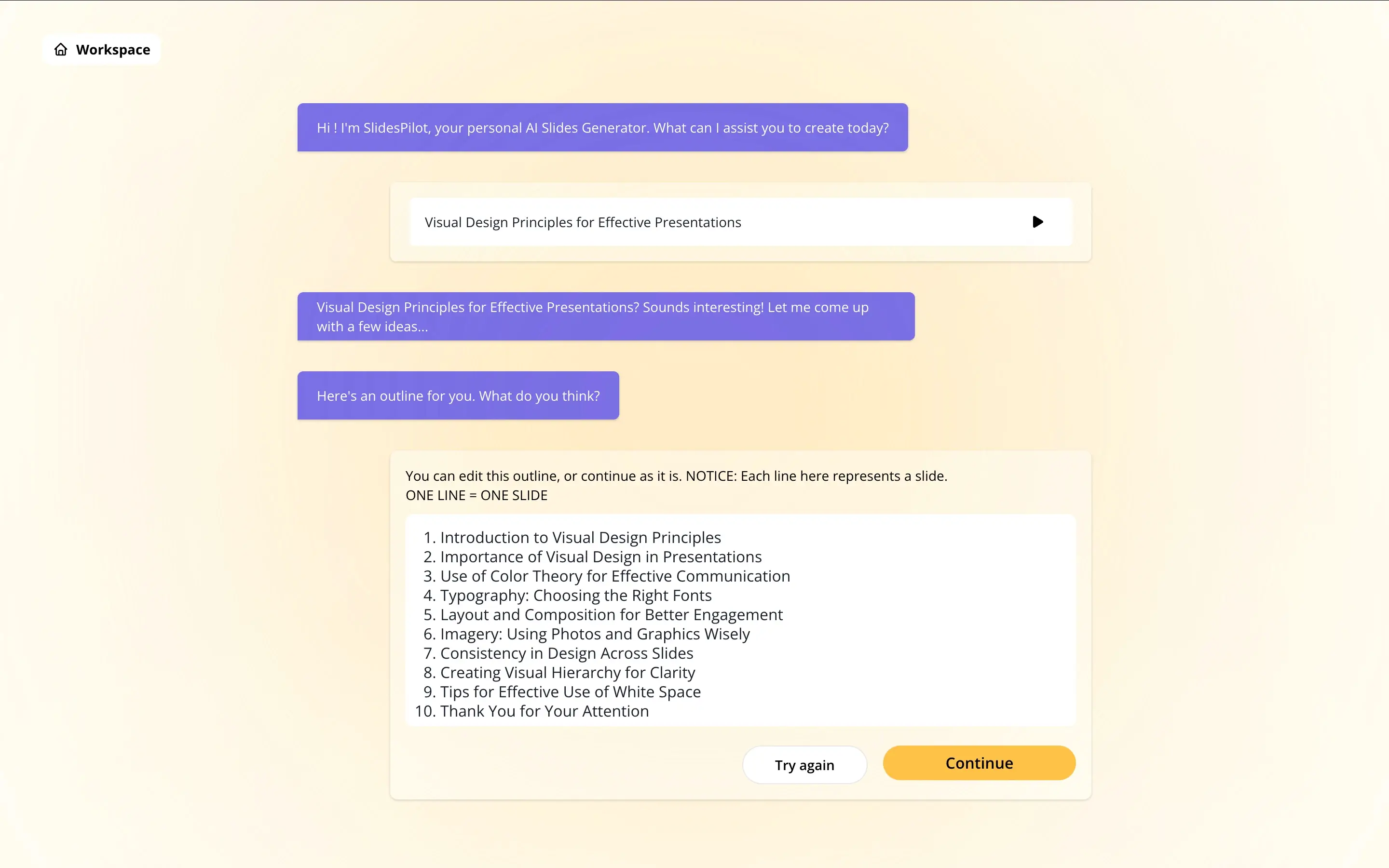
ステップ1: テキスト入力 – 箇条書きまたは大まかなアウトラインを提供します。これが主要な入力であり、テキストが構造化されているほど、出力は良くなります。

SlidesPilot step 1 screenshot

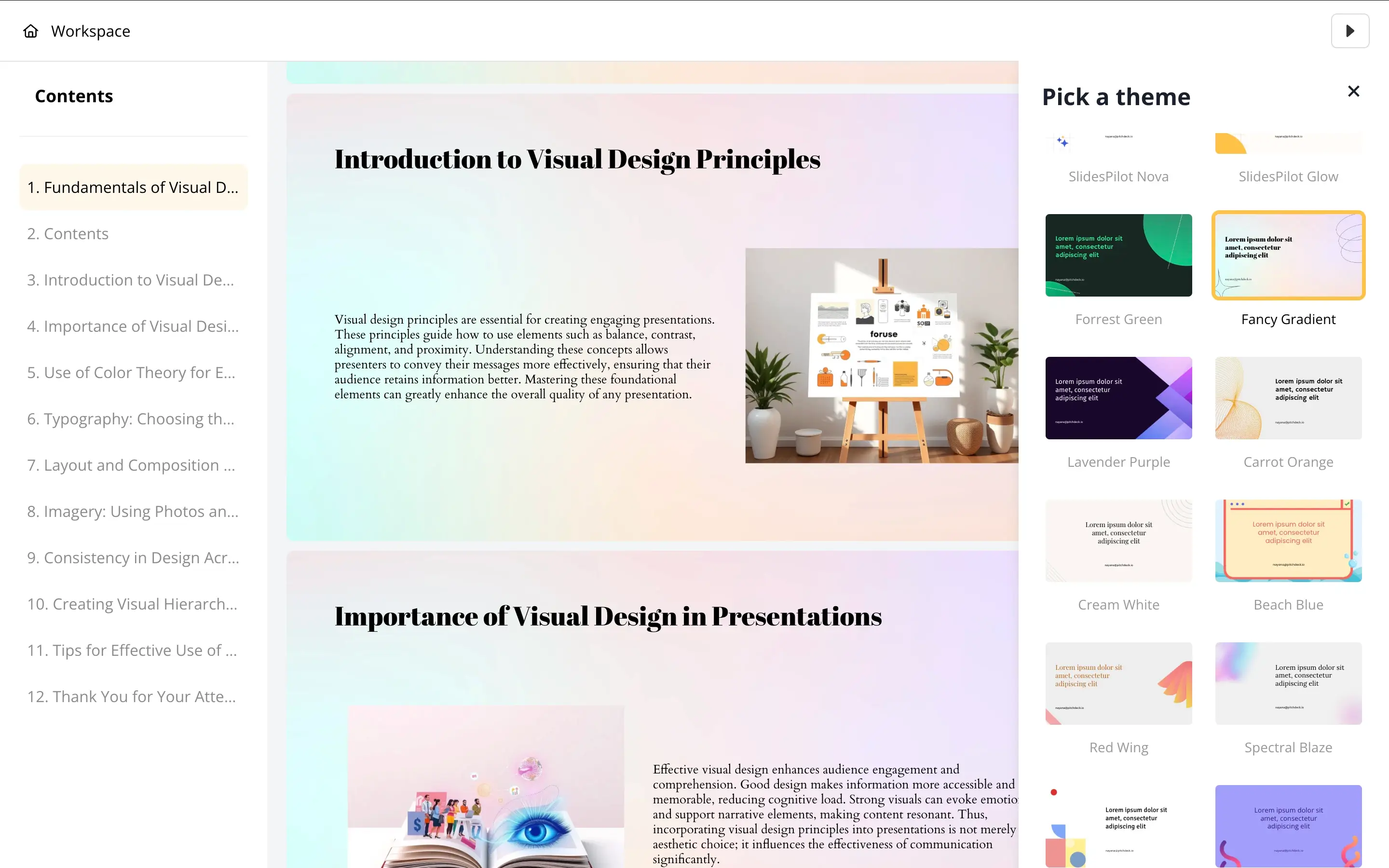
ステップ2: AIが基本的なスライドレイアウトを生成 – 提案されたレイアウトを含む骨格デッキが生成されます。コンテンツはスライドに整理されますが、デザインとスタイル設定は最小限です。

SlidesPilot step 2 screenshot

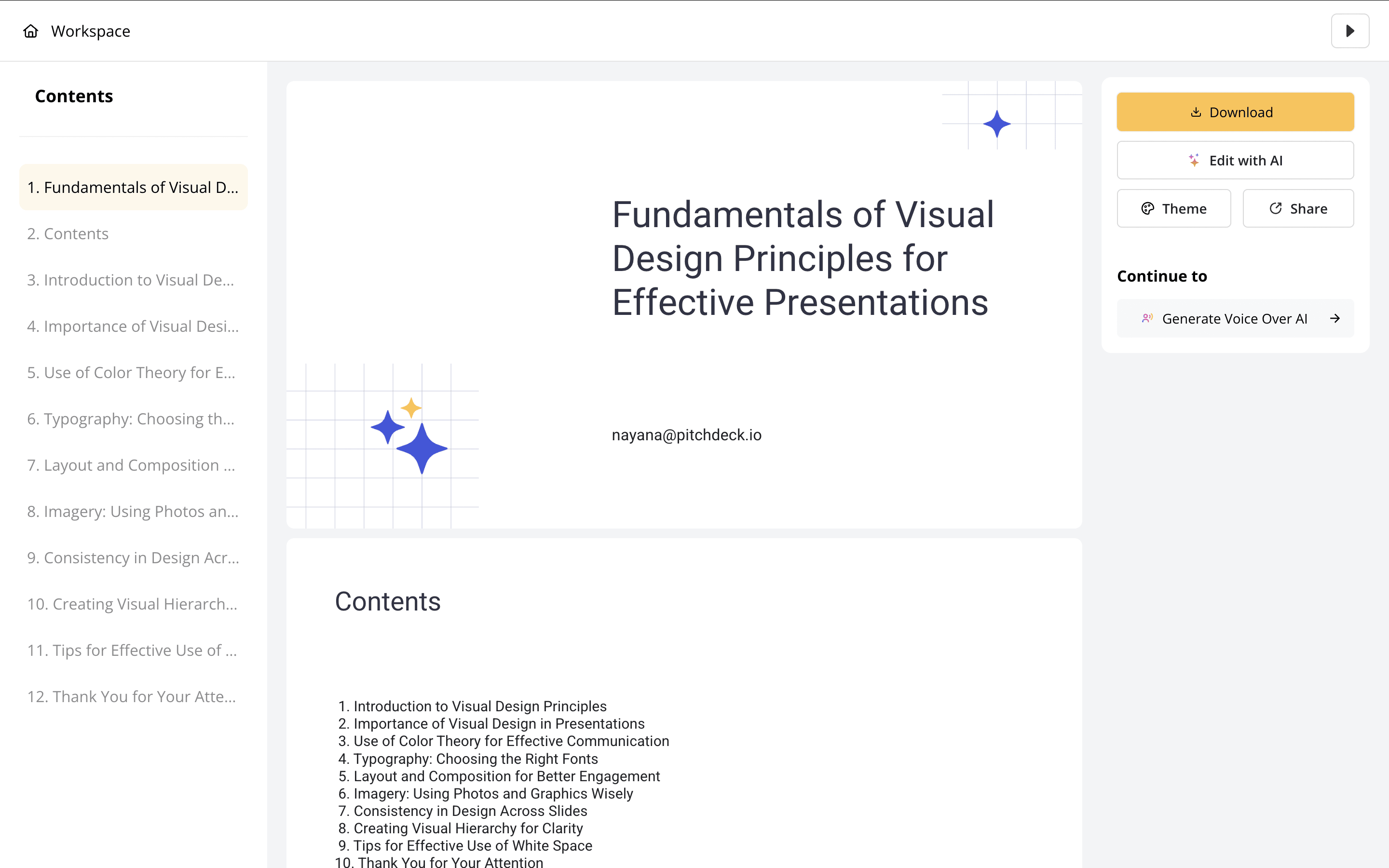
ステップ3: 外部ツールへ移行 – 大まかな構造を超えたもの(ブランドカラー、フォント、ロゴ、適切なレイアウトなど)については、PowerPointまたはGoogleスライドで出力を開き、すべて手動で適用します。

SlidesPilot step 3 screenshot

ステップ4: 手動で最終調整 – アニメーション、トランジション、視覚的な仕上げはご自身で追加してください。SlidesPilotは出発点を提供しただけです。残りの作業はあなた次第です。


Presentations.AIの仕組み

ステップ1:登録 – 無料プランには、AIプレゼンテーションが5回分含まれています。クレジットカードは不要です。

ステップ2:コンテンツをアップロード – PDF、Word文書をドロップするか、テキストを貼り付けてください。Presentations.AIは、文脈を理解して元の資料を読み込みます。

ステップ3:AIが完全な資料を作成 – デザイン、ブランドテーマ、アニメーション、トランジションが自動的に適用されます。コンテンツの整理だけでなく、完全に完成したプレゼンテーションが作成されます。

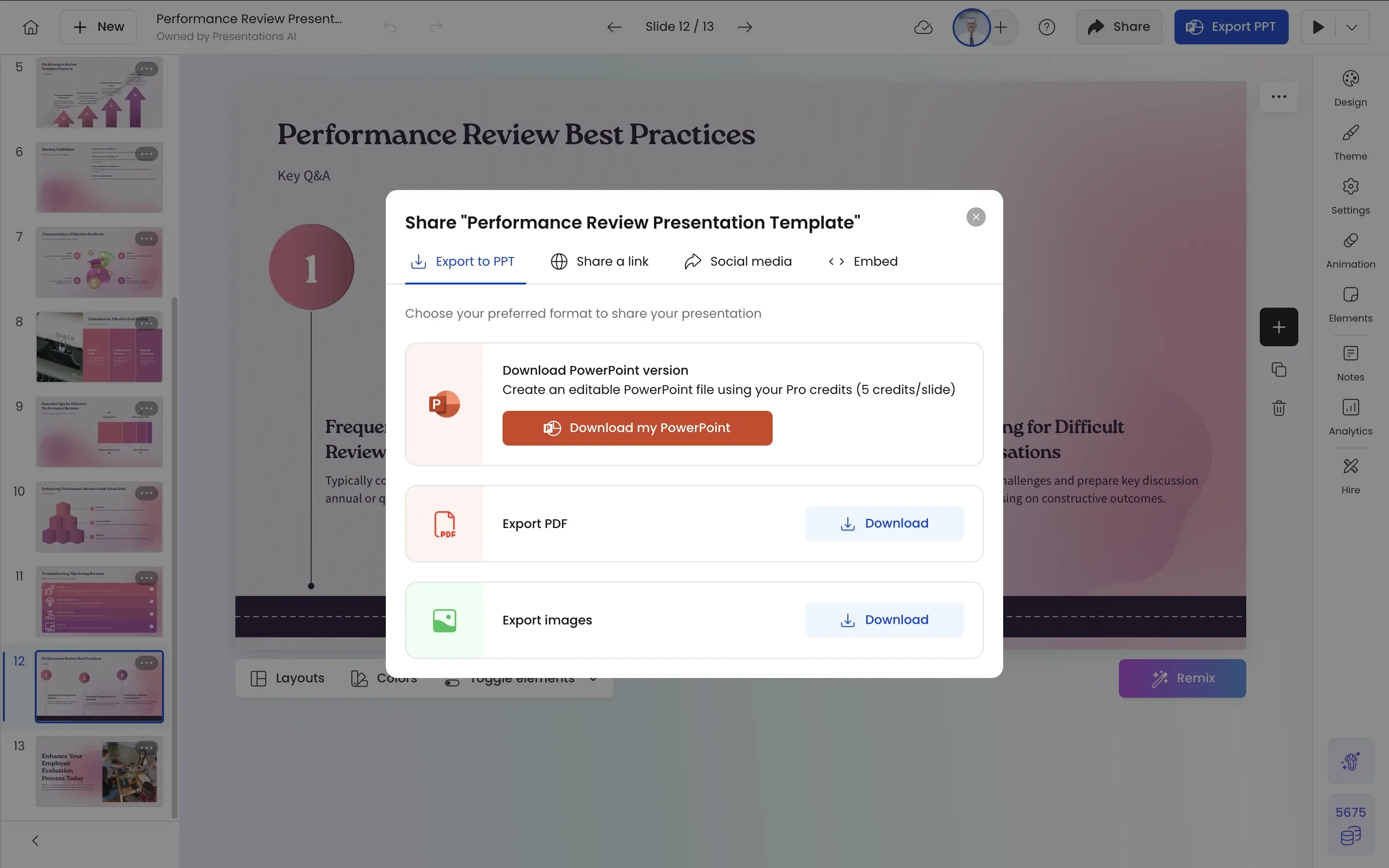
ステップ4:エクスポートまたは発表 – PowerPointで問題なく開ける高精度の.pptxファイルをダウンロードするか、ブラウザから直接発表を行えます。再フォーマットやクリーンアップは不要です。

Presentations.AI export step screenshot

Presentations.AIでスライド作成プロセスをアップグレードしましょう。堅牢なAIと完璧なデザインが融合しています。


チームがSlidesPilotではなくPresentations.AIを選ぶ5つの理由

外部ツール不要: SlidesPilotの主な限界は、それが単なる最初のステップに過ぎないことです。出力を使用可能にするには、PowerPointまたはGoogleスライドが依然として必要です。Presentations.AIは、コンテンツ、デザイン、ブランド、エクスポートまで、すべてのワークフローを最初から最後まで一箇所で完結させます。

生成型 vs. スケルトン型: SlidesPilotはプレースホルダーにテキストを埋め込むだけです。Presentations.AIは、コンテンツの種類に合わせてレイアウトを選択し、業界に合わせてビジュアルを選定し、プレゼンテーションの目的に合わせて構成を構築した、完全な資料を生成します。

ブランド同期: SlidesPilotはテーマ設定の選択肢が限られており、ブランドの自動適用機能がありません。Presentations.AIに会社のURLを一度入力するだけで、チームが作成するすべてのプレゼンテーションのすべてのスライドが、正しい色、フォント、ロゴに自動的に固定されます。

10,000以上のテンプレート: SlidesPilotのテンプレートの選択肢は基本的なものに限られています。Presentations.AIは、ピッチ資料、役員会報告書、QBR(四半期事業レビュー)、顧客向けプレゼンテーションなど、10,000以上のビジネス特化型テンプレートを提供しています。これらはそれぞれ、一般的なレイアウトではなく、特定のユースケース向けに設計されています。

アニメーションは標準搭載、オプションではありません: SlidesPilotのアニメーションサポートは最小限で、基本的なもの以外はPowerPointでの手作業が必要です。Presentations.AIは、すべてのプレゼンテーションにトランジションとアニメーションを自動的に組み込むため、最初の書き出しから完成品のようにスライドが動きます。

なぜ骨子だけの資料では作業の半分しか終わらないのか

SlidesPilotが解決するのは、「テキストを素早くスライドに取り込む」という1つの問題です。 しかし、骨子だけの資料は成果物ではなく、あくまで出発点に過ぎません。 顧客に送ったり、役員会で発表したりするのに適した状態になる前に、すべてのスライドを別のツールでさらに洗練させる必要があります。

営業資料、顧客提案書、四半期レビューなど、大量のプレゼンテーションを作成するチームにとって、その仕上げ作業はすぐに積み重なります。各資料の手動での仕上げに30分しかかからないとしても、年間50の資料を作成する10人のチームでは、思考ではなくフォーマットに費やされる時間が数百時間にもなります。

Presentations.AIはそのような現実のために作られています。PDFやWord文書をアップロードすると、完全で、ブランドに沿った、アニメーション対応のPowerPointが出力されます。発表可能になるまでにさらに1時間の修正が必要な下書きではありません。 これにより、チームは実際に成果につながるコンテンツに時間を費やすことができます。

Divider Lines

よくある質問

What is the main difference between SlidesPilot and Presentations.AI?

Down IconUp Icon

The main difference is design depth. SlidesPilot focuses on converting source material like PDFs, Word docs, YouTube videos, and prompts into editable PowerPoint slides with basic templates and auto layouts. Presentations.AI generates complete branded decks with custom layouts, animations, transitions, and automatic brand sync applied during generation. SlidesPilot delivers an editable draft. Presentations.AI delivers a finished, on-brand presentation.

Is SlidesPilot free?

Down IconUp Icon

Yes, SlidesPilot has a free plan that includes one presentation conversion, three AI image generations, ten AI Pilot uses, and access to free themes and templates. Paid plans expand conversion limits and image generation. Presentations.AI offers a free plan with five complete AI-generated presentations, no credit card required, no per-conversion caps on the included decks, and full PowerPoint export.

Can you export from SlidesPilot to PowerPoint?

Down IconUp Icon

Yes, SlidesPilot exports fully editable .pptx files compatible with both Microsoft PowerPoint and Google Slides, plus PDF and PNG formats. Output is editable but typically needs manual styling for brand alignment and visual polish. Presentations.AI exports a high-fidelity PowerPoint file with layouts, fonts, animations, and brand styling preserved exactly as designed in the editor, with no post-export cleanup needed.

Does SlidesPilot support brand customization?

Down IconUp Icon

SlidesPilot supports basic theming through its built-in templates and color options, but brand customization is largely manual. Logo placement, font matching, and color application typically require editing in PowerPoint or Google Slides after generation. Presentations.AI applies brand colors, fonts, and logos automatically by syncing once from your company URL, then locks every deck across the team to those brand standards.

What is the best alternative to SlidesPilot for business presentations?

Down IconUp Icon

Presentations.AI is the strongest alternative for teams that need finished decks rather than editable drafts. It generates complete presentations from documents or prompts, applies brand styling automatically through company URL sync, includes 10,000+ business-specific templates, and exports a clean PowerPoint file with animations and transitions built in. For teams creating decks at volume, the finishing work that SlidesPilot leaves for the user is handled automatically.