



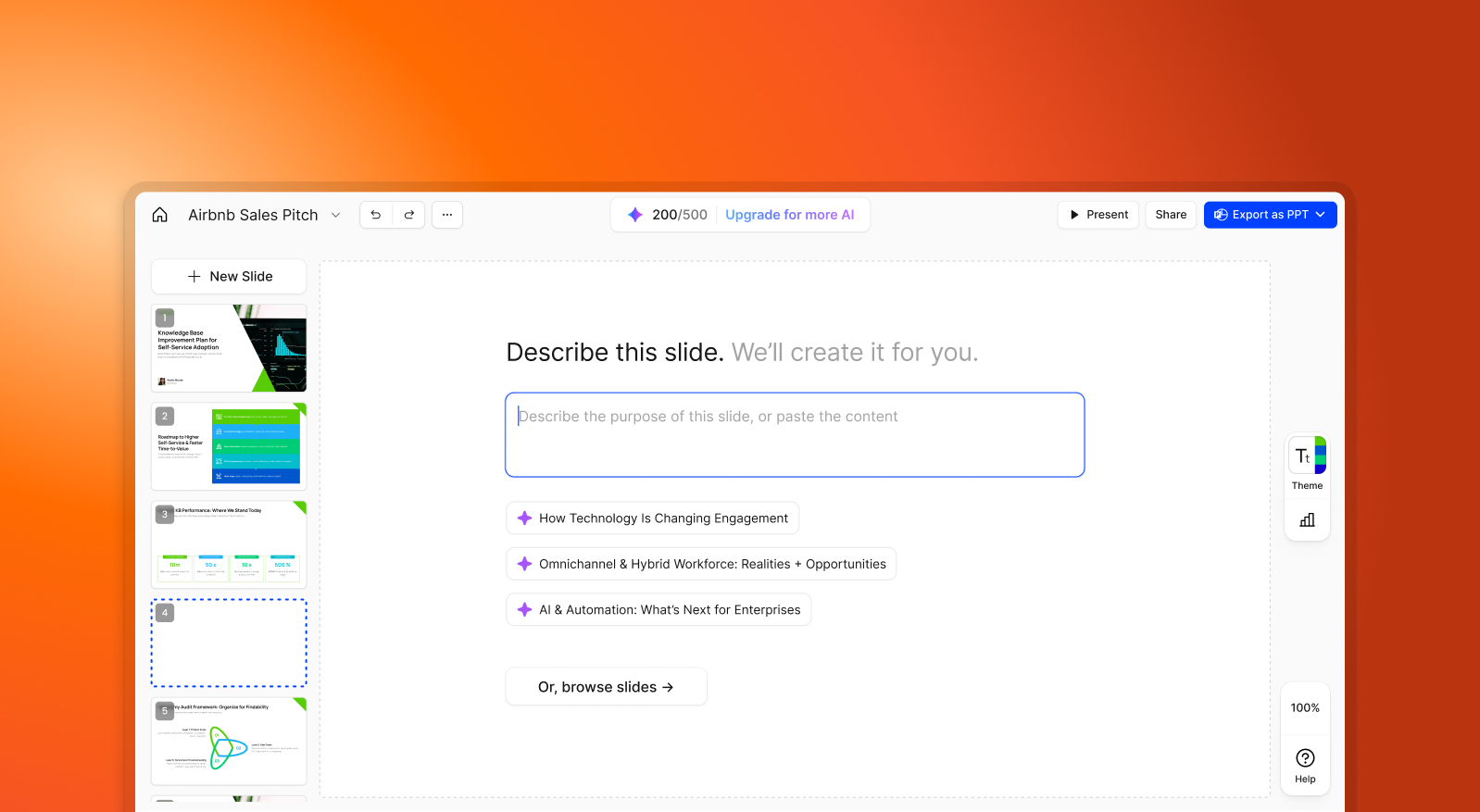

SlidesPilot and Presentations.AI at a Glance
SlidesPilot is an AI slide generator that converts text input into basic skeleton decks — useful for getting a rough structure down quickly, but limited when it comes to design automation and brand consistency. Presentations.AI is a full-stack AI presentation platform that handles content, layout, brand alignment, and animations simultaneously, producing a business-ready PowerPoint from a single input.
The practical difference shows up after generation. SlidesPilot outputs a rough framework that typically needs to be opened in PowerPoint or Google Slides for branding, styling, and visual refinement. Presentations.AI applies all of that during generation — logos, fonts, colors, and animations are built in, not added afterward.
For business teams, that gap compounds quickly. Presentations.AI includes real-time collaboration so teams can review and refine without switching platforms. SlidesPilot offers little to no integrated collaboration. If the goal is a polished, on-brand PowerPoint export rather than a structural draft, Presentations.AI removes the manual rounds SlidesPilot leaves behind.
How SlidesPilot Works
Step 1: Input Text – Provide bullet points or a rough outline. This is the primary input — the more structured your text, the better the output.
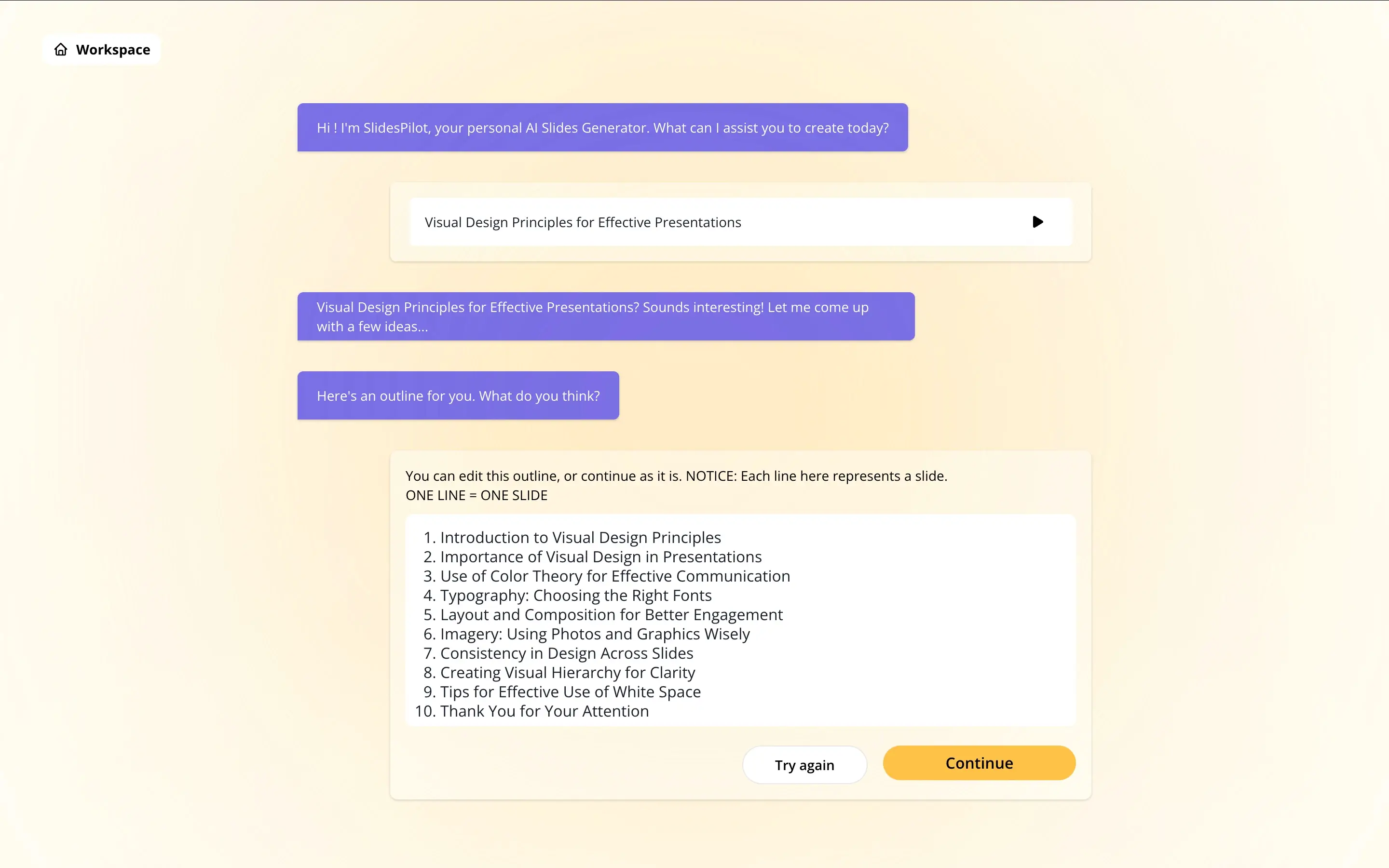
Step 2: AI generates basic slide layouts – A skeleton deck is producedwith suggested layouts. Content is organized into slides, but design and styling are minimal.
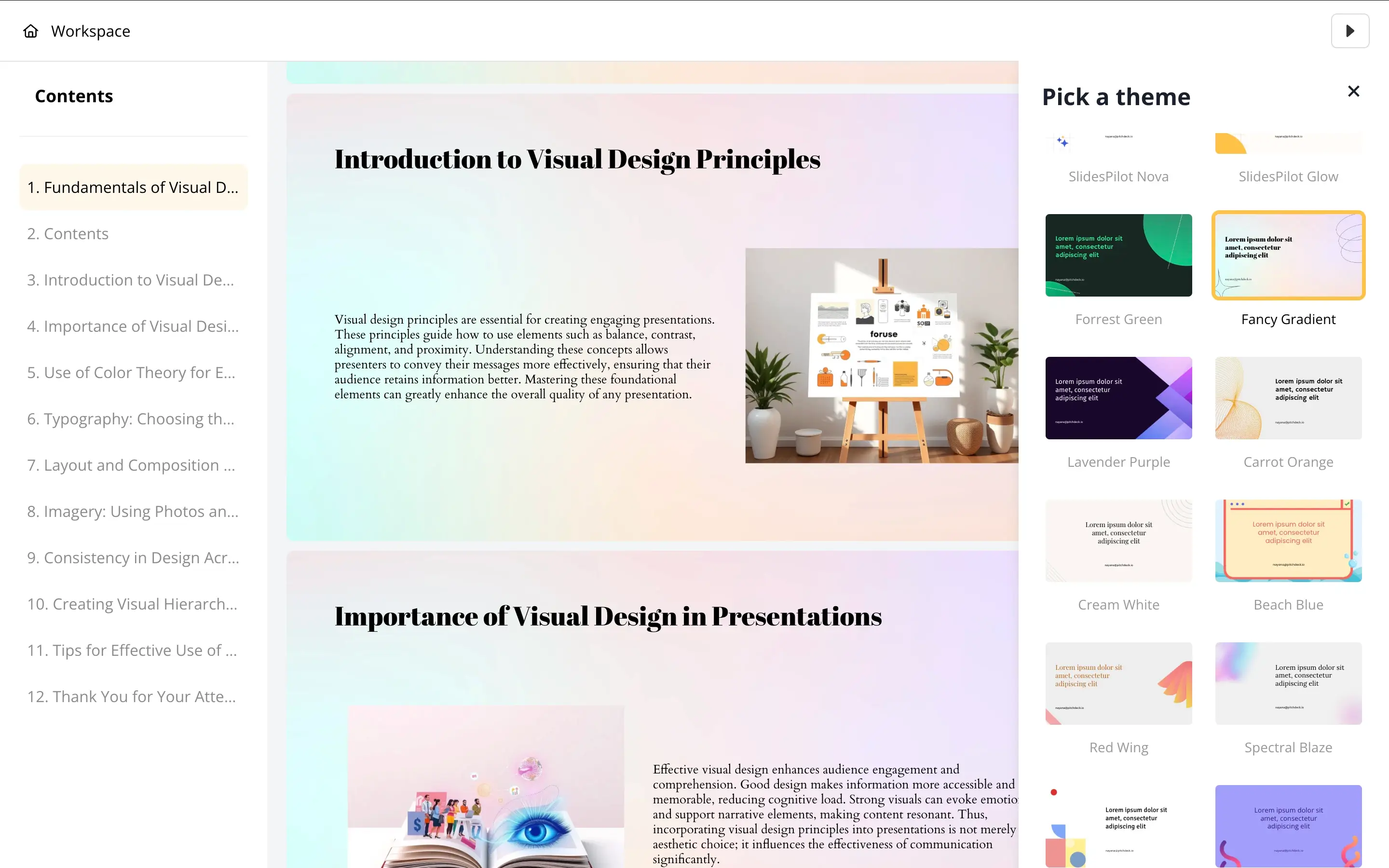
Step 3: Move to an external tool – For anything beyond a rough structure — brand colors, fonts, logos, proper layouts — you open the output in PowerPoint or Google Slides and apply it all manually.
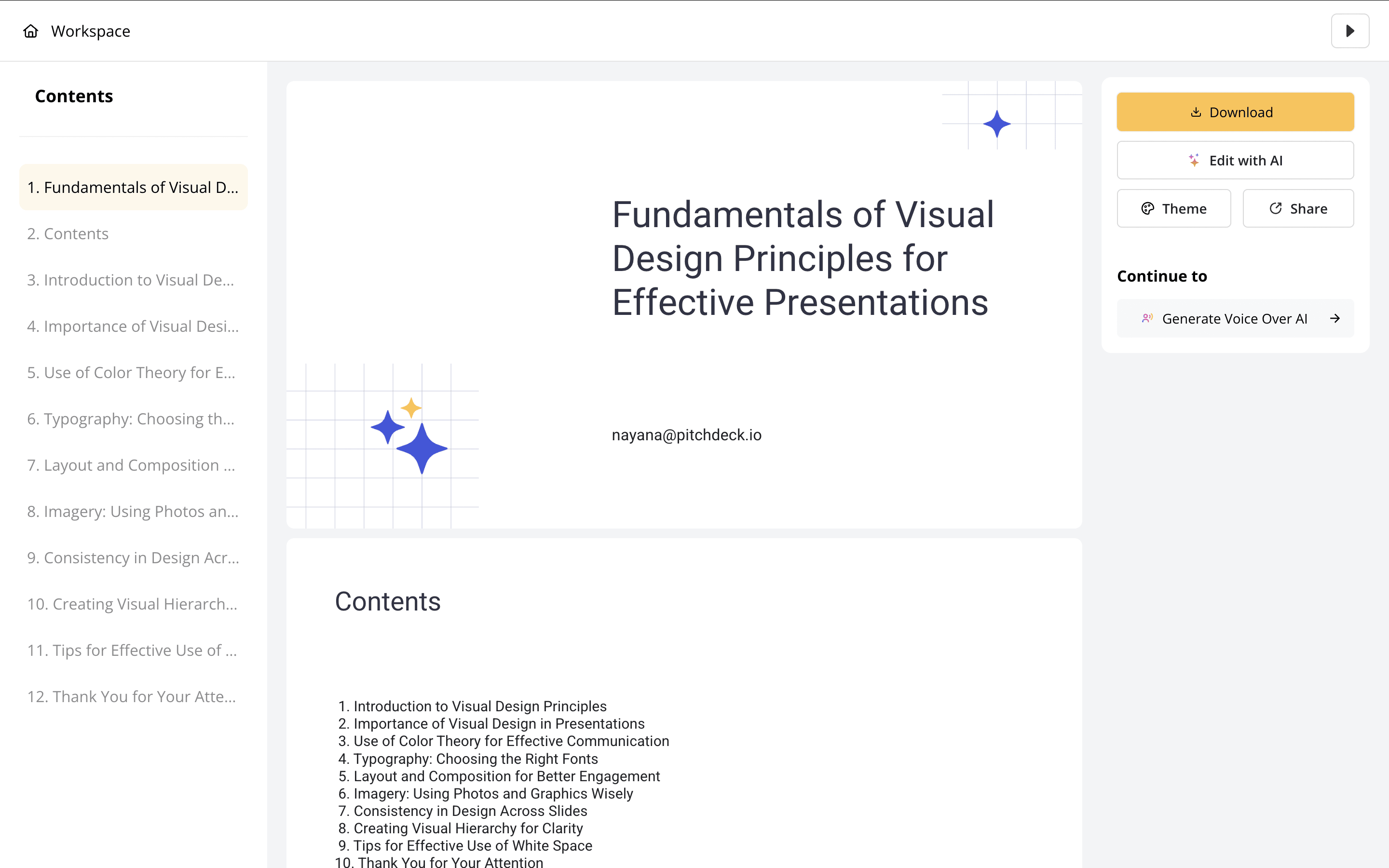
Step 4: Finalize manually – Add animations, transitions, and visual polish yourself. SlidesPilot gave you a starting point. The rest of the work is yours.
How Presentations.AI Works
Step 1: Sign up – Free plan includes 5 full AI presentations. No credit card required.
Step 2: Upload your content – Drop in a PDF, Word doc, or paste your text. Presentations.AI reads and understands your source material in context.
Step 3: AI builds the complete deck – Design, brand theming, animations, and transitions are applied automatically — not just content organization, but a fully finished presentation.
Step 4: Export or present – Download a high-fidelity .pptx that opens cleanly in PowerPoint, or present directly from the browser. No reformatting, no cleanup.
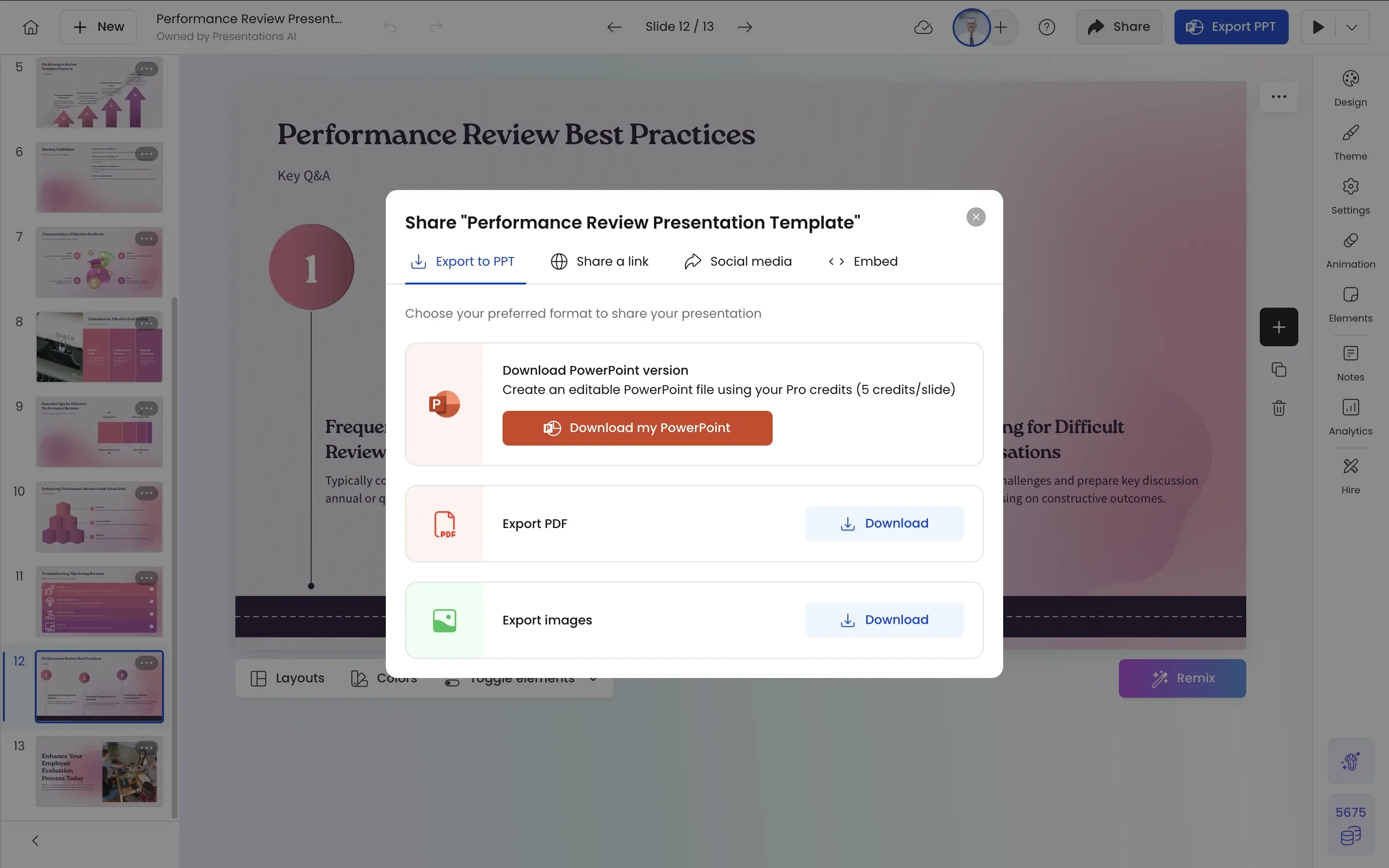
Upgrade your slide creation process with Presentations.AI—where robust AI meets flawless design.
Five Reasons Teams Choose Presentations.AI Over SlidesPilot
No External Tools Required:
SlidesPilot's core limitation is that it's only step one. You still need PowerPoint or Google Slides to make the output usable. Presentations.AI is the entire workflow — content, design, brand, and export happen in one place, start to finish.
Generative vs. Skeleton:
SlidesPilot fills placeholders with your text. Presentations.AI generates a complete deck — layouts chosen for your content type, visuals selected for your industry, and structure built around what the presentation needs to accomplish.
Brand Sync:
SlidesPilot has limited theming options and no automatic brand application. Enter your company URL in Presentations.AI once and every slide — across every deck your team creates — is automatically locked to your correct colors, fonts, and logos.
10,000+ Templates:
SlidesPilot's template options are basic. Presentations.AI offers 10,000+ business-specific templates covering pitch decks, board reports, QBRs, and client presentations — each designed for a specific use case, not generic layouts.
Animations Included, Not Optional:
SlidesPilot offers minimal animation support — anything beyond basics requires manual work in PowerPoint. Presentations.AI builds transitions and animations into every deck automatically, so your slides move like a finished product from the first export.
Why a Skeleton Deck Is Only Half the Work
SlidesPilot solves one problem: getting text into slides quickly. But a skeleton deck isn't a deliverable — it's a starting point. Every slide will still need to be refined in a separate tool before it's fit to send to a client or present to a board.
For teams creating presentations at volume — sales decks, client proposals, quarterly reviews — that finishing work adds up fast. Each deck might only take 30 extra minutes to polish manually, but across a team of ten running 50 decks a year, that's hundreds of hours spent on formatting instead of thinking.
Presentations.AI is built for that reality. Upload a PDF or Word doc and the output is a complete, on-brand, animation-ready PowerPoint — not a draft that needs another hour of cleanup before it's presentable. Your team then spends time on the content that actually moves the needle.
