


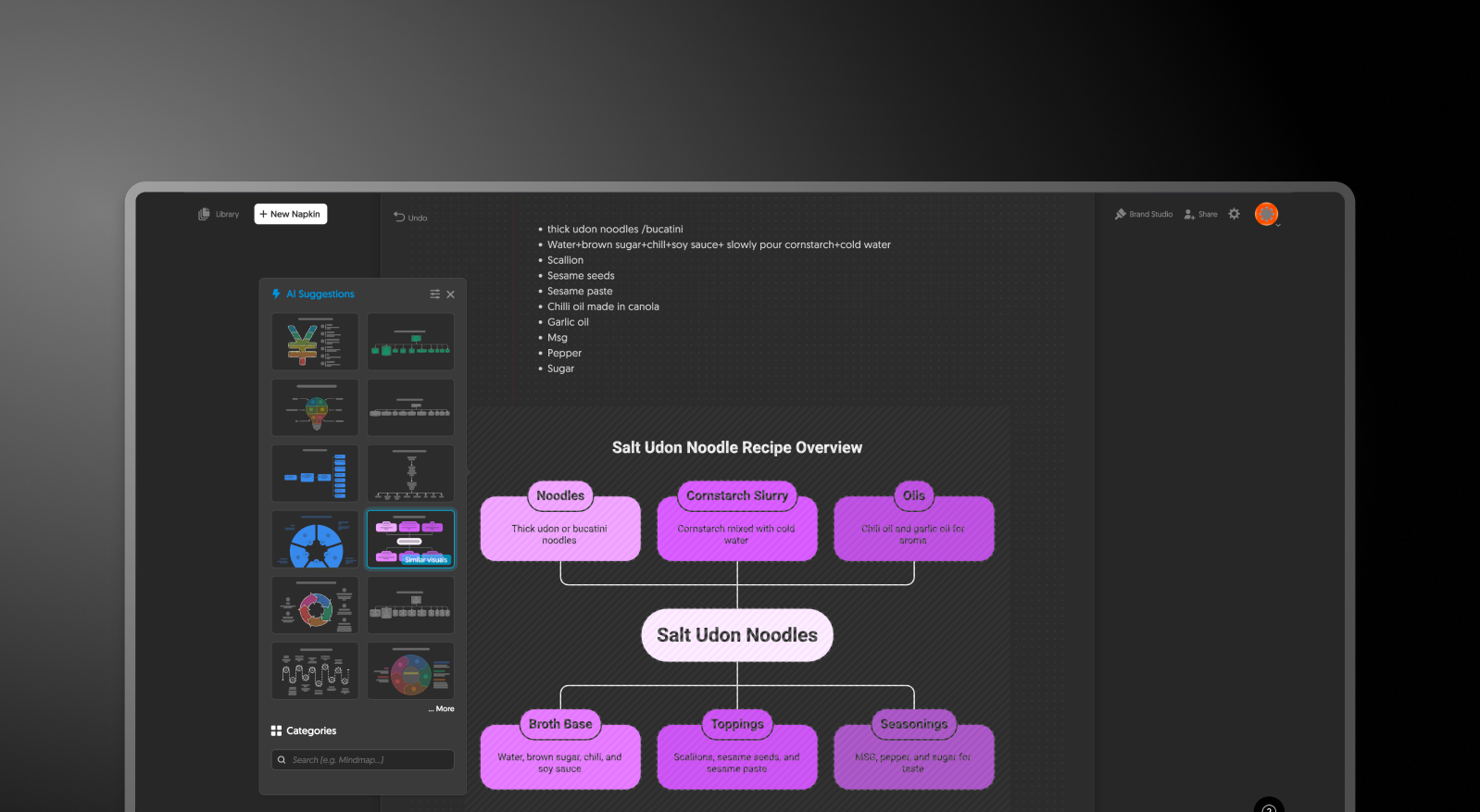


Napkin.ai and Presentations.AI at a Glance
Napkin.ai is an AI-powered visual creation tool specializing in standalone diagrams, infographics, and individual graphics — it excels at turning text into visually compelling single-frame visuals. Presentations AI is a full AI-native presentation platform that generates complete, multi-slide decks from text prompts or documents, with brand sync, real-time collaboration, and native PowerPoint export built in.
The key difference is scope. Napkin.ai creates individual visuals that must then be manually exported as PNG, PDF, or SVG files and stitched together in a separate presentation tool — adding layers of manual work whenever you need a complete slide deck. It has no built-in PowerPoint export, no multi-slide deck structure, and only basic team collaboration at the diagram level. Presentations AI covers the entire presentation workflow in one platform, eliminating the need for a separate diagramming tool altogether.
For teams who need both striking visuals and complete presentations without juggling multiple subscriptions, Presentations AI offers a compelling case: native .pptx export that eliminates the PNG stitching workaround, AI that handles layout, brand compliance, and design across entire decks, and real-time collaboration across all slides that Napkin.ai cannot provide at the deck level.
How Napkin.ai Works
Step 1: Sign Up – Create a free or paid account. Paid tiers typically unlock more robust features.
Step 2: Enter Your Content – Input a paragraph, bullet points, or a rough concept describing the visual you want to create.
Step 3: Generate and Select a Visual – Napkin.ai auto-generates the diagram. Manually fine-tune fonts, colors, and shapes.
Step 4: Export the Visual – Download the final output as a PNG, PDF, or SVG file. There is no option to export as a native PowerPoint slide (.pptx).
Step 5: Assemble Your Presentation Manually – Import the exported visuals into PowerPoint or Google Slides and manually arrange them into a presentation. This step requires additional formatting, alignment, and branding effort.
How Presentations AI Works
Step 1: Sign Up at Presentations AI – Enjoy a free plan allowing up to five presentations or single slides before upgrading.
Step 2: Start with Input – Upload a document, paste a URL, or simply enter a text prompt.
Step 3: AI Generates the Narrative and Structure – AI extracts key ideas and structures a clear presentation narrative. It understands different business use cases such as pitch decks, reports, or strategy presentations.
Step 4: Automatic Slide Creation and Design – Slides are generated instantly with adaptive layouts. The design adjusts dynamically based on the content, with no need for manual resizing.
Step 4: Apply Brand Sync and Customize – Enter your company URL or brand details once, and the platform automatically applies your logo, fonts, and colors across all slides.
Step 5: Collaborate in Real Time – Invite team members to edit, comment, and review. Built-in collaboration eliminates the need for file sharing or version tracking.
Step 6: Export or Present Instantly – Export the final presentation as a high-fidelity PowerPoint file (.pptx) or generate a single slide if needed. You can also present directly or share a link for feedback.
Six Reasons Teams Choose Presentations.AI Over Napkin.ai
Instead of producing isolated visuals, our AI presentation generator helps professionals create polished PowerPoint presentations faster, making it the smarter choice for teams looking to streamline presentation workflows.
All-in-one AI presentation workflow:
Create full presentations, or single slides with the AI slide creator, without switching between tools.
Native PowerPoint export (.pptx):
Export fully editable slides instead of stitching together static images
AI-driven storytelling:
Go beyond diagrams with structured narratives designed for business presentations
Automatic brand consistency:
Apply logos, fonts, and colors across every slide instantly
Real-time collaboration:
Teams can edit, comment, and iterate together in one shared workspace
Better value for teams:
Replace multiple tools for diagramming and presentation creation with a single platform
Why Diagram-to-Deck Workflows Slow Teams Down
If your team creates even a few dozen presentations a year, the workflow matters more than the tool. With Napkin.ai, each diagram is just one step — you still need to export it, import it into PowerPoint, and manually assemble the final deck.
This fragmented process slows teams down and adds hours of repetitive work. As a result, many professionals start looking for a more efficient Napkin.ai alternative that can handle both visuals and presentations in one place.
Presentations AI solves this by combining AI-powered content generation, slide design, and PowerPoint export into a single workflow — helping teams create complete, on-brand presentations faster.
