


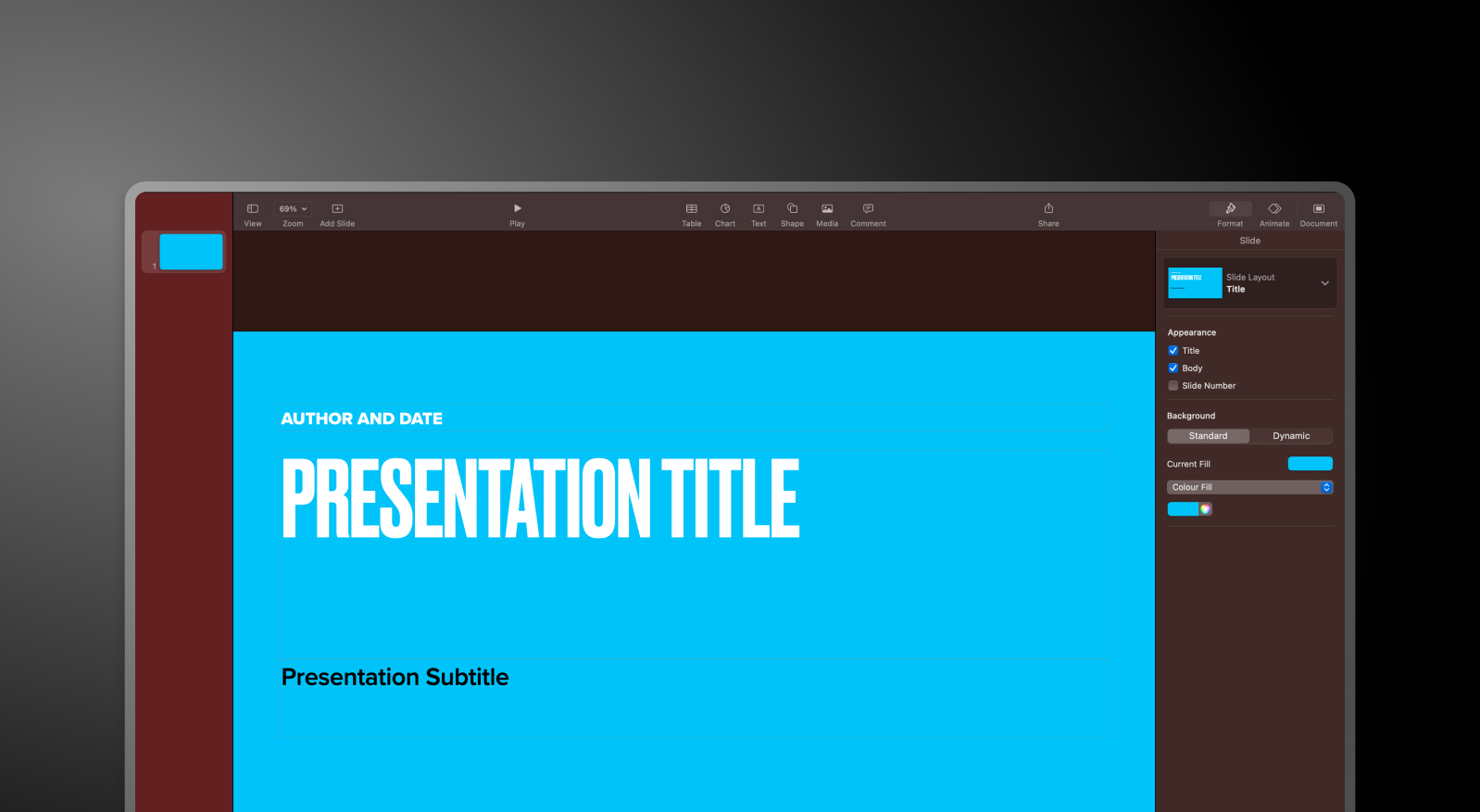


Keynote and Presentations.AI at a Glance
Keynote is the gold standard for Apple-native presentation design — fluid animations, tight iCloud integration, and a clean interface that Mac users know well. But it's entirely manual. Every slide is built by hand, brand elements are applied per presentation, and the export to PowerPoint is mostly imperfect.
Presentations AI works from a browser on any device. Input a document, outline, or prompt and the AI generates a complete deck — brand colors, fonts, animations, and layout applied automatically. No theme-picking, no manual formatting, no compatibility headaches on export.
For Apple-first individuals, Keynote is a capable tool. For cross-platform business teams that need branded presentations built fast and shared universally, Presentations AI is the more practical choice, and the two aren't mutually exclusive. Build in Presentations AI, present on your iPad if you like.
How Keynote Works
Step 1: Open Keynote and choose a theme – Launch on Mac or iPad and pick from Apple's built-in theme library. This is your starting visual framework.
Step 2: Build slides manually – Insert text boxes, images, and shapes by hand. Every layout decision — spacing, fonts, colors — is yours to make.
Step 3: Sync across Apple devices via iCloud – Your presentation stays accessible across Mac, iPhone, and iPad automatically through iCloud.
Step 4: Export – Save as a Keynote file, PDF, or PowerPoint. The .pptx conversion works, but animations and layouts don't always translate cleanly.
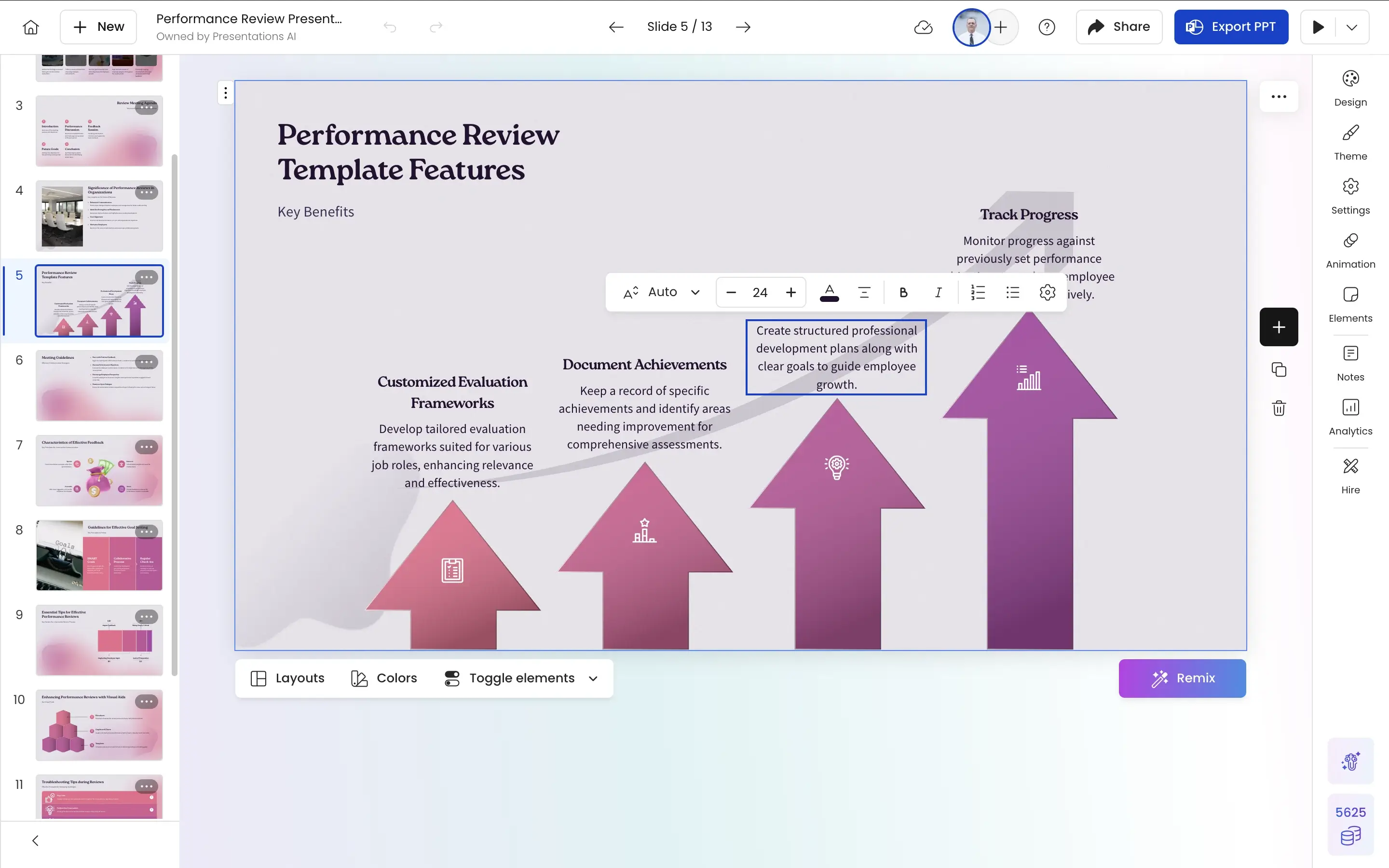
How Presentations AI Works
Step 1: Sign up – Free plan available. Works on any browser — Mac, Windows, or mobile. No Apple device required.
Step 2: Import your content – Upload a PDF, Word doc, or type an outline. Presentations.AI reads your material in context.
Step 3: AI generates the complete deck – Brand styling, layout, animations, and transitions applied automatically. No theme selection, no manual formatting.
Step 4: Collaborate and export – Edit with your team in real time, then export a high-fidelity .pptx that opens cleanly in PowerPoint — animations intact, no conversion issues.
Five Reasons Teams Choose Presentations.AI Over Keynote
AI vs. Manual:
Keynote is entirely hand-built. Presentations AI generates a complete, polished deck from your input automatically — the design work is done before you start editing.
Universal Access:
Keynote lives in the Apple ecosystem. Presentations AI runs in any browser on any device. No hardware dependency, no ecosystem lock-in.
On-brand work:
Keynote themes are set per presentation, manually. Enter your company URL in Presentations AI once and every deck your team creates is automatically on-brand — regardless of who made it or where.
PowerPoint Compatibility That Actually Works:
Keynote's .pptx exports are imperfect as the animations break and layouts shift. Presentations AI exports high-fidelity PowerPoint files natively, with every design element preserved.
Built for Teams, Not Just Individuals:
Keynote's collaboration is limited to Apple devices and iCloud. Presentations AI is a live multiplayer workspace — any team member, any device, editing together in real time.
Why Manual Slide Design Stops Scaling Outside the Apple Ecosystem
Keynote is a great tool for individuals who live in the Apple ecosystem and have time to design slides by hand. For personal use, solo consultants, or Apple-native teams with a strong design sense, it holds up well.
But for cross-platform business teams creating presentations at volume — client decks, board reports, sales pitches — the manual workflow of Keynote doesn't scale. Presentations AI removes the design overhead entirely. From raw input to a polished, on-brand, universally compatible PowerPoint in minutes. Whether your team is on Mac, Windows, or both.
