

Keynote 대 Presentations.AI: 2026년 객관적 비교

Keynote란 무엇인가요?

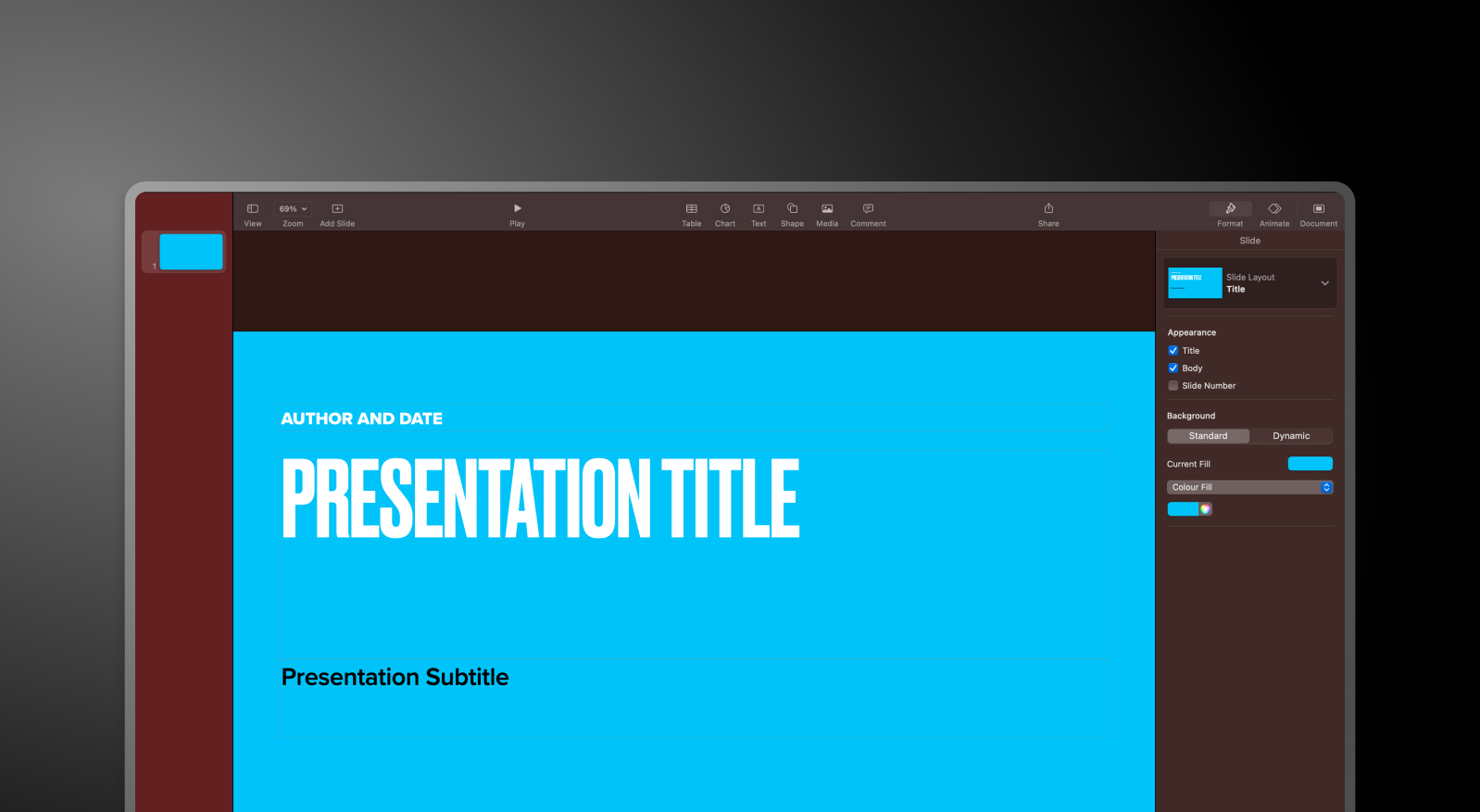
Apple의 기본 프레젠테이션 소프트웨어로, 세련된 애니메이션과 Mac, iPhone, iPad 간의 끊김 없는 동기화로 잘 알려져 있습니다. AI 기능이나 브랜드 자동화 기능이 없으며, Apple 생태계 외부에서는 호환성이 제한적인 수동 디자인 도구입니다.

Presentations.AI란 무엇인가요?

어떤 문서나 개요에서든 완전한 브랜드 파워포인트 덱을 생성하는 브라우저 기반 AI 프레젠테이션 플랫폼입니다. 모든 기기, 모든 운영 체제에서 수동 디자인 작업 없이 사용할 수 있습니다.

Keynote 대 Presentations.AI: 기능 비교

Keynote는 잘 설계된 수동 도구이며, Presentations AI는 AI 기반 플랫폼입니다. 둘의 차이는 미적인 부분에 있지 않습니다. 프레젠테이션을 직접 만드느냐, 아니면 AI가 만들어주느냐의 문제입니다. 속도, 브랜드 일관성, 파워포인트 호환성이 필요한 팀에게는 이러한 차이가 빠르게 증폭됩니다.
Capability Keynote Presentations AI
Platform Apple ecosystem (Mac, iOS) Browser-based, cross-platform
AI Functionality None; all manual design Core AI for full deck generation
Brand Sync Manual theme editing per presentation Automatic, single-click brand consistency
File Export PDF, Keynote, PPT (may require adjustments) High-fidelity PowerPoint (.pptx)
Ease of Use 4.0 / 5 4.5 / 5

손쉬운 AI 프레젠테이션 제작을 경험할 준비가 되셨나요?

Presentations AI가 여러분의 개요나 문서를 몇 분 안에 멋지고 브랜드에 맞는 프레젠테이션으로 어떻게 변환하는지 알아보세요!

무료로 시작하기

Keynote와 Presentations.AI 한눈에 보기

Keynote는 Apple 기본 프레젠테이션 디자인의 표준으로, 유려한 애니메이션, 긴밀한 iCloud 통합, Mac 사용자들이 잘 아는 깔끔한 인터페이스를 제공합니다. 하지만 모든 작업이 수동입니다. 모든 슬라이드는 수작업으로 만들어지고, 브랜드 요소는 프레젠테이션별로 적용되며, 파워포인트로 내보내기는 대부분 완벽하지 않습니다.

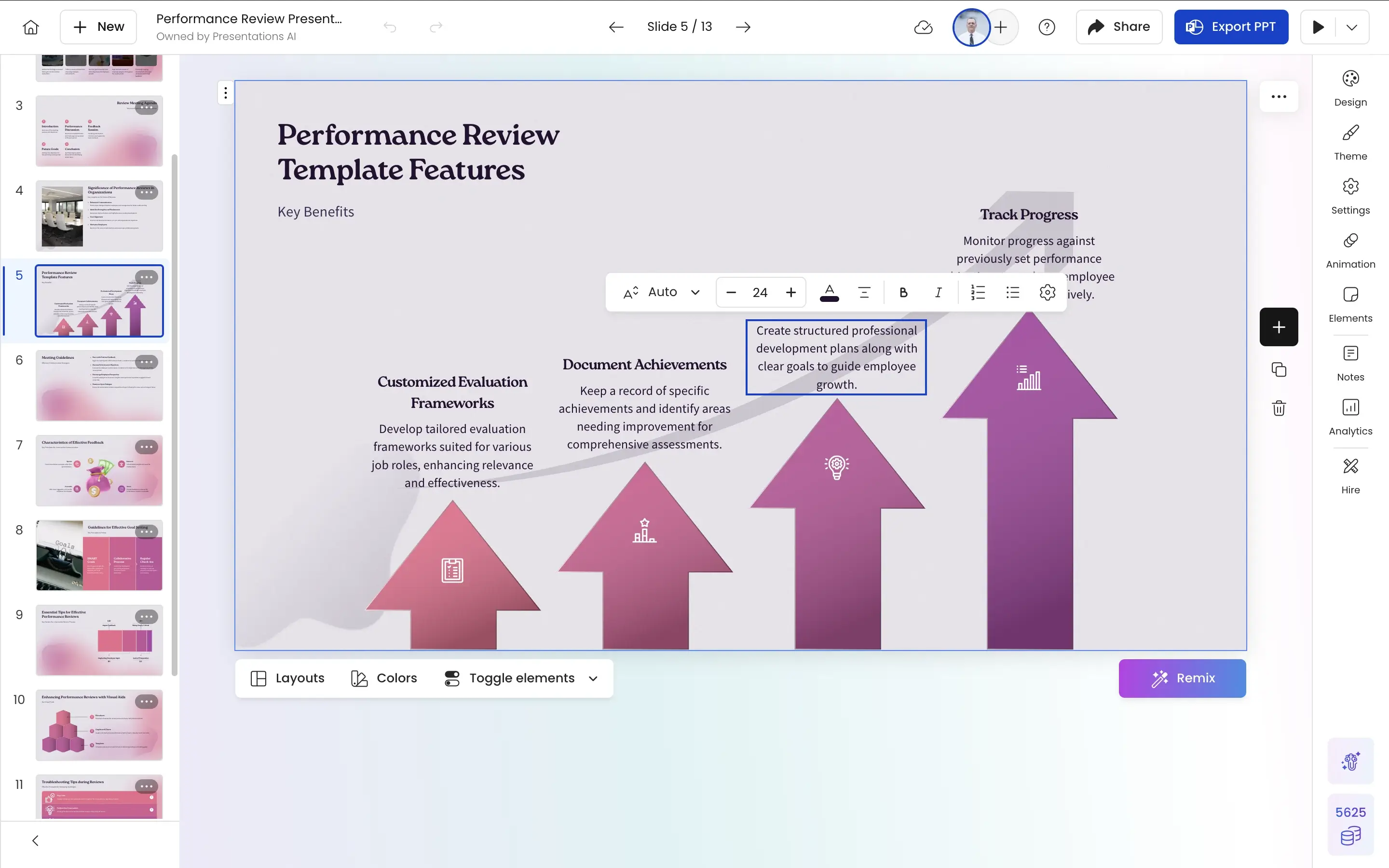
Presentations AI는 모든 기기에서 브라우저를 통해 작동합니다. 문서, 개요 또는 프롬프트를 입력하면 AI가 브랜드 색상, 글꼴, 애니메이션, 레이아웃이 자동으로 적용된 완전한 덱을 생성합니다. 테마 선택, 수동 서식 지정, 내보내기 시 호환성 문제로 인한 골치 아픈 일이 없습니다.

Apple 제품을 선호하는 개인에게 Keynote는 유용한 도구입니다. 하지만 브랜드 프레젠테이션을 빠르게 만들고 보편적으로 공유해야 하는 크로스 플랫폼 비즈니스 팀에게는 Presentations AI가 더 실용적인 선택입니다. 이 둘은 상호 배타적이지 않습니다. Presentations AI에서 만들고, 원한다면 iPad에서 발표할 수 있습니다.


Keynote 작동 방식

1단계: Keynote를 열고 테마 선택 – Mac 또는 iPad에서 실행하여 Apple의 내장 테마 라이브러리에서 선택합니다. 이것이 시각적 작업의 시작점입니다.

2단계: 슬라이드 수동 제작 – 텍스트 상자, 이미지, 도형을 수동으로 삽입합니다. 간격, 글꼴, 색상 등 모든 레이아웃 결정은 사용자의 몫입니다.

3단계: iCloud를 통해 Apple 기기 간 동기화 – iCloud를 통해 Mac, iPhone, iPad에서 프레젠테이션에 자동으로 액세스할 수 있습니다.

4단계: 내보내기 – Keynote 파일, PDF 또는 PowerPoint로 저장하세요. .pptx 변환은 작동하지만, 애니메이션과 레이아웃이 항상 깔끔하게 변환되지는 않습니다.
pai

Presentations AI 작동 방식

1단계: 가입 – 무료 플랜 이용 가능. Mac, Windows, 모바일 등 모든 브라우저에서 작동합니다. Apple 기기가 필요 없습니다.

2단계: 콘텐츠 가져오기 – PDF, Word 문서를 업로드하거나 개요를 입력하세요. Presentations.AI는 귀하의 자료를 문맥에 맞게 읽어냅니다.

3단계: AI가 전체 덱 생성 – 브랜드 스타일링, 레이아웃, 애니메이션 및 전환이 자동으로 적용됩니다. 테마 선택이나 수동 서식 지정이 필요 없습니다.

4단계: 공동 작업 및 내보내기 – 팀과 실시간으로 편집한 다음, 애니메이션이 그대로 유지되고 변환 문제가 없는 고품질 .pptx 파일을 PowerPoint에서 깔끔하게 열 수 있도록 내보내세요.


팀이 Keynote 대신 Presentations.AI를 선택하는 5가지 이유

AI vs. 수동: Keynote는 전적으로 수동으로 제작됩니다. Presentations AI는 귀하의 입력으로부터 완전하고 세련된 덱을 자동으로 생성합니다. 즉, 편집을 시작하기 전에 디자인 작업이 완료됩니다.

범용 액세스: Keynote는 Apple 생태계 내에서만 작동합니다. Presentations AI는 모든 기기의 모든 브라우저에서 실행됩니다. 하드웨어 종속성이나 생태계 종속이 없습니다.

브랜드 일관성 유지: Keynote 테마는 프레젠테이션별로 수동으로 설정됩니다. Presentations AI에 회사 URL을 한 번만 입력하면, 팀이 만드는 모든 덱이 누가 어디서 만들었는지에 관계없이 자동으로 브랜드에 맞게 적용됩니다.

정말 제대로 작동하는 PowerPoint 호환성: Keynote의 .pptx 내보내기는 애니메이션이 깨지고 레이아웃이 틀어져 완벽하지 않습니다. Presentations AI는 모든 디자인 요소를 그대로 유지하며 고품질의 PowerPoint 파일을 기본적으로 내보냅니다.

개인용이 아닌 팀을 위한 설계: Keynote의 공동 작업은 Apple 기기 및 iCloud로 제한됩니다. Presentations AI는 실시간 멀티플레이어 작업 공간으로, 모든 팀원이 어떤 기기에서든 실시간으로 함께 편집할 수 있습니다.

Apple 생태계 외부에서 수동 슬라이드 디자인이 확장성에 한계를 보이는 이유

Keynote는 Apple 생태계에 익숙하고 슬라이드를 직접 디자인할 시간이 있는 개인에게 훌륭한 도구입니다. 개인용, 독립 컨설턴트 또는 디자인 감각이 뛰어난 Apple 기반 팀에게는 매우 유용합니다.

하지만 대량으로 프레젠테이션을 제작하는 크로스 플랫폼 비즈니스 팀(클라이언트 자료, 이사회 보고서, 영업 제안서 등)의 경우 Keynote의 수동 작업 방식은 확장성이 떨어집니다.. Presentations AI는 디자인에 드는 수고를 완전히 없애줍니다.. 원본 입력부터 세련되고 브랜드에 맞는, 보편적으로 호환되는 PowerPoint 파일을 몇 분 안에 만들어냅니다. 팀이 Mac을 사용하든, Windows를 사용하든, 또는 둘 다 사용하든 상관없이 말이죠.

Divider Lines

자주 묻는 질문

What is the main difference between Keynote and Presentations.AI?

Down IconUp Icon

The main difference is platform and AI workflow. Keynote is Apple's native presentation app, available only on Mac, iPad, and iPhone, with a manual design workflow at its core. Presentations.AI runs in any browser on any operating system and generates complete branded decks from documents or prompts automatically. Keynote is built around the Apple ecosystem. Presentations.AI is built for cross platform business teams.

Does Keynote have AI in 2026?

Down IconUp Icon

Yes, as of 2026 Keynote has AI features through Apple Creator Studio, a paid subscription bundled with Final Cut Pro, Logic Pro, and other Apple creative apps. Keynote AI can turn outlines into slides, generate presenter notes, and create images. Core Keynote remains free, but AI features are locked behind the subscription. Presentations.AI includes full AI deck generation on its free plan.

Can you export from Keynote to PowerPoint?

Down IconUp Icon

Yes, Keynote exports to PowerPoint format, though the conversion is imperfect. Animations, transitions, and proprietary layouts often shift or break when opened in PowerPoint, and Apple's design language doesn't always translate to Microsoft Office conventions. Presentations.AI exports a high-fidelity .pptx file natively, with every animation, layout, and brand element preserved exactly as designed in the editor.

Is Keynote free?

Down IconUp Icon

Yes, Keynote is free for all Apple users with core features for creating, editing, and collaborating on presentations. The new Apple Creator Studio subscription unlocks premium templates, AI features, and curated content. Presentations.AI also offers a free plan with five complete AI-generated presentations, no credit card required, full PowerPoint export, and no Apple device needed.

What is the best alternative to Keynote for cross platform teams?

Down IconUp Icon

Presentations.AI is the strongest alternative for teams that mix Mac and Windows users. It runs in any browser, generates complete branded decks from documents or prompts, applies brand styling automatically through company URL sync, and exports a clean PowerPoint file that opens cleanly on any operating system. For teams that cannot lock everyone into the Apple ecosystem, the workflow eliminates compatibility friction.