

Prezi vs Presentations.AI: An Honest 2026 Comparison

What is Prezi?

What is Prezi?

A non-linear presentation tool built around a zooming canvas — content lives on one infinite surface and you navigate between topics dynamically. It's visually distinctive but requires significant manual effort to structure, and exports poorly outside the Prezi ecosystem.

What is Presentations.AI?

What is Presentations.AI?

An AI-native platform for slide-based business presentations — faster to build, universally compatible, and automatically on-brand without the structural complexity Prezi demands.

Prezi vs Presentations.AI: Feature Comparison

Prezi is built for visual storytelling — ideal for users who want dynamic, non-linear presentations with zooming transitions, even if it requires manual structuring and design effort. Presentations AI is built for clarity and outcomes and for most business contexts — client decks, board reports, sales pitches — the slide format is the standard, and AI that builds it automatically is more valuable than a canvas that zooms.
Capability Prezi Presentations AI
Presentation Style Zooming, “infinite canvas” Traditional slides (AI-driven creation)
AI Involvement Mostly manual; limited AI suggestions Core AI for deck structure & design
Brand Consistency Manual, can be cumbersome with zoom paths Automatic brand sync across slides
Export Exports to PDF or Prezi format High-fidelity PPT, easy to share offline
Learning Curve Steep for designing custom zoom flows Straightforward, 4.5 / 5 ease of use
Content Structuring User must manually define flow and navigation paths AI automatically structures content into logical slides
Use Case Visual storytelling and interactive presentations Business, academic, and professional slide decks

Ready to Experience Effortless AI Presentation Creation?

Discover how Presentations AI can transform your outline or document into a stunning, on-brand presentation within minutes!

Get Started for Free

Prezi and Presentations.AI at a Glance

Prezi is a presentation platform known for its distinctive non-linear, zooming canvas format — content is arranged spatially rather than as sequential slides, creating dynamic, motion-driven presentations. It carved out a niche by replacing linear slides — engaging for the right audience, but demanding to design and awkward to share outside its own platform. There's minimal AI involvement, brand consistency is hard to maintain across zoom paths, and PowerPoint export is limited at best.

Presentations AI takes the opposite approach. Standard slides, built entirely by AI from your input — brand applied automatically, PowerPoint export native, and no learning curve around custom pathways or canvas layouts. For business teams where slide decks are the expected format, Presentations AI is the faster and more compatible choice.

How Prezi Works

Step 1: Sign up – Free and paid tiers available.

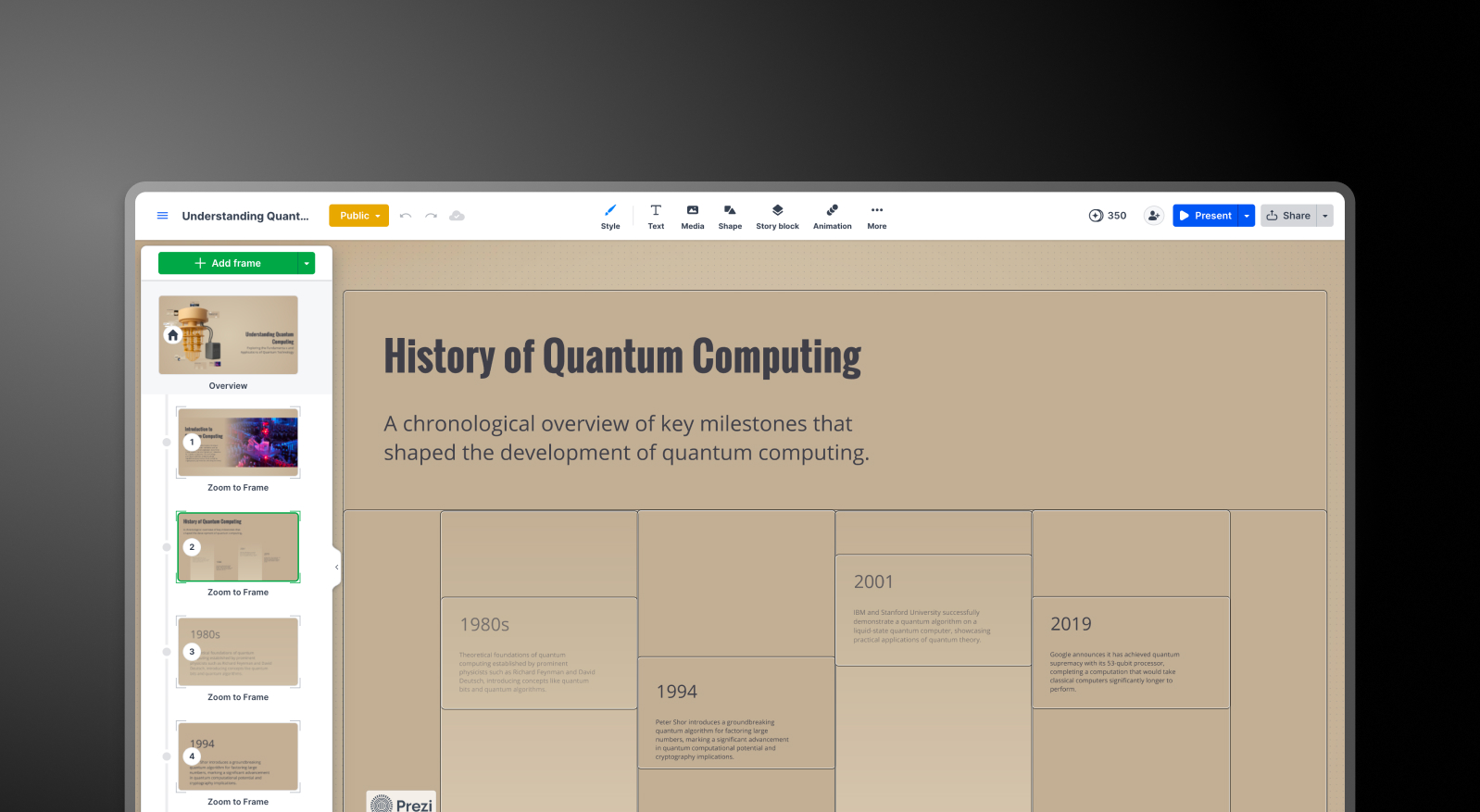
Step 2: Choose a canvas template – Pick a zooming layout and start placing content blocks on the infinite canvas.

Prezi step 1 screenshot

Step 3: Set pathways manually – Define the navigation order through your content — each transition and zoom path is configured by hand.

Step 4: Share or export – Presentations are typically shared as a Prezi link. PowerPoint export is limited or unavailable depending on your plan.


How Presentations AI Works

Step 1: Sign up – Free plan includes 5 full AI presentations. No credit card required.

Step 2: Import your content – Upload a PDF, Word doc, or type an outline. AI handles the rest.

Step 3: Auto Branding – Colors, fonts, and logos pulled from your company URL and applied across every slide instantly.

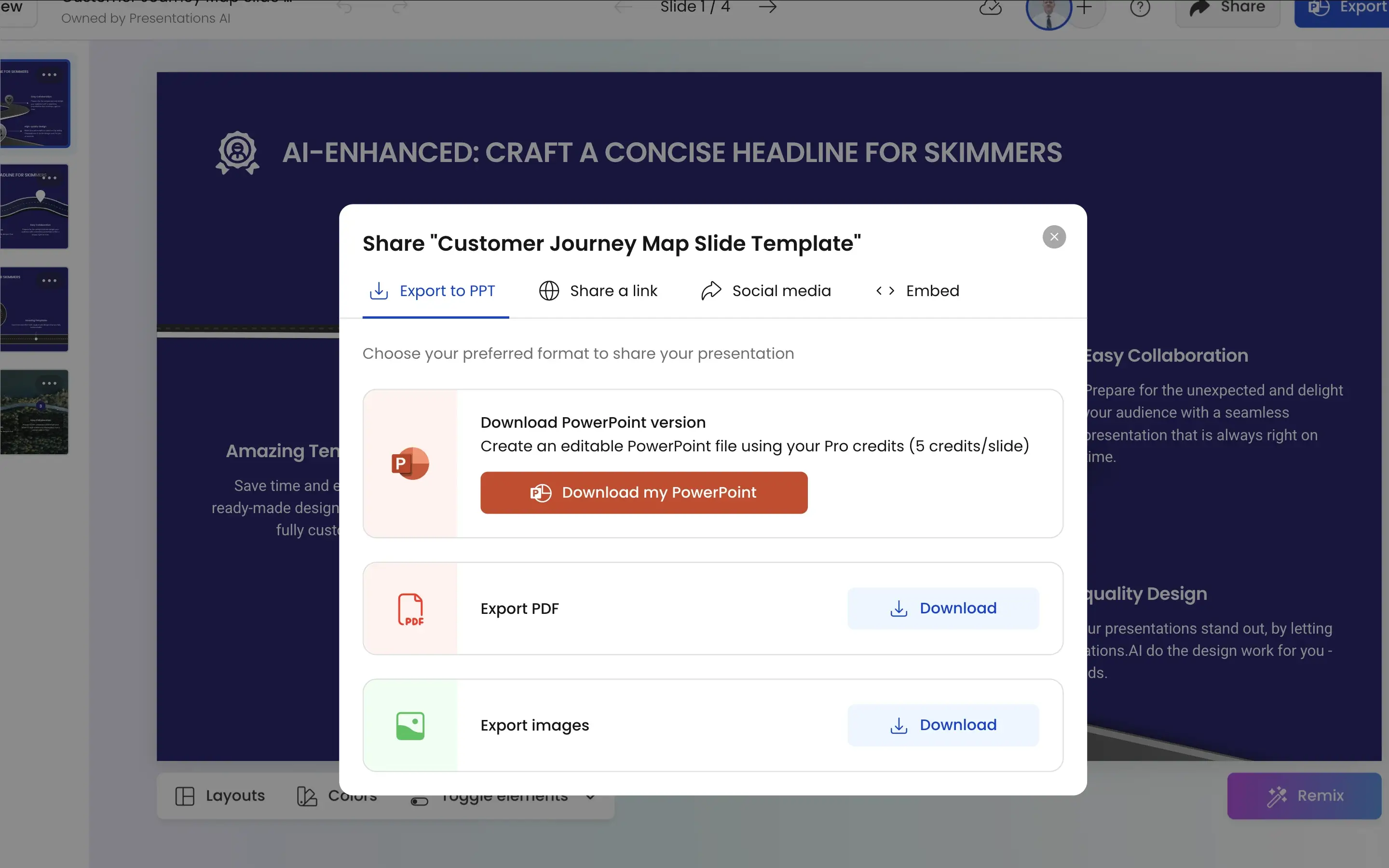
Step 4: Export to PowerPoint – Download a high-fidelity .pptx ready for any device or platform — no ecosystem dependency.

Presentations.AI step 1 screenshot


Four Reasons Teams Choose Presentations.AI Over Prezi

No Path-Setting, No Canvas Complexity: Prezi requires manually mapping zoom paths and content blocks. Presentations AI builds a coherent slide structure from your input automatically — no spatial planning required.

The Format Business Expects: Zoom presentations are memorable, but boardrooms, client meetings, and investor pitches run on slides. Presentations AI speaks that language natively.

Brand Without the Friction: Maintaining brand consistency across Prezi's canvas is cumbersome. Presentations AI applies it automatically — one URL input covers every deck your team creates.

Share Anywhere: Prezi presentations live in Prezi. Presentations AI exports high-fidelity .pptx files that work in PowerPoint, email, and every meeting room on the planet.

Why the Prezi Canvas Slows Down Business Workflows

Prezi is a creative tool with a specific audience — speakers who want visual drama and have the time to build it. For that use case, it's genuinely distinctive.

For business teams, the ROI calculation is different. Prezi's manual canvas design, limited export options, and brand inconsistency don't fit a workflow where decks need to be built fast, look right every time, and land in a PowerPoint. Presentations AI handles all three — from raw input to export-ready deck in minutes.

Divider Lines

Frequently Asked Questions

What is the main difference between Prezi and Presentations.AI?

Down IconUp Icon

The main difference is format. Prezi uses a non-linear zooming canvas where content lives spatially on one infinite surface and you navigate by zooming between topics. Presentations.AI builds traditional slide decks designed for sequential presenting, automatic brand sync, and PowerPoint export. Prezi is visual storytelling. Presentations.AI is business presentations.

Is Prezi free?

Down IconUp Icon

Yes, Prezi has a free Basic plan with 500 monthly AI credits and limited features, restricted to public presentations. Paid tiers add unlimited AI, PowerPoint import, branding kits, and analytics. Presentations.AI offers a free plan with five complete AI-generated presentations, no credit card required, and no public-sharing restriction on the included decks.

Can you export from Prezi to PowerPoint?

Down IconUp Icon

Yes, Prezi added PPTX export through the Share menu. The catch is that exports flatten zoom effects into static slides, dynamic animations do not transfer, and formatting often shifts during conversion. Presentations.AI exports a high-fidelity PowerPoint file with layouts, fonts, animations, and brand styling preserved exactly as designed in the editor.

Does Prezi have AI in 2026?

Down IconUp Icon

Yes, Prezi AI generates presentations from prompts or uploaded files like PDFs and Word docs, and suggests layouts, color schemes, and images. AI is capped at 500 credits per month on the free plan and unlimited on Plus and above. Presentations.AI is AI-native, with deck structure, persuasion logic, and brand styling built into every generation rather than added as a feature layer.

What is the best alternative to Prezi for business presentations?

Down IconUp Icon

Presentations.AI is the strongest alternative for teams that need slide-format business presentations. It generates structured decks from documents or prompts, applies brand styling automatically through company URL sync, and exports a clean PowerPoint file with no flattened animations or shifted formatting. For sales pitches, board decks, and client meetings where the slide is the expected format, the workflow fits the use case.